
Blog summary:
InVideo AI and Pictory both turn text into video, but they’re built for different jobs. InVideo AI is a prompt-to-video studio with a large template library, timeline editing, and access to generative models like Sora 2 and Veo 3.1 on its top tier — best for building ads, social content, and branded videos from scratch. Pictory is a repurposing engine that turns blog posts, PowerPoint decks, webinars, and scripts into video while staying faithful to the source — best for content marketers, educators, and teams publishing at volume. Pricing starts around $19–25/month for both, but Pictory’s AI credits roll over monthly while InVideo AI’s reset. The article also covers editing style, avatars, voice cloning, API access, real workflow scenarios by creator type, and a decision matrix, and closes by noting that neither tool covers YouTube pre-production (titles, thumbnails, SEO) — where a tool like ytZolo fits alongside either one.
Both tools promise the same thing: turn text into a finished video, fast. But they solve different problems.
InVideo AI is a prompt-to-video studio. You describe what you want, and it builds a video from templates, stock clips, and increasingly, AI-generated footage.
Pictory is a repurposing engine. You feed it something you already made — a blog post, a script, a webinar recording — and it turns that into a video that stays close to your original content.
This InVideo AI vs Pictory guide compares both tools on features, editing style, pricing, and real creator workflows. Everything here is based on publicly available product documentation, official pricing pages, and third-party reviews — not personal lab testing with a stopwatch. Where a claim is an opinion or a trend rather than a verified fact, we say so.
Quick Verdict
If you want to know which is better in one line: neither wins outright. InVideo AI is better if you’re building marketing videos, social ads, or short-form content from scratch and want a huge template library. Pictory is better if you’re repurposing blog posts, webinars, or long-form recordings into video without losing the substance of the original.
| InVideo AI | Pictory | |
|---|---|---|
| Best for | Creating videos from prompts/templates | Repurposing existing content into video |
| Editing style | Timeline-based, manual control | Scene-based, AI-automated |
| Standout feature | Sora 2 + Veo 3.1 generative video (Generative tier) | URL-to-video and PPT-to-video accuracy |
| Starting paid price | ~$20–25/month | ~$19–25/month |
| Free plan | Permanent free tier (watermarked) | 14-day free trial (no permanent free plan) |
| Learning curve | Moderate (more editing decisions) | Low (mostly review and refine) |
Table of Contents
What Is InVideo AI?
InVideo AI is an AI video generator that turns a text prompt, script, or topic into a finished video. You type what you want, and the platform’s AI agent writes a script, selects stock footage or AI-generated clips, adds a voiceover, and assembles a rough cut you can then edit on a timeline.
The platform runs on a credit system. Paid plans include a monthly allowance of AI generation minutes, iStock media downloads, and voice-clone slots, each tracked as a separate pool. Higher tiers unlock 4K export, more voice clones, and access to frontier generative video models including OpenAI’s Sora 2 and Google’s Veo 3.1.
InVideo AI’s editor looks closer to a traditional video tool than Pictory’s. There’s a real timeline, clip swapping, transition controls, and a template library reported at well over 10,000 layouts. That makes it a fit for marketers and social media managers who want granular control over the finished look of a video, not just a fast rough cut.
What Is Pictory?
Pictory is an AI video editor built around one core idea: you already have content, and Pictory’s job is to turn it into video without rewriting it from scratch. Paste a blog URL, upload a PowerPoint deck, drop in a podcast recording, or paste a script, and Pictory’s AI breaks it into scenes, matches stock footage from Getty Images and Storyblocks to each one, generates captions, and adds an AI voiceover.
Editing happens scene by scene rather than on a timeline. You review each scene, swap a visual if it doesn’t fit, adjust text, and move on. Pictory also runs on an AI-credit system, but unused credits roll over month to month while your subscription stays active, which matters for teams whose publishing volume varies.
Pictory also offers avatar-based presenters, voice cloning, a full developer API, and — on Teams and Enterprise plans — Pictory Central, an interactive video hosting layer with quizzes, chapters, and SCORM export for training teams.
InVideo AI vs Pictory at a Glance
| Category | InVideo AI | Pictory |
|---|---|---|
| Launch approach | Prompt-to-video creation studio | Content-to-video repurposing engine |
| Best for | Marketers, social ads, short-form creators | Content marketers, educators, podcasters, L&D teams |
| Text to video | Yes, prompt-based | Yes, native, source-faithful |
| Script to video | Yes | Yes, native |
| Blog/URL to video | Limited, rewrites content | Native, high accuracy |
| PPT to video | Not available | Native (up to ~90 slides) |
| Template library | 10,000+ | ~100 curated layouts |
| Stock library | iStock | Getty Images, Storyblocks |
| AI voiceover | 60+ voices | 80+ voices (ElevenLabs on paid plans) |
| Voice cloning | 2 clones (Plus), 5 (Max) | Personal voice clone (AI Studio) |
| AI avatars | UGC-style AI actors | Stock digital presenters + avatar clones |
| Generative AI video | Sora 2 + Veo 3.1 (Generative tier) | Veo 3.1 + several image models (credit-based) |
| Brand kit | Yes (paid plans) | Yes, up to 5 (Pro), per-seat (Teams) |
| Team collaboration | Yes (Team/Enterprise plans) | Yes (Teams plan) |
| API access | Limited, plus Zapier | Full developer API + Zapier/Make/MCP |
| Interactive hosting | Not available | Pictory Central (Teams/Enterprise) |
| Free plan | Permanent free tier, watermarked | 14-day free trial, no permanent free plan |
| Mobile app | Not a core offering | Not a core offering |
| Starting paid price | ~$20–25/month | ~$19–25/month |
Features Comparison
InVideo AI vs Pictory: Text to Video and Script to Video
Both tools accept a script or prompt and generate a video. InVideo AI leans on its AI agent to write or expand a script from your prompt, then match visuals to it — useful when you’re starting from an idea rather than finished copy. Pictory sticks closer to whatever script or text you provide, which matters if your wording has already been approved, fact-checked, or optimized for SEO.
AI Editing
InVideo AI’s newer editing tools include Relight, Prop Swap, and one-click VFX-style adjustments, aimed at rescuing or enhancing footage without a dedicated editor like Premiere or DaVinci Resolve. Pictory’s “edit video with text” feature lets you trim or rearrange a video by editing the transcript, similar in spirit to tools like Descript, though scoped to Pictory’s own scene structure.
Templates
InVideo AI’s template count is its clearest volume advantage — a large library spanning ads, intros, social formats, and industry-specific layouts. Pictory deliberately keeps a smaller, curated set of roughly 100 layouts, prioritizing consistency over choice.
AI Voice and Voice Cloning
Both platforms offer sizable AI voice libraries. Pictory’s Professional plan and above include ElevenLabs-powered voices, generally considered a high bar for naturalism. InVideo AI’s voice cloning is available from its Plus plan (2 clones) up to Max (5 clones), useful for agencies managing distinct client voices. Pictory’s cloning is built around a single personal voice used consistently across every workflow, which suits solo creators more than multi-client agencies.
AI Avatars
InVideo AI’s avatars lean UGC-style — informal, direct-to-camera personas built for TikTok and Instagram ad formats. Pictory’s avatar library reads more corporate and training-oriented, and both platforms now offer an avatar-clone option built from your own photo, video, and voice sample.
Captions and Subtitles
Both generate automatic captions with high accuracy. Pictory reports 95%+ caption accuracy across roughly 29 languages on paid plans; InVideo AI supports a broader language count (60+) for captions, though accuracy on less common languages varies by user reports rather than a published benchmark.
Branding and Collaboration
Both support brand kits and team plans. Pictory’s per-seat brand kit structure on its Teams plan is built with agencies in mind — each client’s assets stay separated. InVideo AI’s brand controls sit behind its paid tiers as well, with Team and Enterprise plans adding multi-user management.
Export and Rendering
InVideo AI’s Max and Generative tiers unlock 4K export; Pictory’s export quality is generally reported at up to 1080p across its plans, based on currently available plan documentation. Rendering speed on both platforms varies by video length and how much AI generation (versus stock footage) a project uses — heavier generative segments render slower on both tools.
Automation and API
This is where the two platforms diverge most. Pictory offers a full developer API covering text, URL, PPT, and video-summarization workflows, plus Zapier, Make, and an MCP server for AI-agent orchestration. InVideo AI’s API access is more limited and aimed at individual automations rather than programmatic, enterprise-scale video production. Teams that need to generate video at scale from a CRM, LMS, or e-commerce catalog will find Pictory’s API the more mature option today.
InVideo AI vs Pictory: Real Workflow Comparison
YouTube creators repurposing long-form content (podcasts, vlogs, webinars) into Shorts or highlight reels tend to get more mileage out of Pictory’s Auto Highlight and transcript-based clipping. Creators building original scripted content or high-production shorts from scratch often prefer InVideo AI’s template range.
Agencies managing several client accounts benefit from Pictory’s per-seat brand kits, or from InVideo AI’s voice-clone allocation on Max if audio branding across clients matters more than visual templates.
Educators and course creators converting PowerPoint decks or lecture notes into video lean toward Pictory, since native PPT-to-video and Pictory Central’s SCORM export solve two problems (video creation and LMS delivery) inside one subscription.
Marketing teams building paid social ads or brand campaigns from a blank page usually get more value from InVideo AI’s template depth and generative AI video access on the Generative tier.
Freelancers and solo creators publishing consistently on a tight budget should weigh Pictory’s rollover credits (useful for uneven output) against InVideo AI’s permanent free plan (useful for testing before paying anything).
Output Quality Comparison
Judging AI video “quality” is partly subjective, so we’re flagging opinion clearly here. Independent write-ups have scored Pictory ahead on content fidelity when repurposing an existing article or transcript, since it extracts and preserves the source material rather than rewriting it — one third-party review scored Pictory 8/10 versus InVideo AI’s 6/10 for this specific task.
InVideo AI tends to score better on visual variety and originality for from-scratch creative work, largely a function of its larger template and generative-model access. Neither platform has undergone a standardized, independently verified rendering-speed benchmark as of this writing — treat any specific speed claim (including from either vendor) as a marketing number until you test it on your own content.
InVideo AI vs Pictory: Pricing Comparison
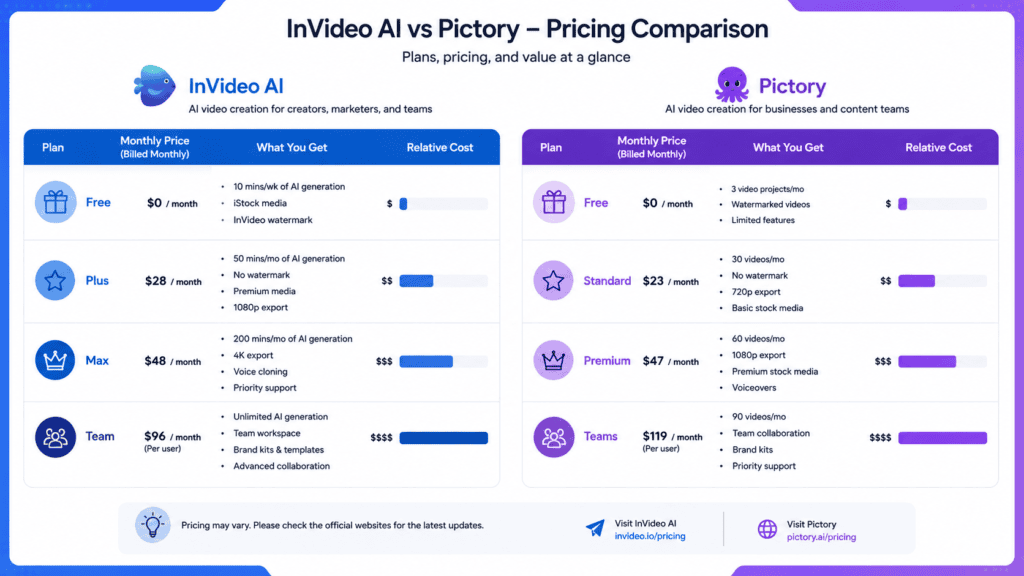
Pricing for both tools changes often and both use credit systems, so treat the numbers below as a snapshot rather than a guarantee — always confirm on the official pricing pages before subscribing.
| Plan tier | InVideo AI | Pictory |
|---|---|---|
| Free | Permanent, ~10 AI min/week, watermarked, limited exports | 14-day free trial, full features, watermarked |
| Entry paid | Plus, ~$20–25/mo — 50 AI minutes, 80 iStock assets, 2 voice clones, watermark-free | Starter, ~$19–25/mo — 200 video minutes, 1 brand kit, AI voiceover |
| Mid paid | Max, ~$48–60/mo — 200 AI minutes, 320 iStock assets, 5 voice clones, 4K export | Professional, ~$35/mo — 600 minutes, ElevenLabs voices, 5 brand kits, 500 AI credits |
| Premium/Team | Generative, ~$100–120/mo — Sora 2 + Veo 3.1 access | Teams, ~$119/mo — 3 users, 1,800 minutes, collaboration |
| Credit rollover | No — unused minutes reset monthly | Yes — unused AI credits roll over while subscribed |
A few things worth calling out explicitly, since they affect real cost more than the sticker price does:
- Credit pools don’t share. On InVideo AI, exhausting your iStock allowance doesn’t free up AI minutes, and vice versa — the two are tracked separately.
- Rollover changes the math. Pictory’s credit rollover means a slow month doesn’t waste your subscription. InVideo AI’s minutes reset every cycle regardless of use.
- Watermarks. InVideo AI’s free plan is watermarked but permanent. Pictory has no permanent free option — only a time-limited trial, also watermarked.
- 4K is not universal. It’s a Max/Generative-tier feature on InVideo AI; Pictory’s documented export quality tops out lower across its current plans.
InVideo AI vs Pictory: Pros and Cons
InVideo AI
Pros: Large template library; permanent free plan; access to Sora 2 and Veo 3.1 on the Generative tier; strong for from-scratch social and ad content; multiple voice clones on higher tiers.
Cons: Credit pools reset monthly with no rollover; no native PPT-to-video; limited API for enterprise automation; can require more manual editing time than Pictory.
Pictory
Pros: Best-in-class content repurposing (blog, PPT, audio, video); AI credits roll over; full developer API and Pictory Central for training/LMS use cases; per-seat brand kits for agencies.
Cons: No permanent free plan, only a 14-day trial; smaller template library; editor is intentionally less flexible for bespoke, from-scratch creative work; export quality currently capped lower than InVideo AI’s top tier.
Real User Review Trends
Rather than fabricate quotes, here’s what recurring patterns across G2, Capterra, Trustpilot, and Reddit discussions tend to look like for each tool, based on publicly visible review summaries and community threads:
For InVideo AI, recurring praise centers on the template variety and how fast a first draft comes together from a prompt. Recurring criticism centers on the credit system — reviewers frequently mention running out of AI minutes or iStock credits before the billing cycle resets, and some note that generative-model output quality varies depending on the underlying model used that month.
For Pictory, recurring praise centers on how well it repurposes blogs and webinars without losing the original meaning, and on the brand kit system for teams publishing at volume. Recurring criticism centers on the lack of a permanent free tier and the more limited creative flexibility compared to full video editors.
As with any AI tool comparison, review sentiment shifts as both platforms update their models and pricing, so check current reviews on G2 and Capterra before making a final call.
Who Should Choose InVideo AI?
Choose InVideo AI if you’re a marketer or agency building original short-form content or ads from a blank page, you want the largest possible template selection, you’re willing to manage a credit system that resets monthly, or you specifically want native access to Sora 2 and Veo 3.1 inside one subscription.
It’s a weaker fit if your main job is turning long-form content you’ve already created into video without rewriting it.
Who Should Choose Pictory?
Choose Pictory if your primary workflow is repurposing — blog posts, podcasts, webinars, PowerPoint decks, or existing video — into new video assets, if you need an API for programmatic video generation at scale, or if you’re a training or L&D team that wants interactive video hosting in the same subscription. It’s a weaker fit if you want deep manual control over transitions, motion design, or cinematic generative footage.
Best Alternative for the Rest of Your YouTube Workflow
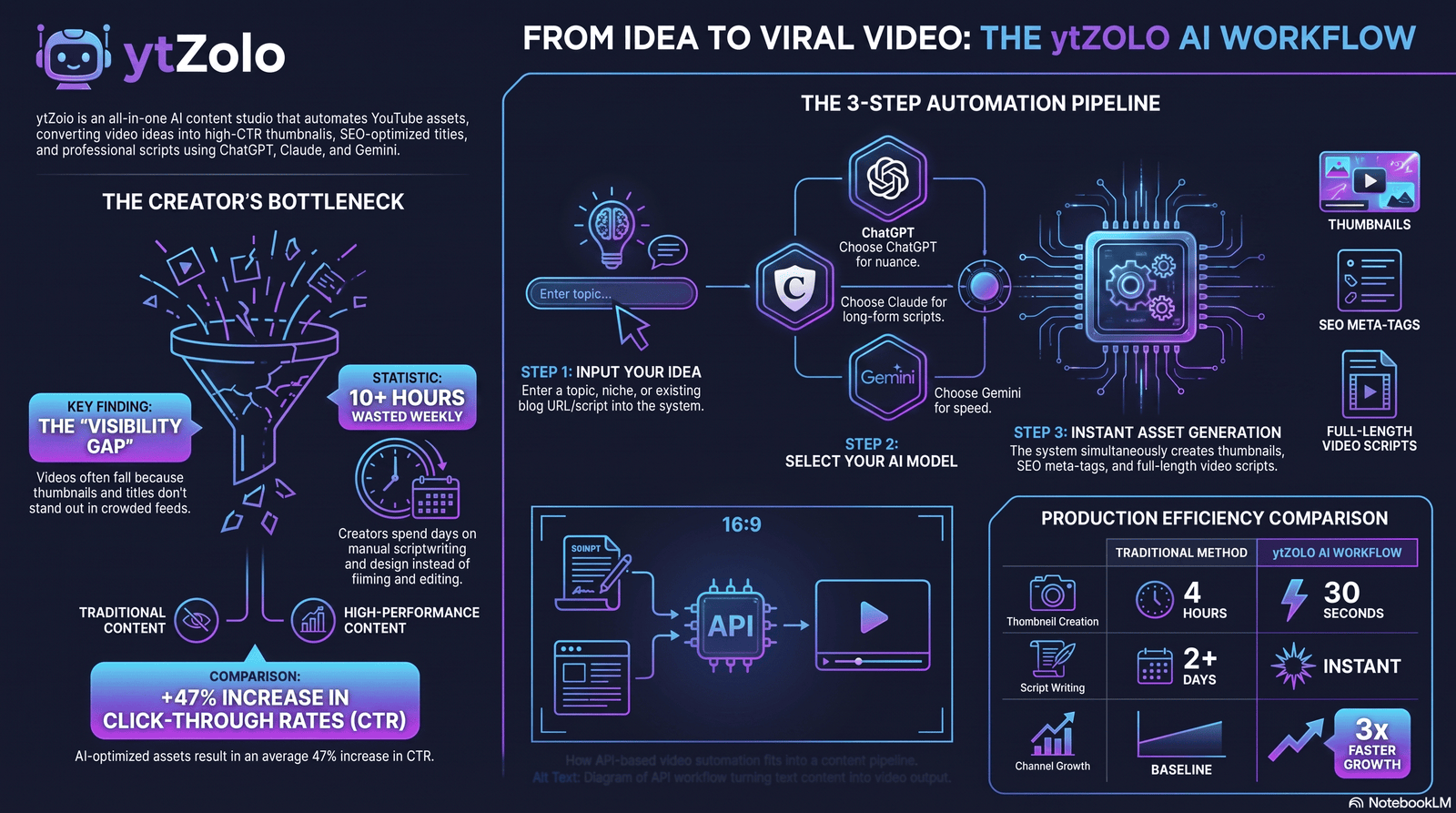
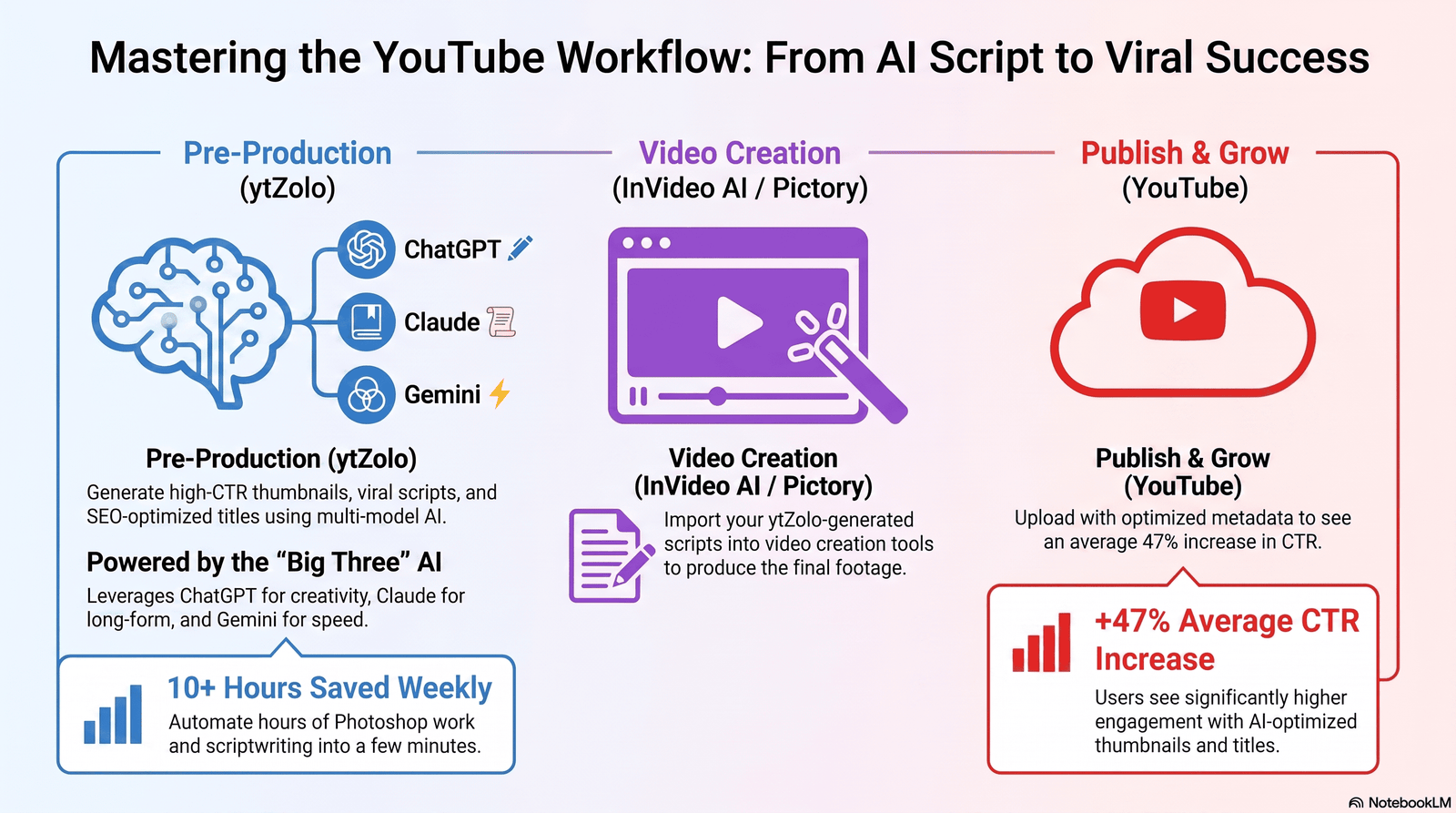
Here’s something both comparisons above leave out: InVideo AI and Pictory solve the video creation half of publishing on YouTube. Neither one writes your title, designs your thumbnail, or optimizes your description and tags for search — and that pre-production work is where a lot of creators lose the most time.
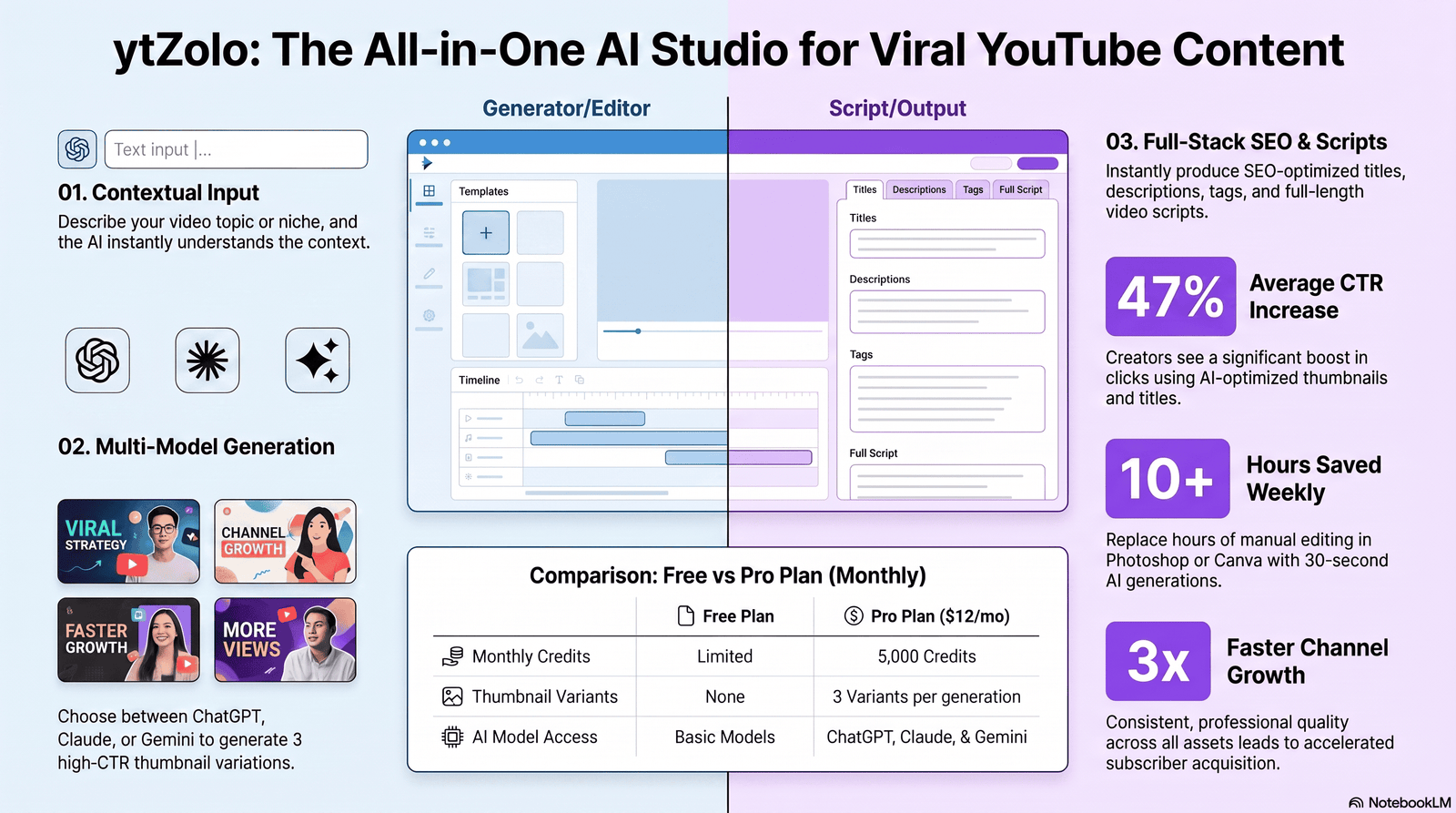
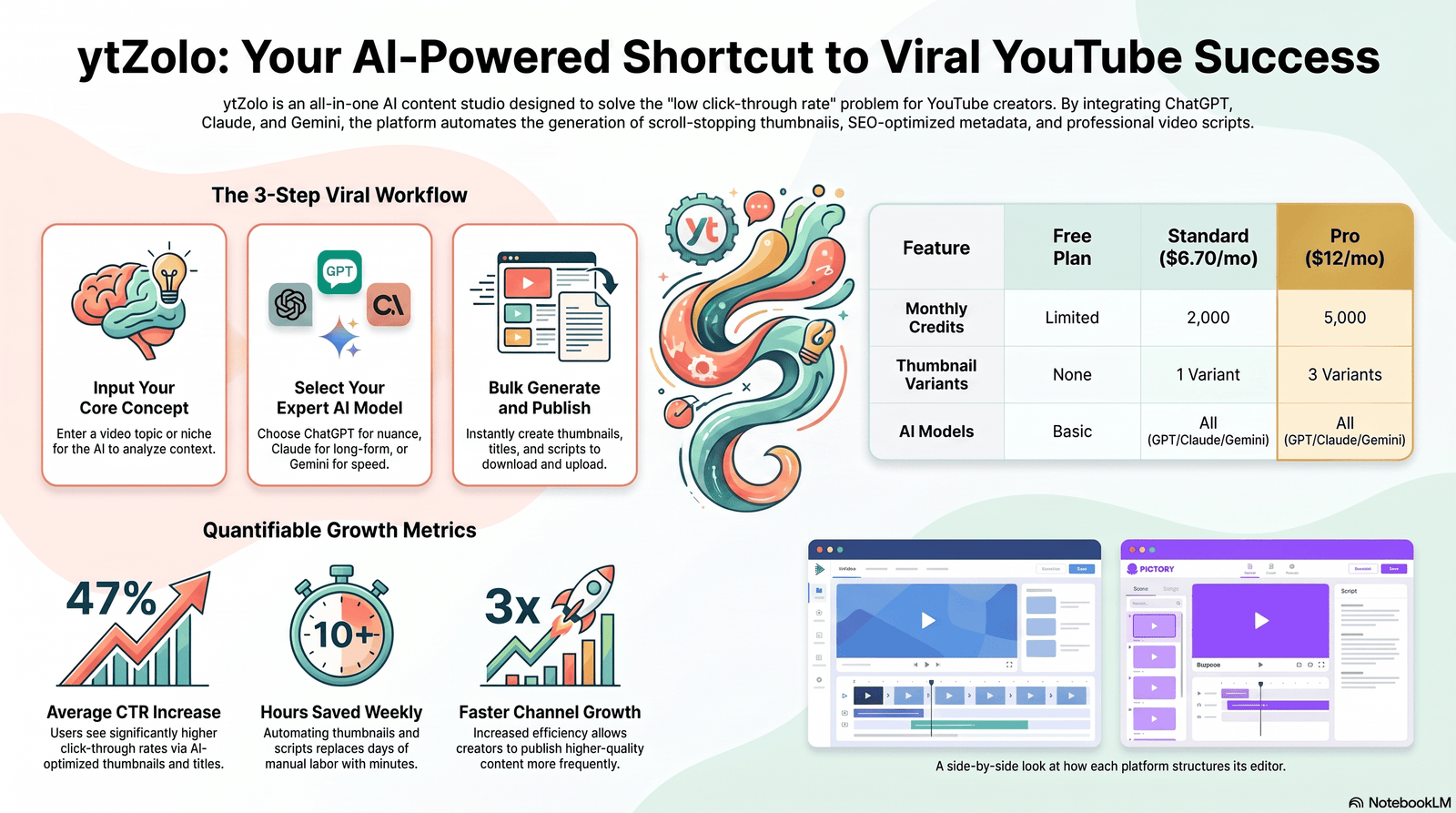
That’s the gap ytZolo is built for. It’s not a video generator and isn’t trying to compete with InVideo AI or Pictory on editing or rendering. Instead, ytZolo is a content and audio studio built specifically for YouTube: it generates SEO-optimized titles, descriptions, and tags, produces click-worthy thumbnails, writes hook-first scripts, and handles the audio side of pre-production — all from one workspace, drawing on multiple AI models.
Many creators pair it with InVideo AI or Pictory rather than replacing either: write and voice the video’s pre-production assets in ytZolo, then build the actual video in whichever of the two tools fits the workflow above.
If you’re deciding between InVideo AI and Pictory for the video itself, it’s worth reading ytZolo’s own breakdowns of the best AI tools for YouTube thumbnails and the best AI tools for writing YouTube scripts, which cover the pre-production side this article doesn’t.
Speed, Ease of Use, and Scalability
Speed. Neither vendor publishes an independently verified rendering benchmark, so treat any specific number here as directional. In practice, Pictory’s scene-based workflow tends to produce a usable first draft faster because there are fewer decisions to make per video — you’re reviewing AI choices rather than building from zero.
InVideo AI’s prompt-to-video flow is also fast for a first draft, but the timeline-editing step afterward adds time if you want a polished, on-brand result.
Ease of use. Pictory’s constrained editor is easier to learn precisely because it limits what you can do. InVideo AI’s flexibility is a double-edged sword: more powerful in trained hands, more overwhelming for a first-time user staring at a full timeline, layers, and 10,000+ templates.
Long-form vs short-form workflows. This is an underexplored angle in most comparisons of these two tools. If your channel runs long-form content (15+ minute videos, podcasts, webinars), Pictory’s transcript-based Auto Highlight and PPT/audio-to-video workflows are built for exactly that: they take something long and extract or restructure it, rather than asking you to storyboard from scratch.
If your output is primarily short-form (15–60 second ads, Shorts, TikToks), InVideo AI’s template depth and generative AI video access give you more creative range for building attention-grabbing hooks without a source document to lean on.
Scalability for teams. Pictory’s API-first architecture and credit rollover make it the more predictable option for teams scaling video output month over month — a slow month doesn’t waste your subscription, and the API lets you plug video generation directly into a CRM, LMS, or e-commerce catalog.
InVideo AI scales differently: its Team and Enterprise tiers add seats and storage, but the underlying credit-reset structure means growing output requires actively monitoring and upgrading credit tiers rather than banking unused capacity.
Limitations worth flagging on both. Neither tool replaces a human editor for cinematic, story-driven long-form video — both are closer to fast production tools than to Premiere Pro or DaVinci Resolve. Neither has a first-party mobile app as a core product offering.
And AI-generated voices and avatars on both platforms, while improved in 2026, still occasionally produce mispronunciations or unnatural pacing on technical or brand-specific terms, so a manual review pass before publishing is worth the time regardless of which tool you use.
Decision Matrix
Scored out of 10 based on documented features and pricing, not personal testing. Treat this as a starting point, not a lab result.
| Category | InVideo AI | Pictory |
|---|---|---|
| Ease of use | 7 | 8 |
| Template variety | 9 | 6 |
| AI generation quality | 8 | 7 |
| Editing flexibility | 8 | 6 |
| Pricing value | 7 | 7 |
| Speed to first draft | 7 | 9 |
| Customization | 8 | 6 |
| Learning curve | 6 (steeper) | 8 (gentler) |
| API/automation | 5 | 9 |
| Overall value (repurposing use case) | 6 | 9 |
| Overall value (from-scratch creative use case) | 9 | 6 |
Final Verdict
There’s no single winner between InVideo AI and Pictory because they’re not really solving the same problem. InVideo AI is the stronger studio when you’re building something from a blank page — an ad, a branded explainer, a short-form concept video — and want the biggest template library and access to frontier generative models.
Pictory is the stronger tool when you already have the substance (a blog, a webinar, a deck, a script) and need it turned into video quickly, without losing what you originally said.
If you publish both kinds of content, it’s worth trialing both: InVideo AI’s free plan and Pictory’s 14-day trial cost nothing to test against your actual workflow before you commit a monthly budget.
FAQ
Is InVideo AI or Pictory better for beginners? Pictory generally has a gentler learning curve because its scene-based editor limits the number of decisions you need to make. InVideo AI’s timeline editor offers more control but takes longer to learn.
Which is cheaper, InVideo AI or Pictory? Entry paid plans are close, typically $19–25/month for both. The real cost difference shows up in credit rollover — Pictory’s unused AI credits carry over, while InVideo AI’s generation minutes reset each month.
Can I use InVideo AI or Pictory for free? InVideo AI has a permanent free plan with limited weekly AI minutes and a watermark. Pictory offers a 14-day free trial with full feature access, also watermarked, but no permanent free tier.
Does Pictory support PowerPoint to video? Yes, natively, for decks up to roughly 90 slides. InVideo AI does not currently offer a dedicated PPT-to-video workflow.
Does InVideo AI have Sora 2 and Veo 3.1? Yes, both are available on InVideo AI’s Generative tier, bundled at a flat subscription rate rather than separate API billing.
Which tool is better for YouTube Shorts? Both support vertical formats. Pictory’s Auto Highlight feature is better suited to pulling short clips from long recordings (podcasts, webinars). InVideo AI’s template range is better suited to building short-form ads or concept videos from scratch.
Do either of these tools write my video title or thumbnail? No. Both focus on the video itself. Title, thumbnail, and description optimization for YouTube search typically requires a separate tool such as ytZolo.
Is InVideo AI good for marketers? Yes — its template library and generative AI access make it well suited to building paid social ads, brand videos, and campaign content from scratch.
Is Pictory good for educators? Yes — native PPT-to-video, transcript-based editing, and Pictory Central’s SCORM export and quiz features are built with training and L&D use cases in mind.
Which tool has better AI avatars? Both offer stock avatars and avatar cloning from your own likeness. InVideo AI’s avatars lean toward informal, UGC-style content; Pictory’s lean toward corporate and training presenters. Neither is objectively “better” — it depends on the tone you need.
Does either tool have an API for automation? Pictory has a full developer API covering text, URL, PPT, and video-summarization workflows, plus Zapier, Make, and MCP support. InVideo AI’s API is more limited, aimed at individual automations rather than large-scale programmatic production.
Can agencies use InVideo AI or Pictory for multiple clients? Yes, both support team plans. Pictory’s Teams plan gives each seat its own brand kit, useful for keeping client assets separate. InVideo AI’s Max and Team plans add multiple voice clones and multi-user management.
Author
Anshika Verma Email: anshika@ytzolo.com
Anshika researches AI creator tools and YouTube workflow software, focusing on how pre-production, video generation, and publishing tools fit together in a real creator’s pipeline. This comparison is based on publicly available product documentation, official pricing pages, and third-party reviews rather than paid partnerships with either vendor.

