
Picture this.
It’s 2 AM. Your video is edited, uploaded, and ready. But you’re stuck — staring at a blank canvas, trying to design a thumbnail that doesn’t look like it was made in 2012.
You try Photoshop. Too complicated. You fiddle with Canva. Decent, but it takes forever. You end up slapping a blurry screenshot with some text on top and hitting publish.
Three days later? The video has 47 views.
Sound familiar?
Here’s the brutal truth: your thumbnail is your video’s first impression. And in 2026, with over 20 million videos uploaded daily to YouTube, your free thumbnail generator for YouTube can make or break your channel’s growth. Viewers decide whether to click in under half a second. If your thumbnail doesn’t stop the scroll, nothing else matters — not your title, not your content, not your SEO.
The good news? You no longer need design skills, expensive software, or two hours of your time. AI-powered tools have completely changed the game. And if you haven’t discovered ytZolo yet, you’re leaving views — and money — on the table.
Let’s break down everything you need to know.
Table of Contents
Why Your YouTube Thumbnail Is Everything
Let’s talk numbers for a second.
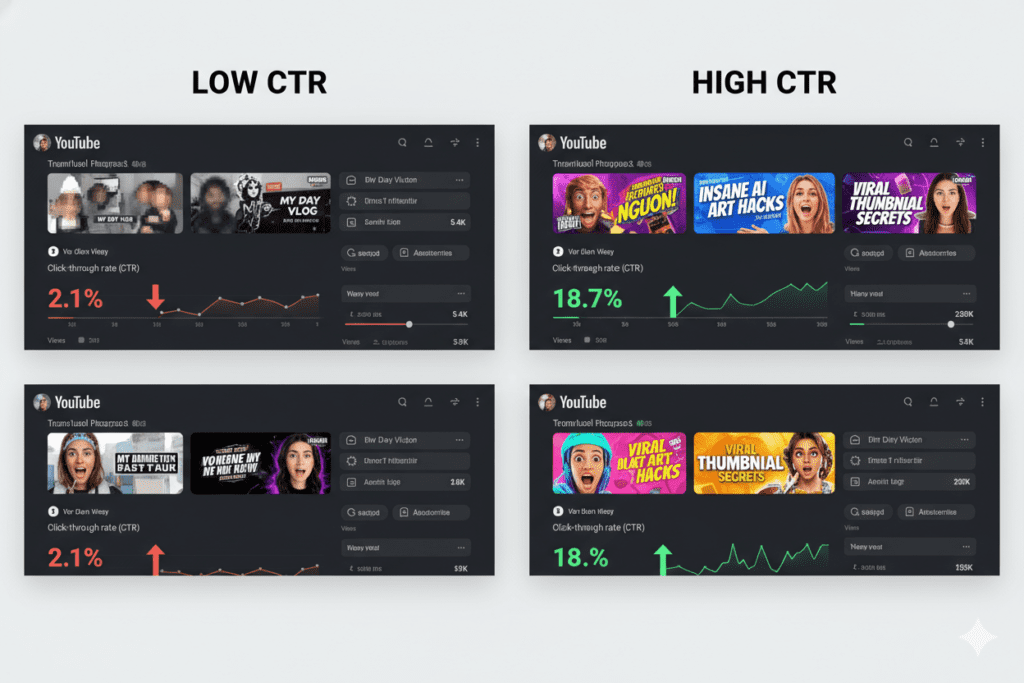
According to 2026 benchmark data, a good YouTube click-through rate (CTR) sits between 4% and 6% for most channels. Anything above 7% is exceptional. Anything below 2%? Your thumbnail is quietly killing your channel.
Your thumbnail is literally the first thing a viewer sees. Before they read your title. Before they watch a second of your video. It’s the cover of your book — and yes, people absolutely judge books by their covers on YouTube.
Think about it this way:
- YouTube shows your thumbnail to thousands of people every day
- You have roughly 0.3 seconds to earn a click
- A stronger thumbnail can boost your CTR by 15–40% (YouTube Studio A/B testing data, 2025)
- Higher CTR tells the YouTube algorithm to push your video to even more people
The algorithm is ruthless. A low CTR means fewer impressions, which means fewer views, which means slower growth. It’s a cycle — and a bad thumbnail is usually where it starts.
That’s exactly why using a reliable, free thumbnail generator for YouTube isn’t optional anymore. It’s a core part of your content strategy.
What Is a Free Thumbnail Generator for YouTube?
A free thumbnail generator for YouTube is a tool — often powered by AI — that helps you create professional, click-worthy thumbnails without needing design skills or expensive software.
Instead of opening Photoshop and spending an hour tweaking layers, you describe what you want (or upload your video) and the tool generates a ready-to-use thumbnail in seconds.
The best free thumbnail generators for YouTube in 2026 offer:
- AI-powered image generation based on your video topic or title
- Pre-made templates optimized for high CTR
- Text overlay tools with bold, readable fonts
- Background removal for clean, professional looks
- 1280×720px export (YouTube’s recommended size)
- Multiple design variations to A/B test
Gone are the days of Googling “YouTube thumbnail template free download” and hoping for the best. Today’s AI tools understand your content, your niche, and what actually gets clicks.
The Problem With Manual Thumbnail Design
Let’s be real. Creating thumbnails manually is a grind.
Most creators use tools like Photoshop or Illustrator — but these aren’t built for YouTube creators. They’re built for professional designers. The learning curve is steep, the templates are generic, and the time investment is brutal.
Even “simple” tools like Canva, while great for beginners, have their limits. You’re still picking from generic templates. You’re still guessing what will perform. You’re still spending 30–60 minutes per video just on the thumbnail.
For creators who post weekly (or daily), that adds up fast:
| Method | Time per thumbnail | Tools needed | Design skills required |
|---|---|---|---|
| Manual (Photoshop) | 45–90 min | Paid software | High |
| Template-based (Canva) | 20–40 min | Free/paid | Medium |
| AI Generator (ytZolo) | 2–5 min | Free | Zero |
And here’s the deeper problem: manual design is guesswork. You don’t know if your thumbnail will perform until you publish. With AI tools designed for YouTube specifically, the guesswork is gone. You get thumbnails built on real performance data.
Manual methods are officially outdated. It’s time to upgrade.
How AI Has Changed Thumbnail Creation Forever
Artificial intelligence didn’t just make thumbnail creation faster. It made it smarter.
Here’s what modern AI thumbnail tools actually do:
- Analyze your video content to understand the topic and emotion
- Study high-performing thumbnails in your niche to identify patterns
- Generate multiple design variations with different layouts, colors, and text
- Suggest CTR-boosting elements like high-contrast colors, expressive faces, and bold fonts
- Auto-size to YouTube specs (1280×720, 16:9 ratio)
In 2026, the top creators aren’t designing thumbnails by hand. They’re using AI to generate thumbnails in under five minutes, test multiple versions, and let the data pick the winner.
Tools like ytZolo take this even further. They don’t just generate a pretty image — they combine thumbnail AI with a full YouTube growth ecosystem. We’ll get into that in a moment.
But first, let’s look at the best free thumbnail generators for YouTube currently available.

Top Free Thumbnail Generators for YouTube in 2026
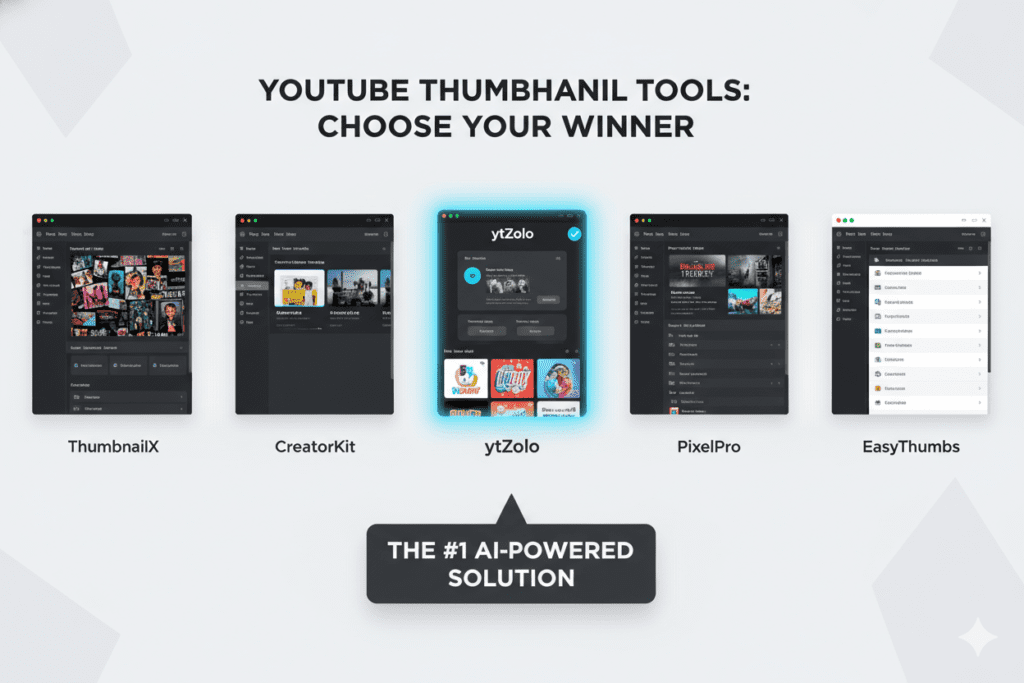
There are plenty of options out there. Here’s a quick breakdown of the most popular free thumbnail generators for YouTube right now:
1. Canva (Free Plan)
Canva is one of the most popular design platforms online. It offers hundreds of YouTube-specific templates, drag-and-drop editing, and basic AI tools. The free plan covers most beginner needs, though advanced AI features are locked behind a paid plan.
Best for: Beginners who prefer visual, template-based design. Limitation: Time-consuming; no deep YouTube-specific AI optimization.
2. Adobe Express (Free Tier)
Adobe Express offers a clean, mobile-friendly interface with pre-sized YouTube thumbnail templates. It supports background removal and text customization. The free tier gives you solid tools, but advanced Adobe AI features require a paid subscription.
Best for: Creators already in the Adobe ecosystem. Limitation: Limited free AI credits; not specifically optimized for YouTube CTR.
3. vidIQ Thumbnail Maker
vidIQ’s AI thumbnail maker is trained on YouTube performance data. It’s included free with a vidIQ account. It’s strong for quick, data-backed thumbnails — but vidIQ’s strength is really its analytics, not its design depth.
Best for: Creators already using vidIQ for analytics. Limitation: Limited design customization compared to dedicated tools.
4. ytZolo — The All-in-One AI Thumbnail Generator ⭐
This is where things get exciting. ytZolo isn’t just a free thumbnail generator for YouTube. It’s a complete AI-powered YouTube growth platform built specifically for creators. More on this below.
Best for: Creators serious about growing their channel with AI. Why it wins: Combines thumbnails with titles, scripts, descriptions, tags, and more.
Why ytZolo Is the Best AI Thumbnail Tool for Creators
Here’s where we need to talk about ytZolo — because it’s genuinely different from everything else on this list.
Most free thumbnail generators for YouTube do one thing: help you make a thumbnail. ytZolo does everything else around that thumbnail — and that’s what makes it a game-changer.
ytZolo Is Built for Viral Content
ytZolo isn’t just a design tool. It’s an all-in-one AI YouTube growth platform that helps creators at every stage of the content workflow:
- 🎨 AI Thumbnail Generator — Create scroll-stopping, high-CTR thumbnails in seconds
- 📝 AI Title Generator — Write curiosity-driven titles that rank and get clicks
- 🎬 AI Script Generator — Build engaging video scripts optimized for retention
- 📋 AI Description Generator — Write SEO-optimized descriptions automatically
- 🏷️ AI Tags Generator — Find the right keywords to maximize discoverability
With ytZolo, you’re not just making a better-looking thumbnail. You’re building a complete content strategy designed around what actually performs on YouTube in 2026.
ytZolo Understands YouTube, Not Just Design
This is the key difference. Generic design tools like Canva are built for visual appeal. ytZolo is built for YouTube performance.
Every feature inside ytZolo is designed with one goal in mind: more views, more subscribers, and faster channel growth. The AI understands the YouTube algorithm, CTR optimization, and what drives viewers to click — not just what looks pretty.
For creators who are serious about growth, this is the difference between a hobby and a business.
You can explore more growth tips and strategies at the ytZolo blog — it’s packed with actionable content for creators at every level.

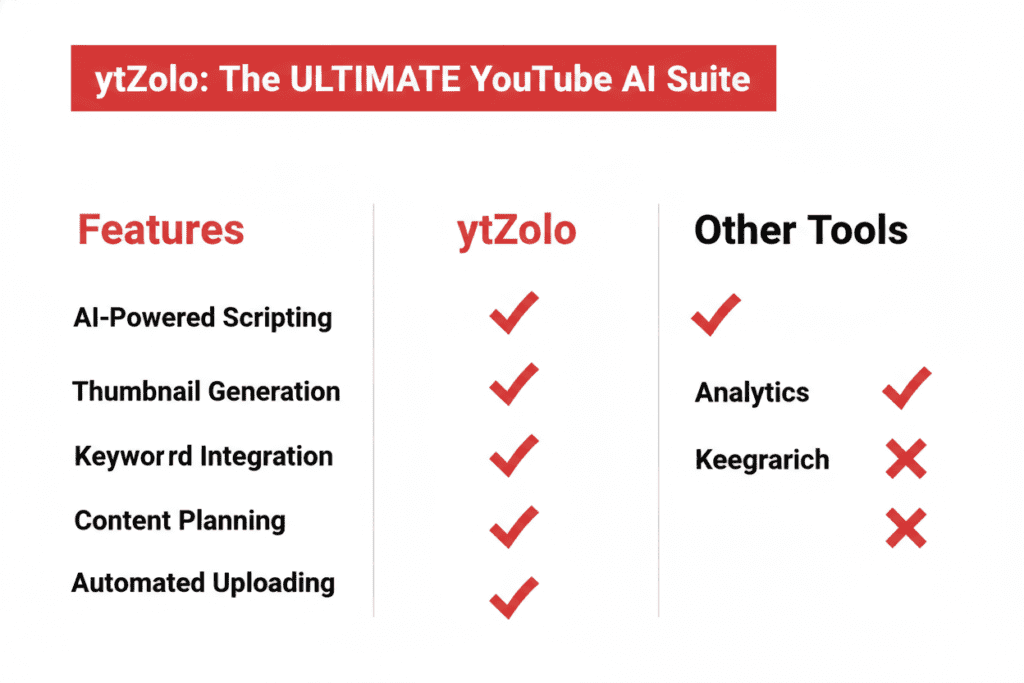
Why ytZolo Is Better Than Other Tools
Let’s be direct. There are dozens of free thumbnail generators for YouTube out there. So why does ytZolo stand above the rest?
| Feature | Canva | vidIQ | Adobe Express | ytZolo |
|---|---|---|---|---|
| AI Thumbnail Generator | Basic | Yes | Basic | ✅ Advanced |
| YouTube-specific optimization | ❌ | Partial | ❌ | ✅ Full |
| AI Title Generator | ❌ | Yes | ❌ | ✅ Yes |
| AI Script Generator | ❌ | ❌ | ❌ | ✅ Yes |
| AI Description + Tags | ❌ | Partial | ❌ | ✅ Yes |
| All-in-one creator workflow | ❌ | Partial | ❌ | ✅ Full |
| Built for viral content | ❌ | ❌ | ❌ | ✅ Yes |
| Free to use | ✅ | ✅ | ✅ | ✅ Yes |
Here’s the bottom line:
Other tools make thumbnails. ytZolo grows channels.
Canva helps you design. Adobe Express helps you format. vidIQ helps you analyze. But ytZolo combines all the creative, analytical, and strategic elements of YouTube growth into one place — so you spend less time switching between apps and more time creating content that actually performs.
Think about the time you save. No more opening five different tools for one video. No more guessing what title will rank. No more staring at a blank thumbnail canvas at 2 AM. ytZolo does the heavy lifting — you bring the ideas.
How to Create a Viral Thumbnail with ytZolo (Step-by-Step)
Ready to stop wasting time and start creating smarter? Here’s exactly how to use ytZolo’s free thumbnail generator for YouTube:
Step 1: Head to ytZolo.com Create your free account. No complicated setup. No credit card required. You’re up and running in under a minute.
Step 2: Enter Your Video Topic or Title Type in your video’s topic, title, or a brief description of your content. ytZolo’s AI instantly understands your niche and the kind of thumbnail that performs in your space.
Step 3: Let AI Generate Thumbnail Options ytZolo generates multiple thumbnail variations — different layouts, colors, text styles, and visual hooks. You’ll see options you never would have thought of on your own.
Step 4: Customize Your Favorite Design Pick the design you love and tweak it. Adjust text, swap colors, upload your face photo, change backgrounds. The editor is fast and beginner-friendly.
Step 5: Download in YouTube-Ready Format Export your thumbnail at the perfect size: 1280×720px, 16:9 ratio. Upload directly to YouTube Studio and you’re done.
Bonus Step: Use ytZolo for Your Title and Description Too While you’re there, let ytZolo generate your video title, description, and tags. It takes two more minutes — and it completely optimizes your video for the YouTube algorithm.
That’s it. Five steps. Five minutes. A thumbnail that’s built to get clicks.

Pro Tips for High-CTR Thumbnails in 2026
Whether you’re using ytZolo or another free thumbnail generator for YouTube, these tips will sharpen your results:
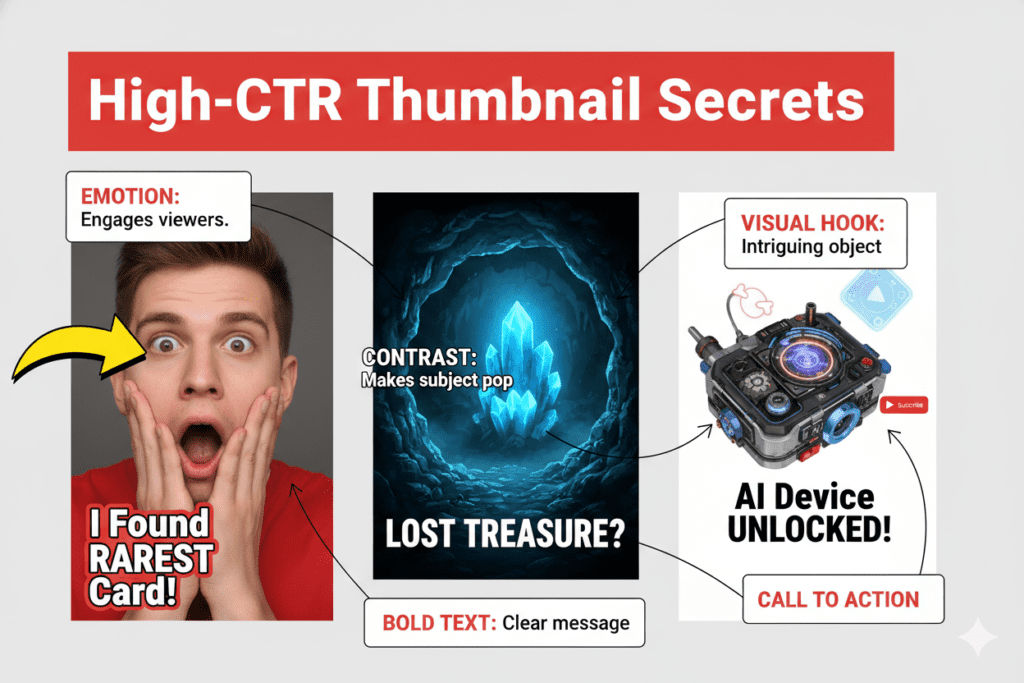
Use Emotion-Driven Faces
High-contrast faces showing genuine emotion — surprise, excitement, curiosity — consistently outperform static images. The human brain is wired to respond to facial expressions. Use this to your advantage.
Keep Text Short and Bold
Three to five words maximum. Your text should tease, not explain. Use large, readable fonts that work on mobile (since 70% of YouTube traffic is mobile-first in 2026).
High Contrast is Non-Negotiable
Dark backgrounds with bright elements. Bright backgrounds with dark elements. Colors like yellow, red, and white pop in crowded feeds. Avoid mid-tones that blend into the background.
Create a Curiosity Gap
Your thumbnail and title should work together to spark a question in the viewer’s mind. Something that can only be answered by clicking. This is the “curiosity gap” — and it’s the secret weapon of every high-CTR creator.
Test Multiple Versions
YouTube Studio now includes a built-in A/B thumbnail testing tool. Creators who A/B test consistently report 15–40% CTR improvements. Use ytZolo to generate two or three variations, then test them.
Study Your Niche
What are the top 10 videos in your niche doing with their thumbnails? Look for patterns. Then do something deliberately different to stand out. The goal isn’t to copy — it’s to interrupt the pattern.
What Is the Best Free Thumbnail Generator for YouTube?
The best free thumbnail generator for YouTube in 2026 is one that combines AI-powered design with YouTube-specific CTR optimization.
Tools like ytZolo stand out because they generate thumbnails based on your video’s topic, apply performance-driven design principles (high contrast, emotional hooks, bold text), and export in YouTube’s recommended 1280×720px format — all for free. Unlike generic design platforms, YouTube-focused AI generators are trained on what actually drives clicks on the platform.
For creators who want to go beyond just thumbnails, ytZolo also generates titles, scripts, descriptions, and tags in one workflow — making it the most complete free thumbnail generator for YouTube available today.
FAQ
❓ What is the best free thumbnail generator for YouTube in 2026?
The best free thumbnail generator for YouTube in 2026 is ytZolo. It uses advanced AI to generate click-optimized thumbnails based on your video topic, niche, and current YouTube trends. Unlike generic design tools, ytZolo is built specifically for YouTube growth — and it also helps with titles, scripts, descriptions, and tags all in one platform.
❓ Can I really use a free thumbnail generator for YouTube without design skills?
Absolutely. That’s exactly the point. Tools like ytZolo are designed for creators, not designers. You enter your topic, the AI generates multiple professional thumbnail options, and you pick and customize the one you love. No design skills, no learning curve, no wasted time.
❓ Does my YouTube thumbnail actually affect how many views I get?
Yes — massively. Your thumbnail directly controls your click-through rate (CTR), which is one of the most important signals the YouTube algorithm uses to decide how widely to distribute your video. A good CTR sits between 4–6%, and an improved thumbnail alone can boost your CTR by 15–40%. More clicks = more views = faster channel growth.
❓ What size should a YouTube thumbnail be?
YouTube recommends a thumbnail size of 1280×720 pixels with a 16:9 aspect ratio. The file size should be under 2MB. JPG, PNG, BMP, or GIF formats are all supported. Tools like ytZolo automatically export thumbnails in the correct format, so you never have to worry about sizing.
❓ Is ytZolo only a thumbnail generator, or does it do more?
ytZolo is a full-stack AI YouTube growth platform — not just a free thumbnail generator for YouTube. It helps creators with every part of the content workflow: AI thumbnail generation, video title creation, script writing, SEO-optimized descriptions, and tag generation. It’s designed to save time, boost performance, and help creators grow their channels faster with the power of AI.
Final Thoughts: Stop Guessing. Start Growing.
Here’s what it all comes down to.
Your next video deserves better than a blurry screenshot with a random font slapped on top. Your content is good — your thumbnail should prove it.
In 2026, the creators who are growing fastest aren’t necessarily the best editors or the best on camera. They’re the ones who work smarter. They use AI to create better thumbnails, sharper titles, stronger scripts, and more discoverable content — all in a fraction of the time.
The free thumbnail generator for YouTube space has evolved dramatically. You no longer have to choose between quality and speed. With the right tool, you get both.
ytZolo is that tool.
It’s the all-in-one AI YouTube growth platform built for creators who are serious about building a channel that grows — not just a channel that uploads. From thumbnails to titles to scripts to tags, ytZolo gives you everything you need to create viral-ready content, every single time.
The channels blowing up right now? They’ve already made the switch.
🚀 Start creating smarter, faster, and more viral YouTube content with ytZolo today. 👉 Visit ytZolo.com — it’s free to start.
🔗 Related Resources
- 📖 ytZolo Blog — More Growth Tips for YouTube Creators
- 📊 YouTube Creator Blog — Official Tips from YouTube
- 🔍 Google’s Guide to Creating Great Content
- 📈 HubSpot — Video Marketing Statistics & Trends
Last updated: April 2026 | Written for YouTube creators, content strategists, and digital marketers.

