

Introduction
Picture this.
You spend three days filming, editing, and perfecting a YouTube video. You upload it. You wait. And then… crickets.
Meanwhile, some creator with half your effort gets 200,000 views in a week.
What’s the difference?
Nine times out of ten — it’s the title.
And buried inside that title? A small, sneaky detail most creators completely ignore: capitalization.
Yes, seriously. The way you capitalize your YouTube title in 2026 directly affects your click-through rate (CTR), your visual appeal in search results, and whether the algorithm rewards or ignores you—something reinforced by insights from YouTube Creator Academy — Writing Great Titles.
In this guide, you’ll learn the YouTube title capitalization best practices 2026 that top creators are using right now. You’ll also discover why manual title writing is holding you back — and how tools like ytZolo are helping smart creators write better, faster, and more viral titles every single day. If you’re exploring the best tools, check out this AI YouTube title generator guide.
Let’s get into it.
Table of Contents
Why YouTube Title Capitalization Actually Matters in 2026
Here’s the truth: YouTube title capitalization best practices 2026 are no longer just about grammar.
They’re about psychology, visibility, and click behavior.
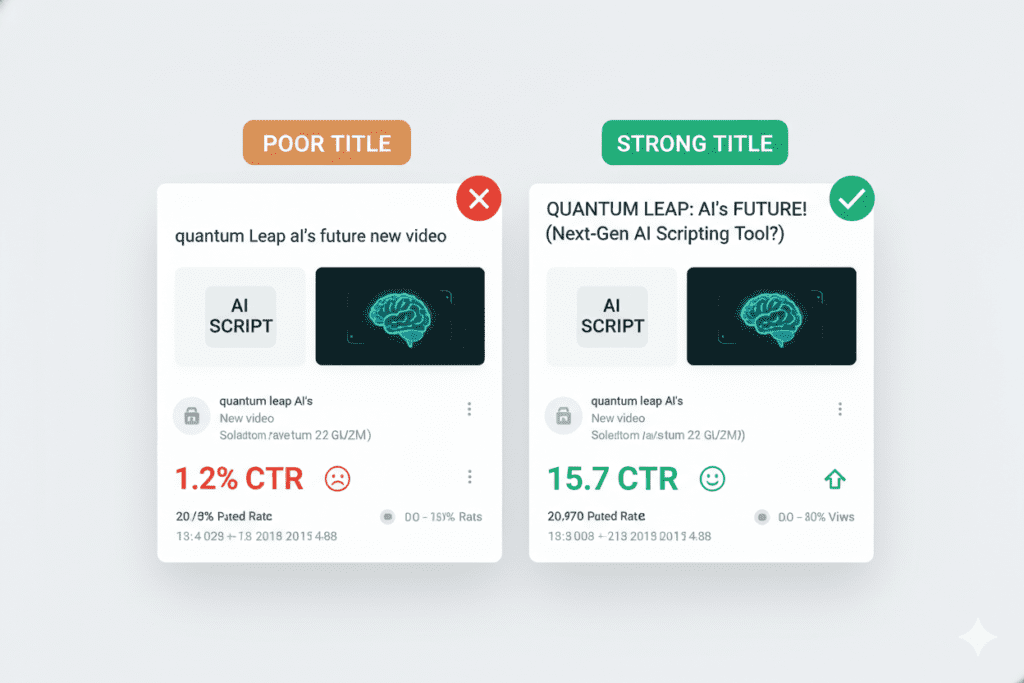
When a viewer scans their YouTube feed — which happens in about 1.5 seconds per video — your title is competing against dozens of others, especially under evolving YouTube title formatting rules 2026 and youtube policy on ai generated content disclosure 2026. Capitalization is a visual signal that either makes your title pop or lets it blend into the noise.
Think of it this way:
how to grow on youtube fast← Easy to overlook.How to Grow on YouTube FAST← Demands attention.
The difference? Capitalization creates visual hierarchy. It tells the brain where to look. And that small shift can be the difference between a 2% CTR and an 8% CTR. If you want to consistently increase YouTube CTR, this breakdown explains what works.
Studies have shown that well-formatted title tags and YouTube titles can boost CTR by up to 37% — and every extra click compounds into more views, more watch time, and more algorithm love.
This is why understanding YouTube title capitalization best practices 2026 is non-negotiable for any serious creator.
Title Case vs. Sentence Case: Which One Wins?
This is the big debate. And in 2026, the answer is more nuanced than ever.
What Is Title Case?
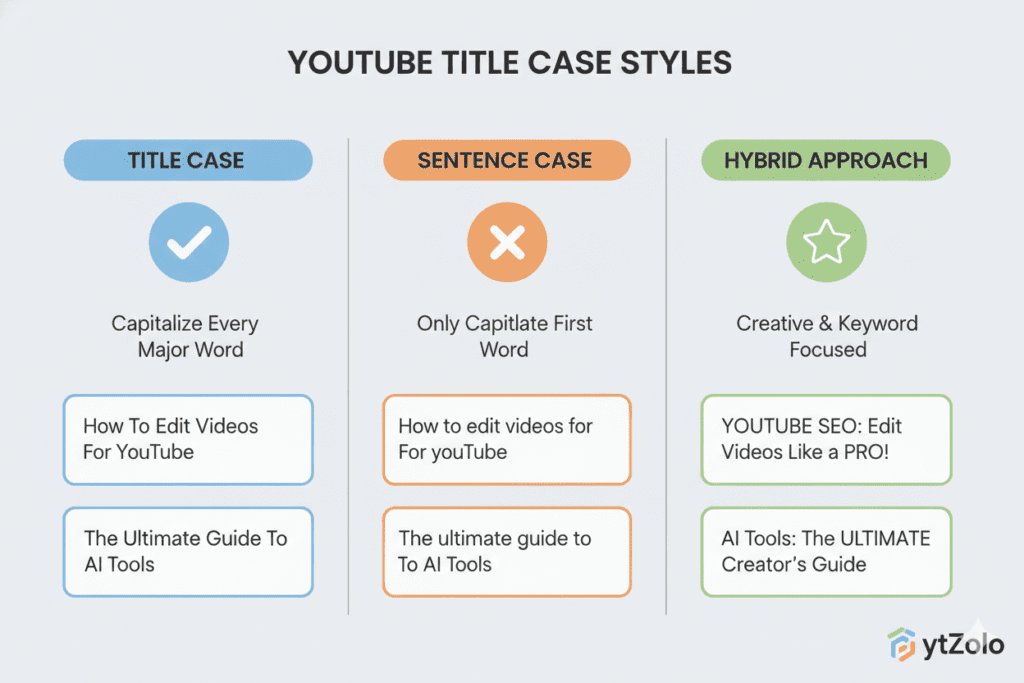
Title case capitalizes the first letter of every major word — nouns, verbs, adjectives, and adverbs. Small connecting words like “a,” “the,” “in,” and “for” are typically left lowercase unless they start the title.
Example: How to Build a YouTube Channel From Scratch
What Is Sentence Case?
Sentence case capitalizes only the first word and proper nouns. Everything else stays lowercase.
Example: How to build a YouTube channel from scratch
Which Performs Better on YouTube?
The data leans toward title case for YouTube — with one important condition.
Title case creates stronger visual impact in search results and the YouTube homepage feed under YouTube title formatting rules 2026. It looks more professional, more intentional, and more credible. Viewers are more likely to stop and read a title that has clear visual structure.
However, top-performing channels in 2026 are also experimenting with a hybrid approach: sentence case titles with one or two ALL-CAPS power words for strategic emphasis.
Example: How to grow on YouTube FAST (even with 0 subscribers)
This blends readability with visual punch — and it works.
Most successful channels use sentence case with strategic capitalization, combining front-loaded keywords with selective all-caps emphasis for high-impact words—an approach supported by this title case vs sentence case CTR study, which found capitalization style can directly influence click-through rates.
The bottom line? Both can work — but consistency and strategy beat random capitalization every time.
The 5 YouTube Title Capitalization Best Practices 2026
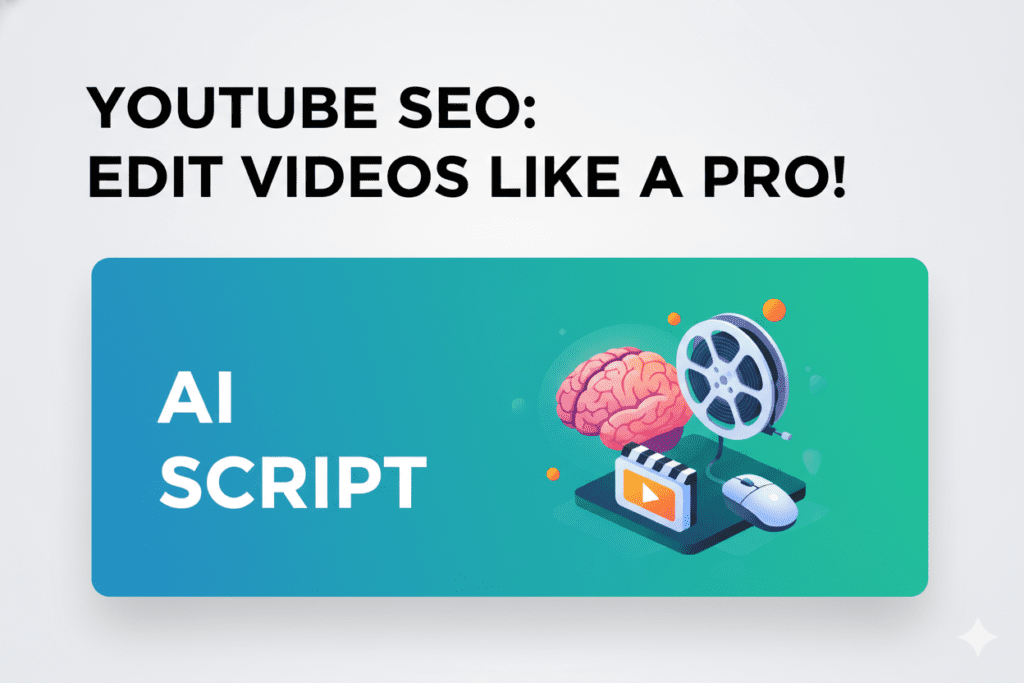
Here are the core YouTube title capitalization best practices 2026 that top creators are using right now.
1. Use Title Case as Your Default Format
Capitalize the first letter of every major word. This is the gold standard for YouTube titles in 2026 because it creates visual contrast in the crowded feed.
- ✅
10 Proven Ways to Get More YouTube Views - ❌
10 proven ways to get more youtube views
Title case makes your content look professional. These YouTube title best practices go deeper into what actually drives clicks.
2. Use Selective ALL-CAPS for Emphasis (One or Two Words Max)
ALL-CAPS can be a powerful attention-grabbing tool — but only when used sparingly. Capitalize one or two high-impact words to add visual weight.
- ✅
The YouTube Growth Strategy Nobody Talks About (WORKS in 2026) - ✅
ACCOUNTANT EXPLAINS: 5 Money Mistakes Killing Your Savings - ❌
HOW TO GROW YOUR YOUTUBE CHANNEL FAST IN 2026← This feels like spam.
Selective capitalization of a credential or a key phrase establishes authority and urgency without feeling aggressive.
3. Never Capitalize Every Single Word in All-Caps
Full all-caps titles feel like yelling under YouTube title formatting rules 2026. They lower perceived credibility and can make your channel look spammy or unprofessional.
There’s a reason the most-subscribed channels rarely go full all-caps. Reserve all-caps for one or two words, maximum.
4. Keep Titles Between 40–65 Characters
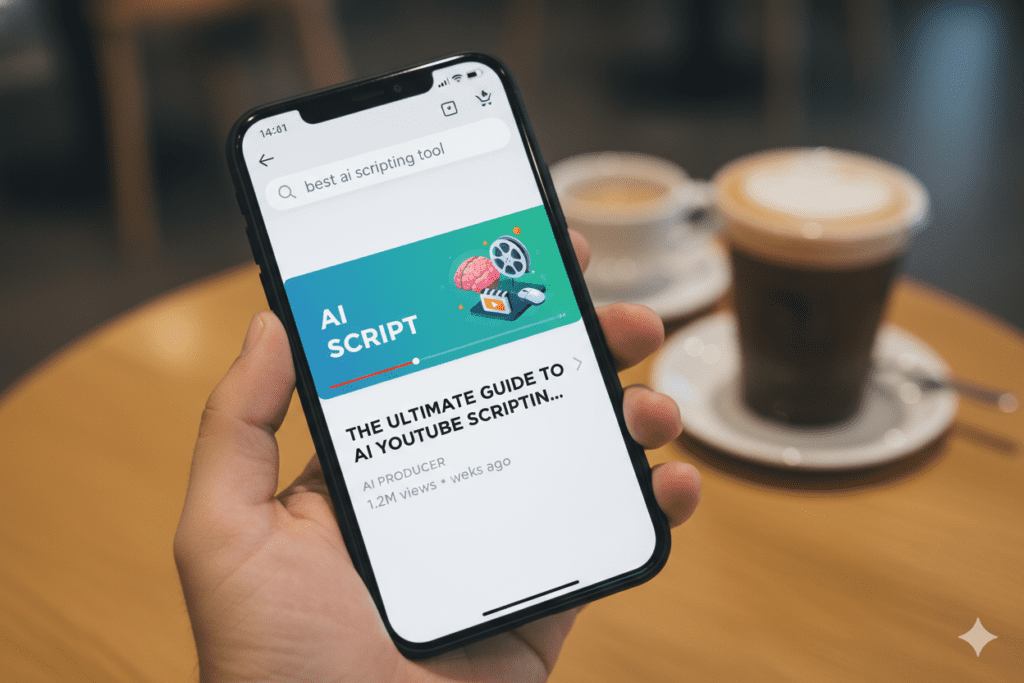
This isn’t just a length rule — it’s a capitalization display rule. On mobile, YouTube truncates titles at roughly 50–60 characters. If your most important capitalized word gets cut off, the entire visual effect is lost.
Always front-load your most compelling capitalized keyword in the first 40 characters. That way, even on the smallest screen, it shows up.
5. Match Capitalization to Thumbnail Text
Your thumbnail and your title work together as a single visual unit. If your thumbnail says “NEVER DO THIS” in bold caps, your title should mirror that energy — not contradict it.
Alignment between thumbnail text and title capitalization creates visual coherence that builds subconscious trust with the viewer under YouTube title formatting rules 2026. When both elements reinforce each other, CTR goes up.
What NOT to Do: Capitalization Mistakes Killing Your CTR
Even experienced creators make these mistakes. Here’s what to avoid in 2026.
Mistake #1: All Lowercase Titles Lowercase titles feel lazy. They lack visual punch and get lost in the feed. The “main problem with all-lowercase titles is that viewers can easily overlook or dismiss them due to a lack of ‘pop’ effect when scanning results.”
Mistake #2: Inconsistent Capitalization Mixing title case and sentence case randomly across your channel makes it look unedited. Viewers notice this subconsciously. Pick a style and stick with it.
Mistake #3: Capitalizing Filler Words Words like “a,” “the,” “in,” “of,” and “to” don’t need to be capitalized in title case. Over-capitalizing filler words actually makes titles harder to read, not easier.
- ❌
How To Grow On YouTube In 2026 - ✅
How to Grow on YouTube in 2026
Mistake #4: Clickbait Capitalization Using all-caps to overpromise and underdeliver. YouTube’s algorithm tracks watch time and satisfaction scores. If a viewer clicks on YOU WON'T BELIEVE THIS!! and then bounces immediately, your video gets suppressed. Capitalization should signal value — not deceive.
Mistake #5: Ignoring Mobile Display Most YouTube views happen on mobile. What looks great on desktop can get cut off on a phone screen. Always preview your title on mobile before publishing.
How YouTube’s Algorithm Reads Your Title Capitalization
Here’s something most creators don’t know.
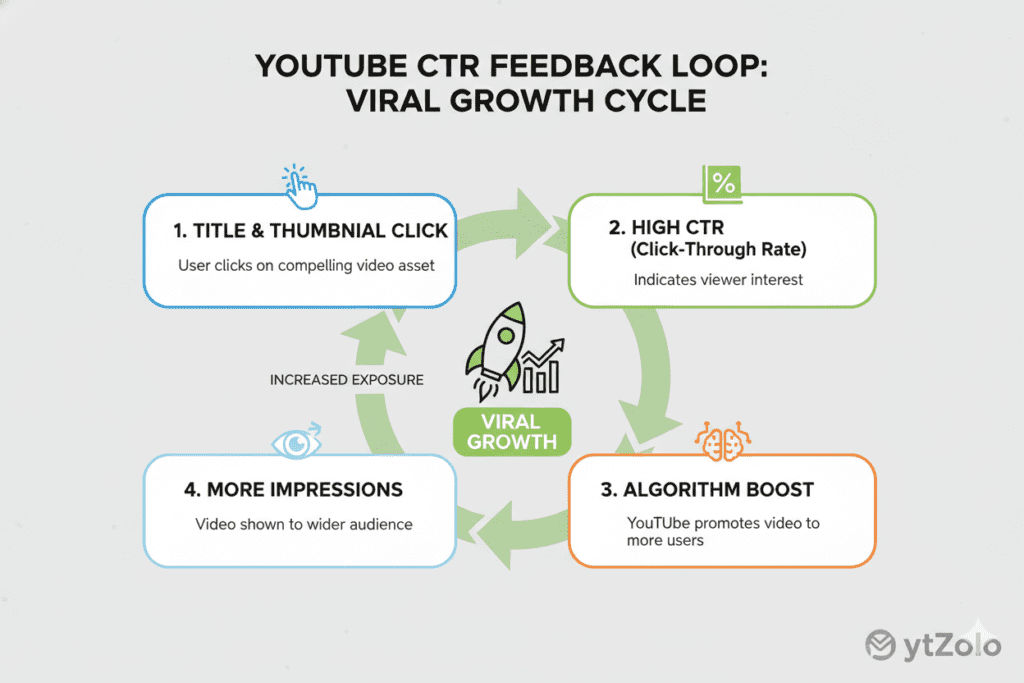
YouTube’s algorithm doesn’t directly rank you higher because of title case under YouTube title formatting rules 2026. Capitalization is not a ranking factor in itself. However, it is a massive CTR factor — and CTR absolutely affects ranking.
Here’s how the chain reaction works:
- Your title uses strategic capitalization → More people click
- More clicks = higher CTR signal → YouTube serves the video to more people
- More views → Algorithm boosts discovery
- Better watch time and engagement → Long-term ranking growth
With YouTube’s Gemini AI integration in early 2026, the algorithm now understands content at a semantic level. It reads transcripts, analyzes visuals, and maps the intent of your video. This means keyword stuffing in titles is increasingly useless.
What does matter? Clarity + curiosity + capitalization strategy. A clean, well-capitalized title that naturally includes your keyword and compels a click will always outperform a stuffed, messy title.
This chain reaction is part of a bigger YouTube SEO strategy 2026 that top creators follow.
This is exactly the kind of nuanced optimization that separates growing channels from stagnant ones — and it’s what ytZolo is built to handle for you automatically.
How ytZolo Helps You Master Title Capitalization Automatically
Let’s be honest: manually optimizing every single title for capitalization, keywords, length, and emotional triggers is exhausting.
Most creators either wing it — or spend 45 minutes agonizing over a 60-character title.
That’s where ytZolo changes everything.
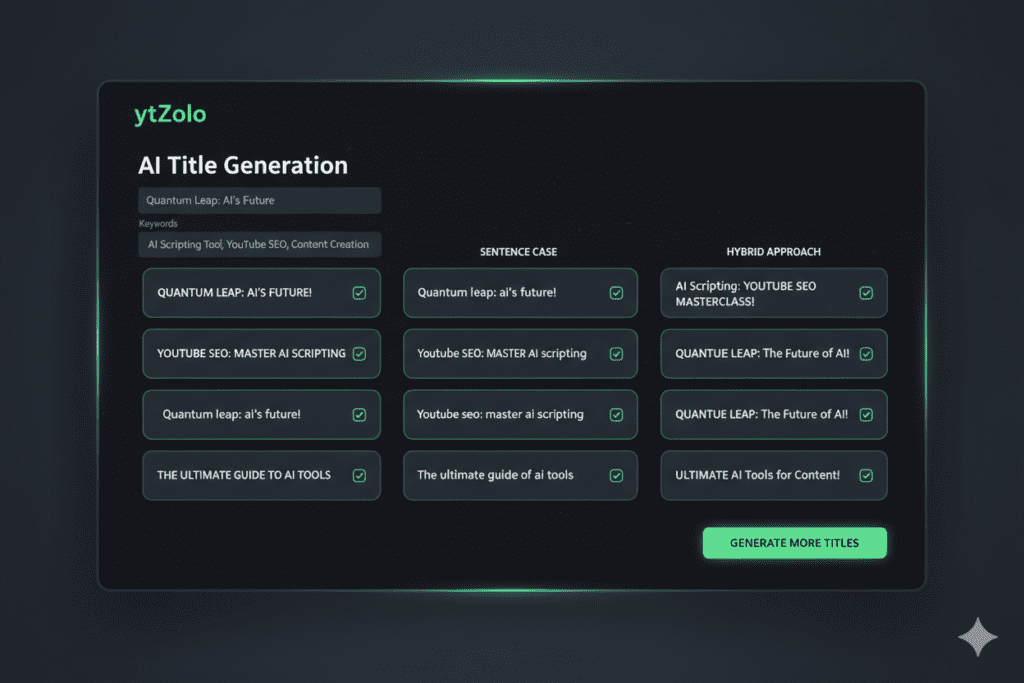
ytZolo is an all-in-one AI YouTube growth tool built specifically for creators who want to grow faster without burning out. And one of its most powerful features? AI-generated, perfectly optimized YouTube titles.
Here’s what ytZolo does for your titles:
- Generates multiple title variations with correct capitalization formats (title case, hybrid, selective caps) so you can A/B test instantly
- Embeds keywords naturally without stuffing — right where YouTube’s algorithm expects them
- Optimizes length to stay within the 40–65 character sweet spot for mobile display
- Applies power words and emotional triggers proven to increase CTR
- Aligns titles with thumbnails to create a unified, clickable visual unit
ytZolo doesn’t just optimize titles—it also works as the best AI script generator for YouTube.
Before tools like ytZolo, creators struggled with title optimization under YouTube title formatting rules 2026 because they had to manually track capitalization rules, keyword density, character counts, and trend analysis — all at once. It was a recipe for inconsistency
Want to see how top creators are using AI to write better titles in seconds? Check out the ytZolo blog for real-world examples and growth case studies.
Why ytZolo Is Better Than Other Tools
There are plenty of YouTube tools out there. So why do serious creators choose ytZolo?
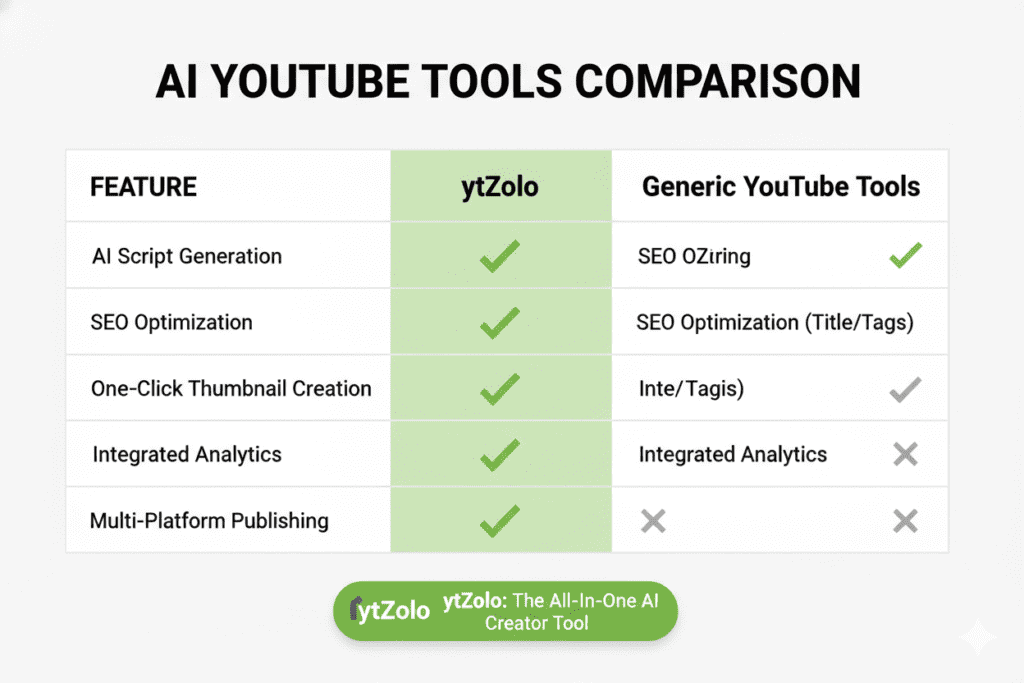
Here’s a straight-up comparison:
| Feature | ytZolo | Other Tools |
|---|---|---|
| AI Title Generation with Capitalization Optimization | ✅ Yes | ❌ Partial |
| Full Script Writing | ✅ Yes | ❌ Rarely |
| Thumbnail Concept AI | ✅ Yes | ❌ Rarely |
| Description + Tags Optimization | ✅ Yes | ✅ Some |
| Keyword Research Built-In | ✅ Yes | ✅ Some |
| Viral Content Strategy Engine | ✅ Yes | ❌ No |
| Time to Create a Publish-Ready Title | ⚡ Seconds | ⏳ Minutes |
Most tools focus on one thing — keyword research, or title scoring, or description writing. ytZolo is different because it handles the entire content creation workflow in one place.
You don’t just get a better title. You get a better video — from concept to upload-ready.
Other tools give you data. ytZolo gives you results.
And when it comes to YouTube title capitalization best practices 2026, ytZolo’s AI is trained on what’s actually working right now — not outdated 2022 tips that no longer apply.
Actionable Steps to Optimize Your Titles Today
Ready to put YouTube title capitalization best practices 2026 into action right now? Here’s your step-by-step playbook.
Step 1: Audit Your Last 10 Titles Open YouTube Studio and look at your 10 most recent videos. Check for inconsistent capitalization, all-lowercase titles, or all-caps spam. Note the CTR for each.
Step 2: Pick Your Capitalization Style Choose either title case or the hybrid (sentence case + selective all-caps) approach. Commit to it consistently across your entire channel.
Step 3: Apply the Front-Load Rule Rewrite any title where the main keyword appears after the 40-character mark. Move it to the first 5 words. Even small tweaks can revive underperforming videos.
Step 4: Check Mobile Display Before uploading, type your title into a character counter. Keep it under 60 characters. Preview how it looks on a mobile screen.
Step 5: Use ytZolo to Generate Title Variations Head to ytZolo and let the AI generate 5–10 title options for your next video. Compare them, test two versions, and track which one gets higher CTR in YouTube Analytics.
Step 6: A/B Test Existing Titles If you have a video that’s getting impressions but low CTR, update the title with better capitalization. YouTube Studio allows native A/B testing for channels with 1,000+ subscribers. Use it.
Step 7: Align with Thumbnail Make sure your thumbnail text and title use the same capitalization energy. Consistent visual branding builds click trust.
FAQ: YouTube Title Capitalization Best Practices 2026
Q1: Does capitalization affect YouTube SEO ranking?
Capitalization is not a direct ranking factor for YouTube’s algorithm. However, it significantly affects your click-through rate (CTR), which is one of the strongest signals YouTube uses to determine how often to show your video in search and recommendations. Better capitalization → better CTR → better ranking.
Q2: Should I use title case or sentence case for YouTube titles in 2026?
Title case is the most widely used format among high-performing YouTube channels in 2026 under YouTube title formatting rules 2026 because it creates visual hierarchy and looks professional in the feed. A hybrid approach — sentence case with one or two ALL-CAPS words for emphasis — is also highly effective for certain niches. The most important thing is consistency across your channel.
Q3: Is it okay to use ALL-CAPS in YouTube titles?
Using ALL-CAPS for one or two strategic words is an effective way to add emphasis and urgency. However, full all-caps titles feel spammy and aggressive, and can actually hurt your credibility and CTR. The rule: selective caps = powerful. Full caps = unprofessional.
Q4: How many characters should a YouTube title be in 2026?
Keep your YouTube title between 40–65 characters for optimal mobile display. Put the most important capitalized keyword in the first 40 characters. Anything beyond 60–65 characters risks being cut off on mobile devices, which is where the majority of YouTube views happen.
Q5: How can ytZolo help with YouTube title capitalization?
ytZolo uses AI to generate multiple YouTube title variations that are automatically optimized for capitalization style, keyword placement, emotional triggers, and character length. Instead of manually deciding whether to use title case, hybrid caps, or selective all-caps, ytZolo gives you data-backed title options in seconds — so you spend less time writing and more time creating.
Conclusion
Here’s the bottom line.
YouTube title capitalization best practices 2026 aren’t just grammar rules — they’re growth levers.
The way you capitalize your title determines whether your video gets scrolled past or clicked on. It affects your CTR, your algorithm ranking, your brand credibility, and ultimately, your channel growth.
The smartest creators in 2026 are no longer guessing their way through title formatting under YouTube title formatting rules 2026. They’re using proven strategies — title case for visual hierarchy, selective all-caps for emphasis, front-loaded keywords for SEO, and AI tools to put it all together in seconds.
And that’s exactly what ytZolo was built for.
From titles to scripts, thumbnails to tags and descriptions — ytZolo is the all-in-one AI YouTube growth tool that handles the science of going viral so you can focus on what you do best: creating.
🚀 Start creating smarter, faster, and more viral YouTube content with ytZolo today.
For more tips on growing your channel with AI, visit the ytZolo blog — your go-to resource for YouTube title capitalization best practices 2026 and beyond.
External References:

