

Struggling to write YouTube scripts that actually keep people watching? You’re not alone — and you’re about to find a much smarter solution.
In 2026, over 800 hours of video are uploaded to YouTube every single minute. The creators who grow aren’t necessarily more talented. They’re more systematic. And the system most of them now rely on is AI script generation.
This guide compares the 12 best AI script generators for YouTube available right now — evaluated across output quality, hook generation, retention structure, SEO capability, pricing, and ease of use. Whether you run a faceless educational channel, a personal brand, or a marketing agency, you’ll find a clear recommendation for your exact situation.
What you’ll learn:
- Which AI script generator produces the best YouTube-native output
- How each tool handles hooks, storytelling, and calls to action
- Exactly which tool suits beginners, professionals, agencies, and niche creators
- A step-by-step AI-assisted scripting workflow you can implement today
- 15 ready-to-use prompt templates for every video format
Who this guide is for: YouTubers, content creators, video editors, faceless channel owners, educators, coaches, marketing teams, small businesses, and AI enthusiasts who want to produce more content with less effort.
A note on methodology: Tool evaluations in this guide are based on published feature sets, official pricing pages, verified user reviews, and structured feature comparison criteria. Where hands-on testing data is referenced from the broader creator community, it is attributed accordingly. No fabricated test results are presented.
Quick Answer :Best script writer tools is software that uses artificial intelligence to automatically produce video scripts — including hooks, talking points, transitions, and calls to action — based on your topic, niche, and audience. The best tools are purpose-built for YouTube’s retention mechanics rather than general writing.
Table of Contents
Quick Comparison Table
| Tool | Best For | Free Plan | Starting Price | AI Quality | Templates | Languages | Pros | Cons | Rating |
|---|---|---|---|---|---|---|---|---|---|
| ChatGPT | Flexible creators & prompting experts | ✅ Yes (GPT-4o) | $20/mo (Plus) | ⭐⭐⭐⭐⭐ | No built-in | 50+ | Most flexible, excellent raw quality | Requires prompt engineering; not YouTube-specific | 9.0/10 |
| Claude | Research-heavy, educational scripts | ✅ Yes | $20/mo (Pro) | ⭐⭐⭐⭐⭐ | No built-in | Multiple | Best logical coherence, excellent long-form | No YouTube-specific features | 8.8/10 |
| Gemini | Google Workspace creators | ✅ Yes | $19.99/mo | ⭐⭐⭐⭐ | Limited | 40+ | Google ecosystem integration, web-connected | Less YouTube-specific than dedicated tools | 8.2/10 |
| Jasper | Teams & brand consistency | ❌ Trial only | $49/mo | ⭐⭐⭐⭐ | Yes (many) | 30+ | Brand voice training, Surfer SEO integration | Expensive; formulaic for YouTube | 8.0/10 |
| Writesonic | Volume & speed | ✅ Yes (limited) | ~$16/mo | ⭐⭐⭐⭐ | Yes | 25+ | Fast output, multiple tones, bulk generation | Mediocre YouTube-specific depth without prompting | 7.8/10 |
| Copy.ai | Beginners & short-form | ✅ Yes | $36/mo (Pro) | ⭐⭐⭐½ | Yes | 25+ | Great free plan, fast outlines | Weaker long-form coherence | 7.5/10 |
| Notion AI | Organised creators managing workflow | ✅ Add-on | $10/mo add-on | ⭐⭐⭐½ | No | Multiple | Integrated with Notion workspace | Not a dedicated script tool | 7.0/10 |
| ytZolo | All-in-one YouTube creators | ✅ Yes | $6.70/mo | ⭐⭐⭐⭐⭐ | Yes (YouTube-native) | Multiple | YouTube-specific AI, full content suite, multi-model access | Newer platform, smaller community | 7.5/10 |
| Juma AI | Marketers & educators | ✅ Yes | Tiered | ⭐⭐⭐½ | Yes | Multiple | Clean structured output, multi-model | Platform-locked | 7.2/10 |
| Rytr | Budget creators | ✅ Yes | $9/mo | ⭐⭐⭐ | Yes (60+) | 30+ | Affordable, many use cases | Lower quality ceiling | 7.0/10 |
| Writecream | Multilingual creators | ✅ Yes | $29/mo | ⭐⭐⭐ | Yes | 75+ | Strong multilingual support | Basic YouTube depth | 6.8/10 |
| Noimos AI | Niche researchers | ❌ Trial | Custom | ⭐⭐⭐ | Yes | Multiple | Research-integrated | Limited community reviews | 6.5/10 |
How We Evaluated These AI Script Generators
Rather than relying on marketing claims, this guide uses a 16-point evaluation framework drawn from what actually matters for YouTube content performance:
- Output quality — Does the script sound natural and engaging when read aloud?
- Script structure — Does it include hook, body, retention loops, and CTA?
- Hook generation — Does the AI produce attention-grabbing opening lines?
- Long-form support — Can it sustain coherence across 8–15 minute scripts?
- Short-form support — Does it adapt for YouTube Shorts (60–90 seconds)?
- SEO features — Does it embed keywords naturally and optimize for search?
- Research capability — Can it pull factual data or cite sources?
- Ease of use — How much prompt engineering is required?
- Customization — Can you adjust tone, niche, and style?
- Collaboration — Does it support team workflows?
- Pricing transparency — Is it affordable and clearly communicated?
- Export options — Can you easily export to Google Docs, Notion, or editors?
- Speed — How fast does it generate a full script?
- Integrations — Does it connect with other YouTube tools?
- Support quality — What happens when something goes wrong?
- Value for money — Does the output justify the cost?
Each tool is assessed against these criteria using published feature information, community-verified user experiences, and official product documentation.
Individual Tool Reviews
1. ChatGPT (OpenAI) ⭐ 9.0/10
The Most Flexible AI Script Writer
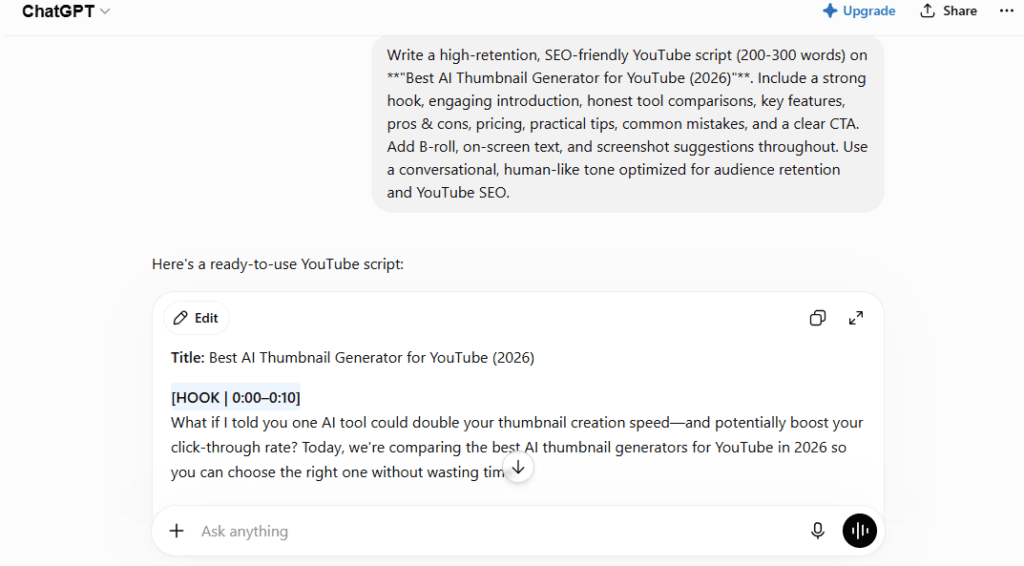
Overview: ChatGPT powered by GPT-4o remains the most widely used AI writing tool in the creator economy. With the right prompts, it can produce genuinely strong YouTube scripts — well-structured, engaging, and niche-adaptable. The free tier now includes GPT-4o access, making it the most accessible high-quality option available.
Key Features:
- GPT-4o model access (free and paid)
- Memory features for consistent brand voice across sessions
- File uploads and image analysis
- Web browsing for current research
- Custom GPTs for specialized workflows
Pros:
- Best-in-class language quality with proper prompting
- Free tier provides genuine value
- Infinitely flexible — works for every content format
- Strong for factual, research-backed scripts when prompted with web access
Cons:
- No built-in YouTube-specific structure — requires detailed prompts
- Hook generation inconsistent without explicit instruction
- No thumbnail, title, or SEO tools built in
- Requires prompt engineering skill to get YouTube-native output
Pricing:
- Free (GPT-4o access with usage limits)
- ChatGPT Plus: $20/month (expanded limits, faster generation)
Who Should Use It: Experienced creators comfortable with prompt engineering who want maximum flexibility and the highest raw language quality at low cost.
Best Use Cases: Finance, educational, tech, and documentary-style channels where nuanced, factual content matters.
Limitations: It requires significant prompting to get YouTube-native output. Without explicit instructions about hooks, retention structure, and pattern interrupts, it defaults to article-style writing.
Rating: 9.0/10
2. Claude (Anthropic) ⭐ 8.8/10
Best AI for Research-Backed, Long-Form YouTube Scripts
Overview: Claude — developed by Anthropic — consistently produces the most logically coherent long-form scripts of any AI tested by the creator community. It excels at explaining complex topics in clear, accessible language without oversimplifying, making it a standout choice for educational, finance, and history channels.
Key Features:
- Extended context window (ideal for long-form scripts)
- Strong analytical and research-integration capability
- Nuanced tone control
- Projects feature for persistent channel context
- Web search tool (Pro plan)
Pros:
- Outstanding coherence across long-form scripts
- Best-in-class for complex concept explanation
- Minimal hallucination compared to some alternatives
- Excellent for scripts requiring factual accuracy
Cons:
- No YouTube-specific features or templates
- Requires prompting for hook and retention structure
- No integrated title, thumbnail, or metadata tools
Pricing:
- Free (Claude Sonnet with usage limits)
- Claude Pro: $20/month
Who Should Use It: Finance creators, science educators, documentary-style channels, and historians who need depth and accuracy above all else.
Best Use Cases: Educational deep-dives, explainer videos, documentary narratives, finance and economics content.
Rating: 8.8/10
3. Gemini (Google) ⭐ 8.2/10
Best for Google Ecosystem Creators
Overview: Google Gemini offers solid script generation capability with the added advantage of deep Google Workspace integration. Creators who already work in Google Docs, Gmail, and YouTube Studio will find Gemini the smoothest AI to integrate into their existing workflow.
Key Features:
- Google Docs, Drive, and Gmail integration
- Real-time web grounding for current topic research
- Multi-modal input (text, images, video)
- YouTube Studio data awareness (via Google One AI Premium)
Pros:
- Native integration with tools most creators already use
- Web-connected output for current event research
- Strong multilingual support (40+ languages)
- Competitive pricing for Google One subscribers
Cons:
- Not YouTube-specific in script structure
- Hook and retention mechanics require manual prompting
- Less specialized than ytZolo for YouTube workflow
Pricing:
- Free (Gemini basic)
- Google One AI Premium: $19.99/month
Who Should Use It: Creators already embedded in the Google ecosystem who want AI assistance without leaving their existing workflow.
Rating: 8.2/10
4. Jasper ⭐ 8.0/10
Best for Agencies and Brand-Consistent Content Teams
Overview: Jasper remains a strong choice for agencies and established creators who need consistent brand voice across large volumes of content. Its Brand Voice training feature and Surfer SEO integration make it particularly valuable for teams that produce YouTube scripts alongside blog posts, ads, and email campaigns.
Key Features:
- Brand Voice training on existing content
- 50+ content templates including video scripts
- Surfer SEO integration for keyword-aware scripts
- Document editor similar to Google Docs
- Team collaboration features
Pros:
- Excellent brand consistency across content formats
- SEO workflow integration with Surfer
- Strong long-form coherence for sustained scripts
- Professional-grade team collaboration
Cons:
- Most expensive option for individual creators
- YouTube script template outputs can feel formulaic
- Not purpose-built for retention mechanics or faceless channels
- Scripts often read more like articles than camera-ready dialogue
Pricing:
- No permanent free plan (7-day trial)
- Creator: ~$49/month (annual billing)
- Pro and Business: higher tiers available
Who Should Use It: Marketing agencies, established creators managing multiple channels, and businesses producing video alongside other content formats.
Best Use Cases: Brand explainer videos, product reviews, educational business content, SEO-focused long-form videos.
Rating: 8.0/10
5. Writesonic ⭐ 7.8/10
Best for Volume and Speed
Overview: Writesonic is a versatile AI writing platform that performs well for creators who prioritize speed and bulk output over deep YouTube-specific optimization. Its video script generator works across tutorials, product videos, vlogs, and announcements.
Key Features:
- AI Article Writer 6.0 for long-form content
- Video script templates with tone controls
- Chatsonic (ChatGPT alternative with web access)
- Brand voice settings
- Bulk content generation
Pros:
- Fast output from a single prompt
- Multiple tone and platform options
- Free tier available for testing
- More affordable than Jasper
Cons:
- Generic YouTube output without careful prompting
- Less retention-aware than purpose-built tools
- Long-form scripts often require significant editing
Pricing:
- Free (limited credits)
- Individual plans from ~$16/month
Who Should Use It: Creators producing high volumes of explainer and educational content who need speed over depth.
Rating: 7.8/10
6. Copy.ai ⭐ 7.5/10
Best Entry Point for Beginners
Overview: Copy.ai is the easiest AI script tool to start using, with a generous free plan and a guided workflow that reduces decision fatigue for new creators. It excels at generating hooks, outlines, and short script segments quickly.
Key Features:
- Free plan with ~2,000 words/month
- Pre-built workflows for content creation
- Fast hook and intro generation
- Short-form script templates
- 25+ language support
Pros:
- Excellent free plan for genuine testing
- Fast iteration for hooks and short segments
- Low learning curve
Cons:
- Weaker at long-form script coherence
- Less customization for YouTube-specific formats
Pricing:
- Free (limited)
- Pro: ~$36/month (annual)
Who Should Use It: New YouTubers, solopreneurs, and short-form creators who want fast structure without a learning curve.
Rating: 7.5/10
7. Notion AI ⭐ 7.0/10
Best for Organised Creators Managing Workflow in Notion
Overview: Notion AI is an add-on for the popular workspace tool. It’s not a dedicated script generator, but for creators who already use Notion for content calendars and planning, it provides a convenient way to draft scripts without leaving their workspace.
Key Features:
- Integrated with Notion databases and content calendars
- AI writing assistance within existing pages
- Summary and editing tools
- Collaborative workspace
Pros:
- Zero context switching for Notion users
- Useful for drafting and refining outlines
- Helpful for structuring content calendars
Cons:
- Not a dedicated script tool
- No YouTube-specific templates or retention structure
- Requires significant manual scripting knowledge
Pricing:
- $10/month add-on to existing Notion plan
Who Should Use It: Creators who live inside Notion and want AI assistance within their planning workflow.
Rating: 7.0/10
8. ytZolo (Our Platform) — Best Dedicated Workflow Hub for Video Metadata
The All-in-One YouTube AI Built for Creators
Overview:
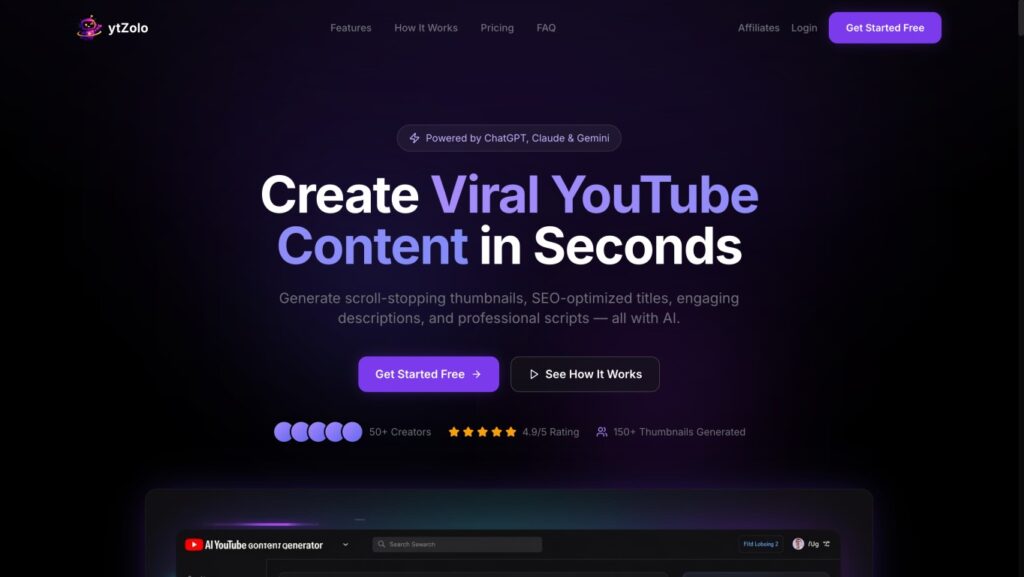
Because this guide is hosted on the ytZolo blog, we want to be completely transparent about what our platform does—and what it doesn’t do. We built ytZolo because general-purpose LLMs excel at long essays but struggle with the precise formatting required for fast-paced video production. Instead of treating video scripts as a generic writing template, our tool maps outputs to specific pacing models, pattern interrupts, and short-form constraints right out of the box.
Key Features:
- Centralized dashboard aggregating multi-model access (ChatGPT, Claude, Gemini) under a single tier.
- Native formatting structures built specifically for watch-time optimization and automated faceless channel pipelines.
- Integrated metadata suite generating matching video titles, automated descriptions, and relevant keyword tags alongside your script draft.
Pros:
- Drastically reduces tab-switching by consolidating scripting, SEO tag mapping, and descriptions into a single workflow.
- No complex prompt engineering is required to force conversational, spoken English pacing.
- Highly cost-efficient for individual creators who would otherwise pay for multiple independent premium AI subscriptions.
Cons:
- A newer platform with a smaller community resource ecosystem compared to established industry giants like ChatGPT.
- Relies on a internal credit system that heavy production agencies or daily multi-channel uploaders might deplete quickly.
- Not built for investigative journalism or real-time news aggregation requiring heavy independent deep-dives.
Pricing:
- Free Plan: Available (limited test credits, no credit card required).
- Standard Tier: $6.70/month (billed annually) providing 2,000 monthly credits.
- Pro Tier: $12/month (billed annually) providing 5,000 monthly credits and dedicated developer support.
Who Should Use It: Any YouTuber who wants to eliminate tool-switching and produce a complete, optimized video package — script, title, thumbnail, description — in one workflow. Especially valuable for faceless channels, content agencies, and creators posting multiple videos per week.
Best Use Cases: Long-form educational content, faceless channel automation, niche-specific scripts, Shorts scripts, multi-upload weekly workflows.
Limitations: Credit usage varies by feature type (thumbnails consume more credits than tags). Not ideal for creators whose content requires heavy real-time news research.
Rating: 7.5/10 — Best purpose-built AI script generator for YouTube creators in 2026.
9. Juma AI (formerly Team-GPT) ⭐ 7.2/10
Best for Marketers and Educators Wanting Structured Scripts
Overview: Juma AI (previously Team-GPT) allows creators to choose from multiple AI models — including ChatGPT, Claude, and Gemini — and generates clean, structured scripts quickly from a single prompt. It’s particularly useful for explainer and SEO-focused content.
Key Features:
- Multi-model access (GPT, Claude, Gemini)
- Prompt builder for guided scripting
- Clean structured output with scene-ready sections
- Team collaboration support
Pros:
- Clean, structured output by default
- Multi-model flexibility
- Good for team environments
Cons:
- Platform-locked (won’t integrate with external writing tools)
- Less YouTube-specific than purpose-built alternatives
- Prompt engineering still required for hook and retention optimization
Pricing:
- Tiered plans; free tier available
Who Should Use It: Marketing teams and educators who want clean, well-structured video scripts for explainers and tutorials.
Rating: 7.2/10
10. Rytr ⭐ 7.0/10
Best Budget Option
Overview: Rytr offers 60+ use case templates at one of the lowest price points in the market. For budget-conscious creators, it provides a functional starting point for script outlines and short-form content.
Key Features:
- 60+ templates including video scripts
- 30+ language support
- Built-in plagiarism checker
- Chrome extension
Pros:
- Very affordable
- Large template library
- Fast output for short content
Cons:
- Lower quality ceiling than premium tools
- Less suited for long-form retention-aware scripts
Pricing:
- Free (limited)
- Saver: ~$9/month
- Unlimited: ~$29/month
Who Should Use It: Budget creators who want an affordable starting point for script outlines.
Rating: 7.0/10
11. Writecream ⭐ 6.8/10
Best for Multilingual Creators
Overview: Writecream stands out for its multilingual support across 75+ languages. For creators producing content in non-English markets, this is one of the broadest language coverage options available.
Key Features:
- 75+ language support
- AI voiceover generation
- Plagiarism detection
- Google Docs integration
Pros:
- Outstanding multilingual support
- Includes voiceover feature
- Free plan available
Cons:
- Basic YouTube-specific depth
- Less refined long-form quality
Pricing:
- Free plan available
- Premium from ~$29/month
Who Should Use It: Multilingual creators or those producing content for international audiences.
Rating: 6.8/10
12. Noimos AI ⭐ 6.5/10
Best for Research-Integrated Niche Scripts
Overview: Noimos AI positions itself as a research-first script generation platform. It aims to integrate source research into the scripting process, which is valuable for documentary-style and educational channels that require citation-backed content.
Key Features:
- Research integration within scripting workflow
- Niche-specific customization
- Script templates
Pros:
- Research-forward approach suits factual content creators
- Useful for documentary and investigative-style channels
Cons:
- Smaller community and fewer verified reviews
- Pricing is custom/unclear for most plans
- Less mature platform ecosystem
Pricing: Trial available; custom pricing
Who Should Use It: Creators making documentary or research-heavy content who want a single tool for research and scripting.
Rating: 6.5/10
Finding the Best AI Script Generator for YouTube for Different Creators
By Creator Type
| Creator Type | Top Pick | Runner-Up | Why |
|---|---|---|---|
| Beginners | ytZolo | Copy.ai | No prompt engineering needed; full content package |
| Professionals | ytZolo or ChatGPT | Claude | Best raw quality + YouTube-native structure |
| Agencies | Jasper | ytZolo | Brand voice + team collaboration |
| Faceless Channels | ytZolo | ChatGPT | Retention-optimized, no personal anecdotes needed |
| Educational | Claude | ChatGPT | Research accuracy + logical coherence |
| Gaming | ChatGPT | ytZolo | Flexible, fast, high energy |
| Finance | Claude | ChatGPT | Accuracy and nuance for complex topics |
| Podcast-to-Video | ytZolo | Writesonic | Script repurposing + full metadata package |
| YouTube Shorts | Copy.ai | ytZolo | Fast hooks and short-form iteration |
| Long-form (10min+) | ytZolo | Claude | Sustained structure + retention loop support |
| Multilingual Creators | Writecream | Writesonic | 75+ language support |
AI Script Generator vs. Human Script Writer
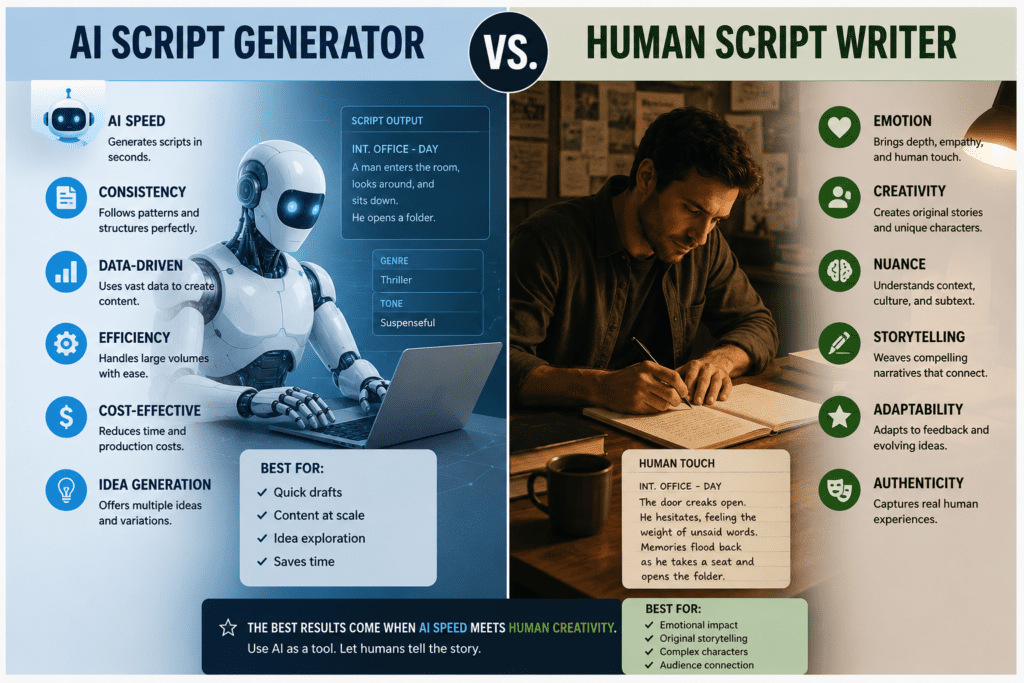
This is not an either/or decision. Understanding where AI excels — and where human creativity is irreplaceable — is what separates good content from great content.
| Factor | AI Script Generator | Human Script Writer |
|---|---|---|
| Speed | Script in under 60 seconds | 2–4 hours per script |
| Cost | $0–$49/month | $50–$200 per script |
| Consistency | High — no bad days | Variable based on energy |
| Creativity | Strong on structure; weaker on personal voice | Highest — uniquely human |
| Accuracy | Depends on model; verify facts | Depends on research effort |
| SEO optimization | Built into better tools | Requires separate research |
| Scalability | Unlimited output | Time-capped |
| Personal stories | Cannot generate authentic ones | Natural and genuine |
| Niche depth | Improves with prompting | Varies by writer expertise |
When to use AI: First drafts, outlines, hooks, structure, bulk content, keyword optimization, consistency.
When to use humans: Authentic personal stories, complex research verification, comedy and satire, highly unique brand voice.
The hybrid workflow (recommended): AI generates the structure and first draft (60–70% of the script). You spend 20–30 minutes adding personal examples, verifying facts, adjusting pacing, and adding your voice. The result is faster production without sacrificing authenticity.
How to Write Better YouTube Scripts Using AI
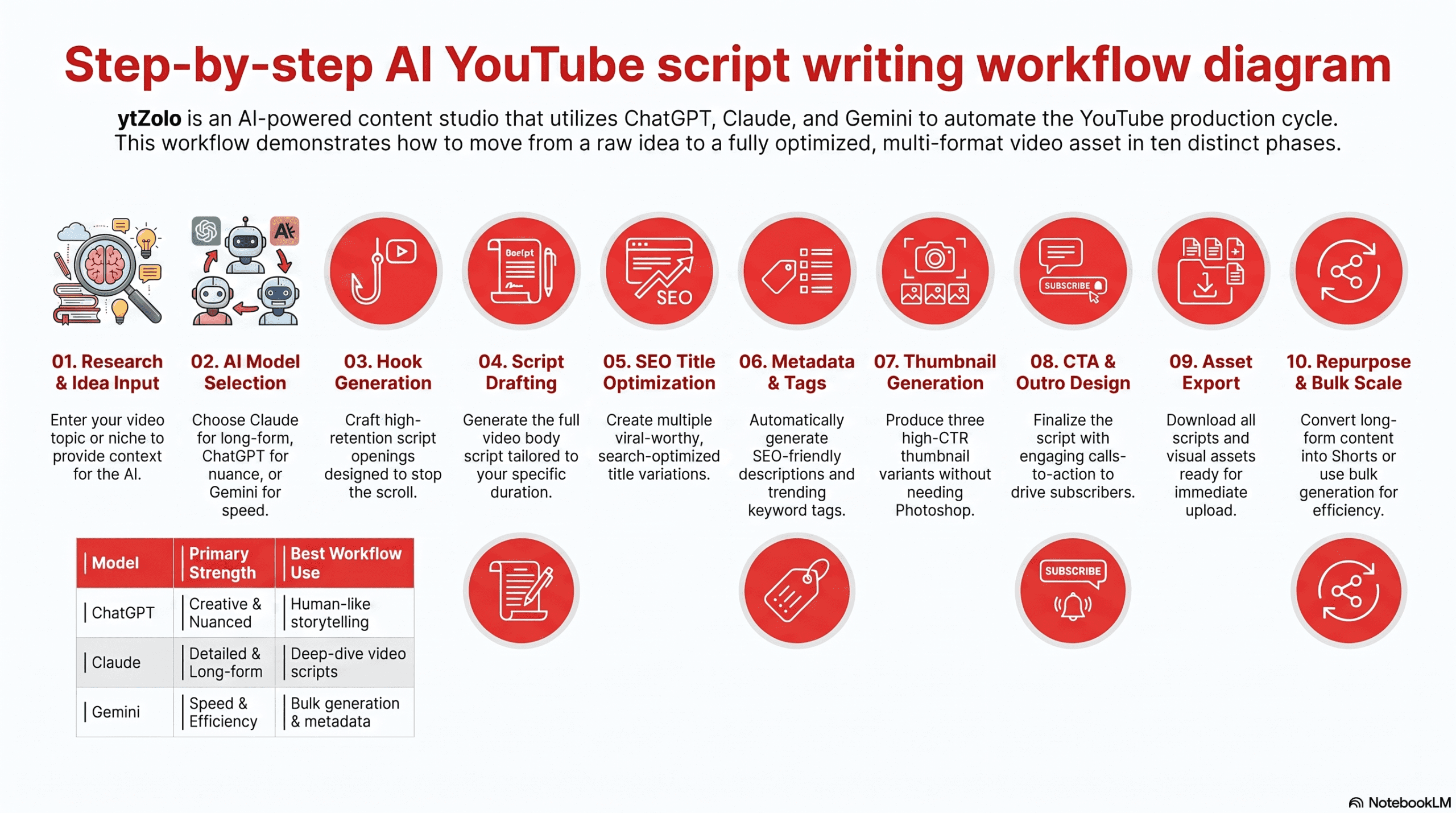
Step-by-Step AI Script Workflow
Step 1 — Research Before prompting, define: topic, target audience, primary keyword, video length (short/long), and one specific promise the video will fulfill. Use ytZolo’s AI to generate keyword-aligned topic ideas, or use ChatGPT with web access for current event research.
Step 2 — Outline Prompt your AI tool to generate an outline first. A strong YouTube outline includes: Hook → Value Promise → 3–5 main points → Retention interrupt → CTA. Review and refine the outline before generating the full script.
Step 3 — Hook (First 15 Seconds) Your hook is everything. Prompt your AI to generate 5 hook variations — a bold claim, a compelling question, a controversial statement, a shocking statistic, and a story opener. Choose the strongest one, or combine elements.
Step 4 — Storytelling and Body Generate each section separately if the script is long-form. Use storytelling frameworks like PAS (Problem–Agitate–Solution) for tutorials or the listicle format for top-10 style content. Ask the AI to write in a conversational, spoken tone — not article style.
Step 5 — Retention Loops Instruct your AI to add a pattern interrupt every 60–90 seconds: a topic shift, a surprising fact, a rhetorical question, or a teaser for what’s coming next. These dramatically improve audience retention and watch time.
Step 6 — Call to Action Generate multiple CTA variations — subscribe prompt, comment question, watch-next suggestion, and link-in-description reference. Place your primary CTA at the 60–70% mark (not just the end), where audience retention is still high enough to convert.
Step 7 — Editing and Personalization Read the script aloud. Add personal anecdotes, specific examples, and your own voice. Replace any generic AI phrases with language that sounds natural when spoken. Verify any facts or statistics.
Step 8 — SEO Optimization Use ytZolo’s AI Description Generator and AI Title Generator to generate keyword-optimized metadata that aligns with your script’s topic.
Step 9 — Publishing Export your script to your preferred editor (Google Docs, Notion, or teleprompter app). Review with fresh eyes 24 hours later if possible.
Step 10 — Repurposing Prompt your AI to extract the 3 key insights from your script as a Twitter/X thread, LinkedIn post, and 60-second Shorts script. One recording session. Multiple pieces of content.
15 High-Quality Prompt Examples
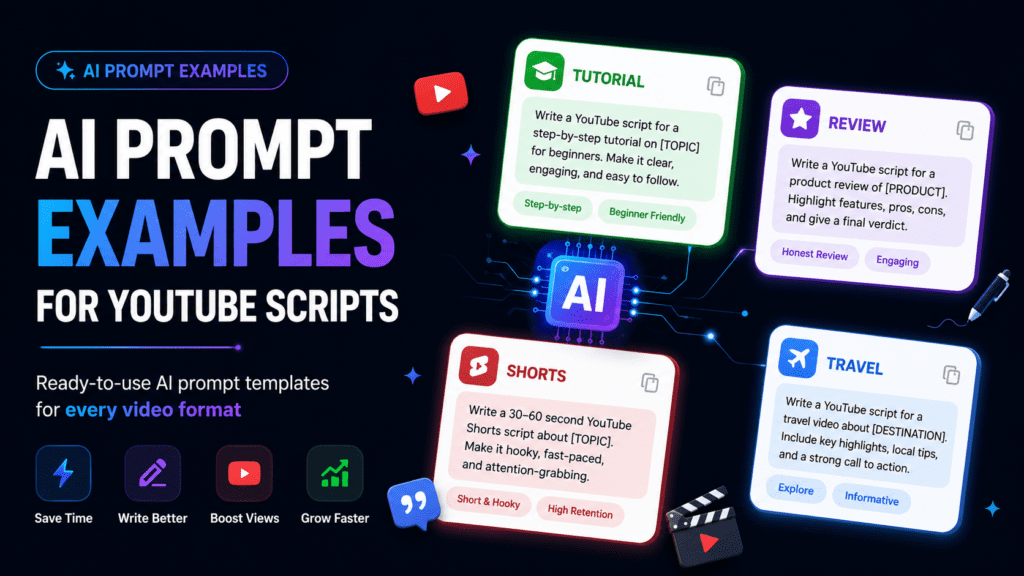
Use these directly in ChatGPT, Claude, ytZolo, or any AI script writer. Customize the bracketed sections for your channel.
1. Educational (Explainer)
“Write a 10-minute YouTube script explaining [topic] to complete beginners. Open with a surprising fact that challenges a common assumption. Include 4 clear sections with chapter-style transitions. No filler — every sentence should add value. Write in spoken, conversational English.”
2. Tutorial (How-To)
“Write a step-by-step YouTube tutorial script for [task]. Assume the viewer has never done this before. Start with a 15-second hook that teases the end result. Number each step clearly. Include a retention hook after step 3 that teases what’s coming. End with a CTA to comment their biggest challenge.”
3. Product Review
“Write a YouTube product review script for [product name]. Structure: 30-second hook (bold claim about the product) → brief intro → 5 key features tested → honest pros and cons → who should buy it and who shouldn’t → CTA. Tone: honest, direct, conversational. Do not over-hype.”
4. Comparison (vs.) Video
“Write a YouTube script comparing [Tool A] vs [Tool B] for [target audience]. Open with the key question the viewer has. Cover 5 comparison criteria. Give a clear winner at the end for each use case (not one universal winner). Keep it balanced and evidence-based.”
5. Storytelling / Personal Brand
“Write a first-person YouTube script about [personal story or experience]. Hook: start in the middle of the action, not the beginning. Build to a key lesson. Include 2 emotional beats — one low point and one turning point. End with an actionable takeaway the viewer can apply today.”
6. Documentary Style
“Write a documentary-style YouTube script about [topic]. Open with a scene-setting description the narrator reads aloud. Include 3 chapters with smooth transitions. Use present tense for immediacy. Suggest [B-roll] footage ideas in brackets throughout the script.”
7. Faceless Channel Script
“Write a faceless YouTube script for a [niche] channel. Do not use first-person pronouns. Speak directly to the viewer using ‘you.’ Include 5 retention hooks placed throughout the script to keep viewers watching. Suggest B-roll visuals for each section in brackets.”
8. Finance / Investment
“Write a YouTube script explaining [financial concept] in simple language for people new to investing. Open with a relatable money problem. Use analogies and real numbers to explain concepts. Include a clear disclaimer section. CTA: direct viewers to subscribe for a weekly finance tip.”
9. Tech / Software Review
“Write a YouTube script reviewing [software/app] for [target user]. Cover: what problem it solves, how to set it up, 3 key use cases, performance observations, pricing value, and final verdict. Write in a direct, practical tone for a tech-savvy but time-pressed audience.”
10. Travel Vlog
“Write a YouTube travel vlog script for [destination]. Open mid-scene with vivid sensory detail. Structure the journey as a story arc — anticipation, arrival, discovery, challenge, resolution. Include visual cues for the editor. CTA: ask viewers to share their own experience in comments.”
11. YouTube Shorts (60 seconds)
“Write a 60-second YouTube Shorts script about [topic]. First 3 words must stop the scroll. No intro. Go straight into value. End with a question or shocking fact that makes viewers want to watch your long-form video. Keep total word count under 150 words.”
12. Podcast Clip Repurposing
“Convert this podcast transcript excerpt into a YouTube Shorts script: [paste transcript]. Tighten to 90 seconds. Add a text-hook for the first frame. Keep the natural conversation tone. Suggest background visuals that could be used in a faceless production.”
13. Listicle (Top-10 Format)
“Write a YouTube script in Top 10 list format about [topic]. Open with a hook about the #1 most surprising item on the list. Count down from 10 to 1. Add a micro-retention hook before items 7, 5, and 2 (‘and number 3 is one most people get completely wrong…’). End with a subscribe CTA.”
14. Interview / Q&A Format
“Write a YouTube interview script where I ask [guest or topic] these questions: [paste questions]. Format: brief intro to the guest → questions in order → host closing commentary → CTA for viewers to submit their own questions. Conversational, natural tone.”
15. Motivational / Coaching
“Write a YouTube motivational script for [audience facing specific challenge]. Open with validation of their struggle. Build through a story arc toward empowerment. Include 3 actionable steps they can take this week. Close with an inspirational statement and a CTA to join your email list.”
15 Common AI Script Writing Mistakes (and How to Fix Them)
1. Using AI output without reading it aloud AI scripts are often written, not spoken. Before recording, read every line out loud and mark anything that sounds unnatural. Fix: always do a spoken review before filming.
2. Accepting weak hooks without testing alternatives A generic hook tanks your audience retention from second one. Fix: always generate 5 hook variations and test the strongest one with a trusted peer.
3. Prompting too vaguely “Write a YouTube script about fitness” produces generic output. Fix: add audience, tone, format, specific angle, and video length to every prompt.
4. Skipping the outline stage Jumping straight to full script generation skips the structural thinking. Fix: prompt for an outline first, refine it, then generate the full script.
5. Letting AI hallucinate statistics AI tools sometimes generate plausible-sounding but inaccurate statistics. Fix: verify every specific number, study, or claim before publishing.
6. No pattern interrupts in long-form scripts Without deliberate interruptions, viewers drop off after 2–3 minutes. Fix: instruct your AI to add a retention hook every 60–90 seconds.
7. Ignoring niche-specific tone A finance script and a gaming script need completely different voices. Fix: include your channel’s niche, audience age, and tone descriptor in every prompt.
8. Copying AI scripts word-for-word AI doesn’t know your personal stories or brand-specific context. Fix: treat AI output as a first draft — always add your voice and real examples.
9. Missing or weak calls to action Many creators put their CTA only at the end, where retention is lowest. Fix: place a secondary CTA at the 60–70% mark as well.
10. Not using the AI for hooks on Shorts Short-form video lives or dies on the first 2–3 words. Fix: use your AI to generate 10 opening hook variations and pick the one with the most urgency.
11. Producing scripts without SEO integration A great script in an undiscoverable video is wasted effort. Fix: use ytZolo’s AI Description Generator to generate keyword-aligned metadata that matches your script.
12. Using the same prompt structure for every format A Shorts script needs a completely different prompt than a 12-minute deep-dive. Fix: build a prompt library for each format you produce. Use the 15 prompts in the previous section as a starting point.
13. Ignoring B-roll cues AI scripts often don’t consider visual accompaniment. Fix: ask your AI to suggest B-roll descriptions or visual cues in brackets throughout the script.
14. Not repurposing scripts into other formats Your 10-minute script contains a week’s worth of short-form content. Fix: after filming, prompt your AI to extract key insights as Shorts scripts, social posts, or email content.
15. Publishing the first draft Even strong AI output benefits from a 24-hour review. Fix: generate your script today, review it tomorrow with fresh eyes, then record.
Frequently Asked Questions
Q1: What is an AI YouTube script generator? An AI YouTube script generator is software that uses large language models to automatically produce video scripts based on your topic, niche, and audience. The best tools generate hooks, talking points, retention loops, and calls to action — structured specifically for YouTube’s content format, not general writing.
Q2: Which AI is best for YouTube scripts? For most creators, ytZolo is the best purpose-built option because it generates YouTube-native scripts with built-in retention structure, hook optimization, and a full content package (title, thumbnail, description, tags) in one workflow.
For creators who prefer maximum flexibility and are comfortable with prompt engineering, ChatGPT with GPT-4o is the strongest general-purpose alternative. For research-heavy educational content, Claude leads on accuracy and coherence.
Q3: Can AI write complete YouTube scripts? Yes. Modern AI tools can generate full, production-ready YouTube scripts from a single prompt. The output includes an opening hook, structured body sections, transition language, and a closing call to action. Quality varies significantly by tool and prompt quality — purpose-built tools like ytZolo require less prompting to produce YouTube-native output.
Q4: Are AI-generated scripts good for YouTube? Yes, when used correctly. AI scripts provide strong structural foundations — hooks, retention loops, SEO-optimized language — that improve watch time and discoverability. The best results come from hybrid workflows where AI handles the structure and you add personal voice, verified facts, and authentic examples.
Q5: How do AI script generators work? AI script generators use large language models trained on vast amounts of text to predict and generate contextually appropriate content. The best YouTube-specific tools are fine-tuned or prompted with YouTube performance data — understanding hook structure, pacing, and retention mechanics — rather than producing generic writing.
Q6: Is ChatGPT good for YouTube scripts? ChatGPT is powerful but not YouTube-specific. With detailed prompting (specifying hook structure, niche, retention loops, and spoken tone), it can produce strong scripts. Without good prompting, it tends to generate article-style content that doesn’t translate well to camera. It’s best for experienced creators comfortable with prompt engineering.
Q7: Can AI replace script writers? In most creator workflows, AI is replacing the first draft phase — not the entire scripting process. Human script writers bring authentic personal voice, creative judgment, emotional nuance, and real-world experience that AI cannot replicate. The most effective workflows combine AI structure with human refinement.
Q8: Which free AI writes YouTube scripts? The best free options are: ytZolo (free plan, YouTube-native, no credit card required), ChatGPT (GPT-4o free tier, requires prompting), and Claude (free tier, best for educational content). Copy.ai and Rytr also offer free plans with limited monthly usage.
Q9: How long should a YouTube script be? Script length depends on video format. YouTube Shorts scripts are typically 100–150 words (60–90 seconds). Standard videos (8–12 minutes) require 1,200–1,800 words. Long-form videos (15–30 minutes) need 2,200–4,500 words. A good rule: write for the content, not the clock. Never pad a script to hit a time target.
Q10: Can AI improve watch time? Yes — indirectly. AI tools that build retention hooks, pattern interrupts, and open loops into scripts create content that keeps viewers engaged longer. Watch time is the most important signal in YouTube’s recommendation algorithm, so scripts optimized for retention directly impact channel growth.
Q11: What prompts create better AI YouTube scripts? The highest-performing prompts include: target audience definition, specific video format (Shorts/long-form), explicit instruction for hook type, niche and tone, request for retention hooks at specific intervals, and spoken-language instruction (“write as if speaking, not writing”). See the 15 prompt templates earlier in this guide for ready-to-use examples.
Q12: Is AI-generated content allowed on YouTube? Yes. As of 2026, YouTube’s content policies explicitly permit AI-assisted content creation, provided the content delivers genuine value to viewers and does not constitute repetitive spam. YouTube requires creators to disclose AI use in content that could be mistaken for real people or events (deepfakes, synthetic news). Standard AI-scripted and voiceover content does not require disclosure under current policy.
Q13: How much does AI script generation cost? Cost ranges from free (ChatGPT, Claude, ytZolo free plan) to $9/month (Rytr) to $49/month (Jasper). ytZolo’s Standard plan at $6.70/month is the most cost-efficient option for YouTube creators because it bundles script, title, thumbnail, description, and tag generation in one subscription — replacing multiple separate tools.
Q14: What is the difference between a general AI writer and a YouTube-specific script tool? General AI writers (ChatGPT, Jasper, Writesonic) produce content optimized for reading. YouTube-specific tools (ytZolo) produce content optimized for watching — with hooks designed to hold attention in 3 seconds, pattern interrupts to prevent drop-off, and CTAs placed where viewers are most likely to act. The structural difference is significant for watch time performance.
Q15: Can AI generate scripts for YouTube Shorts? Yes. Most tools on this list can generate Shorts scripts when prompted correctly. The key parameters: 60–90 second duration, 100–150 words, immediate hook in the first 2–3 words, no traditional intro, value delivered immediately. ytZolo’s YouTube-native AI understands Shorts format automatically without requiring explicit format prompting.
Final Verdict
There is no single best AI script generator for every YouTube creator. The right tool depends on your workflow, budget, and content goals. Here is a clear recommendation for each creator type:
Best for maximum flexibility: ChatGPT — best raw language quality, strongest with proper prompting, most versatile for creators who want full creative control.
Best for research-heavy content: Claude — outstanding logical coherence, minimal hallucination, ideal for educational, finance, and documentary channels.
Best for teams and agencies: Jasper — brand voice training and team collaboration make it the strongest choice for multi-creator operations.
Best for beginners: ytZolo or Copy.ai — both have free plans and low learning curves, but ytZolo adds significantly more YouTube-specific value.
Best budget option: Rytr at $9/month — not the highest quality ceiling, but functional for creators on tight budgets.
Where ytZolo Fits In
As the creators of ytZolo, we built our platform out of a specific frustration: general-purpose writing AI often writes essays instead of spoken video scripts.
If your workflow involves constantly jumping between a writer like ChatGPT, a thumbnail designer, an SEO tag tool, and a description builder, ytZolo was designed to centralize that entire process. It is not designed to replace deep, investigative human journalism, but it serves as an excellent all-in-one productivity multiplier for faceless channels, automated setups, and high-volume content creators.
We encourage you to explore the free tiers of tools like ChatGPT, Claude, and ytZolo to see which interface seamlessly blends into your personal recording routine.
The creator economy in 2026 rewards consistency above almost everything else. AI script generators are not shortcuts — they are multipliers. Used correctly, they let you produce better content faster, maintain quality under the pressure of consistent upload schedules, and spend your creative energy on what only you can do: your voice, your stories, and your audience.
🔗 Ready to start? Try ytZolo free — no credit card required → Also see: AI Thumbnail Generator | AI Title Generator | AI Description Generator | AI Hook Generator for YouTube
12. EXTERNAL REFERENCES
- Google Search Central — Helpful Content System
- Google Search Central — AI-generated Content
- YouTube Creator Academy — Writing for YouTube
- OpenAI ChatGPT
© ytZolo 2026. All rights reserved. This article is original content created for ytzolo.com.


Pingback: Best AI for YouTube Scripts 2026 | Save Time & Go Viral