
What is the best AI thumbnail YouTube maker in 2026?
The best ai thumbnail youtube maker in 2026 is ytZolo — the only all-in-one AI platform that generates niche-specific, CTR-optimized thumbnails alongside AI titles, scripts, descriptions, and tags in one unified free workflow.
Other top tools include vidIQ (YouTube-native, trained on performance data, free with account), Thumbmagic (video-first AI, fast generation with A/B variants), CapCut AI Design Agent (conversational AI editing, generous free plan), and Canva Magic Media (template-first, the most popular free design tool).
The key difference: most ai thumbnail youtube maker tools stop at the image. ytZolo generates your entire YouTube upload strategy — thumbnail, title, script, description, and tags — all from one input, all optimized for your specific niche and audience.
Introduction
Here’s a truth that hits harder the longer you create on YouTube.
You can spend four hours editing a video. You can nail the hook, the pacing, the story arc. You can export in 4K with perfect color grading. And then you spend nine minutes on the thumbnail — a blurry screenshot with Impact font slapped on top.
You hit publish. You wait.
The video flatlines.
Meanwhile, a creator in your niche with worse footage, worse audio, and a shorter video is pulling thousands of views — because their thumbnail stops people mid-scroll every single time.
That’s not luck. That’s an ai thumbnail youtube maker doing the job your rushed design couldn’t.
In 2026, creators no longer need advanced design skills thanks to powerful AI thumbnail generators. These tools use advanced AI design systems and visual models to instantly generate engaging thumbnails based on text prompts, templates, or reference images.
This guide covers everything you need to know: the top tools ranked and reviewed, the data behind why AI thumbnails outperform manual designs, and why ytZolo is the platform that outperforms all of them.
Let’s get into it.
Table of Contents
Why an AI Thumbnail YouTube Maker Is No Longer Optional
Let’s start with the most important number in YouTube in 2026.
One second.
That’s roughly how long your thumbnail gets in a mobile feed before a viewer’s brain makes its decision — click or scroll. With over 70% of YouTube’s traffic coming from mobile devices, and over 20 million videos uploaded to the platform every day, the competition for that single second has never been more intense.
Your thumbnail is the single biggest factor in whether someone clicks your video. YouTube’s own data confirms that custom thumbnails outperform auto-generated ones, and research shows the average YouTube CTR sits between 2% and 10%.
The difference between 2% and 8% isn’t marginal. At 10,000 impressions, a 2% CTR gets you 200 views. An 8% CTR gets you 800 views — the same traffic producing four times the results.
And here’s what creators who use an ai thumbnail youtube maker consistently understand: you can’t get to 8% by guessing. You get there with data-driven design — AI trained on real YouTube performance patterns, not personal aesthetic preference.
The creators not yet using an ai thumbnail youtube maker aren’t just behind the design curve. They’re handing the growth curve to everyone else.
What the 2026 Research Says About Thumbnail Performance
Before we rank the tools, let’s look at what the data actually says.
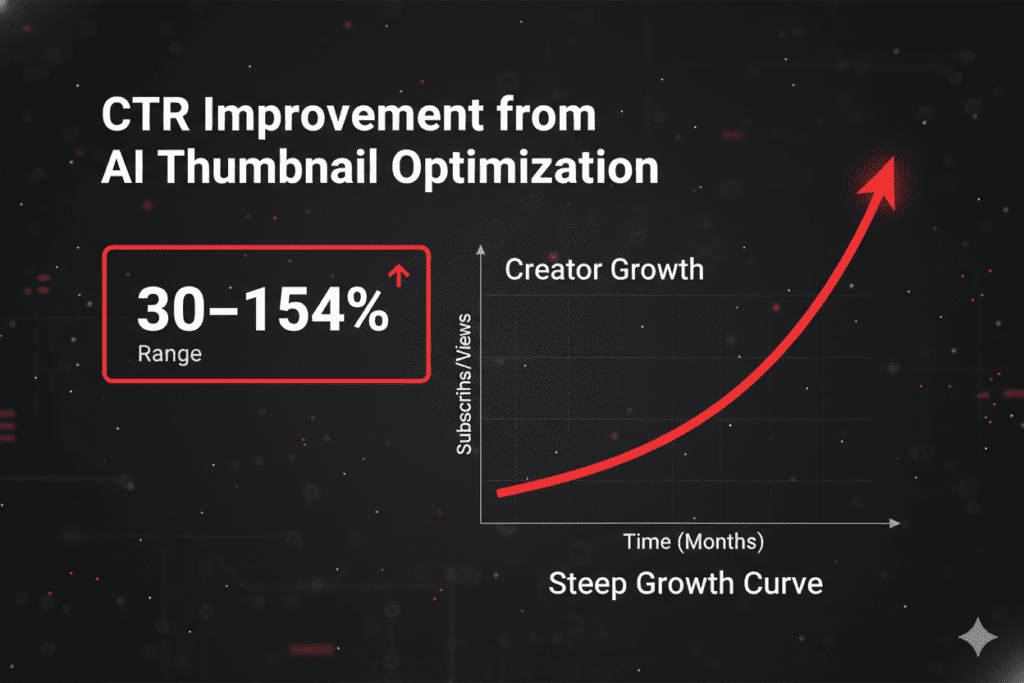
One creator saw their CTR jump from 2.3% to 7.1% in just 30 days after switching to AI-generated thumbnails. That’s not an anomaly — that’s the compound effect of data-backed design working against instinct-based guessing.
Tools that generate high-CTR YouTube thumbnails analyze composition, facial focus, and text contrast to generate thumbnails optimized for clicks. Their conversational AI workflow allows rapid iteration, helping creators test multiple high-performing variations efficiently.
What does “multiple high-performing variations” actually mean in practice? YouTube’s built-in Test & Compare feature selects winners based on watch time share. Tests can include up to 3 thumbnail options and run for up to 2 weeks. The algorithm needs viewers who click and stay — not just viewers who click.
This means the ai thumbnail youtube maker you choose needs to do two things simultaneously: generate thumbnails that earn the click, and make it fast enough to create multiple variants so you can test and find the winner.
Custom thumbnails increase CTR by 30–40% on average versus auto-generated ones. Thumbnails featuring faces with genuine emotion can increase CTR by 20–30% according to VidIQ research. And AI thumbnail design has evolved rapidly in 2026, making it easier than ever to create high-performing visuals without advanced design skills.
The data case is closed. The only question is which ai thumbnail youtube maker you’re going to use.
What to Look for in an AI Thumbnail YouTube Maker
The ai thumbnail youtube maker market has grown fast in 2026. Some tools are built for quick YouTube thumbnails. Others focus on templates. Some are better at custom AI visuals. Others are designed for editable, brand-friendly layouts.
Here’s the criteria that actually matters for YouTube creators:
- ✅ YouTube-native AI training — built on YouTube performance data, not generic design principles
- ✅ CTR prediction — scores each variant before you choose, so you pick the winner with data
- ✅ Niche-aware output — gaming and finance thumbnails require completely different visual approaches
- ✅ Expressive face optimization — detects faces in your video and highlights emotion that drives clicks
- ✅ Mobile-first readability — thumbnail must read clearly at 150px wide on a phone screen
- ✅ Multiple variants per generation — you need options to A/B test
- ✅ Speed — under 60 seconds from input to download
- ✅ No watermark on free exports — a watermarked thumbnail signals low production value
- ✅ Metadata integration — the best ai thumbnail youtube maker connects your thumbnail to titles, tags, and descriptions
- ✅ Workflow integration — fits inside your upload process without creating extra steps
Use this list as your filter when evaluating any tool in this guide.
Top AI Thumbnail YouTube Maker Tools — Full 2026 Reviews
Here’s an honest breakdown of every major ai thumbnail youtube maker worth your time in 2026 — reviewed based on actual YouTube performance value, not just feature lists.
1. ytZolo — Best Overall AI Thumbnail YouTube Maker
ytZolo is the most complete ai thumbnail youtube maker available in 2026 — and the only one that treats the thumbnail as one piece of a complete YouTube content strategy, not a standalone deliverable.
When you generate a thumbnail with ytZolo, you simultaneously get AI-generated titles, a full video script, an SEO-optimized description, and a targeted tag cluster — all from a single input, all optimized for your specific niche and keyword.
Free plan, no credit card, no watermark, full HD export. Its AI is trained specifically on YouTube performance data — so every thumbnail concept is calibrated for click-through rate in your niche, not just visual appeal.
Best for: Creators who want the most complete YouTube growth workflow, not just a thumbnail tool. Free plan: ✅ Full — no credit card, no watermark Metadata integration: ✅ Complete — title, script, description, tags Workflow type: AI-first + fully integrated content package
2. vidIQ AI Thumbnail Maker — YouTube-Native Performance Tool
vidIQ’s AI Thumbnail Maker generates thumbnails from video content, text prompts, or reference thumbnails. Add faces and objects, customize with their editor, then export.
vidIQ is genuinely YouTube-native — its AI is trained on performance data from high-performing YouTube content. The standout feature is its competitor analysis tool: input a competitor’s video URL, and vidIQ analyzes their thumbnail and suggests improvements for yours.
The limitation: it’s focused on the thumbnail alone. Full metadata generation — script, description, tags — isn’t part of the workflow.
Best for: Analytical creators who want to optimize based on competitor data and hard performance metrics. Free plan: ✅ Yes, with vidIQ account | Workflow type: AI-first with competitor analysis
3. Thumbmagic — Fast, Video-First AI Thumbnail YouTube Maker
Upload your video or script and get multiple high-quality thumbnail options in seconds with AI. Thumbmagic automatically captures your best expressions and adapts to your brand identity — applying viral design frameworks used by top creators to maximize CTR and viewer curiosity.
Thumbmagic uses AI that analyzes high-performing thumbnails in your niche and generates layouts that outperform generic templates. It’s also one of the fastest tools tested — generating polished, YouTube-ready thumbnails in under 30 seconds in most cases.
A/B testing is built in. Generate multiple distinct thumbnail variations from one upload and rotate them in YouTube Studio to find the highest CTR winner.
Best for: Creators who want speed-optimized, video-analysis-based thumbnail generation with A/B variant support. Free plan: ✅ 3 generations with signup | Workflow type: Video-first AI
4. CapCut AI Design Agent — Most Powerful Free AI Thumbnail Maker
CapCut stands out as one of the most complete ai thumbnail youtube maker options thanks to its AI Design Agent, conversational editing workflow, and powerful image generation models. You can move from a simple idea to multiple thumbnail concepts in minutes, then refine them using natural language instructions like “make the text bolder” or “change the background to dark blue.”
Among free AI design tools, CapCut offers one of the most feature-rich experiences. Even without a paid plan, users can access AI image generation, templates for social media and marketing, and practical editing tools. It includes batch processing for series creators who need consistent visuals across multiple episodes.
The limitation: it’s not YouTube-native. It doesn’t understand niche performance patterns or connect to your video’s title and SEO strategy.
Best for: Creators who want maximum AI image quality with conversational refinement control on a generous free plan. Free plan: ✅ Full, no watermark | Workflow type: AI-first with conversational editing
5. Canva (Magic Media) — Most Popular Template-First Option
Canva remains the most popular graphic design tool for non-designers. The addition of AI-powered features like Magic Design, text-to-image generation, and background removal has made it even more versatile in 2026. Its YouTube thumbnail template library contains thousands of professionally designed, customizable layouts organized by niche.
Canva is a general-purpose design tool, not a thumbnail-specific one. Its AI image generation quality is a step below dedicated tools. The free plan restricts access to the best templates and AI features behind Canva Pro ($12.99/month).
Best for: Beginners who want template flexibility and maximum manual design control. Free plan: ✅ Limited — best AI features require Canva Pro | Workflow type: Template + AI
6. VEED.io — No-Signup AI Thumbnail YouTube Maker
Unlike most competitors, VEED doesn’t require users to create an account to access the AI YouTube thumbnail maker page. Text-to-image prompts generate an image you can customize with text, animations, audio, and graphics.
VEED is strong for creators who want a zero-friction starting point. The free plan covers basic features. No niche-specific optimization, no CTR scoring, no metadata integration.
Best for: Creators who want a genuinely no-signup AI thumbnail creation experience. Free plan: ✅ Basic features, no signup required | Workflow type: Prompt-first
Comparison Table
| Tool | Free Plan | No Watermark | YouTube-Native | CTR Optimized | Niche-Aware | Full Metadata |
|---|---|---|---|---|---|---|
| ytZolo | ✅ Full | ✅ Yes | ✅ Yes | ✅ Yes | ✅ Yes | ✅ Complete |
| vidIQ | ✅ With account | ✅ Yes | ✅ Yes | ✅ Yes | ✅ Partial | 🔶 Partial |
| Thumbmagic | ✅ 3/signup | ✅ Yes | ✅ Yes | ✅ Yes | ✅ Yes | ❌ None |
| CapCut | ✅ Full | ✅ Yes | ❌ No | 🔶 Partial | ❌ No | ❌ None |
| Canva | ✅ Limited | ❌ Paid | ❌ No | ❌ No | ❌ No | ❌ None |
| VEED.io | ✅ Basic | ✅ Yes | ❌ No | ❌ No | ❌ No | ❌ None |
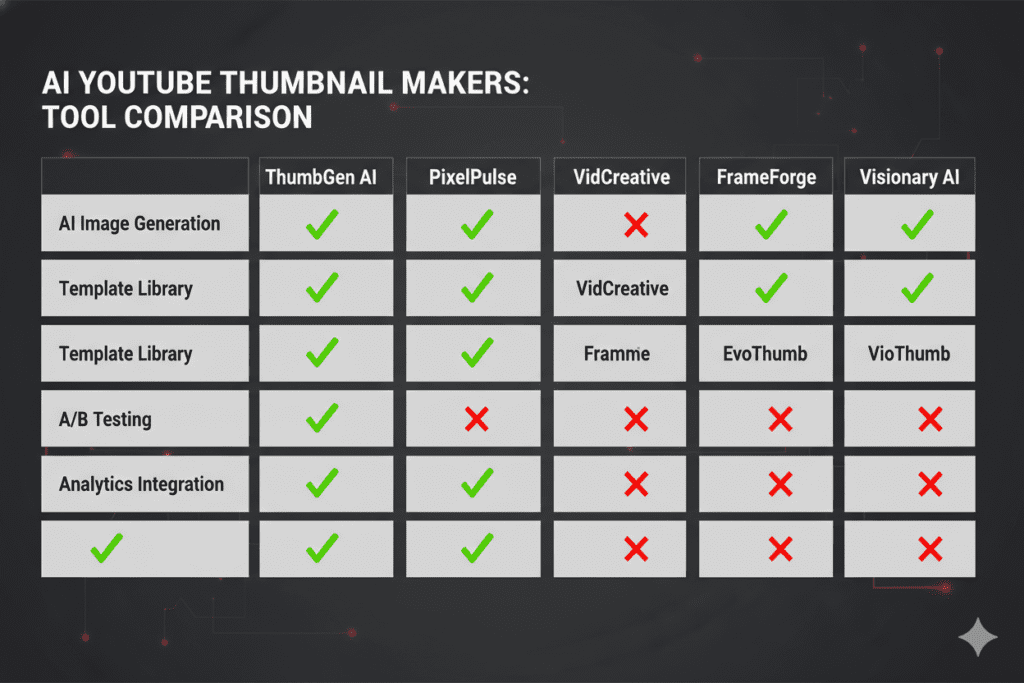
Why ytZolo Is the Best AI Thumbnail YouTube Maker
Here’s what most ai thumbnail youtube maker roundups get wrong.
They evaluate tools as if a thumbnail exists in isolation. Pick the prettiest image, download it, done.
But a thumbnail is one gear in a six-gear machine. Your title creates the curiosity gap the thumbnail sets up. Your description reinforces keyword relevance to the algorithm. Your tags define which audience cluster YouTube puts your video in front of. Your script determines whether the video delivers on what the thumbnail promises.
If those six gears aren’t aligned, even the most stunning thumbnail will underperform. And every standalone ai thumbnail youtube maker — no matter how good the image quality — leaves you to align the other five gears manually.
ytZolo aligns all six automatically.
What ytZolo Generates in One Session — All Free
When you use ytZolo as your ai thumbnail youtube maker, here’s your complete output from a single content brief:
- 🖼️ 3–5 AI thumbnail variants — niche-specific, with predicted CTR scores for each
- 🎯 5+ AI video title options — keyword-rich, using proven click formulas across multiple formats
- 📝 Full video script — structured hook, body sections, and call-to-action
- 📋 SEO description — naturally keyword-integrated and algorithm-friendly
- 🏷️ Tag cluster — algorithm-aligned tags matched to your niche and topic
Everything in five minutes. Everything coherent. Everything working together to give YouTube the clearest possible signal about what your video is, who it’s for, and why it deserves to be recommended.
Why Manual Thumbnail Design Is Outdated
Most creators spend hours in design tools or pay $20–30 per thumbnail. AI thumbnail makers eliminate this bottleneck. For creators uploading multiple times per week, the time savings compound quickly.
But the real cost of manual design isn’t just time. The challenge is not finding options. The challenge is choosing the right one for your workflow — and with manual design, that choice is always made by instinct rather than data.
AI tools that can improve click rates by helping creators generate stronger visual contrast, clearer focal points, more compelling compositions, and faster A/B-style concept testing will always outperform designs made by individuals without access to those datasets.
ytZolo doesn’t guess what will perform in your niche. It applies patterns from real YouTube performance data across every niche it covers.
ytZolo vs. The Competition
| Feature | ytZolo | vidIQ | Thumbmagic | CapCut | Canva |
|---|---|---|---|---|---|
| Built exclusively for YouTube | ✅ Yes | ✅ Yes | ✅ Yes | ❌ No | ❌ No |
| All-in-one content package | ✅ Complete | ❌ No | ❌ No | ❌ No | ❌ No |
| Script + description + tags | ✅ Yes | ❌ No | ❌ No | ❌ No | ❌ No |
| CTR prediction per thumbnail | ✅ Yes | ❌ No | ❌ No | ❌ No | ❌ No |
| Niche-aware AI design | ✅ Yes | ✅ Partial | ✅ Yes | ❌ No | ❌ No |
| Free with no watermark | ✅ Yes | ✅ Yes | ✅ Limited | ✅ Yes | ❌ Limited |
| Integrated upload workflow | ✅ Yes | 🔶 Partial | ❌ No | ❌ No | ❌ No |
The choice is clear. And for deep-dive creator strategies — thumbnail psychology, title formulas, SEO workflows, and AI growth systems — the ytZolo blog is updated weekly with practical, niche-specific guides written for creators at every subscriber level.
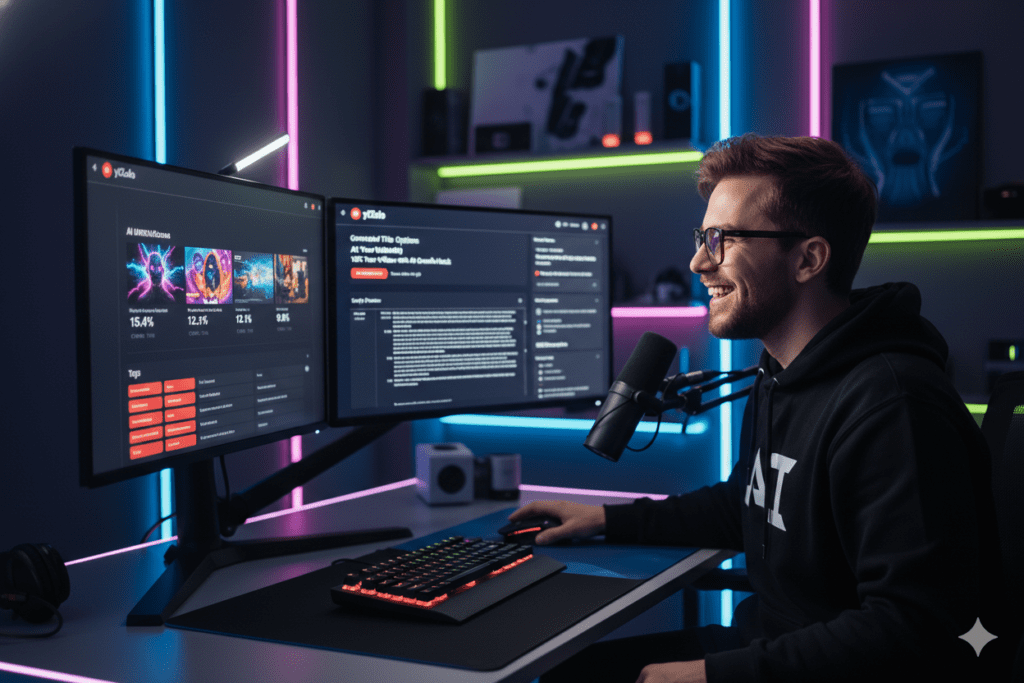
Step-by-Step: Create Your YouTube Thumbnail with ytZolo’s AI
Here’s the exact workflow — from blank idea to complete, publish-ready upload package.
Step 1: Sign Up Free at ytZolo
Go to ytzolo.com. Create your free account — just your name and email. No credit card. No survey. You’re in the dashboard in under 60 seconds.
Step 2: Enter Your Video Details
Provide the AI with three inputs:
- Video title (working idea or finalized title)
- Primary keyword (what you want the video to rank for)
- Brief description (1–2 sentences about what the video actually covers)
The more specific your input, the more targeted your ai thumbnail youtube maker output will be.
Example:
Title: “I Tracked Every Dollar I Spent for 90 Days — Here’s What I Found” Keyword: personal finance tracking beginner Description: 90-day personal spending audit — unexpected results, category breakdowns, and what I changed afterward
Step 3: Select Your Niche
Choose from ytZolo’s niche menu — finance, gaming, fitness, travel, education, lifestyle, tech, food, beauty, business, productivity, and more.
This step triggers ytZolo’s niche-specific AI logic. Finance thumbnails need to communicate trust and authority. Gaming thumbnails need high-energy action and bold contrast. ytZolo knows the visual psychology of each niche because its ai thumbnail youtube maker is trained on real YouTube performance data across all of them.
Step 4: Generate Your Complete Content Package
Hit generate. In under 60 seconds, ytZolo delivers:
- 3–5 AI thumbnail variants — each with a predicted CTR score
- 5+ title options — across curiosity-gap, how-to, numbered-list, and challenge formats
- Full video script — hook, structured body, and call-to-action
- SEO-optimized description — ready to paste into YouTube Studio
- Tag cluster — algorithm-aligned keyword tags
Your entire upload package. One input. Five minutes. Free.
Step 5: Choose Your Best Thumbnail
Review thumbnail variants alongside their CTR scores. Don’t choose the one you find most aesthetically pleasing. Choose the one with the highest predicted CTR that authentically represents your video’s tone and promise.
Step 6: Download and Refine (Optional)
Download your chosen thumbnail in full HD — no watermark. Use it as-is, or open in Canva for minor personal additions: your channel logo, face photo, or color fine-tuning.
Step 7: Publish Your Optimized Upload Package
Paste your AI-generated title, description, and tags into YouTube Studio. Upload your thumbnail. Publish.
Total time: under 5 minutes. Total cost: zero.
Step 8: Monitor, Test, and Iterate
Track impressions and CTR in YouTube Analytics for 48 hours. If CTR is below 4%, return to ytZolo and generate a fresh thumbnail variant. A/B test using YouTube Studio’s built-in Test & Compare feature for 7–14 days.
This is the cycle that compounds channel growth. ytZolo makes it fast enough to actually be practical.
Thumbnail Psychology — What Makes Viewers Click in 2026
The best ai thumbnail youtube maker tools are built on behavioral science. Understanding the psychology helps you choose the strongest AI variant — and write better inputs that produce stronger outputs.
Genuine Emotion Outperforms Design Perfection
Emotion beats perfection: a slightly imperfect thumbnail with genuine emotion outperforms a technically perfect but bland one every single time.
When using AI for face generation, dial up the expression intensity by 20–30%. Curiosity, shock, delight, and disbelief drive clicks. Neutral expressions drive scrolls.
Critically: the emotion must match the video’s actual delivery. Thumbnails that overpromise generate high CTR and terrible watch time — which the algorithm punishes hard in 2026.
The Three-Second Rule Is the New One-Second Rule
Your thumbnail should communicate its value in three seconds or less. If you need to “explain” your thumbnail, it’s too complicated.
In mobile feeds — where the majority of your impressions land — viewers make their decision faster than any design tool can optimize for through manual iteration alone. AI trained on real CTR data bridges this gap, especially when using AI thumbnail generators designed for performance.
Strategic Inconsistency Builds Engagement
Keep 80% of your thumbnail consistent (colors, fonts, layout), but vary 20% to prevent fatigue. Maybe alternate between close-up and wide shots, or switch your accent color every 10 videos.
This principle is built into ytZolo’s variant generation — each thumbnail option it produces follows your niche’s visual consistency rules while varying the engagement hooks that prevent channel-level visual fatigue. Creating high-performing variations is what allows you to test and scale what actually works.
Mobile-First Is Non-Negotiable
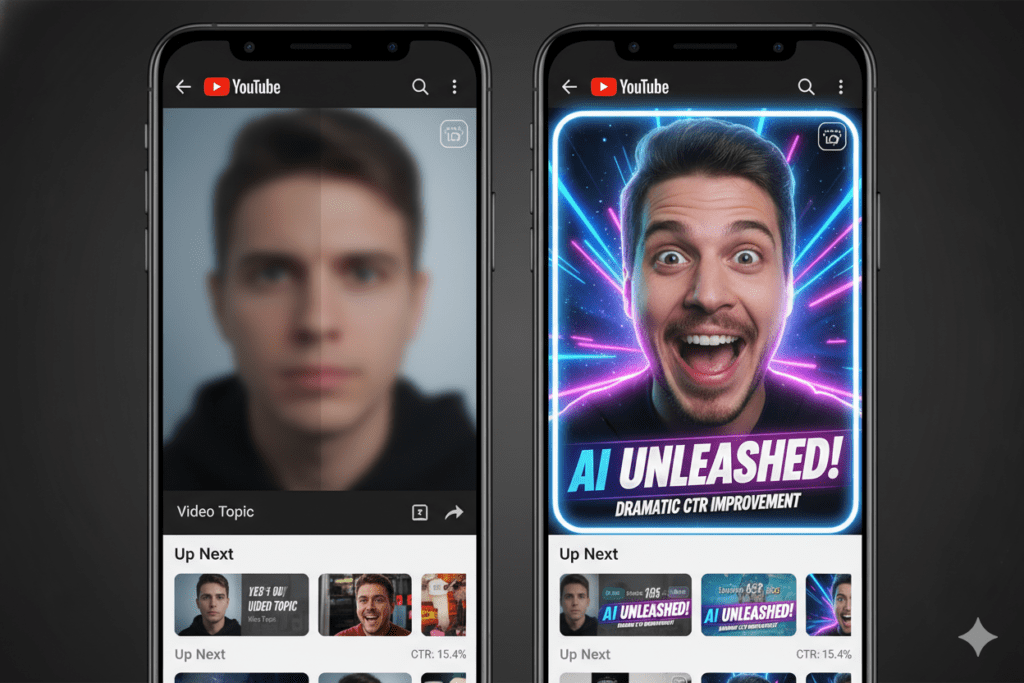
Over 70% of YouTube traffic is mobile. Always preview your ai thumbnail youtube maker output at 150px wide before publishing. What looks brilliant at 1280px can be completely unreadable at phone scale — which is why mobile-first readability is critical for higher CTR.
Every quality tool in this guide generates thumbnails at YouTube’s official spec of 1280×720px. But that’s just the canvas. What matters is whether the message survives at mobile display size.
How to Test and Compound Your AI Thumbnail Results
Getting a great output from an ai thumbnail youtube maker is step one. Making it compound into channel growth requires a testing system.
Run YouTube’s Native A/B Test Feature
YouTube’s Test & Compare feature selects winners based on watch time share — not just click-through rate. Tests can include up to 3 thumbnail options and run for up to 2 weeks.
The implication: you need multiple clean variants to test, not one “perfect” design. Creators who iterate faster learn what works faster.
Use ytZolo to generate 2–3 thumbnail variants per video. Upload all of them. Let the algorithm choose the winner. Apply that learning to your next thumbnail prompt.
Update Your Best Old Videos Quarterly
Your existing videos are still generating impressions right now. Every quarter, take your top 10 evergreen videos back to your ai thumbnail youtube maker and regenerate their thumbnails.
Creators who refreshed thumbnails on existing evergreen videos saw CTR increase 30–40% and total views grow over 200% — without making a single new video. That’s free growth from work you already did.
Track Niche-Specific CTR Benchmarks
Average CTR sits between 2% and 10% across all channels. But your target depends on your niche. Education channels with strong retention often perform well at 4–6% CTR. Entertainment and gaming channels typically aim for 7–10%+.
Know your benchmark. Use your ai thumbnail youtube maker to optimize toward it — and use ytZolo’s niche-aware AI to ensure every design decision is calibrated for your specific audience’s click psychology.

Critical Mistakes That Destroy Thumbnail Performance
Even the best ai thumbnail youtube maker can’t save you from these execution errors:
- ❌ Not previewing at 150px mobile scale — Over 70% of views are mobile. Your thumbnail might look perfect at full resolution and be completely unreadable at phone scale. Always check before publishing.
- ❌ Accepting the first AI output without comparing variants — Quality tools generate options. Compare CTR scores. Choose the data winner, not the first result that looks adequate.
- ❌ Clickbait that doesn’t deliver — High CTR with poor watch time is actively harmful in 2026. The algorithm demotes low-retention videos aggressively. Never overpromise what your video actually delivers.
- ❌ Overcrowding with text — Three to five words maximum. Your title handles keyword context. Your thumbnail handles emotional impact. More text creates visual noise at mobile scale.
- ❌ Thumbnail–title disconnect — Your thumbnail should visualize the emotional hook. Your title should provide context and keywords. When they don’t work together, viewers feel confused — and scroll past.
- ❌ Ignoring back-catalogue thumbnails — Your existing videos still earn impressions. Refreshing their thumbnails with an ai thumbnail youtube maker quarterly is the highest-ROI activity most creators never do.
- ❌ Using generic AI tools not built for YouTube — Generic image generators don’t understand niche-specific click psychology. A finance thumbnail and a gaming thumbnail need completely different visual logic. Always use YouTube-native tools.
- ❌ Publishing without iterating — The creators consistently hitting 8–10%+ CTR don’t find the perfect thumbnail on the first attempt. They test relentlessly and compound the learning.
FAQ: AI Thumbnail YouTube Maker
Q1: What is the best AI thumbnail YouTube maker in 2026?
The best ai thumbnail youtube maker is ytZolo — free, no watermark, no credit card, and the only platform that pairs AI thumbnail generation with titles, scripts, descriptions, and tags in one unified session.
Strong standalone alternatives: vidIQ (YouTube-native, competitor analysis), Thumbmagic (fast video-first generation, A/B variants), and CapCut (most generous free AI design plan).
Q2: How does an AI thumbnail YouTube maker actually work?
An ai thumbnail youtube maker analyzes your topic, keyword, and niche — then applies machine learning patterns from real YouTube performance data to generate CTR-optimized thumbnail designs.
It understands niche visual psychology, mobile readability requirements, emotional expression framing, and composition rules. Advanced tools like ytZolo also generate your title, description, script, and tags in the same session.
Q3: Can an AI thumbnail YouTube maker improve my channel growth?
Absolutely. One creator’s CTR jumped from 2.3% to 7.1% in 30 days after switching to AI thumbnails. Custom thumbnails improve CTR by 30–40% on average. Creators refreshing old thumbnail designs saw total views grow over 200% without new content.
A higher CTR triggers YouTube’s recommendation algorithm — creating a compounding growth flywheel that benefits your channel indefinitely.
Q4: Is ytZolo’s AI thumbnail YouTube maker free?
Yes. ytZolo’s free plan covers AI thumbnails, titles, scripts, descriptions, and tags — no credit card, no watermark, full HD export.
The free tier is built for consistent creators, not just casual testers. Premium plans exist for higher volumes — but the free plan delivers everything a growing channel needs.
Q5: What makes ytZolo different from other AI thumbnail YouTube makers?
Every other ai thumbnail youtube maker gives you an image. ytZolo gives you an entire YouTube upload strategy — thumbnail, title, script, description, and tags — all AI-generated, niche-specific, and working together.
That integration is the difference between saving design time and actually compounding your channel’s growth.
Conclusion: The Right AI Thumbnail YouTube Maker Changes Everything
Here’s what this entire guide comes down to.
Thumbnails aren’t decoration. They’re your channel’s front door. And in 2026, the difference between a great thumbnail and a mediocre one is the difference between a video that compounds views for months and one that disappears in 48 hours.
The creators winning on YouTube right now aren’t more talented than you. They have better systems. A reliable ai thumbnail youtube maker workflow. Aligned metadata. Consistent CTR optimization. Thumbnails that stop the right people in the right moment.
You now know exactly which tools are worth your time. You know the data behind why this matters. You know the psychology behind what makes viewers click.
The only thing left is to actually use it.
ytZolo is the most complete ai thumbnail youtube maker available — the only platform that connects your thumbnail to your title, script, description, and tags in one free, unified workflow built specifically for YouTube growth.
Stop designing thumbnails by instinct. Stop guessing what will get clicked. Start using an ai thumbnail youtube maker that builds your entire upload strategy around real performance data — and watch what happens to your channel.
🚀 Start creating smarter, faster, and more viral YouTube content with ytZolo today.
Want weekly creator growth strategies, thumbnail optimization guides, and AI tool breakdowns? The ytZolo blog is updated every week with practical, niche-specific content for YouTube creators at every stage — from first upload to scaling past 100K.
🔗 Sources & Further Reading
- YouTube Help — Impressions & Click-Through Rate — Official YouTube documentation on CTR signals, thumbnail specs, and algorithm behavior in 2026
- Ahrefs Blog — YouTube SEO & Ranking Factors — Research-backed analysis of thumbnail optimization, video metadata, and YouTube search performance
- HubSpot — Video Marketing Statistics 2026 — Industry benchmarks on video CTR, thumbnail impact, and creator workflow productivity
Published: April 2026 | Written for YouTube creators, content strategists, and digital marketers ready to grow with AI-powered thumbnail tools.

