
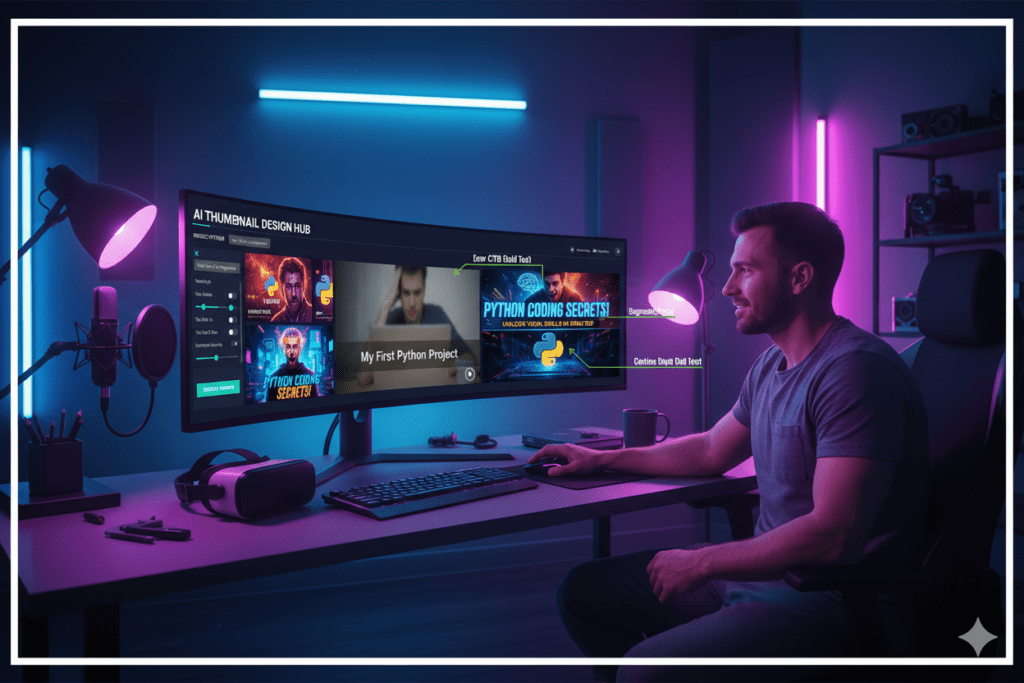
Introduction: Your Best Video Is Getting Zero Clicks — And Here’s Why
Sarah had just posted the most researched video of her career.
She spent three days scripting it. Shot multiple takes. Spent five hours in the edit. It was genuinely her best work — useful, entertaining, and packed with value.
She hit publish. Checked her analytics the next morning.
287 impressions. 6 clicks. A 2.1% CTR.
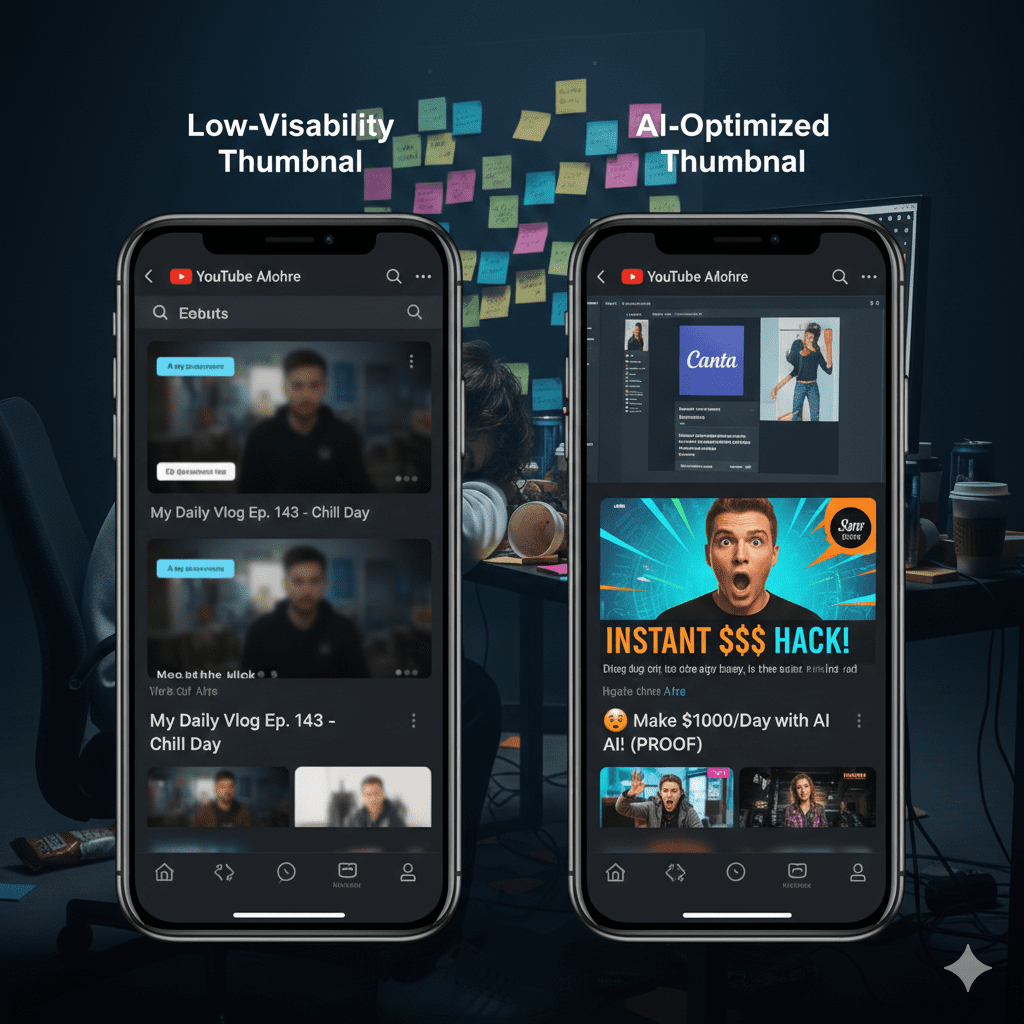
Meanwhile, a competitor with half her production quality was pulling 12% CTR on the same topic — and getting thousands of views per day from YouTube recommendations.
What was the difference? The thumbnail.
Her competitor wasn’t a better creator. They weren’t spending more money. They were simply using AI generated thumbnails for YouTube — data-driven, visually optimized, scroll-stopping designs that made YouTube’s algorithm fall in love with them.
If you’ve ever felt frustrated watching your videos underperform despite the work you put in, keep reading. This post breaks down exactly what makes AI thumbnails so powerful, how they work, and why tools like ytZolo are quickly becoming non-negotiable for serious YouTube creators.
Table of Contents
Why Your Thumbnail Is More Powerful Than Your Video
This might be a hard truth to hear: your content quality doesn’t matter if nobody clicks.
According to YouTube’s Creator Academy, 90% of the best-performing videos on the platform use custom thumbnails. That’s not an accident. That’s a direct signal about how YouTube’s system works.
YouTube’s algorithm is essentially a matchmaking machine. It tries to connect the right video to the right viewer. But here’s the catch — the algorithm uses click-through rate (CTR) as one of its primary signals to decide which videos deserve to be pushed to more people.
Higher CTR = More impressions = More organic reach. It’s a compounding growth flywheel. And your thumbnail is the ignition switch.
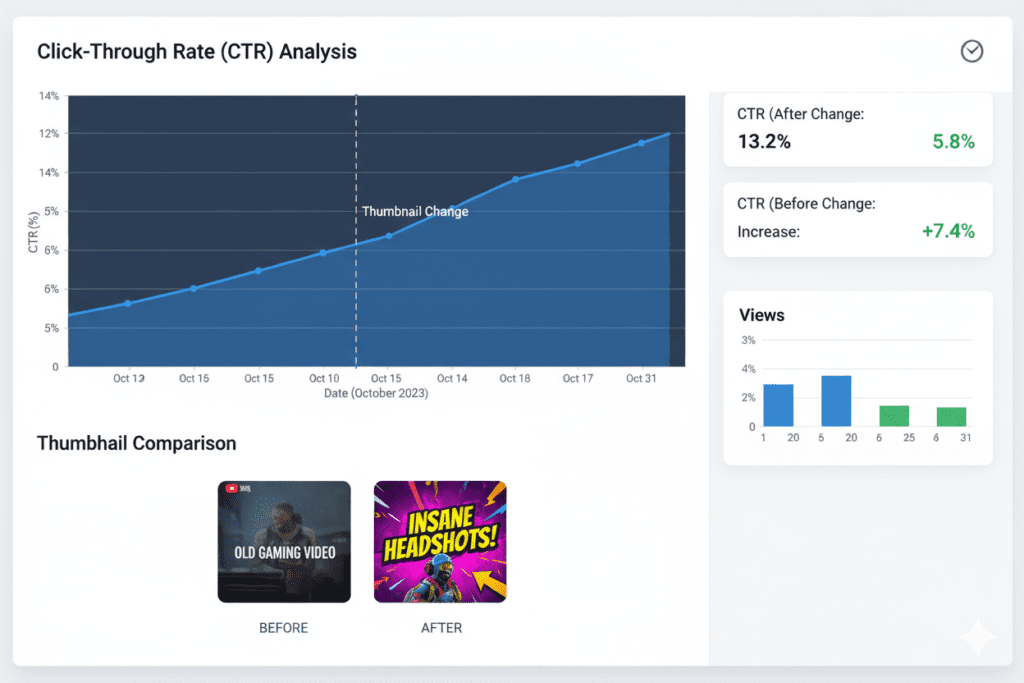
Research analyzing thousands of top-performing videos shows that ai generated thumbnails for youtube can increase click-through rates by 30–40% when optimized correctly — directly impacting everything downstream: views, watch time, subscribers, and revenue.
The brutal reality? Even a 10-second improvement in thumbnail quality can do more for your channel’s growth than a week of extra editing time.
What Are AI Generated Thumbnails for YouTube?
AI generated thumbnails for YouTube are images created — or heavily optimized — by artificial intelligence specifically to drive clicks on the YouTube platform.
Unlike generic AI image generators, purpose-built AI thumbnail tools are trained on what actually works in YouTube’s visual ecosystem. They understand color psychology, text placement, emotional triggers, niche-specific design patterns, and YouTube’s mobile-first display environment.
Here’s what separates AI thumbnail generation from traditional design:
- No blank canvas anxiety — You don’t start from scratch. The AI generates fully composed, ready-to-use designs.
- Data-backed decisions — Instead of guessing what looks good, AI uses patterns from millions of high-performing thumbnails.
- Multiple variations instantly — AI produces several design options in seconds so you can A/B test and pick the best performer.
- Niche awareness — The best tools understand that what works in gaming content looks very different from what works in personal finance.
- Consistent branding at scale — Maintain a recognizable visual identity across dozens or hundreds of videos without spending hours on each one.
The key thing to understand: ai generated thumbnails for youtube don’t replace your creative instincts. They supercharge them. You bring the content idea; the AI brings the visual intelligence.
The Science Behind High-CTR Thumbnails
Before we talk about AI tools, it helps to understand why certain thumbnails work. This is the same data AI systems are trained on.
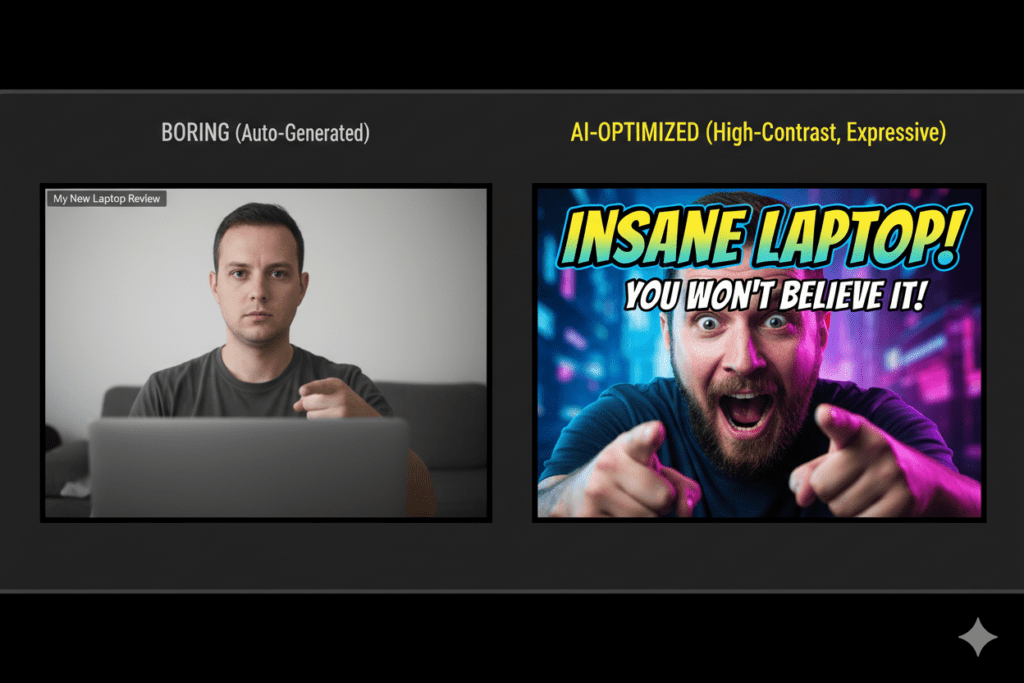
Color Psychology Research shows that high-contrast thumbnails with bold colors like yellows and oranges can increase CTR by 20–30%. Warm tones create urgency and excitement. Cool blues and greens signal trust. The right color isn’t random — it’s strategic.
While you’re in ytZolo, run your video title through the ai generated thumbnails for youtube AI title generator and let it suggest optimized alternatives. Generate your description and tags in the same session. Your entire pre-publish workflow — handled.
Text Length Thumbnails with under 12 text characters significantly outperform text-heavy designs. If your thumbnail text takes more than a blink to read, it’s too long. Short, punchy phrases create intrigue without overwhelming.
Curiosity Gap The most clicked thumbnails don’t tell you everything — they tease just enough to make you need to click. Think “I tried this for 30 days…” or “The truth about…” — incomplete thoughts that only resolve inside the video.
Consistency According to YouTube Creator Academy, consistent branding improves retention by helping viewers instantly recognize your content, even on mobile devices. When your audience recognizes your best ai thumbnail maker for youtube thumbnail style, your return viewer rate increases — which boosts watch time and long-term algorithm favor.
All of this science is baked into modern AI thumbnail tools, making them far more effective than gut-feel manual design.
Why Creators Struggle Without AI — The Manual Design Problem
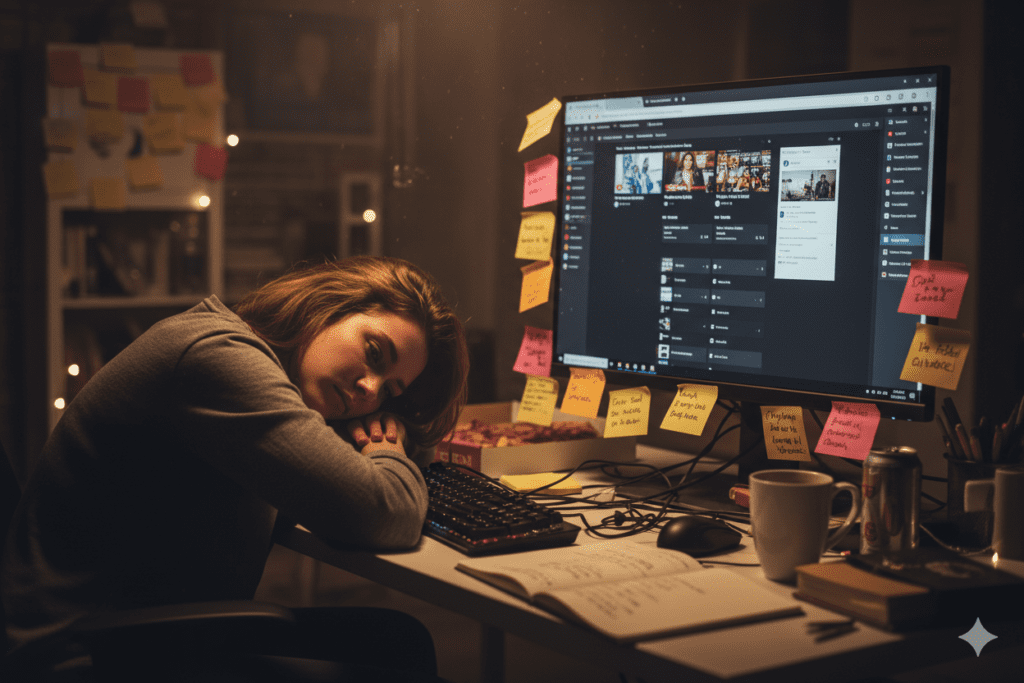
Let’s be honest about what manual thumbnail creation actually costs you.
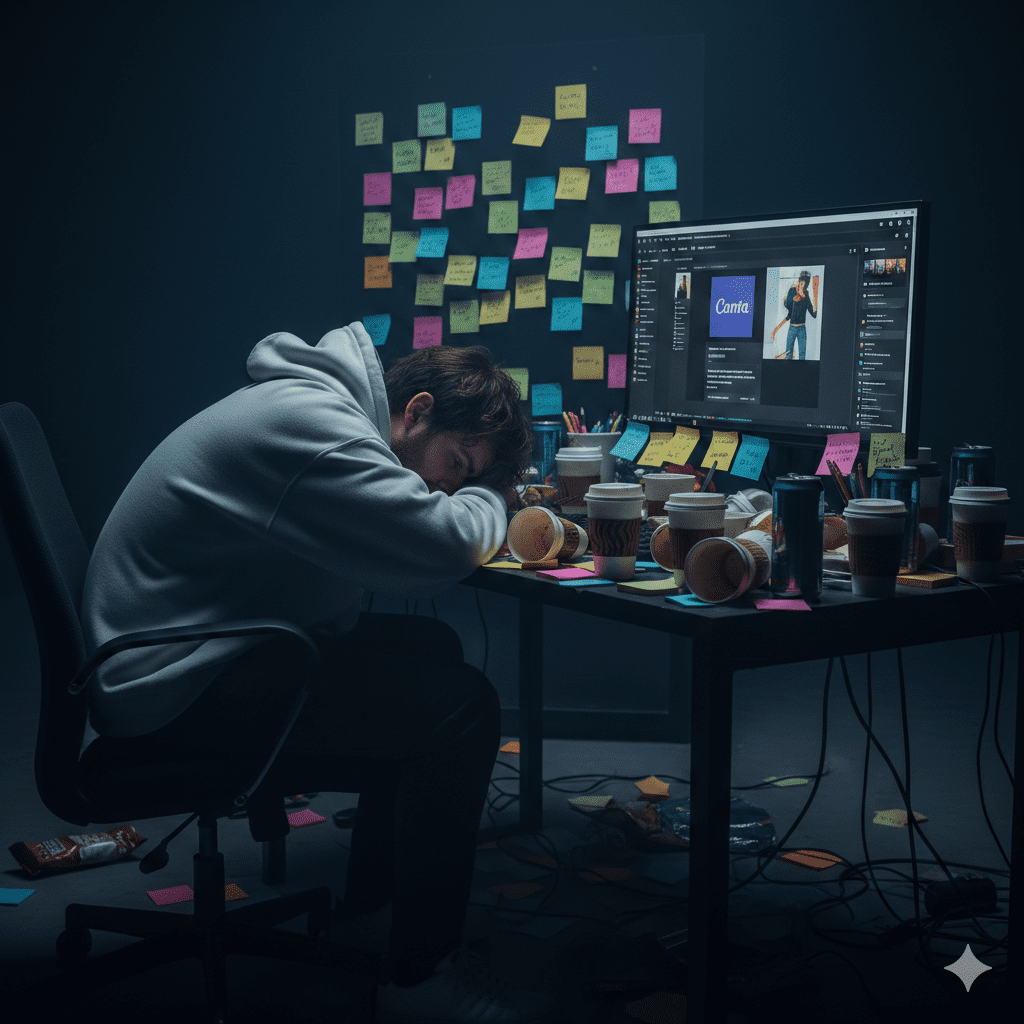
Time: The average creator spends 45–90 minutes per thumbnail when designing manually. For creators publishing twice a week, that’s 6+ hours per month just on thumbnail work. That’s time not spent scripting, filming, or growing your audience.
Guesswork: Manual design is built on intuition. You think a dark background looks cinematic. You assume the yellow text will pop. But you have no real data confirming whether these choices will perform in your niche, on your audience’s devices, at the scroll speed of today’s viewer.
Inconsistency: The more videos you produce, the harder it becomes to maintain a consistent visual identity without a dedicated designer. Most solo creators end up with a chaotic mix of AI generated thumbnails for YouTube that confuses audiences and weakens brand recognition.
Outdated methods: Design tools like Photoshop and basic Canva templates were built for general graphic design, not YouTube-specific conversion optimization. They give you the canvas — they don’t give you the intelligence.
AI tools reduce thumbnail design time from 1–2 hours to just 10–15 minutes — and they do it with data-backed design decisions that manual work simply cannot replicate. Creators who haven’t adopted AI thumbnail generation yet are competing with one hand tied behind their back.
The game has changed. And the fastest-growing channels know it.
How ytZolo Creates AI Generated Thumbnails for YouTube
ytZolo isn’t just another thumbnail generator slapped together to ride the AI wave. It’s a complete AI YouTube growth platform designed from the ground up for creators who want real, measurable results.
When it comes to AI generated thumbnails for YouTube, ytZolo goes far deeper than most tools dare to go.
Here’s what makes ytZolo’s AI thumbnail engine different:
- Niche-trained intelligence — ytZolo’s AI has been trained on niche-specific performance data. Gaming thumbnails, finance thumbnails, lifestyle content — the AI knows what visual patterns actually convert in your content category.
- Psychological trigger optimization — ytZolo doesn’t just make thumbnails look good. It applies the same psychological principles (curiosity gaps, emotional faces, contrast theory) that YouTube’s top creators have refined over years of testing.
- Smart text placement — The AI intelligently positions text overlays where they won’t obscure key visual elements like faces or focal objects — while ensuring they’re bold and readable even at thumbnail size on mobile.
- Instant multi-variation output — Generate multiple distinct thumbnail options from a single prompt. This sets you up for A/B testing without doubling your workload.
- Seamlessly integrated with ytZolo’s full creator suite — This is the real game-changer. After generating your thumbnail, you can generate your video title, full script, SEO description, and keyword tags all within the same platform. No tab-switching. No juggling five different tools.
Why creators struggle without AI is simple: they’re making design decisions without data. The best ai thumbnail maker for youtube fixes that. Every thumbnail it generates is informed by what’s actually driving clicks on YouTube right now — not what looked good in a tutorial from three years ago.
For more on how ytZolo’s full suite helps creators grow faster, check out the ytZolo blog for deep-dive guides and strategies.
Step-by-Step: Create Your First AI Thumbnail with ytZolo
Ready to start generating thumbnails that actually get clicked? Here’s exactly how to do it.
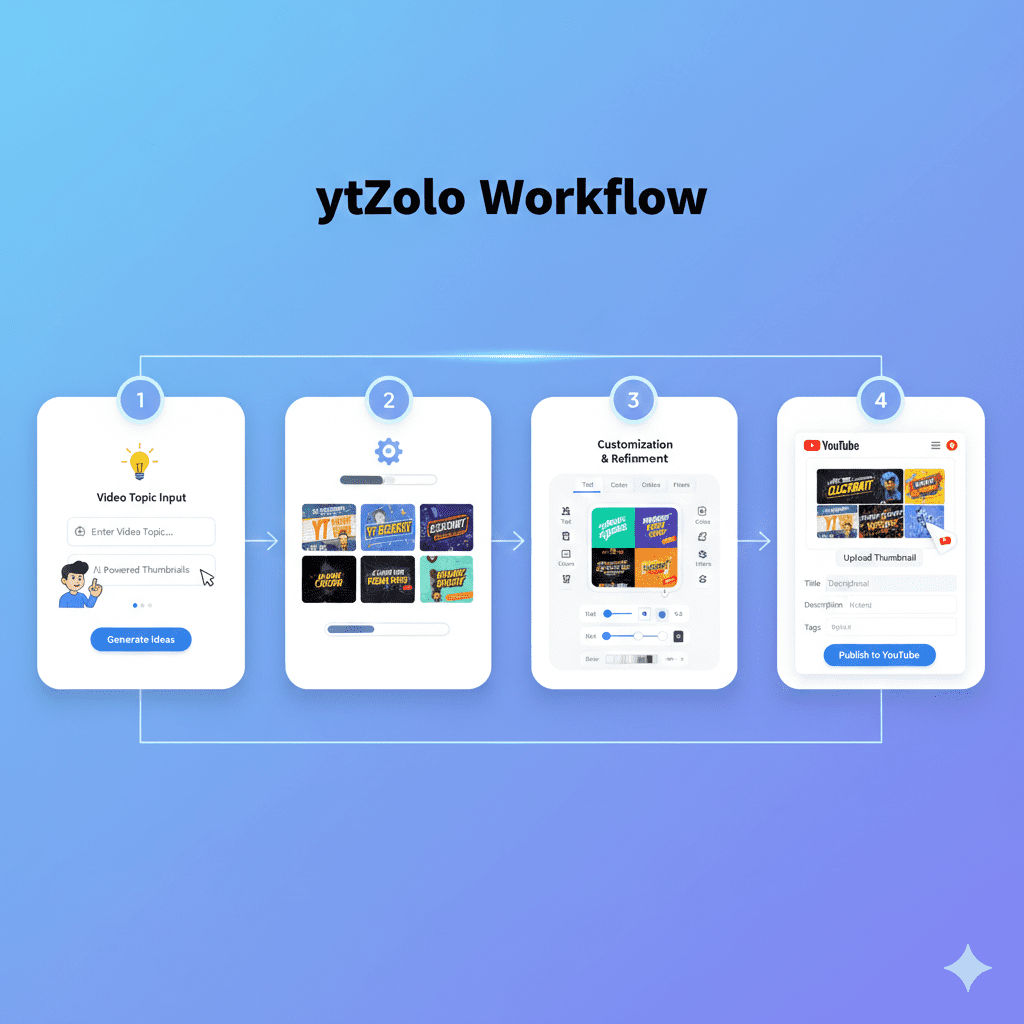
Step 1: Create Your Free ytZolo Account
Go to ytzolo.com and sign up for free. No credit card, no commitment. You’ll be inside the platform within 60 seconds.
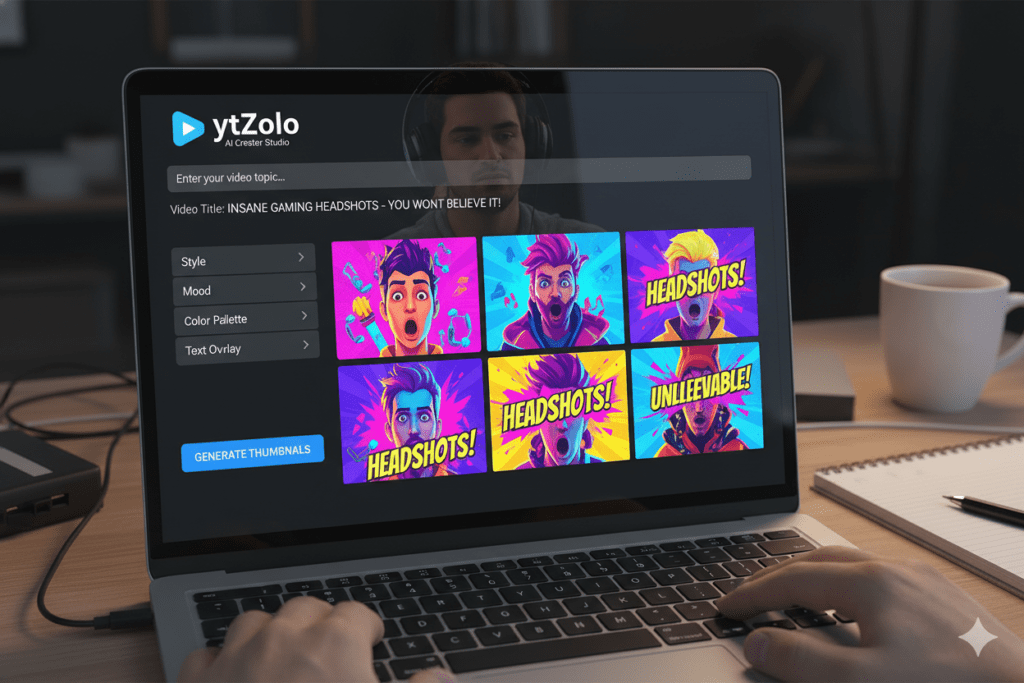
Step 2: Enter Your Video Topic or Title
Type in your video concept. Be specific. Instead of “fitness tips,” try “5 Reasons You’re Not Losing Weight (Fix This Now).” The more context you give the AI, the more targeted and compelling your AI generated thumbnails for YouTube output will be.
Step 3: Select Your Niche and Style Preferences
ytZolo lets you specify your content category and preferred visual style. This ensures the AI applies the right design intelligence — what converts in AI generated thumbnails for YouTube for tech looks completely different from what converts in cooking or travel content.
Step 4: Generate Your Thumbnail Variations
Hit generate. Within seconds, ytZolo produces multiple AI thumbnail options — each with different color schemes, text placements, and compositional approaches. No blank canvas. No decision paralysis. Just options backed by data.
Step 5: Customize If Needed
Love a design but want to tweak the font or adjust the text? ytZolo’s built-in editor is intuitive and creator-friendly. You don’t need Photoshop skills — just click, adjust, and finalize.
Step 6: Export in YouTube-Ready Format
Download your thumbnail at YouTube’s recommended resolution of 1280×720 pixels. Upload directly to YouTube Studio. Done.
Step 7 (Bonus): Complete Your Full Content Stack
While you’re in ytZolo, generate a CTR-optimized video title, full video script, SEO description, and keyword tags. Everything you need to publish a complete, optimized video — including AI generated thumbnails for YouTube — all in one workflow. This is what it means to work smarter.
Why ytZolo Is Better Than Other AI Thumbnail Tools
The market is filling up with AI thumbnail generators. Here’s why ytZolo stands apart from the crowd.
ytZolo vs. Generic AI Image Generators (Midjourney, DALL-E, Adobe Firefly)
These are powerful image generation tools — but they know absolutely nothing about YouTube. They don’t understand CTR. They don’t know what mobile thumbnails need to look like.
After generating a beautiful image, you’d still need to manually create AI generated thumbnails for YouTube, add text, resize for YouTube specs, and optimize composition.
That’s three extra steps with zero performance data guiding you.
ytZolo handles the entire process — image, text, sizing, niche optimization — in a single creator-focused workflow.
ytZolo vs. Canva
Canva is a beloved general-purpose design tool, and it’s great for what it is. But “general purpose” is the problem. Canva doesn’t know YouTube’s algorithm. It doesn’t know your niche’s visual language. It gives you templates and drag-and-drop tools — not intelligence. You’re still the one making every design decision, which means you’re still guessing.
ytZolo brings YouTube-specific AI to every thumbnail decision.
ytZolo vs. TubeBuddy / VidIQ
These are excellent tools for YouTube SEO and analytics. Seriously great. But their thumbnail generation isn’t a core strength, and they can’t compete with an AI system trained specifically on thumbnail performance data. Plus, if you want title generation, script assistance, and description optimization too, you’d need to pay for multiple tools.
ytZolo replaces several subscriptions with one unified platform.
ytZolo vs. Standalone Thumbnail Generators
There are newer dedicated AI thumbnail tools entering the market. Most focus solely on image generation.
ytZolo goes further by integrating AI generated thumbnails for YouTube with your full content workflow — meaning you can go from idea to fully published, fully optimized video without ever leaving the platform.
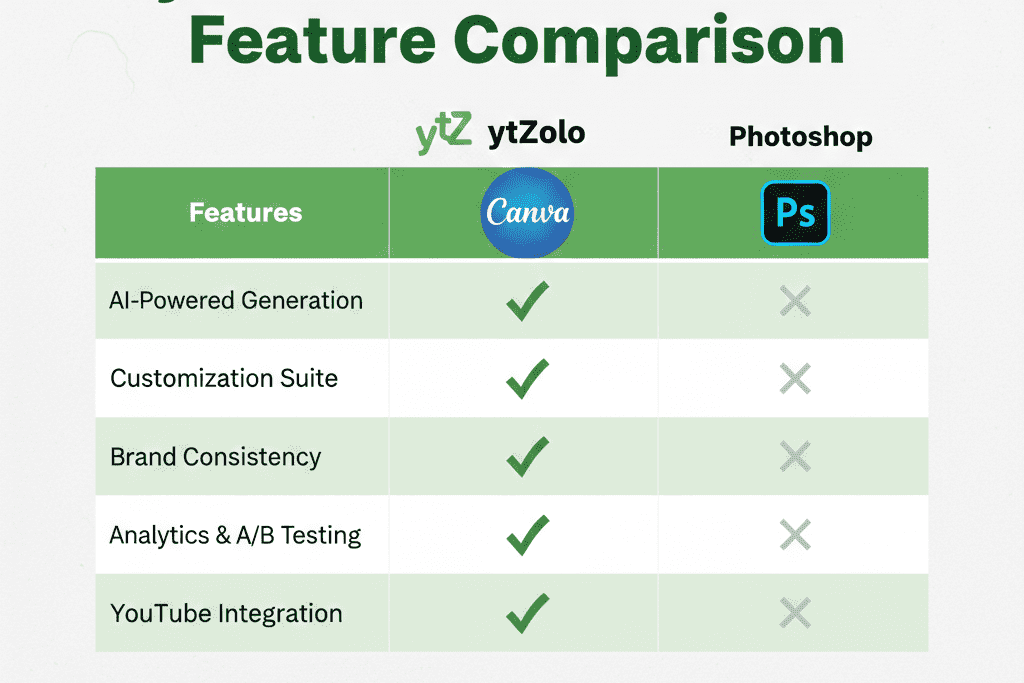
Feature Comparison at a Glance:
| Feature | ytZolo | Canva | Midjourney | TubeBuddy |
|---|---|---|---|---|
| YouTube-specific AI | ✅ | ❌ | ❌ | ❌ |
| AI thumbnail generation | ✅ | Templates only | ✅ (no YouTube context) | ❌ |
| Multiple variations instantly | ✅ | ❌ | ✅ | ❌ |
| Niche-aware design | ✅ | ❌ | ❌ | ❌ |
| Title + script + tags + description | ✅ | ❌ | ❌ | Partial |
| Built for YouTube growth | ✅ | ❌ | ❌ | Partial |
| Free plan available | ✅ | ✅ | ❌ | ✅ |
The choice is clear for any creator who’s serious about growing on YouTube.
Proven Tips to Make Your AI Thumbnails Perform Even Better
AI gives you a massive head start. These strategies take you even further.
1. Always A/B test two variations Generate multiple options with ytZolo and test two different thumbnails against each other. YouTube Studio now lets you test up to three thumbnail variations simultaneously and gather statistically significant data on which designs perform best. Let the data pick your winner, not your gut.
2. Lead with emotion, not information The thumbnail’s job is to spark curiosity — not to explain the video. An expressive face showing genuine shock or excitement will outperform a text-heavy informational thumbnail almost every time. Lead with feeling.
3. Think mobile-first, always. Most YouTube views happen on phones. Before finalizing any AI generated thumbnails for YouTube, shrink it down mentally: Is the text readable at 150px wide? Is the face still recognizable? Is the key element still visible? Mobile-first design wins.
4. Match thumbnail energy to video energy Your thumbnail and your video need to feel like the same promise. A thumbnail that oversells and underdelivers creates high CTR but low watch time — which actually hurts your algorithmic standing. YouTube’s algorithm prioritizes watch time over clicks, so misleading thumbnails ultimately backfire.
5. Build a consistent visual brand Top creators have a recognizable thumbnail signature — a consistent font, a signature color palette, a recurring composition style. Use ytZolo to build that consistency at scale. When viewers recognize your thumbnail style instantly, they’re far more likely to click.
6. Refresh underperforming thumbnails Already published a video with a weak thumbnail? Change it. Updating your thumbnail won’t reset your video’s performance — it can only improve it. Use ytZolo to generate a new AI thumbnail for your existing content and watch CTR climb on older videos.
The Future of AI Thumbnails on YouTube
This is only the beginning.
One of the most significant trends reshaping YouTube thumbnails is the use of AI to create hyper-personalized thumbnails based on viewer data — analyzing watching history, demographics, and preferences to generate designs tailored to individual interests.
Think about that for a second. The future of AI generated thumbnails for YouTube isn’t just “better looking” — it’s thumbnails that change based on who’s looking at them.
According to a study by TubeFilter, personalized thumbnails can increase click-through rates by up to 30% — because viewers are more likely to engage with content that feels specifically relevant to them.
AI thumbnail tools are also evolving toward real-time optimization — automatically analyzing which of your generated thumbnails is performing better and replacing underperformers without any manual intervention from you.
For creators, this means one thing: the gap between those using AI generated thumbnails for YouTube and those not using it is going to keep widening. Every month you wait is another month your competitors are compounding advantages in CTR, reach, and subscriber growth.
The smartest move any creator can make right now is to get ahead of this curve. Tools like ytZolo are already at the forefront of this shift — offering creators the AI advantage that was once reserved for channels with full creative teams and massive budgets.
Explore how the best creators are using AI across their entire YouTube workflow on the ytZolo blog.

FAQ
What are AI generated thumbnails for YouTube?
AI generated thumbnails for YouTube are custom thumbnail images created or optimized by artificial intelligence. These tools use data from millions of high-performing videos to produce scroll-stopping designs with optimized colors, text placement, emotional triggers, and niche-specific visual patterns — without requiring design skills or hours of manual work.
Do AI thumbnails actually improve YouTube CTR?
Yes, significantly. Research shows that well-optimized thumbnails can improve click-through rates by 20–40% compared to auto-generated or poorly designed thumbnails. AI thumbnail tools apply data-backed design principles that consistently outperform guesswork-based manual design — leading directly to more clicks, more views, and more algorithmic reach.
How does ytZolo generate AI thumbnails for YouTube?
ytZolo uses a YouTube-specific AI engine trained on niche performance data, color psychology, and proven CTR patterns. You enter your video topic, select your niche, and the AI generates multiple thumbnail variations in seconds — all optimized for your content type and audience. You can then customize, export at YouTube’s recommended specs (1280×720 px), and upload directly.
Is it safe to use AI generated thumbnails on YouTube?
Completely. YouTube has no policy against AI generated thumbnails for YouTube — as long as the thumbnails accurately represent your video content and don’t violate community guidelines. In fact, YouTube encourages custom thumbnails.
The important thing is that your thumbnail matches what viewers will actually see in your video.
Can I use ytZolo for more than just thumbnails?
Absolutely. ytZolo is a full AI YouTube growth platform. Beyond AI generated thumbnails for YouTube, it helps you create optimized video titles, full video scripts, SEO descriptions, and keyword tags — all in one unified workflow. It’s the all-in-one tool for creators who want to grow faster without burning more hours.
Conclusion: The Click-Through Game Has Changed — Are You Playing to Win?
Here’s the bottom line.
YouTube has never been more competitive. Over 500 hours of video are uploaded every minute. Getting noticed isn’t just about making great content anymore — it’s about making content that gets the chance to be seen in the first place.
AI generated thumbnails for YouTube have fundamentally shifted what’s possible for creators of every size. You no longer need a design team, a Photoshop subscription, or years of visual intuition. You need smart tools that make data-backed decisions in seconds.
That’s exactly what ytZolo was built for.
Every video you publish deserves the best possible first impression. A thumbnail that stops the scroll. A thumbnail that earns the click. A thumbnail built on what actually works on YouTube — not what you think looks cool at midnight before a scheduled upload.
The creators growing fastest right now aren’t necessarily the most talented. They’re the ones working smarter — using AI generated thumbnails for YouTube, stronger titles, more compelling scripts, and optimized descriptions, all in one place.
Your competitors are already using these tools. The only question is how long you’re going to wait.
👉 Start creating smarter, faster, and more viral YouTube content with ytZolo today.
Visit ytzolo.com and launch your free account — no credit card needed.
Want more creator growth strategies? Browse the ytZolo blog for expert guides on titles, scripts, SEO, and everything else that powers a growing YouTube channel
External Authority Sources:

