
Introduction: The Thumbnail That Changed Everything
Priya had been uploading videos for eight months.
Good lighting. Clean edits. Helpful content. She was doing everything “right.”
But her videos were barely breaking 200 views each. Her click-through rate sat at a miserable 1.6%.
Then a friend suggested she try a free AI thumbnail maker.
She was skeptical. How could a thumbnail really make that big a difference?
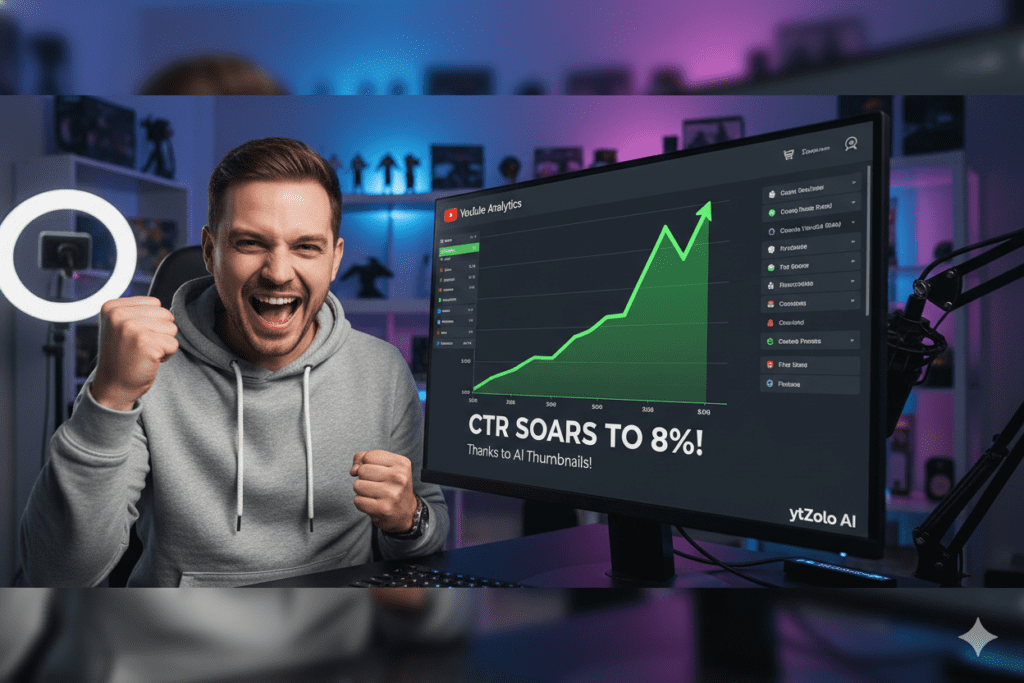
Three weeks later, her CTR had jumped to 6.8%. One video hit 40,000 views — her best ever by a mile.
Nothing changed except the thumbnails.
This isn’t a rare story. It’s happening to creators every day who discover that the ai thumbnail maker free tools of 2026 are not gimmicks — they are genuine growth engines.
In this guide, you’ll learn exactly why thumbnails are your most powerful growth lever, what separates a good ai thumbnail maker free from a great one, and why thousands of smart creators are choosing ytZolo to handle not just thumbnails — but their entire YouTube content strategy with AI.
Let’s get into it.
Table of Contents
Why Your Thumbnail Is Worth More Than Your Video
This might sound harsh. But hear it out.
Your video could be incredible. Packed with value. Beautifully edited. But if your thumbnail doesn’t stop the scroll, nobody ever watches it.
Every time a viewer opens YouTube, they see dozens of videos at once. Their brain makes a click-or-skip decision in under half a second. That decision is based almost entirely on two things: your title and your thumbnail.
And the thumbnail wins almost every time.
According to YouTube’s Creator Academy, 90% of the best-performing videos on YouTube use custom thumbnails. Not random auto-generated frames — intentional, designed visuals built to earn a click.
The data backs this up hard. Research analyzing thousands of top-performing videos shows that well-designed thumbnails can increase click-through rates by 30–40%. Your CTR — the percentage of people who see your video and click — is the signal YouTube’s algorithm uses to decide how widely your content gets pushed.
A higher CTR from a free AI YouTube thumbnail generator triggers more impressions. More impressions mean more views. More views mean faster channel growth. It’s a snowball that starts with one image.
Creators in the top 10% of their niche consistently pull CTRs of 7–12%. The average sits around 4–6%. The difference between those numbers, at scale, is tens of thousands of views per month.
The creators winning that gap in 2026? They’re using an ai thumbnail maker free — and they’re using it strategically.
What Is a Free AI Thumbnail Maker — And How Does It Work?
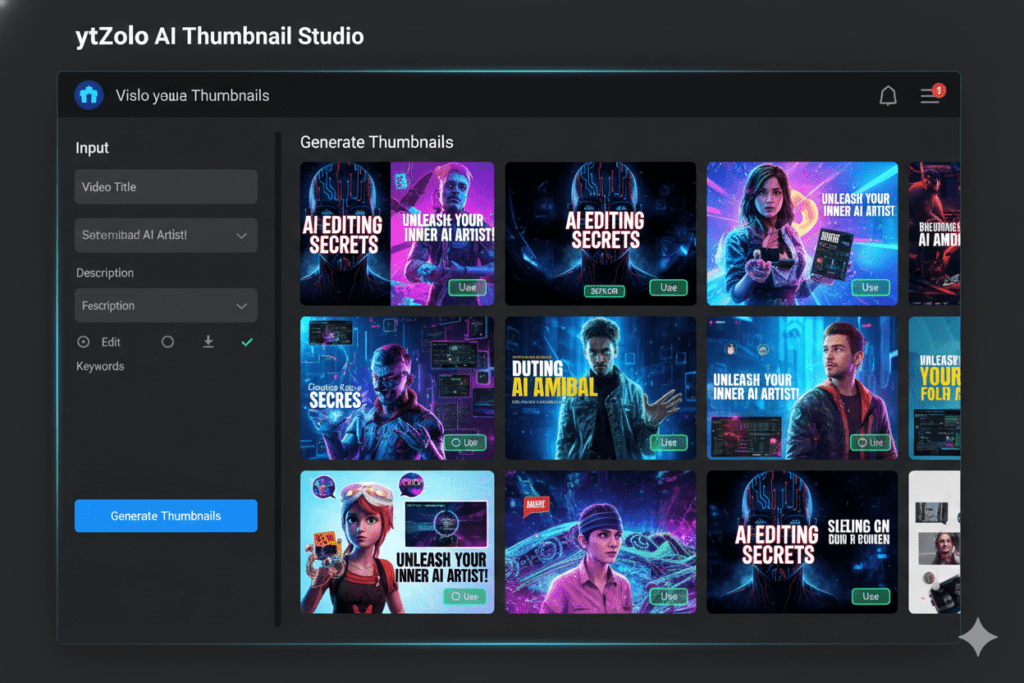
An ai thumbnail maker free is a software tool that uses artificial intelligence to automatically generate professional-grade thumbnail images for your YouTube videos — with zero design experience needed.
You don’t open Photoshop. You don’t wrestle with Canva layers. You don’t hire a designer or spend your Sunday afternoon pushing pixels.
You enter your video topic. The AI does the rest.
Here’s how the technology works under the hood:
- The AI scans thousands of high-performing thumbnails in your niche
- It identifies which colors, layouts, emotional cues, and text styles drive the most clicks
- It applies those data-backed principles to create a thumbnail optimized for your specific content
- It generates multiple variations so you can test and find the highest performer
The best free AI thumbnail makers don’t just produce pretty images. They produce click-optimized visuals engineered around real YouTube performance data.
What separates a basic ai thumbnail maker free from a genuinely powerful one like ytZolo? Integration. ytZolo doesn’t just make your thumbnail. It also generates your video title, your script, your description, and your tags — all from the same AI engine, all tuned toward the same goal: growing your channel.
Think of it as the difference between a hammer and a full toolbox.
Why Manual Thumbnail Design Is a Trap
Let’s be brutally honest about what “doing it yourself” actually costs.
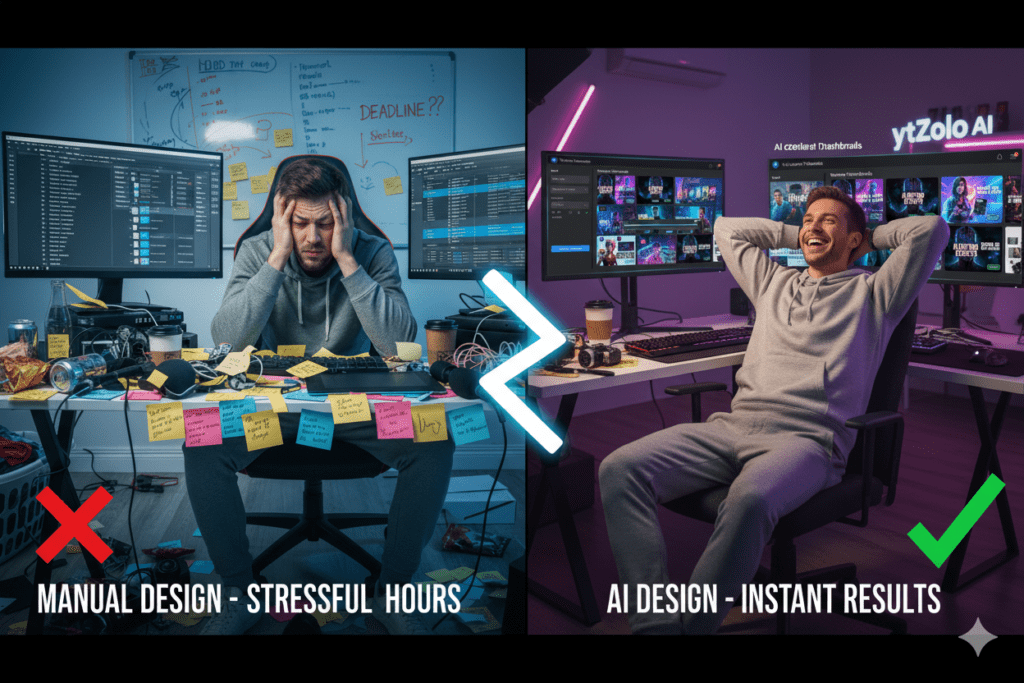
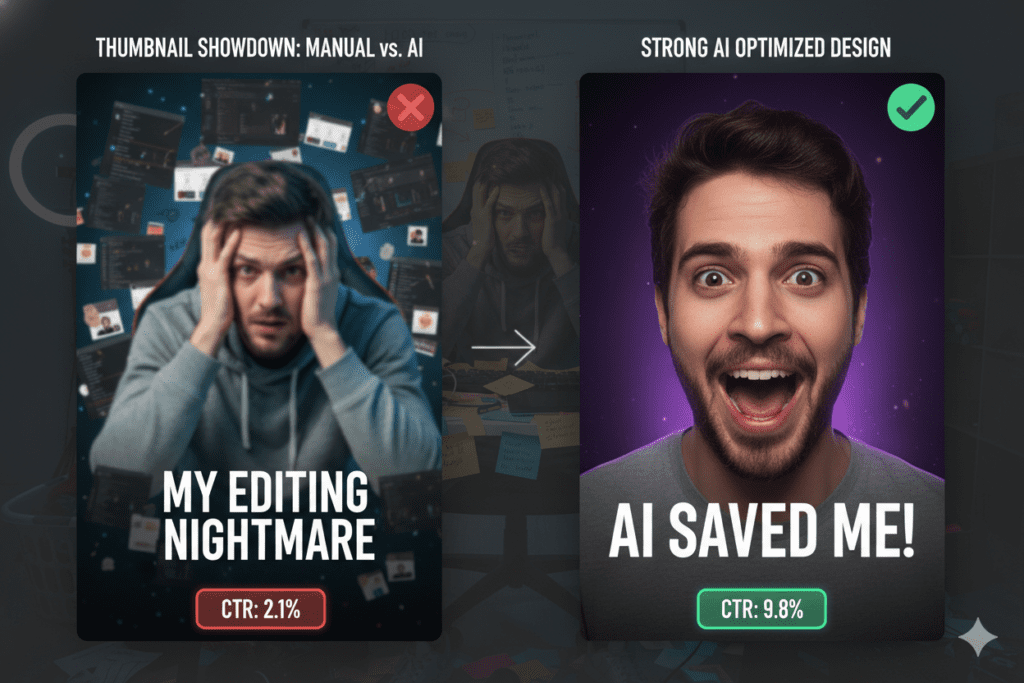
The average creator spends 1 to 3 hours per thumbnail when designing manually. That’s time hunting for the right stock image. Time adjusting text layers in Canva or Photoshop. Time second-guessing whether the colors are bold enough, whether the text is readable on mobile, whether anyone will actually click.
And after all that time? You’re still guessing.
Manual thumbnail design has no data behind it. It doesn’t know which thumbnail style is currently dominating your niche. It can’t tell you whether red backgrounds or blue backgrounds are converting better for tech tutorials this month. It gives you no variations to test, no performance benchmarks to compare against.
According to Ahrefs’ YouTube SEO research, creators who systematically optimize their visual assets — including thumbnails — generate significantly more organic traffic than those relying on intuition alone.
Meanwhile, a free ai thumbnail maker can do what took you three hours in about ten minutes — with better results.
Here’s the math that should make every manual designer stop:
- 4 videos per month × 2 hours of manual thumbnail work = 8 hours per month spent on guesswork
- 4 videos per month × 10 minutes with an ai thumbnail maker free = 40 minutes per month
- That’s over 7 hours reclaimed — every single month
Those 7 hours could go toward filming, editing, community building, or simply not burning out.
The creators still grinding through manual design in 2026 aren’t being more dedicated. They’re just less informed.
The Anatomy of a High-CTR Thumbnail in 2026
Not all AI-generated thumbnails perform equally. The best ones share a specific set of characteristics. Here’s exactly what makes a thumbnail convert in 2026 — and what a smart ai thumbnail maker free automatically applies.
Strong Emotional Expression
Human brains are hardwired to notice faces — especially expressive ones. Thumbnails featuring strong, genuine emotional expressions increase CTR by 20–30%, according to VidIQ research.
The key word in 2026 is genuine. Viewers have developed a sharp eye for fake “YouTube face.” Relatable, authentic emotion outperforms exaggerated shock almost every time.
Maximum Contrast
YouTube’s algorithm actively penalizes low-contrast designs in recommendations. A bright subject on a clean, dark background wins. A bright subject on a busy, cluttered background fails.
Test your thumbnail in grayscale. If you can’t clearly read the text and see the main subject, your contrast needs work.
Minimal, Bold Text
Over 60% of YouTube viewing happens on mobile. If you’re putting five or more words on your thumbnail, most viewers see visual noise, not information.
The winning formula: five words maximum. Bold font. Readable at thumbnail size. A great ai thumbnail maker free follows this rule automatically.
One Clear Focal Point
The neo-minimalist trend is dominating 2026 thumbnails. Less clutter, more clarity. One strong subject, one emotional face, one clear message. Three focal points maximum.
A finance creator who stripped their thumbnails down to a minimal design with two bold words saw their CTR climb from 2.8% to 7.2%. That’s not luck — that’s the science of visual design applied correctly.
Authenticity Over Perfection
Here’s the paradox of 2026: hyper-polished AI images are starting to hurt CTR in some niches. Viewers can spot sterile, generic AI visuals instantly.
The winning approach blends AI efficiency with authentic elements — your real face, your real brand identity, enhanced and composed by AI intelligence.
Step-by-Step: How to Create Thumbnails with a Free AI Thumbnail Maker
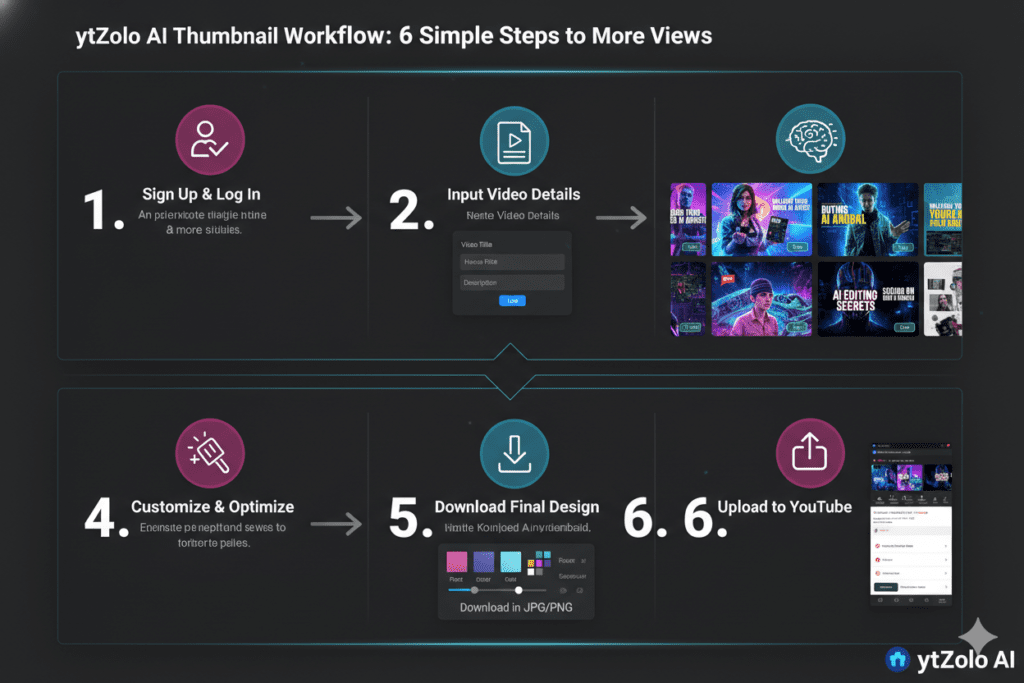
Here’s the exact workflow to go from zero to a click-ready thumbnail — fast.
Step 1: Sign Up for ytZolo (Free)
Go to ytzolo.com and create your free account. No credit card required. Takes under two minutes.
Step 2: Enter Your Video Topic or Title
Type in what your video is about. Be specific. “5 budget travel hacks for Southeast Asia” will generate far more targeted thumbnails than “travel tips.”
Step 3: Let the AI Generate Multiple Options
ytZolo’s AI engine analyzes your topic, scans high-performing thumbnails in your content category, and applies data-backed design principles. In seconds, you have multiple distinct thumbnail options ready to review.
Step 4: Personalize Your Winning Design
Add your face or brand elements if needed. Adjust text or color accents to match your channel style. Minor personalization keeps the design authentic and brand-consistent.
Step 5: Download Full HD — No Watermarks
Download your final thumbnail in full HD resolution, watermark-free. Upload directly to YouTube Studio.
Step 6: A/B Test for Maximum CTR
This is the pro move. Generate two or three variations using ytZolo’s ai thumbnail maker free feature. Use YouTube Studio’s built-in “Test & Compare” tool. Let real data — not gut feeling — decide which thumbnail wins.
Creators report CTR improvements of 15–40% from A/B testing alone. The data always knows better than intuition.
Pro Tip: While you’re in ytZolo, also generate your video title, description, and tags. Everything works together as a unified content package — and cohesive optimization across all elements compounds your results.
ytZolo: The Best Free AI Thumbnail Maker for Serious Creators
There are plenty of options when you search for an ai thumbnail maker free. So what makes ytZolo different?
Because ytZolo was never built to be just a thumbnail tool.
It’s a complete AI YouTube growth platform — every feature designed around one goal: helping your videos reach more people, get more clicks, and grow your channel faster.
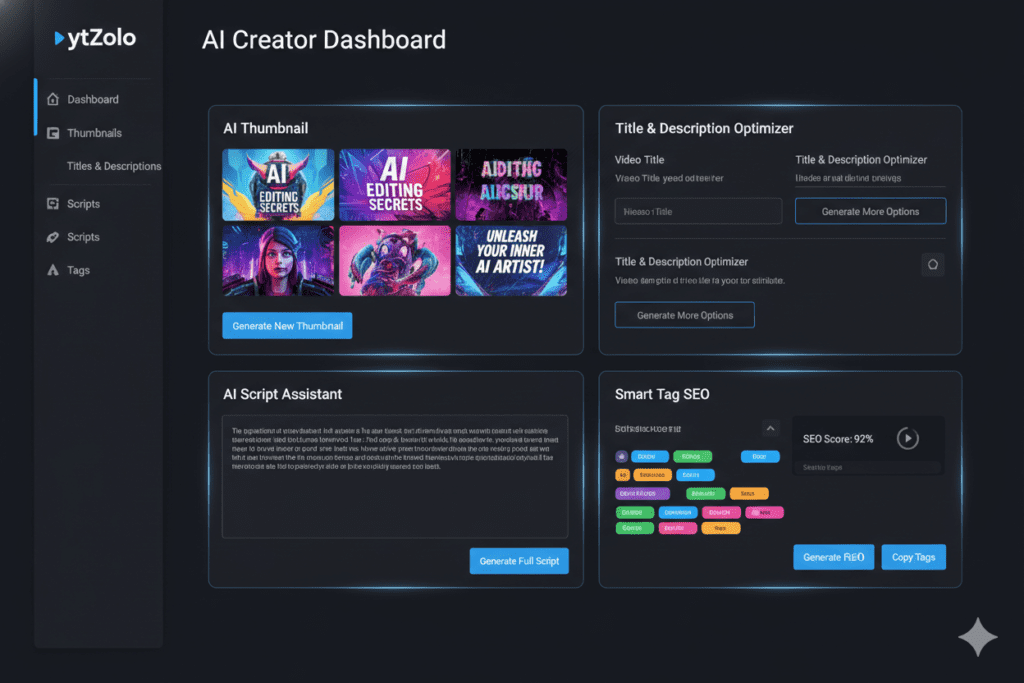
Here’s what you unlock with ytZolo:
- AI Thumbnail Generator — Creates click-optimized thumbnails trained on real YouTube CTR performance data, not just aesthetics
- Viral Title Generator — Produces multiple title options built around search intent, psychological triggers, and YouTube algorithm signals
- AI Script Writer — Generates full video scripts structured for maximum watch time and audience retention
- SEO Description Generator — Writes keyword-rich descriptions that help YouTube’s algorithm surface your content to the right audience
- Smart Tags Generator — Automatically pulls high-volume, low-competition tags relevant to your video topic
Everything lives inside one dashboard. No tab-switching. No copy-pasting between apps. One AI brain powering your complete YouTube workflow — from the moment you have a video idea to the moment you hit publish.
Whether you’re just starting out and chasing your first 1,000 subscribers, or you’re an established creator scaling toward millions of monthly views, ytZolo gives you the infrastructure to grow without burning out.
And the best part? You can start using the free ai thumbnail maker feature — along with everything else — without a credit card.
Check out the ytZolo blog to see real creator stories and deep-dive tutorials on using every feature to accelerate your growth.
Why ytZolo Is Better Than Other AI Thumbnail Maker Free Tools
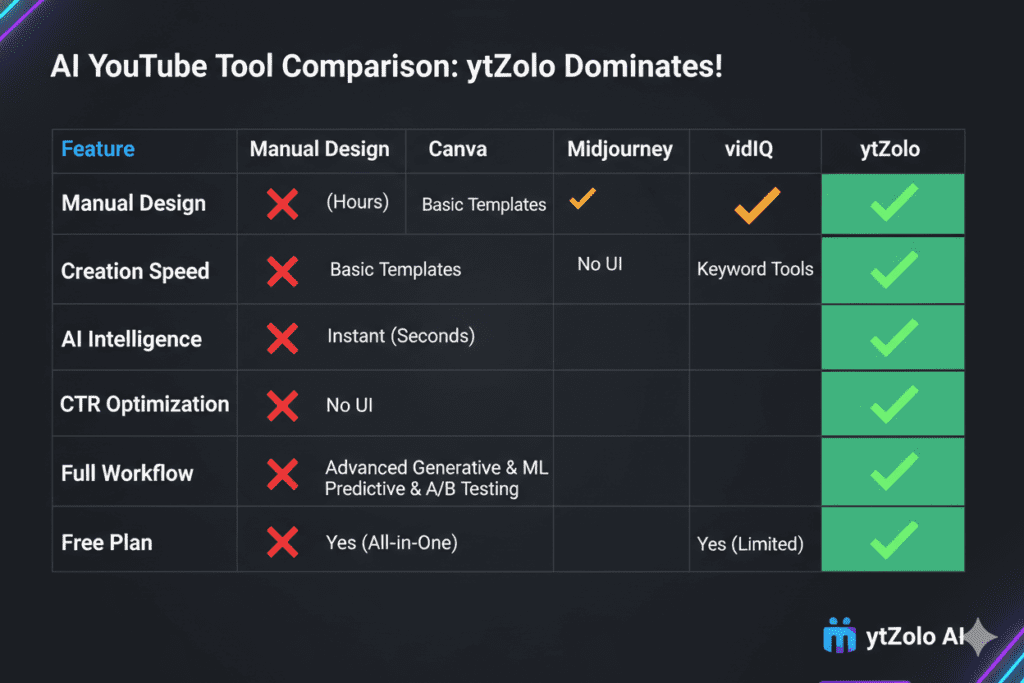
Let’s cut straight to the comparison. Here’s how ytZolo stacks up against every major alternative.
ytZolo vs. Canva
Canva is a great general-purpose design tool. But “general-purpose” is exactly the problem.
Canva’s AI isn’t trained on YouTube CTR data. It gives you templates and drag-and-drop features — but it doesn’t know what makes a thumbnail convert in your specific niche. You still make all the creative decisions yourself. You’re still guessing.
ytZolo makes the performance decisions for you. It understands your topic, analyzes niche-specific visual patterns, and generates thumbnails engineered to earn clicks — not just look professional.
ytZolo vs. Standalone AI Image Tools (Midjourney, DALL-E, Adobe Firefly)
These tools can generate stunning images. There’s no argument there.
But they know absolutely nothing about YouTube. They can’t apply CTR optimization principles. They don’t understand mobile readability. They generate zero information about whether your thumbnail will actually perform in a competitive feed.
You’d still need to add text, format correctly, and layer everything in a separate design tool. That’s three steps where ytZolo gives you one.
ytZolo vs. vidIQ Thumbnail Maker
vidIQ has a thumbnail feature — and it’s functional. But it’s a single feature inside a broad analytics platform, not a dedicated content creation system.
With ytZolo, your thumbnail, title, script, and tags are all generated by the same AI — creating a cohesive, consistently optimized content package that performs across every video, every upload.
ytZolo vs. Doing It Manually
Manual thumbnail design costs 1–3 hours per video. ytZolo’s free ai thumbnail maker takes under 10 minutes.
Manual is based on guesswork. ytZolo is based on data.
Manual gives you one option. ytZolo gives you multiple variations to test.
The only reason to keep designing manually in 2026 is if you enjoy the process. If you’re trying to grow your channel, the choice is obvious.
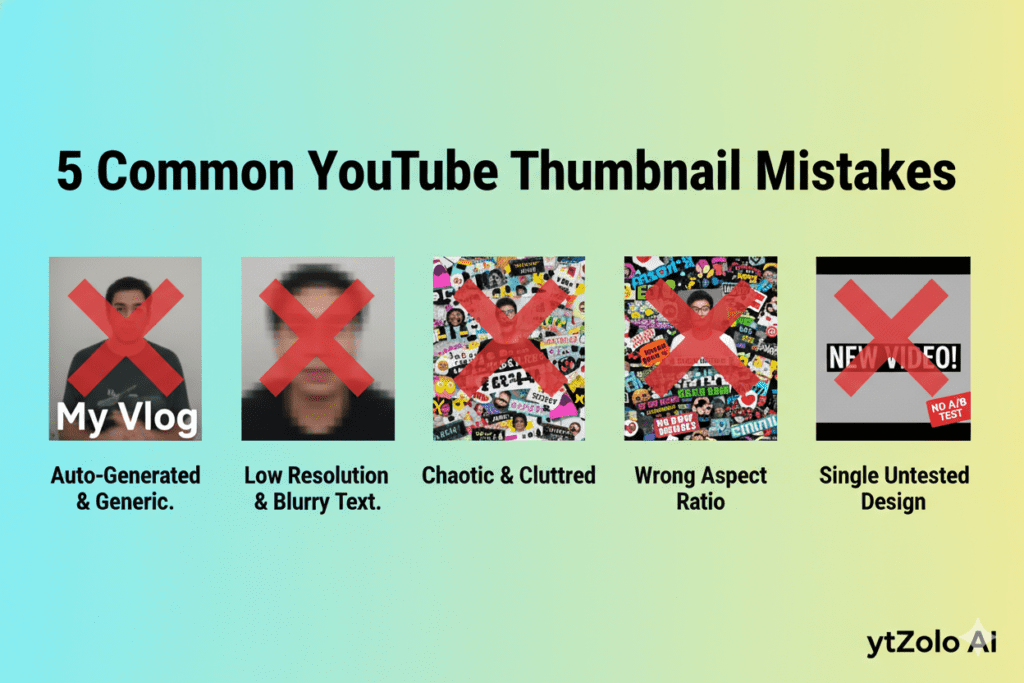
5 Thumbnail Mistakes Silently Killing Your Channel Growth
Even creators with great content make these thumbnail errors constantly. Here’s what to stop doing — and how a free ai thumbnail maker like ytZolo fixes every single one.
Mistake 1: Using Auto-Generated Thumbnails
Letting YouTube pick a random frame from your video is one of the most expensive mistakes a creator can make. Auto-generated thumbnails are never designed to earn clicks. They’re just whatever frame happens to be at the 50% mark.
The fix: Always use a custom thumbnail. Always. An ai thumbnail maker free makes this effortless — no excuses.
Mistake 2: Uploading Low-Resolution Images
Blurry thumbnails look terrible on 4K TVs and high-resolution phone screens. They reduce CTR by 15–25% immediately.
The fix: ytZolo exports full HD, high-resolution thumbnails that meet YouTube’s current specs automatically.
Mistake 3: Cramming Too Much Text
Five or more words on a mobile screen becomes visual noise. You lose the click before the viewer even registers what the text says.
The fix: AI-generated thumbnails are trained to keep text minimal, punchy, and readable at small sizes. Let the AI decide — it usually knows better.
Mistake 4: Ignoring Mobile Optimization
Over 60% of YouTube views come from mobile devices. A thumbnail that looks great on a 27-inch monitor might be completely unreadable on a phone screen.
The fix: Test your thumbnails at mobile scale before uploading. Most ai thumbnail maker free tools — including ytZolo — automatically design for mobile-first readability.
Mistake 5: Never Testing Variations
Most creators upload one thumbnail and never look back. But even the smallest design change can dramatically shift CTR. One swap in background color. One different headline. One additional expression of emotion.
The fix: Generate multiple variants with ytZolo’s ai thumbnail maker free feature. Run them through YouTube’s Test & Compare tool. Let the data tell you which thumbnail wins.
FAQ: AI Thumbnail Maker Free
1. What is the best free AI thumbnail maker for YouTube?
The best ai thumbnail maker free in 2026 is one that goes beyond just generating images — it applies real YouTube performance data to every design choice. ytZolo stands out because it combines AI thumbnail generation with viral title creation, script writing, SEO descriptions, and smart tags in one unified platform. You can start completely free at ytzolo.com — no credit card required.
2. Can a free AI thumbnail maker actually improve my CTR?
Yes — significantly. Creators switching from manual design to an ai thumbnail maker free consistently report CTR improvements of 20–40% within their first few videos. This is because AI applies proven design principles — contrast, emotional expression, text hierarchy, color psychology, and niche-specific visual trends — that manual guesswork almost always misses.
3. What should a great YouTube thumbnail include?
According to performance data, a high-CTR thumbnail in 2026 should include: a strong emotional face expression, high contrast between foreground and background, bold readable text under five words, a single clear focal point, and authentic visual elements that match your video content. The best ai thumbnail maker free tools apply all of these principles automatically.
4. Is it safe to use AI-generated thumbnails on YouTube?
Absolutely. YouTube cares about viewer satisfaction and policy compliance — not which tool you used to create your thumbnail. AI-generated thumbnails are standard practice across the platform. In early 2025, 68% of top-performing YouTube channels were already using AI tools for thumbnail creation. What matters is that your thumbnail matches your video content and doesn’t mislead viewers.
5. Does ytZolo only make thumbnails?
No. ytZolo is a full-stack AI YouTube growth platform. Its free ai thumbnail maker is one of the most powerful features — but ytZolo also generates AI-powered video titles, full video scripts, SEO-optimized descriptions, and smart tag recommendations. Every feature is designed to work together as a complete content strategy. Explore how other creators use it at the ytZolo blog.
Conclusion: One Tool. Unlimited Growth.
Every video you upload without an optimized thumbnail is a missed opportunity.
Not because your content isn’t good enough. But because a viewer who never clicks never gets to find out how good your content is.
In 2026, the gap between creators who use an ai thumbnail maker free strategically and those who design manually — or worse, use auto-generated frames — is only growing wider.
The thumbnails powering the channels you admire aren’t the result of natural talent or expensive design teams. They’re the result of data, smart tools, and consistent testing.
That’s exactly what ytZolo gives you.
An AI that understands what makes people click. A platform that builds your entire content package — thumbnails, titles, scripts, descriptions, tags — in the time it used to take just to open Photoshop. A free plan with no credit card required, so there’s zero risk to getting started today.
The creators who start using smarter tools now are the ones whose channels you’ll be watching in six months.
Don’t be the one watching. Be the one growing.
Start creating smarter, faster, and more viral YouTube content with ytZolo today.
Helpful Resources:

