
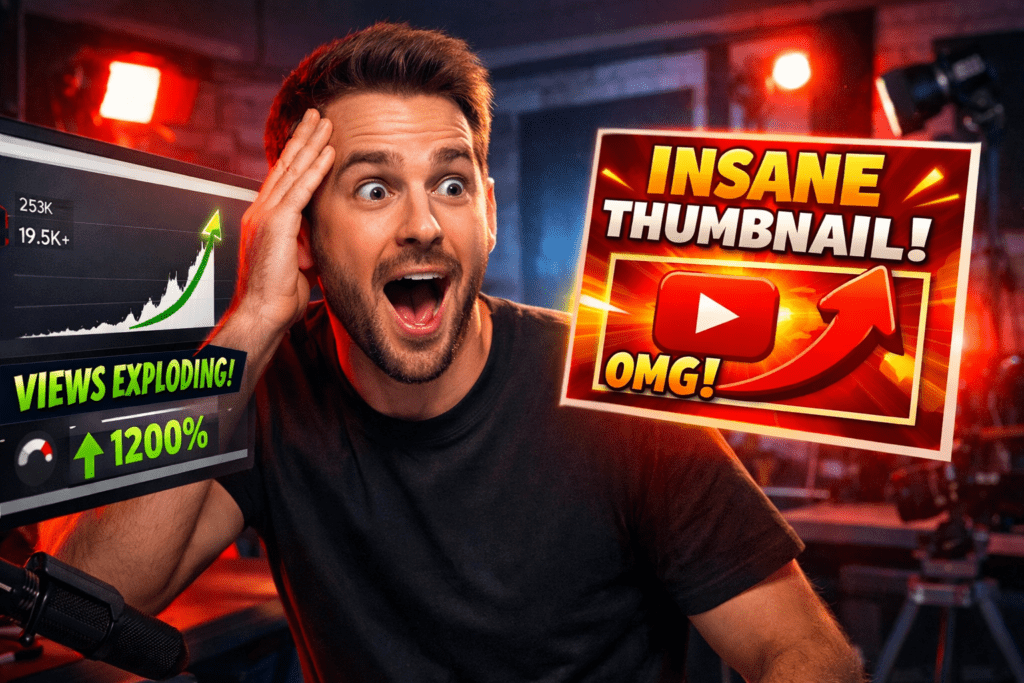
Introduction: The Harsh Reality of Getting Ignored on YouTube
You hit publish. You wait.
Views trickle in slowly. Twenty. Fifty. Maybe a hundred. You refresh the page hoping the algorithm kicks in. It doesn’t.
Meanwhile, a creator in your niche — with a channel half your size — just crossed 100,000 views on a video about the exact same topic.
You watch their video. It’s nothing special. But their thumbnail? It stopped you cold. Something about it made you click without even thinking about it.
That’s not luck. That’s psychology. And it’s learnable.
The best-performing creators on YouTube have cracked a code that most people overlook: the science of the clickable thumbnail. And in 2026, using a clickbait thumbnail generator AI has become the fastest, smartest way to apply that science without a design degree or hours of Photoshop.
In this guide, you’ll understand exactly why some thumbnails get clicked and others get ignored — and how tools like ytZolo are helping creators generate scroll-stopping thumbnails in minutes, not hours.
Let’s pull back the curtain.
Table of Contents
What “Clickbait” Really Means in 2026
6Most creators cringe at the word “clickbait.” And honestly, for years, that reaction made sense.
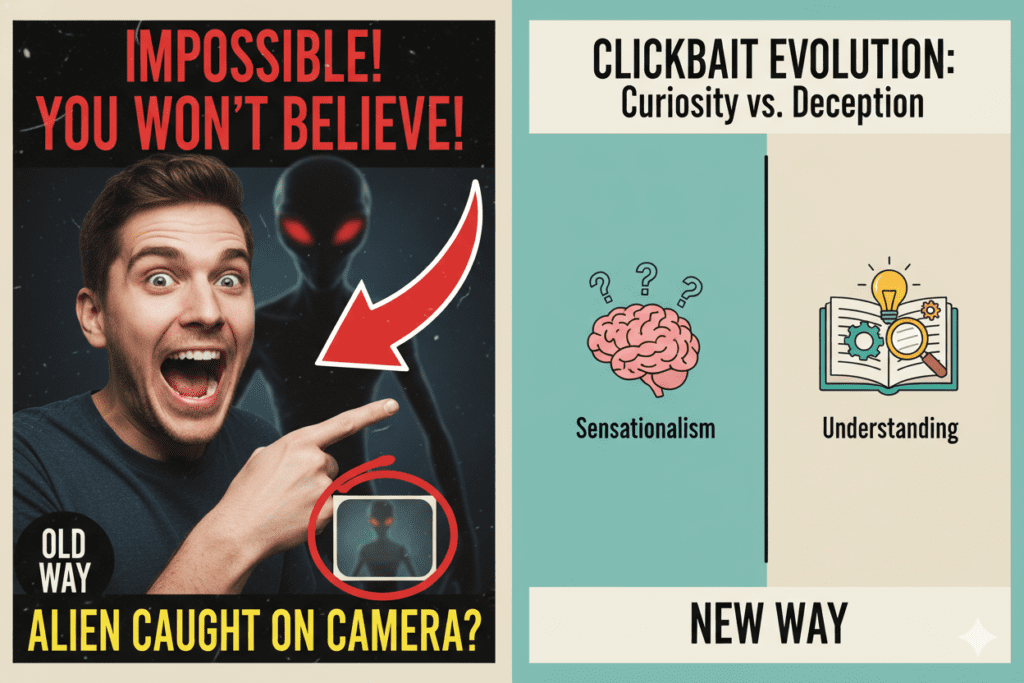
The old-school version of clickbait was manipulative. Misleading titles. Clickbait thumbnail generator ai images that had nothing to do with the video. Shock value with zero payoff. Viewers hated it. YouTube’s algorithm punished it.
But here’s the thing — clickbait has evolved. And in 2026, the smartest creators in the world use what you’d call “ethical clickbait” every single day.
What’s the difference? Simple: ethical clickbait creates genuine curiosity without breaking the promise. The thumbnail teases. The video delivers. The viewer leaves satisfied — and comes back for more.
Think about the biggest YouTube channels you know. MrBeast. Mark Rober. MKBHD. Their thumbnails are dramatic. Bold. Emotionally charged. They stop your scroll. But when you click, the video always backs it up.
That’s the sweet spot every creator is chasing. And a clickbait thumbnail generator AI is now the most efficient tool for reaching it.
The Neuroscience Behind Clicks — Why Viewers Click Without Thinking
Here’s something most creators don’t know: a click is not a conscious decision.
When a viewer scrolls through YouTube, their brain is processing thumbnails at incredible speed — recognizing images in as little as 13 milliseconds. By the time the viewer decides to click, their brain has already made the call. What triggers that clickbait thumbnail generator ai response?
Neuroscience gives us the answer. When a thumbnail delivers a clear emotional outcome — when the brain can predict what watching the video will feel like — the brain’s reward center activates. The click happens almost automatically, like a reflex.
This is called the “predictive click-through trigger.” The most successful YouTube thumbnails don’t just look good. They speak directly to the brain’s need for emotional resolution.
According to academic research analyzing over 16,000 YouTube video covers, strong sentiments in thumbnails — whether positive or negative — lead to more views, while strong emotions in titles with negative framing can have the opposite effect.
This is why raw visual emotion — shock, excitement, disbelief, joy — consistently dominates the thumbnails of the fastest-growing channels. And it’s exactly the kind of intelligence that the best clickbait thumbnail generator AI tools are now trained to replicate.

The 6 Visual Triggers That Make Thumbnails Irresistible
The science is clear. High-CTR thumbnails aren’t accidents. They’re built on repeatable principles — and once you know them, you see them everywhere.
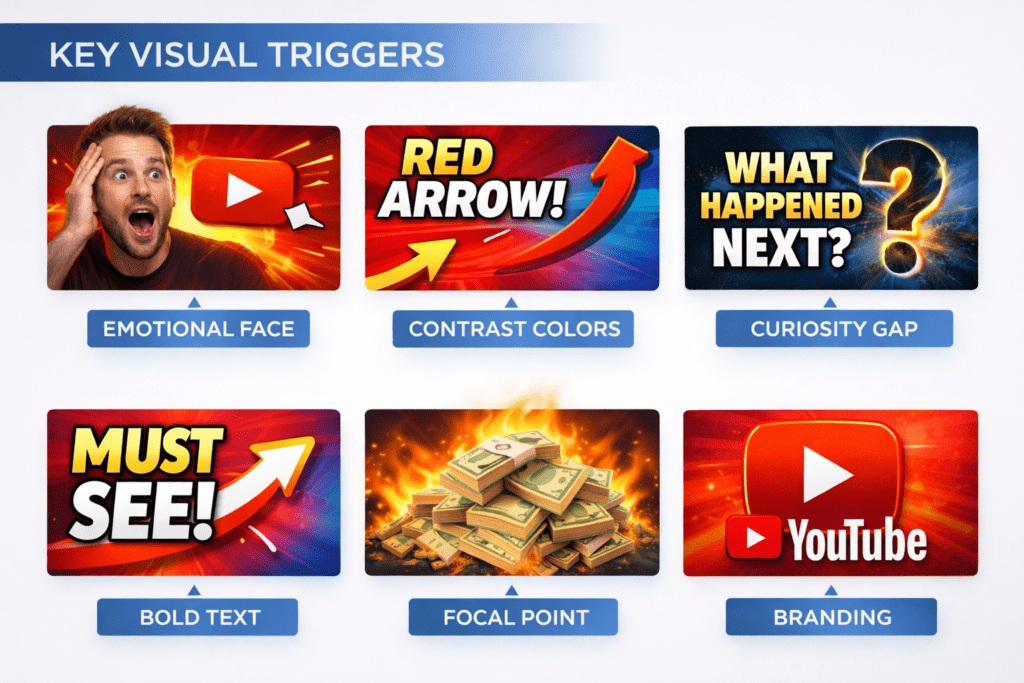
Here are the six visual triggers that the best-performing YouTube thumbnails rely on:
1. Emotional Faces The human brain is wired to prioritize faces. Eye-tracking research shows viewers scan faces before any other element in a thumbnail. And not just any face — thumbnails featuring human faces with exaggerated expressions increase emotional engagement by up to 34%. Shock, excitement, and disbelief are the highest-performing emotions across most niches.
2. High-Contrast Colors Your thumbnail competes with hundreds of other videos in the same feed. Thumbnails with contrasting colors saw up to 30% higher CTR in multiple studies. High-contrast combinations — yellow on black, red on white, orange on dark blue — pop against YouTube’s interface in both light and dark mode.
The Curiosity Gap Psychologist George Loewenstein’s Information Gap Theory explains why some clickbait thumbnail generator ai thumbnails feel impossible to ignore. When there’s a gap between what viewers know and what they desperately want to find out, curiosity drives them to click. Great thumbnails tease the answer without giving it away.
4. Minimal, Bold Text Research shows that thumbnails with more than three distinct visual elements experience 23% lower CTR on average compared to simpler alternatives. Keep text to 3–5 words. Large font. High contrast. Readable at thumbnail size on a 5-inch phone screen.
5. Clear Focal Point One dominant subject. One emotion. One story. Cluttered thumbnails force viewers to work too hard — and they simply scroll past. Simplicity and clarity always win over complexity.
6. Consistent Branding Over time, your visual style becomes a recognition signal. When loyal viewers can spot your content before reading the title, you’ve built something that compounds: brand trust. Consistent colors, fonts, and layouts turn casual viewers into repeat clickers.
These aren’t design opinions — they’re performance principles backed by data. And a well-trained clickbait thumbnail generator AI applies all six automatically.
Why Manual Thumbnail Design Is a Trap Most Creators Fall Into
Let’s talk about how most creators approach thumbnails — and why it’s costing them growth.
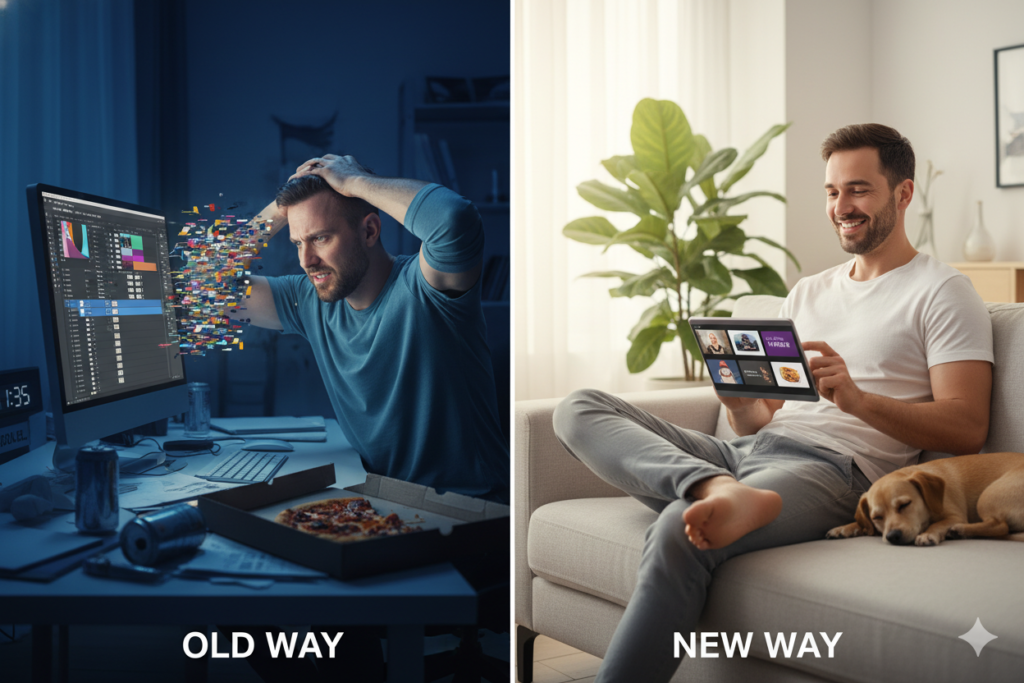
The standard manual thumbnail workflow goes something like this:
- Open Canva, Photoshop, or a similar tool
- Browse templates for 10–15 minutes looking for something close to what you need
- Customize colors, text, and images for another 30–60 minutes
- Export, upload, realize it looks terrible at mobile size
- Go back, fix it, export again
- Repeat for every video, forever
For a creator posting twice a week, that’s 4–8 hours per week lost to thumbnail design alone. That’s a part-time job just in visual production.
But time isn’t even the biggest problem. The real issue is guesswork.
Most creators without a design background are guessing. They’re guessing which colors will pop. They’re guessing whether the font is readable on mobile. They’re guessing whether the clickbait thumbnail generator ai composition will actually trigger a click — or just look nice.
Guessing is expensive. A thumbnail that looks good but doesn’t convert means your video never gets pushed by the algorithm. Low CTR = low distribution = slow growth, no matter how great your content is.
And here’s the other trap: manual design doesn’t scale. You can’t rapidly test three different thumbnail concepts when each one takes 45 minutes to create. Without testing, you can’t improve.
That’s exactly why the shift to AI is happening so fast. A clickbait thumbnail generator AI eliminates the guesswork entirely and gives you data-driven design in under five minutes. Tools like ytZolo aren’t just faster — they’re smarter, because they apply proven CTR principles automatically.
The creators still doing thumbnails manually in 2026? They’re falling behind. And most of them don’t even realize it yet.
What Is a Clickbait Thumbnail Generator AI — And How Does It Work?
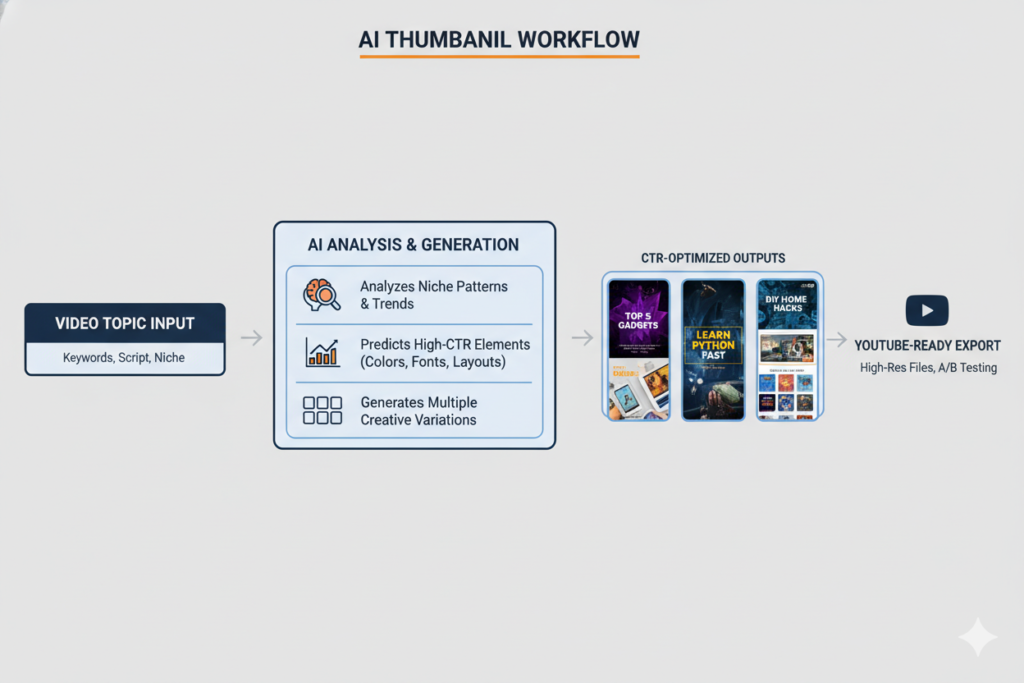
A clickbait thumbnail generator AI is a tool that uses machine learning and computer vision to create psychologically optimized YouTube thumbnails automatically — based on what actually drives clicks, not just what looks pretty.
Here’s how the best ones actually work under the hood:
Training on performance data. The AI is trained on massive datasets of YouTube thumbnails — specifically ones with documented high CTR across different niches. It learns the visual patterns that separate a thumbnail that gets 2% CTR from one that hits 12%.
Understanding visual psychology. Good clickbait thumbnail generator ai tools don’t just apply random design rules. They model the psychological triggers covered above — face placement, emotional expression, contrast levels, text hierarchy, and focal point selection.
Niche-aware generation. The best tools understand that a great gaming thumbnail looks very different from a great finance thumbnail. Context matters, and a well-trained AI adapts its output accordingly.
Multiple variation output. Instead of generating one thumbnail, great AI tools generate several options, giving you the ability to compare and choose — or A/B test — without spending extra time.
YouTube-ready export. The output is automatically sized at 1280×720px, YouTube’s required thumbnail resolution, and optimized for readability on both desktop and mobile screens.
The result: professional, data-backed thumbnails that would take a skilled human designer an hour — produced in under two minutes.
According to YouTube’s own guidance on creator best practices, custom thumbnails are one of the most important factors in video discoverability. AI tools simply help more creators access that advantage — without requiring design expertise.
Why ytZolo Is the Best Clickbait Thumbnail Generator AI for YouTube
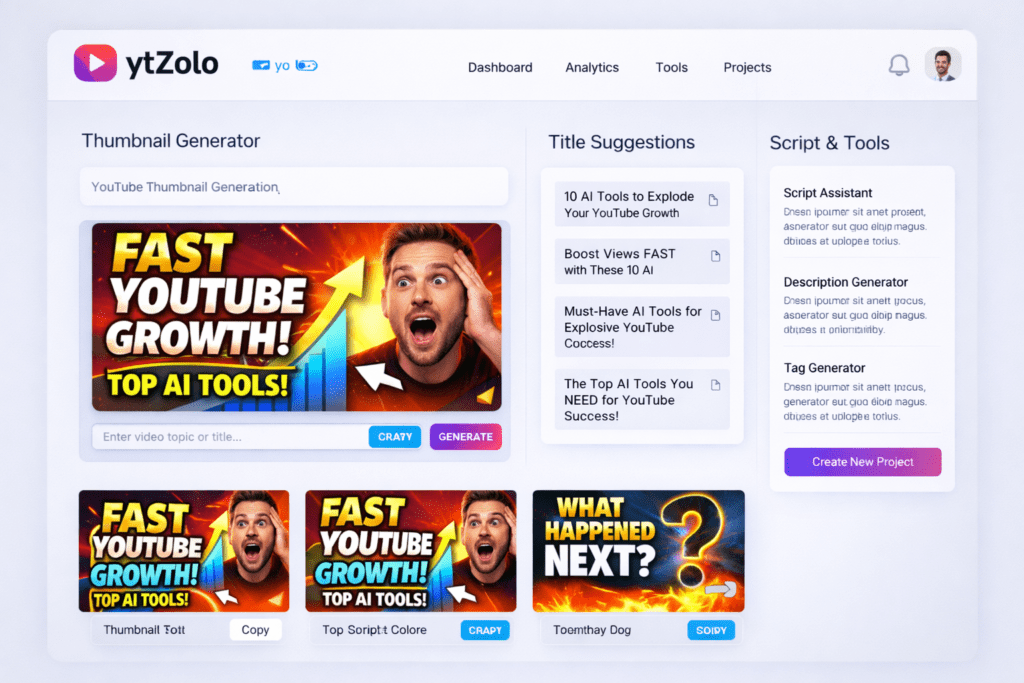
There are a handful of AI thumbnail tools in the market. Some do the job well enough. But ytZolo isn’t just another thumbnail generator — it’s an all-in-one AI YouTube growth platform built specifically around what creators actually need to go viral.
Built for CTR, Not Just Aesthetics
Most generic AI image tools create beautiful images. But beautiful isn’t the same as clickable.
ytZolo’s thumbnail AI is trained on YouTube-specific performance data. That means every output is engineered around the psychological triggers that drive real clicks — not just visual appeal. The contrast is intentional. The text placement is strategic. The emotional framing is deliberate.
You’re not getting a pretty image. You’re getting a weapon for your CTR.
An All-in-One Platform That Covers Your Entire Workflow
Here’s what truly separates ytZolo from every standalone thumbnail tool on the market: it doesn’t stop at thumbnails.
When you use ytZolo, you get:
- AI Thumbnail Generator — Click-optimized thumbnails created in seconds, informed by performance psychology and YouTube-specific data
- AI Title Generator — Viral, curiosity-driven titles that pair perfectly with your thumbnail to create a united click-through message
- AI Script Writer — Engaging video scripts generated in minutes, structured to keep viewers watching from first frame to last
- AI Descriptions & Tags — Fully optimized YouTube metadata that helps your videos surface in search and suggested feeds
- Unified creator dashboard — All tools in one place, eliminating the tab-switching and subscription-juggling that kills creative momentum
The insight here is powerful: a great thumbnail drives the click. A great title reinforces it. A great video keeps the viewer. When all three are AI-optimized together, the results compound. That’s the ytZolo advantage.
The Perfect Tool for Ethical Clickbait
This is important — and it’s something most thumbnail tools completely ignore.
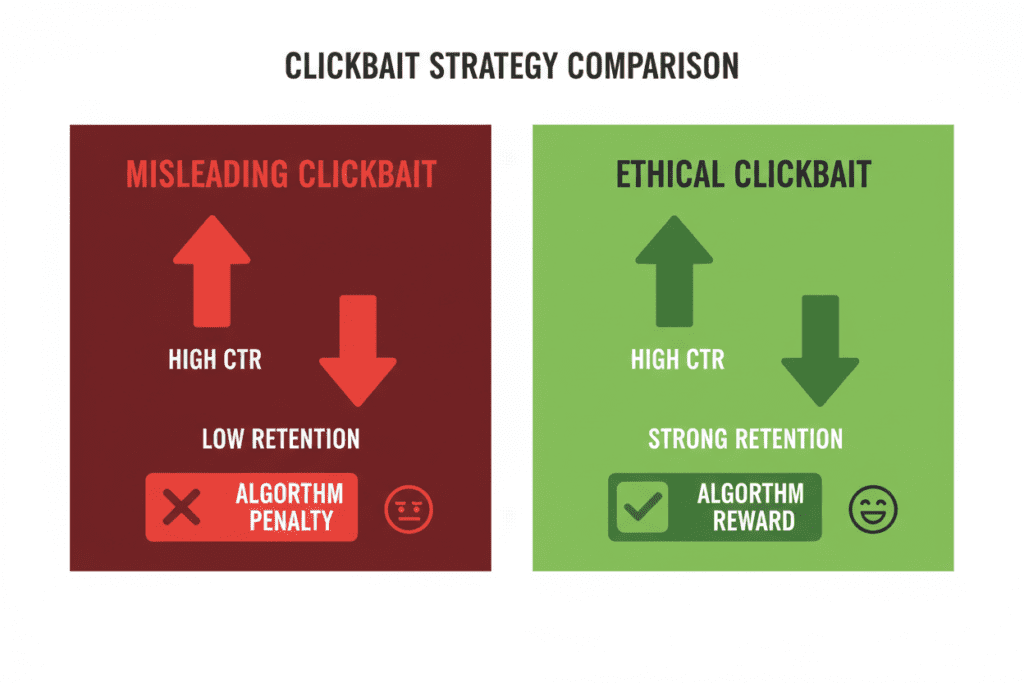
Misleading thumbnails might get you short-term clicks. But thumbnails that promise more than the video delivers create a devastating feedback loop — high abandonment rates signal poor quality to YouTube’s algorithm, damaging not just the individual video but your channel’s overall recommendation performance.
ytZolo is designed to create compelling, curiosity-driven thumbnails that are tied to your actual video content. The goal isn’t manipulation — it’s maximum honest impact. High CTR and high retention. That combination is what the algorithm actually rewards.
Free to Start, Built to Scale
ytZolo offers a free plan with real access to the thumbnail generator and core creator tools — no credit card required. You can start generating professional thumbnails today and see results before committing to anything.
For creators scaling their output, premium plans unlock higher generation volume, advanced customization, and the full suite of AI tools. Every plan is designed to give back more time than it costs.
Want to see how other creators are using it? The ytZolo blog is packed with tutorials, niche-specific strategies, and creator case studies that show real results from real channels.
ytZolo vs. Other Clickbait Thumbnail Tools: Honest Breakdown
There’s no shortage of thumbnail tools. Let’s cut through the noise and compare honestly.
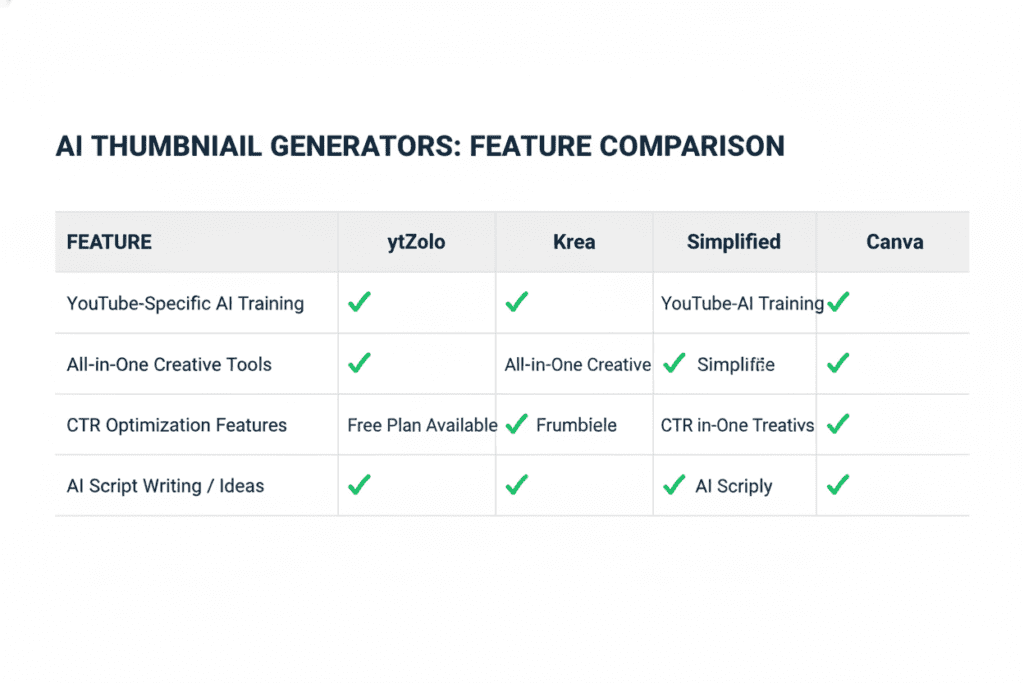
ytZolo vs. Krea AI
Krea produces stunning AI-generated images and has a YouTube-oriented thumbnail feature. It’s visually impressive. But Krea is primarily a visual AI platform — great for image generation, not built for YouTube channel growth. There’s no title generator, no script writer, no metadata optimization. You’d still need three or four other tools to complete your content workflow.
ytZolo gives you the whole pipeline, not just one piece of it.
ytZolo vs. Simplified’s Clickbait Thumbnail Maker
Simplified offers a decent AI thumbnail feature with some clickbait-focused options. It works well as part of a broader content marketing platform — but it’s designed for general social media, not YouTube specifically. The CTR optimization logic isn’t YouTube-native.
ytZolo is purpose-built for YouTube. Every design decision in the AI is calibrated for YouTube’s specific interface, audience behavior, and algorithmic requirements.
ytZolo vs. Thumbly
Thumbly is dedicated entirely to AI thumbnail generation for YouTube and does a solid job. But it’s a single-purpose tool with limited integration. Once you’ve made your thumbnail, you’re back to juggling separate apps for your title, script, and metadata.
ytZolo does everything Thumbly does — and connects it to a complete content creation ecosystem.
ytZolo vs. Canva
Canva is the most widely used design tool in the world. It has templates, drag-and-drop editing, and a lot of creative flexibility. But it has zero performance intelligence. Canva doesn’t know what drives YouTube clicks. It doesn’t analyze CTR data. You’re still the designer — just with a slightly better interface.
ytZolo removes the guesswork entirely. The AI makes the data-backed decisions, so you don’t have to.
The Verdict
For pure visual experimentation, Krea and Simplified have their place. For basic design templates, Canva works. But for creators who want a clickbait thumbnail generator AI that’s actually trained on YouTube performance — and connects seamlessly to every other part of their content workflow — ytZolo stands alone.
Step-by-Step: Create a High-CTR Thumbnail with ytZolo
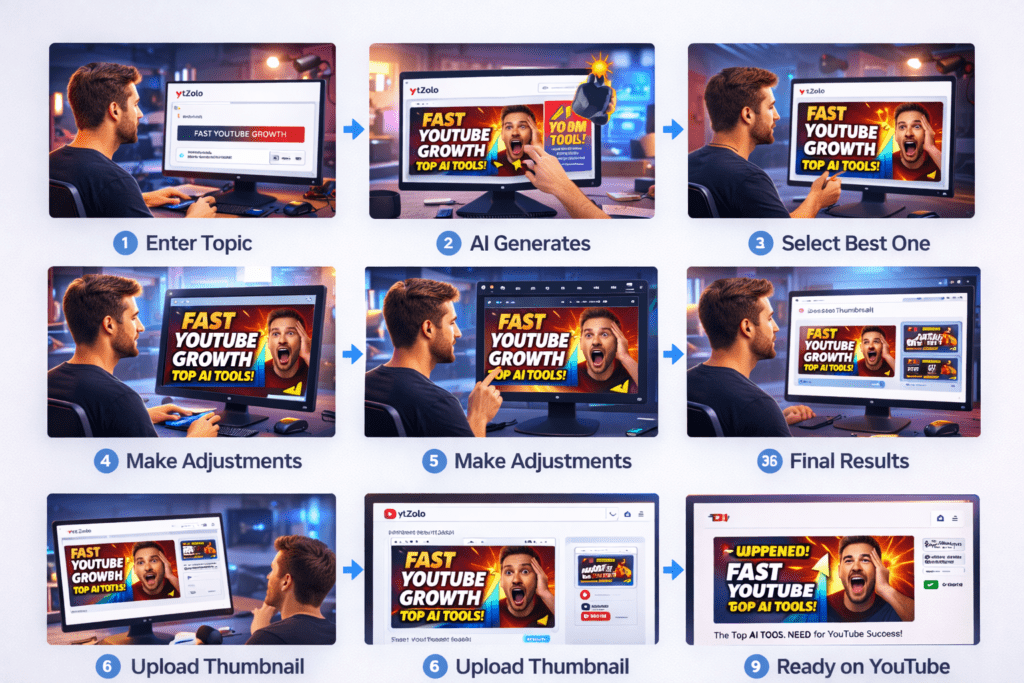
Ready to see it in action? Here’s exactly how to go from blank page to published thumbnail using ytZolo.
Step 1: Sign up for free at ytZolo.com No credit card needed. Your account is ready in under a minute. The dashboard is clean and intuitive — you won’t need a tutorial to find your way around.
Step 2: Open the Thumbnail Generator It’s right in the main dashboard. Click in, and you’re immediately in the tool — no buried menus or confusing navigation.
Step 3: Enter your video topic or title Be specific and vivid. “I Lost $10,000 Investing — Here’s What I Learned” will generate far better output than “investing video.” The AI uses your input to determine niche, emotional tone, color direction, and text treatment.
Step 4: Upload a face photo (highly recommended) Research consistently shows that thumbnails with human faces outperform faceless thumbnails in most niches. ytZolo positions your photo naturally within a high-CTR composition. If your niche is faceless (certain gaming, tech, or educational formats), skip this and let the AI work with visual concepts instead.
Step 5: Review your AI-generated options ytZolo generates multiple thumbnail variations instantly. Each one is designed with CTR psychology built in — contrast, emotion, focal point, readable text. Scroll through and compare. Trust the data-driven output.
Step 6: Customize with intent Want to tweak a color? Adjust the headline? Change the layout? The editor makes changes quick and intuitive. You’re refining, not rebuilding — so it takes seconds, not half an hour.
Step 7: Download and upload to YouTube Studio ytZolo exports at 1280×720px — YouTube’s recommended thumbnail resolution. Download, head to YouTube Studio, and upload your thumbnail directly to your video. Done.
Bonus Step: Build your full content workflow in one session While you’re in ytZolo, run your title through the AI title generator. Let it suggest more curiosity-driven alternatives. Generate your video description and tags in the same dashboard. Your entire pre-publish checklist — knocked out in under 10 minutes.
The ytZolo blog has step-by-step guides for specific niches and video formats if you want to go even deeper.
Ethical Clickbait: How to Get Clicks AND Keep Viewers
This section is important. Because there’s a version of clickbait that destroys channels — and a version that builds them.
YouTube’s own researchers have identified what they call the “thumbnail-content alignment paradox” — thumbnails generating high CTRs but poor retention ultimately harm video performance in YouTube’s recommendation system.
Translation: if your thumbnail gets the click but your video disappoints, the algorithm penalizes you. Hard.
Here’s the framework for ethical clickbait that works long-term:
Tease the truth — don’t fake it. Your thumbnail should represent a real moment, real emotion, or real outcome from your video. If you’re shocked in the thumbnail, something in the video should justify that shock.
Use curiosity gaps, not deception gaps. A curiosity gap asks “what happens next?” A deception gap implies something that never happens. The first drives clicks and retention. The second drives clicks and abandonment — which tanks your algorithmic ranking.
Promise and deliver. If your thumbnail shows a transformation, your video should show that transformation. If it promises a reveal, deliver the reveal clearly and satisfyingly. Viewers who feel like they got what they came for come back. Viewers who feel tricked never return.
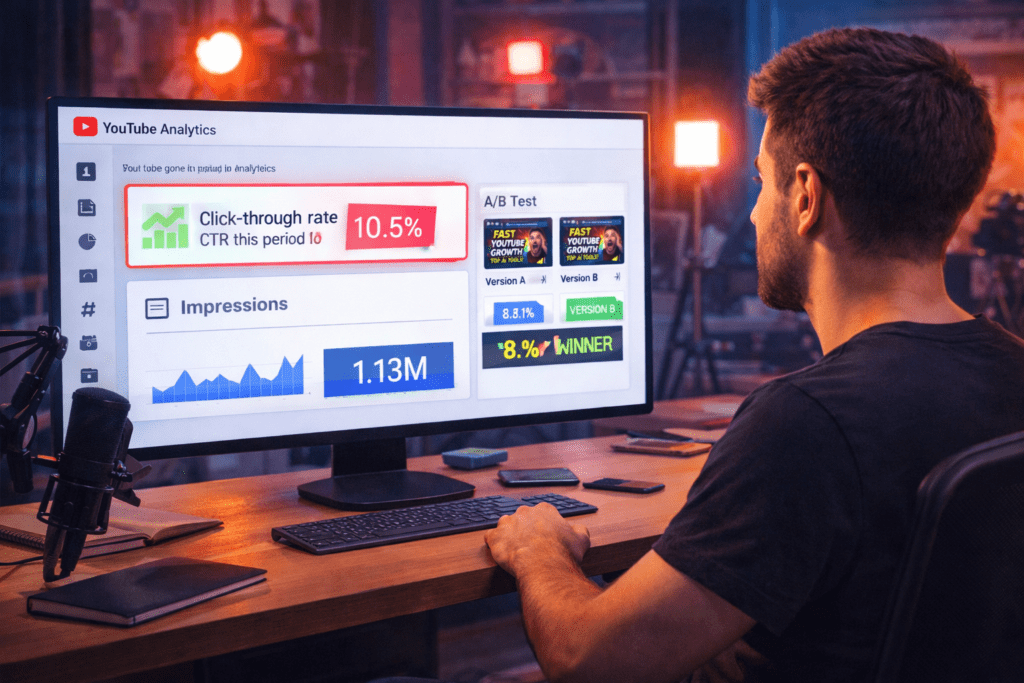
Test your thumbnails against retention data. In YouTube Analytics, look at CTR alongside average view duration. High CTR with low watch time is a warning sign. High CTR with strong retention is the algorithm’s green light.
ytZolo is built with this balance in mind. The AI is designed to generate thumbnails that attract clicks through legitimate psychological triggers — not manipulation. That’s what separates smart growth from short-term spikes that hurt your channel.
Pro Tips to Maximize Your Thumbnail CTR in 2026
Even with the best AI tool working for you, these habits will sharpen your results consistently.
Always design for mobile first. Over 70% of YouTube views come from mobile devices. Before you publish any thumbnail, shrink it down to phone-sized and check: Is the text readable? Does the face expression register? Is there a clear focal point? If anything is muddy at small size, simplify it.
A/B test every video you care about. YouTube’s built-in “Test & Compare” thumbnail feature lets you pit two or three thumbnails against each other in real time. Generate multiple versions with ytZolo in minutes, upload them, and let data — not instinct — decide the winner.
Study your highest-CTR videos. Go into YouTube Analytics and find the three videos with your highest click-through rates. What do those thumbnails have in common? Feed those patterns back into ytZolo as context for future generations. The AI learns from your inputs.
Keep an eye on competitor thumbnails. Search your niche and screenshot the top-performing thumbnails. Analyze what’s working — colors, expressions, text style. Not to copy, but to understand the visual language of your niche and let ytZolo use that context to generate aligned output.
Refresh old thumbnails on underperforming videos. A video that flopped might just need a better first impression. Generate a new thumbnail with ytZolo and re-upload it. Many creators have seen dead videos come back to life after a thumbnail refresh — no re-editing required.
Match your thumbnail energy to your title. Creating a cohesive story between your title and thumbnail can significantly increase the likelihood of users clicking on your video. If the title is urgent, the thumbnail should feel urgent. If the title is exciting, the thumbnail should radiate excitement. Mismatched energy confuses viewers and reduces CTR.
FAQ: Clickbait Thumbnail Generator AI
1. What is a clickbait thumbnail generator AI and how does it help YouTubers?
A clickbait thumbnail generator AI is a tool that uses machine learning to automatically create high-CTR thumbnails for YouTube videos. It applies principles of visual psychology — emotional expressions, contrast colors, bold text, and curiosity triggers — to generate thumbnails designed to stop the scroll and drive clicks. The best tools, like ytZolo, go beyond aesthetics and optimize specifically for YouTube’s algorithm and audience behavior.
2. Is clickbait actually allowed on YouTube in 2026?
Yes — as long as your thumbnail accurately represents the content of your video. YouTube’s guidelines prohibit misleading thumbnails that deceive viewers, but thumbnails that create curiosity, use bold emotions, and generate excitement are completely acceptable and encouraged. The key is that your video must deliver on what your thumbnail promises. Ethical clickbait — high curiosity + honest content — is one of the most effective growth strategies on the platform.
3. Can an AI really generate thumbnails that are better than what a human designer creates?
For most creators, yes. A skilled human designer brings creativity — but an AI trained on YouTube performance data brings data-driven decision-making. ytZolo’s AI applies proven CTR principles automatically — contrast, emotional framing, text hierarchy, mobile readability — that many human designers don’t consistently apply. The result is thumbnails that look professional and are engineered to get clicks. Most creators see measurable CTR improvements after switching to AI-generated thumbnails.
4. Will using a clickbait thumbnail generator hurt my channel if viewers feel misled?
Only if the thumbnails misrepresent your content. The core rule is simple: your thumbnail creates the expectation, your video fulfills it. When there’s alignment between what viewers expect from the thumbnail and what they get from the video, retention stays high. High retention signals quality to YouTube’s algorithm — which means more distribution, more views, and more growth. ytZolo’s AI is designed to create compelling, curiosity-driven thumbnails that are grounded in your actual content, not false promises.
5. Is ytZolo’s clickbait thumbnail generator free to use?
Yes — ytZolo offers a free plan that lets you start generating and downloading AI thumbnails right away, no credit card required. For creators who want higher-volume generation, advanced customization options, and the full suite of AI growth tools — including title generation, script writing, and SEO-optimized descriptions — premium plans are available. Visit ytZolo.com for the latest plan details and to get started.
Conclusion: Your Thumbnails Are Either Working For You or Against You
Every time you post a video, your thumbnail is out there in the world working — or failing — on your behalf.
It’s the first thing people see. It decides whether they click or scroll. It determines whether the algorithm pushes your content or buries it. And it either builds your brand recognition or leaves you invisible in a crowded feed.
In 2026, there’s no reason to leave that to guesswork or to burn hours in Canva hoping for the best. A clickbait thumbnail generator AI trained specifically on YouTube performance data gives you the science-backed design output that used to require a professional creative team.
ytZolo is the platform that brings it all together — AI thumbnails, AI titles, AI scripts, AI descriptions, and tags — so that every video you publish is built from the ground up to get clicks, hold attention, and grow your channel.
The creators winning right now aren’t necessarily the most talented. They’re the ones who’ve built smarter systems. They’ve stopped guessing and started optimizing. They’ve replaced Photoshop rabbit holes with AI workflows that take five minutes and outperform anything they made manually.
The question is simple: how long do you want to keep leaving views on the table?
Start creating smarter, faster, and more viral YouTube content with ytZolo today.
👉 Get started free at ytZolo.com
Looking for more strategies to grow your YouTube channel with AI? The ytZolo blog covers everything from thumbnail psychology to video SEO, title optimization, and niche-specific growth playbooks — updated regularly for creators who want to stay ahead.


Pingback: Free AI Thumbnail Maker: Boost YouTube CTR Fast (2026)