
Table of Contents
1. A Wake-Up Call for Creators: YouTube Policy AI Generated Content Disclosure Guide
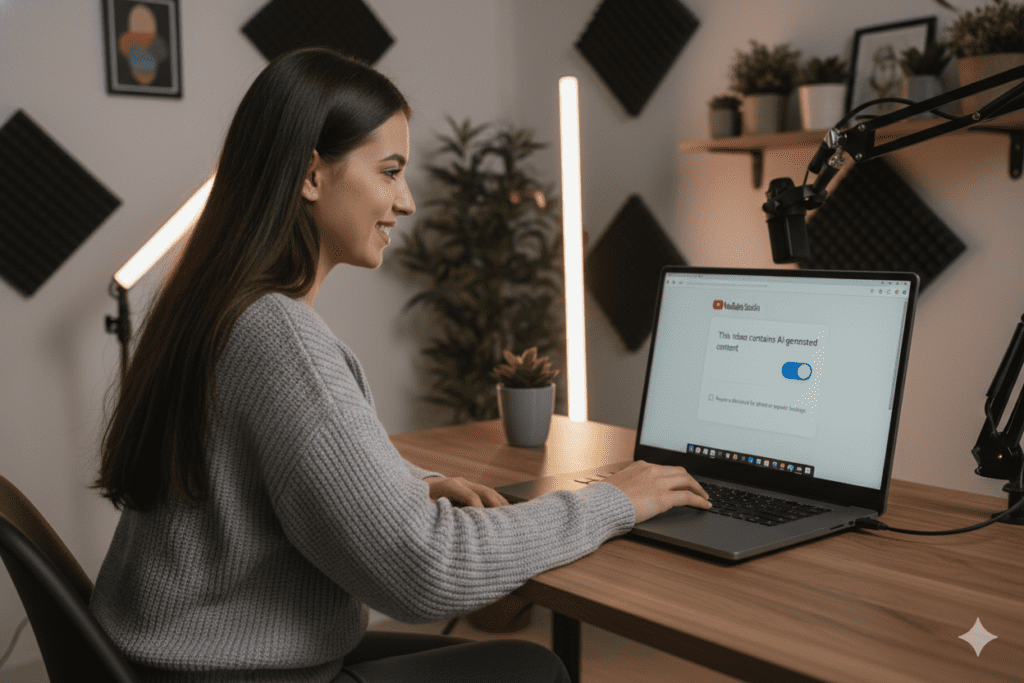
Imagine waking up one morning, checking your YouTube Studio, and seeing a big red flag on your latest video. Your monetization is suspended. Your reach is cut. And the reason? You used AI in your content — and never told anyone.
This isn’t a hypothetical story. It’s happening to real creators right now.
YouTube has completely rewritten the rules around artificial intelligence. If your content includes AI-generated voices, AI-created faces, synthetic events, or digitally altered footage — and you haven’t disclosed it — you’re sitting on a ticking time bomb.
The good news? The YouTube Policy AI Generated Content Disclosure Guide rules are actually simple once you understand them. And with the right tools, staying compliant while still growing your channel has never been easier.
This is your complete guide to YouTube’s policy on AI generated content disclosure. By the end, you’ll know exactly what to label, how to do it, and how to use AI to grow your channel the right way — without ever putting it at risk.
2. What Is YouTube’s Policy on AI Generated Content Disclosure?
YouTube’s AI content disclosure policy officially launched in March 2024 and has been tightened significantly through 2025. The platform now requires creators to disclose when they use AI or synthetic media to create “realistic” content that viewers might mistake for real footage.
The policy became mandatory in May 2025, with full enforcement rolling out platform-wide. This means it’s no longer optional. It’s the law of the land on YouTube.
The core idea behind the YouTube policy AI generated content disclosure is simple: transparency. Viewers deserve to know when what they’re watching isn’t real. Especially when it involves real people, real events, or real places.
YouTube’s official position is clear — they welcome AI as a creative tool. What they will not tolerate is AI being used to mislead audiences without any warning.
Related: How AI Tools Are Changing YouTube Growth Strategies
3. What Exactly Do You Need to Disclose?
Here’s the critical part. Not all AI use requires disclosure. YouTube’s policy focuses specifically on realistic content that could mislead viewers.
You MUST disclose your AI generated content if your video includes any of the following:
- AI voice clones of real people — even if it’s just a few seconds of a synthetic voice mimicking a public figure or real individual
- Deepfake face swaps or reenactments — making a real person appear to say or do something they never actually did
- Fabricated real-world events — like AI-generated footage of a storm, protest, or disaster that never actually happened
- AI-generated scenes featuring real places — placing a creator into a location or event they never attended
- Localized AI dubs — recreating a creator’s natural voice in another language using AI cloning rather than a neutral synthetic voice
- Synthetic performances — where a person appears to deliver content they never recorded
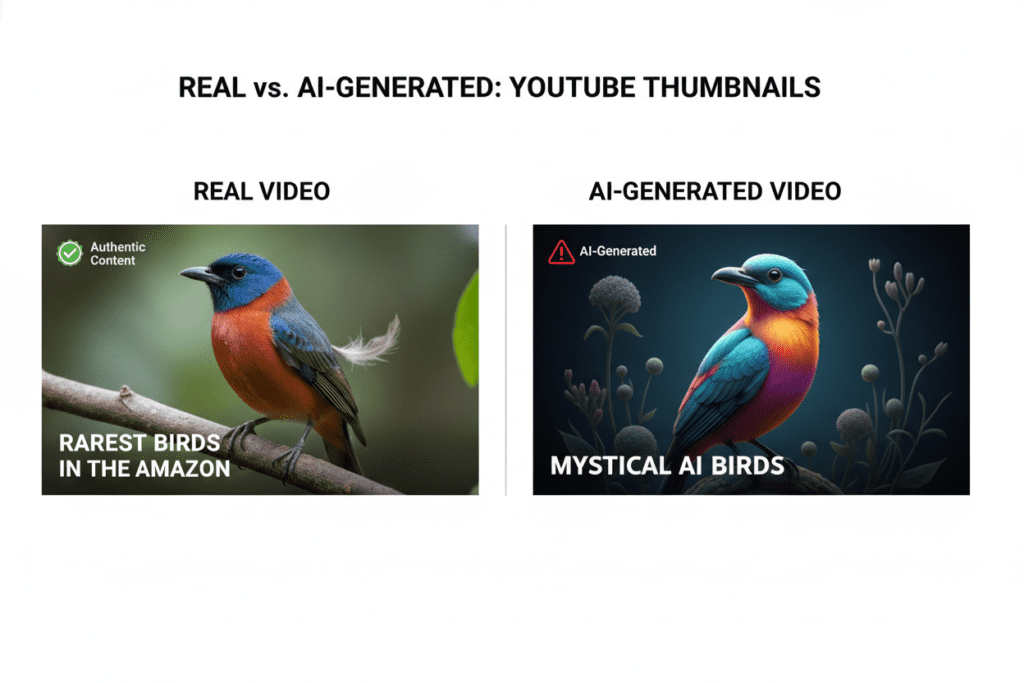
The disclosure requirement is all about realism. If your AI-generated content looks and sounds like it could genuinely fool a viewer, it needs a label.
YouTube’s own documentation in the YouTube Policy AI Generated Content Disclosure Guide states that any content which could “reasonably mislead viewers into thinking a real person said or did something they did not” requires the AI-altered or AI-generated disclosure label.
4. What You Do NOT Need to Disclose
This is where a lot of creators panic unnecessarily. The good news is that the vast majority of AI tools most creators use daily do NOT require disclosure.
You do not need to disclose:
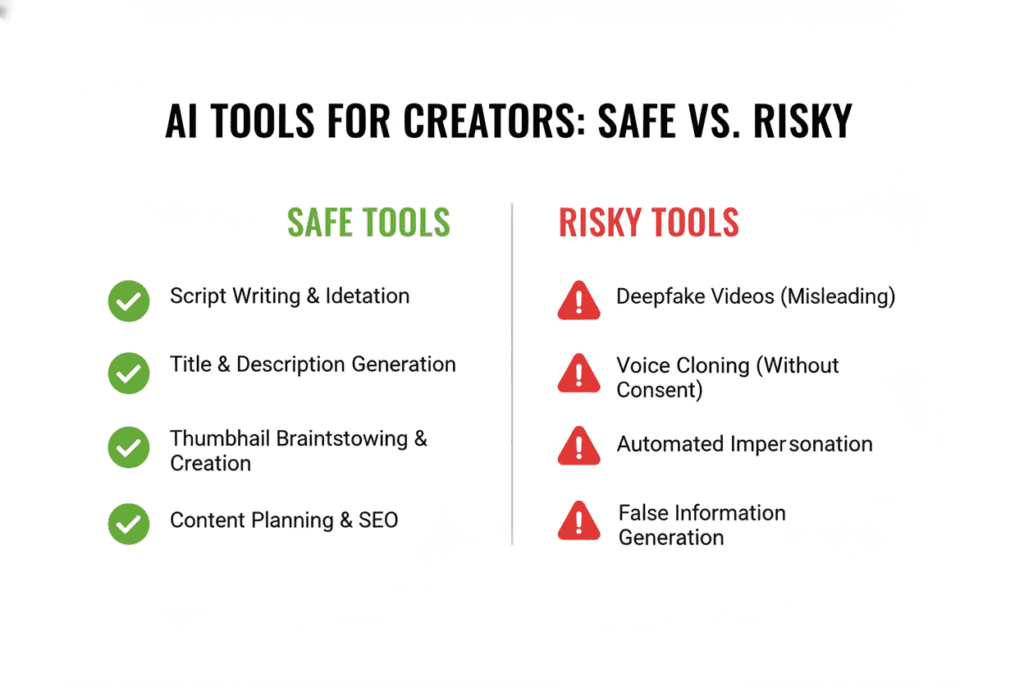
- AI-generated scripts or outlines — using AI to write your script is completely fine
- AI-generated titles, descriptions, or tags — tools like ytZolo that optimize your metadata are totally safe
- Color correction, filters, or basic editing — minor aesthetic edits don’t require a label
- AI thumbnail creation — generating thumbnail concepts with AI doesn’t need disclosure
- Clearly unrealistic or animated content — fantasy, sci-fi effects, and obvious animation are exempt
- AI for analytics or keyword research — using AI to analyze data has no disclosure requirement
- Background music generated by AI — as long as no real person is being simulated
If you’re using AI to enhance your workflow — writing, optimizing, designing — you’re in the clear. The policy is specifically targeting content that impersonates or deceives.
This is great news for the thousands of creators using ytZolo to power their content strategy. Tools that help you write better titles, generate smarter tags, and build high-converting thumbnails don’t trigger YouTube’s AI content disclosure rules at all.
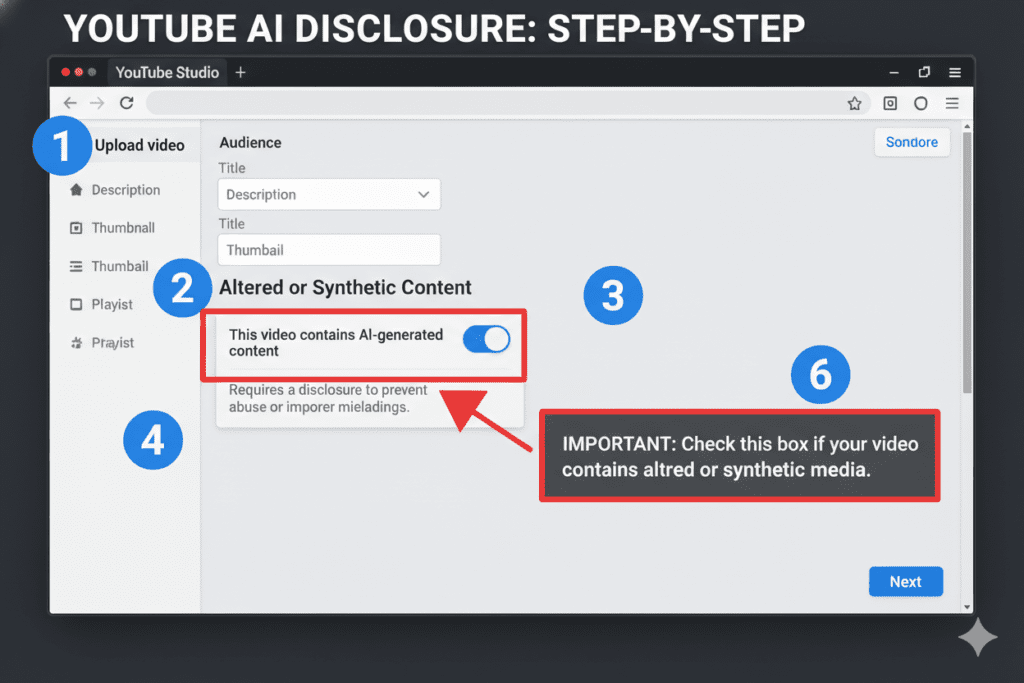
5. How to Add the Disclosure Label in YouTube Studio
Adding the disclosure is actually very straightforward. Here’s exactly how to do it, step by step.
Step 1 — Open YouTube Studio Go to studio.youtube.com and start uploading your video as normal.
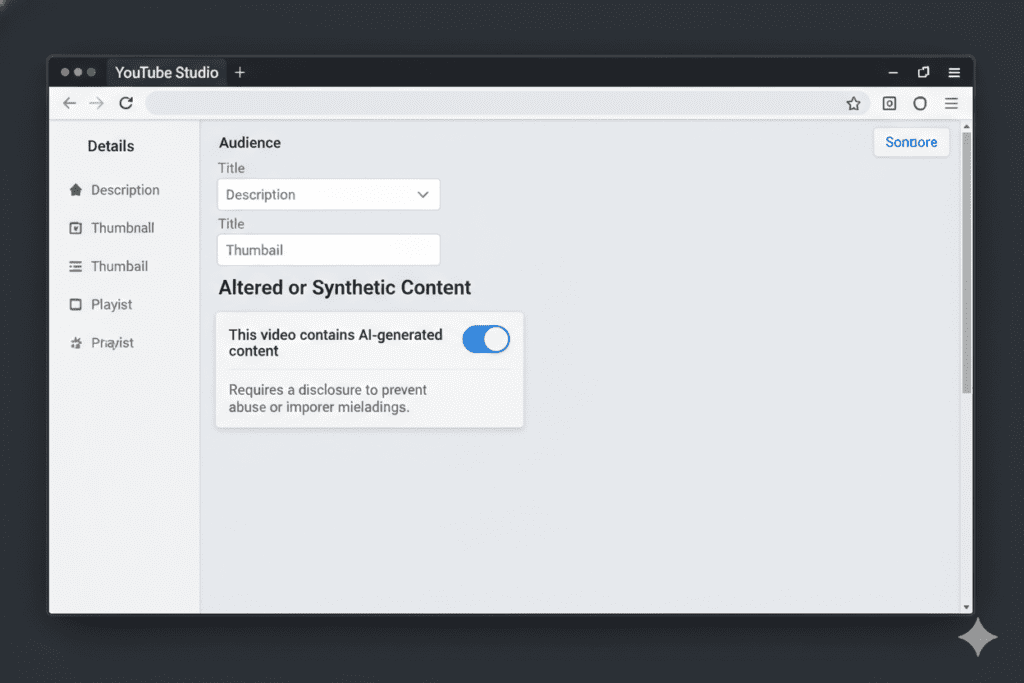
Step 2 — Find the “Altered or Synthetic Content” Toggle In the video details step during upload, scroll down until you see the section labeled “Altered or synthetic content.” It’s a simple toggle.
Step 3 — Select “Yes” If Your Content Qualifies If your video includes realistic AI-generated or altered content (as described above), switch the toggle to “Yes.”
Step 4 — Save and Publish That’s it. YouTube will automatically add a label to your video’s expanded description field. For sensitive topics like health, news, elections, or finance, YouTube may display a more prominent label directly on the video player itself.
One important note: If you use YouTube’s own built-in AI tools (like Dream Screen or Dream Track for Shorts), the YouTube Policy AI Generated Content Disclosure Guide ensures the platform will automatically apply the disclosure for you. For all third-party AI tools, the responsibility falls on you as the creator.
6. What Happens If You Don’t Disclose?
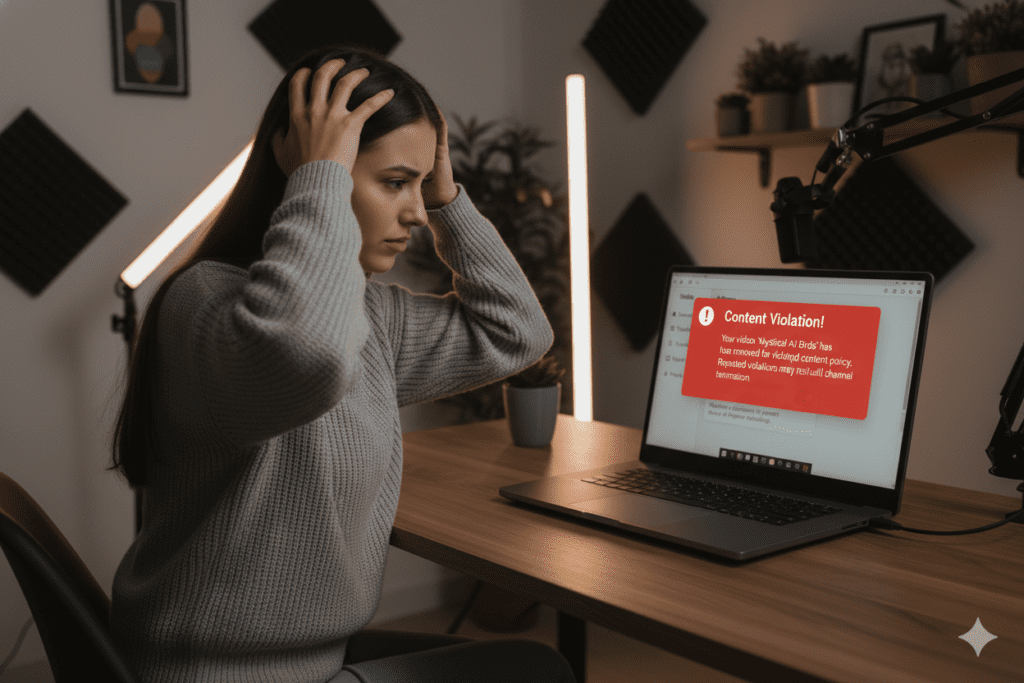
This is where the stakes get real. Ignoring the YouTube Policy AI Generated Content Disclosure Guide isn’t just a minor oversight. It can have serious consequences for your channel.
Here’s what YouTube can do if you fail to disclose:
- Apply a label on your behalf — YouTube’s own AI systems can detect synthetic content and may add a label without your input
- Reduce your video’s reach — undisclosed AI content may be placed in “limited ads” or “reduced recommendations” mode
- Hold your video for review — the platform may flag your upload for manual investigation
- Demonetize your video — failing to disclose misleading synthetic content violates YouTube’s monetization policies
- Issue a community guidelines strike — repeated or severe violations can result in strikes against your channel
- Terminate your channel — in extreme cases involving harassment, impersonation, or election misinformation, channels have been removed entirely
YouTube has also invested heavily in automated detection systems. Machine learning tools now scan uploads for deepfakes, voice clones, and repeated AI-generated templates. You can’t always hide it even if you try.
The platform’s enforcement is only getting stricter. Don’t risk everything you’ve built on a technicality that takes literally ten seconds to fix during upload.
7. The July 2025 Monetization Update — What Changed?
On July 15, 2025, YouTube rolled out its most significant monetization policy update targeting AI content specifically. This update went beyond disclosure — it directly addressed what kinds of AI-assisted videos can earn money on the platform.
The YouTube Partner Program now requires content to be “significantly original and authentic” to qualify for monetization. This aligns with the YouTube Policy AI Generated Content Disclosure Guide, addressing “AI slop” — mass-produced, low-effort content generated entirely by AI with little to no human creativity involved.
Videos that are now at risk of demonetization include:
- Mass-produced faceless videos with no original commentary or perspective
- Channels that upload dozens of near-identical AI-generated videos daily
- Content where a real human voice has been fully replaced by a cloned AI version
- Videos where AI generates all visuals AND all narration with zero human input
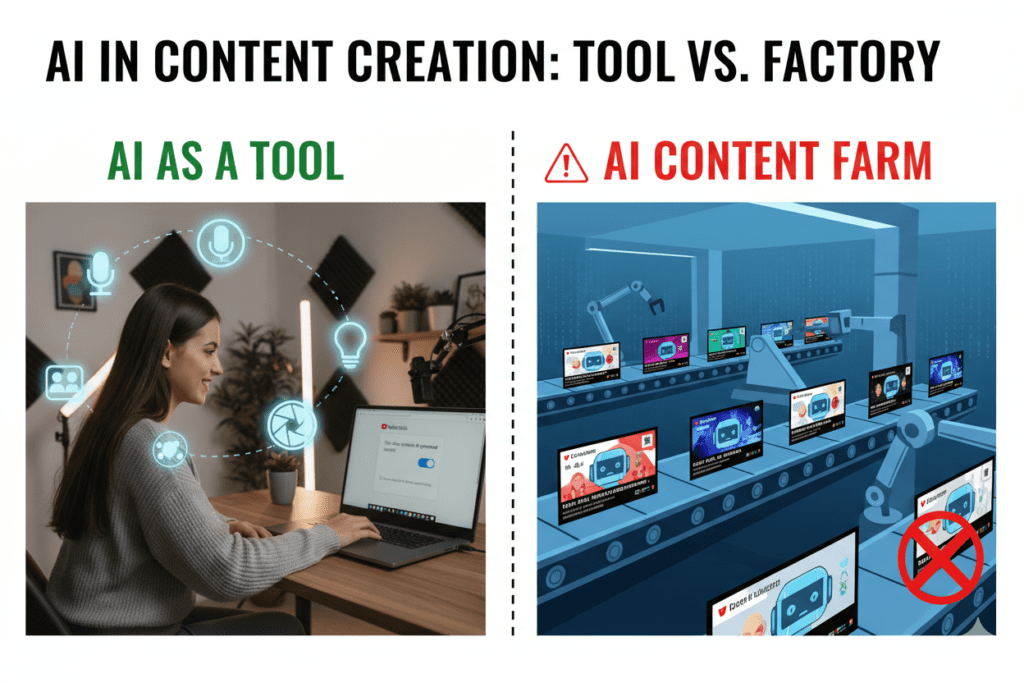
Here’s the important distinction: YouTube explicitly supports AI as a creative tool. The key word is “tool.” If you use AI to enhance your content, write better scripts, optimize your metadata, or design better thumbnails — that’s perfectly fine.
What’s not fine is using AI as a content factory that pumps out videos with no human creativity, no unique value, and no real authorship.
The creators thriving in this new environment are the ones using tools like ytZolo — which helps you work faster and smarter, while keeping the human creative direction firmly in your hands.
8. Why Creators Are Struggling Without the Right AI Tools
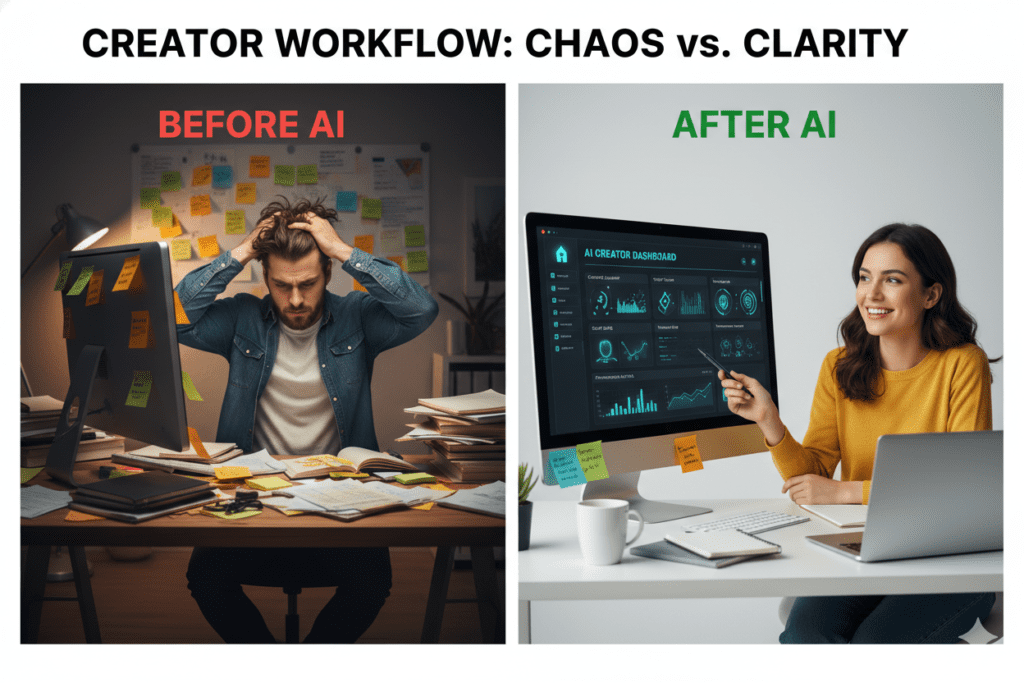
Here’s a hard truth: most creators are either using AI the wrong way, or not using it at all. Both situations are costing them growth.
If you avoid AI completely, you’re spending hours on tasks that take AI-powered creators minutes. Writing scripts, researching titles, optimizing tags, designing thumbnails — these aren’t just time-consuming. They’re the areas where, per the YouTube Policy AI Generated Content Disclosure Guide, small improvements compound into massive channel growth over time.
If you use AI carelessly — especially for voice cloning, deepfakes, or misleading synthetic content — you’re putting your entire channel at risk. One policy strike at the wrong time can set you back months.
The solution isn’t to avoid AI or fear it. The solution is to use the right AI tools in the right way.
Manual content creation in 2025 is like navigating with a paper map when everyone else has GPS. You might eventually get where you’re going. But you’ll arrive late, frustrated, and having missed every shortcut along the way.
Studies from HubSpot’s content marketing research show that creators who use AI tools produce content up to 3x faster and maintain more consistent publishing schedules — which is exactly what the YouTube algorithm rewards.
Consistency plus optimization equals channel growth. And that’s exactly what smart AI tools are built to deliver.
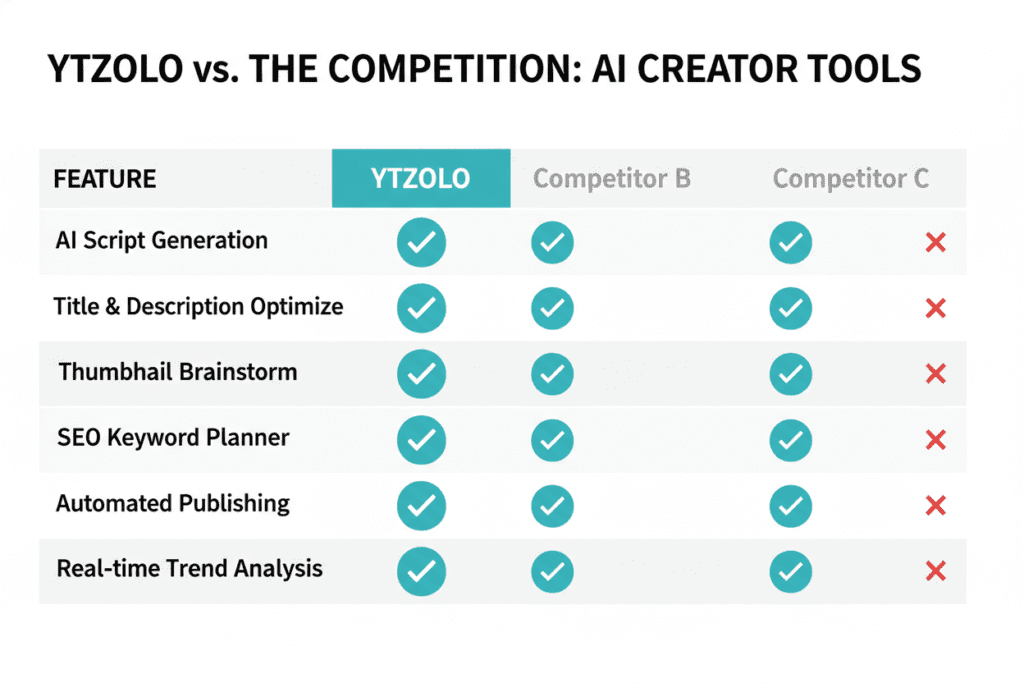
9. Why ytZolo Is Better Than Other Tools
There are plenty of AI tools in the market. ChatGPT, TubeBuddy, vidIQ, Jasper, Canva — the list goes on. So why are serious creators switching to ytZolo?
The answer is simple: ytZolo was built specifically for YouTube.
| Feature | ytZolo | Generic AI Tools | TubeBuddy / vidIQ |
|---|---|---|---|
| YouTube-native AI | ✅ Yes | ❌ No | ⚠️ Partial |
| Script writing | ✅ Yes | ✅ Yes | ❌ No |
| Thumbnail generation | ✅ Yes | ❌ No | ❌ No |
| Title optimization | ✅ Yes | ⚠️ Generic | ✅ Yes |
| SEO tags & descriptions | ✅ Yes | ⚠️ Generic | ✅ Yes |
| All-in-one platform | ✅ Yes | ❌ No | ❌ No |
| Built for viral content | ✅ Yes | ❌ No | ❌ No |
Generic AI tools like ChatGPT are powerful, but they’re built for writers — not YouTubers. They don’t understand retention drops, pattern interrupts, or what pacing keeps viewers watching through a 15-minute video.
TubeBuddy and vidIQ are analytics-first tools with some optimization features added on. They don’t generate thumbnails. They don’t write scripts. And they weren’t designed with viral content creation at the center.
ytZolo does all of it — in one place, with one login, optimized specifically for how YouTube actually works in 2025.
When other tools show you data, ytZolo takes action. That’s not a small difference. That’s the entire game.
Explore ytZolo’s full feature set: ytzolo.com
10. How ytZolo Helps You Stay Compliant and Grow Faster
Here’s the thing about YouTube’s policy on AI generated content disclosure — the rules only apply to specific types of AI usage. The kind of AI that ytZolo uses? Completely in the clear.
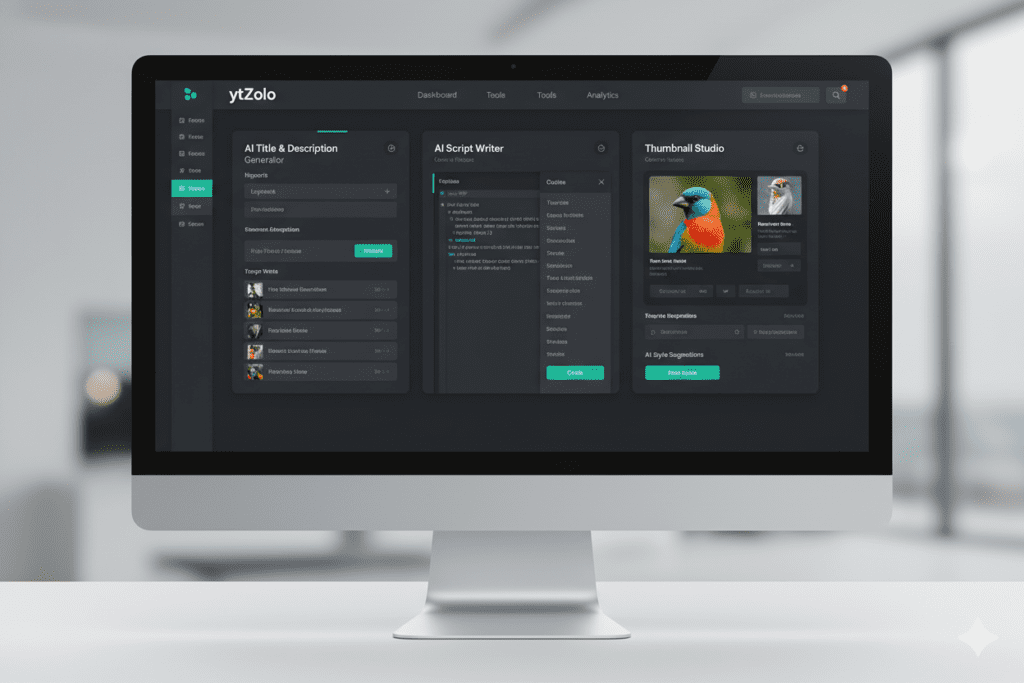
ytZolo is an all-in-one AI YouTube growth platform that helps you with:
AI Script Writing Generate full, structured YouTube scripts in minutes — complete with powerful hooks, engaging storytelling structure, and clear calls to action. You stay the author. The AI just makes the process faster.
Viral Title Generator Create click-worthy titles optimized for both YouTube’s search algorithm and real viewer psychology. Every title is designed to earn more clicks — which directly improves your CTR and algorithmic reach.
Thumbnail Creation Design scroll-stopping thumbnail concepts without needing any design experience. ytZolo’s thumbnail AI analyzes top-performing content in your niche and builds visuals around proven CTR principles.
SEO-Optimized Descriptions & Tags Every video needs metadata that works with the algorithm. ytZolo generates descriptions packed with the right keywords and suggests tags that boost discoverability — automatically, in seconds.
Content Ideas That Go Viral Know what to make before you even pick up a camera. ytZolo’s ideation engine surfaces what’s trending in your niche so you’re always making content people actually want to watch.
None of these features create synthetic people, clone real voices, or fabricate real events. They help you create better, faster, and smarter — while keeping your channel 100% compliant with YouTube’s disclosure policy.
Start for free today: ytzolo.com
11. Actionable Checklist: Staying Compliant With YouTube’s AI Policy
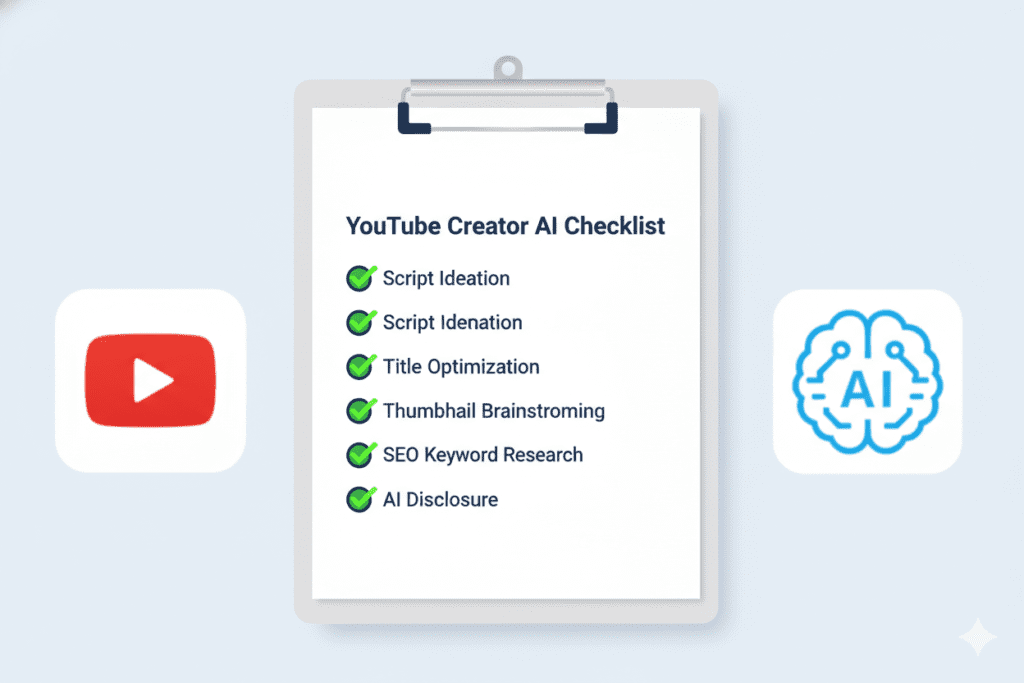
Use this checklist before every upload to make sure you’re fully covered.
Before You Create:
- [ ] Are you using AI for scripts, titles, tags, or descriptions? (Safe — no disclosure needed)
- [ ] Are you using AI to generate synthetic voices of real people? (Requires disclosure)
- [ ] Does your video show a real person doing or saying something via AI? (Requires disclosure)
During Upload:
- [ ] Open the “Altered or Synthetic Content” toggle in YouTube Studio
- [ ] Select “Yes” if your video contains realistic AI-generated visuals or audio
- [ ] For sensitive topics (health, news, elections, finance) — expect YouTube to add a prominent player label
After Publishing:
- [ ] Check that the disclosure label appears in your video description
- [ ] Review your video with fresh eyes — would a viewer be misled into thinking it’s real footage?
- [ ] Monitor your YouTube Studio for any policy flags or review requests
Ongoing:
- [ ] Stay updated on YouTube’s policy changes via the YouTube Creator Blog
- [ ] Use tools like ytZolo that are built for compliant, high-performing content
- [ ] Check the ytZolo blog for the latest YouTube growth strategies and policy updates
- [ ] Keep your content original, human-directed, and authentically yours
12. FAQ: YouTube Policy AI Generated Content Disclosure
Q1: Does using AI to write my YouTube script require a disclosure?
No. YouTube’s policy on AI generated content disclosure applies specifically to realistic synthetic or altered audio and video content — not to AI tools used for writing, research, or optimization. Using AI to write scripts, titles, descriptions, or tags (like tools such as ytZolo) does not require any disclosure label.
Q2: What happens if YouTube detects AI content I didn’t disclose?
YouTube’s automated systems can detect synthetic content and may apply a disclosure label on your behalf. Beyond that, the platform can restrict your video’s reach, hold it for review, demonetize it, or in serious cases, issue a community guidelines strike. Repeated violations can escalate to channel termination.
Q3: Do I need to disclose if I use an AI voiceover that doesn’t sound like a specific real person?
Generally, no. The disclosure requirement in the YouTube Policy AI Generated Content Disclosure Guide focuses on content that could mislead viewers into thinking a real, identifiable person said or did something they didn’t. A clearly synthetic AI narrator voice — one that doesn’t impersonate any specific individual — typically does not require disclosure. When in doubt, disclose anyway to stay safe.
Q4: Can I still monetize my YouTube channel if I use AI-generated content?
Yes — but with important conditions. As of July 15, 2025, YouTube requires monetized content to be “significantly original and authentic.” AI-assisted content that adds real human creativity, commentary, and value is fully eligible for monetization. Mass-produced, fully automated AI content with no human authorship is not.
Q5: What’s the easiest way to stay compliant with YouTube’s AI disclosure policy?
The simplest approach: only use AI for workflow tasks (scripts, titles, tags, thumbnails) that don’t require disclosure, and always toggle on the “Altered or Synthetic Content” label during upload if you ever use AI to generate realistic video or audio featuring real people or events. Tools like ytZolo are designed to help creators leverage AI for growth without ever triggering YouTube’s disclosure requirements.
13. Conclusion
YouTube’s policy on AI generated content disclosure isn’t something to fear. It’s something to understand — and then use to your advantage.
The creators who are winning right now aren’t avoiding AI. They’re using it smarter than everyone else. They’re using AI to write better scripts in less time. To generate titles that actually get clicked. To build thumbnails that stop the scroll. To optimize every video for maximum reach — all without ever crossing the line into misleading synthetic content.
That’s exactly what ytZolo was built to help you do.
While other creators are still manually researching tags, staring at blank script documents, and fumbling through Canva for three hours per thumbnail — ytZolo users, aligned with the YouTube Policy AI Generated Content Disclosure Guide, are uploading optimized, viral-ready content in a fraction of the time.
The YouTube policy on AI generated content disclosure is clear. The path forward is clear too.
Use AI the right way. Stay transparent with your audience. And let the best tools do the heavy lifting so you can focus on what actually matters — creating content that grows your channel.
Start creating smarter, faster, and more viral YouTube content with ytZolo today.
👉 Visit ytzolo.com and get started for free
Related Articles:
- Best YouTube Video Ranking Tools to Grow Faster in 2026
- Best AI Tool for YouTube Channel Growth
- YouTube Creator Blog — Official Policy Updates
Last updated: April 2026 | Sources: YouTube Help Center, YouTube Creator Blog, Influencer Marketing Hub, HubSpot Content Marketing Research

