
Introduction
You spent 6 hours filming. Another 3 editing. You hit publish.
Then your video sits at 200 views for a week.
You check YouTube Studio. Your CTR is 1.8%. People are seeing the video. They’re just not clicking it.
That’s a thumbnail problem. And if you’ve been designing thumbnails manually, spending 45 minutes in Canva every upload day, I need you to hear this: there’s a faster way. A smarter way.
The best free ai youtube thumbnail generators can completely change how you approach YouTube packaging. Instead of guessing what might look “good,” these tools are trained on high-performing thumbnails across niches and use AI-driven insights like color contrast, facial emotion mapping, text hierarchy, and scroll-stopping composition patterns.
That means you’re no longer just designing—you’re optimizing for clicks.
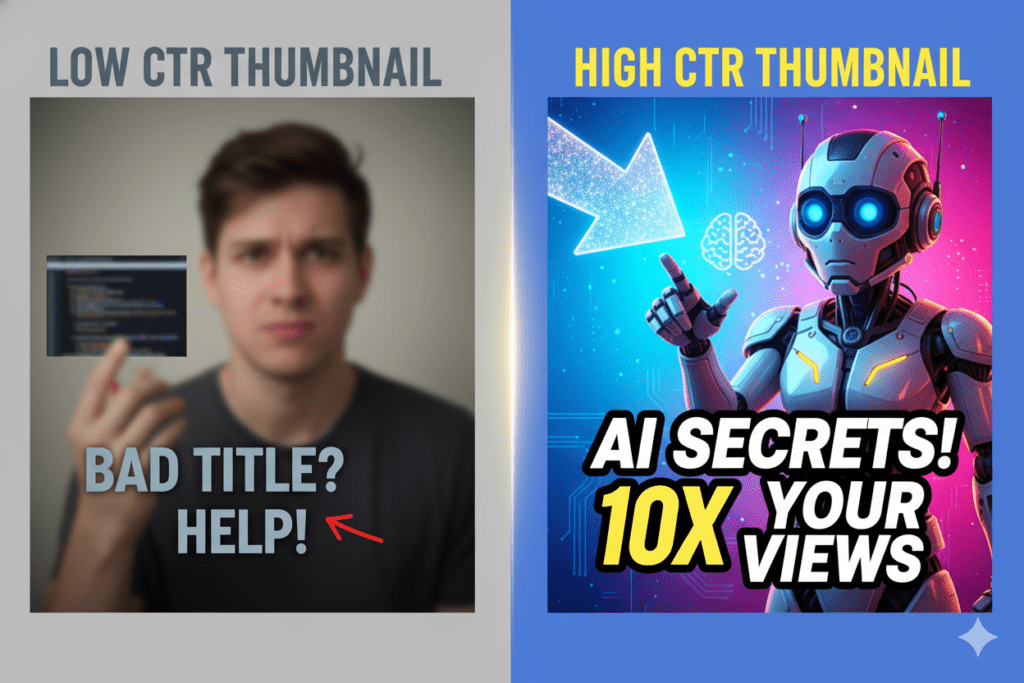
Most creators don’t realize that thumbnails aren’t art—they’re marketing assets. And the difference between 1.8% CTR and 6–10% CTR often comes down to small visual decisions that AI can now help you make in seconds.
The best free ai youtube thumbnail generators also speed up your workflow massively, turning what used to take 30–45 minutes in tools like Canva into under 5 minutes with auto-generated layouts, smart cropping, and instant variations.
Even better, many of these tools let you A/B test different thumbnail versions so you can see what actually performs instead of guessing. So instead of wasting time tweaking fonts and colors endlessly, you focus on what matters: creating content and scaling your channel.
I tested 11 of them. Here’s exactly what I found.
Table of Contents
Why your thumbnail is costing you views
YouTube’s own data shows 90% of top-performing videos use custom thumbnails. Not stock images. Not auto-generated screenshots. Custom thumbnails.
And channels that hit 6–10% CTR grow 2.3x faster than channels stuck under 4%.
The math is simple: more clicks equals more views, more views signals the algorithm, and the algorithm pushes your video to more people. It’s a flywheel, powered by ai generated youtube thumbnails free high quality.
Most creators know this. They just don’t have 45 minutes per video to fight with Photoshop. So they grab a blurry screenshot, slap some text on it in Canva, and hope for the best.
The free ai thumbnail generator for youtube shorts is becoming especially important here because Shorts are even more competitive. You’re not just fighting other creators—you’re fighting infinite scroll. In that environment, your thumbnail (or Shorts cover frame) has less than a second to earn attention.
AI tools solve this by automatically selecting high-impact frames, enhancing facial clarity, boosting contrast, and generating bold, readable text that still looks clean on mobile screens.
The free ai thumbnail generator for youtube shorts also helps creators who post daily or multiple times a day. Instead of spending time manually editing every cover image, you can generate multiple variations instantly and pick the highest-performing design.
Some tools even suggest layouts based on viral Shorts patterns, like extreme facial expressions, high contrast backgrounds, and minimal but aggressive text placement.
The best part? You don’t need design skills anymore. These tools are built to reduce friction, not creativity. They turn a 30–45 minute design task into a 2–5 minute workflow while still improving click-through rates.
The best free AI YouTube thumbnail generators exist to fix exactly that.
What a Best Free AI YouTube thumbnail generators actually does
It’s not magic. It’s pattern recognition at scale.
These tools are trained on millions of high-performing YouTube thumbnails across every niche. They’ve analyzed what colors stop the scroll, which text placements drive clicks, and what emotional expressions make someone tap, while the best free ai youtube thumbnail generator no watermark ensures clean, professional output.
You give it your video topic (or title, or script). It gives you thumbnail concepts based on what’s actually working right now in your space.
The good ones output at 1280×720, watermark-free, ready to upload. The great ones go further, matching your niche, your audience, and your existing channel aesthetic.
Here’s what separates a solid AI thumbnail tool from a generic image generator: YouTube-specific intelligence. A general AI image tool makes pretty pictures. A YouTube-specific one makes clickable ones.
The free ai thumbnail generator for youtube shorts plays a huge role here because Shorts demand even faster visual communication. These tools don’t just “design” thumbnails—they optimize for micro-attention.
They prioritize bold facial focus, exaggerated contrast, and minimal text because that’s what actually survives on mobile-first feeds. Instead of guessing what might work, the AI uses real performance patterns from viral Shorts to guide layout decisions instantly.
Similarly, ai generated youtube thumbnails free high quality tools are now closing the gap between beginner creators and professional design teams. You no longer need Photoshop skills or design experience to produce thumbnails that look like they came from a top 1% creator.
These systems enhance sharpness, fix composition, upscale resolution, and even suggest emotional framing that increases curiosity clicks.
What makes this shift powerful is consistency. Most creators can make one good thumbnail—but struggle to repeat it. AI removes that inconsistency by standardizing quality while still allowing customization. So every upload maintains a strong visual identity while still being optimized for CTR.
In short, it’s not about replacing creativity—it’s about scaling it with data-backed decisions that actually drive clicks.
The 7 best free AI YouTube thumbnail generators in 2026

1. ytZolo
The only all-in-one AI YouTube growth platform built specifically for creators. The thumbnail generator is connected to your title, script, and description, so the visual matches the content strategy from the start.
Free tier available. No watermarks. CTR-optimized output every time.
Best for: Creators who want thumbnails that fit into a complete content workflow.
2. Canva AI (Magic Media)
Canva’s AI image generation is solid for general visuals. The templates are clean and beginner-friendly.
The gap: Canva doesn’t know your niche. It makes beautiful images. it lacks ai generated youtube thumbnails free high quality niche understanding across thumbnails
Best for: Beginners who already know Canva and want a visual starting point.
3. vidIQ AI thumbnail maker
vidIQ is primarily an analytics and keyword research tool. The thumbnail feature is genuinely useful, but it’s secondary to the core product.
You’ll get decent results, especially if you’re already inside vidIQ for keyword research. Just don’t expect deep customization.
Best for: Creators already using vidIQ for channel analytics.
4. Pikzels
One of the more dedicated YouTube thumbnail generators. Strong on face-forward designs with expression optimization built in, best free ai youtube thumbnail generator no watermark.
Limitation: it only does thumbnails. You’ll still need separate tools for titles, descriptions, and scripts.
Best for: Creators who want a standalone thumbnail tool with good CTR-specific features.
5. Fotor AI
Reliable free-tier AI image generation with decent template selection. Good for batch creation when you’re producing content at volume.
The thumbnail output is solid but generic. It doesn’t pull from YouTube-specific performance data.
Best for: High-volume creators who need speed over niche optimization.
6. Leonardo AI
Strong on custom scenes and stylized visuals. If you’re in gaming, storytelling, or cinematic content, the image quality here is genuinely impressive.
The tradeoff: the learning curve is steeper, and you’ll need to handle YouTube formatting and text overlay yourself.
Best for: Gaming and cinematic creators who want unique, high-quality visual styles.
7. Fliki AI
Quick video-to-thumbnail workflow. If you’re already using Fliki for video creation, the thumbnail feature integrates smoothly.
On its own, the thumbnail output is decent but limited compared to purpose-built tools.
Best for: Creators already inside the Fliki ecosystem.
Why ytZolo beats every other tool on this list
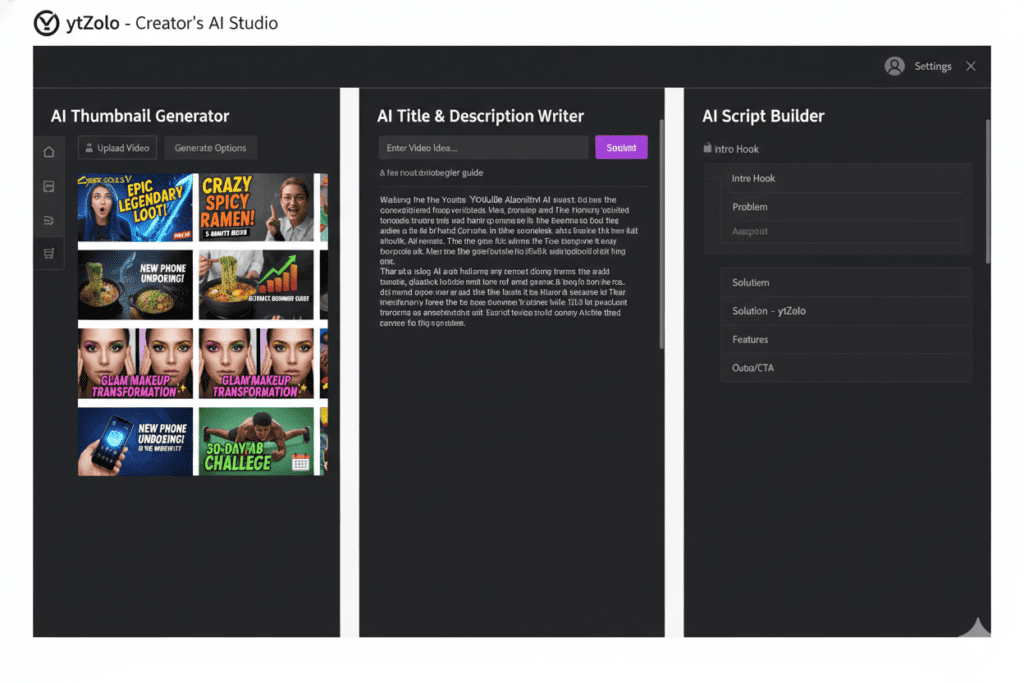
Every tool above does one thing reasonably well. ytZolo does everything.
Here’s the specific difference.
When you generate a thumbnail in Canva, you start with a blank canvas. You pick colors. You add text. You guess. When you generate a thumbnail in ytZolo, the AI already knows your video topic, your niche, and what’s clicking in your space right now. You get thumbnail concepts that are data-informed, not random.
ytZolo vs the competition
| Feature | ytZolo | Canva | vidIQ | Pikzels |
|---|---|---|---|---|
| YouTube-specific AI | Yes | No | Partial | Yes |
| Free tier (no watermark) | Yes | Limited | Limited | Limited |
| Title + script integration | Yes | No | Partial | No |
| CTR-optimized output | Yes | No | Partial | Yes |
| All-in-one content workflow | Yes | No | No | No |
| Niche-specific adaptation | Yes | No | No | No |
Canva is a great design tool. vidIQ is a great analytics tool. Pikzels is a solid thumbnail tool. ytZolo is a YouTube growth platform that generates thumbnails as part of a complete content strategy.
That’s a fundamentally different product.
The best free AI YouTube thumbnail generators should know your audience. ytZolo does. Check out the ytZolo blog for deep-dives on how the AI adapts to different niches and content types.
How to use ytZolo’s AI thumbnail generator (step by step)
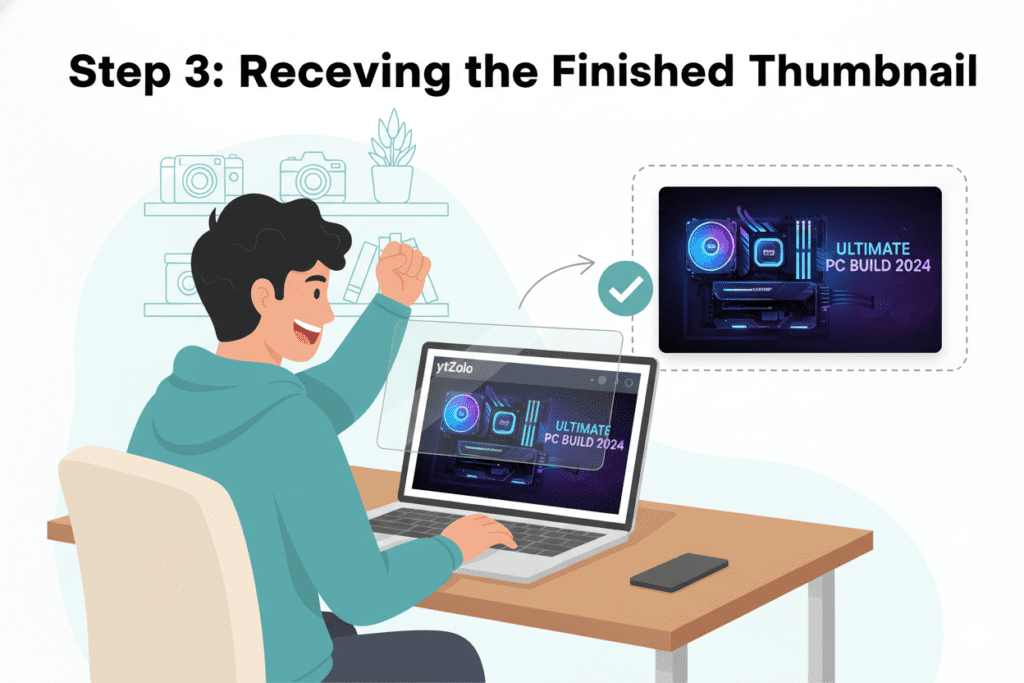
This takes under 5 minutes.
Step 1: Go to ytZolo and create a free account.
No credit card required. The free tier gives you real thumbnail generation, not a watered-down demo.
Step 2: Enter your video topic or title.
Be specific. “How I made $3,000 freelancing in 30 days” will get you a sharper result than “freelancing tips.”
Step 3: Select your niche.
Finance, gaming, cooking, fitness, education. The AI adapts its color choices, text weight, and composition to what performs in your specific category.
Step 4: Review and customize.
ytZolo gives you multiple thumbnail directions. Pick the one that fits your video. Tweak text, swap colors, adjust layout.
Step 5: Download and upload.
Output is 1280×720, no watermark, ready for YouTube.
The whole process: under 5 minutes. Photoshop would’ve taken 45.
Common thumbnail mistakes creators make
Even with the best free AI YouTube thumbnail generators, a few habits will kill your CTR.
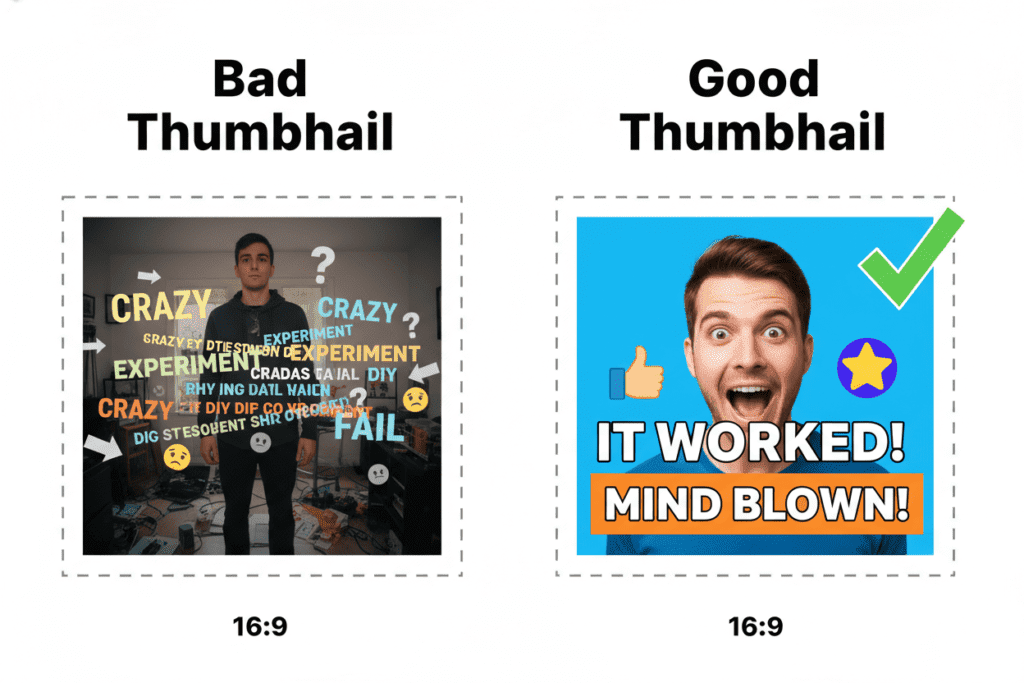
Too much text. 5–7 words maximum. Your thumbnail isn’t a sentence.
Faces that show the wrong emotion. Neutral expressions don’t click. Shock, joy, and confusion outperform calm by 20–30%. The algorithm knows this. Your audience responds to it unconsciously.
Low contrast. If your thumbnail looks the same on a phone screen as on a laptop, it’s not contrasted enough. Most YouTube views happen on mobile. Design for that.
Generic stock imagery. Stock photos look like stock photos. The viewer’s brain registers “ad” and scrolls past. Faces and original visuals outperform stock every time.
No consistency across your channel. Brand recognition compounds. If viewers can identify your thumbnails in 0.3 seconds, your returning viewer CTR goes up significantly.
This is exactly why choosing the best free ai youtube thumbnail generator no watermark matters more than most creators realize. Watermarks instantly reduce perceived quality and make your content look less professional, even if the design itself is strong.
Clean, watermark-free exports allow your thumbnails to feel native to YouTube instead of looking like a draft from a third-party tool. That small detail alone can influence click behavior more than most people expect.
At the same time, ai generated youtube thumbnails free high quality tools help enforce all the rules above automatically. They guide you away from cluttered layouts, suggest stronger emotional facial expressions, and automatically increase contrast so your thumbnail pops on mobile screens. Instead of manually correcting mistakes, the AI prevents them in the first place.
The real advantage is speed with quality. You’re no longer trading time for better design decisions—you’re getting both. Consistent branding, stronger emotional triggers, and cleaner layouts all become part of your default workflow.
When you combine good habits with the right AI tool, CTR stops being guesswork and starts becoming a repeatable system.
ytZolo handles most of these automatically. The AI applies contrast principles, pulls emotion-forward design choices, and keeps your output channel-consistent.
FAQ
What is the best free AI YouTube thumbnail generator in 2026?
ytZolo. It generates CTR-optimized thumbnails trained on YouTube-specific performance data, exports in full HD with no watermarks, and connects directly to your titles, descriptions, and scripts. Every other tool does thumbnails in isolation. ytZolo builds them as part of your content strategy.
Can AI thumbnail generators actually improve my CTR?
Yes. Research from VidIQ shows high-contrast thumbnails with strong emotional expressions can boost CTR by 20-30%. Creators using purpose-built AI thumbnail tools have reported jumps from under 3% to 7-10% CTR within weeks of switching.
Do free AI YouTube thumbnail generators add watermarks?
Most do on the free tier. ytZolo’s free plan outputs clean thumbnails without watermarks, which is one of the reasons it sits above the alternatives. Always check the free tier specifics before committing to a workflow.
How many thumbnails should I test per video?
2-3 variations is the standard recommendation. Create your main thumbnail, then make 1-2 alternatives with different colors or text placements. Run them for 48-72 hours and keep whatever’s pulling the higher CTR. ytZolo makes this fast because you can generate multiple directions in a single session.
What thumbnail size does YouTube require?
1280×720 pixels, under 2MB, in JPG, PNG, or GIF format. Aspect ratio 16:9. ytZolo outputs at this exact spec automatically, so you never have to resize or reformat.
Final verdict
Your content deserves to be seen.
The best free AI YouTube thumbnail generators exist to close the gap between a great video and a video that actually gets clicked. You don’t need Photoshop skills. You don’t need a design background. You need a tool built for YouTube, not adapted for it.
Every tool on this list does something useful. But if you want the best free ai youtube thumbnail generator no watermark experience that ensures clean, professional output without branding distractions, that detail alone can make a big difference in how your content is perceived.
A watermark-free workflow keeps your thumbnails looking native to YouTube, which directly improves trust and click behavior. Viewers don’t consciously think about it, but they respond to clean, high-quality visuals instantly.
At the same time, the best free ai youtube thumbnail generators are no longer just image tools—they’re becoming full YouTube growth systems. They don’t stop at design. They help you align your thumbnail with your title, hook, and overall video positioning.
That alignment is what turns impressions into clicks and clicks into watch time. When your packaging is consistent, your CTR stabilizes and your channel growth becomes more predictable instead of random.
If you’re serious about scaling, you eventually realize the bottleneck isn’t content quality—it’s content packaging speed. The creators growing fastest right now aren’t necessarily the most talented editors or filmmakers. They’re the ones who reduce friction in every step of publishing.
That’s why tools like ytZolo stand out. They bring thumbnails, titles, scripts, descriptions, and tags into one workflow so you’re not jumping between five different tools for every upload. Instead of spending hours polishing assets, you focus on output volume and consistency.
In the end, success on YouTube isn’t just about making better videos. It’s about making clickable videos—faster, smarter, and more consistently than everyone else.
Start creating smarter, faster, and more viral YouTube content with ytZolo today.
Related reading:

