
Every AI subscription page tells you the same thing: “the best AI tool.” That’s not useful when you’re the one paying $20 a month and hoping you picked right.
This guide skips the hype. It walks through 20 real AI tools like ChatGPT — what each one is actually built for, what it costs today, and where it falls short — so you can match a tool to your workflow instead of your FOMO.
Who this is for: students choosing a free option, writers and marketers comparing content tools, developers picking a coding assistant, researchers who need citations, and anyone juggling three subscriptions who wants to know if that’s actually necessary.
What you’ll learn: how these tools differ under the hood, a full pricing and feature comparison table, use-case-specific picks, head-to-head matchups, and answers to the questions people actually search for.
A note on pricing: AI subscription prices change often — several tools in this guide changed pricing tiers in the last few months alone. All figures below were verified in July 2026, but double-check the provider’s own pricing page before you subscribe.
Quick Answer Box
| Category | Pick |
|---|---|
| Best overall | ChatGPT (Plus, $20/mo) — broadest feature set, biggest ecosystem |
| Best free | DeepSeek or Gemini Free — genuinely capable models with no paywall |
| Best for coding | Claude (Pro, $20/mo) — Claude Code plus strong long-context reasoning |
| Best for research | Perplexity (Pro, $20/mo) — cited, multi-model search |
| Best for writing | Claude or Jasper, depending on whether you want raw quality or brand-voice workflow |
| Best for images | ChatGPT (Images 2.0) or Gemini (Nano Banana/Veo family) |
| Best all-in-one | A multi-model aggregator like AiZolo, Poe, or You.com if you don’t want to pick just one lab |
Table of Contents
What Are AI Tools Like ChatGPT?
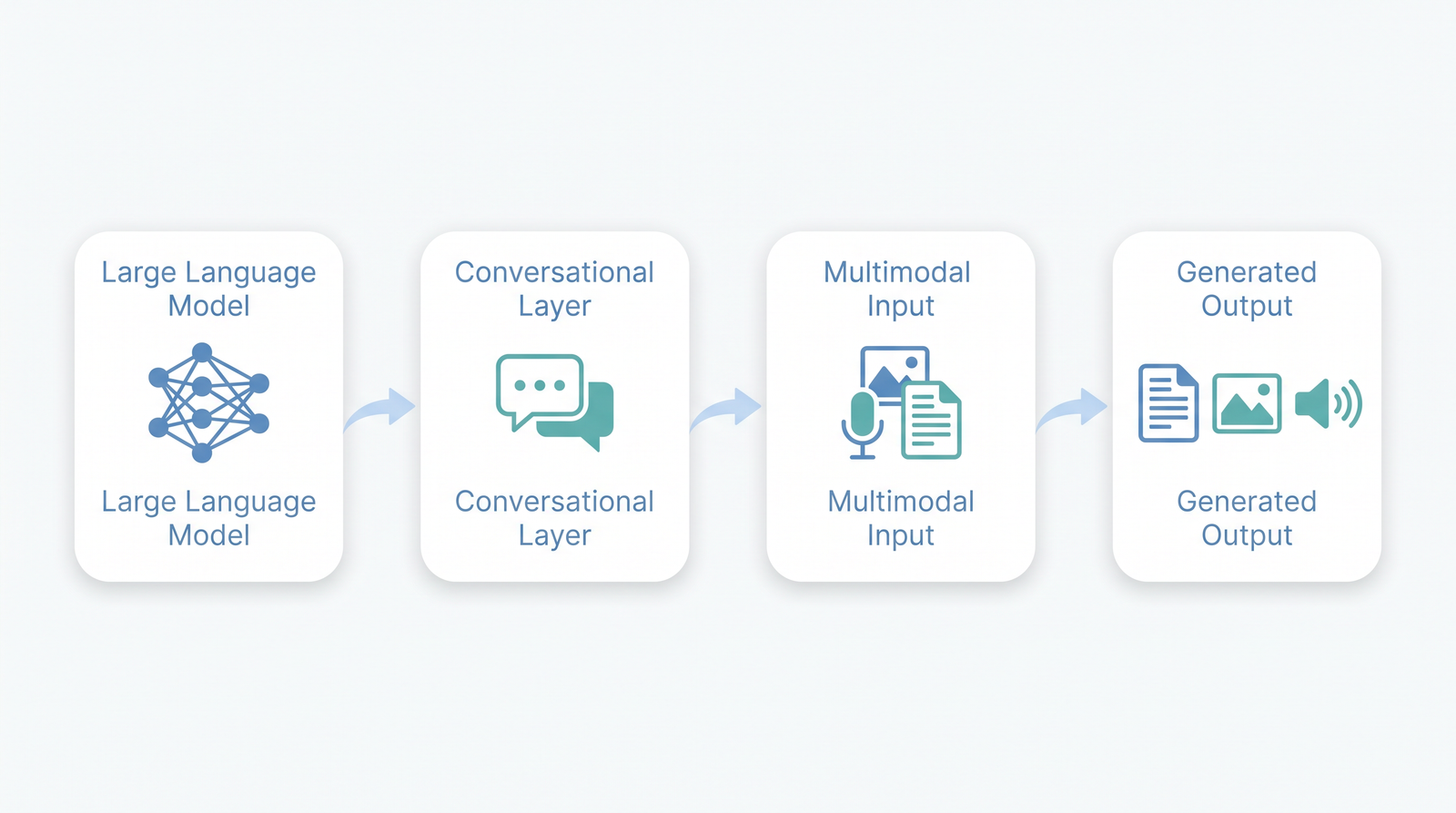
“AI tools like ChatGPT” usually means one of four things, and they’re not interchangeable.
Large language models (LLMs) are the engine underneath — systems trained on huge amounts of text that predict and generate language. GPT-5.6, Claude Sonnet 5, and Gemini 3.5 are all LLMs.
Generative AI is the broader category: any AI that creates new content — text, images, audio, video — rather than just classifying or predicting numbers.
Conversational AI is the chat layer on top of an LLM. It’s what turns a raw model into something you can actually talk to, like ChatGPT’s interface or Claude’s chat window.
Multimodal AI can handle more than text — reading images, generating pictures, analyzing PDFs, or holding a voice conversation, all in the same tool.
Most tools in this guide combine all four: a chat interface, built on an LLM, that can also see images or generate them, and increasingly can take actions on your behalf (booking, browsing, coding) rather than just answering questions.
Why People Look for ChatGPT Alternatives
ChatGPT isn’t losing users — it’s still the most-used AI product on the planet. But “which tool is best” is the wrong question if you’re mid-switch. The right question is “what’s actually broken for me?” Here’s the decision tree.
Leaving because of cost? → DeepSeek (free, no paid tier at all) if you need a capable reasoning model and don’t mind Chinese data hosting. → Mistral Le Chat ($14.99/mo Pro, ~25 free messages/day) if you want a cheaper paid tier than the $20 standard. → ChatGPT Go ($8/mo) if you want to stay in the OpenAI ecosystem but don’t need Plus-tier limits.
Leaving because of privacy or data residency? → Mistral — GDPR-native hosting, EU-based, a real option for businesses with compliance requirements. → Self-hosted Qwen or DeepSeek open weights if you want data never leaving your own infrastructure — the tradeoff is you’re managing the deployment yourself.
Leaving because of context window limits? → Claude Max — 1M-token context, the largest available at a consumer tier. → Gemini 3.1 Pro — matches Claude’s 1M tokens, and it’s available at the mid-tier $19.99/mo Pro plan rather than gated behind a $100+ tier.
Leaving because of coding quality? → Claude Code — the terminal agent most developers point to first for multi-file reasoning and real engineering work. → Cursor — an AI-first editor built around agentic, multi-file edits, if you want the model embedded in your IDE rather than a terminal tool.
Leaving because of rate limits? → Perplexity Pro — unlimited basic search even on the free tier, with fewer of the “10 messages per 5 hours” walls that trip up ChatGPT’s free plan. → Gemini AI Pro — generous usage at $19.99/mo, plus a 1M-token window that reduces how often you’ll hit a wall mid-task.
Underneath all five of these is the same pattern: no single tool wins on every dimension, which is also why accuracy, team collaboration, image/video generation, and automation are worth a second look even if none of them are your primary complaint today — see the Full Comparison Table below for how each tool stacks up across all of these at once.
20 Best AI Tools Like ChatGPT
For each tool below: what it does well, what it costs right now, and who should (and shouldn’t) use it.
1. ChatGPT (OpenAI)
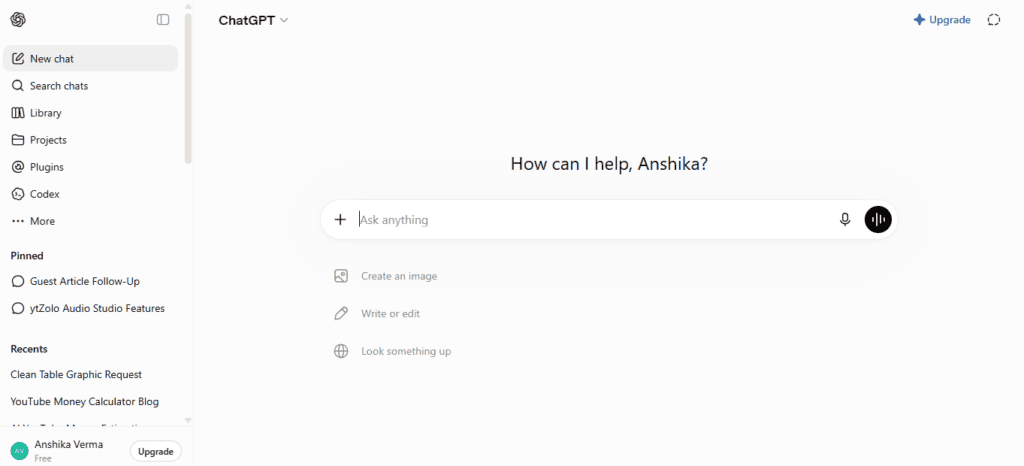
The tool that started the category, and still the broadest general-purpose assistant on the market — chat, voice, image and video generation, and a coding agent all under one subscription. Its edge is breadth: no other single plan bundles this much. The tradeoff is a smaller context window than Claude’s at the same price, and ads now appear on the free tier in the US.
For usage-and-popularity data, see our Most Popular AI Tools guide. For the full pricing tiers and feature matrix, see the ChatGPT review in our all-in-one platforms guide.
2. Claude (Anthropic)
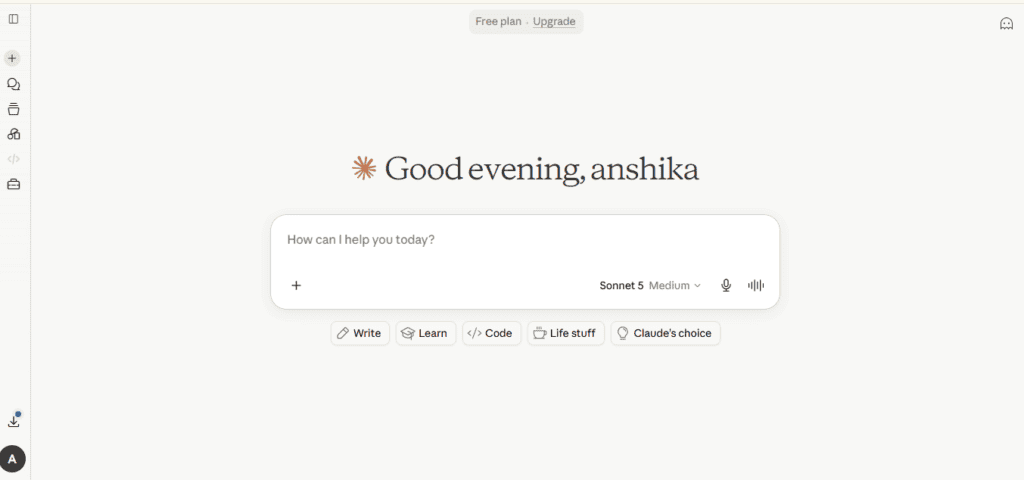
Anthropic’s assistant, built around long-context reasoning, careful writing, and software engineering — Claude Code is one of the most capable coding agents available, and the 1M-token context on Max plans is the largest at a consumer tier. It has no native image or video generation, so pair it with something else if that matters to you.
See Most Popular AI Tools for how it ranks against ChatGPT and Gemini by usage, and the full Claude pricing breakdown in our all-in-one platforms guide.
3. Gemini (Google)
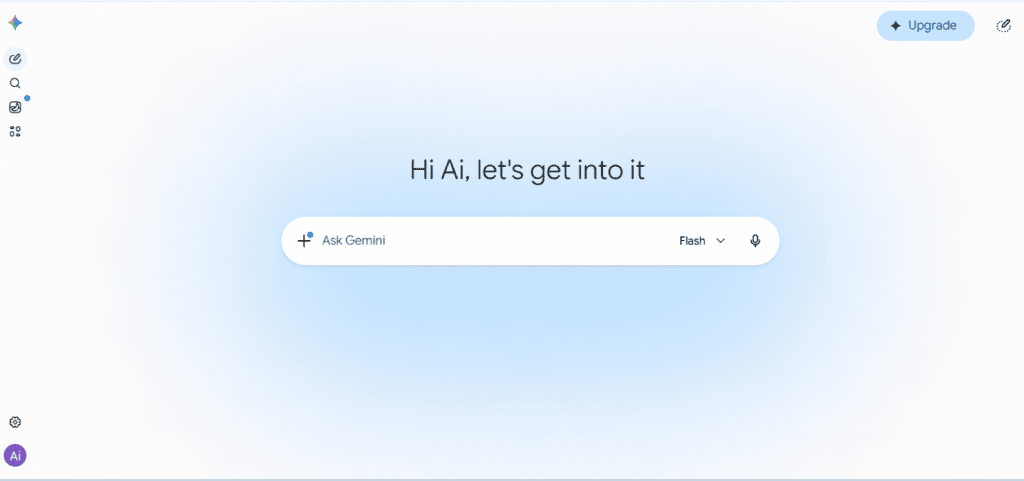
Google’s assistant, tightly woven into Search, Gmail, Docs, Drive, and Android, with a 1M-token context window available even at the mid-tier Pro plan. The tradeoff is a pricing structure that got more complicated in 2026 — six tiers, with more regional variance than competitors.
Popularity and adoption context: Most Popular AI Tools. Full tier-by-tier pricing: our all-in-one platforms guide.
4. Microsoft Copilot
Microsoft’s assistant, bundled directly into Word, Excel, PowerPoint, and Outlook rather than sold standalone. Its real strength is native document editing inside tools you already pay for — the “real” cost is just higher than the headline number once you factor in the required Microsoft 365 base subscription.
For where it ranks by usage, see Most Popular AI Tools; for full seat pricing, our all-in-one platforms guide.
5. Perplexity
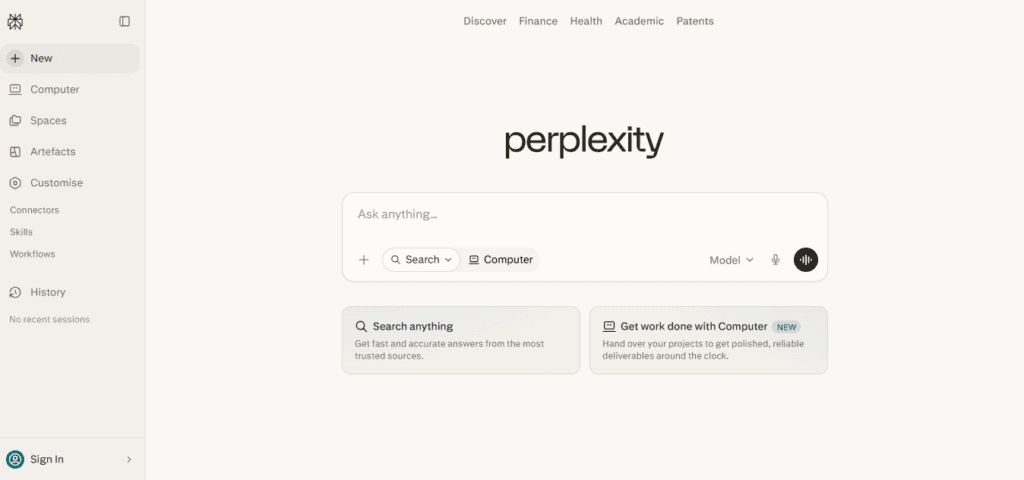
Overview: Less a chatbot, more a research engine — every answer comes with cited sources pulled from live web search.
Key Features: Multi-model routing (choose GPT, Claude, or Gemini per query), Deep Research, Perplexity Labs, Comet browser integration, unlimited Pro searches.
Pros: Citations by default make fact-checking far easier than with a standard chatbot; lets you pick the underlying model per query instead of being locked to one lab; strong for academic and journalistic research.
Cons: Writing style can feel stiffer and less conversational than ChatGPT or Claude; not built for creative writing or freeform brainstorming; Deep Research run limits dropped sharply in 2026 after a model-quality upgrade increased compute cost per run.
Pricing: Free (unlimited basic search); Pro ($20/mo, or ~$17/mo annual); Max ($200/mo for effectively unlimited premium usage).
Best For: Researchers, analysts, students, and journalists who need sourced, verifiable answers.
Unique Strength: Source transparency. You can click through to the original page for nearly every claim, which no standard chatbot does by default.
Limitations: Not a great fit if your main use case is long-form creative writing or emotionally nuanced conversation.
Who Should Use It: Anyone whose primary AI use case is “find me accurate, sourced information fast.”
Current AI Models: Routes across GPT-5.x, Claude Sonnet/Opus, and Gemini models depending on plan and query.
Free Plan: Yes, unlimited basic searches with capped access to advanced models.
Rating: 4.6/5
6. Grok (xAI)
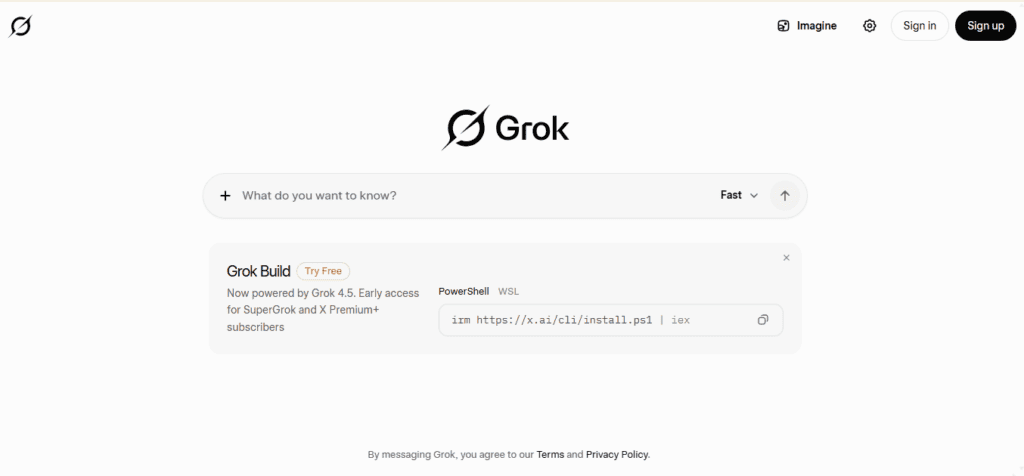
Overview: Elon Musk’s xAI assistant, tightly coupled to the X (formerly Twitter) platform, with a focus on real-time social data.
Key Features: DeepSearch, Big Brain Mode, real-time X/Twitter data access, Grok Imagine for image/video, large context window on paid tiers.
Pros: The only major assistant with native, real-time access to X’s social feed; competitive API pricing for developers; less restrictive content moderation than most competitors, which some users prefer and others avoid.
Cons: Most fragmented pricing of any major AI platform, split across X Premium, X Premium+, SuperGrok, SuperGrok Lite, and SuperGrok Heavy; the free tier is quite limited (roughly 10 requests every two hours).
Pricing: Free (limited); X Premium ($8/mo, bundled with X); SuperGrok Lite (~$10/mo); SuperGrok ($30/mo); X Premium+ ($40/mo); SuperGrok Heavy ($300/mo, the most expensive consumer AI plan on the market); Business ($30/seat/mo).
Best For: X/Twitter power users and anyone who specifically needs real-time social-media-grounded answers.
Unique Strength: Real-time social data access that competitors simply don’t have.
Limitations: For general-purpose use unrelated to X, Grok is usually a distant fourth choice behind ChatGPT, Claude, and Gemini.
Who Should Use It: X users, social media analysts, and anyone tracking real-time public sentiment.
Current AI Models: Grok 4 / Grok 4.1 Fast / Grok 4.5 depending on tier.
Free Plan: Yes, but heavily rate-limited.
Rating: 4.1/5
7. DeepSeek
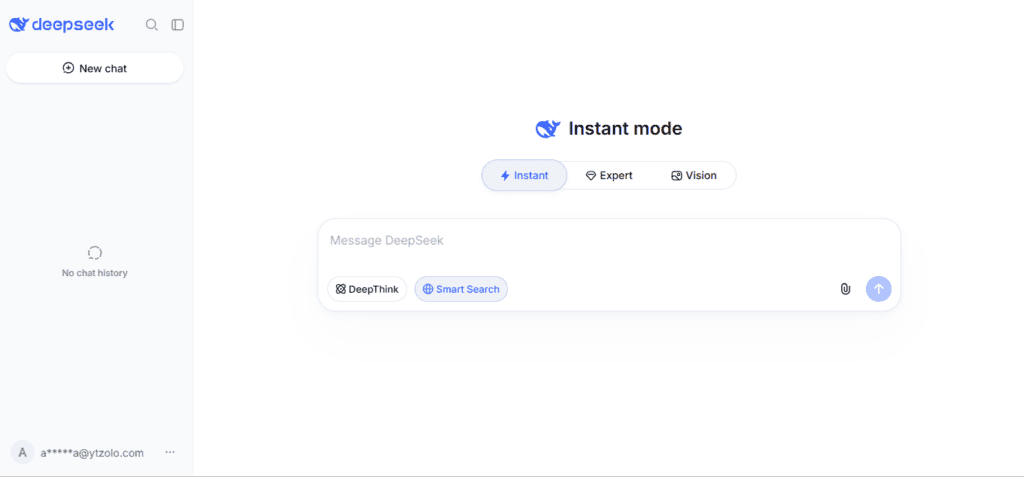
Overview: A Chinese AI lab whose free web chat punches well above its price — because it doesn’t have one.
Key Features: DeepSeek V4 Flash and V4 Pro models, a genuine reasoning mode (DeepThink), code execution, file uploads, fully open-weight models available for self-hosting.
Pros: The chat product is completely free with no paid tier at all; the free reasoning model is comparable in ambition to models that cost $20/month elsewhere; extremely cheap API for developers.
Cons: No image generation, no voice mode, and no web browsing in the free chat product; data is processed on servers in China, which is a hard blocker for many businesses and regulated industries; ecosystem integrations (Slack, Workspace, etc.) are minimal.
Pricing: Web/app chat: completely free, no subscription tier exists. API: pay-per-token, among the cheapest on the market (V4 Flash around $0.14/$0.28 per million input/output tokens).
Best For: Budget-conscious users and developers who want a capable reasoning model without any subscription cost.
Unique Strength: Price. There is no other frontier-adjacent model with zero-cost consumer access and this-cheap API pricing.
Limitations: Data sovereignty concerns rule it out for many companies handling sensitive or regulated information.
Who Should Use It: Students, hobbyist developers, and anyone comfortable with the privacy tradeoffs who wants a free, capable reasoning model.
Current AI Models: DeepSeek V4 Flash, DeepSeek V4 Pro.
Free Plan: Yes — the entire consumer product is free.
Rating: 4.4/5
8. Meta AI
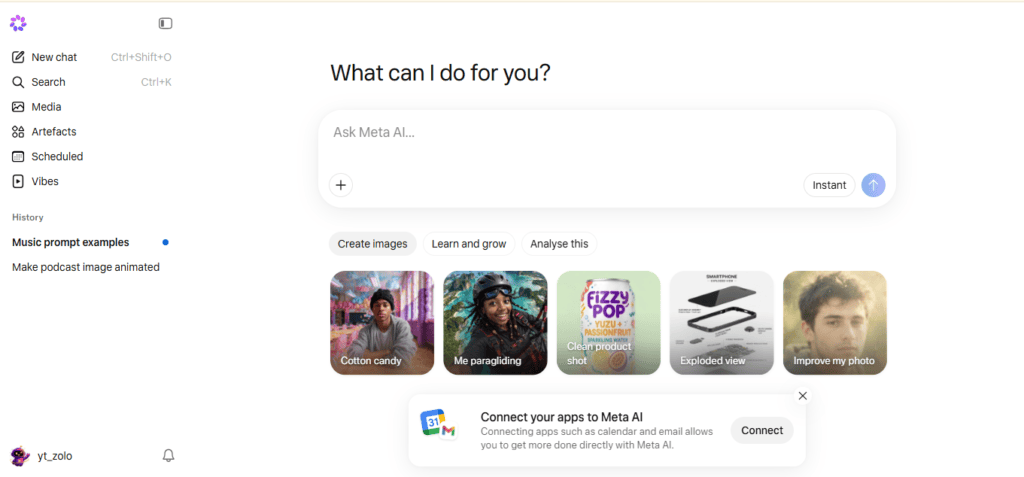
Overview: Meta’s free assistant, built into Facebook, Instagram, WhatsApp, and Messenger.
Key Features: Llama-family models, real-time image generation as you type, integration across Meta’s social apps.
Pros: Completely free with no paid tier; enormous reach since it’s embedded directly in apps billions of people already use; genuinely fast image generation.
Cons: Weaker for professional or technical work compared to ChatGPT, Claude, or Gemini; tied to Meta’s data practices, which some users are wary of; not really a “destination” tool — it’s most useful where you already are, inside a Meta app.
Pricing: Free — there is no paid consumer tier.
Best For: Casual users already on Instagram, WhatsApp, or Messenger who want quick AI help without downloading another app.
Unique Strength: Zero-friction access inside apps with billions of existing users.
Limitations: Not built for serious professional or technical workflows.
Who Should Use It: Casual users, social media managers experimenting with quick content ideas, and anyone who wants AI without a new login.
Current AI Models: Llama 4 family.
Free Plan: Yes, entirely free.
Rating: 4.0/5
9. Mistral (Le Chat)
Overview: A French AI lab positioning itself as the privacy-and-price-conscious European alternative to the US labs.
Key Features: Le Chat interface, Mistral Vibe coding workspace, No Telemetry Mode, 40+ connectors, GDPR-native hosting.
Pros: One of the most generous free tiers among major labs (~25 messages/day on capable models); Pro tier at $14.99/month is cheaper than the $20 standard most competitors charge; strong multilingual performance; genuinely competitive API pricing for developers.
Cons: Smaller ecosystem and fewer third-party integrations than ChatGPT or Claude; flagship model quality trails the very top tier (GPT-5.6, Claude Opus 4.8) on most benchmarks, though the gap has narrowed.
Pricing: Free ($0, ~25 messages/day); Pro ($14.99/mo); Education/Student (~$5.99/mo); Team ($24.99/user/mo); Enterprise (custom).
Best For: Privacy-conscious users, EU-based businesses with GDPR requirements, and budget-conscious professionals.
Unique Strength: European data sovereignty combined with genuinely low prices — a combination few competitors offer.
Limitations: If you need the absolute top-tier reasoning or coding performance, Mistral is a strong value pick rather than a benchmark leader.
Who Should Use It: EU businesses with compliance requirements, and anyone who wants a cheap, private, capable daily-driver chatbot.
Current AI Models: Mistral Large 3, Mistral Medium 3.5, Mistral Small 4.
Free Plan: Yes, unusually generous for a free tier.
Rating: 4.4/5
10. Poe (Quora)
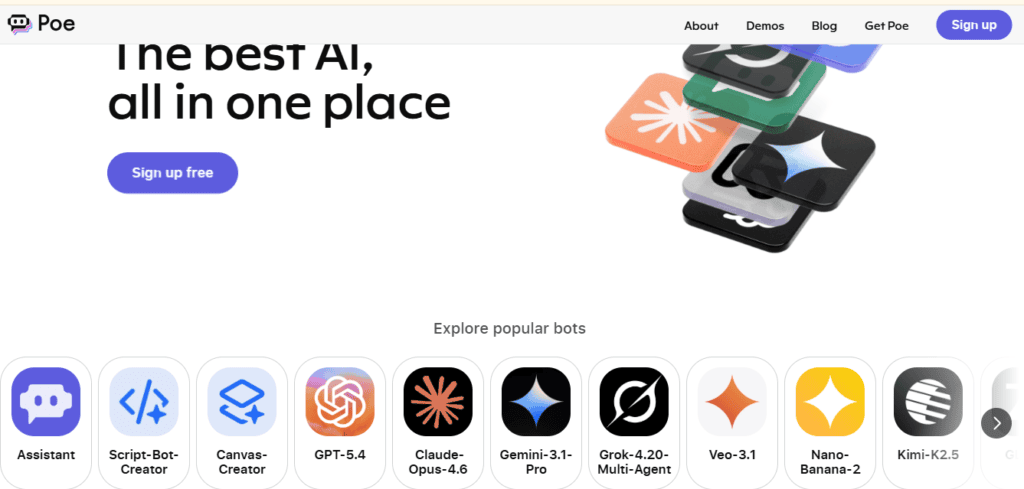
Overview: A multi-model aggregator that lets you access GPT, Claude, Gemini, and thousands of custom bots from one subscription.
Key Features: Access to GPT-5.x, Claude Opus, Gemini Flash, and 1M+ community-built bots; custom bot creation; a points-based usage system instead of flat message caps.
Pros: One subscription instead of three or four; easy to compare the same prompt across multiple models; large library of purpose-built bots for niche tasks.
Cons: The points system can be confusing to budget against, since heavier models (like Opus) burn through your monthly allowance much faster than lighter ones; you’re still paying a markup on top of what the underlying labs charge for API access.
Pricing: Free (limited daily points); Starter (~$4.99/mo); Premium ($19.99/mo); Premium Plus (~$49.99/mo); Pro (~$99.99/mo); Pro Max (~$249.99/mo).
Best For: People who genuinely switch between models often and don’t want separate logins for each one.
Unique Strength: Breadth of model access under one login, including many models you couldn’t otherwise access without separate API accounts.
Limitations: Not built for deploying AI to customers or building production applications — it’s a personal chat aggregator, not an agent-building platform.
Who Should Use It: Power users who compare model outputs regularly, and casual users who want occasional access to several premium models without committing to one lab.
Current AI Models: GPT-5.5, Claude Opus 4.7, Gemini 3.5 Flash, plus community bots.
Free Plan: Yes, with daily compute-point limits.
Rating: 4.2/5
11. You.com
Overview: A search-first AI assistant that blends chat with a customizable, multi-model search experience.
Key Features: Multi-model chat, app-like “Smart Mode” that routes queries to the right specialized tool, productivity integrations, custom personas.
Pros: Genuinely useful for people who want search and chat merged into one interface; supports multiple underlying models rather than locking you to one.
Cons: Smaller brand recognition and community than the major labs means fewer third-party guides and integrations; feature set can feel less focused than a pure research tool like Perplexity or a pure chatbot like ChatGPT.
Pricing: Free tier available; paid plans priced competitively with the $20/month standard tier most competitors use (check You.com’s current pricing page for exact figures, as this is one of the faster-changing plans in the market).
Best For: Users who want search-engine-style results with conversational AI layered on top, in one interface.
Unique Strength: Blending traditional search UX with chat in a way most pure chatbots don’t attempt.
Limitations: Less specialized than Perplexity for deep research, and less broad than ChatGPT for general tasks.
Who Should Use It: Search-heavy users who want an AI-native alternative to a traditional search engine.
Current AI Models: Multi-model routing across several major LLM providers.
Free Plan: Yes.
Rating: 4.1/5
12. NotebookLM (Google)
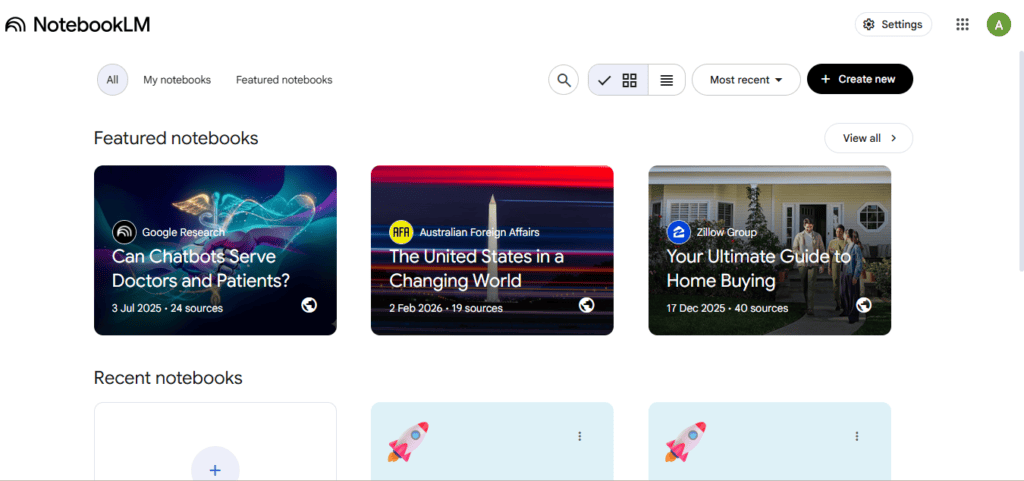
Overview: Not a general chatbot — a research tool that grounds every answer strictly in documents you upload.
Key Features: Source-grounded Q&A (it won’t answer from general knowledge unless you ask it to), Audio Overviews (turns your notes into a podcast-style discussion), Video Overviews, up to hundreds of sources per notebook on paid tiers.
Pros: Dramatically reduces hallucination risk because answers are tied to your actual source documents; Audio Overviews are a genuinely novel way to review long material; the free Standard tier is generous — 100 notebooks, 50 sources each, 50 daily chats, no credit card.
Cons: Not a general-purpose assistant — it’s specifically for working with documents you provide, not open-ended conversation; can’t be purchased standalone, it rides on Google’s AI Plus/Pro/Ultra subscription tiers.
Pricing: Standard (free); Plus (bundled with Google AI Plus, $7.99/mo); Pro (bundled with Google AI Pro, $19.99/mo); Ultra (bundled with Google AI Ultra, $99.99 or $200/mo).
Best For: Students studying from lecture notes and textbooks, researchers working through large document sets, and teams that need grounded, citation-backed answers from internal material.
Unique Strength: Source-grounding. It’s the closest thing to a hallucination-resistant chatbot because it refuses to wander far from what you gave it.
Limitations: Won’t replace a general assistant for open-ended writing, coding, or brainstorming.
Who Should Use It: Anyone whose primary need is “answer questions about this specific set of documents,” not general chat.
Current AI Models: Gemini 3.5 Flash / 3.1 Pro depending on tier.
Free Plan: Yes, and it’s one of the most generous free research tools available.
Rating: 4.7/5
13. Jasper
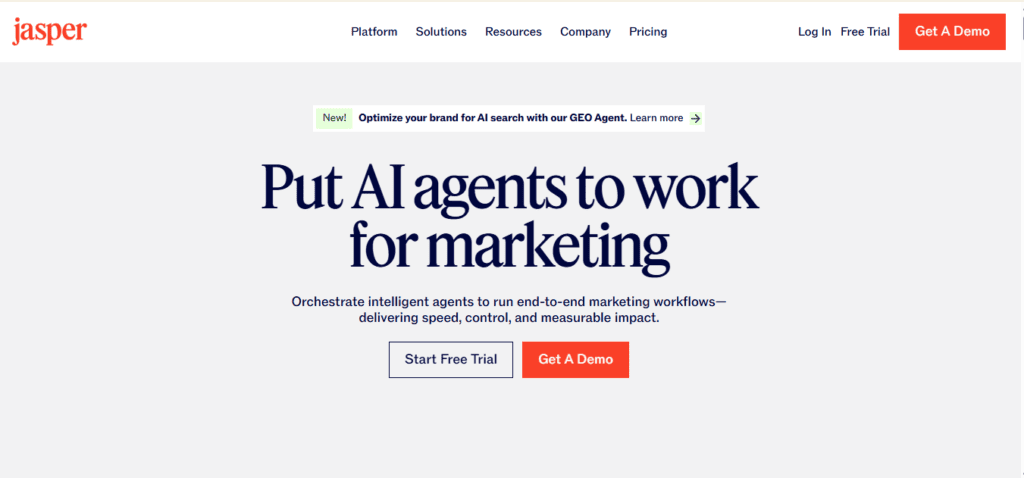
Overview: A marketing-focused AI writing platform built for brand-consistent copy at scale, not general chat.
Key Features: Brand Voice training (users have created 69,500+ custom Brand Voices), Brand IQ compliance checking, 50+ campaign templates, Surfer SEO integration, Jasper Agents for workflow automation.
Pros: The deepest brand-voice and compliance tooling of any writing tool in this list; built specifically for marketing teams that need consistent output across many writers.
Cons: The most expensive tool in the “AI writing” category, starting around $39–$49/month for a single seat; overkill if you just need occasional help drafting text — a general chatbot will do the job for less.
Pricing: Creator ($39/mo annual, $49/mo monthly); Pro (~$59/mo); Business (custom, often $250+/mo).
Best For: Marketing teams that need consistent brand voice across many writers and campaigns.
Unique Strength: Brand Voice depth and compliance flagging — no competitor matches this for enterprise marketing governance.
Limitations: Expensive relative to general-purpose chatbots for anyone who doesn’t need the brand-management layer.
Who Should Use It: Marketing departments and agencies managing multiple brand voices across a team.
Current AI Models: Built on top of OpenAI’s models, with proprietary marketing-tuned layers.
Free Plan: No free plan; trial-based access only.
Rating: 4.1/5
14. Writesonic
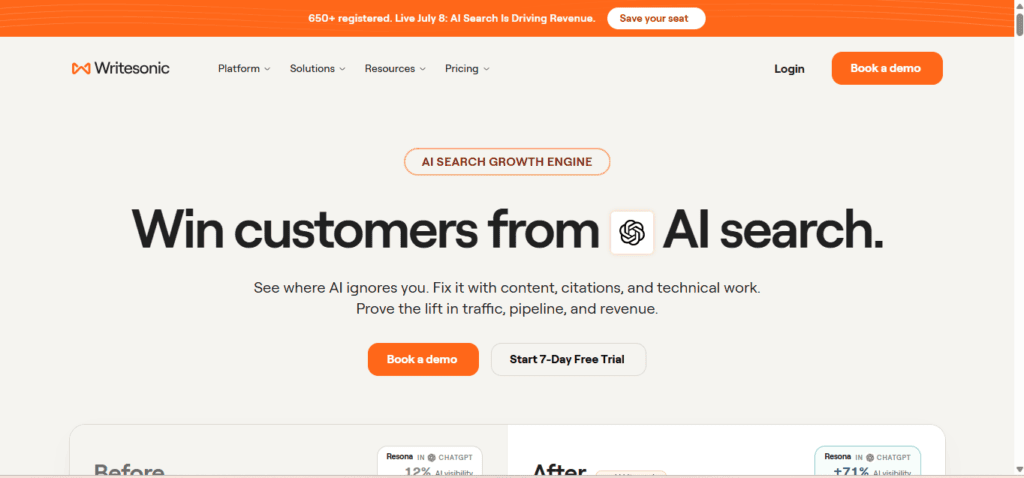
Overview: An AI writing platform that pivoted toward “AI visibility” — tracking how brands appear in AI search results like ChatGPT and Perplexity, not just traditional Google SEO.
Key Features: AI Article Writer (up to 5,000 words), Chatsonic (research assistant with live web access), SEO AI Agent, AI Visibility Tracker across 10+ AI search platforms.
Pros: The AI Visibility Tracker is genuinely unique — no direct competitor tracks brand visibility across ChatGPT, Perplexity, Gemini, Claude, and Google AI Overviews at the same depth; solid value for SEO-focused content teams.
Cons: Core writing quality is a GPT-4o-class wrapper with relatively thin prompt engineering compared to Jasper’s brand tooling; the top “AI visibility” tier (~$249/mo) is a significant jump from the entry plans.
Pricing: Free (limited, GPT-4o mini/Claude Haiku access); Lite (~$39/mo annual); Professional (~$249/mo for full AI Visibility tracking).
Best For: SEO and content teams who want to track and optimize for how AI search engines represent their brand.
Unique Strength: GEO (generative engine optimization) tracking — a category most competitors haven’t built at all.
Limitations: Raw writing quality is good but not exceptional compared to using Claude or ChatGPT directly.
Who Should Use It: Content marketing teams specifically worried about AI search visibility, not just traditional Google rankings.
Current AI Models: GPT-4o-class models plus Claude Sonnet for Chatsonic’s research mode.
Free Plan: Yes, with limited model access.
Rating: 4.0/5
15. Rytr
Overview: The budget option in AI writing — no-frills templates at a fraction of what Jasper or Writesonic charge.
Key Features: 40+ use-case templates, 30+ languages, 20+ tones, built-in plagiarism checker, Chrome extension.
Pros: By far the cheapest dedicated AI writing tool — Unlimited plan runs around $9–$29/month depending on the source; free plan gives a real 10,000 characters/month to test before paying.
Cons: Limited advanced customization compared to Jasper or Writesonic; long-form quality (1,500+ words) tends to lose coherence faster than the pricier competitors; lighter on integrations.
Pricing: Free (10,000 characters/mo); Saver (~$9/mo); Unlimited (~$29/mo).
Best For: Freelancers, solopreneurs, and small businesses writing high volumes of short-form content — product descriptions, social captions, ad variants — on a tight budget.
Unique Strength: Price-to-output ratio. Nothing else on this list delivers unlimited short-form generation this cheaply.
Limitations: Not the right tool for long, nuanced, brand-critical content.
Who Should Use It: Budget-conscious solo creators producing high volumes of short-form copy.
Current AI Models: GPT-3.5/4-class models via API.
Free Plan: Yes, genuinely usable for testing.
Rating: 4.3/5
16. Copy.ai
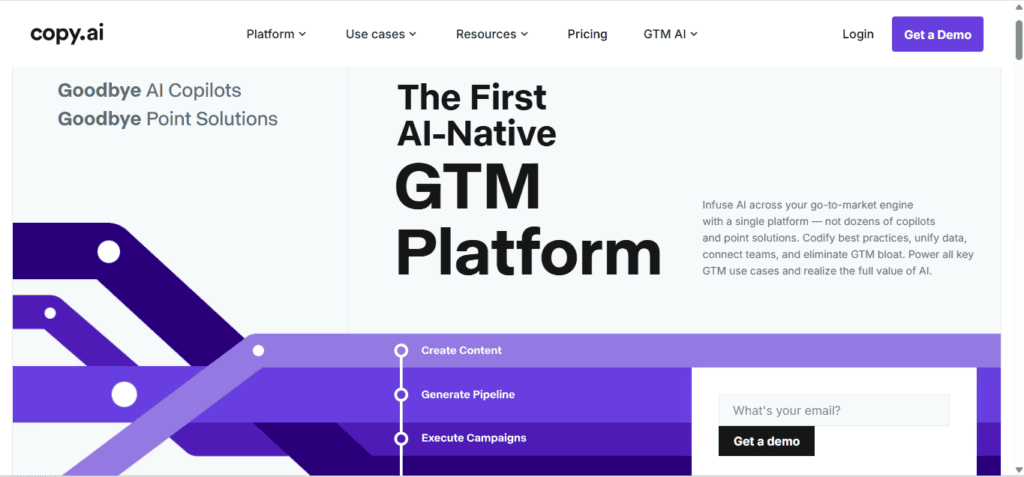
Overview: Started as an AI copywriting tool, repositioned in 2025–2026 as a “Go-to-Market” (GTM) AI platform with workflow automation for sales and marketing teams.
Key Features: Chat interface plus templates, Infobase (company knowledge storage the AI references), multi-step workflow automation connecting content generation to CRM data and outreach.
Pros: The most capable free plan among writing-focused tools; workflow automation for connecting content to sales/CRM data is a genuine differentiator most pure “writing tools” don’t offer.
Cons: Raw long-form writing quality can be inconsistent; the free tier was scaled back in 2025 and isn’t as generous as it used to be; workflow automation has a learning curve.
Pricing: Free (limited, ~2,000 words/mo); Chat (~$24/mo annual); Pro (~$36/mo annual, unlimited words); Growth (~$1,000/mo, aimed at large teams with 75 seats).
Best For: Sales and marketing teams that want to connect content generation directly to outreach and CRM workflows, not just draft copy in isolation.
Unique Strength: Workflow automation depth — connecting AI-generated content to actual GTM processes rather than leaving it as a standalone draft.
Limitations: Long-form content quality lags behind Jasper’s for brand-critical marketing copy.
Who Should Use It: Sales and growth teams looking for an execution layer, not just a drafting tool.
Current AI Models: Multiple underlying LLMs depending on task.
Free Plan: Yes, though more limited than it once was.
Rating: 4.0/5
17. Pi (Inflection AI)
Overview: A conversational AI built specifically around emotional intelligence and supportive dialogue, not productivity tasks.
Key Features: Warm, personalized conversational style, voice-first design, memory of ongoing conversations.
Pros: A genuinely different design goal from every other tool on this list — built for supportive conversation rather than task completion; strong voice interaction.
Cons: Not built for coding, research, document analysis, or professional productivity work; smaller feature set and ecosystem than task-focused competitors.
Pricing: Free for core conversational features; check Inflection’s current site for any premium tier, as availability has shifted since Inflection’s 2024 restructuring.
Best For: Users who want a conversational companion for reflection, venting, or casual daily check-ins rather than task completion.
Unique Strength: Emotional tone and conversational warmth, by design rather than as an afterthought.
Limitations: Not a productivity tool — don’t expect the research, coding, or document capabilities of the other tools on this list.
Who Should Use It: Anyone specifically looking for a supportive conversational companion rather than a task-focused assistant.
Current AI Models: Inflection’s proprietary model family.
Free Plan: Yes.
Rating: 3.9/5
18. Character.AI
Overview: A platform for creating and chatting with custom AI personas and characters, not a general-purpose assistant.
Key Features: Custom character creation, group chats, a large library of user-created personas.
Pros: The most developed persona/roleplay experience of any tool on this list; strict content filtering keeps the platform professional-boundaried by design.
Cons: Not designed for productivity, research, coding, or factual accuracy — it’s an entertainment and creative-writing product, not a work tool.
Pricing: Free; c.ai+ (~$9.99/mo for priority access and faster responses).
Best For: Creative writers, roleplay enthusiasts, and anyone building interactive fictional characters.
Unique Strength: Persona depth and character consistency across long conversations.
Limitations: Should not be used as a substitute for a factual research or productivity tool.
Who Should Use It: Creative writers and anyone using AI for interactive fiction rather than factual or professional tasks.
Current AI Models: Proprietary conversational models.
Free Plan: Yes.
Rating: 4.2/5 (for its specific category)
19. Qwen Chat (Alibaba)
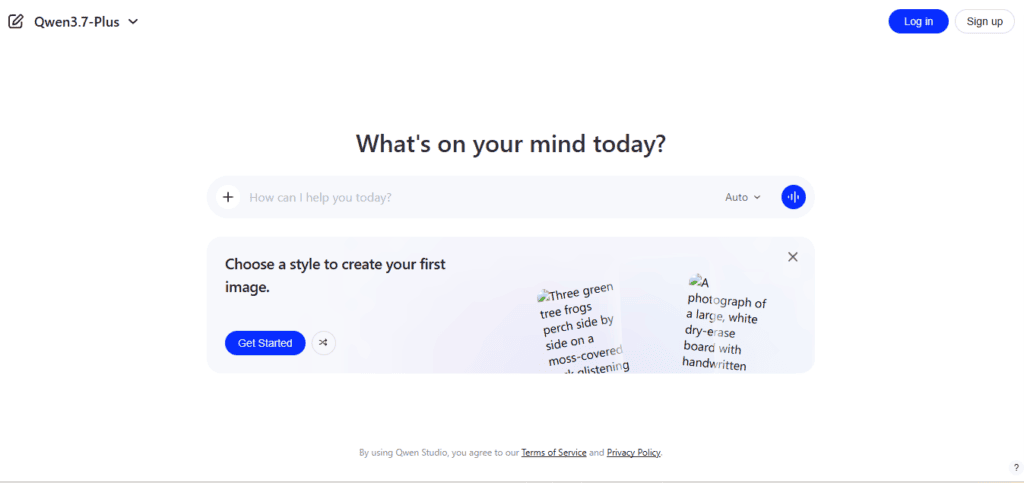
Overview: Alibaba’s free consumer chat app, built on its Qwen open-weight model family — one of the most-downloaded open model lineups in the world.
Key Features: Access to the Qwen3.7-Max flagship, strong multilingual support (particularly Chinese-English), open-weight models available for self-hosting.
Pros: Completely free consumer app; the underlying Qwen models are genuinely competitive on benchmarks and hold multiple top spots in open-model download rankings; excellent option for developers who want to self-host rather than pay per token.
Cons: No flat consumer subscription tier exists between free and full API billing; Alibaba’s free developer API tier ended in April 2026, replaced by a one-time token trial; smaller Western ecosystem and community support compared to OpenAI or Anthropic.
Pricing: Qwen Chat app: free. API: pay-per-token, from roughly $0.05 to $7.50 per million tokens depending on model.
Best For: Developers who want a free, capable, open-weight model family, and multilingual users who need strong Chinese-English performance.
Unique Strength: Open-weight availability combined with frontier-adjacent benchmark performance — you can self-host it entirely for zero ongoing cost.
Limitations: Less polished for non-technical, English-only users compared to ChatGPT or Claude.
Who Should Use It: Developers building on open-weight models, and multilingual users in Asia-Pacific markets.
Current AI Models: Qwen3.7-Max, Qwen3-Max, Qwen-Plus, Qwen-Flash.
Free Plan: Yes, the consumer app is entirely free.
Rating: 4.3/5
20. AiZolo
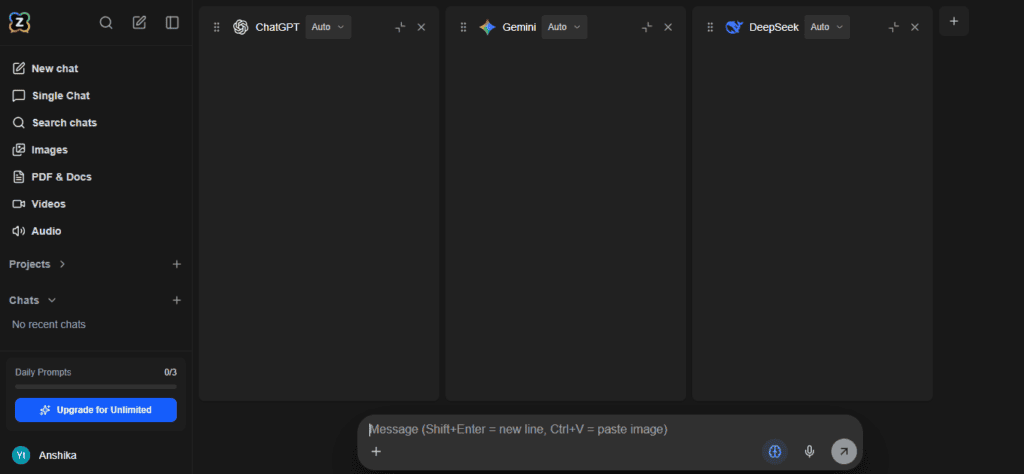
Overview: A smaller, independent all-in-one subscription that gives you access to multiple premium AI models — ChatGPT, Claude, Gemini, Perplexity, Grok, and others — through one dashboard, rather than paying for each separately.
Key Features: Side-by-side model comparison in one chat window, custom (encrypted) API key support, image/video/audio generation, a prompt manager, persistent AI memory, and one-click chat import from ChatGPT or Claude.
Pricing: Free (limited tokens and model access); Pro (~$9.90/mo); Yearly (~$99.90/yr).
Best For: People who genuinely don’t want to commit to a single AI lab and want to compare outputs across models without paying $20/month five times over.
Unique Strength: Cost. Compared to paying full price for ChatGPT Plus, Gemini Pro, Perplexity Pro, Claude Pro, and Grok separately (which adds up to roughly $100+/month combined), a bundled aggregator at under $10/month is a materially different price point — worth weighing against the tradeoff of relying on a third party rather than going direct.
Who Should Use It: Casual-to-moderate users who want to sample several premium models without paying for each subscription separately — worth trying on the free tier before committing.
Current AI Models: Aggregates GPT, Claude, Gemini, Perplexity, Grok, and others via API.
Free Plan: Yes, limited.
if your actual goal is comparing outputs across several premium models without five separate logins, a bundled aggregator like AiZolo is meaningfully cheaper than subscribing to each lab directly — see our full aggregator comparison for the complete pricing, feature matrix, and 18-platform breakdown.
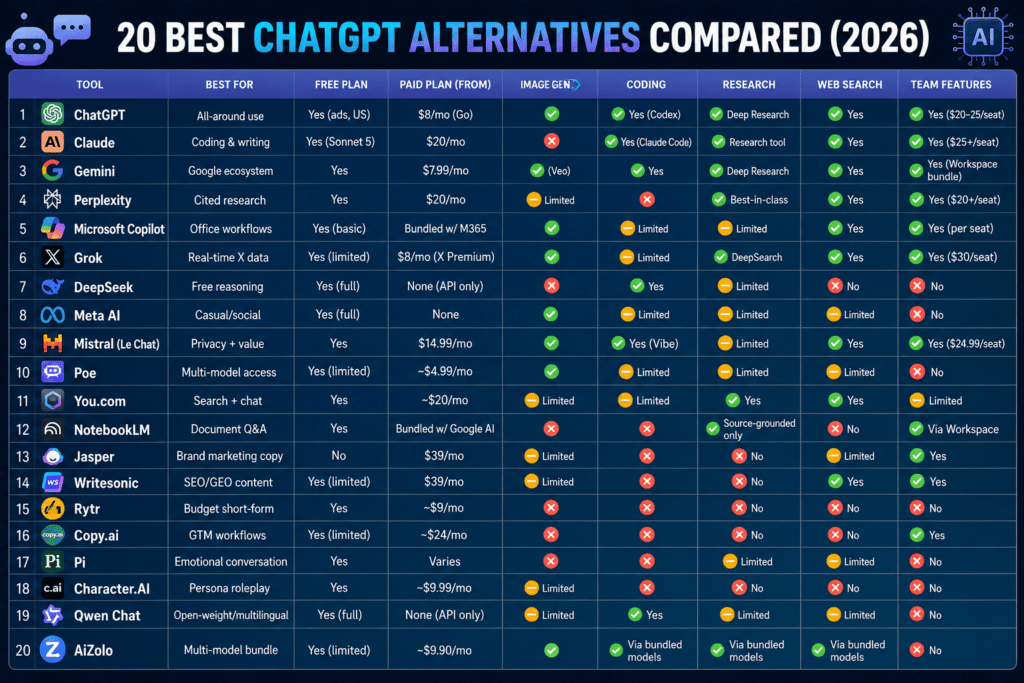
Full Comparison Table
| Tool | Best For | Free Plan | Paid Plan (from) | Image Gen | Coding | Research | Web Search | Team Features |
|---|---|---|---|---|---|---|---|---|
| ChatGPT | All-around use | Yes (ads, US) | $8/mo (Go) | Yes | Yes (Codex) | Deep Research | Yes | Yes ($20–25/seat) |
| Claude | Coding & writing | Yes (Sonnet 5) | $20/mo | No | Yes (Claude Code) | Research tool | Yes | Yes ($25+/seat) |
| Gemini | Google ecosystem | Yes | $7.99/mo | Yes (Veo) | Yes | Deep Research | Yes | Yes (Workspace bundle) |
| Perplexity | Cited research | Yes | $20/mo | Limited | No | Best-in-class | Yes | Yes ($20+/seat) |
| Microsoft Copilot | Office workflows | Yes (basic) | Bundled w/ M365 | Yes | Limited | Limited | Yes | Yes (per seat) |
| Grok | Real-time X data | Yes (limited) | $8/mo (X Premium) | Yes | Limited | DeepSearch | Yes | Yes ($30/seat) |
| DeepSeek | Free reasoning | Yes (full) | None (API only) | No | Yes | Limited | No | No |
| Meta AI | Casual/social | Yes (full) | None | Yes | Limited | Limited | Limited | No |
| Mistral (Le Chat) | Privacy + value | Yes | $14.99/mo | Yes | Yes (Vibe) | Limited | Yes | Yes ($24.99/seat) |
| Poe | Multi-model access | Yes (limited) | ~$4.99/mo | Yes | Limited | Limited | Limited | No |
| You.com | Search + chat | Yes | ~$20/mo | Limited | Limited | Yes | Yes | Limited |
| NotebookLM | Document Q&A | Yes | Bundled w/ Google AI | No | No | Source-grounded only | No | Via Workspace |
| Jasper | Brand marketing copy | No | $39/mo | Limited | No | No | Limited | Yes |
| Writesonic | SEO/GEO content | Yes (limited) | $39/mo | Limited | No | Chatsonic | Yes | Yes |
| Rytr | Budget short-form | Yes | ~$9/mo | No | No | No | No | No |
| Copy.ai | GTM workflows | Yes (limited) | ~$24/mo | No | No | No | Limited | Yes |
| Pi | Emotional conversation | Yes | Varies | No | No | No | Limited | No |
| Character.AI | Persona roleplay | Yes | ~$9.99/mo | Limited | No | No | No | No |
| Qwen Chat | Open-weight/multilingual | Yes (full) | None (API only) | Limited | Yes | Limited | Limited | No |
| AiZolo | Multi-model bundle | Yes (limited) | ~$9.90/mo | Yes | Via bundled models | Via bundled models | Via bundled models | No |
Prices and feature availability change frequently — verify current details on each provider’s official pricing page before subscribing.
Which AI Tool Is Best for You?
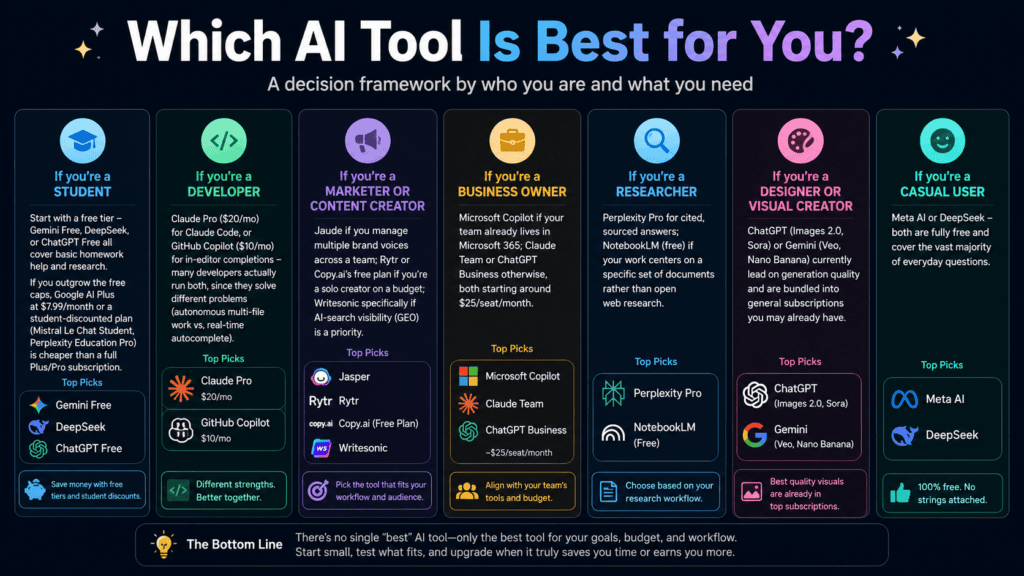
Rather than a single “best” answer, here’s a decision framework by who you are:
If you’re a student: Start with a free tier — Gemini Free, DeepSeek, or ChatGPT Free all cover basic homework help and research. If you outgrow the free caps, Google AI Plus at $7.99/month or a student-discounted plan (Mistral Le Chat Student, Perplexity Education Pro) is cheaper than a full Plus/Pro subscription.
If you’re a developer: Claude Pro ($20/mo) for Claude Code, or GitHub Copilot ($10/mo) for in-editor completions — many developers actually run both, since they solve different problems (autonomous multi-file work vs. real-time autocomplete).
If you’re a marketer or content creator: Jasper if you manage multiple brand voices across a team; Rytr or Copy.ai’s free plan if you’re a solo creator on a budget; Writesonic specifically if AI-search visibility (GEO) is a priority.
If you’re a business owner: Microsoft Copilot if your team already lives in Microsoft 365; Claude Team or ChatGPT Business otherwise, both starting around $25/seat/month.
If you’re a researcher: Perplexity Pro for cited, sourced answers; NotebookLM (free) if your work centers on a specific set of documents rather than open web research.
If you’re a designer or visual creator: ChatGPT (Images 2.0, Sora) or Gemini (Veo, Nano Banana) currently lead on generation quality and are bundled into general subscriptions you may already have.
If you’re a casual user: Meta AI or DeepSeek — both are fully free and cover the vast majority of everyday questions.
Free AI Tools Like ChatGPT
Free tiers vary enormously in what they actually let you do. Some quick honest notes on limitations:
- DeepSeek and Meta AI are the most generous — genuinely free with no paid tier at all, though DeepSeek lacks image generation and web browsing in its free chat, and Meta AI is weaker for technical work.
- Claude Free now runs Sonnet 5 (the same model as the paid Pro tier) since a June 2026 update, but with tighter usage caps and no Claude Code access.
- Gemini Free gives real access to Gemini Flash models plus limited Pro usage, NotebookLM, and Gemini Live, but Deep Research and higher usage caps are gated behind paid tiers.
- ChatGPT Free now shows ads in the US and caps you around 10 messages per 5-hour window before routing to a lighter model.
- Perplexity Free offers genuinely unlimited basic search, but advanced model access and Deep Research are capped.
- Mistral Le Chat Free is one of the most generous among the labs, at roughly 25 messages/day on capable models.
If you’re choosing a free tool for regular use rather than occasional testing, message caps and reset windows matter more than the headline “free” label — read the fine print before committing your workflow to one tool.
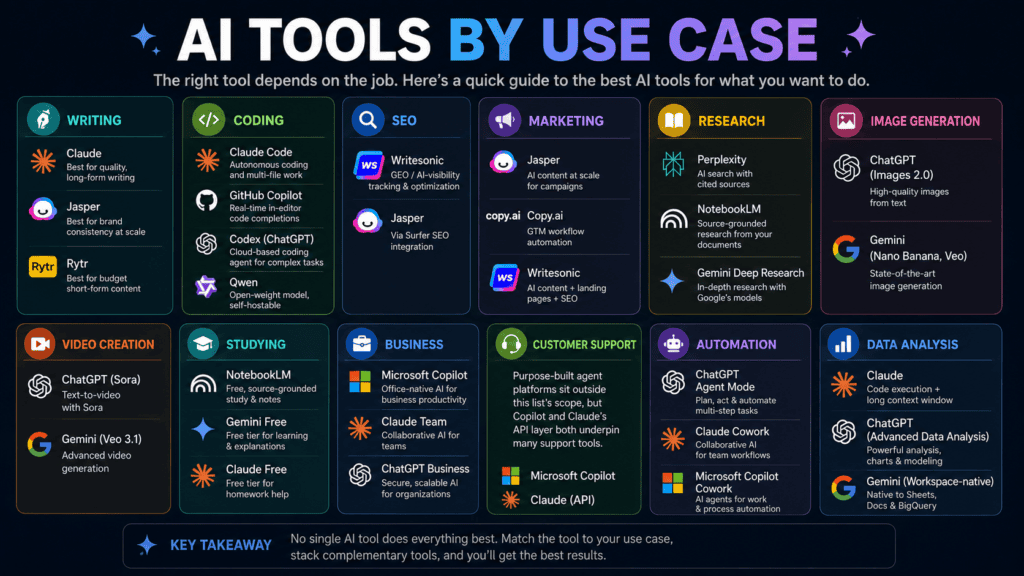
AI Tools by Use Case
Writing: Claude (quality), Jasper (brand consistency at scale), Rytr (budget short-form)
Coding: Claude Code, GitHub Copilot, ChatGPT’s Codex agent, Qwen (open-weight, self-hostable)
SEO: Writesonic (GEO/AI-visibility tracking), Jasper (via Surfer SEO integration)
Marketing: Jasper, Copy.ai (GTM workflow automation), Writesonic
Research: Perplexity, NotebookLM, Gemini Deep Research
Image Generation: ChatGPT (Images 2.0), Gemini (Nano Banana, Veo)
Video Creation: ChatGPT (Sora), Gemini (Veo 3.1)
Studying: NotebookLM (free, source-grounded), Gemini Free, Claude Free
Business: Microsoft Copilot (Office-native), Claude Team, ChatGPT Business
Customer Support: Purpose-built agent platforms sit outside this list’s scope, but Copilot and Claude’s API layer both underpin many support tools.
Automation: ChatGPT Agent Mode, Claude Cowork, Microsoft Copilot Cowork
Data Analysis: Claude (code execution + long context), ChatGPT (Advanced Data Analysis), Gemini (Workspace-native)
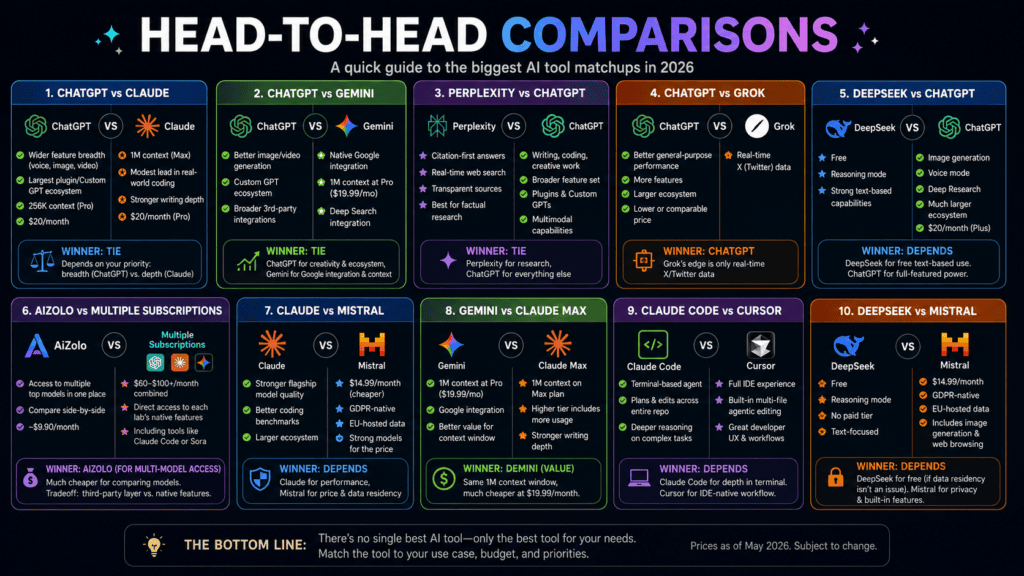
Head-to-Head Comparisons
ChatGPT vs Claude: ChatGPT wins on breadth — voice, image, video, and the largest plugin ecosystem. Claude wins on context window (1M tokens on Max vs. ChatGPT Pro’s 256K) and has a modest lead on real-world coding benchmarks. Both cost $20/month at the standard tier, so the decision usually comes down to whether you need Claude’s coding/writing depth or ChatGPT’s multimedia breadth.
ChatGPT vs Gemini: Gemini’s biggest edge is native Google integration and a larger context window at the mid-tier ($19.99/mo Pro includes 1M tokens). ChatGPT still leads on image/video generation quality and its Custom GPT ecosystem.
Perplexity vs ChatGPT: For factual, sourced research, Perplexity’s citation-first design has a real edge. For general-purpose tasks — writing, coding, creative work — ChatGPT’s broader feature set wins.
ChatGPT vs Grok: Grok’s only genuine differentiator is real-time X/Twitter data. Outside that specific use case, ChatGPT is the stronger general-purpose choice at a comparable or lower price.
DeepSeek vs ChatGPT: DeepSeek is free and includes a genuine reasoning mode; ChatGPT Plus ($20/mo) adds image generation, voice mode, Deep Research, and a much larger ecosystem. If your needs are purely text-based and budget is the deciding factor, DeepSeek is a legitimate free substitute for a large share of ChatGPT’s capability.
AiZolo vs using multiple subscriptions: If you specifically want ongoing access to several premium models at once — say, comparing GPT, Claude, and Gemini side-by-side on the same prompt — paying for each individually runs upward of $60–$100/month combined.
A bundled aggregator like AiZolo, at roughly $9.90/month, is materially cheaper for that specific use case. The tradeoff is that you’re relying on a small third party rather than going direct to each lab, so weigh that against how much you actually value multi-model comparison versus deep, lab-native features (like Claude Code or Sora) that don’t always carry over cleanly into an aggregator.
Claude vs Mistral: Claude wins decisively on flagship model quality and coding benchmarks; Mistral wins on price ($14.99/mo vs $20/mo) and data residency (GDPR-native, EU-hosted). If you’re switching specifically over privacy concerns, Mistral is the more relevant comparison than Claude.
Gemini vs Claude Max (context window): Both offer 1M-token windows, but Gemini includes it at the $19.99/mo Pro tier while Claude gates it behind the $100/mo Max plan. If context window is your only reason for switching, Gemini is the cheaper path to the same number.
Claude Code vs Cursor: Claude Code is a terminal-based agent that plans and edits across a whole repository; Cursor is a full IDE built around the same kind of multi-file agentic editing. Developers who want to stay in an editor tend to prefer Cursor; those comfortable working from the terminal often prefer Claude Code’s reasoning depth.
DeepSeek vs Mistral (budget switchers): DeepSeek is free with no paid tier at all but processes data in China and has no image generation or web browsing. Mistral costs $14.99/mo but is GDPR-native and includes more built-in features. The choice usually comes down to whether data residency is a hard requirement or a non-issue for you.
Common Mistakes When Choosing an AI Tool
Choosing based only on popularity. ChatGPT having the most users doesn’t mean it’s the best fit for your specific coding, research, or writing workflow.
Ignoring privacy policies. Where your data is processed and whether it’s used for training varies significantly — this matters more for business use than casual chat.
Ignoring pricing tiers below the headline number. The “$20/month” plan is rarely the full story once you look at message caps, context windows, and what’s actually gated behind higher tiers.
Ignoring integrations you already rely on. If your work lives in Microsoft 365 or Google Workspace, the native-integration tool often beats a technically “smarter” standalone competitor on real productivity.
Ignoring usage limits. Free and entry-tier plans often reset every few hours, not daily — hitting a wall mid-task is a common frustration that a quick read of the fine print would have avoided.
Ignoring model update cadence. Some tools ship new models every few weeks; others are slower. If you need the latest capability first, that cadence matters as much as the current benchmark score.
The Future of AI Tools
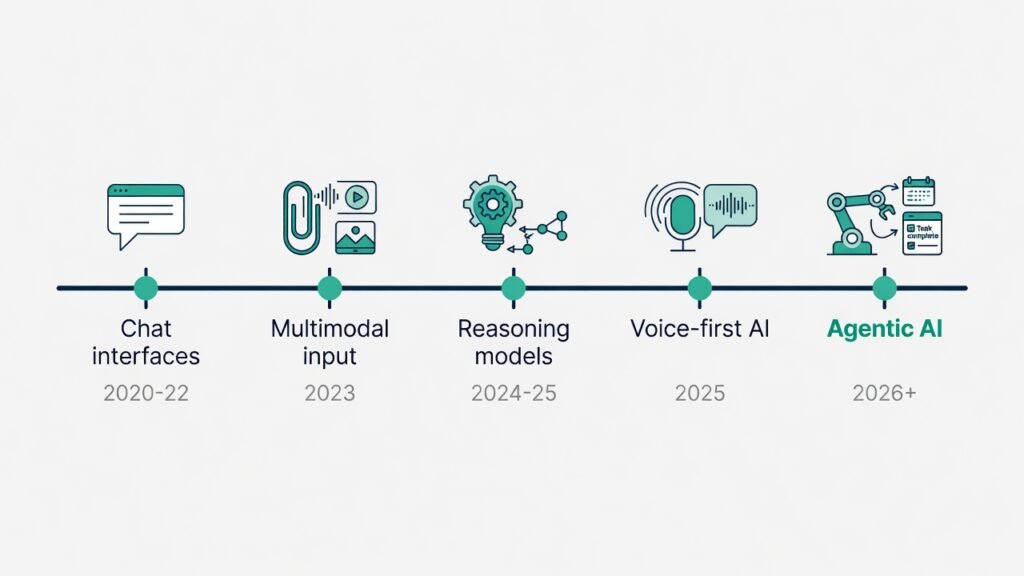
A few shifts are already visible heading into the second half of 2026:
Agentic AI is moving from a novelty to a core feature — ChatGPT’s Agent Mode, Claude’s Cowork, and Microsoft’s Copilot Cowork all let AI complete multi-step tasks autonomously rather than just answering questions.
Voice AI is becoming a primary interface, not an add-on — Advanced Voice Mode and Gemini Live both point toward talking to AI the way you’d talk to a person, not typing at it.
Reasoning models (models that “think” before answering, shown as DeepThink, Thinking Mode, or similar) are becoming standard across nearly every major lab, not a premium add-on.
Open-source and local models are maturing fast — Qwen and DeepSeek’s open-weight releases now compete credibly with closed frontier models on many benchmarks, which matters for anyone who wants to self-host for cost or privacy reasons.
Multimodal-by-default is the new baseline — text-only chatbots are becoming the exception rather than the rule, as image, voice, and video generation get folded into standard subscriptions.
FAQ
1. What are the best AI tools like ChatGPT? ChatGPT, Claude, Gemini, and Perplexity are the four most broadly capable alternatives, each with a different strength — breadth, coding/writing depth, ecosystem integration, and sourced research, respectively.
2. Are there any free AI tools like ChatGPT? Yes. DeepSeek and Meta AI are completely free with no paid tier. Gemini, Claude, and ChatGPT also offer usable free plans with lower message caps and fewer premium features.
3. Which AI tool is best for coding? Claude, largely due to Claude Code and its long context window, is a common top pick for software engineering. GitHub Copilot remains the cheapest dedicated option for in-editor autocomplete at $10/month.
4. Which AI tool is best for research and citations? Perplexity, because it attaches sourced citations to nearly every answer by default, which most standard chatbots don’t do.
5. Is Claude better than ChatGPT? Neither is universally “better” — Claude tends to win on long-context reasoning, careful writing, and coding; ChatGPT wins on breadth, including image and video generation and its plugin ecosystem. The right choice depends on your primary use case.
6. What’s the cheapest way to access multiple premium AI models? Subscribing to each lab separately (ChatGPT, Claude, Gemini, Perplexity, Grok) can run $100+/month combined. Multi-model aggregators like Poe or AiZolo bundle access at a fraction of that cost, though with tradeoffs in depth and native features versus going direct.
7. Is DeepSeek safe to use for business data? DeepSeek is based in China and processes data under Chinese data laws, which many businesses and regulated industries explicitly prohibit for sensitive or proprietary work. Evaluate your organization’s data policy before using it professionally.
8. What’s the difference between an LLM and a chatbot like ChatGPT? The LLM (like GPT-5.6 or Claude Sonnet 5) is the underlying model that generates text. The chatbot is the conversational interface built on top of it, often adding features like memory, image handling, or web search.
9. Can I use more than one AI tool at once? Yes, and many professionals do — for example, Claude Pro for coding and writing plus Perplexity Pro for research, or ChatGPT Plus plus a free tool like DeepSeek for lighter tasks.
10. Which AI tool has the largest context window? Claude’s Max plans offer a 1M-token context window, matched by Gemini’s 3.1 Pro at the same size, both well above ChatGPT Pro’s 256K.
11. Are AI writing tools like Jasper worth it over just using ChatGPT? It depends on scale. If you’re managing brand-consistent copy across a team, Jasper’s Brand Voice and compliance tooling adds real value. For occasional or solo writing, a general chatbot usually covers the same ground for less money.
12. What is NotebookLM and how is it different from ChatGPT? NotebookLM is a Google research tool that answers questions strictly from documents you upload, rather than drawing on general knowledge like ChatGPT. It’s built to reduce hallucination for research and study use cases, not to be a general-purpose assistant.
13. Is Meta AI as good as ChatGPT? For casual, everyday questions, Meta AI holds up well and is completely free. For technical, professional, or highly specific work, ChatGPT’s paid tiers generally offer more depth.
14. What AI tool is best for image generation? ChatGPT’s Images 2.0 currently leads independent image-arena benchmarks by a wide margin, with Gemini’s Nano Banana and Veo family as the strongest Google-ecosystem alternative.
15. Do I need a paid plan, or is the free tier enough? For casual use — occasional questions, light writing help — most free tiers are genuinely sufficient. If you hit message caps regularly, need advanced models, or require features like Deep Research, voice mode, or coding agents, a paid tier becomes worth it.
16. Which AI tool is best for students specifically? Gemini Free or Google AI Plus ($7.99/mo) for the Workspace/Docs integration and generous context window, plus NotebookLM (free) for organizing and querying lecture notes and readings.
17. What’s the difference between Grok’s various pricing tiers? Grok’s pricing is unusually fragmented: X Premium ($8/mo) bundles limited Grok access with X features; SuperGrok ($30/mo) is the standalone AI-focused tier with DeepSearch and Big Brain Mode; SuperGrok Heavy ($300/mo) is the top consumer tier on the market.
18. Are open-source AI models like Qwen or DeepSeek’s open weights a real alternative? Yes, particularly for developers who want to self-host for cost or data-control reasons. Qwen holds several top spots in open-model download rankings, and both Qwen and DeepSeek’s open-weight releases are competitive with closed models on many benchmarks.
19. How often do AI tool prices change? More often than most software categories — several tools in this guide changed their pricing structure within the past few months. Always check the provider’s live pricing page before subscribing.
20. What should I check before switching from ChatGPT to an alternative? Confirm the alternative actually covers your specific use case (not just “AI in general”), check its free tier limits against your real usage, and compare context window and message caps at the price point you’d actually pay — headline prices alone don’t tell the full story.
Conclusion
There’s no single “best AI tool like ChatGPT” — there’s a best tool for what you’re actually trying to do. ChatGPT remains the strongest all-rounder. Claude leads for coding and long-form writing. Gemini wins if you live inside Google’s ecosystem. Perplexity is unmatched for sourced research.
DeepSeek and Meta AI prove you don’t need to pay anything to get real value. And if your actual goal is comparing several premium models without paying for each one separately, a bundled option is worth a look on its free tier before you commit.
The practical move is to pick based on your workflow, not on whichever tool is loudest this month — start with a free tier, see where it hits a wall, and upgrade only when you actually feel that wall.
For readers who want to keep exploring AI comparisons and workflow guides, additional breakdowns and tool roundups are available on ytzolo.com.
Author: Anshika Verma Email: anshika@ytzolo.com
Anshika Verma is an AI researcher and technical content writer who specializes in evaluating AI tools and tracking pricing, feature, and model changes across the generative AI landscape. Her writing draws on publicly available product documentation, official pricing pages, and independent benchmark reporting to help readers make evidence-based decisions rather than relying on marketing claims.

