
Introduction
Picture this.
You just finished editing a 20-minute video. Three days of filming, scripting, and cutting. You’re exhausted. And then it hits you — you still need a thumbnail.
So you open Canva. You spend another 45 minutes dragging boxes, testing fonts, scrolling through stock images that don’t even match your content.
You finally upload.
200 views.
Meanwhile, another creator in your niche — similar topic, similar quality — pulls in 80,000+ views. Their thumbnail? Clean. Bold. Impossible to ignore.
Here’s the reality most creators overlook: your thumbnail is your first impression — and your biggest growth lever.
According to YouTube Creator Academy, over 90% of top-performing videos use custom thumbnails. That’s not a coincidence — it’s a strategy.
In 2026, attention is the currency of YouTube. Your content doesn’t win first — your thumbnail does. If it doesn’t stop the scroll, your video never gets a chance.
That’s where things change.
With an AI thumbnail maker from YouTube video, you can turn your actual video into multiple high-converting thumbnail options in minutes — no design skills, no guesswork, no wasted hours.
Instead of starting from a blank canvas, AI analyzes your content, extracts the most clickable moments, and applies proven CTR strategies automatically.
The result? Better thumbnails. Higher clicks. Faster growth.
In this guide, you’ll learn exactly how it works, what separates great tools from average ones, and why creators using ytZolo are scaling their channels faster than ever.
Let’s get into it.
Table of Contents
Why Your YouTube Thumbnail Is More Important Than Your Video
This might sound harsh. But it’s backed by data.
According to YouTube’s own Creator Academy, 90% of the best-performing videos on YouTube use custom thumbnails. That’s not luck. That’s strategy. Your thumbnail directly controls your click-through rate (CTR) — and CTR is one of the most powerful signals the YouTube algorithm reads.
A high CTR tells YouTube: “People love this content. Show it to more people.” That kicks off a snowball effect. More impressions lead to more views, more watch time, and faster channel growth.
But thumbnails don’t work alone — pairing them with strong titles is critical, and these YouTube AI title best practices show how to create titles that maximize clicks alongside your visuals.
Think about it this way: you could have the most valuable video on the internet — but if the thumbnail doesn’t stop the scroll, no one will ever know it exists.
Average videos pull a 2–5% CTR. Top-performing creators? They’re hitting 8–12%. That gap in clicks is the difference between a stagnant channel and one that grows every single week.
The creators winning in 2026 are the ones who treat their thumbnail like a product launch. And the smartest ones? They’re using an AI thumbnail maker from YouTube video to do it faster than ever.

What Is an AI Thumbnail Maker From YouTube Video?
An AI thumbnail maker from YouTube video is exactly what it sounds like — a tool powered by artificial intelligence that analyzes your video content and automatically generates high-performing thumbnail options.
Instead of starting from a blank canvas, you paste your YouTube URL or upload your video file. The AI does the heavy lifting.
Here’s what a good AI thumbnail generator can do:
- Analyze your video for key scenes, emotional moments, and visual highlights
- Understand your niche and apply design patterns proven to work in that space
- Generate multiple thumbnail variations at YouTube’s recommended 1280×720px resolution
- Apply color psychology, bold typography, and composition rules automatically
- Export high-quality files ready for direct upload — no resizing, no compression headaches
The result? Professional-quality thumbnails in minutes, not hours. And because the AI is trained on millions of high-performing YouTube videos, it knows what drives clicks in your specific niche.
That’s not something a generic template or a tired Canva drag-and-drop workflow can compete with.
How AI Thumbnail Makers Actually Work
Let’s pull back the curtain.
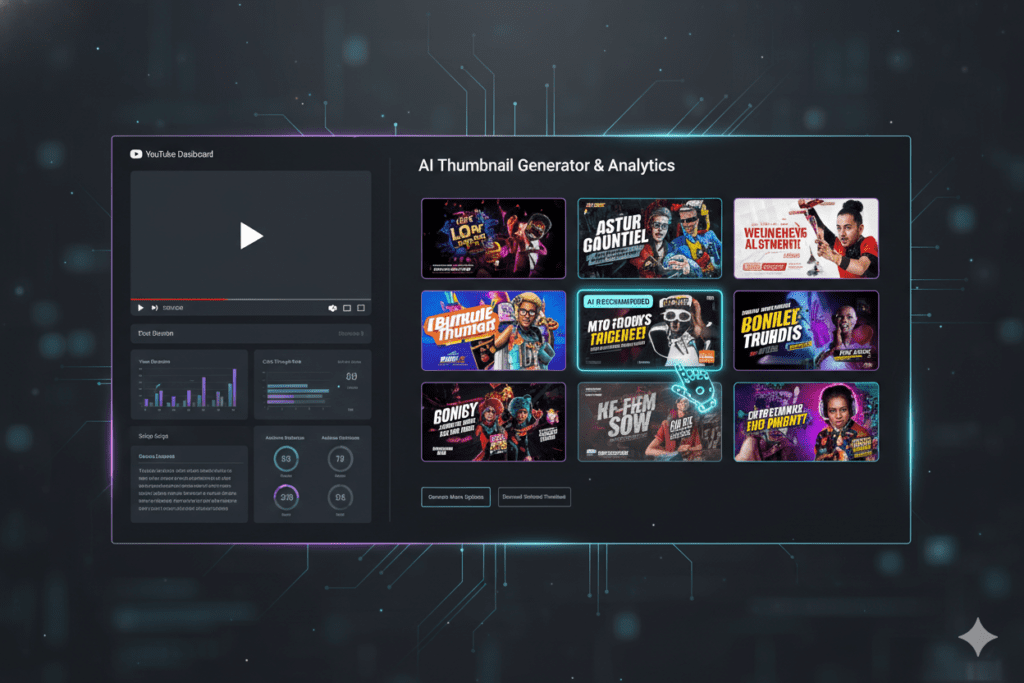
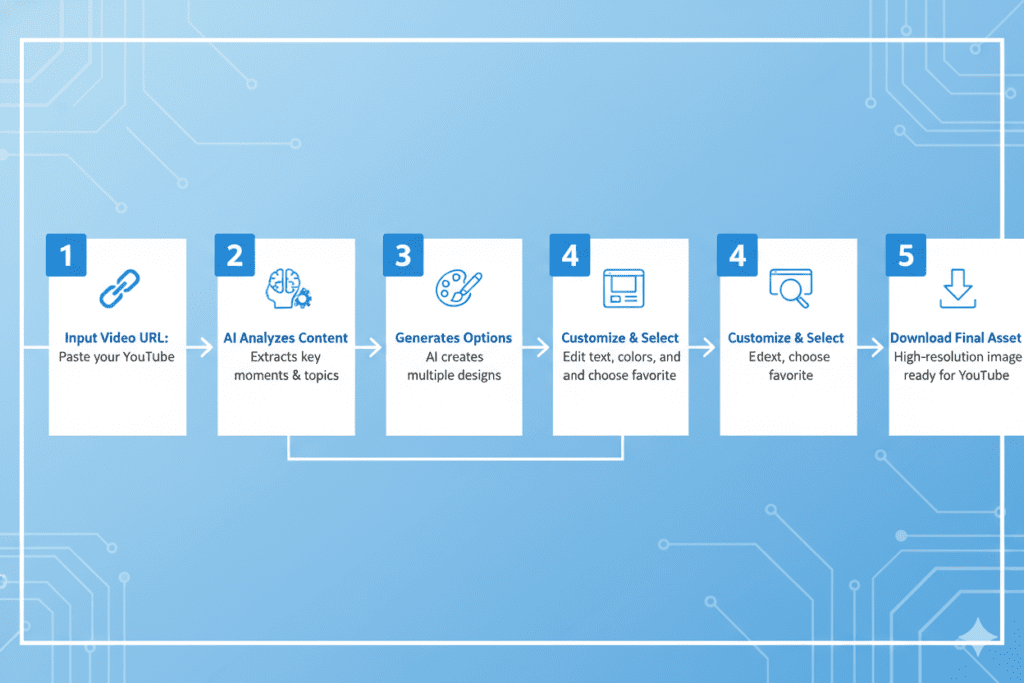
When you use an AI thumbnail maker from YouTube video, the tool doesn’t just randomly generate pretty images. It follows a smart, data-driven process:
Step 1: Video Analysis
You paste your YouTube link or upload your file. The AI scans the video — identifying high-emotion moments, key visual scenes, and faces with strong expressions.
Step 2: Niche Intelligence
The AI cross-references your content type against millions of high-performing thumbnails in the same niche. It knows that a gaming thumbnail looks different from a finance thumbnail — and it designs accordingly.
Step 3: Composition & Design
The tool selects the best frame, applies contrast-optimized backgrounds, adds compelling text overlays, and structures the layout for maximum visual impact at small preview sizes.
Step 4: Multiple Variations
Most AI thumbnail tools generate 3–6 distinct options in one pass. This lets you A/B test different versions and find the highest CTR winner.
Step 5: Download & Publish
You download in full HD. No watermarks, no resizing, no fuss. Upload directly to YouTube Studio in seconds.
The whole process? Under five minutes. Compare that to the 1–3 hours most creators spend manually designing thumbnails, and the math starts to feel ridiculous.
Why Manual Thumbnail Design Is Holding You Back
Let’s be real about what the old way actually costs you.
Most YouTubers are not graphic designers. Spending hours in Canva or Photoshop every upload is not a creative process — it’s a time sink. And when you’re also scripting, filming, editing, managing SEO, and responding to comments, that time adds up fast.
Here’s what the manual thumbnail design process typically looks like:
- 30–60 minutes scrubbing through footage for a usable frame
- 20–30 minutes removing backgrounds and cutting out your face
- 30–45 minutes experimenting with layouts, fonts, and colors
- 15–20 minutes fixing sizing, exporting, and re-uploading after getting it wrong
- Total: 1.5 to 3 hours per video — often more
Multiply that by 2–4 uploads per month and you’re spending 3–12 hours every single month just on thumbnail design. Hours you could spend creating better content, building your audience, or actually living your life.
Creators who use an AI thumbnail maker from YouTube video reclaim those hours instantly. And they’re not just saving time — they’re improving quality. Because AI doesn’t have bad design days.
In 2026, relying on outdated manual methods to make thumbnails is like writing blog posts on a typewriter. Technically possible. Completely unnecessary.

What to Look for in the Best AI Thumbnail Maker From YouTube Video
Not every AI thumbnail tool is worth your time. The market is full of basic generators that churn out generic, low-quality results with no real YouTube intelligence.
When you’re evaluating an AI thumbnail maker from YouTube video, here’s what actually matters:
YouTube-Specific Intelligence
Generic AI image generators don’t know what makes a gaming thumbnail different from a cooking thumbnail. Look for a tool that’s been trained specifically on YouTube data — one that understands CTR, niche trends, and platform-specific design rules.
Video-First Workflow
The best tools start from your actual video. They analyze scenes, extract key frames, and pull emotional moments — rather than just generating something from a text prompt with no connection to your content.
Full HD Export, No Watermarks
Your thumbnails need to look professional. Always. A tool that slaps a watermark on your work or limits resolution on free plans isn’t a real solution.
Multiple Variations for A/B Testing
The best thumbnail is the one your audience actually clicks. You need options to test. Look for tools that generate 3+ distinct variations per video so you can find your highest CTR winner.
Brand Consistency
Top creators have instantly recognizable thumbnail styles. Look for a tool that learns your brand — fonts, colors, layout — and applies it consistently across every video.
Integration With Your Full Workflow
The smartest AI thumbnail makers don’t work in isolation. They connect with your titles, descriptions, and tags so everything is aligned. That’s where tools like ytZolo pull so far ahead of the competition.
Step-by-Step: How to Create a Thumbnail From Your YouTube Video Using AI
Here’s exactly how to use an AI thumbnail maker from YouTube video to go from raw footage to a click-worthy thumbnail in minutes.
Step 1: Choose Your Tool Pick an AI thumbnail platform built specifically for YouTube creators. (More on why ytZolo is the best option below.)
Step 2: Paste Your YouTube URL or Upload Your Video Most tools accept both published YouTube links and raw video files. Paste the URL of your video — or upload the file if it’s not published yet.
Step 3: Let the AI Analyze Your Content The AI scans your video for key moments, high-emotion frames, faces, text overlays, and visual highlights. This typically takes 30–60 seconds.
Step 4: Review Your Thumbnail Options The tool presents 3–6 fully designed thumbnail options. Each one is already optimized for 1280×720px, with bold text overlays, contrasting backgrounds, and CTR-focused composition.
Step 5: Customize if Needed Swap fonts, adjust colors, rewrite the overlay text, or change the background. Most AI tools let you tweak the output without rebuilding from scratch.
Step 6: Download in Full HD Export your thumbnail as a PNG or JPEG at full resolution. No watermarks. No compression. Ready for YouTube Studio.
Step 7: Upload and Test Upload to YouTube Studio. If you want to maximize CTR, create two versions and use YouTube’s built-in Test & Compare feature to find the winner.
That’s it. The entire process — from URL to finished thumbnail — takes under five minutes.
Why ytZolo Is the Best AI Thumbnail Maker From YouTube Video
Here’s where things get interesting.
Most AI thumbnail tools do one thing. They generate thumbnails. Done. You still need a separate tool for your titles. Another for your description. Another for your tags. Another for your scripts.
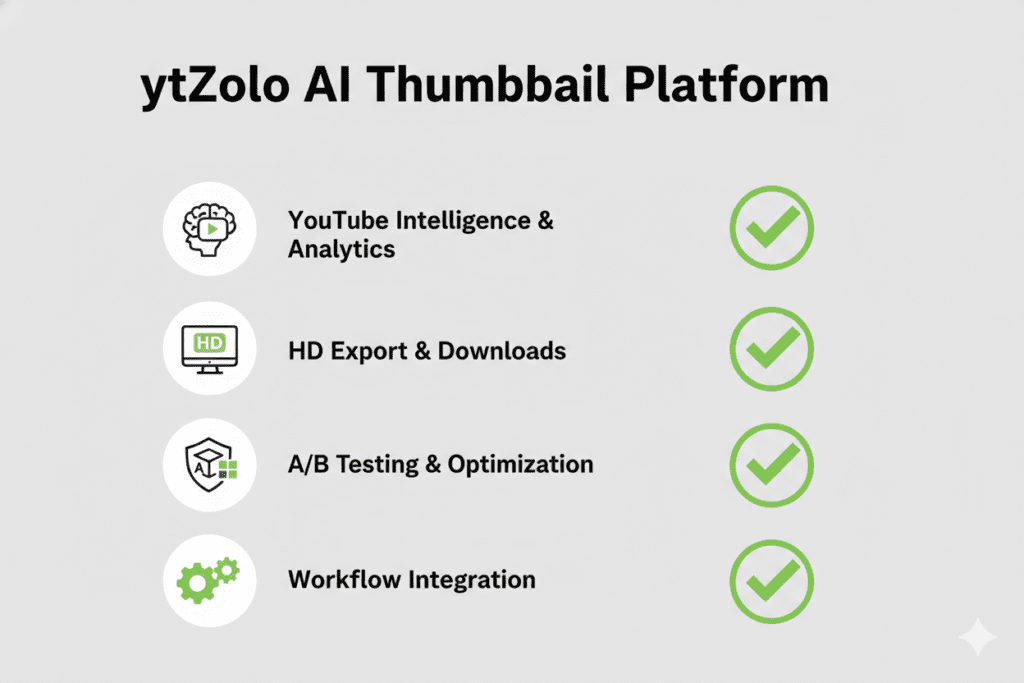
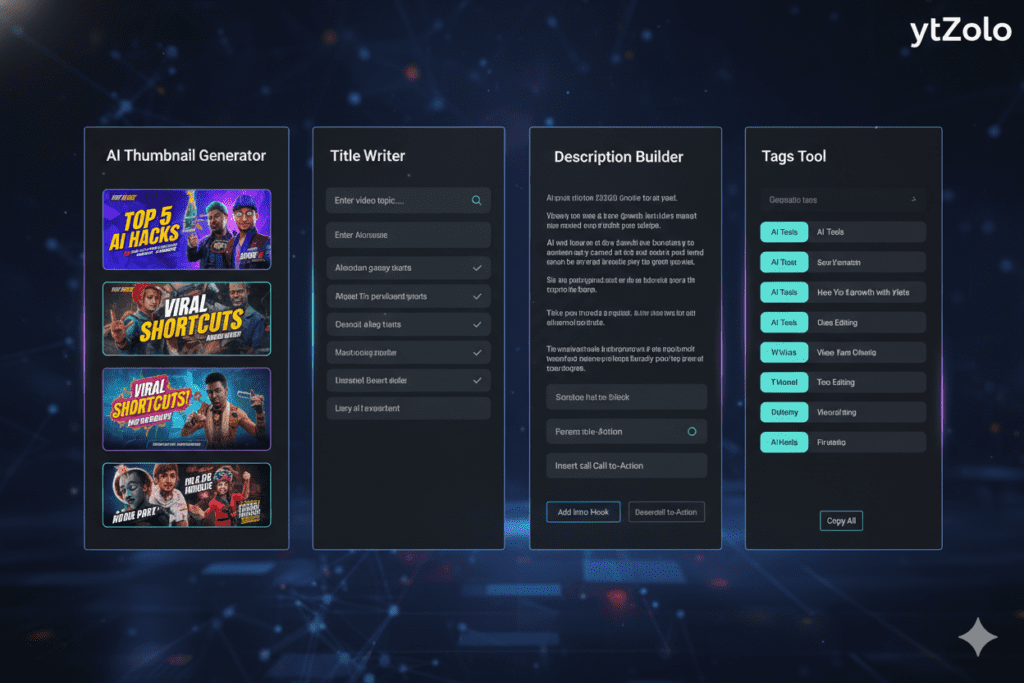
ytZolo is different. It’s an all-in-one AI YouTube growth platform — and the thumbnail generator is just the beginning.
What Makes ytZolo Stand Out
Purpose-Built for YouTube Creators ytZolo isn’t a generic AI image generator repurposed for thumbnails. It was built specifically for YouTubers, trained on what actually drives CTR on the platform — color psychology, text placement, emotional triggers, and niche-specific trends.
Thumbnails That Match Your Content When you use ytZolo as your AI thumbnail maker from YouTube video, the AI reads your video topic, title, and niche. The thumbnails it generates are not random — they’re aligned with your content strategy and optimized for clicks.
Full HD Output, Zero Watermarks Every thumbnail exports at crisp 1280×720px (or higher) with no watermarks and no limits on resolution. Your work looks professional every single time.
Consistent Brand Identity ytZolo remembers your visual style. Your fonts, your color palette, your layout preferences. Every thumbnail it generates feels like yours — not a generic template everyone else is using too.
Connected to Your Full Growth Strategy This is ytZolo’s biggest advantage. Your thumbnail doesn’t exist in a vacuum. It works with your title, your description, your tags, and your script. ytZolo integrates all of these so your entire video strategy is aligned from day one.
Creators who were uploading once every two weeks start uploading twice a week when they use ytZolo. That’s 4x more content — and 4x more chances for a video to go viral.
Check out more tools and insights on the ytZolo blog to see how top creators are using AI to grow faster.
Why ytZolo Is Better Than Other Tools
Let’s compare ytZolo against the most commonly used alternatives.
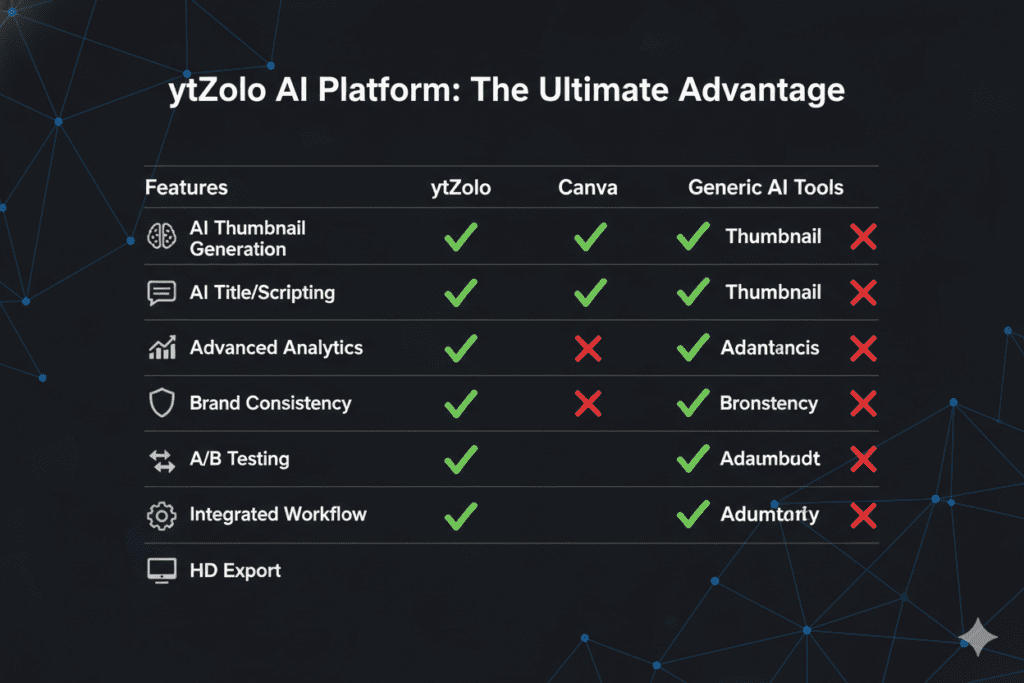
| Feature | ytZolo | Canva | Generic AI Generators |
|---|---|---|---|
| YouTube-specific AI training | ✅ Yes | ❌ No | ❌ No |
| Video-to-thumbnail workflow | ✅ Yes | ❌ No | ⚠️ Limited |
| Full HD, no watermarks | ✅ Yes | ⚠️ Paid only | ⚠️ Often limited |
| Multiple CTR variations | ✅ Yes | ❌ No | ⚠️ Limited |
| Integrated title/tag/description tools | ✅ Yes | ❌ No | ❌ No |
| Brand consistency memory | ✅ Yes | ⚠️ Manual | ❌ No |
| Built for viral content | ✅ Yes | ❌ No | ❌ No |
Canva is great for general design. But it has zero YouTube-specific intelligence. It doesn’t know what makes a finance thumbnail different from a travel thumbnail. It doesn’t sync with your title strategy. It doesn’t optimize for CTR.
Generic AI image generators — tools built for social media broadly — don’t understand YouTube’s algorithm. They generate images that look good in a vacuum but don’t perform in the competitive feed environment of YouTube.
ytZolo was built specifically for one platform and one goal: getting your YouTube videos more views. Every feature — from the AI thumbnail maker from YouTube video to the title writer, script builder, description generator, and tag optimizer — was designed around the YouTube growth engine.
That’s a fundamentally different kind of tool. And it shows in the results.
For more on how to build a smarter YouTube content strategy with AI, explore the ytZolo blog — it’s packed with actionable growth guides for creators at every level.
Pro Tips to Maximize CTR With AI-Generated Thumbnails
Getting the best results from your AI thumbnail maker from YouTube video is about more than just hitting “generate.” Here are the strategies top creators use to squeeze every last click out of their AI-powered thumbnails.
If you want to go deeper into optimization strategies, these AI video thumbnail SEO tips break down exactly how to design thumbnails that consistently rank higher and attract more clicks.
Use Strong Emotions, Not Just Pretty Images
Thumbnails with strong facial expressions drive significantly higher CTR than polished but neutral visuals. When the AI generates options with face close-ups, choose the one with the most intense expression — surprise, excitement, shock, or curiosity.
Keep Text Under Five Words
More than 60% of YouTube viewing happens on mobile. If you cram five or more words onto a thumbnail, it becomes visual noise on a small screen. Let the AI use minimal, punchy text — two or three words maximum.
Test Multiple Variations Every Time
Don’t pick one thumbnail and call it done. Generate at least two or three variations from your AI thumbnail maker from YouTube video, then use YouTube Studio’s built-in Test & Compare feature to find the winner. Even a 1–2% CTR difference can dramatically change your view count over time.
Match the Thumbnail to the Video Promise
High CTR with low watch time is a death sentence for your channel. The AI will generate click-worthy designs — but make sure the thumbnail accurately represents what’s in your video. Misleading thumbnails hurt long-term channel performance.
Refresh Old Thumbnails
Don’t let your archive rot. Use an AI thumbnail maker from YouTube video to regenerate thumbnails for your top 10 older videos. A better thumbnail on an established video can revive it in the algorithm — sending a fresh wave of traffic to content you already made.
You can amplify results even further by updating your titles alongside your thumbnails — this YouTube title changer guide shows exactly how to do it without hurting your rankings.
Build a Consistent Visual Identity
Top creators like MrBeast have instantly recognizable thumbnail styles. Consistency builds trust and makes your videos immediately identifiable in the feed. Use ytZolo’s brand memory feature to keep your thumbnails looking like you — video after video.
FAQ: AI Thumbnail Maker From YouTube Video
1. What is the best AI thumbnail maker from YouTube video in 2026?
The best AI thumbnail maker from YouTube video in 2026 is one that’s purpose-built for the platform — not a generic design tool repurposed for YouTube. ytZolo stands out because it combines YouTube-specific AI training, video-first workflows, CTR-optimized design, and full integration with your entire content strategy (titles, descriptions, tags, and scripts). It’s the all-in-one AI growth tool that serious creators use to grow faster.
2. Can AI really create better thumbnails than a human designer?
AI thumbnail tools can absolutely match — and often outperform — manual design for YouTube. That’s because they’re trained on millions of high-performing YouTube thumbnails and understand the data-driven principles behind high CTR: color contrast, text placement, facial expressions, and niche-specific visual trends. A human designer brings creativity, but AI brings speed, consistency, and performance data. The best approach in 2026 is using AI to generate and a human eye to review.
3. How does an AI thumbnail maker from YouTube video work?
You paste your YouTube URL or upload your video file. The AI analyzes the video for key scenes, emotional moments, faces, and content context. It then applies design rules — contrast, typography, composition — to generate multiple thumbnail variations optimized for YouTube’s 1280×720px format. The whole process takes under five minutes.
4. Does using AI thumbnails hurt channel authenticity?
No — when done right. The key is making sure your AI-generated thumbnail accurately represents your video content. Thumbnails that promise something the video doesn’t deliver lead to high click abandonment, which signals to YouTube that your content isn’t worth promoting. Tools like ytZolo help you create thumbnails that are both compelling and honest about your content.
5. How many thumbnail variations should I test?
Most YouTube experts recommend testing two to three variations per video. YouTube’s own Test & Compare feature lets you run proper A/B tests inside YouTube Studio. Even small CTR improvements — 0.5% to 2% — can significantly increase your total views over time, especially on evergreen content. Always generate multiple options with your AI thumbnail maker from YouTube video and let the data tell you which one wins.
Conclusion
Your thumbnail is the most important piece of content you create for every video you upload.
It decides who clicks. It determines your CTR. It signals to YouTube whether your video deserves to be pushed to thousands — or millions — of new viewers.
In 2026, the creators who are growing the fastest aren’t working harder. They’re working smarter. They’re using AI thumbnail makers from YouTube video to generate professional, CTR-optimized thumbnails in minutes — not hours. And they’re doing it consistently, at scale, without burning out.
The manual way is over. Spending three hours in Canva for every upload is not a strategy. It’s a grind that slows your growth and exhausts your creativity.
ytZolo gives you everything you need to compete at the highest level — not just an AI thumbnail maker from YouTube video, but a complete AI growth engine for your channel. Titles. Scripts. Descriptions. Tags. Thumbnails. All in one place. All optimized to get your videos more views.
The creators who start using tools like ytZolo today are the ones who will dominate their niches tomorrow.
Don’t get left behind.
Start creating smarter, faster, and more viral YouTube content with ytZolo today.
For more tips on growing your YouTube channel with AI, check out the ytZolo blog — your go-to resource for actionable, creator-first growth strategies.
External Resources:


Pingback: YouTube Title Changer: Boost CTR & Views Instantly (2026)
Pingback: 10 YouTube AI Title Best Practices That Avoid Huge Mistakes!
Pingback: 7 AI Video Thumbnail SEO Tips That Avoid Costly CTR Fails