
Introduction
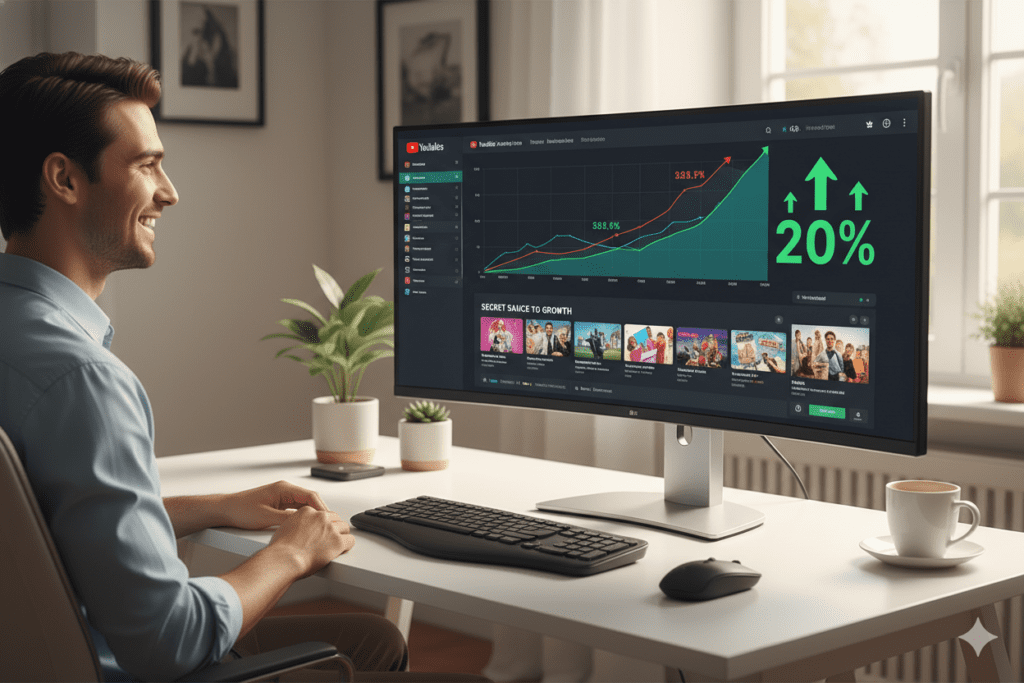
Meet Jordan. A full-time content creator. Passionate. Talented. Consistent.
Jordan spends 12 hours filming and editing every video. And then spends another 3 hours fighting with Photoshop — just to make a thumbnail that “looks okay.”
The result? A 2.8% click-through rate. Average views. A channel that refuses to grow no matter how hard Jordan works.
Sound familiar?
Here’s the thing most creators discover too late: the quality of your content does not determine your views. Your thumbnail does.
And in 2026, using the right AI thumbnail design tool is the single fastest way to change that.
In this guide, you’ll learn why thumbnails make or break channels, what separates a high-CTR thumbnail from a forgettable one, how an AI YouTube thumbnail maker solves problems manual design can’t, and why ytZolo has become the platform of choice for creators who are serious about growth.
By the end, you’ll have everything you need to stop wasting time and start making thumbnails that actually earn clicks.
Table of Contents
Why Thumbnails Are the Most Underrated Growth Lever on YouTube
Ask ten YouTubers what’s killing their growth and you’ll hear the same answers every time.
“My editing isn’t good enough.” “I need better equipment.” “The algorithm just doesn’t like my channel.”
But dig into the data, and the real culprit is almost always staring right at them — a weak thumbnail.
Here’s what the numbers actually say:
- According to YouTube’s Creator Academy, 90% of the best-performing videos on YouTube use custom thumbnails. Not default screenshots. Not random video frames. Intentional, strategically designed visuals.
- A strong channel CTR sits above 6–7%. Exceptional channels hit 9–10%+. The average? Just 3–5%. The thumbnail is the primary difference.
- Research from TubeBuddy’s analysis of 100,000+ videos shows that high-CTR thumbnails can increase visibility by 30–40% — without changing a single frame of your actual video.
Here’s the uncomfortable truth: YouTube is not a video platform. It’s a scroll platform. People don’t watch YouTube — they browse it. And in that split second of scrolling, your thumbnail is either winning the click or losing it forever.
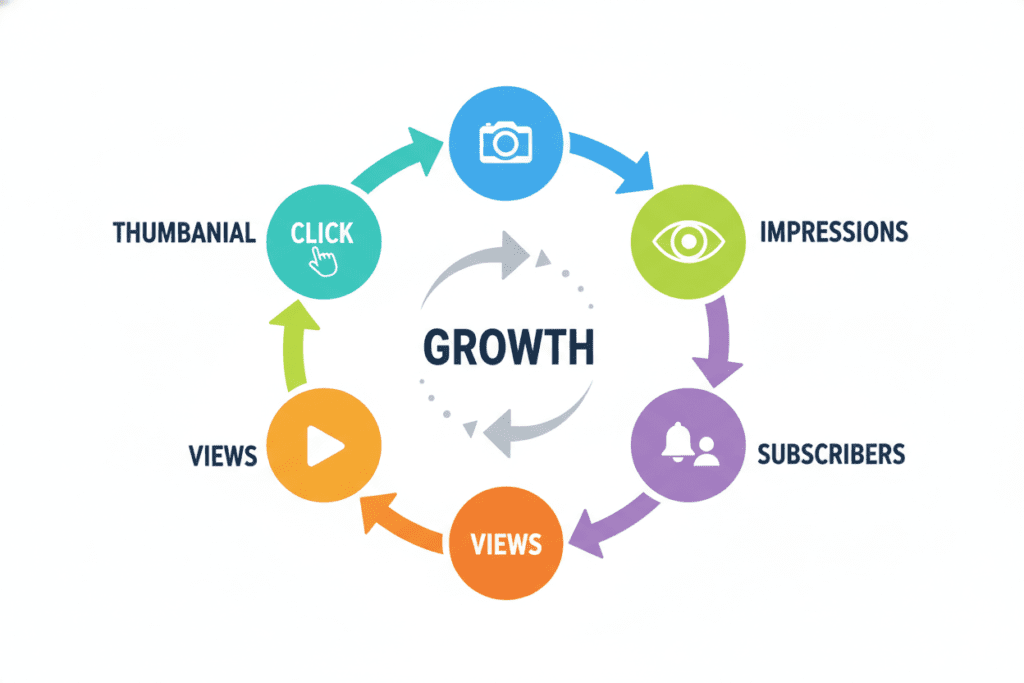
Your click-through rate (CTR) is one of the strongest signals in YouTube’s recommendation algorithm. A higher CTR tells the algorithm your content is compelling. The algorithm responds by showing your video to more people. More impressions lead to more clicks. More clicks lead to more views. More views lead to subscribers and revenue.
It’s a flywheel. And the AI YouTube thumbnail maker is the engine that starts it spinning.
What Makes a Thumbnail “Click-Worthy” in 2026?
Before we talk about tools, let’s understand the psychology behind thumbnails that actually convert. This is the foundation that every great AI YouTube thumbnail maker is built on.
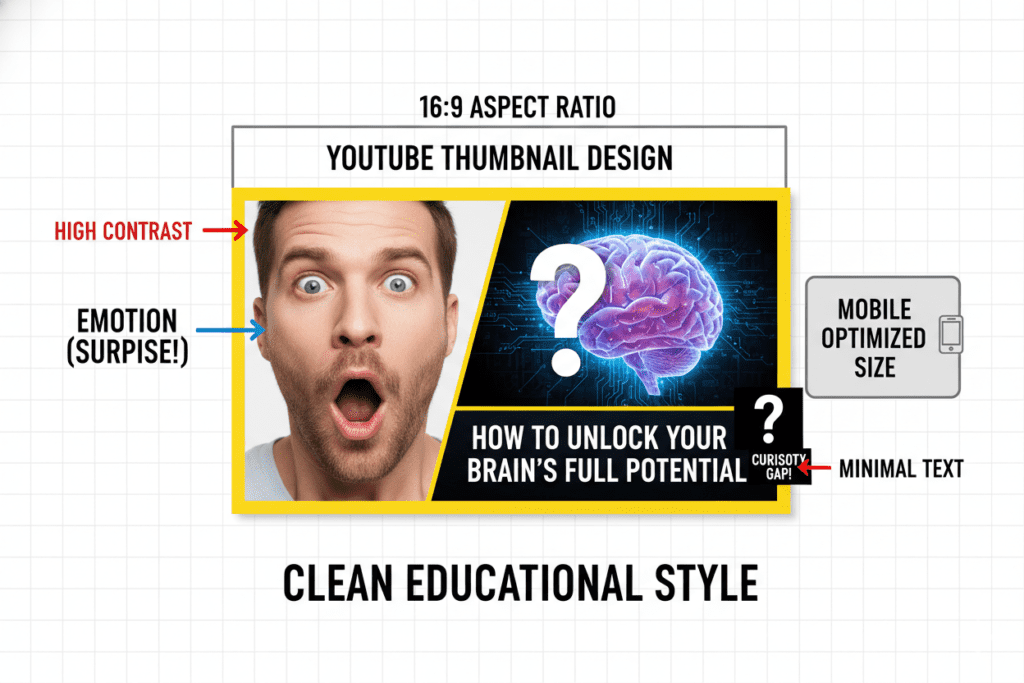
Human Faces With Strong Emotion
The human brain processes faces before it processes anything else. Thumbnails featuring expressive emotions — surprise, excitement, curiosity, even a genuine laugh — consistently drive more clicks than any other visual style.
VidIQ research confirms that emotional face thumbnails can boost CTR by 20–30% compared to neutral expressions. The bigger and more readable the emotion, the better it performs on mobile.
High Contrast That Pops Off the Screen
Your thumbnail needs to visually stand out the moment it appears. Bold colors, strong contrast between subject and background, and clean visual separation are what make a thumbnail “pop.”
The best thumbnails look like the subject was physically lifted off the background and placed on top of it. Muted, low-contrast designs vanish into the feed.
Minimal, Punchy Text
Fewer words win. Always. Research consistently shows that 3 words or fewer on a thumbnail outperform longer text overlays. Text should add curiosity, not explain the whole video.
Short power phrases like “I WAS FIRED” or “THIS ACTUALLY WORKED” make people need to click. Full sentences make people feel like they already got the information.
Mobile-First Thinking
Over 70% of YouTube views happen on mobile devices. If your thumbnail doesn’t read clearly at 150 pixels wide, it’s already lost in the feed.
Bold fonts. Single focal point. Minimal clutter. These are not optional design choices — they’re survival requirements.
The Curiosity Gap
The most-clicked thumbnails create an unanswered question. They show enough to spark interest without giving away the full story. Viewers click to resolve the tension the thumbnail created.
If you want to see how top creators craft irresistible hooks, check out these real Viral YouTube video title examples and notice how they amplify thumbnail curiosity.
This is the invisible mechanism behind every viral video you’ve ever clicked on without fully knowing why.
The Hidden Cost of Designing Thumbnails Manually
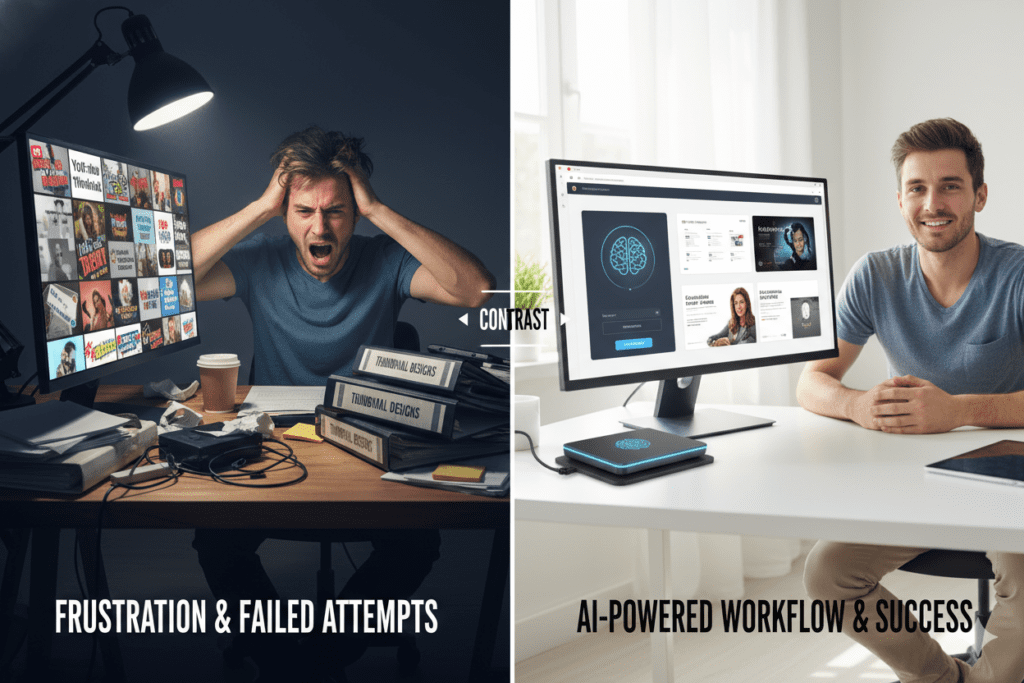
Most creators think the only cost of manual thumbnail design is the time it takes. The real cost is much higher.
The Time Cost The average creator spends 1–3 hours per thumbnail in Canva, Photoshop, or similar tools. That’s time spent searching for stock images, cutting out backgrounds, choosing fonts, picking colors, second-guessing everything. Over 50 videos, you’ve spent up to 150 hours — on thumbnails alone.
The Financial Cost Hiring a professional thumbnail designer costs anywhere from $20 to $150 per thumbnail. Three videos per week? That’s potentially $23,400 per year just for visual design. Most creators can’t afford this. And even those who can are paying for something an AI YouTube thumbnail maker can deliver faster and more strategically.
The Consistency Cost When thumbnails are designed manually, quality fluctuates. Some look polished. Others look rushed. Inconsistent thumbnails confuse your audience and weaken your channel brand. The algorithm also notices — channels with inconsistent visual styles tend to see less predictable CTR.
The Strategy Cost This is the biggest one. Most manual thumbnail designs are built on feel, not data. Creators pick colors they like. Add text that seems clever. Choose images that look okay to them.
But what looks good to a creator is not necessarily what makes a viewer click. Without data on what works in your specific niche, you’re guessing. And on YouTube in 2026, guessing is a losing strategy.
According to HubSpot’s content research, creators using AI tools in their workflow produce content up to 3x faster while maintaining higher quality and consistency. That’s not a marginal edge — that’s a fundamental competitive advantage.
What Is an AI YouTube Thumbnail Maker?
An AI thumbnail design tool is a tool that uses artificial intelligence to design click-optimized thumbnail images for your videos — automatically.
You provide the context: your video title, topic, niche, or script. The AI does the design work: selecting the right visual composition, applying high-CTR color psychology, generating expressive imagery, placing text strategically, and producing a professional result in seconds.
The key word is strategic. A quality AI YouTube thumbnail maker isn’t a random image generator. It’s a tool trained specifically on what drives clicks on YouTube — analyzing thousands of high-performing thumbnails across dozens of niches to understand what patterns consistently win.
Here’s what separates a great AI thumbnail generator for YouTube from a generic one:
- YouTube-specific training — the AI understands niche visual trends, not just general aesthetics
- CTR optimization focus — every design choice is made around getting clicks, not just looking nice
- Content alignment — the thumbnail reflects what the video actually promises, protecting both CTR and retention
- Multiple variations — different options for A/B testing, not just one output
- HD output, no watermarks — professional-quality exports ready for YouTube Studio
The best AI YouTube thumbnail maker tools do something generic tools can’t: they understand the difference between a gaming channel thumbnail and a finance channel thumbnail. They know what color schemes convert in your niche. They apply those insights without you having to ask.

How ytZolo’s AI YouTube Thumbnail Maker Works
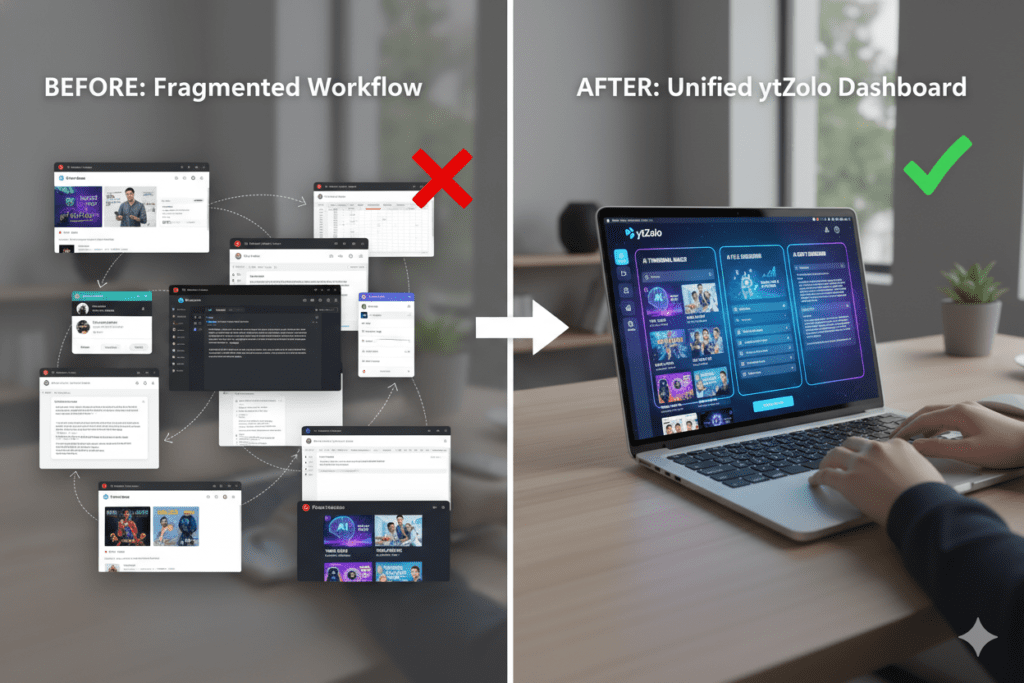
Most AI thumbnail generator for YouTube tools solve one problem. ytZolo solves the whole thing.
ytZolo is an all-in-one AI YouTube growth platform — and its thumbnail generation feature is built directly into a complete content creation workflow. Here’s what makes ytZolo’s approach fundamentally different from standalone thumbnail tools:
It Starts With Your Content, Not a Template
When you use a generic thumbnail tool, you’re filling in a template. When you use ytZolo’s AI YouTube thumbnail maker, you’re starting from your actual content.
You enter your video title or topic. ytZolo’s AI reads it, understands the hook, and generates thumbnail concepts that are visually aligned with what your video promises. The thumbnail and title tell the same story from two different angles — which is critical for both CTR and viewer retention.
It’s Trained on YouTube Performance Data
ytZolo doesn’t just understand images. It understands YouTube.
Its AI has been trained on high-performing content across niches — analyzing what visual patterns, color combinations, text placements, and emotional cues actually drive clicks on the platform. This isn’t general graphic design knowledge. It’s YouTube-specific conversion intelligence built into every output.
It Produces Multiple Variations for Testing
Every generation from ytZolo’s automatic YouTube thumbnail generator produces multiple distinct thumbnail options. You’re never stuck choosing between “take it or leave it.”
Pick your favorite. Or pick two and run them through YouTube Studio’s Test & Compare feature. Real performance data — not your gut feeling — makes the final call.
YouTube’s own Creator Blog consistently highlights that creators who test thumbnails see measurable improvements in both CTR and watch time. ytZolo makes that process frictionless by giving you test-ready variations from the start.
It Integrates With Your Full Content Pipeline
To maximize performance, creators often pair thumbnails with optimized titles using a YouTube video title generator, ensuring both elements work together to increase CTR and viewer retention.
Here’s where ytZolo becomes genuinely transformative. While most AI YouTube thumbnail maker tools stop at the image, ytZolo keeps going.
In the same session, you can generate:
- Your AI-optimized video title
- Your full video script
- Your SEO description
- Your keyword tags
Your thumbnail is created alongside everything else. The title informs the thumbnail design. The tags reinforce the description. The script is structured for maximum watch time. Everything is aligned. Everything is consistent.
That’s not a collection of features. That’s a growth system.
It Exports Clean, Professional HD Images
No watermarks. No branding. No quality compromise. Clean, high-resolution exports ready to upload directly to YouTube Studio. Your audience sees polished professionalism — not a tool’s advertisement.
Explore the full feature set and creator resources on the ytZolo blog to see how creators across niches are using the platform to grow their channels.

It Doesn’t Stop at Visuals — The Full Creator Stack
Here’s what most creators don’t realize until they’re already inside ytZolo: the thumbnail generator is just one piece of a much bigger system.
Once your video package (title, thumbnail, script, description, tags) is ready, the same platform gives you a complete AI Audio Studio — so you never have to leave for a separate voiceover, music, or dubbing tool:
- AI Voice & Text-to-Speech — turn your script into a natural-sounding voiceover in minutes, including multi-voice dialogue for interviews, skits, or narrated stories
- Voice Changer — reshape or stylize a recorded voice without re-recording a single line
- AI Music Generator — generate background tracks that match your video’s mood, with no copyright strikes to worry about
- AI Sound Effects — generate custom SFX from a text prompt instead of digging through royalty-free libraries
- Voice Isolator / Noise Removal — clean up noisy audio recorded in imperfect environments
- AI Dubbing — localize your video into other languages, with forced alignment keeping the new audio in sync with the original footage
For a creator, that means the same session that produces your thumbnail can also produce your voiceover, your background music, your sound effects, and — if you’re expanding internationally — a fully dubbed, multilingual version of your video.
That’s the real difference between an AI thumbnail maker and an AI YouTube growth platform. One makes an image. The other builds the entire video package around it.
Why ytZolo Is Better Than Other Tools
The AI YouTube thumbnail maker market is packed with options in 2026. Here’s an honest breakdown of how ytZolo stacks up:
| Tool | What It Does Well | Where It Falls Short |
|---|---|---|
| Canva | Beautiful templates, beginner-friendly drag-and-drop | General-purpose design; no YouTube CTR intelligence; all creative decisions fall on you |
| VidIQ Thumbnail Maker | Integrated with a familiar analytics platform | Basic feature; not designed for content alignment or A/B testing at scale |
| Midjourney / DALL-E | Stunning artistic image generation | Zero YouTube knowledge; can’t optimize for CTR, niche, or mobile readability |
| Standalone AI Thumbnail Tools | Fast, purpose-built for thumbnails | Single-feature; you still need separate tools for titles, scripts, SEO, tags, voice, and music |
| ElevenLabs / Voice-Only Tools | High-quality voice generation | No thumbnails, no SEO, no video-specific workflow — one more subscription to manage |
| Epidemic Sound / Music Libraries | Large stock music catalogs | Pre-made tracks, not generated to match your specific content; separate licensing to track |
| ytZolo | Thumbnails + titles + scripts + descriptions + tags + full AI Audio Studio (voice, music, SFX, dubbing) in one dashboard | Nothing — it’s the complete creator toolkit |
Other tools solve one part of the video. ytZolo solves the video — the visuals, the words, and now the voice, music, and localization behind it.
The difference isn’t just features. It’s philosophy.
Canva was built for designers. Midjourney was built for artists. VidIQ was built for analysts. ytZolo was built for YouTubers. Every decision in the platform — from the thumbnail AI to the title generator to the script writer — was made with one goal: helping your videos reach more people.
When other tools show you data, ytZolo takes action.
When other tools hand you a template, ytZolo hands you a strategy.
According to Ahrefs’ YouTube SEO guide, creators who combine keyword-optimized content with high-CTR visuals experience compounding growth over time. ytZolo is the only platform specifically designed to optimize both simultaneously — inside a single workflow.
You could piece together five different subscriptions and try to make them work together manually. Or you could use one platform that was designed from day one to do all of it — and do all of it better.
Step-by-Step: How to Make a Winning Thumbnail With ytZolo
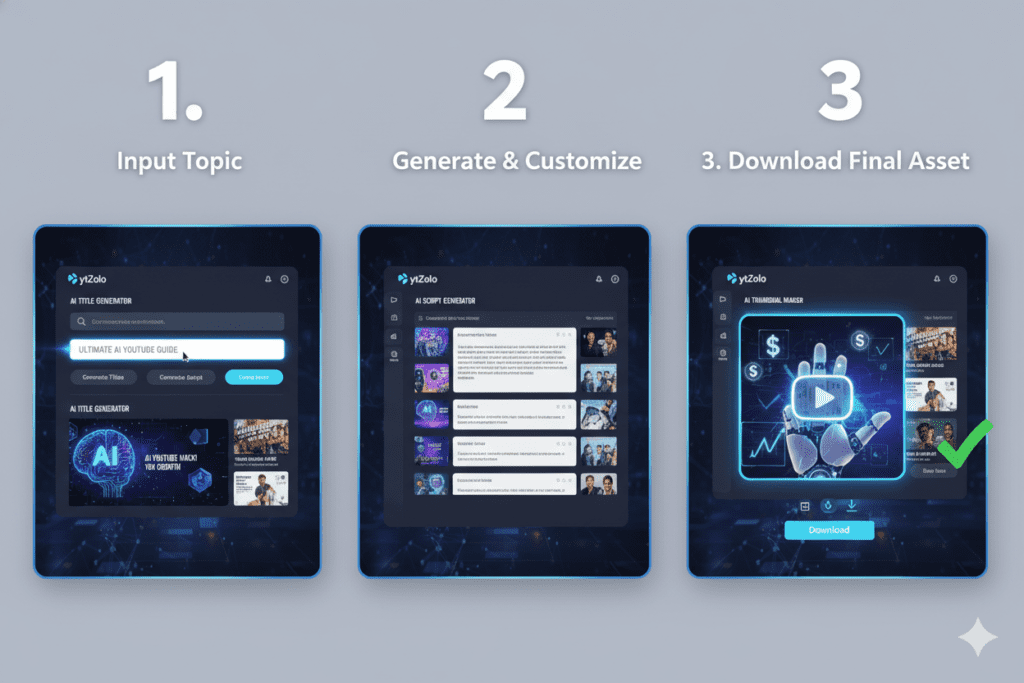
Ready to create your first AI-powered thumbnail? Here’s the exact process — start to finish:
Step 1 — Sign Up at ytZolo (Free) Head to ytzolo.com and create your free account. No credit card needed. You’re inside the platform in under 60 seconds.
Step 2 — Enter Your Video Topic or Title Type your video title or a description of your content. Be specific. “5 Signs You’re Sabotaging Your Own Success” will generate better outputs than just “productivity video.”
If you’re struggling to come up with a compelling hook, explore these YouTube video title ideas to spark high-CTR concepts before generating your thumbnail.
Step 3 — Run the AI YouTube Thumbnail Maker Hit generate. ytZolo’s AI analyzes your input, pulls from niche-specific performance patterns, and creates multiple thumbnail concepts in seconds. Each one is built around high-CTR principles: emotional impact, bold contrast, strong composition, mobile readability.
Step 4 — Review Your Variations Browse the thumbnail options. Each one is distinct — different visual approaches, different emotional tones, different compositions. No two look the same.
Step 5 — Select One (or Two for A/B Testing) Pick the thumbnail that best captures your video’s energy. If you want to maximize growth, select two and use YouTube Studio’s Test & Compare to let your audience data pick the winner.
Step 6 — Download in Full HD Download your AI YouTube thumbnail output. High resolution. Zero watermarks. Ready to upload.
Step 7 — Build Your Complete Video Package While you’re in ytZolo, use the same session to generate your optimized title, SEO description, keyword tags, and video script. Walk away with a fully prepared, algorithm-ready video in under 15 minutes.
That’s the workflow. That’s the competitive edge.
5 Mistakes Creators Make With Thumbnails (And How AI Fixes Them)
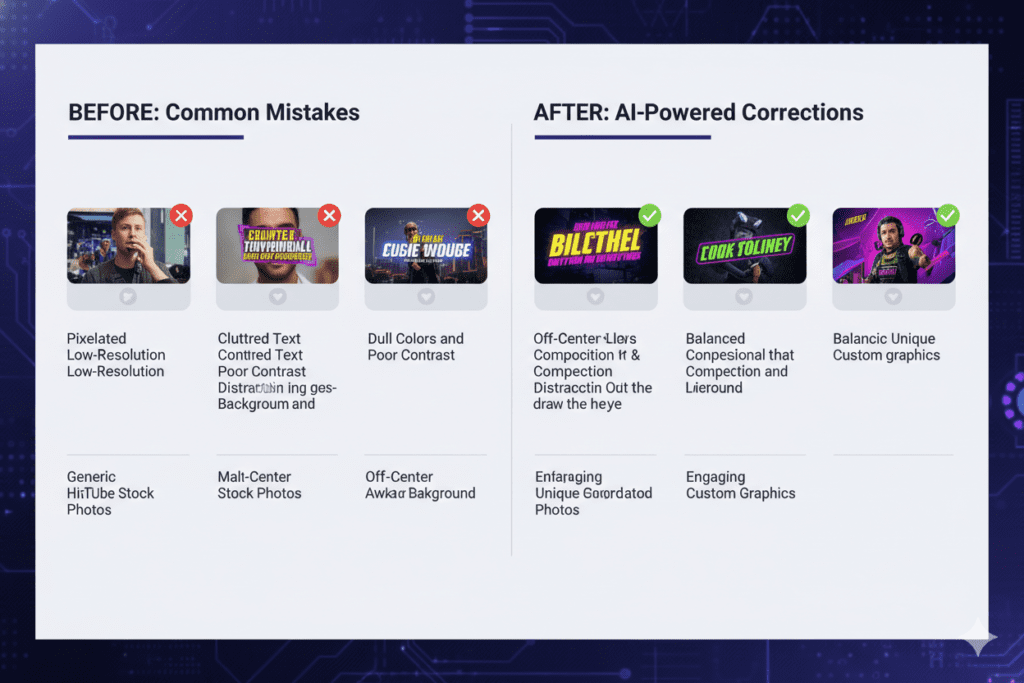
These five thumbnail mistakes show up on thousands of channels every day. Here’s what they are — and how ytZolo’s YouTube thumbnail creator AI eliminates each one automatically:
Mistake #1: Using Auto-Generated Screenshots Letting YouTube choose a random frame from your video is the fastest way to kill CTR. Auto-generated frames are almost always unflattering, unclear, and forgettable.
How ytZolo fixes it: Every thumbnail is a purposefully designed, content-aligned visual — never a random screenshot.
Mistake #2: Cluttered Designs With Too Many Elements Crowding a thumbnail with multiple faces, lots of text, background graphics, and icons creates visual chaos. Viewers can’t process it fast enough to click.
How ytZolo fixes it: The AI automatically applies single-focal-point composition, keeping designs clean, clear, and scroll-stopping.
Mistake #3: Text That Can’t Be Read on Mobile Small fonts, low contrast, decorative typefaces — these look fine on a desktop and become completely unreadable on the phone screen most viewers are actually using.
How ytZolo fixes it: Every thumbnail is optimized for mobile readability with bold, high-contrast typography from the start.
Mistake #4: Thumbnail and Title Tell the Same Story When your title text and thumbnail text say the same thing, you’re wasting one of your two creative assets. Both should reinforce each other — not duplicate each other.
How ytZolo fixes it: Because ytZolo generates your title and thumbnail together, they’re automatically designed to complement each other, not repeat.
Mistake #5: Designing From Gut Feel Instead of Data Most creators pick colors, fonts, and images based on personal taste — not based on what actually converts in their niche. Taste is not strategy.
How ytZolo fixes it: Every design decision is data-backed, trained on real YouTube performance patterns across niches. No guesswork involved.
FAQ
What is the best AI YouTube thumbnail maker in 2026?
The best YouTube thumbnail creator AI in 2026 is one that goes beyond simple image generation — it should create thumbnails optimized specifically for YouTube CTR, integrate with your content workflow, and produce HD exports without watermarks.
ytZolo stands out because it combines AI thumbnail generation with title creation, script writing, descriptions, and tags — all in one platform purpose-built for YouTube growth. It’s not just a thumbnail tool — it’s a complete creator system.
How does an AI YouTube thumbnail maker improve my channel?
An AI thumbnail generator for YouTube improves your channel by boosting your click-through rate (CTR) — the metric YouTube uses to decide how widely to distribute your content. Higher CTR triggers more impressions, which drives more organic views and subscribers.
AI tools are trained on what actually converts on YouTube — emotional expressions, color contrast, mobile readability, and niche-specific visual patterns — giving your thumbnails a data-backed edge that manual design simply can’t match consistently.
Is ytZolo different from other AI YouTube thumbnail makers?
Yes — significantly. Most AI thumbnail tools are single-purpose: they make an image and that’s it. ytZolo is a full-stack AI YouTube growth platform. It generates your thumbnail alongside your video title, script, description, and tags — all aligned around the same content strategy.
That integration means your entire video package works together cohesively, which impacts both CTR and retention — not just the thumbnail alone.
Does ytZolo do more than thumbnails and titles?
Yes. Beyond the AI YouTube thumbnail maker, ytZolo includes a full AI Audio Studio — AI voice generation and text-to-speech, multi-voice dialogue, a voice changer, AI music generation, AI sound effects, voice isolation for cleaning up noisy audio, and AI dubbing with forced alignment for multilingual videos.
That means a single ytZolo session can take you from thumbnail and script all the way to a fully voiced, scored, and even dubbed video — without opening a separate app for each piece.
Can I use ytZolo to translate or dub my videos into other languages?
Yes. ytZolo’s AI dubbing feature generates localized audio for your video and uses forced alignment to keep the new voice track in sync with your original footage. This is especially useful for creators looking to expand into new markets without re-recording or hiring separate voice talent for each language.
Do I need design experience to use an AI thumbnail generator for YouTube?
Not at all. The entire point of tools like ytZolo is to remove the design barrier completely. If you can type your video topic into a text field, you can generate a professional, CTR-optimized thumbnail in minutes.
No Photoshop skills. No graphic design background. No creative blocks. The AI handles all the design strategy while you focus on creating content.
How often should I update or test my YouTube thumbnails?
Most YouTube growth experts recommend A/B testing every video with at least two thumbnail variations. YouTube Studio’s Test & Compare feature runs simultaneous tests and shows you which thumbnail drives more clicks and watch time after reaching around 1,000 impressions.
Beyond that, it’s worth revisiting thumbnails on older videos with high impressions but below-average CTR — a thumbnail swap alone can revive a video’s performance without touching the content.
Conclusion
Jordan — the creator we talked about at the start — made one change. They stopped designing thumbnails manually and started using an AI thumbnail design tool.
Within 30 days, their CTR climbed from 2.8% to 7.4%. Views tripled. Comments picked up. The channel finally started moving.
Nothing else changed. Same camera. Same editing style. Same upload schedule. Same niche. Just better thumbnails — designed smarter, faster, and built to convert.
That’s not a lucky break. That’s what happens when you stop guessing and start using data.
In 2026, YouTube is more competitive than ever. Millions of videos fight for the same attention every single day. Your AI YouTube thumbnail maker is not a nice-to-have anymore. It’s the difference between growing and stalling.
And thumbnails are just the entry point. ytZolo gives you everything you need in one place: a powerful AI thumbnail design tool, an AI title generator, an AI script writer, an SEO description tool, smart tag suggestions — plus a full AI Audio Studio for voiceovers, multi-voice dialogue, music, sound effects, voice isolation, and multilingual dubbing. One dashboard. One workflow. Every piece of your video built to work together.
You’ve already put in the work on your content. Don’t let a weak thumbnail — or five disconnected tools — bury it.
Before you publish your next video, make sure your title is just as optimized as your thumbnail — this guide on using a YouTube video title generator will help you create titles that actually get clicks.
Start creating smarter, faster, and more viral YouTube content with ytZolo today.
For more actionable creator strategies and channel growth guides, visit the ytZolo blog — one of the best free resources for YouTubers who are serious about growing in 2026.
Anshika Verma
Content Strategist, ytZolo
Anshika writes about YouTube growth, AI-powered content creation, and the tools reshaping how creators work. She covers everything from thumbnail psychology and SEO to voice, music, and dubbing workflows — helping creators cut production time without cutting corners. When she’s not writing for the ytZolo blog, she’s testing new AI tools against real creator workflows to see what actually moves the needle on CTR and watch time.


Pingback: Best YouTube Video Title Generator for More Views (2026)