

What are the best free tools for content creators? The best tools for content creators free include ytZolo (AI titles, thumbnails, scripts & tags), YouTube Studio (analytics), Google Trends (keyword research), Canva (design), CapCut (video editing), and VidIQ (SEO). Of these, ytZolo stands out as the only all-in-one AI platform built exclusively for YouTube growth — combining every tool a creator needs in a single free dashboard.
Let me take you back to a moment most creators know too well.
It’s a Sunday afternoon. You’ve just finished editing your best video yet. The storytelling is tight, the audio is crisp, and you’re genuinely proud of what you made.
Then comes the part nobody talks about.
You open a blank tab and stare at it. You need a title. A thumbnail. Tags. A description. You need to figure out if anyone is even searching for your topic — and whether your thumbnail will stop someone mid-scroll using the best free tools for creators.
Three hours later, you’ve published. But you’re exhausted. And the video barely gets seen.
Sound familiar?
Here’s what nobody tells you early on: great content doesn’t grow on its own. The creators winning in 2026 aren’t always the most talented filmmakers. They’re the ones who have the right tools for content creators free of charge — tools that take the guesswork out of growth and put the algorithm on their side.
This guide is your shortcut to exactly that.
We’ve researched and compiled the best tools for content creators free covering every stage of your workflow — from idea to upload to analytics. Plus, we’ll show you why ytZolo is the one platform that ties it all together.
Let’s get into it.
Table of Contents
Why Tools for Content Creators Free Are More Powerful Than Ever
Here’s a stat worth bookmarking.
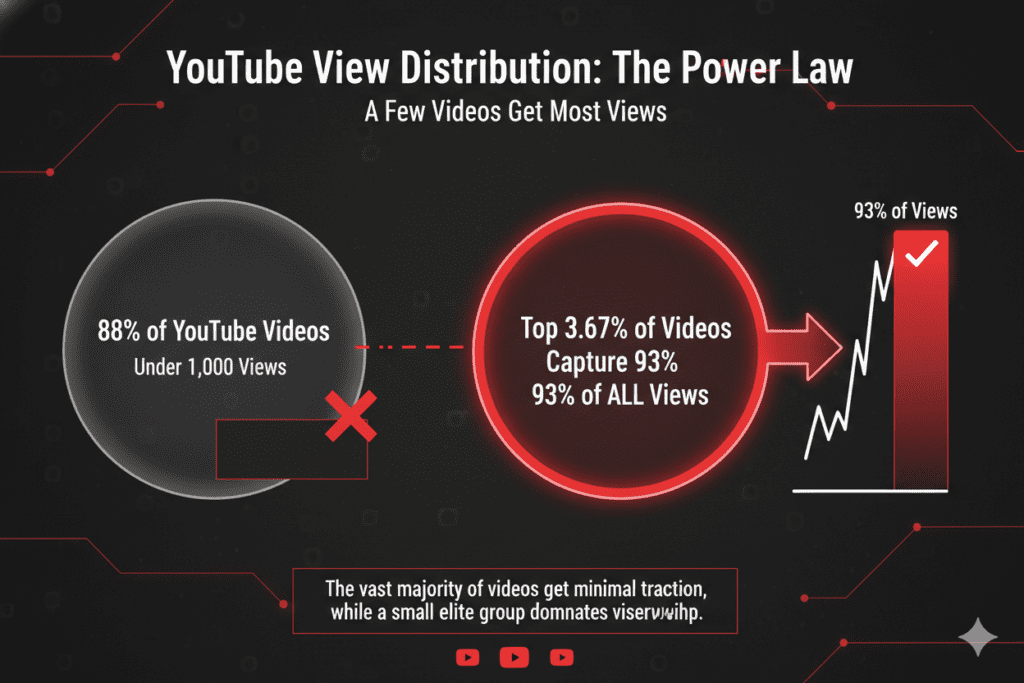
According to data cited by leading YouTube research, 88% of YouTube videos generate fewer than 1,000 views. Meanwhile, the top 3.67% of videos capture over 93% of all views on the platform.
That gap isn’t talent. It’s systems.
The creators in that top tier use tools for content creators free and paid — tools that handle keyword research, title optimization, thumbnail design, and performance analytics automatically.
And here’s the good news for you in 2026: the best of those tools are free. AI has democratized content creation in a way that would have been unimaginable just five years ago.
You no longer need a production team. You no longer need a graphic designer. You don’t need to spend hundreds a month on software subscriptions—the best free tools for creators handle it all.
You just need the right stack — and the discipline to use it consistently.
The 6 Biggest Struggles Every Creator Faces
Before we get to the tools, let’s name the real problems. Because the right tools for content creators free solve specific pain points — not just make things look busy.
Here’s what holds most creators back:
- Idea drought — You don’t know what to film next, or you film the wrong topics nobody searches for
- Title paralysis — You spend 45 minutes on one title and still aren’t sure if it’ll perform
- Thumbnail anxiety — Your designs look amateur next to creators with bigger budgets
- SEO blindness — You upload with zero keyword strategy and hope for the best
- Script block — You know your topic but can’t structure it into engaging content
- Burnout — Doing all of the above manually, for every video, forever
Every single one of these problems has a free solution in 2026. Let’s go through them category by category.
Category 1: Free AI Tools for YouTube Titles & Ideas
Your title is the most critical line of copy you write as a creator. Get it right and your video gets discovered. Get it wrong and even your best work disappears—use the best free tools for creators to get it right.
ytZolo — AI Title Generator (Free Plan Available)
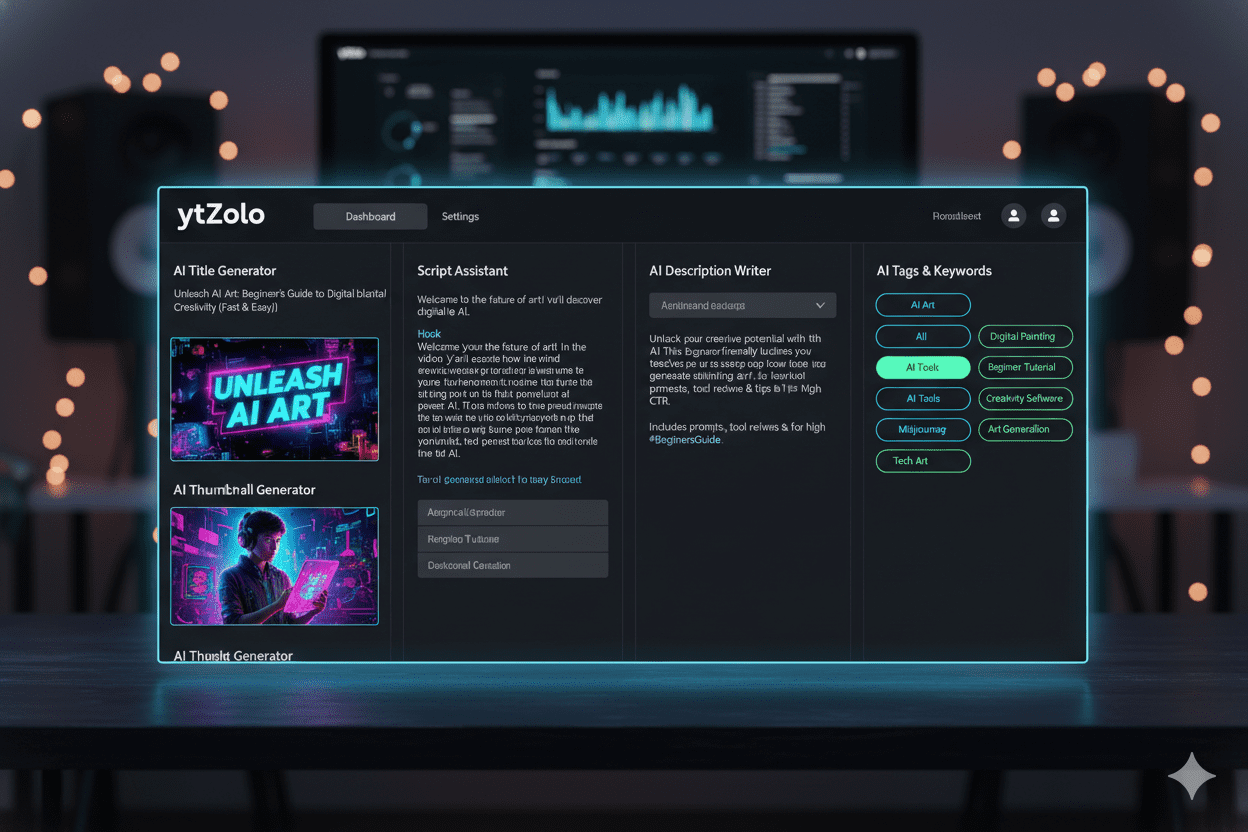
ytZolo is the most powerful free tool for content creators who need YouTube-optimized titles fast.
You enter your video topic, and ytZolo’s AI generates multiple SEO-rich, click-optimized title options in seconds. It doesn’t just spit out words — it analyzes your niche, applies psychological trigger formulas, and checks keyword search intent.
The result? Titles that rank and get clicked.
What makes ytZolo different from every other title tool is the integration. Your title isn’t generated in isolation — it connects directly to your description, tags, and thumbnail workflow. Everything is aligned from day one.
Check out the ytZolo blog for real creator case studies showing exactly how this works in practice.
VidIQ — Free Title Suggestions
VidIQ’s free tier includes an AI title predictor that scores your title before you publish. It’s useful for quick gut-checks, especially for established niches.
Google Trends — Free Topic Validation
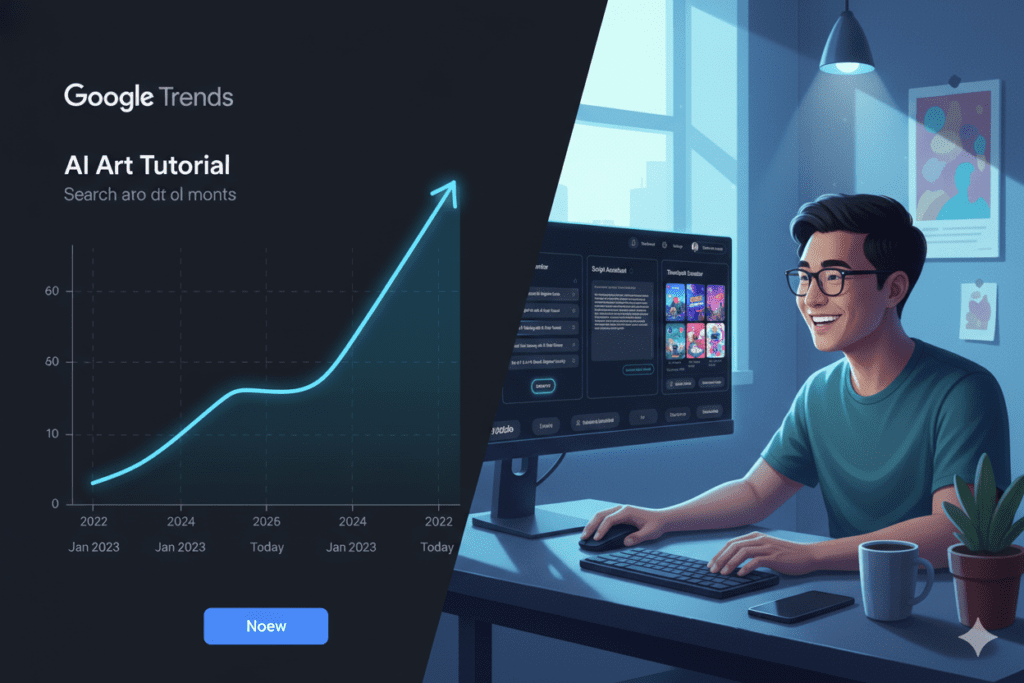
Before you write a single title, validate the demand. Google Trends shows you whether your topic is rising or falling — and helps you time your content for peak search interest using the best free tools for creators.
Pro Tip: Use Google Trends to find the “spike moment” for a trend, then use ytZolo to generate a title that captures it perfectly.
Category 2: Free Tools for Thumbnail Creation
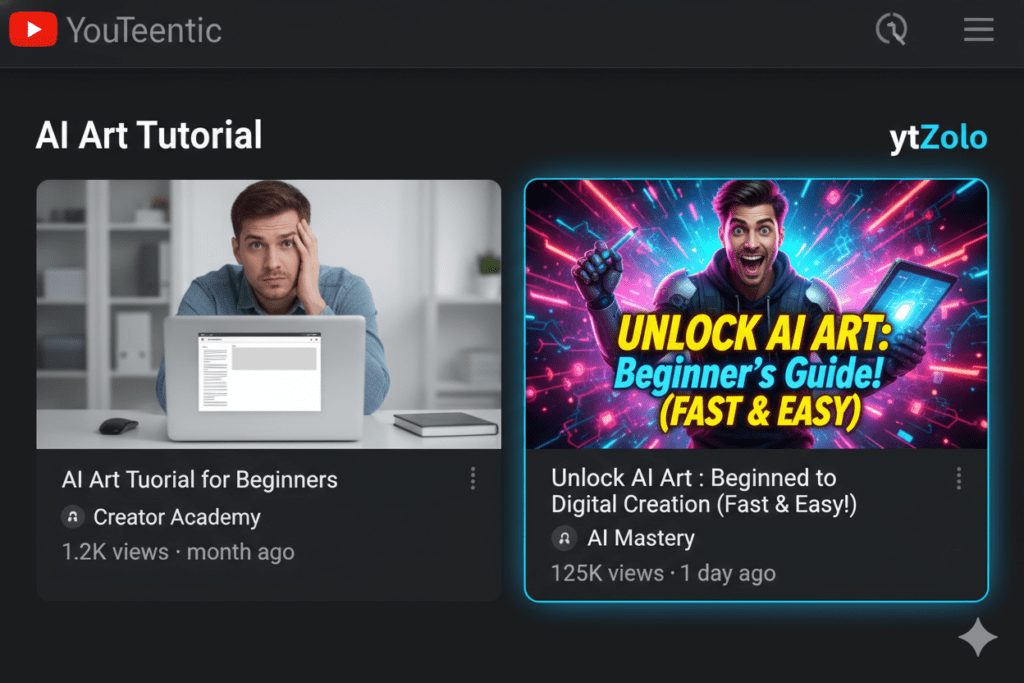
According to YouTube’s Creator Academy, 90% of the best-performing YouTube videos use custom thumbnails. That stat alone should end the debate about whether thumbnails matter.
ytZolo — AI Thumbnail Maker (Free Plan)
ytZolo’s AI thumbnail generator is purpose-built for YouTube. Unlike generic design tools, it creates thumbnails trained on real high-CTR data from your specific niche.
It understands color psychology, text placement, emotional expression — and it outputs full HD thumbnails with no watermark on the free plan.
More importantly, ytZolo generates your thumbnail alongside your title. They work as a unit. The same message. The same emotional trigger. The same click-bait hook — but delivered visually and textually at the same time.
That’s something no standalone thumbnail tool can do.
Canva — Free Design Templates
Canva remains the most popular free design tool for content creators. Its drag-and-drop editor and YouTube-optimized templates make it accessible for beginners.
The caveat: Canva doesn’t know your niche. It doesn’t understand CTR. You’re still guessing what will work. For creators who want data-driven thumbnails, ytZolo is the stronger choice.
Adobe Express — Free Visual Editor
Adobe Express (formerly Adobe Spark) offers solid free thumbnail templates with easy font and color customization. Good for quick branded designs.
Pro Tip: Use ytZolo to generate your thumbnail concept and strategy, then import the design direction into Canva for final polish if needed.
Category 3: Free Tools for YouTube SEO & Keywords
SEO is where most creators leave the most views on the table. You can have a great title and thumbnail — but if nobody’s searching for your topic, the algorithm has nothing to work with.
These tools for content creators free change that entirely.
ytZolo — Free SEO Tags & Descriptions
ytZolo auto-generates SEO-optimized descriptions and tags alongside your title and thumbnail. Every element is connected — so your keyword strategy is consistent across your entire video metadata.
No more copying tags from competitors and hoping for the best. No more writing a description at midnight when you’re too tired to think.
ytZolo handles it all in one workflow — and it’s free to start.
TubeBuddy — Free Browser Extension
TubeBuddy is a trusted browser extension used by millions of creators. Its free tier includes keyword suggestions, basic tag research, and an SEO score for your video before you publish—the best free tools for creators make this process effortless.
It’s a great companion tool — especially paired with ytZolo for metadata generation.
VidIQ — Free Keyword & Competitor Analytics
VidIQ’s free plan includes keyword scoring, competitor tag analysis, and a daily video idea engine. It’s excellent for discovering what’s working in your niche right now.
Use VidIQ to identify keyword opportunities, then pass those findings into ytZolo’s AI to generate optimized content around them.
YouTube Studio — Free Native Analytics
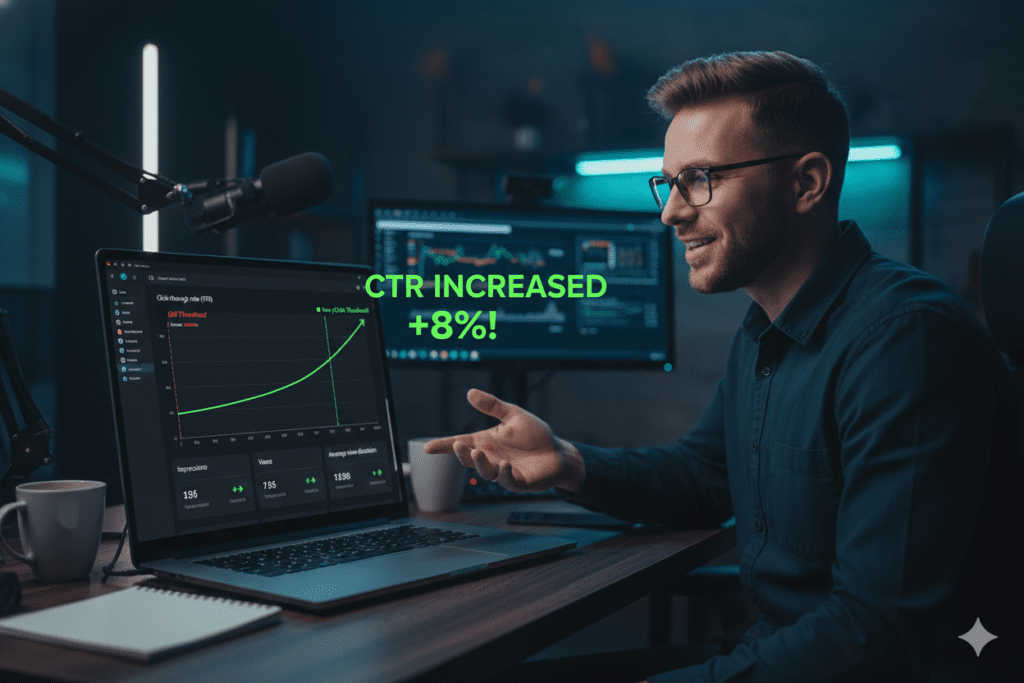
This is the most underrated free tool for content creators. YouTube Studio gives you impressions, CTR, watch time, audience retention, and traffic sources — all for free, directly from the platform.
Pay attention to your CTR. Below 4%? Your thumbnail or title needs work. That’s where ytZolo’s AI comes back in.
Category 4: Free Tools for Scripting & Writing
A well-structured script is the difference between a video that holds attention and one that people click off in 30 seconds. These tools for content creators free make scripting faster and smarter.
ytZolo — AI Script Generator (Free Plan)
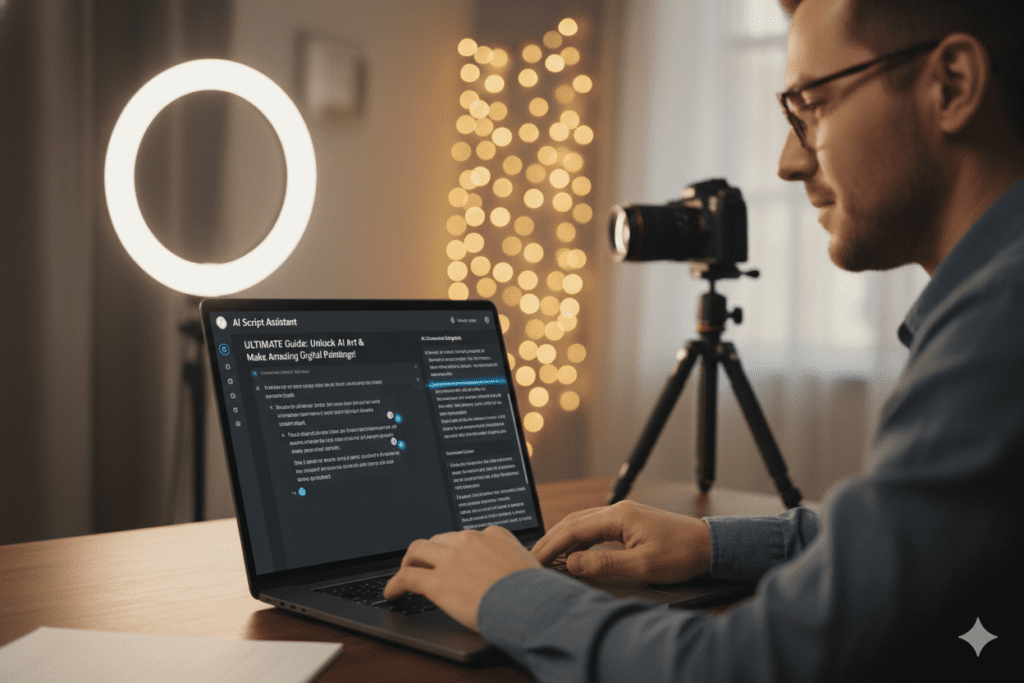
ytZolo doesn’t just help with titles and thumbnails. It generates full video scripts tailored to your topic, audience, and content style.
You tell it your video idea, and it produces a structured script complete with a hook, body sections, and a call-to-action. It even writes in a tone that matches your channel’s voice.
For creators who struggle to go from idea to outline, this alone saves 2–3 hours per video.
ChatGPT — Free AI Writing Assistant
ChatGPT’s free tier is powerful for scripting when given the right prompts. It generates hooks, outlines, segment breakdowns, and even B-roll suggestions.
The limitation: it doesn’t know YouTube. It doesn’t understand CTR, watch time, or niche-specific viewer psychology. That’s why pairing ChatGPT ideation with ytZolo’s YouTube-specific optimization gives you the best of both worlds.
Hemingway App — Free Readability Editor
Great scripts are clear and punchy. Hemingway App highlights complex sentences and passive voice so you can cut the fluff and write with more impact.
Category 5: Free Tools for Video Editing
You’ve planned your video. You’ve scripted it. Now you need to edit it without breaking the bank.
CapCut — Free Video Editor (No Watermark)
CapCut is the standout free video editing tool for creators in 2026. It exports in 1080p with no watermark on the free plan — a genuine rarity.
It includes AI auto-captions, background removal, beat sync, and mobile editing. For short-form creators especially, it’s the fastest path from raw footage to published Shorts.
DaVinci Resolve — Free Professional Editor
For long-form creators who want desktop-grade editing without the Premiere Pro price tag, DaVinci Resolve’s free version is extraordinary. Color grading, audio mixing, and full timeline editing — all free.
VEED.io — Free Browser Editor
VEED.io is perfect for creators who want to add captions, subtitles, or make quick edits without downloading software. The free tier covers most basic editing needs.
Pro Tip: Edit your video in CapCut or DaVinci Resolve, then use ytZolo to generate all your metadata immediately after — so your upload workflow is seamless and fast.
Category 6: Free Tools for Analytics & Growth
You can’t improve what you don’t measure. These tools for content creators free give you the data to make smarter decisions every upload cycle.
YouTube Studio — Free (Already Covered Above)
Your first stop. Always.
Social Blade — Free Channel Stats
Social Blade shows public stats for any YouTube channel — subscriber growth, estimated revenue, upload frequency, and video performance trends. Use it to benchmark your growth against similar channels.
Google Analytics — Free Web Analytics
If you have an external website or blog alongside your YouTube channel, Google Analytics shows you how your content drives traffic across platforms.
Pexels & Mixkit — Free Stock Footage
Never underestimate the power of B-roll. Pexels and Mixkit offer thousands of free, copyright-clear stock clips that can elevate any video production.
Why ytZolo Is the Best All-in-One Free Tool for Content Creators
We’ve covered a lot of great tools for content creators free of charge. But here’s the honest truth most roundup articles won’t tell you:
Using six different tools for six different problems is exhausting.
You switch between tabs. Your thumbnail doesn’t match your title’s energy. Your tags aren’t aligned with your description keywords. Your content strategy lives in fragments — and it shows in your analytics.
ytZolo solves this by putting everything in one place.
What ytZolo Does That No Other Free Tool Can Match
Here’s a breakdown of what you get — all in one platform, all working together:
| Feature | ytZolo | Canva | VidIQ | TubeBuddy | ChatGPT |
|---|---|---|---|---|---|
| AI Title Generator | ✅ YouTube-native | ❌ | ✅ Basic | ✅ Basic | ⚠️ Generic |
| AI Thumbnail Maker | ✅ CTR-optimized | ✅ Templates only | ❌ | ❌ | ❌ |
| AI Script Generator | ✅ Full scripts | ❌ | ❌ | ❌ | ⚠️ Generic |
| SEO Tags & Descriptions | ✅ Auto-generated | ❌ | ✅ Partial | ✅ Partial | ❌ |
| Integrated Workflow | ✅ All-in-one | ❌ | ❌ | ❌ | ❌ |
| Free Plan Available | ✅ Yes | ✅ Yes | ✅ Yes | ✅ Limited | ✅ Yes |
| Built for YouTube | ✅ Yes | ❌ | ✅ Yes | ✅ Yes | ❌ |
ytZolo vs. Canva
Canva is a powerful design tool — but it’s not a YouTube growth tool. It doesn’t understand your niche, your algorithm, or what makes viewers click. You’re designing in the dark.
ytZolo gives you data-informed thumbnails that match your niche’s top-performing visual patterns.
ytZolo vs. TubeBuddy & VidIQ
Both are great for SEO and analytics. But they don’t generate your scripts, thumbnails, or video titles in one cohesive workflow. They’re strong individual tools, not a complete system.
ytZolo is the complete system. It’s the one tool in your stack that replaces five.
Why Manual Methods Are Officially Outdated
In 2026, manually brainstorming titles, building thumbnails in Photoshop, and hand-writing descriptions is the content equivalent of using a map instead of GPS.
You can still get there. But you’ll get there slower, you’ll make more wrong turns, and you’ll burn out before you hit your destination.
The creators outpacing you right now aren’t more talented. They’re using better tools for content creators free and paid — and they’re executing faster and more consistently because of it.
ytZolo is built for exactly this moment. And the free plan is genuinely powerful — no credit card, no catch.
How to Build a Zero-Cost Creator Toolkit (Step-by-Step)
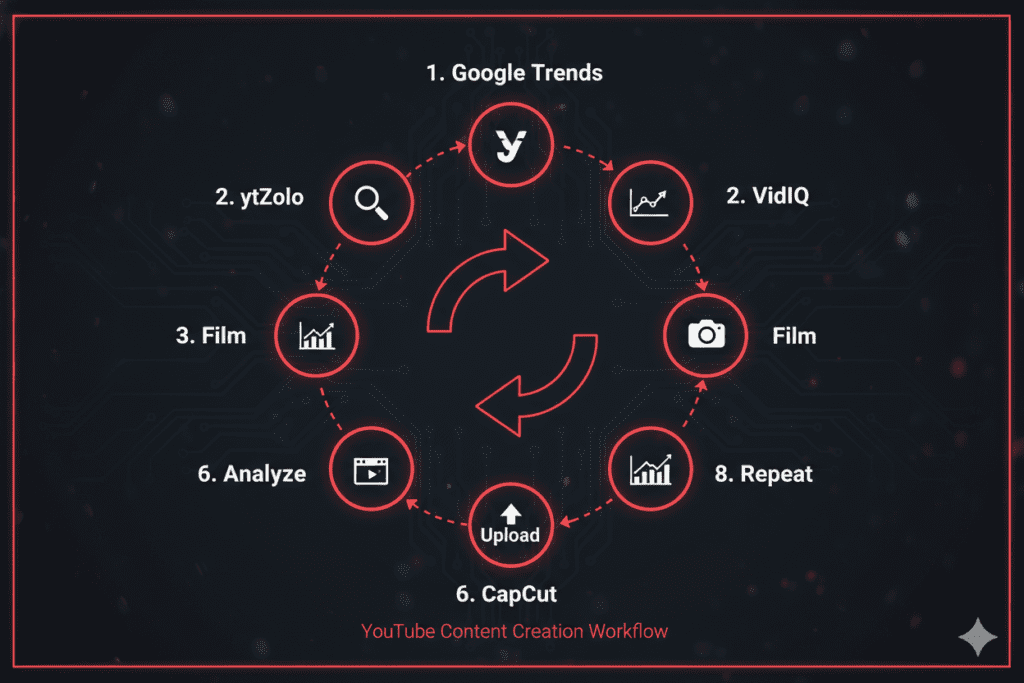
Ready to build your complete free toolkit? Here’s exactly how to set it up.
Step 1: Start with ytZolo (Free Plan)
Go to ytzolo.com and create your free account. This is your command center. Before you film anything, use ytZolo to generate your title, thumbnail concept, script outline, description, and tags.
Step 2: Validate Your Topic with Google Trends
Before committing to a video idea, confirm there’s search demand. Google Trends shows you real-time interest curves. Pair trending topics with ytZolo’s title generator for maximum impact.
Step 3: Research Competitors with VidIQ (Free Tier)
Use VidIQ’s free keyword inspector to see what tags your competitors rank for. Feed those insights back into ytZolo for even sharper metadata.
Step 4: Film Your Content
No tool replaces genuine, valuable content. Script in hand from ytZolo — go create.
Step 5: Edit with CapCut (Free)
Trim, caption, and export in 1080p. No watermark. Done.
Step 6: Upload Using ytZolo’s Generated Metadata
Copy your AI-generated title, description, and tags from ytZolo directly into YouTube Studio. Everything is pre-optimized and ready to go.
Step 7: Monitor with YouTube Studio (Free)
After publishing, track your impressions, CTR, and watch time daily for the first 48 hours. Low CTR? Go back to ytZolo and generate a new thumbnail or title variant to test.
Step 8: Learn & Repeat
Every video teaches you something. Use YouTube Analytics to identify patterns. Feed those learnings back into your ytZolo prompts to get sharper outputs over time.
That’s a complete, zero-cost creator workflow. You’re researching smarter, producing faster, and optimizing harder — all without spending a cent.
For deeper creator growth strategies, the ytZolo blog publishes weekly guides specifically for YouTube creators at every stage.
FAQ: Tools for Content Creators Free
Q1: What are the best tools for content creators free in 2026?
The best tools for content creators free in 2026 include ytZolo for AI-generated titles, thumbnails, scripts, descriptions, and tags; YouTube Studio for native analytics; Google Trends for topic research; VidIQ for keyword and competitor insights; CapCut for video editing without watermarks; and Canva for basic design. Of all these, ytZolo is the only all-in-one platform built specifically for YouTube growth — making it the most efficient free tool for creators who want to grow faster.
Q2: Is ytZolo really free to use for content creators?
Yes. ytZolo offers a genuine free plan that includes AI title generation, thumbnail creation, script writing, description drafting, and tag generation — all without a credit card. The free plan is powerful enough for regular creators to meaningfully improve their YouTube performance. Premium plans unlock higher usage volumes and more advanced AI features for channels that want to scale faster.
Q3: Can tools for content creators free actually grow a YouTube channel?
Absolutely. Research shows that tools for content creators free of charge provide roughly 80% of what paid tools offer — more than enough for growing channels. The key is using the right tools strategically. A combination of ytZolo for metadata and thumbnails, YouTube Studio for analytics, and Google Trends for topic validation gives creators a complete growth system at zero cost.
Q4: How is ytZolo different from tools like Canva or TubeBuddy?
Canva is a general-purpose design tool. It doesn’t understand YouTube’s algorithm or what drives CTR in your niche. TubeBuddy is strong for SEO analytics but doesn’t generate thumbnails or scripts. ytZolo combines all five core content creation needs — titles, thumbnails, scripts, descriptions, and tags — in one integrated platform built exclusively for YouTube growth. It’s less like a single tool and more like a complete content team.
Q5: What free tools do content creators need most as beginners?
As a beginner, the most impactful tools for content creators free are: ytZolo for AI-generated metadata and thumbnails; YouTube Studio for understanding your analytics; Google Trends for validating ideas; CapCut for editing; and VidIQ’s free tier for keyword research. Start with ytZolo as your foundation — it handles the parts that trip up most beginners (packaging and SEO) while keeping your workflow in one place.
Conclusion: Stop Doing It the Hard Way
Here’s the truth most creators learn the hard way.
The algorithm doesn’t reward hard work. It rewards smart work. Consistent uploads, optimized metadata, compelling thumbnails, keyword-aligned titles — these are the levers that actually move the needle.
And in 2026, you have access to the best tools for content creators free of charge in history. There’s no excuse for uploading into the dark anymore.
Start with the free tools covered in this guide. Build your stack around what solves your biggest bottleneck right now. Then let the systems do the heavy lifting — so you can focus on what only you can do: create.
But if you want one tool that genuinely replaces five — one platform that gives you AI-powered titles, thumbnails, scripts, descriptions, and tags without switching tabs or paying a monthly fee — there’s a clear answer.
🚀 Start creating smarter, faster, and more viral YouTube content with ytZolo today.
Looking for more creator growth strategies? The ytZolo blog publishes in-depth, actionable guides for YouTubers at every stage — from 0 subscribers to 100K and beyond.
External Sources Referenced
- YouTube Creator Academy — Custom Thumbnails
- Ahrefs — YouTube SEO & Ranking Factors
- HubSpot — Video Marketing Statistics
Last updated: April 2026 | Written for YouTube creators, vloggers, and digital content professionals


Pingback: Affordable AI Video Subscription Built for Cinematic Creators in 2026
Pingback: Does Perchance AI Have a Video Generator? Shocking Truth in 2026
Pingback: Claude Haiku 4.5 vs Gemini 3 Flash: Surprising Winner
Pingback: What Is an All-in-One AI Subscription Service? 7 Powerful Benefits
Pingback: Does Claude Sonnet 4.5 Have a Limit? Full Guide
Pingback: What Are the Best Free AI Chatbots in 2026? Full Guide
Pingback: How to Chat with Multiple AI Models: Proven Guide 2026
Pingback: Replace 10 Paid AI Tools with AI Zolo & Save $2,400+
Pingback: AI Subscription: 50+ Apps to Save $1,000+ Every Year, Smarter
Pingback: 7 Tools to Improve AI Prompts for 3x Better Results 2026
Pingback: Group Chat with Multiple AI Models: 7 Powerful Replies
Pingback: Top AI Trends in 2026 — 7 Shifts Smart Teams Can’t Ignore
Pingback: Best Value AI Subscription 2026: What Is The Best Value AI Subscription
Pingback: Best Thumbnail Maker Without Login — Free & Fast 2026