
There is no single “best” AI in 2026. ChatGPT is the strongest all-rounder with the widest feature set, Claude leads on coding and long-document reasoning, Gemini excels for Google Workspace users, Perplexity is built for research with citations, DeepSeek offers the best value for budget-conscious users, and Grok stands out for real-time X data. If you want to compare and use multiple leading AI models from one place, platforms like AiZolo simplify the experience. Ultimately, the best AI depends on your task, budget, workflow, and privacy needs—not a single leaderboard score.
Table of Contents
What “AI Comparison” Actually Means
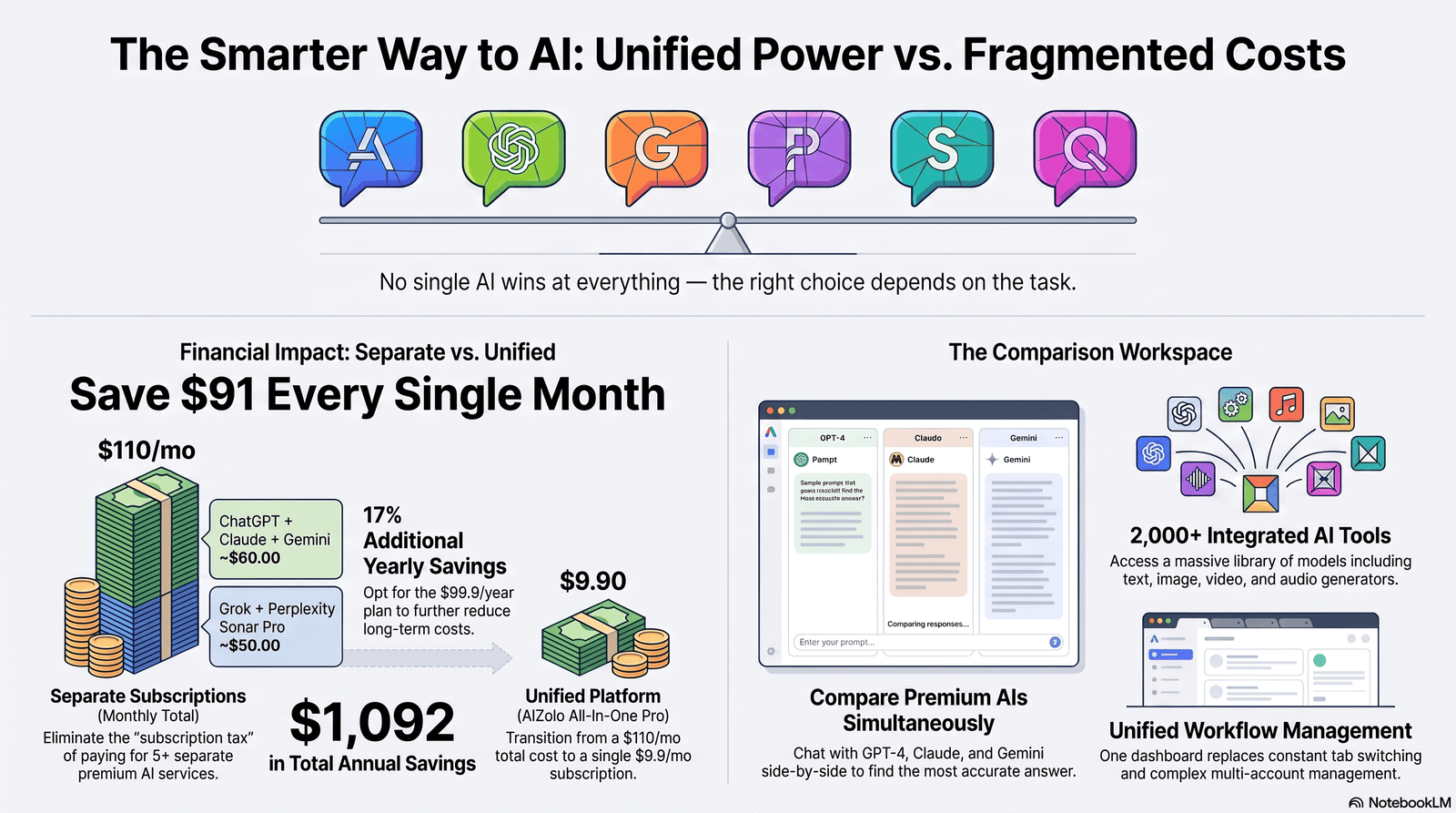
People search for an AI comparison for a simple reason: there are now more than half a dozen serious general-purpose AI assistants, and none of them is best at everything.
An honest AI comparison isn’t a ranked list with one winner. It’s a breakdown of what each model is good at, what it costs, and where it falls short, so you can match the tool to the task instead of the task to the tool.
This guide compares the major AI platforms — ChatGPT, Claude, Gemini, Perplexity, DeepSeek, and Grok — plus multi-model platforms that let you run several of them side by side, using criteria that actually predict day-to-day usefulness: reasoning quality, coding ability, context window, privacy posture, pricing, and real-world reliability rather than raw benchmark scores alone.
If you’d rather not juggle separate subscriptions to test this for yourself, platforms like AiZolo bundle several of these models — including ChatGPT, Claude, and Gemini — into one interface, which is a convenient way to try the comparisons in this guide side by side (more on the trade-offs of that approach later).
Why AI Comparisons Go Out of Date So Fast
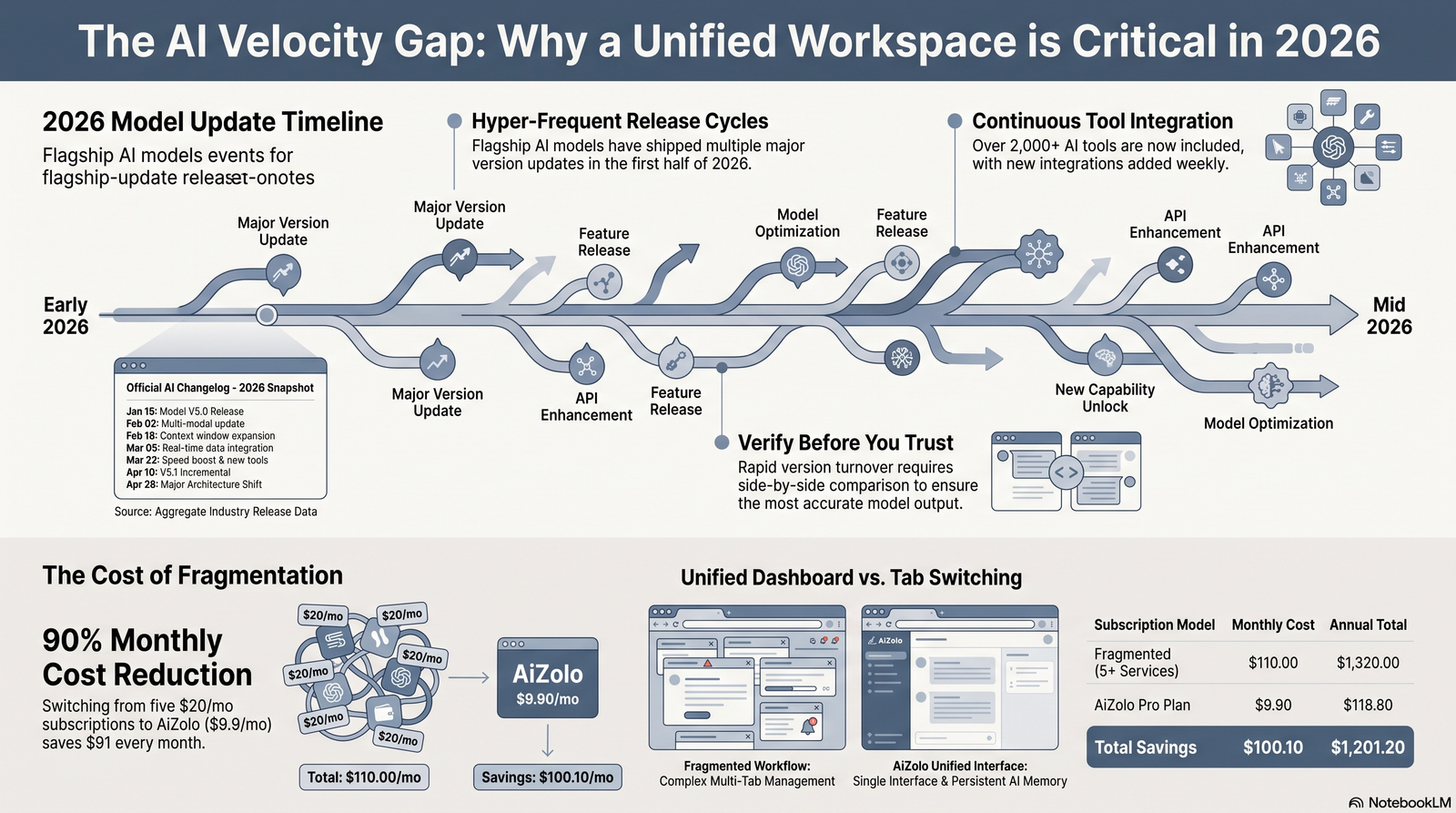
Most “AI comparison” articles online are stale within weeks. Here’s why, and how to read around it:
- Model versions turn over monthly. OpenAI, Anthropic, Google, and xAI have all shipped multiple flagship updates in 2026 alone. An article naming “the best model” from six months ago is usually describing a retired model.
- Pricing and usage limits change without a version bump. Providers frequently adjust rate limits, credit systems, or included features on the same plan name.
- Benchmark scores get gamed or saturated. Once a benchmark becomes well-known, labs optimize for it, which narrows how much it tells you about real use.
- Availability shifts. Models get suspended, region-locked, or gated behind enterprise review (this has happened even to major frontier releases in 2026).
The practical takeaway: treat any specific price, limit, or “current best model” claim — including the ones in this article — as accurate as of its publish date, and verify on the provider’s official pricing page before you buy.
How We Evaluated These Platforms
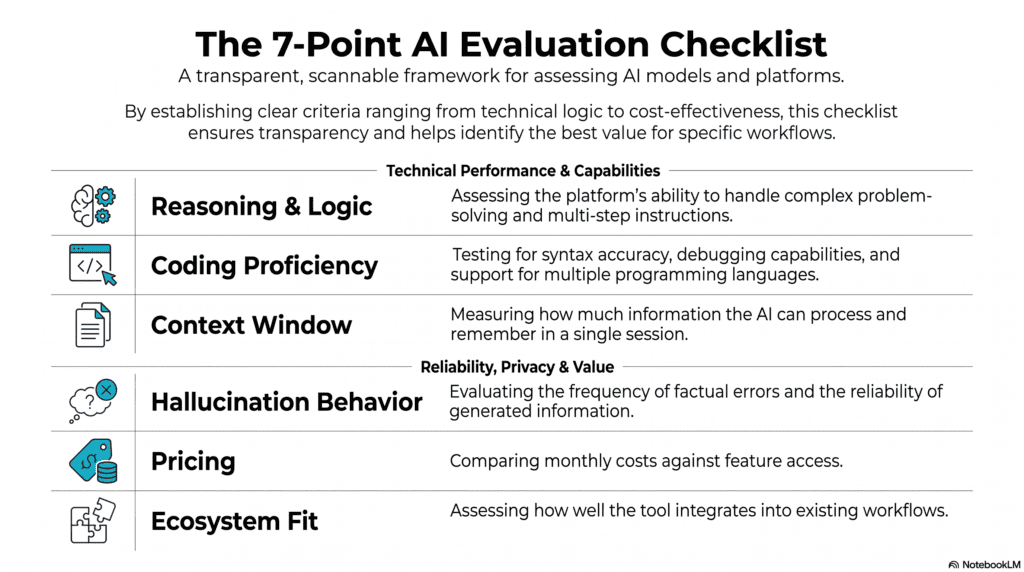
To keep this comparison useful rather than promotional, we evaluated each platform against the same criteria:
- Reasoning and accuracy on multi-step tasks, not just single-turn trivia
- Coding ability, including real repository-level tasks, not just isolated snippets
- Context window and how well long context is actually used (not just the advertised token limit)
- Hallucination behavior — does it flag uncertainty or state guesses as fact
- Privacy and data-training defaults
- Pricing relative to actual usage limits, not just the headline number
- Ecosystem fit — integrations, apps, and workflow tools
Benchmark Limitations You Should Know
Public benchmarks (SWE-bench, MMLU, FrontierMath, LMSYS Chatbot Arena) are useful directional signals, but they have real limits:
- They measure narrow task types that may not resemble your work
- Labs can and do train toward known benchmarks
- Arena-style “vibes” rankings reflect style preference as much as correctness
- A model can top a coding benchmark and still be mediocre at your specific codebase
Real-world testing — running your actual prompts, your actual documents, your actual code — will tell you more than any leaderboard position.
Side-by-Side AI Comparison Table
| Platform | Best For | Free Tier | Paid Entry Plan | Context Window | Data Training Default |
|---|---|---|---|---|---|
| ChatGPT | All-round versatility, images, voice | Yes (limited) | $20/mo (Plus) | Large, model-dependent | Trains by default (opt-out available) |
| Claude | Coding, long documents, careful reasoning | Yes (limited) | $20/mo (Pro) | Very large (200K+ tokens on most plans) | Off by default; user choice |
| Gemini | Google Workspace integration, long context | Yes (limited) | ~$20/mo (Google AI Pro) | Very large (up to 1M tokens on some tiers) | Trains by default (opt-out via account controls) |
| Perplexity | Research with citations | Yes (limited) | $20/mo (Pro) | Moderate | Varies by setting |
| DeepSeek | Budget-conscious, open-weight experimentation | Yes, generous | Free / low-cost API | Large | Server-side by default (see privacy section) |
| Grok | Real-time/X data, fast iteration | Limited free access | ~$30–40/mo | Large | Trains by default (opt-out available) |
Prices and limits change frequently — always check the provider’s official pricing page before subscribing.
ChatGPT Comparison with Other AI Models
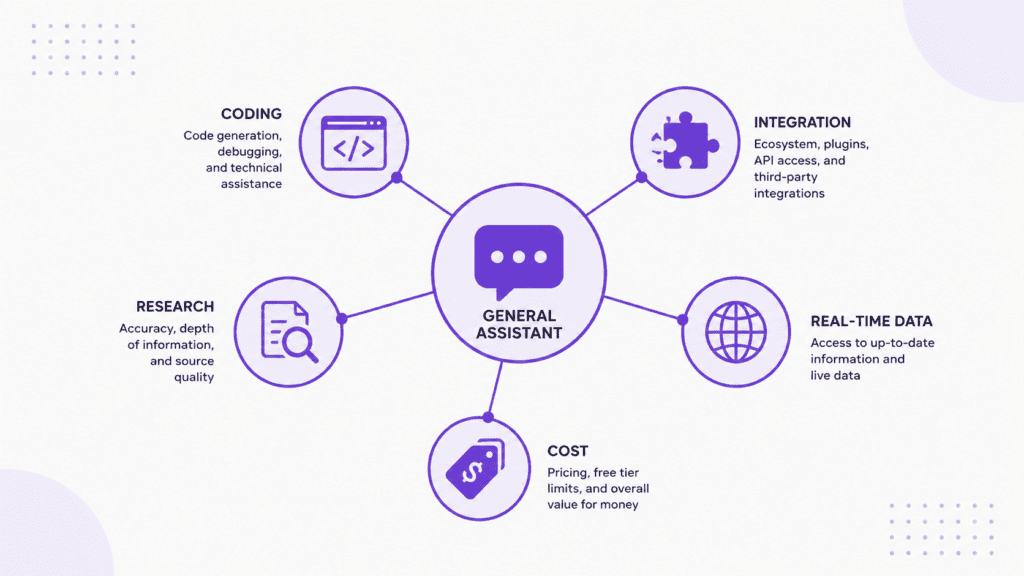
ChatGPT remains the most recognizable AI assistant and the broadest all-rounder: strong general writing, competent coding, built-in image generation, and voice mode, all in one app with a mature mobile and desktop presence.
Its weaknesses are the ones that matter for specific users: heavier usage limits on the free tier than some competitors, and data training turned on by default unless you opt out in settings.
Claude vs ChatGPT
Claude is generally regarded as the stronger option for coding tasks and long-document work — it consistently leads on published coding benchmarks and offers very large context windows well-suited to reviewing long contracts, codebases, or research papers in one pass. Anthropic’s Claude also defaults to not training on user conversations, which matters if you handle sensitive client work.
ChatGPT counters with broader multimodal features (native image generation, voice, a larger third-party plugin/app ecosystem) and arguably an easier on-ramp for non-technical users.
Pick Claude if: you code daily, work with long documents, or want training turned off by default. Pick ChatGPT if: you want one app that also handles images, voice, and general everyday tasks well.
Gemini vs ChatGPT
Gemini’s edge is integration: if your work already lives in Gmail, Docs, and Sheets, having an AI assistant that reads and writes directly into those tools saves real time. Google’s Gemini also offers some of the largest context windows available, useful for very long documents or codebases.
ChatGPT remains more platform-agnostic and, for many users, has a more polished standalone chat experience outside the Google ecosystem.
Pick Gemini if: you’re a heavy Google Workspace user or need extremely long context. Pick ChatGPT if: you want a tool that isn’t tied to one ecosystem.
Perplexity vs ChatGPT
Perplexity is built specifically for research: answers come with inline citations and source links by default, which makes it easier to verify claims. ChatGPT can browse the web too, but Perplexity’s entire interface is organized around sourced answers rather than open-ended conversation.
Pick Perplexity if: you need citation-backed research answers. Pick ChatGPT if: you want a general assistant that also writes, codes, and creates images.
DeepSeek vs ChatGPT
DeepSeek’s main draw is cost — it offers strong reasoning performance at a fraction of the price of comparable closed models, and its weights are openly available for self-hosting. The trade-off is a less polished consumer app and more questions around data handling, since prompts sent to DeepSeek’s hosted service are processed on servers outside the jurisdictions many Western users are used to.
Pick DeepSeek if: budget or self-hosting flexibility matters more than polish. Pick ChatGPT if: you want a mainstream, well-supported product with clear data controls.
Grok vs ChatGPT
Grok’s advantage is real-time access to X (Twitter) data and fast release cadence, including a strong recent focus on coding performance. It’s a reasonable pick if you need up-to-the-minute social/news context baked into answers.
ChatGPT has a longer track record, broader enterprise adoption, and more predictable content moderation.
Pick Grok if: real-time social data or the fastest-moving model updates matter to you. Pick ChatGPT if: you want a more established, enterprise-tested option.
Open Source vs Closed Source AI
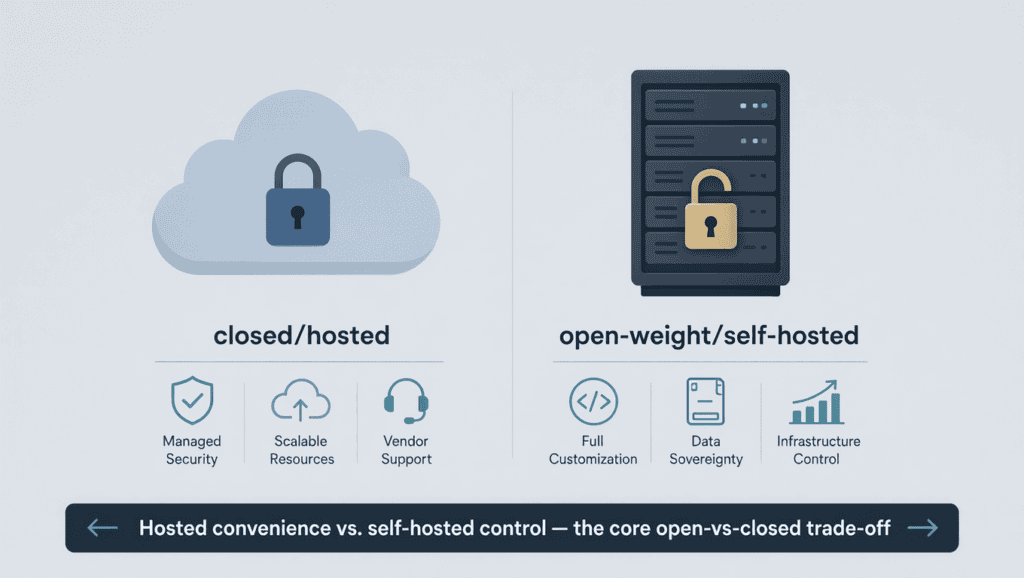
Closed models (ChatGPT, Claude, Gemini) are hosted, maintained, and updated by their providers — you get convenience and support, but no control over the weights and you’re dependent on that company’s uptime and policies.
Open-weight models (Llama, DeepSeek, Mistral, Qwen) can be downloaded and run on your own infrastructure. This matters for:
- Data sovereignty — nothing leaves your servers
- Cost at scale — no per-token fees once you own the hardware
- Customization — full fine-tuning control
The trade-off is that you need real infrastructure and ML engineering capacity to get open models running well, and they often trail the best closed models on frontier reasoning tasks by a few months.
Multi-AI Platforms Explained
A newer category has grown up around a simple observation: most people who take AI seriously end up paying for more than one model, because no single model wins at everything.
Multi-AI platforms bundle access to several providers’ models — typically ChatGPT, Claude, Gemini, and a few others — under one subscription, often with a side-by-side comparison view so you can run the same prompt against multiple models at once.
AiZolo is one example of this category. It’s a subscription product that bundles access to models from OpenAI, Anthropic, and Google alongside image, video, and audio generation tools, and lets you compare responses from different models in one interface. You can also bring your own API keys if you already pay for a provider directly.
The category has genuine appeal for people juggling separate ChatGPT, Claude, and Gemini subscriptions who want one bill and one interface. It’s worth going in with realistic expectations, though:
- You’re routed through a middle layer. Response quality and speed depend partly on how the platform handles routing and rate limits, not just on the underlying model.
- You lose some first-party features. Provider-specific extras (like a given app’s native memory system, first-party plugins, or the very latest model on release day) may lag behind or be unavailable through a reseller.
- It doesn’t replace API-level access if you’re building a product — for that, going directly to each provider’s API is usually more reliable.
If your main pain point is cost and subscription sprawl and you mostly use chat features, a bundled platform like AiZolo is worth evaluating alongside going direct. If you need guaranteed access to the newest model on day one, or you’re building something that depends on a specific provider’s API behavior, going direct to OpenAI, Anthropic, or Google is the safer choice.
Best AI by Use Case
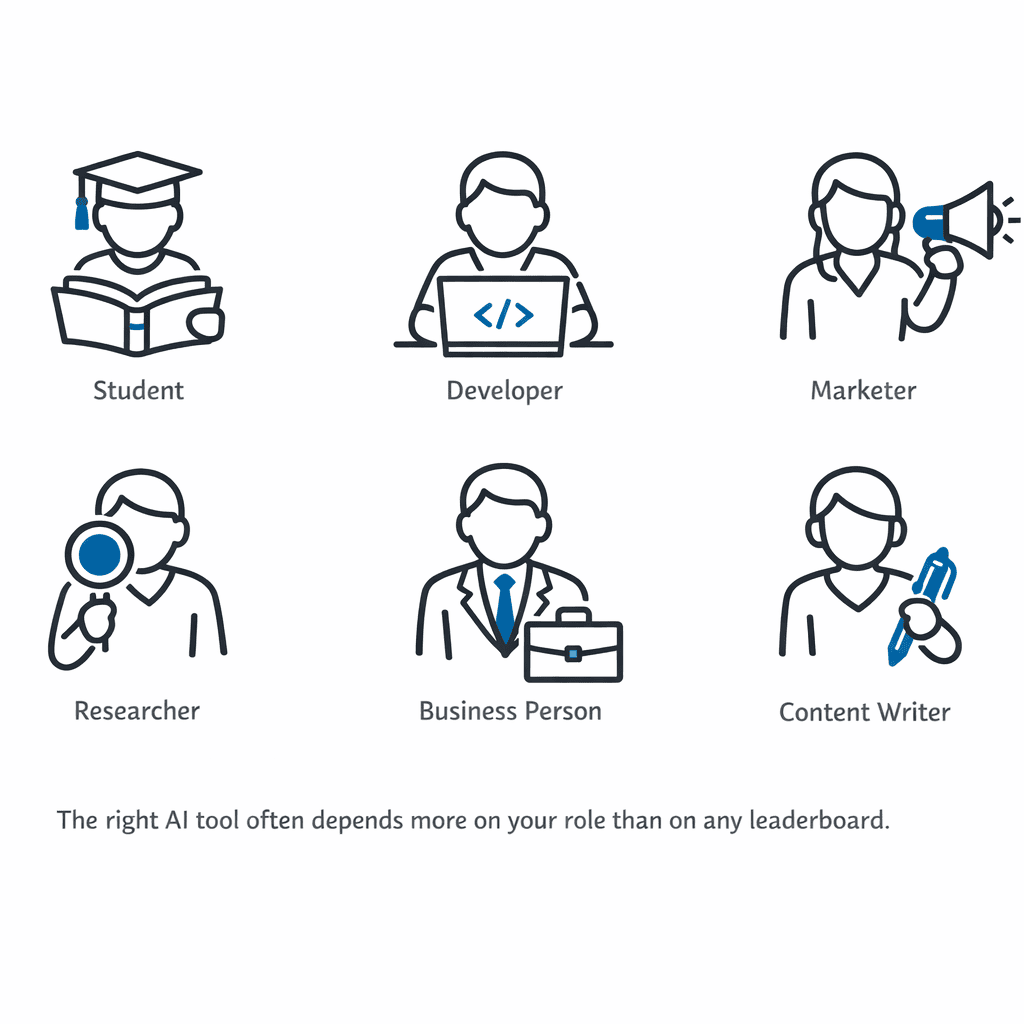
Best AI for Students
ChatGPT and Gemini are the easiest starting points thanks to generous free tiers and study-focused features (step-by-step explanations, Google Docs integration for Gemini). Claude is worth adding for long reading assignments — its large context window handles entire textbook chapters well.
Best AI for Coding
Claude is widely regarded as the strongest general coding assistant based on published benchmarks and real developer feedback, with a dedicated terminal-based coding agent. GitHub Copilot and Cursor remain strong choices when you want AI embedded directly in your IDE rather than a separate chat window.
Best AI for Content Writing
ChatGPT and Claude both produce strong long-form writing; Claude tends to hold voice and structure better across very long pieces, while ChatGPT has a slight edge in variety of tone and built-in image generation for accompanying visuals.
Best AI for Marketing
ChatGPT’s combination of copywriting, image generation, and broad plugin support makes it a practical single tool for small marketing teams. Perplexity is a strong add-on for competitive research and fact-checking claims before publishing.
Best AI for Research
Perplexity is purpose-built for this — cited, sourced answers by default. Gemini’s Deep Research feature and large context window are also strong for synthesizing many long documents at once.
Best AI for Business
Enterprise readiness depends more on admin controls, SSO, and data handling guarantees than on raw model quality. ChatGPT, Claude, and Gemini all offer business tiers with SSO and admin controls; evaluate based on which model your team already prefers day-to-day, then check the compliance certifications your industry requires.
Pricing Comparison
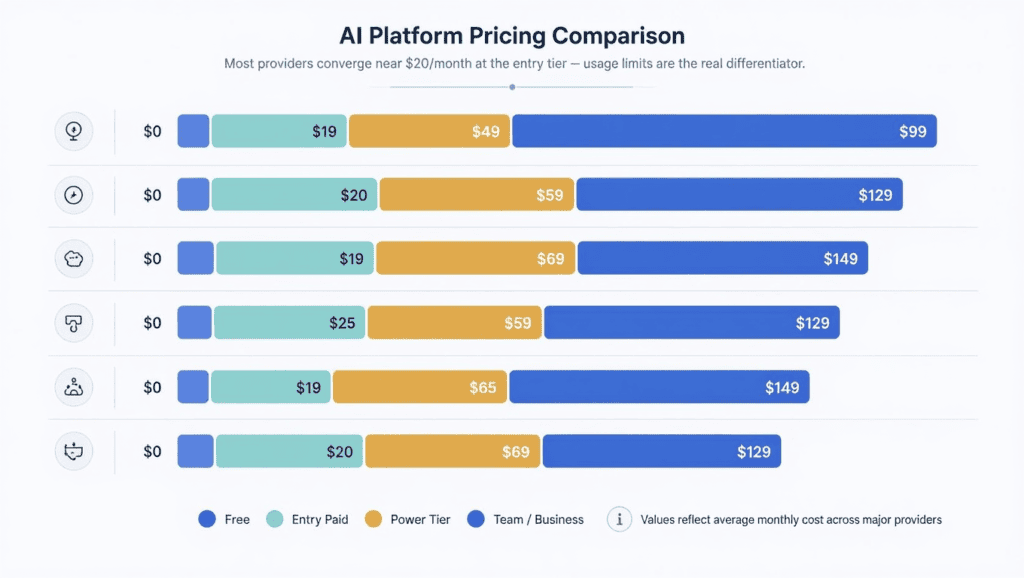
| Plan Type | ChatGPT | Claude | Gemini | Perplexity | Grok |
|---|---|---|---|---|---|
| Free | Limited daily messages | Limited session/weekly cap | Limited, compute-based | ~3 Pro searches/day | Limited access |
| Entry paid | Plus, $20/mo | Pro, $20/mo (~$17 annual) | Google AI Pro, ~$20/mo | Pro, $20/mo | SuperGrok, ~$30/mo |
| Power tier | Pro, $200/mo | Max, $100–$200/mo | Ultra, ~$200/mo | — | Heavy, ~$300/mo |
| Team/Business | From ~$25/user/mo | From ~$25/user/mo | Workspace add-on | Enterprise (contact sales) | Enterprise (contact sales) |
Nearly every provider has converged on roughly $20/month for a solid entry-level plan. The real differentiator is usage limits and included models at that price point, which change often enough that it’s worth checking each provider’s live pricing page rather than trusting any static table for long.
Privacy Comparison
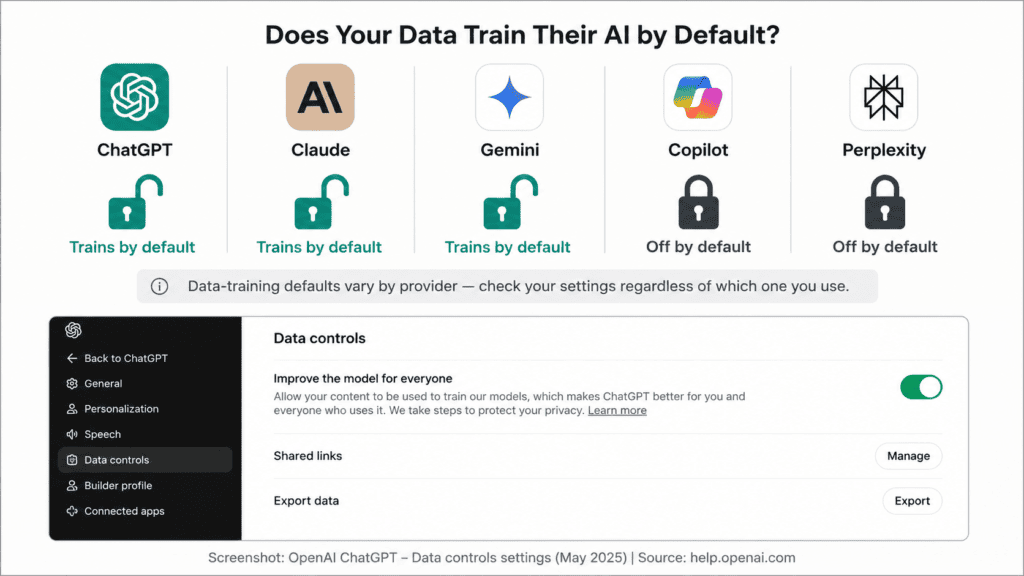
| Platform | Trains on Chats by Default | Opt-Out Available | Data Retention (default) |
|---|---|---|---|
| ChatGPT | Yes | Yes, in settings | Varies by setting |
| Claude | No | User choice (can opt in) | ~30 days when training is off |
| Gemini | Yes | Yes, via account activity controls | Varies by setting |
| DeepSeek | Yes (server-side, jurisdiction differs) | Limited | Varies |
| Grok | Yes | Yes, in settings | Varies |
Regardless of provider, avoid pasting passwords, financial account numbers, or client-confidential data into any AI chat unless you’ve specifically confirmed your organization’s data handling agreement covers it.
Security and Enterprise Readiness
For business use, look past the model and check:
- SSO / SAML support
- Admin-level usage controls and audit logs
- Data residency options
- Published compliance certifications (SOC 2, etc.) — verify directly on the provider’s trust/security page rather than taking third-party claims at face value
ChatGPT, Claude, and Gemini all offer enterprise tiers with these controls; DeepSeek and most open-weight setups require you to build this layer yourself.
AI Hallucination Comparison
All current models still hallucinate — state something false with confidence. Models with built-in citation or search grounding (Perplexity, and web-browsing modes in ChatGPT and Gemini) reduce this risk for factual questions because you can check the source directly.
For anything high-stakes — legal, medical, financial, academic citations — treat every AI-generated fact as a claim to verify, not a settled answer, regardless of which platform produced it.
Benchmark Comparison
Published benchmark leadership shifts monthly as new versions ship. As of mid-2026, Claude’s flagship models have generally led on coding-focused benchmarks like SWE-bench, while OpenAI and Google models have traded leadership on general reasoning and math benchmarks depending on the release cycle.
Future of AI Comparison
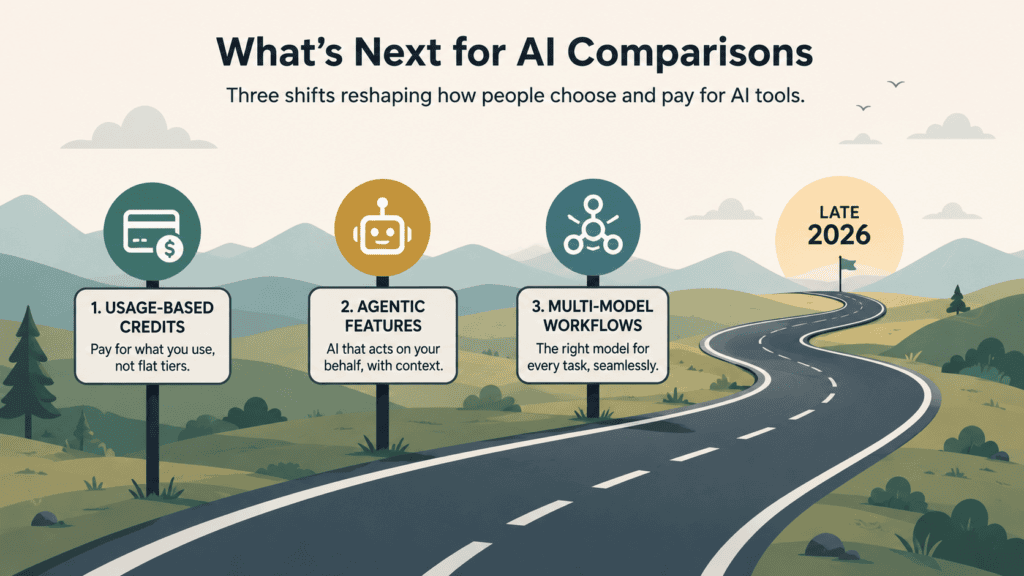
A few trends worth watching into late 2026:
- Usage-based credits are replacing flat “unlimited” plans across most providers, making raw subscription price less meaningful than actual usage allowances.
- Agentic features (AI that takes multi-step actions rather than just chatting) are becoming a bigger differentiator than raw chat quality.
- Multi-model workflows are normalizing — more people are expected to use two or three AI tools regularly rather than committing to one, which is part of why bundled platforms exist in the first place.
Common Mistakes When Choosing an AI
- Picking based on a single benchmark score instead of your actual task
- Ignoring usage limits and only comparing headline prices
- Assuming all providers handle data privacy the same way
- Sticking with one tool out of habit instead of testing alternatives for a specific job
- Trusting a “best AI” list without checking its publish date
Decision Checklist
Before subscribing to anything, confirm:
- [ ] What’s my primary use case (coding, writing, research, business)?
- [ ] Do I need to keep my data out of training sets?
- [ ] What’s my actual monthly usage volume, not just my budget?
- [ ] Do I need one tool or would two cheaper, specialized tools serve me better?
- [ ] Am I building a product (API) or just chatting (subscription)?
Frequently Asked Questions
What is the best AI in 2026? There isn’t one universal best AI — it depends on the task. Claude generally leads on coding and long documents, ChatGPT is the strongest all-rounder, and Gemini wins for Google Workspace integration.
Is ChatGPT or Claude better for coding? Claude currently leads on most published coding benchmarks and includes a dedicated coding agent, but ChatGPT’s Codex tooling is also strong. Testing both on your actual codebase is the most reliable way to decide.
Which AI is free to use? ChatGPT, Claude, Gemini, Perplexity, and DeepSeek all offer free tiers, though with usage limits that vary and change often.
What’s the difference between ChatGPT and Gemini? ChatGPT is more platform-agnostic with broader third-party integrations; Gemini is tightly integrated into Google Workspace and generally offers a larger context window.
Is DeepSeek safe to use? DeepSeek offers strong performance at low cost, but prompts sent to its hosted service are processed outside jurisdictions many Western users expect. Avoid sharing sensitive data, or consider self-hosting the open-weight version if privacy is a priority.
Do AI platforms train on my conversations? It depends on the provider and your settings. Claude defaults to not training on conversations; ChatGPT, Gemini, and Grok train by default unless you opt out in account settings.
What is a multi-AI platform? A multi-AI platform, like AiZolo, bundles access to several AI providers’ models under one subscription, often with a side-by-side comparison feature, so you don’t need separate accounts with each provider.
Should I use one AI or several? Many regular users end up using two or three tools for different tasks — for example, Claude for coding and ChatGPT for general writing — since no single model wins at everything.
Are AI benchmark scores trustworthy? They’re a useful directional signal but not the full picture. Labs can optimize toward known benchmarks, and scores don’t capture how a model handles your specific documents or codebase.
Which AI has the largest context window? Gemini has offered some of the largest context windows in the market, useful for processing very long documents or large codebases in a single request; Claude also offers a large window well-suited to long-document work.
Is open-source AI as good as ChatGPT or Claude? Leading open-weight models (like DeepSeek and Llama) have closed much of the gap and are strong for cost-sensitive or self-hosted use, though the top closed models still generally lead on frontier reasoning benchmarks.
How often should I re-check an AI comparison? Given how often models, pricing, and limits change, treat any AI comparison — including this one — as accurate only as of its publish date, and verify current details on the provider’s official page before deciding.
Final Verdict: A Practical Decision Framework
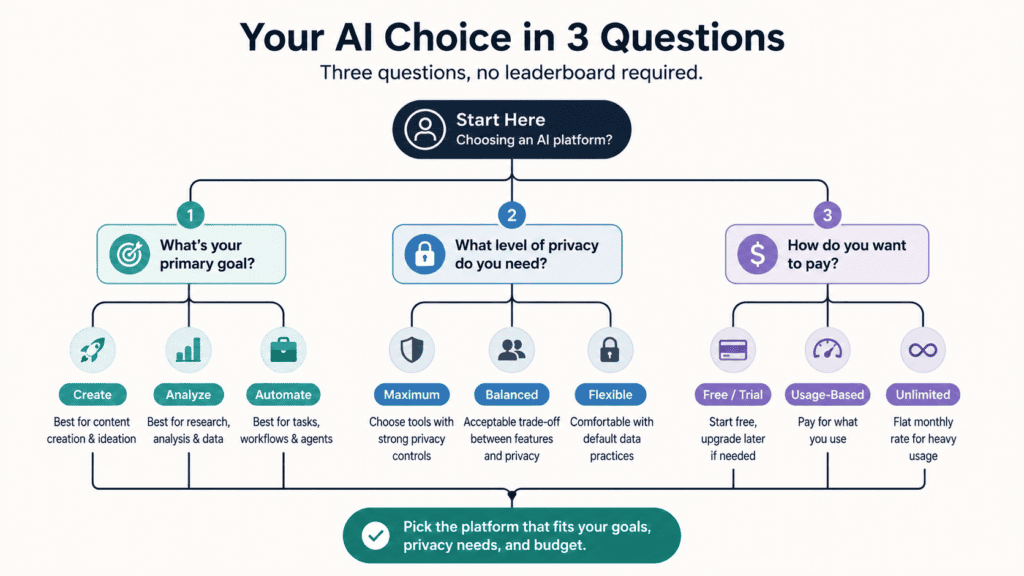
Skip the “best AI” search and ask three questions instead:
- What’s my primary task? Coding → Claude. Research with citations → Perplexity. Google Workspace-heavy → Gemini. General all-purpose → ChatGPT.
- What’s my privacy requirement? If you can’t have conversations used for training, Claude’s default is the safest starting point; otherwise, check the opt-out settings on whichever tool you choose.
- Do I need one tool or several? If your work spans multiple task types, a bundled multi-model platform (like AiZolo) or simply running two subscriptions may cost less than you’d expect compared to over-paying for one tool’s weakest feature.
There is no permanent winner in this space — treat any comparison, including this one, as a snapshot, and re-verify pricing and model versions before you commit.
About the Author
This article was written using publicly available product information and pricing pages current as of July 2026. Model capabilities, pricing, and usage limits change frequently — verify current details on each provider’s official site before subscribing.
About the Author: Anshika Verma is a content strategist and AI SaaS researcher at ytZolo, where she writes in-depth guides on AI tools, creator software, YouTube growth, and digital marketing. She specializes in researching emerging AI platforms, comparing creator tools, and producing SEO-driven content that helps creators and businesses make informed technology decisions. For inquiries, contact anshika@ytzolo.com

