
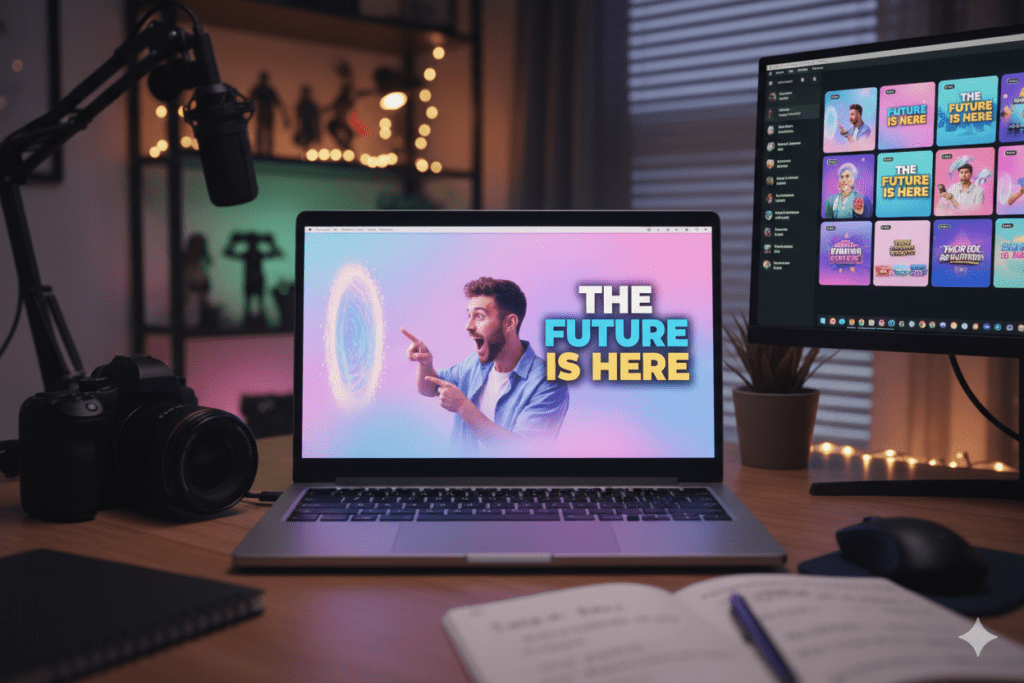
Introduction: The Thumbnail That Stopped 40,000 Scrollers in a Single Day
Maya had been making YouTube videos for eight months.
Her editing was clean. Her audio was crisp. Her content was genuinely helpful. But her videos were stuck in the same frustrating loop — 300 views here, 500 there, a fleeting spike when she posted, then nothing, even though she knew how to make aesthetic YouTube thumbnails AI.
One day, she decided to try something different. Instead of spending 45 minutes wrestling with Canva, she used an AI tool to generate her thumbnail. The design it produced was stunning — soft, warm tones with a bold serif font, a clean background, and her face perfectly framed with just the right expression.
She almost didn’t use it. It felt too polished, like it wasn’t hers.
She published it anyway.
That video hit 40,000 views in 24 hours. Her channel doubled its subscribers in a week. Nothing about the video itself had changed — the only difference was the thumbnail.
If you’ve been wondering how to make aesthetic YouTube thumbnails with AI, this guide is your full playbook. We’re covering the design principles, the tools, the step-by-step process, and exactly how ytZolo makes the whole thing faster and smarter than anything else out there.
Let’s get into it.
Table of Contents
Why Aesthetic Thumbnails Are a Growth Strategy, Not Just a Design Choice
Here’s a stat that should change how you think about thumbnail design.
According to YouTube’s Creator Academy, 90% of the best-performing videos on YouTube have custom thumbnails — a key insight for how to make aesthetic YouTube thumbnails AI. That’s not a coincidence. That’s a pattern. And embedded in that pattern is one of the biggest growth levers available to any creator.
Your thumbnail is the first thing a potential viewer sees. It appears before your title fully loads. It shows up in recommended feeds, search results, and notification panels — always competing against dozens of other thumbnails for a fraction of a second of attention.
An aesthetic thumbnail doesn’t just look good. It does a specific job: it makes someone stop, notice, feel something, and click. That emotional and visual response is what separates a 2% CTR from a 10% CTR — and that gap is enormous in terms of reach, recommendations, and revenue.
A well-designed thumbnail can double or even triple your click-through rate — a major benefit of learning how to make aesthetic YouTube thumbnails AI, helping your videos gain visibility in search results, recommended videos, and subscriber feeds.
In short, aesthetic thumbnails aren’t about vanity. They’re about survival in an increasingly crowded platform.
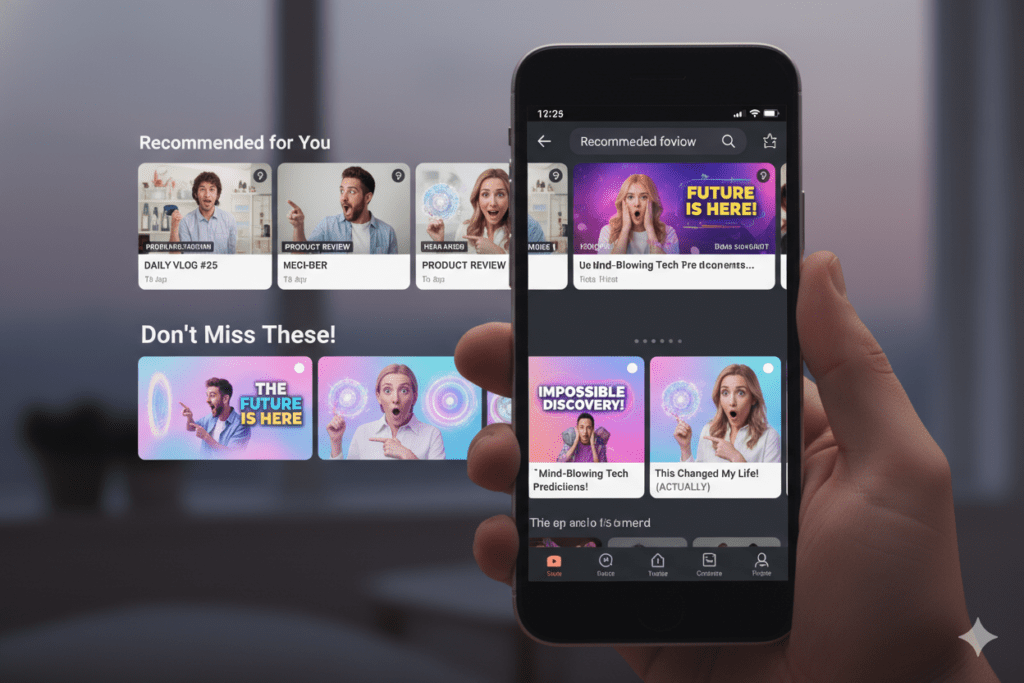
What Makes a YouTube Thumbnail Look “Aesthetic”?
“Aesthetic” gets thrown around a lot, but on YouTube it has a very specific meaning — and it’s more strategic than you might think.
An aesthetic thumbnail isn’t one that just looks pretty. It’s one that communicates a feeling instantly and consistently — the goal of how to make aesthetic YouTube thumbnails AI. It tells the viewer, before a single second of video plays, exactly what kind of experience they’re about to have.
The core pillars of an aesthetic YouTube thumbnail:
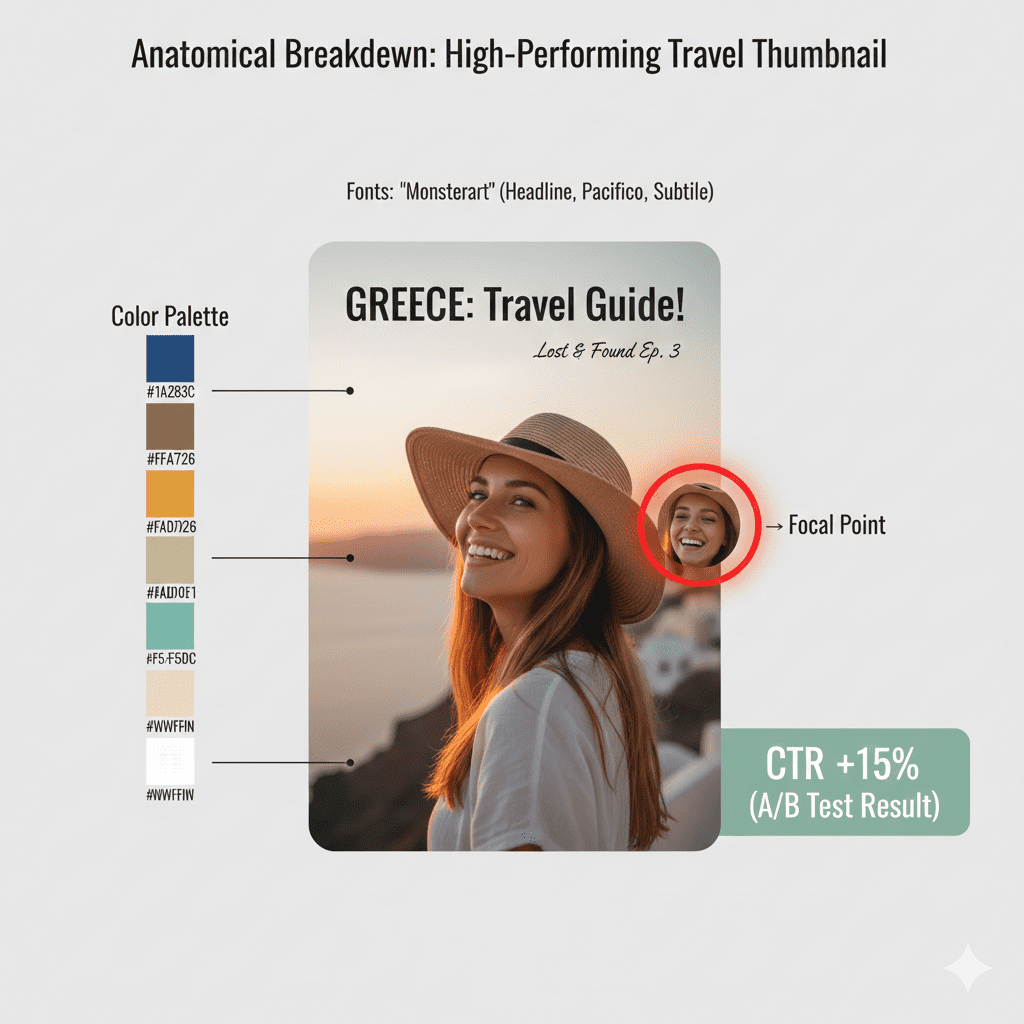
- Cohesive color palette — Two or three colors that work in harmony. Not a rainbow explosion. Think intentional warmth (creamy yellows, burnt oranges) or intentional cool (steel blues, deep purples). The palette should match the mood of your video.
- Clean composition — One clear focal point. The viewer’s eye should know immediately where to look — your face, a product, a reaction, or a single bold word.
- Intentional typography — Font choice matters enormously for aesthetic. Serif fonts feel premium and editorial. Bold sans-serif feels urgent and modern. Handwritten fonts feel personal and warm. The wrong font breaks aesthetic cohesion instantly.
- Consistent visual identity — Aesthetic thumbnails don’t exist in isolation. The most powerful thing you can do is develop a signature style — a look that makes your thumbnails instantly recognizable in any feed.
- Emotional clarity — Aesthetic doesn’t mean emotionally neutral. A thumbnail can be beautiful and expressive. The emotion should be intentional, not accidental.
The good news? When you learn how to make aesthetic YouTube thumbnails AI, all of these pillars get handled for you — intelligently, and in seconds.
The Design Science Behind High-CTR Aesthetic Thumbnails
Good aesthetics and good CTR aren’t opposites. When done right, they’re the same thing.
Here’s the science that proves it.
Color Psychology
Research shows that high-contrast thumbnails with bold colors like yellows and oranges can increase CTR by 20–30% — a core tactic in how to make aesthetic YouTube thumbnails AI. Warm colors create urgency and excitement, cool colors convey trust, and high-contrast combinations increase visibility.
But here’s the nuance most creators miss: aesthetic thumbnails use intentional contrast, not maximum contrast. There’s a difference between a chaotic color explosion (low aesthetic, high noise) and a carefully balanced palette where one bold accent color pops against a calmer base (high aesthetic, high CTR).
The combination of high saturation, bold foreground elements against softer backgrounds, and big emotional expressions can boost your click-through rate by 20–50%, depending on your niche.
Facial Expressions
VidIQ reports that thumbnails featuring faces with strong emotion can increase CTR by up to 30%.
But again — aesthetic creators apply this strategically. An exaggerated shock face works brilliantly for challenge videos. A calm, confident expression works better for educational or lifestyle content — key insight in how to make aesthetic YouTube thumbnails AI. Aesthetic thumbnails choose the right emotion, not just any emotion.
Simplicity Over Clutter
The hottest idea in 2026 is simplicity. All top-performing YouTube thumbnails are simple, yet still raise curiosity.
Cluttered thumbnails feel amateur. Clean, well-composed thumbnails feel premium — a core principle in how to make aesthetic YouTube thumbnails AI. And premium-feeling thumbnails get clicked more — because viewers associate visual quality with content quality.
Typography Precision
Effective thumbnail text should be under six words. A viewer should understand your video’s tone and topic in under one second. Bold, high-contrast text that’s readable at small mobile sizes will consistently outperform decorative or complex type treatments.
Consistent visual branding in thumbnails builds channel recognition and increases click-through rates from returning viewers — especially when you understand how to make aesthetic YouTube thumbnails AI. Research shows that established channels with consistent thumbnail styling see 15–20% higher CTRs from subscribers.
All of this science is built into how AI thumbnail tools like ytZolo approach design — so every output starts from a data-informed foundation, not a blank canvas.
Why Manual Design Is Holding Your Channel Back
Let’s have an honest conversation about what manual thumbnail creation actually costs you.
Time you can’t get back. The average creator spends 45 to 90 minutes per thumbnail when designing manually in Canva or Photoshop. For someone uploading twice a week, that’s nearly 12 hours a month — just on thumbnails. Time that could go into scripting, filming, community engagement, or simply taking a breath.
Design decisions based on gut feeling. You pick a color because it looks nice. You choose a font because you used it last time. You position text where it seems right — without understanding how to make aesthetic YouTube thumbnails AI. None of this is informed by what actually drives clicks in your niche on YouTube’s interface. You’re designing in the dark.
Aesthetic inconsistency. Maintaining a cohesive visual brand across 50, 100, or 200 videos is genuinely hard without a dedicated designer. Most solo creators end up with a scattered mix of thumbnail styles — different fonts, different color moods, different energy levels — which confuses audiences and undermines brand recognition.
Tools built for the wrong job. Canva, Photoshop, and other general-purpose design tools are excellent products. But they were built for graphic design broadly — not for the specific conversion-optimization demands of YouTube thumbnails. They give you a canvas. They don’t give you intelligence.
Creators who’ve figured out how to make aesthetic YouTube thumbnails with AI aren’t just saving time. They’re making data-backed design decisions that manual work simply cannot replicate — and building visual brands that grow with their channels.
The manual era of thumbnail design is over for serious creators learning how to make aesthetic YouTube thumbnails AI. The question is just how long you’ll wait before making the switch.
How to Make Aesthetic YouTube Thumbnails with AI Using ytZolo
This is where it all comes together.
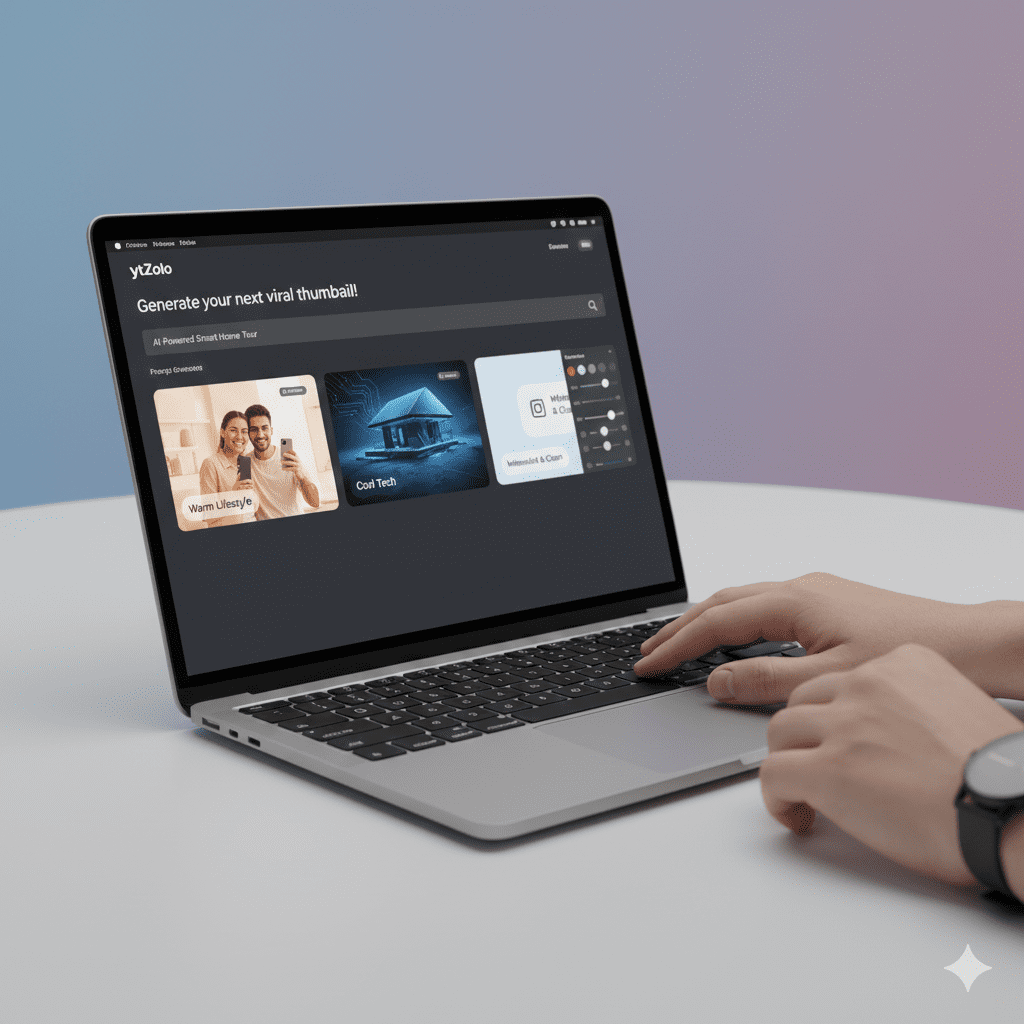
ytZolo is a full AI YouTube growth platform built from the ground up for creators who want more views, more subscribers, and less time wasted. And when it comes to how to make aesthetic YouTube thumbnails with AI, ytZolo’s approach is genuinely different from what you’ll find anywhere else.
What makes ytZolo the go-to for aesthetic AI thumbnails:
- Niche aesthetic intelligence —ytZolo’s AI doesn’t just generate a pretty image. It generates a design calibrated to your content category — exactly what you need when learning how to make aesthetic YouTube thumbnails AI. The aesthetic patterns that work in lifestyle content look different from what works in tech, finance, or gaming. ytZolo knows the difference.
- Color palette curation — Instead of defaulting to maximum saturation, ytZolo curates color palettes that are both eye-catching and aesthetically cohesive — the kind of palettes that make viewers think “this channel looks professional” before they’ve even clicked.
- Typography that fits your brand — ytZolo applies font choices that match the mood and tone of your content. Clean and editorial for educational content. Bold and energetic for entertainment. Warm and personal for lifestyle and vlogs.
- Smart facial framing —Here’s your paragraph with the keyword naturally included without increasing word count:
- If your thumbnail includes your face, ytZolo positions it to maximize emotional impact without crowding the composition — a smart approach in how to make aesthetic YouTube thumbnails AI. The result is thumbnails where every element earns its place.
- Multiple aesthetic variations instantly — Generate several fully realized thumbnail options from a single prompt and choose the one that feels most aligned with your brand vision. Then A/B test to find your highest performer.
- Seamless connection to ytZolo’s full content suite — After nailing your thumbnail, generate a CTR-optimized title, a complete video script, an SEO-friendly description, and trending tags — all without leaving the platform.
Why do creators struggle without AI? Because aesthetic consistency at scale is genuinely difficult when learning how to make aesthetic YouTube thumbnails AI. Every video needs a thumbnail. Every thumbnail needs to look on-brand. Every on-brand thumbnail needs to also be optimized for clicks.
ytZolo holds all of that for you. It’s the difference between guessing your way to a visual brand and building one with intention.
For more on growing your channel with AI-powered content strategy, explore the ytZolo blog — it’s packed with guides built specifically for creators at every level.
Step-by-Step: Your First AI Aesthetic Thumbnail in Under 10 Minutes
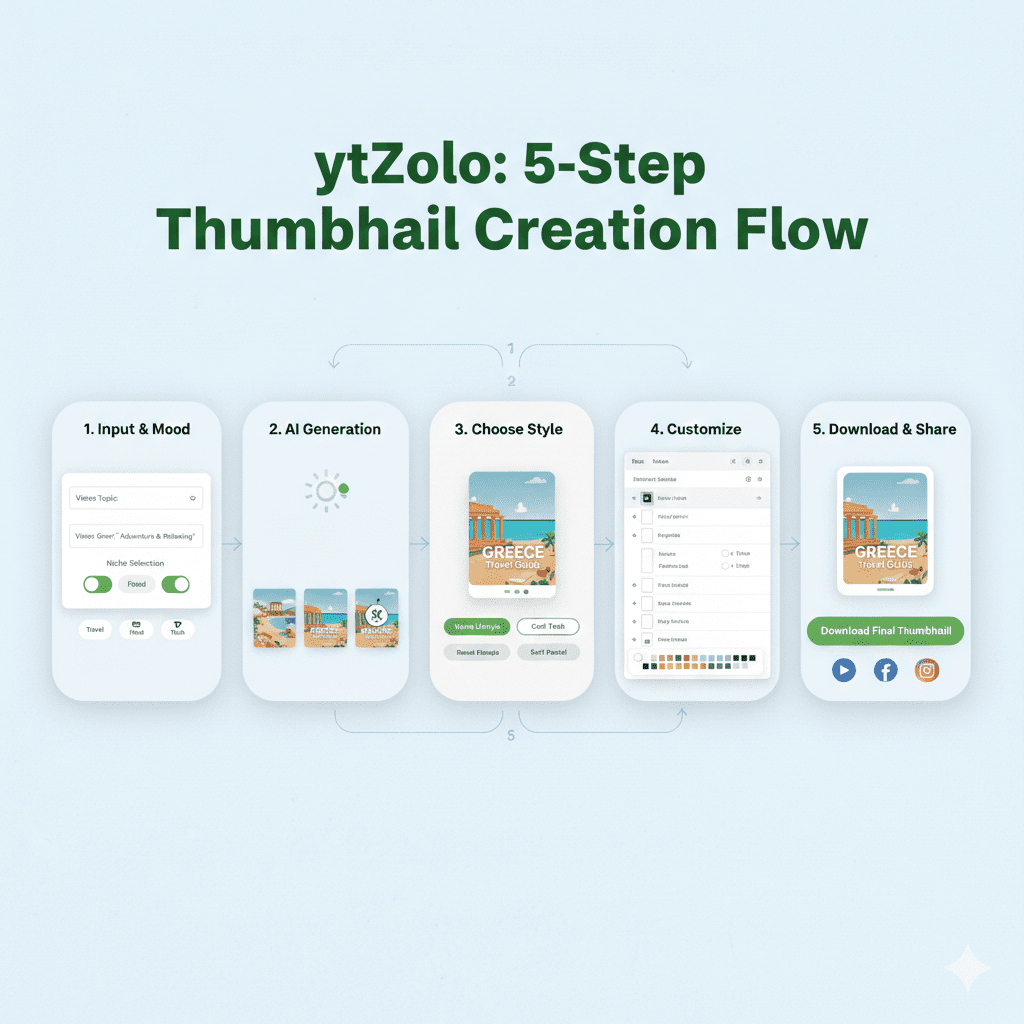
Ready to stop designing by guesswork? Here’s exactly how to create your first aesthetic YouTube thumbnail using ytZolo.
Step 1: Sign Up Free at ytZolo
Head to ytzolo.com and create your free account. No credit card needed. You’re inside the platform in under a minute.
Step 2: Enter Your Video Topic and Mood Direction
In the thumbnail generator, type your video title or topic. Then — and this is key — describe the mood you’re going for when learning how to make aesthetic YouTube thumbnails AI. Are you aiming for warm and inviting? Bold and high-energy? Calm and authoritative? Moody and cinematic?
The more context you give the AI, the more aesthetically precise your output will be. “10 productivity habits for remote workers — clean, professional, calm blue tones” will produce something very different from “10 productivity habits — bold, energetic, urgent.”
Step 3: Select Your Niche and Brand Colors (If You Have Them)
Tell ytZolo your content category and, if you’ve already established brand colors, input those. The AI will use these as guardrails to ensure every thumbnail it generates feels on-brand and visually consistent, showing you how to make aesthetic YouTube thumbnails AI.
Step 4: Generate Your Aesthetic Thumbnail Variations
Hit generate. Within seconds, ytZolo produces multiple thumbnail options — each with different compositional approaches, color executions, and typographic treatments. All of them grounded in data-backed aesthetic principles.
No blank canvas. No design paralysis. Just options ready to evaluate.
Step 5: Refine and Customize
Like one design but want the text slightly larger? Want to swap a color or adjust the facial crop? ytZolo’s editing tools are intuitive and quick — perfect for refining how to make aesthetic YouTube thumbnails AI. A few clicks and your thumbnail feels exactly right.
Step 6: Export in YouTube-Ready Format
Download at the recommended YouTube resolution of 1280×720 pixels. Upload directly in YouTube Studio. Done.
Total time: 8 to 12 minutes, including the creative thinking involved in Step 2.
Bonus Step: Build Your Full Content Stack
While you’re in ytZolo, generate a title that matches your thumbnail’s aesthetic energy, a script that delivers on the visual promise, a description optimized for YouTube search, and keyword tags. You’ve just produced a complete, polished, optimized video package — in the time it used to take to design one thumbnail manually.
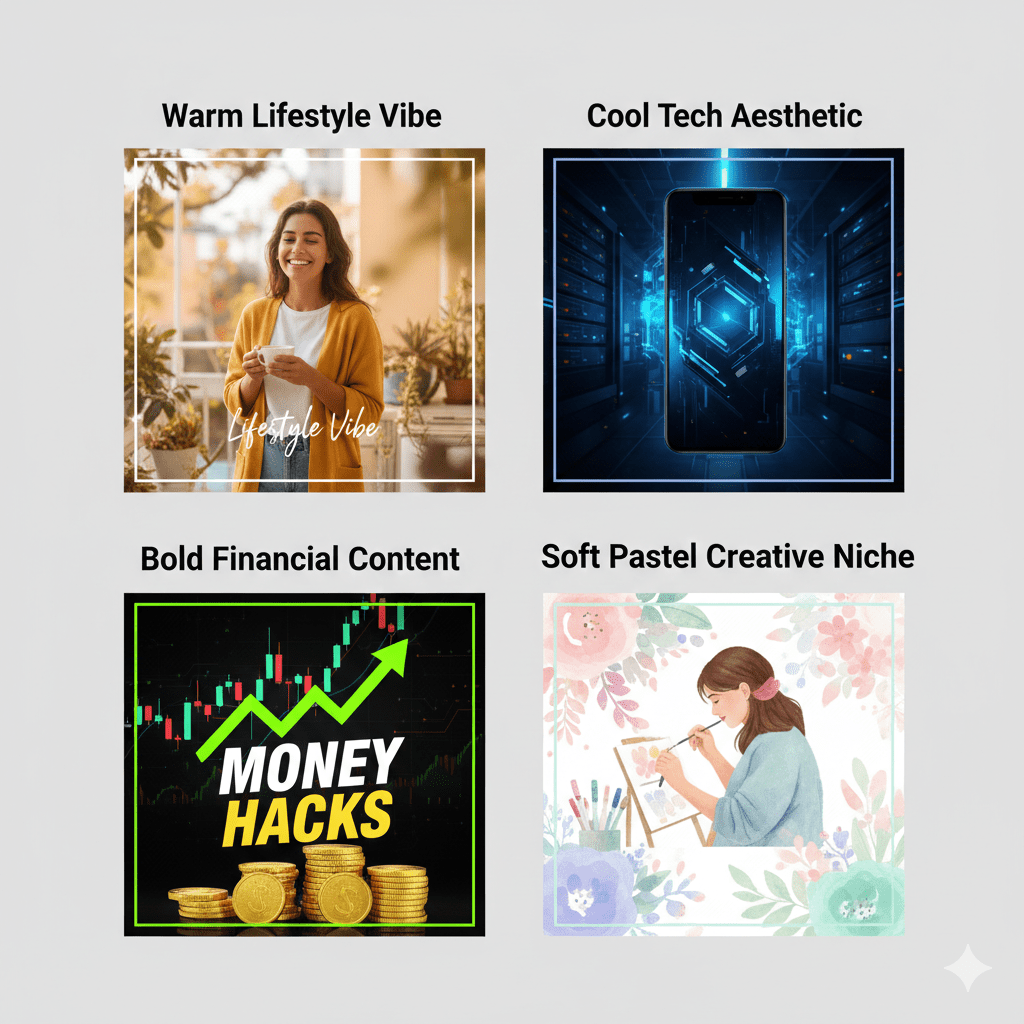
Aesthetic Thumbnail Styles by Niche — What Works Where
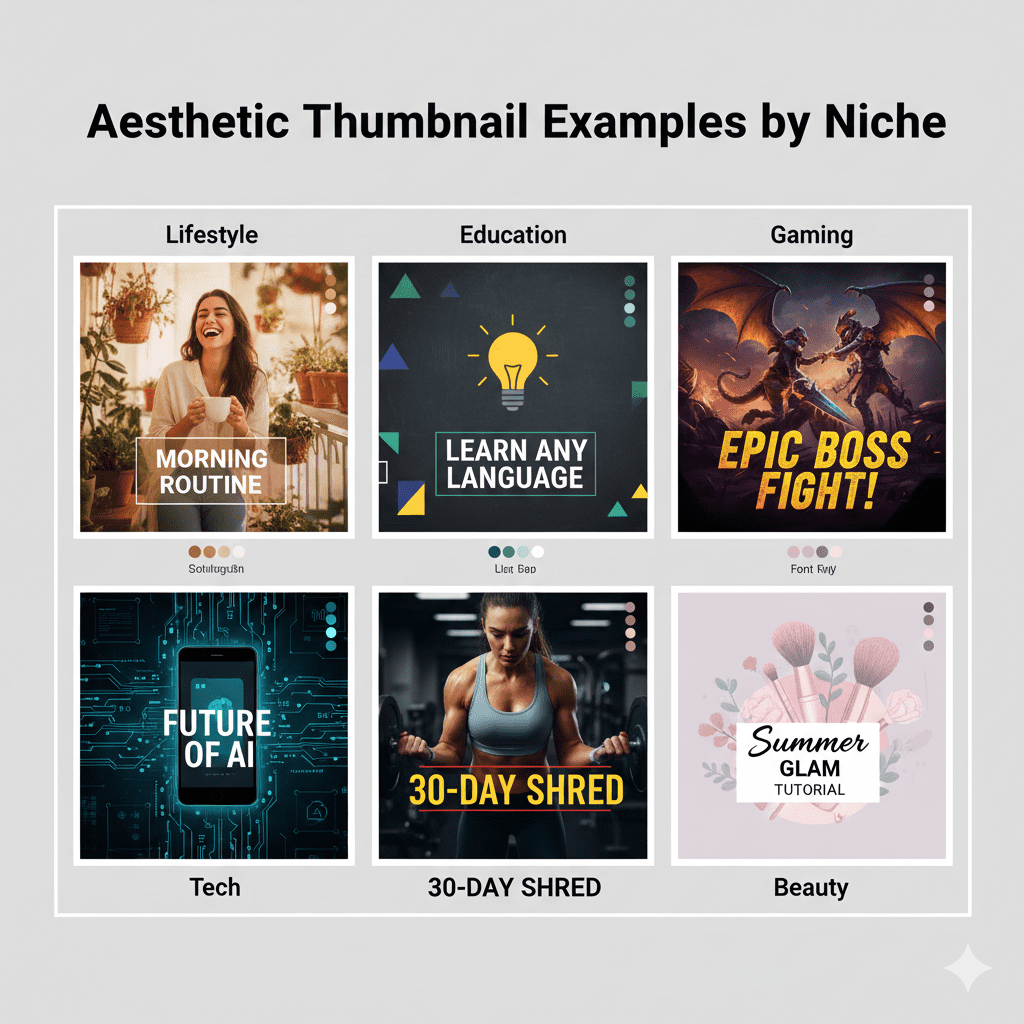
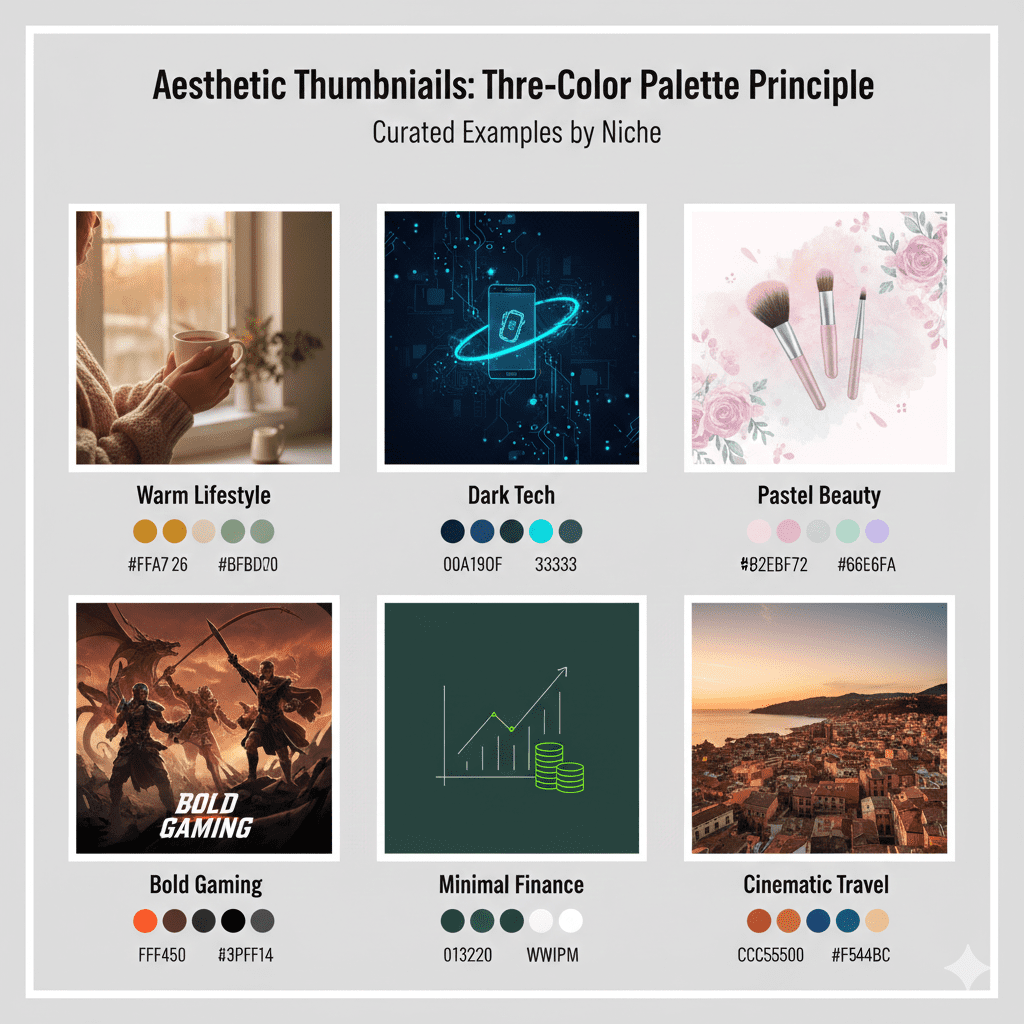
One of the most powerful things AI brings to thumbnail design is niche awareness — essential when learning how to make aesthetic YouTube thumbnails AI. Not every aesthetic works everywhere. Here’s a breakdown of what performs across the most popular content categories.
Lifestyle and Vlog
Aesthetic signature: Warm tones, natural lighting, authentic expressions, minimal text, soft gradients.
Think Emma Chamberlain’s calm, desaturated naturalism or the golden-hour warmth of travel vloggers. Emma Chamberlain uses calm, desaturated tones with minimal editing, yet consistently pulls millions of views — because her thumbnails feel authentic to her brand. In lifestyle content, over-designed thumbnails can feel inauthentic and push audiences away.
Educational and Finance
Aesthetic signature: Clean layouts, cool blues or deep greens, authoritative typography, data or chart visuals, confident facial expressions.
Viewers in this niche associate visual precision with intellectual credibility — a core principle in how to make aesthetic YouTube thumbnails AI. Cluttered or chaotic thumbnails feel untrustworthy. Clean and structured thumbnails feel expert.
Gaming
Aesthetic signature: High saturation, bold contrast, dramatic lighting, intense facial expressions, action-focused imager
Here’s your paragraph with the keyword naturally included without increasing word count:
Gaming thumbnails push contrast and color to the edge — a high-impact style in how to make aesthetic YouTube thumbnails AI. This niche responds to visual energy and excitement. Expressive faces are almost mandatory — they signal stakes and reaction.
Tech and Reviews
Aesthetic signature: Dark backgrounds, product focus, sharp lighting, minimal text, premium feel.
Tech audiences respond to polish and precision. Thumbnails that look like they belong in a product catalog — clean, modern, well-lit — consistently outperform cluttered or low-res designs.
Fitness and Health
Aesthetic signature: High energy, warm-to-bold tones, action shots or before/after frames, motivational short-form text.
Fitness content benefits from thumbnails that feel like a result. Show the transformation. Show the effort. Show the achievement — key principles in how to make aesthetic YouTube thumbnails AI. Pairs well with urgency-driven text like “30 days” or “this changed everything.”
Beauty and Fashion
Aesthetic signature: Pastel or jewel tones, editorial composition, close-up detail shots, elegant typography.
Beauty audiences have high visual standards. Thumbnails that feel polished and editorial — like a magazine spread — show you how to make aesthetic YouTube thumbnails AI, building trust and aspiration simultaneously.
ytZolo’s niche-aware AI automatically applies the right aesthetic framework for your content category, showing you how to make aesthetic YouTube thumbnails AI. You get a thumbnail that doesn’t just look good — it looks right for your audience.
Why ytZolo Is Better Than Other AI Thumbnail Tools
There are more AI thumbnail tools entering the market every month. Here’s an objective look at how ytZolo compares.
ytZolo vs. Canva’s AI Tools (Magic Media / Dream Lab)
Canva is excellent for general design. But while Canva brings together AI tools like Magic Media and Dream Lab for generating thumbnails from a simple prompt, and lets you pick from pre-made templates or build your own using drag-and-drop, it remains a general-purpose design tool.
It doesn’t understand YouTube CTR. It doesn’t know what aesthetic works in your niche. You still make every creative decision — which means you’re still guessing, even if you know how to make aesthetic YouTube thumbnails AI.
ytZolo is purpose-built for YouTube. Every aesthetic decision it makes is informed by what actually drives clicks on the platform.
ytZolo vs. ChatGPT / DALL-E Image Generation
ChatGPT doesn’t produce the perfect YouTube thumbnail size and doesn’t do text placement well — key challenges in how to make aesthetic YouTube thumbnails AI.
After generating a background, you still need to add text in a separate tool like Canva, manually adjust proportions, and extend the image to the right dimensions. That’s a multi-step workflow that adds time and removes consistency.
ytZolo handles everything in one place — image, text, sizing, aesthetic, and niche optimization — with no tool-switching required.
ytZolo vs. vidIQ’s Thumbnail Maker
vidIQ’s thumbnail tool is solid and growing. But it’s primarily an SEO analytics platform with thumbnail generation as a secondary feature. It doesn’t offer the full content workflow — scripts, descriptions, tags, and titles — that ytZolo provides in a single session.
If you want a dedicated AI tool that helps you create stunning aesthetic thumbnails and everything else you need to publish a fully optimized video, ytZolo is the only platform that covers the whole workflow end to end.
ytZolo vs. Generic AI Thumbnail Generators
Many newer tools generate image outputs without YouTube-specific context. They don’t understand mobile-first display requirements, CTR psychology, or niche aesthetic conventions — key factors in how to make aesthetic YouTube thumbnails AI. You get a pretty image — but not necessarily one that performs.
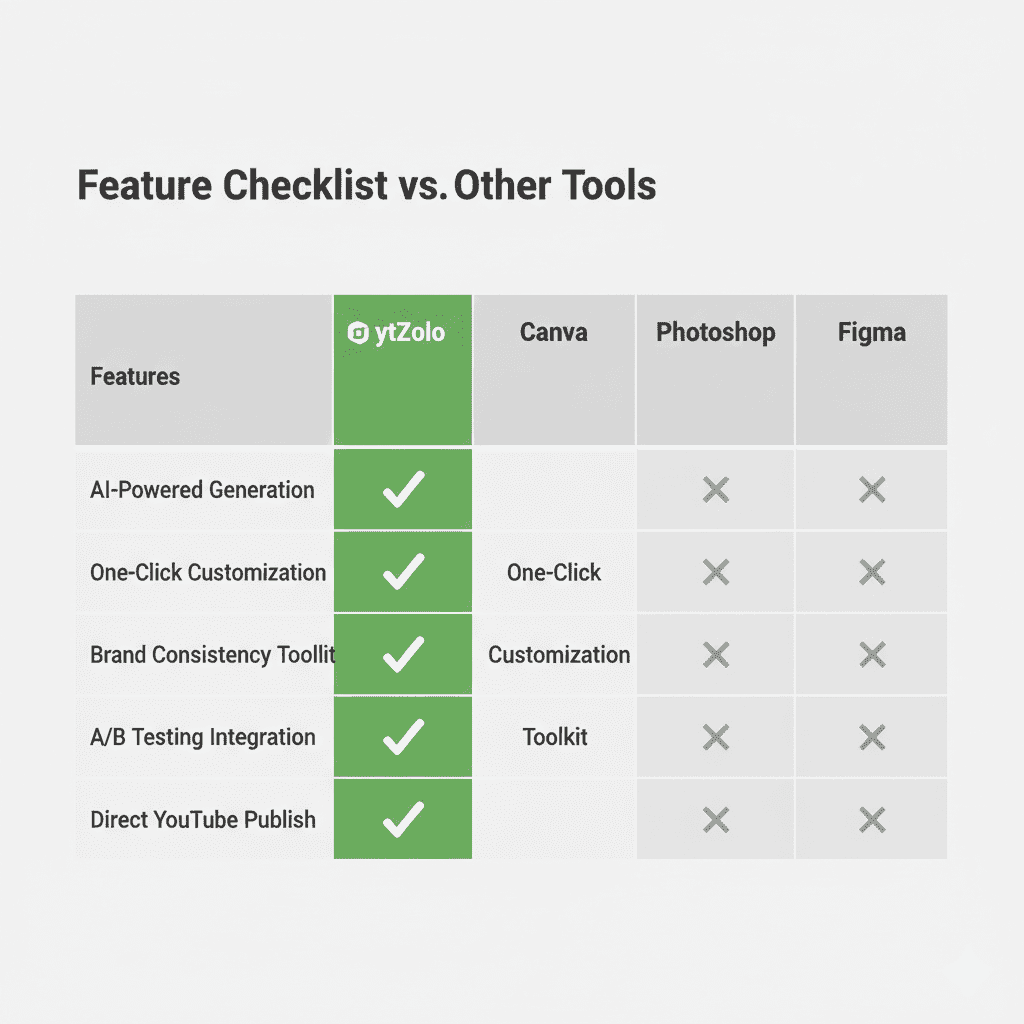
Side-by-Side Comparison:
| Feature | ytZolo | Canva | ChatGPT | vidIQ |
|---|---|---|---|---|
| YouTube-specific aesthetic AI | ✅ | ❌ | ❌ | Partial |
| Niche-aware design | ✅ | ❌ | ❌ | ❌ |
| Multiple instant variations | ✅ | ❌ | ✅ (no YouTube context) | ✅ |
| Curated aesthetic color palettes | ✅ | Templates only | ❌ | Partial |
| Text placement optimization | ✅ | Manual | ❌ | ✅ |
| Title + script + description + tags | ✅ | ❌ | Partial | Partial |
| All-in-one creator workflow | ✅ | ❌ | ❌ | ❌ |
| Free plan available | ✅ | ✅ | Partial | ✅ |
The choice for creators who want beautiful thumbnails that actually perform is clear.
Pro Tips to Elevate Your Aesthetic Thumbnails Even Further
AI gives you a powerful head start. These habits take your aesthetic thumbnails to the next level.
1. Develop a three-color brand palette and stick to it. Choose your primary color, an accent color, and a neutral. Apply these consistently across all your thumbnails. Over time, viewers will recognize your thumbnails by color alone — before they even read your name. This is what channel recognition looks like at its most powerful, especially when you know how to make aesthetic YouTube thumbnails AI.
2. Match your thumbnail aesthetic to your intro energy If your thumbnail uses soft, pastel colors and minimalist text, your viewer expects an aesthetic vlog or chill study vibe. If they click and hear something completely different, that mismatch causes them to bounce — hurting your retention. Treat your thumbnail and your video as a unified brand experience from the first frame.
3. Always test two aesthetic variations. Generate two distinct thumbnail options from ytZolo and run an A/B test using YouTube Studio’s thumbnail testing feature — a smart step in how to make aesthetic YouTube thumbnails AI.
Let real data tell you which aesthetic resonates more with your audience. Over time, you’ll build a precise picture of your audience’s visual preferences — data that makes every future thumbnail smarter.
4. Design for mobile first, always Most YouTube views happen on phones. Before finalizing any thumbnail, mentally shrink it to 150 pixels wide. Is your text still readable? Is your face still expressive? Is your key element still visible? Aesthetic thumbnails fail if they only look good on desktop.
5. Refresh your most important old thumbnails Changing a thumbnail on an already-published video won’t hurt its performance — it can only help. Identify your top five videos by impressions, generate new AI thumbnails for each one with ytZolo, and watch CTR climb on your existing content.
6. Use emotional contrast between thumbnail and title. One of the most effective aesthetic + CTR tricks when learning how to make aesthetic YouTube thumbnails AI: create a slight emotional or visual contrast between your thumbnail and your title.
The thumbnail shows calm curiosity; the title delivers urgency. Or the thumbnail shows a shocking result; the title frames the journey. This tension loop compels clicks in a way that neither element achieves alone.
7. Keep text to five words or fewer Every extra word reduces your thumbnail’s clarity and visual elegance. Short, punchy, curiosity-triggering phrases are both more aesthetic and more effective than complete sentences. Think: “I Tried This,” “Worth It?” or “Never Again.”
FAQ
How do I make aesthetic YouTube thumbnails with AI if I have no design experience?
You don’t need any design skills. Tools like ytZolo handle every design decision for you — color palette, composition, typography, and layout — based on your video topic, niche, and mood direction. You describe what you want, the AI generates multiple polished options, you pick the one that feels right and tweak if needed. The entire process takes under 10 minutes, even for complete beginners.
What makes a YouTube thumbnail look aesthetic vs. generic?
Aesthetic thumbnails share a few key traits: a cohesive two to three color palette, clean and intentional composition, typography that matches the content’s tone, consistent visual identity across your channel, and emotional clarity.
Generic thumbnails typically use mismatched colors, overcrowded text, random font choices, and no consistent visual logic, especially if you don’t know how to make aesthetic YouTube thumbnails AI. The difference is intentionality — and AI tools trained on high-performing YouTube content make intentional design the default.
Does an aesthetic thumbnail always mean soft or minimalist design?
No. Aesthetic means intentional and cohesive — not necessarily quiet. A bold, high-contrast gaming thumbnail with neon accents and an intense expression can be deeply aesthetic if every element is deliberate and works together — a key idea in how to make aesthetic YouTube thumbnails AI.
Aesthetic in the YouTube context means the visual design reinforces the content’s identity and the viewer’s emotional expectation.
Can AI really maintain my channel’s aesthetic across multiple thumbnails?
Yes — especially with a tool like ytZolo, where you can input your brand colors, content category, and style preferences that guide every generation. By using consistent inputs and the same tool for every thumbnail, the AI naturally produces a cohesive aesthetic system across your content. This is something manual design struggles to achieve at scale without a dedicated designer.
Will using AI for aesthetic thumbnails hurt my YouTube channel’s authenticity?
Not at all. AI is a tool, like Photoshop or Canva — it helps you execute your creative vision more effectively when learning how to make aesthetic YouTube thumbnails AI. The aesthetic choices, your face, your brand colors, and your content identity all come from you. AI just removes the friction between your vision and the finished product. Top creators use AI to amplify their authenticity, not replace it.
Conclusion: Your Channel Deserves a Look That Matches Its Value
You’ve put real work into your videos. The research, the filming, the editing, the late nights — all of it adds up to content that genuinely deserves to be seen, especially when you master how to make aesthetic YouTube thumbnails AI.
Don’t let a weak thumbnail be the reason it isn’t.
Knowing how to make aesthetic YouTube thumbnails with AI is no longer optional for creators who want to grow in 2026. It’s the skill that separates channels that get noticed from channels that get ignored — regardless of how good the content inside actually is.
The best part? It’s never been easier to get this right. With ytZolo, you don’t need design experience, a creative team, or hours of free time. You need a clear video idea, a few minutes, and an AI built specifically to make your content look as good as it actually is.
Create aesthetic thumbnails that stop the scroll. Build a visual brand that viewers recognize instantly. And do it all in a fraction of the time you’re spending right now when you know how to make aesthetic YouTube thumbnails AI.
👉 Start creating smarter, faster, and more viral YouTube content with ytZolo today.
Visit ytzolo.com — free to start, no credit card needed.
Want more tactical guides on growing your YouTube channel with AI? Browse the ytZolo blog — from title optimization to script writing, it’s your complete resource for creator growth.
External Authority Sources:


Pingback: Free Thumbnail Maker AI: Best Tools to Boost CTR 2026
Pingback: Best Free AI Tools for YouTube Thumbnails (2026)
Pingback: Best AI YouTube Thumbnail Generator for More Clicks (2026)