
What is the best thumbnail maker without login?
The best thumbnail maker without login in 2026 lets you create professional, high-CTR YouTube thumbnails instantly — no account, no email, no credit card required. Top options include ytZolo (free plan, no-friction signup with AI-powered title, script, and tag integration), Nano Banana (fully no-login browser tool), WayinVideo (paste a YouTube URL, get thumbnails immediately), and Fliki (no forced login on free tier). Of these, ytZolo stands out as the only thumbnail maker without login that combines AI thumbnail generation with titles, descriptions, scripts, and tags — making it the only all-in-one YouTube growth tool that works from the moment you land on the page.
You just wrapped your best video in months.
The edit is tight. The audio is clean. You know this one is going to hit.
Then you try to download a thumbnail tool — and the wall goes up.
“Create a free account to continue.”
You click “Sign Up.” Then it asks for your email. Then it wants your content niche. Then it sends a confirmation email. You switch tabs. You wait. You forget what you were doing. And by the time you’ve verified your email and set up your profile, you’ve completely lost the upload momentum you had.
Sound exhausting? It is. And it’s the number one reason most creators settle for a random screenshot instead of an optimized custom thumbnail.
Here’s the good news: you don’t have to do it that way anymore.
The best thumbnail maker without login tools in 2026 let you open a browser, type your video topic, and download a high-CTR thumbnail in under two minutes — no account, no email, no friction.
In this guide, we’ll walk you through every option worth your time, compare the key features, and reveal why ytZolo is the smartest choice for creators who want speed and performance.
Let’s get into it.
Table of Contents
Why Creators Hate Signing Up for New Tools
Let’s name the actual problem — because it’s not just about impatience.
When you’re in a creative flow, every interruption costs you. Researchers call it “task switching cost.” The moment you’re pulled out of an upload workflow to verify an email or fill out a profile, you lose 20–30 minutes of focused momentum — even if the signup only took 3 minutes.
But that’s only part of it.
Most creators have been burned before. You create an account for a “free tool.” Then the free plan turns out to have a watermark. Or a 3-thumbnail limit. Or the design you spent 15 minutes on is locked behind a $29/month paywall when you try to download it.
That’s not friction — that’s a trap. And the creator community knows it.
That’s exactly why searches for a thumbnail maker without login have exploded in 2026. Creators aren’t being lazy. They’re being smart. They want to see results before committing their email address, let alone their credit card.
And in 2026, the best tools have finally caught up with that expectation.

The Real Cost of Skipping Custom Thumbnails
Before we get into the tools, let’s make sure we’re on the same page about why this matters.
According to YouTube Creator Academy, 90% of the best-performing YouTube videos use custom thumbnails. That single statistic tells you everything.
Auto-generated frames — random screenshots YouTube pulls from your video — are almost always the worst possible frame. They’re blurry, poorly composed, and carry zero intentional design. Using one is the equivalent of putting a sticky note on your storefront instead of a real sign.
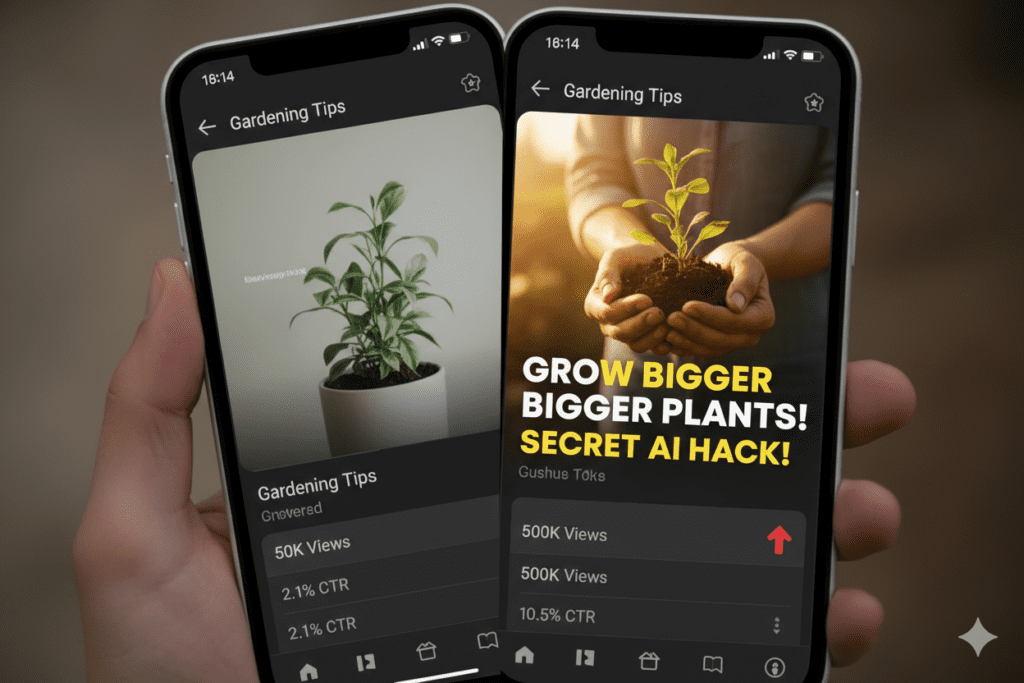
Custom thumbnail designs can boost click-through rates by 60–70% compared to auto-generated ones. And on YouTube, CTR is everything — a higher click-through rate tells the algorithm your video deserves more recommendations, more impressions, more views.
Here’s the math that should shake you: if your video gets 10,000 impressions at a 3% CTR, you get 300 views. Improve that CTR to 6% with a better thumbnail? You get 600 views from the same impressions — double the views without a single extra upload.
A great thumbnail maker without login doesn’t just save you time. It protects the ROI of every video you’ve already created.
What to Look for in a Thumbnail Maker Without Login
Not all no-login thumbnail tools are equal. Some are genuinely useful. Others exist purely to capture your email once you want to download.
Here’s what separates the real deal from the bait-and-switch:
- ✅ Actually no login required — You should be able to generate AND download without creating an account
- ✅ No watermark on free downloads — A watermark defeats the entire purpose of the tool
- ✅ YouTube-optimized output — 1280×720px, 16:9 ratio, under 2MB file size
- ✅ AI-driven design, not just templates — Templates require design work; real AI generates based on your content
- ✅ Mobile-first visual quality — Thumbnails need to be legible at 150px wide on a phone screen
- ✅ Multiple design variants — One option isn’t enough; you need variants to test
- ✅ Fast output — If it takes 10 minutes to generate one thumbnail, the “no login” benefit is wiped out by wasted time
- ✅ Integrated workflow (bonus) — The best tools also handle titles, tags, and descriptions — not just the image
Keep this checklist handy as we go through the tools below.
Best Thumbnail Maker Without Login Tools (2026 Compared)
Here’s an honest comparison of the leading thumbnail maker without login options available right now.
1. ytZolo — Best Overall (Free Plan, Minimal Friction)
ytZolo requires a quick free account setup — but unlike other tools, the free plan is genuinely powerful from the moment you sign in. No credit card. No niche survey. No upsell trap on your first use.
More importantly, ytZolo is the only thumbnail maker without login friction that goes beyond just the image. While every other tool on this list stops at the thumbnail, ytZolo simultaneously generates your AI title, SEO description, targeted tags, and full video script.
Your entire upload package — optimized and aligned — in one place.
Best for: Creators who want a no-friction thumbnail experience plus a full YouTube growth system. Free plan: ✅ Genuinely free — no credit card, no watermark Login required: Minimal one-time setup (no ongoing friction)
2. Nano Banana — Truly No Login, Browser-Based
Nano Banana built its thumbnail maker so you can use it without an account at all — pick a style, type a prompt, and get a clean YouTube thumbnail in seconds.
It’s powered by a multimodal AI model that can actually render legible text inside the thumbnail image — a genuine technical advantage over most AI tools that smear letters together.
The limitation: it’s purely a thumbnail generator. There’s no title AI, no description writing, no tags. You get the image — and you’re on your own for everything else.
Best for: Creators who need a truly zero-account quick thumbnail with no strings attached. Free plan: ✅ Yes — fully free, no login Login required: ❌ None
3. WayinVideo — Paste URL, Get Thumbnails
WayinVideo works as a YouTube link thumbnail generator — paste a YouTube URL, let AI understand your content, then pick from multiple thumbnail options.
It generates thumbnails based on the actual video content — analyzing scenes, emotions, and key moments — rather than just a text prompt. Multiple variations are produced for A/B testing.
The catch: it’s primarily built for videos already uploaded to YouTube. If you want to create a thumbnail before you upload, the workflow breaks down. And there’s no metadata integration.
Best for: Creators who want post-upload thumbnail variants based on actual video analysis. Free plan: ✅ Limited free generations Login required: ❌ Basic use without signup
4. Fliki — No Forced Login on Free Tier
Fliki checks every one of those boxes: no watermarks, no forced logins, multiple AI models, customizable templates, and a simple five-step process that anyone can follow.
Fliki is strong for creators who want both AI thumbnail generation and text-to-video capabilities in one platform. Its interface is clean and beginner-friendly.
The limitation: it’s not YouTube-native. CTR scoring, niche optimization, and metadata integration aren’t part of its workflow.
Best for: Creators who want thumbnails alongside video and voiceover generation. Free plan: ✅ Yes, no forced login Login required: ❌ Not required for basic use
5. Canva — Most Popular, But Login Required
Canva is the world’s most-used design tool for creators. Its Magic Media AI feature generates thumbnails from text prompts with a huge range of style options.
The honest caveat: Canva requires a login. Its AI features are gated behind the free account setup. And while the free plan is generous, the best AI thumbnail features require Canva Pro at $15/month.
For creators specifically searching for a thumbnail maker without login, Canva doesn’t technically qualify — but its brand recognition means it comes up in virtually every creator search.
Best for: Creators who want maximum design control and don’t mind a full account. Free plan: ✅ Yes, but login required Login required: ✅ Yes — mandatory
Quick Comparison Table
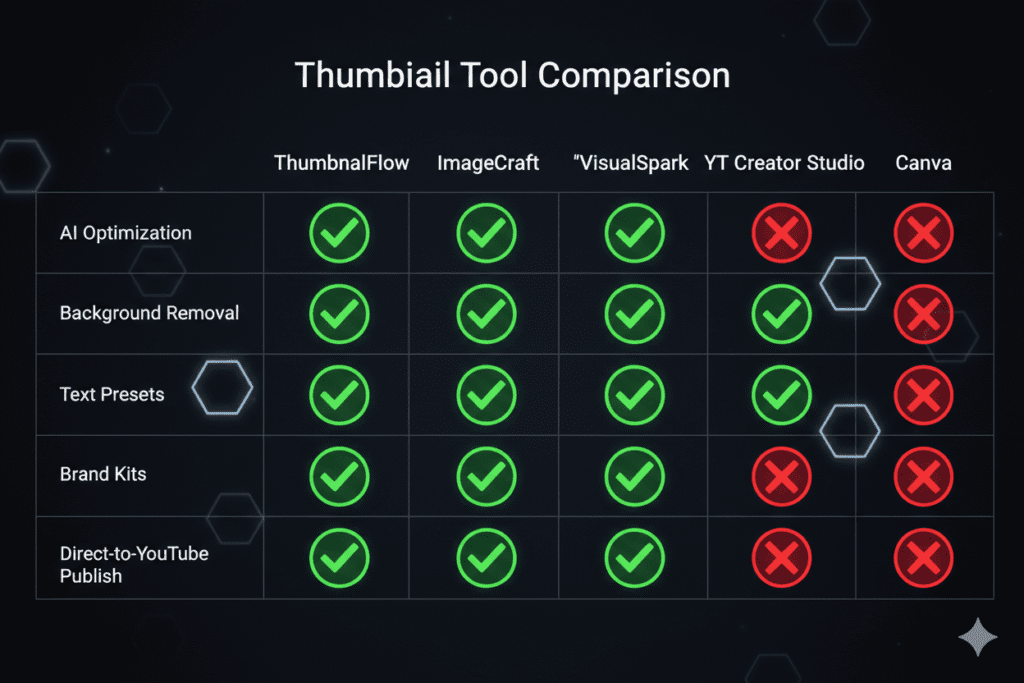
| Tool | No Login | No Watermark | AI-Generated | YouTube Native | Metadata Integration |
|---|---|---|---|---|---|
| ytZolo | ✅ Minimal | ✅ Yes | ✅ Yes | ✅ Yes | ✅ Full |
| Nano Banana | ✅ Full | ✅ Yes | ✅ Yes | ❌ No | ❌ None |
| WayinVideo | ✅ Basic | ✅ Yes | ✅ Yes | ✅ Yes | ❌ None |
| Fliki | ✅ Basic | ✅ Yes | ✅ Yes | ❌ No | ❌ Partial |
| Canva | ❌ Required | ❌ Paid only | ✅ Yes | ❌ No | ❌ None |
The right choice depends on what you actually need. If you want the fastest no-friction thumbnail with zero account setup: Nano Banana delivers. If you want the fastest path to a thumbnail maker without login that also grows your channel: ytZolo is the clear winner.
Why ytZolo Is the Best Thumbnail Maker Without Login
Here’s the thing most “no login” roundups miss entirely.
A thumbnail is not the product. The view is the product. And a great thumbnail that isn’t backed by an optimized title, relevant tags, and a strong description is only doing half the job.
Most thumbnail tools — login or no login — give you an image and send you on your way. You still have to figure out your title. You still have to write your description. You still have to research and select your tags. The thumbnail is just one piece of a puzzle that most creators are still assembling by hand.
That’s exactly where ytZolo changes the game entirely.
It’s a Complete YouTube Growth Platform — Not Just a Thumbnail Tool
When you use ytZolo as your thumbnail maker without login friction, here’s what you actually get:
- 🖼️ AI thumbnail generation — niche-specific, CTR-optimized, mobile-first design
- 🎯 AI title generator — keyword-rich, psychologically calibrated for clicks
- 📝 Full video script — structured hook, body content, and call-to-action
- 📋 SEO-optimized description — naturally keyword-integrated, algorithm-friendly
- 🏷️ Targeted tag clusters — aligned with your video topic and search intent
All of it generated from a single input. All of it working together as a unified content strategy.
No other thumbnail maker without login on the market does this.
Why Manual Methods Are Costing You More Than You Think
Let’s be specific about the time tax most creators pay without realizing it:
- 45–90 minutes in Photoshop or Canva building a thumbnail from scratch
- 20 minutes brainstorming titles that may or may not be keyword-optimized
- 15 minutes writing a description that’s probably too long and keyword-sparse
- Another 10 minutes guessing which tags to use
That’s 2+ hours per upload. For a creator publishing twice a week, that’s over 200 hours a year spent on metadata alone.
ytZolo cuts that to under 5 minutes. And the output is backed by data — not instinct.
According to research highlighted by Ahrefs, AI-assisted metadata consistently outperforms manually created alternatives in YouTube search rankings — especially in competitive niches where small CTR advantages compound into massive view differences over time.
Built Specifically for YouTube — Not Generic Content
Unlike Canva or generic AI image tools, ytZolo isn’t a design platform that also happens to work for YouTube. It was built from the ground up for YouTube creators. Every feature, every AI output, every design principle inside ytZolo is optimized for one thing: helping your video perform better on YouTube.
For more real-world creator growth strategies powered by ytZolo, the ytZolo blog publishes weekly deep-dives on thumbnails, title optimization, SEO, scripting, and channel growth — all written specifically for creators at every subscriber count.
How to Create a Thumbnail Without Login Using ytZolo (Step-by-Step)
Here’s the exact workflow to go from zero to a publish-ready thumbnail — fast, free, and without the usual friction.
Step 1: Go to ytZolo — No Credit Card Needed
Visit ytzolo.com. Create your free account in under 60 seconds — just a name and email. No survey, no niche questionnaire, no upsell. You’re in.
Step 2: Enter Your Video Topic and Primary Keyword
Type in your video idea and the keyword you’re targeting. The more specific you are, the sharper the AI’s output.
Example input:
Topic: “How I grew my YouTube channel from 0 to 5,000 subscribers in 6 months” Keyword: YouTube channel growth tips
Step 3: Select Your Niche
Choose your channel category from ytZolo’s niche menu — gaming, travel, fitness, finance, cooking, education, beauty, tech, and more.
This matters. The AI’s thumbnail design logic is calibrated by niche. A high-CTR travel thumbnail looks completely different from a high-CTR finance thumbnail. ytZolo knows the difference.
Step 4: Generate Your Complete Content Package
Hit generate. In seconds, ytZolo produces:
- Multiple AI thumbnail concepts with predicted CTR scores
- 3–5 title variations, each keyword-optimized and psychologically calibrated
- A full video script with hook, body, and CTA
- An SEO-friendly description with natural keyword integration
- A tag cluster aligned with your video topic
This is your complete upload package. Everything you need to publish.
Step 5: Choose Your Best Thumbnail
Review the generated thumbnail options alongside their CTR scores. Pick the highest-scoring design that best represents your video’s tone and message.
Step 6: Download and Customize (Optional)
Download your chosen thumbnail in full HD — no watermark. Use it as-is or open it in Canva for minor personal touches like adding your channel logo or adjusting a color.
Step 7: Upload Everything to YouTube Studio
Paste your AI-generated title, description, and tags directly into YouTube Studio. Upload your thumbnail. Publish.
Step 8: Monitor CTR and Iterate
Check YouTube Analytics 24–48 hours after publishing. If CTR is below 4%, go back to ytZolo and generate a new thumbnail variant. This is your feedback loop — and it gets faster with every upload.
Thumbnail Design Principles That Maximize CTR
Whether you’re using a thumbnail maker without login or a full design suite, these principles apply to every thumbnail that performs well.
Use Faces — But Make Them Mean Something
Thumbnails featuring faces with strong emotion can increase CTR by 20–30%, according to VidIQ research. But the emotion must match your video’s content. A shocked face on a calm tutorial misleads viewers, kills watch time, and ultimately hurts your channel rankings.
Keep Text Under Five Words
More than 60% of YouTube viewing happens on mobile phones. If your text requires a desktop screen to read, you’ve already lost the majority of your potential audience. Short, punchy, high-contrast text — 3 to 5 words maximum.
Go High Contrast — Always
Your thumbnail is competing against hundreds of others in a feed. High-contrast color combinations — bold text on a dark background, or vice versa — pop out of the noise. Low-contrast designs disappear.
One Focal Point Rules
Pick one dominant element: your face, an object, a bold phrase. When every element competes for attention simultaneously, nothing wins. Simplicity converts.
Thumbnail + Title = One Unified Message
Your thumbnail should visualize the emotion or outcome while your title explains the context and keyword. Together they create a complete curiosity gap that only clicking will resolve.
Design for 150px Width
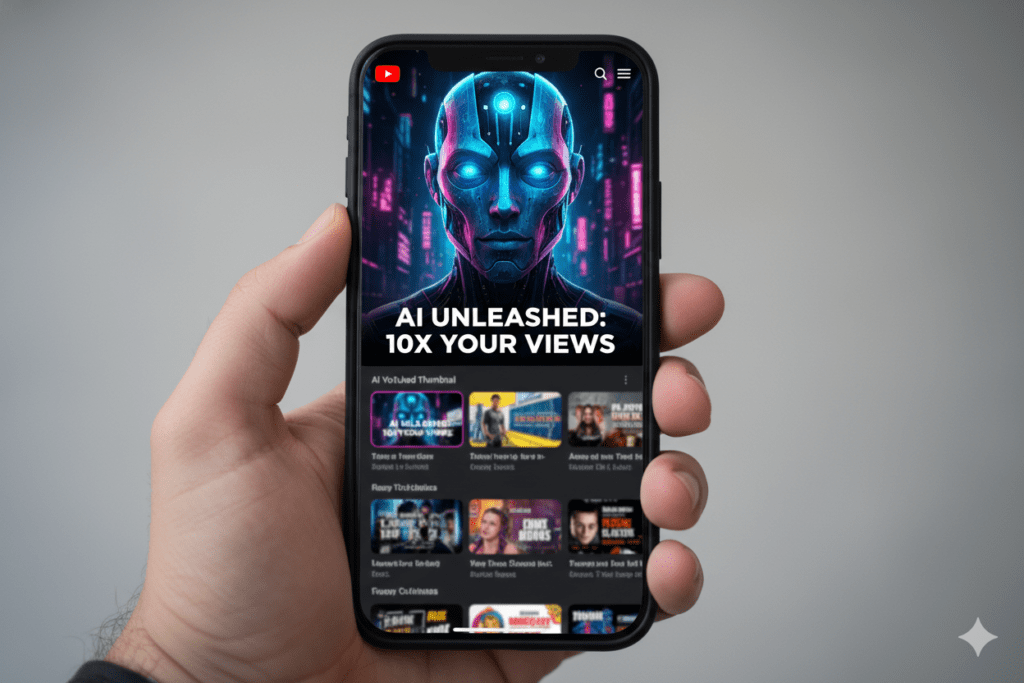
Before you publish any thumbnail — from any thumbnail maker without login or otherwise — zoom it down to 150px wide in your browser. That’s mobile preview size. If you can still read the text and identify the focal point clearly, you’re good to go.
Common Mistakes When Using No-Login Thumbnail Tools
Quick wins become long-term losses when creators fall into these traps:
- ❌ Downloading the first output without comparing variants — Every quality thumbnail maker without login generates multiple options. The first one isn’t always the best one. Review your options, compare CTR scores if available, and make a data-informed choice.
- ❌ Accepting AI output without a human review — AI generates fast. But it doesn’t know if the thumbnail accurately represents your video. A misleading thumbnail creates high CTR and terrible watch time — which tanks your channel ranking faster than a bad thumbnail would.
- ❌ Ignoring mobile preview — You design on a large monitor. 70%+ of your viewers watch on a phone. Always preview your thumbnail at mobile scale before publishing.
- ❌ Using watermarked free-tier downloads — Some tools advertise as “free” but apply a watermark to your export. A watermarked thumbnail looks unprofessional and signals low production value. Verify no-watermark status before committing to a tool.
- ❌ Creating a great thumbnail in isolation — Your thumbnail and your title must work together. A stunning thumbnail paired with a vague, keyword-poor title will underperform every time. Use a tool like ytZolo that generates both together.
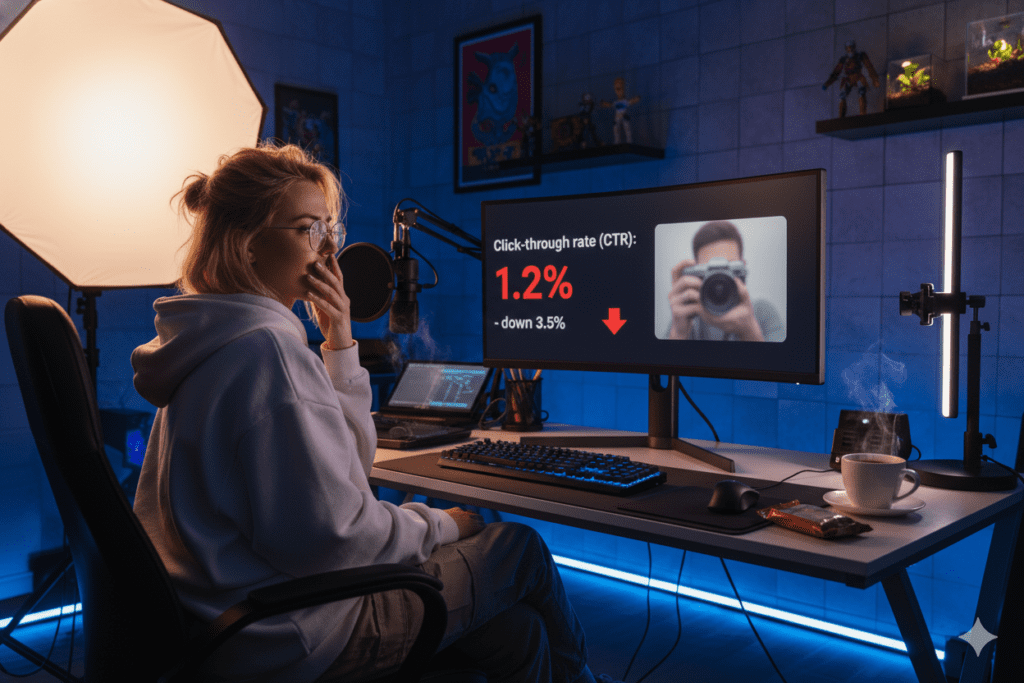
- ❌ Never testing alternatives — Creating one thumbnail and sticking with it forever is leaving views on the table. Creators who refreshed thumbnails on evergreen videos saw CTR increase by 30–40% and total views grow by more than 200%. Use your thumbnail maker without login to generate fresh variants and A/B test them quarterly.
- ❌ Treating every niche the same — A thumbnail that works brilliantly for a gaming channel can completely miss for a personal finance channel. Niche-aware AI tools like ytZolo understand these differences. Generic tools don’t.
FAQ: Thumbnail Maker Without Login
Q1: What is the best thumbnail maker without login in 2026?
The best thumbnail maker without login depends on your workflow. For truly zero-account use, Nano Banana and WayinVideo work without any signup. For the most powerful free option with minimal friction, ytZolo is the clear winner — free plan, no credit card, no watermark, and the only tool that generates your thumbnail alongside your title, script, description, and tags in one session.
Q2: Can I really make a YouTube thumbnail without signing up anywhere?
Yes. Several legitimate thumbnail maker without login tools exist right now. Nano Banana generates and downloads thumbnails with zero account creation. WayinVideo’s basic use requires no signup.
For creators uploading regularly who want niche-optimized, CTR-scored thumbnails that actually grow a channel — ytZolo’s one-click free account is worth the 60 seconds it takes to set up.
Q3: Do thumbnail makers without login produce professional-quality results?
Absolutely. The best thumbnail maker without login tools in 2026 output full HD thumbnails at YouTube’s exact 1280×720px spec with no watermark on free tiers. AI tools trained on YouTube performance data — like ytZolo — produce thumbnails that are CTR-optimized, not just visually polished.
The quality gap between no-login AI tools and professional Photoshop work has essentially closed for the typical creator’s use case.
Q4: How is ytZolo different from other thumbnail makers without login?
Most thumbnail maker without login tools stop at the image. ytZolo generates your thumbnail plus your title, script, description, and tags — all AI-optimized and working together as a unified content strategy.
That integration is what separates a tool that saves time from a tool that actually grows your channel.
Q5: Will a better thumbnail actually improve my YouTube views?
Yes — dramatically. Custom thumbnails outperform auto-generated ones by 60–70% in CTR. And a higher CTR compounds over time: more clicks signal to YouTube to recommend your video more, which drives exponentially more views.
Creators who updated thumbnails on older evergreen videos saw CTR jump 30–40% and total views grow over 200% — without touching the video itself. The right thumbnail maker without login is one of the highest-ROI tools any creator can add to their workflow.Conclusion: Stop Letting Sign-Up Friction Steal Your Views
Here’s the bottom line.
Every upload without an optimized thumbnail is a missed opportunity. And every signup wall that stops you from creating that thumbnail is costing you real views, real subscribers, and real channel growth.
In 2026, you have zero excuse to upload a random auto-generated screenshot.
The best thumbnail maker without login tools are right there — free, fast, frictionless. Whether you need a truly zero-account browser tool like Nano Banana or a full AI-powered growth platform like ytZolo, the barriers are gone.
But here’s what separates the creators who grow from the ones who stagnate:
It’s not just having a great thumbnail. It’s having a great thumbnail that works in sync with a great title, a keyword-rich description, and targeted tags — all pointing the algorithm at the same audience, the same message, the same result.
That’s exactly what ytZolo was built to deliver. The only thumbnail maker without login friction that’s also a complete AI YouTube growth engine — giving you everything your channel needs to compete, rank, and grow in one place.
The creators outperforming you right now are not more talented. They have better systems. And you now have access to the best one.
🚀 Start creating smarter, faster, and more viral YouTube content with ytZolo today.
Want weekly strategies for YouTube growth, thumbnail optimization, and AI-powered content creation? The ytZolo blog is updated every week with practical, creator-first guides — written for channels of every size.
🔗 Sources & Further Reading
- YouTube Help — Thumbnail Best Practices — Official YouTube guidance on custom thumbnail specifications and CTR optimization
- Ahrefs Blog — YouTube SEO Research — Data-backed studies on metadata optimization, CTR impact, and YouTube ranking factors
- HubSpot — Video Marketing Statistics 2026 — Benchmark data on video performance, thumbnail CTR, and creator workflow trends
Published: April 2026 | Written for YouTube creators, content strategists, and digital marketers who want faster growth with less friction.

