

Introduction: Your Best Video Is Dying Because of a Bad Thumbnail
You spent two full days on your latest video.
The lighting was perfect. The editing was crisp. The content was genuinely valuable.
You hit publish on a Tuesday afternoon — the “optimal” upload time, just like every creator tip told you. Then you refreshed YouTube Studio every 10 minutes for the next 48 hours.
The views barely trickled in. The impressions looked decent. But the click-through rate? A gut-punch 1.8%.
Sound familiar?
Here’s what nobody tells beginner creators — and what top creators already know: your thumbnail is either your biggest growth engine or your biggest bottleneck. There is no middle ground.
An ai thumbnail generator for YouTube free can change everything. It can take you from invisible to viral — without a graphic design degree, without expensive software, and without burning hours you don’t have.
In this guide, you’ll discover exactly how free AI thumbnail generators work, what separates the mediocre tools from the great ones, and why ytZolo is the all-in-one AI platform smart creators are using to dominate YouTube in 2026.
Let’s get into it.
Table of Contents
1. Why Your YouTube Thumbnail Is a Growth-or-Die Decision
This isn’t an exaggeration. According to YouTube’s own data, 90% of top-performing videos use a custom thumbnail. That’s not a coincidence — that’s a strategy.
Your thumbnail is the very first thing a potential viewer sees. Before the title registers, before they read a single word — the image fires first. The human brain processes visuals 60,000 times faster than text. You have about 1.8 seconds to stop the scroll.
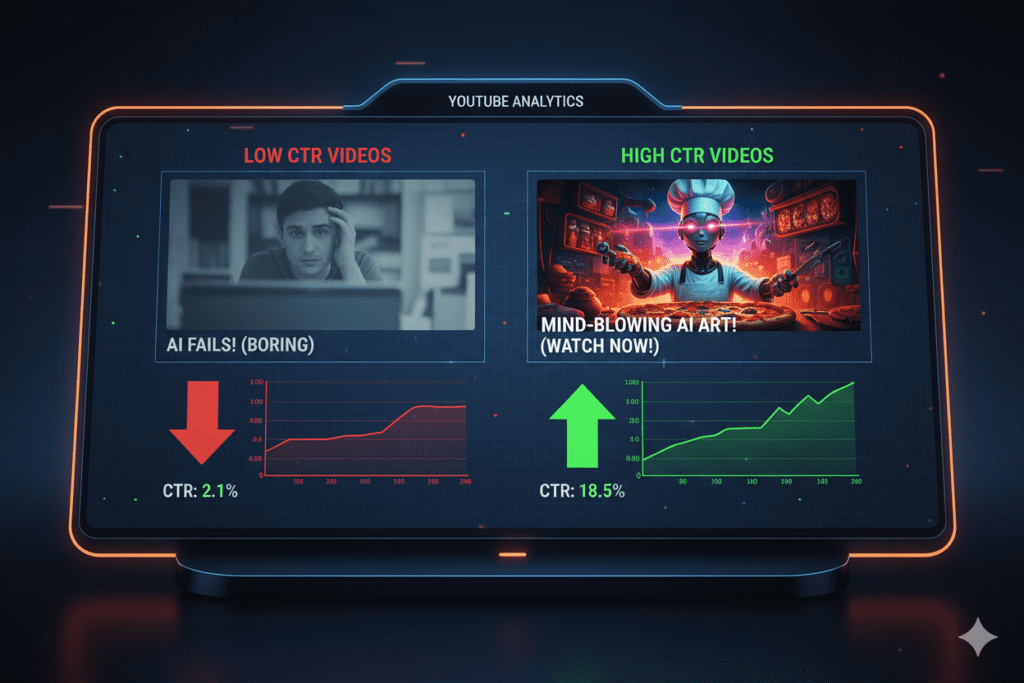
And here’s where it gets really important for growth: YouTube’s algorithm is constantly watching your click-through rate (CTR). When people see your video and don’t click, the algorithm interprets that as low relevance. It pulls back on recommendations. Your video quietly disappears.
On the flip side, a high CTR sends the opposite signal. The algorithm pushes your video harder — more home feed placements, more suggested videos, more search visibility. It becomes a powerful growth flywheel.
Research shows well-optimized thumbnails can increase CTR by 30–40%. For most channels, that’s the difference between 500 views and 5,000 views on the same video.
So yes — your thumbnail is a growth-or-die decision. And an ai thumbnail generator for YouTube free is how you start making smarter ones, starting today.
2. What Is an AI Thumbnail Generator for YouTube Free?
An ai thumbnail generator for YouTube free is an artificial intelligence-powered tool that automatically creates professional, click-optimized thumbnail images for your YouTube videos — at zero cost.
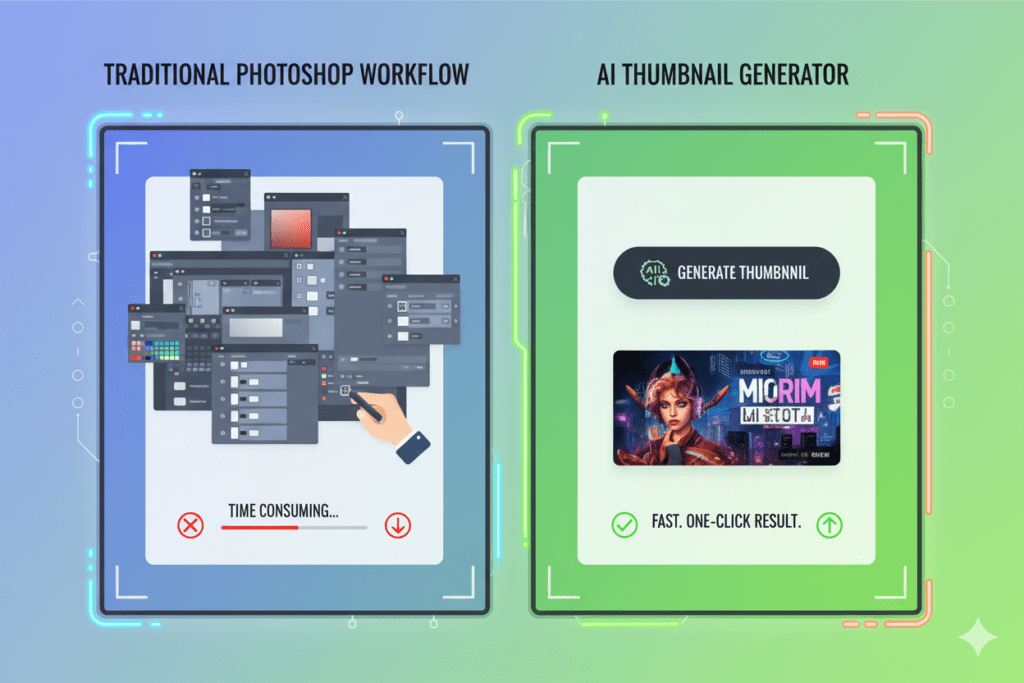
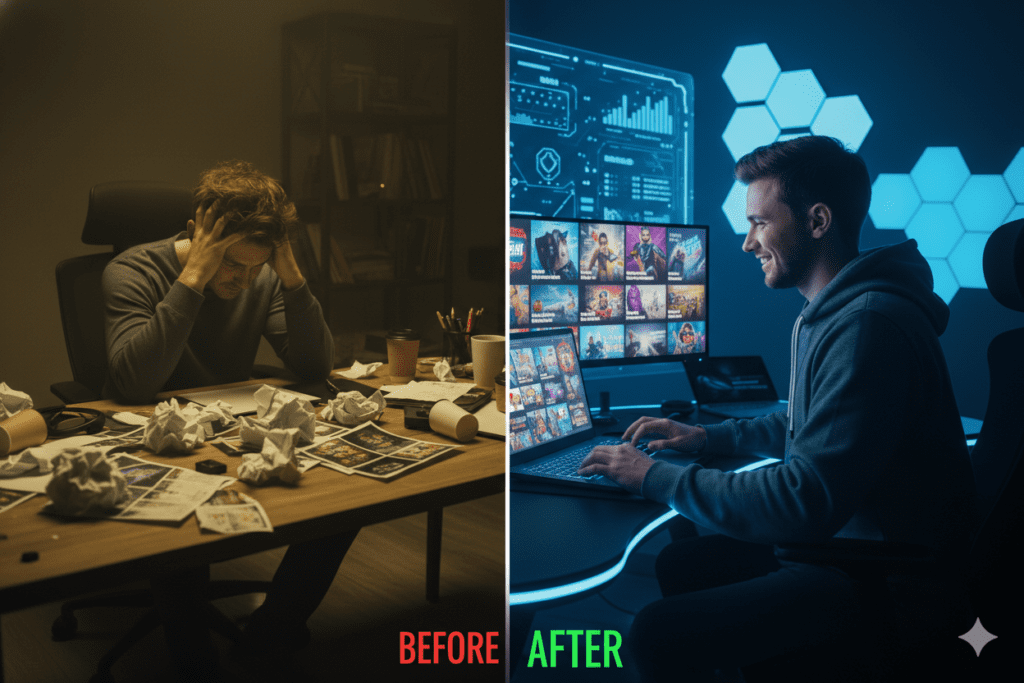
Instead of opening Photoshop, hunting for stock images, wrestling with layers, and spending 40 minutes second-guessing every design choice — you describe your video to the AI and get stunning thumbnail options in seconds.
These tools are trained on millions of high-performing YouTube thumbnails. They’ve studied what gets clicks across gaming, vlogging, tech, finance, beauty, fitness, and dozens of other niches. They know which colors pop, which emotional expressions convert, which text placements dominate — and they apply all of it automatically to your design.
The best part about using a free ai thumbnail generator for YouTube? It puts enterprise-level design intelligence in the hands of every creator — from a student making their first video to a full-time creator managing 5 channels at once.
3. The Science Behind Click-Worthy Thumbnails
Understanding what makes people click is what separates creators who grow from those who plateau. And the good news? It’s not random — it’s science.
🧠 The Brain Processes Images Before Words
Your brain makes a visual decision in milliseconds. That’s why an AI thumbnail generator for YouTube needs to be trained on psychology, not just aesthetics.
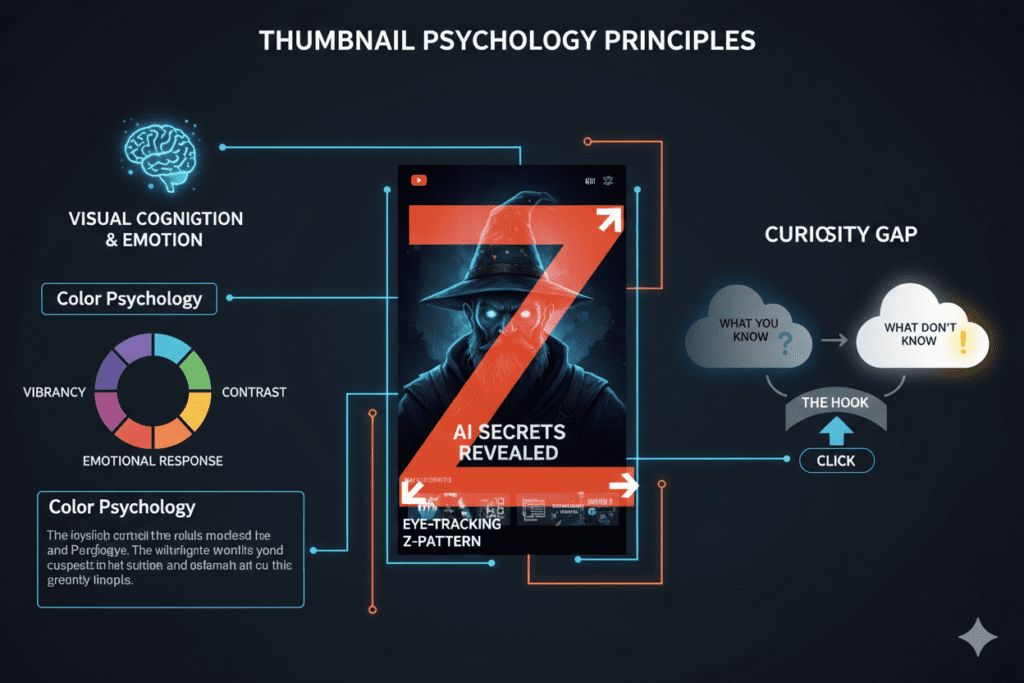
Research confirms that emotional facial expressions increase CTR by 20–30%. Surprise, shock, excitement, and curiosity are the highest-performing emotions. When someone sees your face showing genuine emotion in a thumbnail, mirror neurons fire in their brain — they feel it too, and they want to know more.
🎨 Color Is a Click-Trigger
High-contrast thumbnails consistently outperform muted designs. Colors like red, yellow, and bright orange grab attention because they create visual tension against YouTube’s neutral white and dark backgrounds.
One study found that thumbnails with contrast ratios above 4.5:1 lift mobile CTR by around 31%. Since over 70% of YouTube views happen on mobile devices, this matters enormously.
📝 The Curiosity Gap
The most viral thumbnails do one specific thing: they create a question in the viewer’s mind that can only be answered by clicking. This is called the “curiosity gap.” Bold numbers, dramatic expressions, and partial information all trigger this psychological response.
Think “I spent $10,000 on…” or a shocked face next to a blurred image. Your brain can’t resist completing the story.
📐 The Z-Pattern Layout
Eye-tracking studies show that 40% of thumbnail clicks come from what researchers call the “emotion zone” — the top-left quadrant. The best-performing thumbnails place the main emotional hook (a face, a bold number, a dramatic scene) in the top-left, with supporting context flowing to the right and bottom.
A great ai thumbnail generator for YouTube free understands all of these principles and applies them automatically, so you don’t have to be a psychology professor to design thumbnails that convert.
4. Key Features Every Free AI Thumbnail Generator Must Have
Not every ai thumbnail generator for YouTube free delivers the same results. Before you commit to one, check that it has these non-negotiable features:
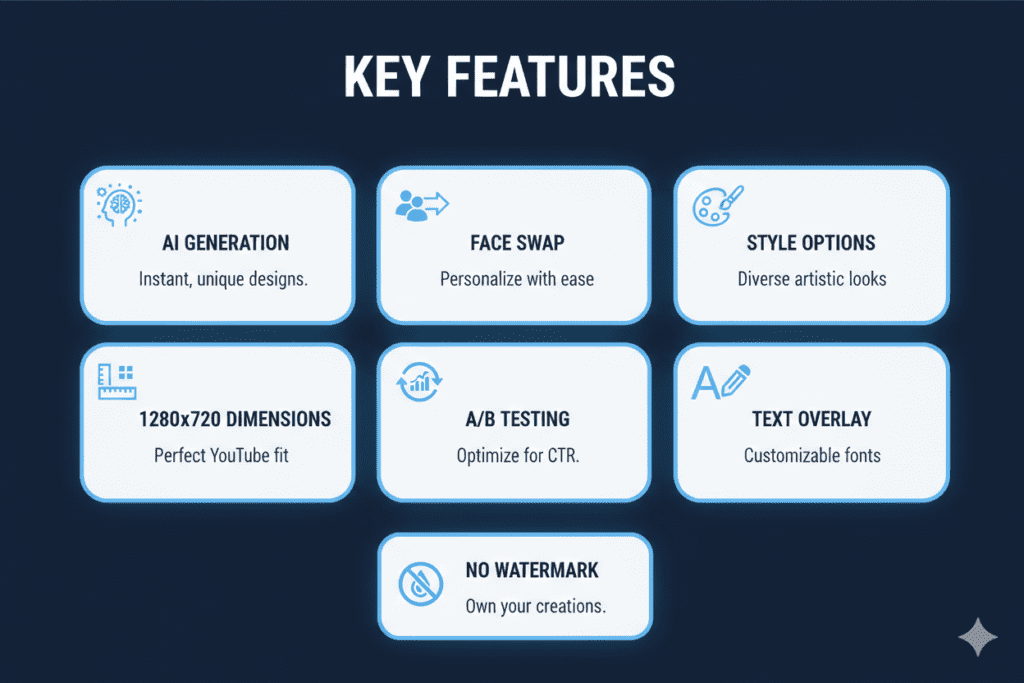
✅ Text-to-Thumbnail AI Generation You should be able to type your video topic and get a complete, usable thumbnail — no templates, no pre-set drag-and-drop. True AI generation from a text prompt is the gold standard.
✅ Face Integration & Background Removal Thumbnails with human faces consistently outperform faceless ones. The tool should let you upload a photo and intelligently place your face — with background removed — into the AI-generated scene.
✅ Multiple Style Options Cinematic, dramatic, cartoon, minimal, bold gaming, educational — different niches need different aesthetics. Style variety lets you stay on-brand.
✅ YouTube-Optimized Dimensions Auto-export at 1280×720 pixels in 16:9 aspect ratio. No manual resizing. No blurry uploads. Just ready-to-publish thumbnails.
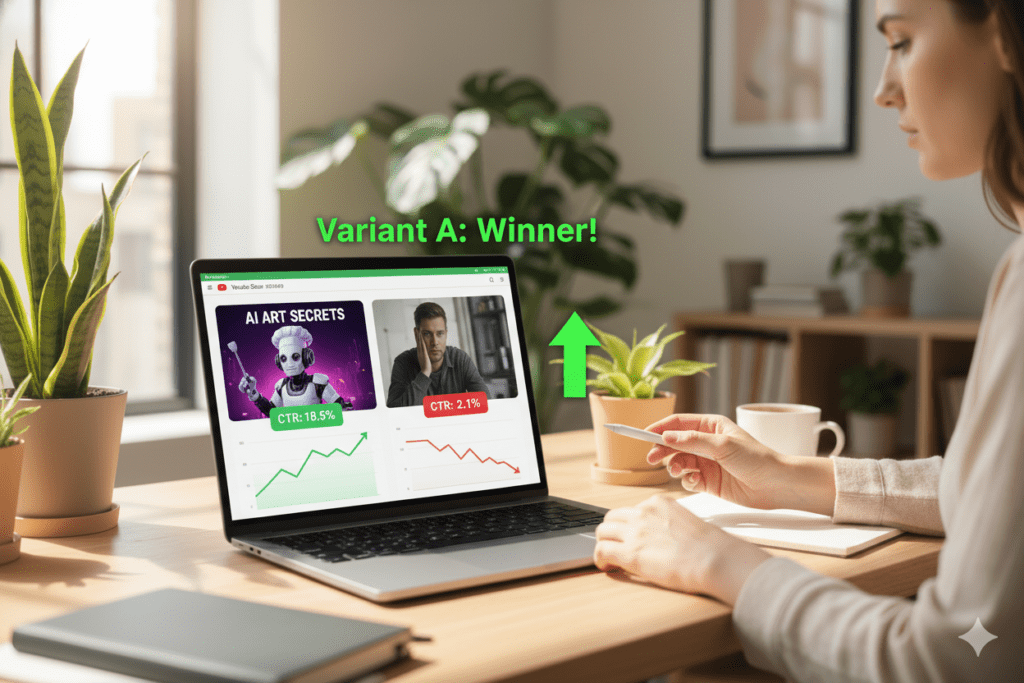
✅ Multiple Variations for A/B Testing The best CTR comes from testing. Generate 2–3 versions per video, upload alternates in YouTube Studio, and let data pick the winner.
✅ Bold Text Overlay Tools Strong text placement is one of the biggest CTR levers. Keep it to 3–5 words max, and the AI should handle font sizing, weight, and positioning for mobile readability.
✅ Zero Watermarks on Free Tier A watermarked thumbnail looks amateur. If the free plan adds a watermark, it’s not truly free for professional use.
✅ Integration With Full YouTube Growth Features The most powerful free ai thumbnail generator for YouTube doesn’t stop at thumbnails. The best platforms — like ytZolo — also help with titles, scripts, descriptions, and tags, giving you a complete content creation workflow in one place.
5. Why Manual Thumbnail Design Is a Trap
Let’s talk about the “traditional” approach — and why it’s silently killing your growth.
Here’s what manual thumbnail creation typically looks like:
- Scrub through footage for 10 minutes looking for a usable frame
- Screenshot it and hope the resolution is decent
- Open Canva or Photoshop — pick a template, or start from scratch
- Spend 30–45 minutes adjusting text, colors, sizing, and layout
- Export, upload, realize it doesn’t look right at thumbnail size
- Start over — or publish it anyway and wonder why CTR is low
That’s 45+ minutes per video, minimum. Upload twice a week and you’re burning 6+ hours every month just on thumbnails.
And after all that effort? You’re still guessing. You have zero data telling you whether your design will actually get clicks. You’re relying entirely on personal taste — not proven psychology, not niche-specific performance data.
Manual methods fail creators for three key reasons:
- They’re slow — in a content economy that rewards consistency, time spent on thumbnails is time not spent on videos
- They’re not data-backed — your instinct about what looks good is not the same as what gets clicked
- They don’t scale — as your output grows, manual design becomes a genuine bottleneck
The creator economy has changed. The channels growing fastest in 2026 are using AI tools to work at a speed and precision that manual creators simply can’t match.
Every minute you spend manually designing thumbnails is a minute your competitor using an ai thumbnail generator for YouTube free is getting ahead.
6. How ytZolo’s AI Thumbnail Generator Dominates
ytZolo was built from the ground up for one purpose: helping YouTube creators grow faster with AI. And it’s not just an ai thumbnail generator for YouTube free — it’s the most complete AI-powered YouTube growth platform available.
Here’s what makes ytZolo stand apart from every other tool in the market:
🎯 Thumbnails Engineered for Virality
ytZolo’s AI doesn’t just generate aesthetically pleasant images. It applies proven psychological principles — emotional triggers, high-contrast color theory, curiosity gap design — to create thumbnails that are optimized to get clicked.
Every thumbnail ytZolo generates is built around what the algorithm rewards: high CTR combined with strong content alignment so your watch time stays healthy after the click.
📝 AI Titles That Pair Perfectly With Your Thumbnails
A stunning thumbnail paired with a weak title loses half its power. ytZolo’s AI title generator creates SEO-optimized, curiosity-driven titles that complement your thumbnail and work together to maximize your overall CTR.
🎬 AI Script Writer for Higher Watch Time
Getting the click is step one. Keeping viewers watching is what really grows your channel. ytZolo’s AI script writer helps you craft engaging video scripts that hook viewers in the first 30 seconds and keep them watching through the end.
🏷️ AI Tags, Descriptions & SEO
ytZolo automatically generates keyword-rich tags and descriptions that help your videos rank in YouTube search and surface in suggested videos. It’s like having an SEO strategist working alongside your creative team.
⚡ Everything in One Dashboard
No more switching between 5 different tools. With ytZolo, your entire YouTube content workflow lives in a single, streamlined platform. You design the thumbnail, write the title, build the script, and optimize the SEO — all without leaving the dashboard.
💸 Free to Start — No Credit Card Needed
ytZolo offers a genuinely useful free tier that gives every creator immediate access to AI-powered content creation. Start exploring the platform at ytzolo.com today.
Want to see real creator strategies in action? Check out the ytZolo blog for deep-dive guides, case studies, and the latest growth tactics updated for 2026.

7. Why ytZolo Is Better Than Other AI Thumbnail Tools
There are plenty of ai thumbnail generator for YouTube free options out there. Let’s cut through the noise and compare them honestly.
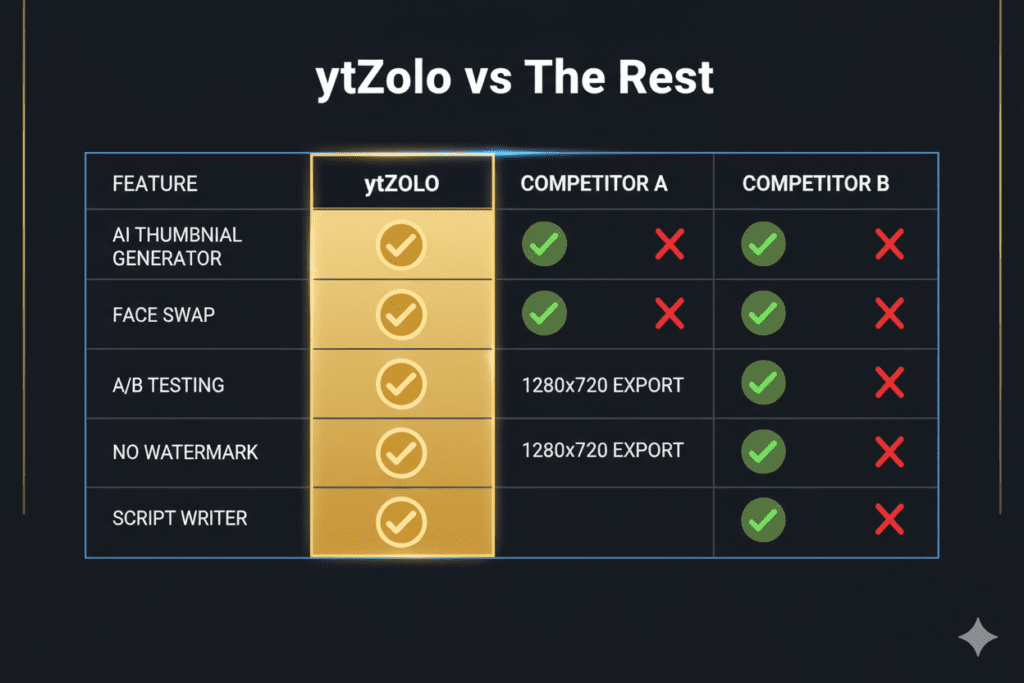
| Feature | ytZolo | Canva | vidIQ | Thumbnail.AI | WayinVideo |
|---|---|---|---|---|---|
| AI Thumbnail Generator | ✅ | ✅ (limited) | ✅ | ✅ | ✅ |
| AI Title Generator | ✅ | ❌ | ✅ | ❌ | ❌ |
| AI Script Writer | ✅ | ❌ | ❌ | ❌ | ❌ |
| AI Tags & Descriptions | ✅ | ❌ | ✅ | ❌ | ❌ |
| All-in-One YouTube Workflow | ✅ | ❌ | Partial | ❌ | ❌ |
| Built Specifically for YouTube | ✅ | ❌ | ✅ | ✅ | ✅ |
| Viral Optimization AI | ✅ | ❌ | Partial | Partial | Partial |
| Free Tier (No Watermark) | ✅ | ✅ | ✅ | ✅ | ✅ |
The Real Difference
Canva is a world-class general design tool — but it was never built for YouTube growth. Its AI features are broad, not deep, and it can’t help you with titles, scripts, or tags.
vidIQ is strong on analytics and keyword research. But it’s primarily a data tool, not a content creation platform. You still need multiple other tools to actually make your video.
Thumbnail.AI and WayinVideo are solid dedicated thumbnail tools, but they stop at the image. They leave the rest of your content workflow completely unaddressed.
ytZolo was architected as a complete creator growth system. The ai thumbnail generator for YouTube is the entry point — but the real power is how every feature works together to help your channel grow.
Think of it this way: other tools give you a single weapon. ytZolo gives you the entire arsenal.
8. Step-by-Step: Create a High-CTR Thumbnail With AI in Under 5 Minutes
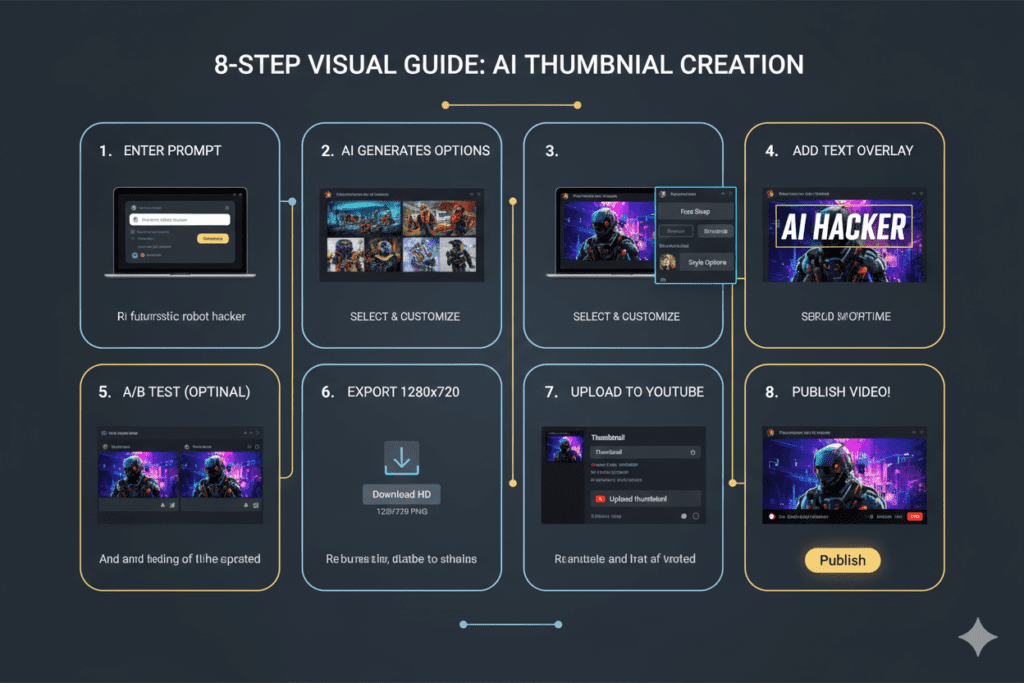
Ready to create your first AI-powered thumbnail? Here’s the exact process — start to finish.
⏱ Total time: Under 5 minutes
Step 1: Know Your Video’s Hook (60 seconds)
Before touching any tool, nail down the core promise of your video in one sentence. This becomes the creative brief for your thumbnail. Example: “I quit my job to trade crypto for 30 days — here’s what happened.”
Step 2: Open ytZolo (30 seconds)
Go to ytzolo.com and sign up for free. No credit card required. You’re inside the dashboard in under a minute.
Step 3: Enter Your Video Title or Topic (30 seconds)
Type your video title or a short description of your content. The more specific, the better the AI output. Mention the emotion or outcome you want the thumbnail to convey.
Step 4: Upload Your Face Photo (Optional — 60 seconds)
Thumbnails with human faces get significantly higher CTR. Upload a clear, well-lit headshot. ytZolo’s AI will automatically remove the background and integrate your face into the generated design.
Step 5: Choose Your Visual Style (30 seconds)
Pick from available styles: dramatic/cinematic, bold/gaming, clean/educational, vibrant/vlog, and more. Match it to your channel’s existing aesthetic.
Step 6: Generate and Review Options (30 seconds)
Hit generate. The AI produces multiple thumbnail variations instantly. Review them — each will apply different layouts, color combinations, and text placements.
Step 7: Fine-Tune If Needed (60 seconds)
Want to tweak the text, adjust colors, or try a different expression? Make quick edits within the platform. Small adjustments can make a big difference in CTR.
Step 8: Download and Upload to YouTube Studio (30 seconds)
Export your finished thumbnail as a PNG at 1280×720 pixels — YouTube’s ideal specification. Upload it directly in YouTube Studio under the thumbnail section.
Done. Less than 5 minutes. No Photoshop. No guesswork. No design skills required.
9. Pro Secrets to Skyrocket Your CTR With AI Thumbnails
Creating thumbnails with an ai thumbnail generator for YouTube free is powerful. These advanced strategies take it to the next level.
🎭 Lead With Genuine Emotion
The era of exaggerated, fake “YouTube face” expressions is fading. Research from 2025 shows that 73% of viewers now prefer relatable emotions over over-the-top reactions. Use expressions that genuinely match your video’s emotional peak. Real emotion converts.
🌈 Go Bold on Contrast
YouTube’s interface is predominantly white and gray. Your thumbnail must punch through that visual noise. Use high-contrast color pairings: red/blue, yellow/black, orange/teal. Run the “grayscale test” — if your thumbnail still reads clearly in black and white, your contrast is strong enough.
🔢 Use Specific Numbers
Numbers anchor viewer expectations and create immediate perceived value. “7 Ways to…” or “$1,200 in 30 Days” is far more compelling than vague promises. Specific data triggers the brain’s trust response.
📏 3–5 Words Maximum on Text
Less is always more with thumbnail text. Your text should add context that the title doesn’t, not repeat it. Keep font large, bold, and readable at thumbnail size (roughly 200×112 pixels on mobile). If you can’t read it small, neither can your viewers.
📱 Design for Mobile First
Over 70% of YouTube views come from mobile devices. Always preview your thumbnail at mobile size before publishing. The YouTube Creator Blog emphasizes that mobile-optimized thumbnails are essential for competitive performance in 2026.
🔄 A/B Test Every Single Video
Generate two or three versions of every thumbnail using your ai thumbnail generator for YouTube and rotate them in YouTube Studio. Run each for at least 1,000 impressions before drawing conclusions. Over time, this data tells you exactly what your specific audience responds to.
🧲 Create Depth With 3D Layering
Flat, minimalist thumbnail designs are actually losing ground with the algorithm. Thumbnails with a clear foreground, midground, and background create visual depth that stands out in the recommendation feed. Your AI tool can help you generate layered compositions automatically.
🔗 Keep Thumbnail and Title Aligned
According to YouTube’s official guidance on CTR, the biggest CTR killer is a mismatch between thumbnail promise and actual content. Your thumbnail and title should tell the same story — and your video must deliver on that promise or your watch time (and algorithm standing) will suffer.
FAQ: AI Thumbnail Generator for YouTube Free
❓ What is the best free AI thumbnail generator for YouTube in 2026?
Answer: The best free AI thumbnail generator for YouTube in 2026 is ytZolo — especially for creators who want more than just a thumbnail tool. ytZolo combines AI thumbnail generation with AI title creation, script writing, tags, and descriptions in a single platform.
Other strong free options include Canva’s Magic Media, vidIQ’s AI Thumbnail Maker, WayinVideo (for video-based generation), and Thumbnail.AI. The right choice depends on whether you want a standalone thumbnail tool or a complete YouTube growth system.
❓ Can an AI thumbnail generator really improve my YouTube CTR?
Answer: Yes — significantly. Research shows that well-optimized thumbnails can increase YouTube CTR by 30–40%. AI thumbnail generators are trained on millions of high-performing thumbnails and apply proven psychological principles — emotional triggers, high-contrast color theory, and curiosity gap design — that consistently drive higher click rates.
Creators who switch from manual design to AI-generated thumbnails typically see measurable CTR improvements within the first few uploads.
❓ Do I need design skills to use a free AI thumbnail generator for YouTube?
Answer: No. That’s the core value proposition of an AI thumbnail generator for YouTube free tool — you don’t need any graphic design experience whatsoever. You simply describe your video, optionally upload a photo, choose a visual style, and the AI generates professional thumbnails for you in seconds.
Tools like ytZolo are specifically designed for creators without design backgrounds. If you can type a sentence, you can create a great thumbnail.
❓ What size should a YouTube thumbnail be, and does AI generate the right size?
Answer: The ideal YouTube thumbnail size is 1280 × 720 pixels with a 16:9 aspect ratio and a file size under 2MB (PNG or JPG format). This ensures your thumbnail looks sharp on all devices from mobile phones to 4K desktop monitors.
Every reputable ai thumbnail generator for YouTube free tool — including ytZolo — automatically outputs thumbnails in this exact specification. You don’t need to worry about resizing or reformatting.
❓ Is it safe to use a free AI thumbnail generator, and will YouTube penalize AI-made thumbnails?
Answer: Yes, it’s completely safe. YouTube has no policy against using AI tools to design thumbnails — in fact, AI-generated thumbnails are becoming the industry standard.
As long as your thumbnail accurately represents your video content (no misleading clickbait), YouTube’s algorithm treats AI-designed thumbnails exactly the same as manually designed ones. The key metric YouTube cares about is CTR combined with watch time — not how the thumbnail was made.
Conclusion: Stop Leaving Views on the Table
Here is the simple, unavoidable truth about YouTube in 2026:
Your thumbnail is your most powerful growth lever. It always has been. But now, for the first time ever, you don’t need a design team, expensive software, or hours of your day to use it effectively.
A great ai thumbnail generator for YouTube free levels the playing field. It gives every creator — regardless of budget, skill level, or channel size — access to the same data-backed, psychology-driven thumbnail design that the biggest channels on the platform use.
But not all tools are equal. Most free thumbnail generators do one thing: generate images. They leave the rest of your content strategy completely up to you.
ytZolo does something different. It gives you AI-powered thumbnails, titles, scripts, tags, and descriptions — everything you need to create content that gets found, gets clicked, and keeps viewers watching. It’s the only tool you need to go from idea to fully optimized, publish-ready video.
The channels that win on YouTube in 2026 are the ones moving faster, testing smarter, and creating more consistently. ytZolo is built to help you do all three.
Don’t forget to explore the ytZolo blog for more growth strategies, creator case studies, and step-by-step guides to mastering YouTube with AI.
👉 Start creating smarter, faster, and more viral YouTube content with ytZolo today.
Your next viral video is one great thumbnail away. Go make it.
External Authority Sources:
- YouTube Help: Impressions & Click-Through Rate — Official CTR guidance from Google/YouTube
- YouTube Creator Blog — Official creator insights and platform best practices
- HubSpot: Visual Content Marketing — Research on visual content performance and engagement data

