
Table of Contents
What is a YouTube thumbnail creator AI?
A YouTube thumbnail creator AI is a tool that uses artificial intelligence to automatically generate, design, and optimize click-worthy thumbnails for YouTube videos. It analyzes your video content, title, and niche to produce high-CTR visuals — without requiring any design skills. Tools like ytZolo go further by combining thumbnail creation with AI-powered titles, scripts, tags, and descriptions — making it a complete YouTube growth engine.
The Thumbnail Problem Nobody Talks About
Let me tell you a story most creators know too well.
You spend 6 hours filming and editing a video. The content is genuinely good. You hit publish… and it gets 47 views.
Meanwhile, some random creator with half your effort is pulling in 100K views per video. What’s their secret?
Nine times out of ten — it’s the thumbnail.
Your thumbnail is the first thing a viewer sees. Before the title. Before the description. Before even one second of your video plays. It’s your video’s billboard, your movie poster, your storefront window. And if it doesn’t stop the scroll, nothing else matters.
Here’s the brutal truth: most creators treat thumbnails as an afterthought. They slap together a screenshot and some bold text in Canva and call it a day. That approach worked in 2019. In 2026, it’s a growth killer.
The good news? A powerful YouTube thumbnail creator AI can change everything — and tools like ytZolo are making it easier, faster, and smarter than ever before.
What Is a YouTube Thumbnail Creator AI?
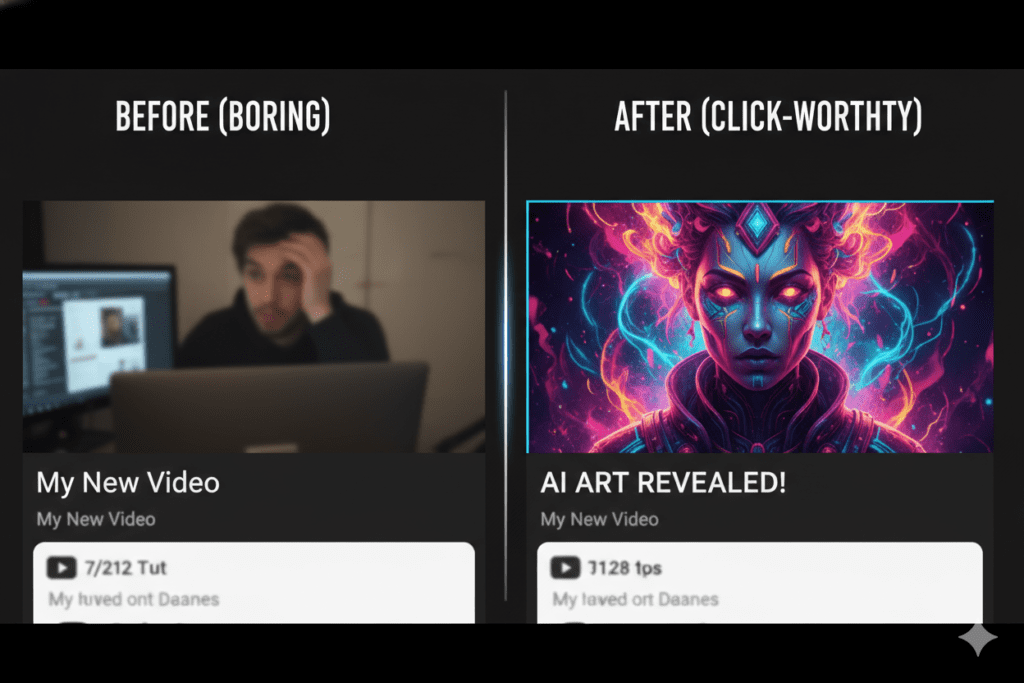
A YouTube thumbnail creator AI is a software tool powered by artificial intelligence that automatically generates scroll-stopping thumbnails for your YouTube videos.
Unlike generic design tools, a proper AI thumbnail creator understands what works on YouTube — facial expressions, color psychology, text placement, and niche-specific visual trends.
The best AI thumbnail tools in 2026 do more than just generate images. They:
- Analyze your video content to pull the most click-worthy moments
- Suggest high-CTR layouts based on proven patterns from top-performing videos
- Optimize for mobile because over 70% of YouTube traffic comes from phones
- Match your channel branding for a consistent, professional look
- Generate multiple variations so you can A/B test and find the winner
And the smartest tools — like ytZolo — bundle thumbnail creation with AI-powered titles, scripts, descriptions, and tags. That means one platform handles your entire content workflow.
Why Your Thumbnail Is Literally Killing Your Channel Growth
This isn’t an exaggeration. The numbers are shocking.
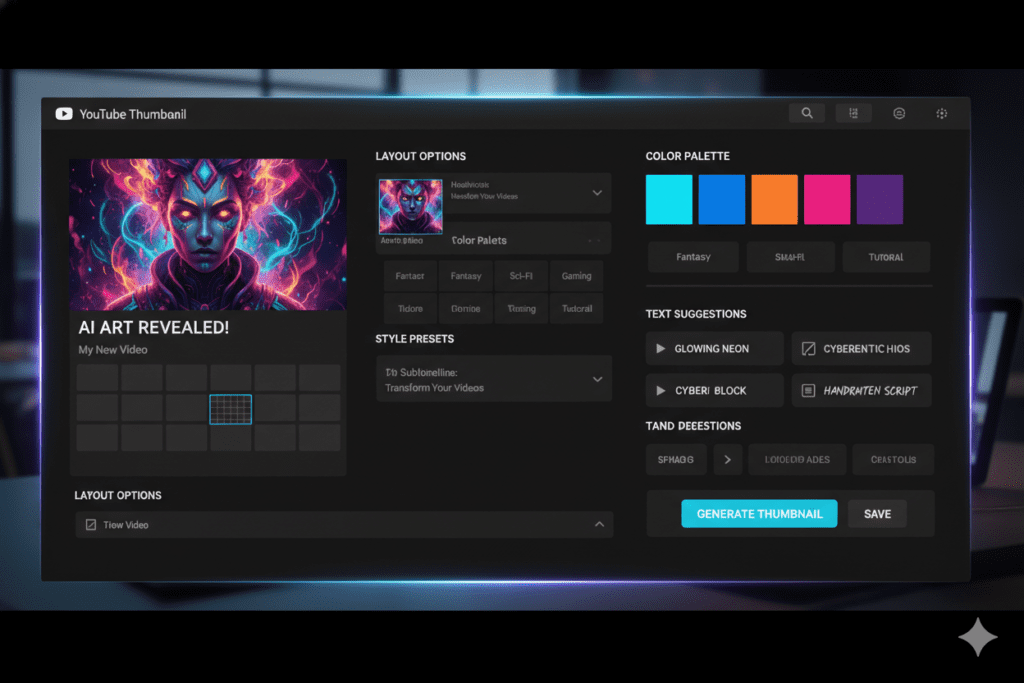
According to YouTube’s own data, 90% of the best-performing videos use custom thumbnails. Auto-generated screenshots simply don’t compete.
Research shows that custom thumbnails increase CTR by 30–40% on average compared to auto-generated ones. Meanwhile, channels with high-CTR thumbnails (above 8%) grow subscribers 2.8 times faster than those below the average.
Think about what that means for you. Every impression your video gets is a chance for a click. If your CTR is sitting at 2% when it could be at 6%, you’re leaving thousands of views on the table — every single week.
The average YouTube CTR benchmark sits between 4% and 6% for most channels. Gaming channels hit as high as 8.5%. The creators dominating their niches? They’re optimizing every thumbnail like it’s a science experiment.
And that’s exactly where a YouTube thumbnail creator AI becomes a game-changer.
Why Manual Methods Are Outdated
Designing thumbnails manually in Photoshop or even Canva is time-consuming, inconsistent, and based on guesswork.
Without AI, you’re:
- Spending 60–90 minutes per thumbnail on average
- Guessing which colors, layouts, and text will get clicks
- Missing mobile optimization (your thumbnail looks fine on desktop but tiny on a phone)
- Creating inconsistent branding that confuses your audience
AI tools trained on millions of high-CTR thumbnails eliminate all of that guesswork. They bring data-backed design principles to your creative process — without requiring you to become a designer.

How a YouTube Thumbnail Creator AI Works
Modern YouTube thumbnail creator AI tools use a combination of machine learning, computer vision, and design intelligence to generate thumbnails.
Here’s what happens behind the scenes:
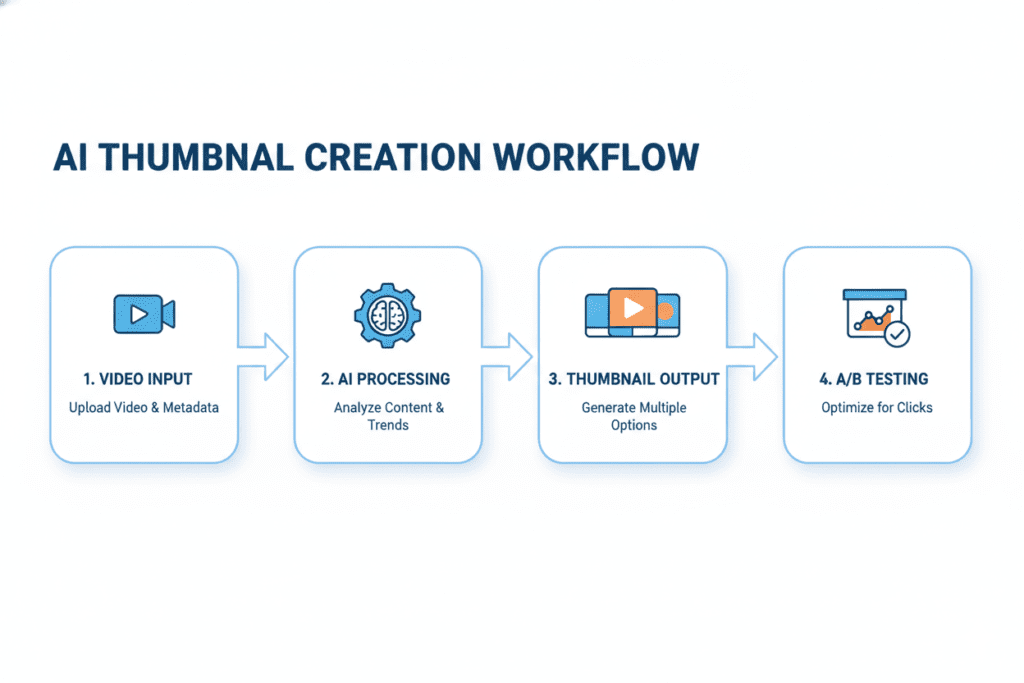
Step 1 — Content Analysis: The AI reads your video title, script, or actual video content to understand what the video is about.
Step 2 — Pattern Recognition: It cross-references millions of high-performing thumbnails in your niche to identify which visual patterns drive the most clicks.
Step 3 — Generation: The AI generates a thumbnail using optimal composition, color contrast, font choices, and emotional cues.
Step 4 — Optimization: It adjusts the design for mobile readability, keeping key elements centered and text bold enough to read on a 5-inch screen.
Step 5 — Variations: You get multiple thumbnail options to test, so you can run A/B experiments and keep improving your CTR over time.
The entire process — from input to final thumbnail — takes seconds, not hours.
Top Features to Look for in a YouTube Thumbnail Creator AI
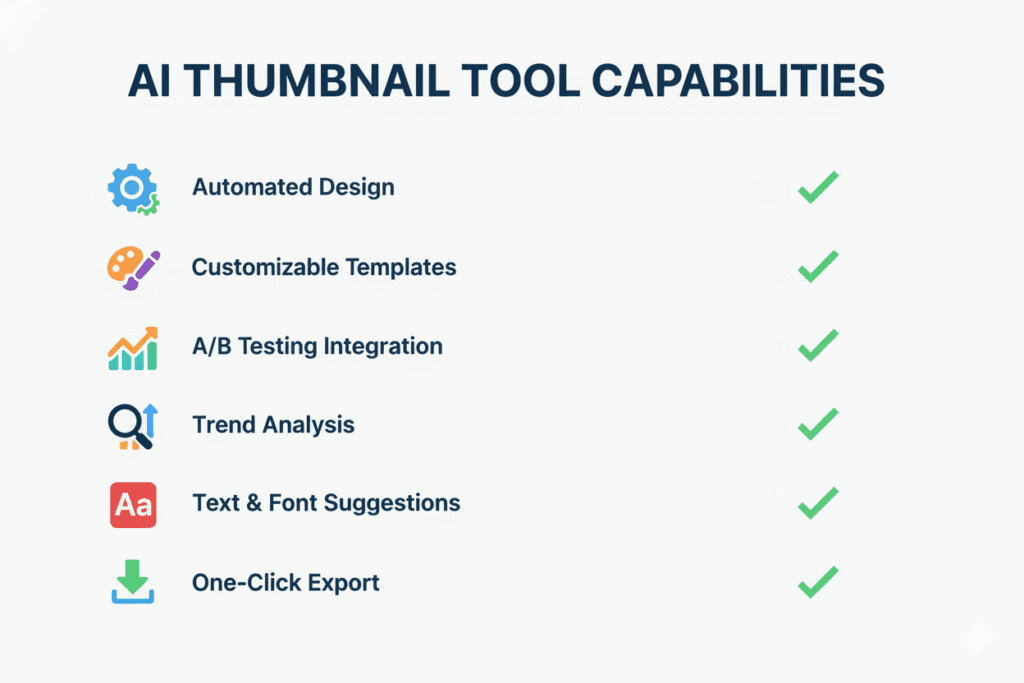
Not all AI YouTube thumbnail generators are created equal. Here are the must-have features before you commit to any tool:
- Niche-specific training — Does the AI understand your specific content category (tech, gaming, finance, beauty)?
- Mobile-first design — Are thumbnails optimized for small screens where 70%+ of viewers watch?
- A/B testing support — Can you generate multiple variations and test which gets more clicks?
- Branding consistency — Does it remember your channel’s fonts, colors, and style?
- Integration with YouTube workflow — Can it also help with titles, descriptions, tags, and scripts?
- Speed — A great tool should generate a ready-to-use thumbnail in under 60 seconds
- Custom face/image upload — Can you put your own face into the thumbnail for that personal, high-CTR look?
The last point matters a lot. Research from VidIQ confirms that thumbnails with expressive human faces increase CTR by 20–30%. Any serious YouTube thumbnail creator AI should make it dead simple to add your face.
Why ytZolo Is the Best YouTube Thumbnail Creator AI for Serious Creators
Let’s talk about the tool that’s changing the game for thousands of creators: ytZolo.
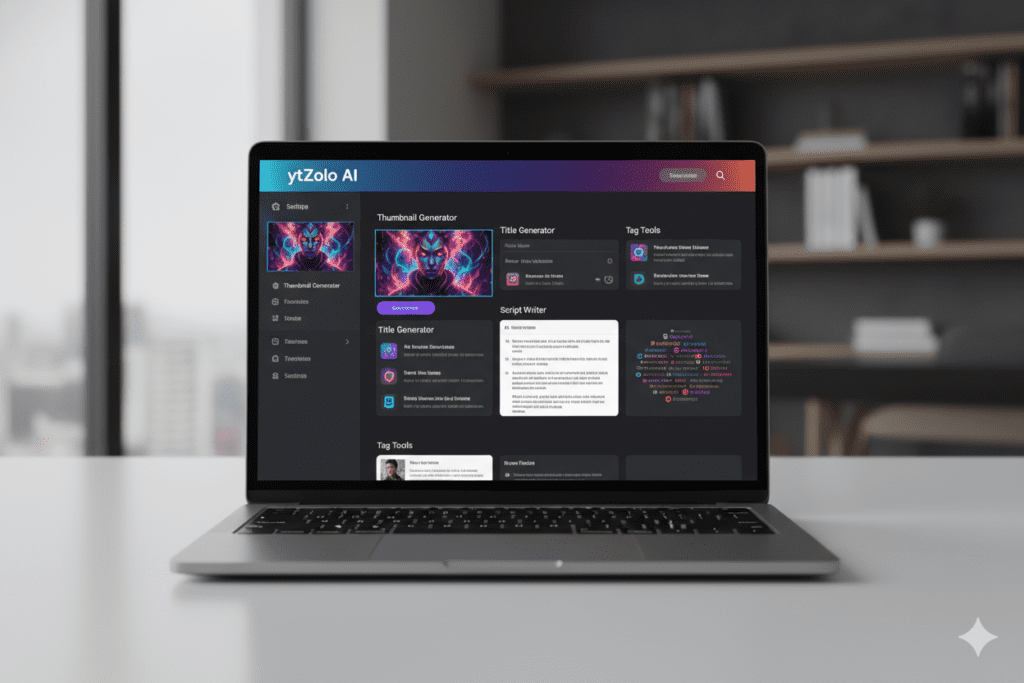
ytZolo isn’t just a thumbnail tool. It’s an all-in-one AI YouTube growth platform built specifically for content creators who want to grow faster and work smarter.
What ytZolo Does for Your Thumbnails
ytZolo’s AI thumbnail creator uses advanced machine learning to generate scroll-stopping thumbnails tailored to your video’s topic and your channel’s niche.
You don’t need Photoshop skills. You don’t need a design degree. You don’t need to spend your Sunday evening agonizing over fonts.
You just give ytZolo your video title or concept, and it generates multiple high-CTR thumbnail options — all optimized for the YouTube algorithm and mobile viewers.
But Wait — ytZolo Does So Much More
This is what separates ytZolo from every other YouTube thumbnail creator AI on the market.
ytZolo is a complete YouTube content creation suite that handles:
- 🎯 AI Thumbnail Creation — Eye-catching, CTR-optimized thumbnails in seconds
- 📝 AI Video Titles — Data-backed titles that rank and get clicks
- 🎬 AI Video Scripts — Fully structured scripts that keep viewers watching
- 📋 AI Descriptions — SEO-optimized descriptions that boost discoverability
- 🏷️ AI Tags — Smart tag suggestions to help the algorithm understand your content
- 📈 Viral Content Intelligence — Insights on what’s trending in your niche right now
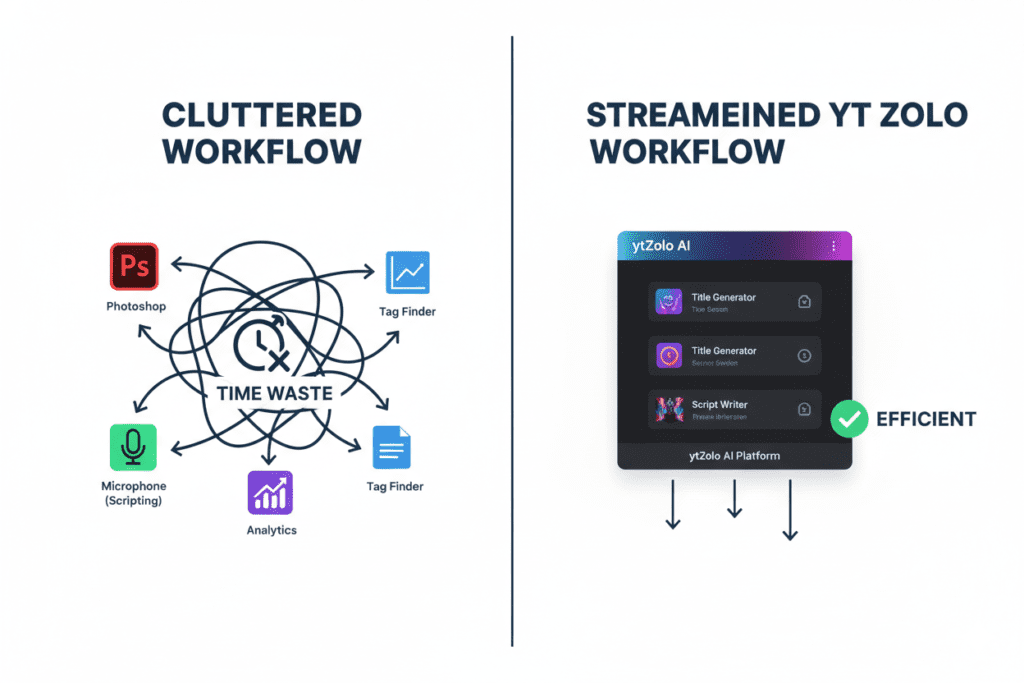
Think about it. Most creators juggle 5–6 different tools just to handle the basics of one video upload. ytZolo collapses all of that into a single, fast, intelligent platform.
That’s hours saved per video. Hours you can spend creating more content, building your community, or just living your life.
Check out the ytZolo blog for real creator success stories and in-depth tutorials on getting the most out of every feature.
Why ytZolo Is Better Than Other Tools
The AI thumbnail space is crowded. So why choose ytZolo over the rest?
Let’s break it down honestly.
| Feature | ytZolo | Generic AI Tools | Canva | Dedicated Thumbnail Tools |
|---|---|---|---|---|
| AI Thumbnails | ✅ Yes | ✅ Limited | ✅ Template-based | ✅ Yes |
| AI Titles + Scripts | ✅ Yes | ❌ No | ❌ No | ❌ No |
| AI Descriptions + Tags | ✅ Yes | ❌ No | ❌ No | ❌ No |
| YouTube-Specific Training | ✅ Yes | ❌ No | ❌ No | ✅ Partial |
| All-in-One Workflow | ✅ Yes | ❌ No | ❌ No | ❌ No |
| Built for Viral Content | ✅ Yes | ❌ No | ❌ No | ❌ Partial |
| Time Per Video | ⚡ Minutes | ⏱️ Hours | ⏱️ Hours | ⏱️ 30–60 mins |
The Problem With Generic Tools
Tools like Canva are great for general graphic design — but they’re not built for YouTube growth. They’re template-driven. You still have to know what works. You’re still guessing.
Tools like Midjourney create stunning images, but they can’t generate text reliably, don’t understand YouTube’s CTR patterns, and give you no help with titles, scripts, or SEO.
The Problem With One-Trick Tools
Dedicated thumbnail tools solve one piece of the puzzle. But you still need separate tools for video titles, descriptions, scripts, and keyword research. That’s a bloated, expensive, time-consuming workflow.
Why ytZolo Wins
ytZolo is the only tool that treats your YouTube channel as a system — not a collection of isolated tasks.
When your thumbnail, title, description, and tags are all created by the same AI with the same understanding of your video and niche, everything becomes cohesive. Your packaging is consistent. Your SEO is aligned. Your content is built for virality from the start.
That’s not just convenience. That’s a competitive advantage.
How to Create Viral Thumbnails with ytZolo: Step-by-Step
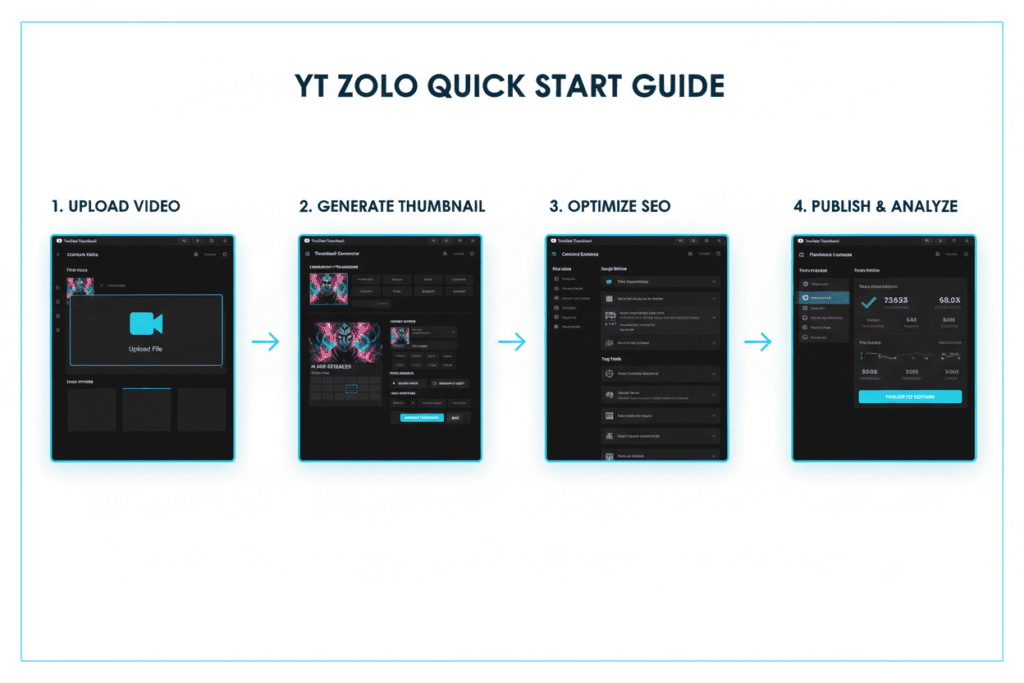
Ready to get started? Here’s exactly how to use ytZolo as your go-to YouTube thumbnail creator AI:
Step 1 — Sign up at ytZolo.com Create your free account. No credit card required to explore the platform.
Step 2 — Enter Your Video Concept or Title Type in your video idea or the title you’re targeting. ytZolo’s AI instantly understands your niche and intent.
Step 3 — Generate Thumbnail Options Click generate. Within seconds, you’ll see multiple thumbnail variations — each designed with high-CTR principles baked in.
Step 4 — Customize Your Favorite Pick the thumbnail that resonates most with your brand. Adjust colors, text, or layout with simple controls. No design degree required.
Step 5 — Generate Your Title, Description & Tags While you’re there, let ytZolo’s AI create your video title, SEO-optimized description, and tags — all in one flow.
Step 6 — Download and Upload to YouTube Export your thumbnail at the recommended 1280×720px resolution, upload to YouTube Studio, and you’re done.
The whole process takes less than 10 minutes instead of the 60–90 minutes most creators waste with manual tools.
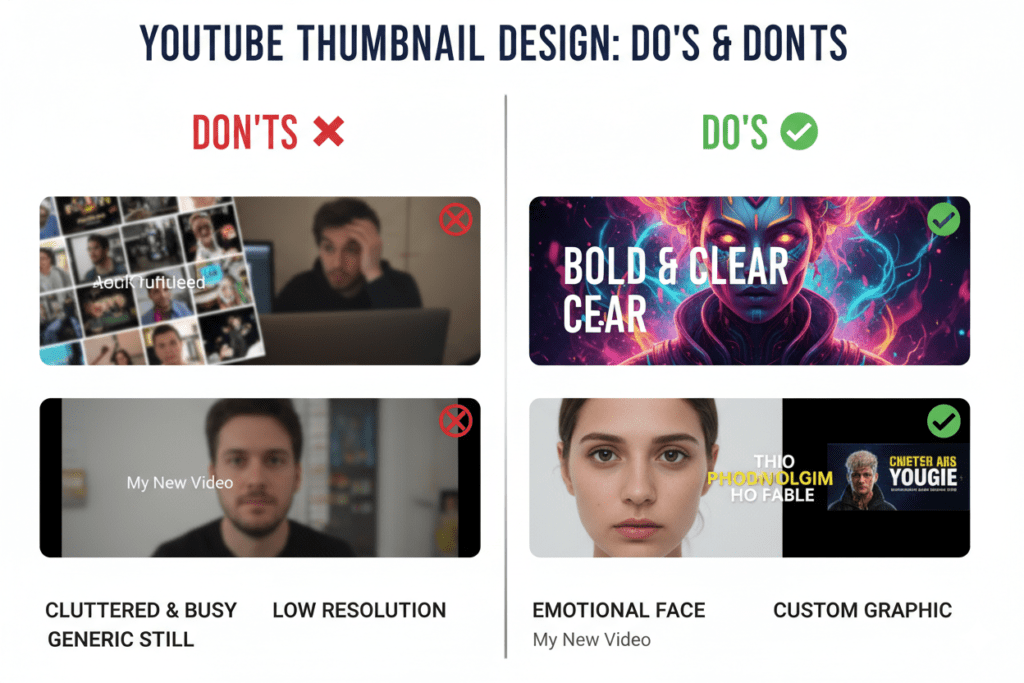
Bonus: Thumbnail Best Practices That Actually Work in 2026
Even with the best YouTube thumbnail creator AI, knowing a few fundamentals helps you brief the tool better and pick winning variations.
Here are the research-backed best practices dominating in 2026:
- Use expressive faces — Thumbnails with genuine emotion increase CTR by 20–30%. Ditch the neutral look.
- Keep it simple — Use no more than 3 focal points. Cluttered thumbnails fail on mobile where 70%+ of viewers are watching.
- Bold, readable text — If someone has to squint, you’ve already lost them. Use thick sans-serif fonts with contrast.
- Contrast over decoration — A bright subject on a dark background always beats a busy, colorful mess.
- Title and thumbnail should complement, not repeat — Let the title be specific. Let the thumbnail create curiosity or emotion.
- A/B test regularly — Even winning thumbnails get stale. Revisit your top videos quarterly with fresh designs.
- Match your content’s vibe — Misleading thumbnails might get the click but destroy your watch time. YouTube’s algorithm punishes this.
Pro tip from the ytZolo blog: creators who combine AI thumbnail generation with consistent A/B testing see 2x faster iteration cycles and significantly higher long-term CTR improvements.
FAQ: YouTube Thumbnail Creator AI
❓ What is the best YouTube thumbnail creator AI in 2026?
The best YouTube thumbnail creator AI in 2026 is one that goes beyond just generating images. ytZolo stands out because it’s an all-in-one platform that creates AI thumbnails, titles, scripts, descriptions, and tags — all optimized for YouTube growth. For dedicated thumbnail generation alone, tools like Pikzels and Miraflow are also strong options.
❓ Can AI-generated thumbnails really improve my YouTube CTR?
Yes — significantly. Custom thumbnails increase CTR by 30–40% on average compared to auto-generated ones. AI tools trained on high-performing YouTube thumbnails apply proven visual patterns — like emotional faces, strong contrast, and bold text — that consistently outperform manually designed thumbnails made by non-designers. The key is choosing an AI that’s specifically trained on YouTube content, not a generic image generator.
❓ Do I need design skills to use a YouTube thumbnail creator AI?
Absolutely not. That’s the whole point. Tools like ytZolo are built for creators, not designers. You input your video concept or title, the AI does the heavy lifting, and you get professional, click-worthy thumbnails in seconds — no Photoshop, no Canva templates, no creative block required.
❓ How many thumbnails should I create per video?
For best results, generate at least 2–3 thumbnail variations per video and run A/B tests to see which one gets the best CTR. Most YouTube creators who test consistently start seeing meaningful CTR improvements within the first 3–4 months. ytZolo makes this easy by generating multiple high-quality variations in a single session.
❓ Is ytZolo free to use as a YouTube thumbnail creator AI?
ytZolo offers plans that fit creators at different stages. You can explore the platform and get started without a large upfront investment. Head to ytZolo.com to check current pricing and see which plan fits your content creation workflow best.

Final Thoughts: Your Thumbnails Deserve Better
Here’s the bottom line.
You’re putting real work into your videos. You deserve an audience that actually sees them.
A weak thumbnail wastes every hour you spend filming, editing, and publishing. A strong YouTube thumbnail creator AI turns that hard work into actual views, actual subscribers, and actual growth.
The data is crystal clear. Custom thumbnails can lift your CTR by 30–40%. Channels with high CTR thumbnails grow subscribers nearly 3x faster. And 90% of YouTube’s best-performing videos use optimized custom thumbnails.
You don’t need to be a designer. You don’t need to spend your evenings in Canva or Photoshop. You don’t need to guess what works.
ytZolo brings together AI-powered thumbnails, titles, scripts, descriptions, and tags in one place — so you can create smarter, faster, and more confidently than ever.
Stop leaving clicks on the table.
🚀 Start creating smarter, faster, and more viral YouTube content with ytZolo today. 👉 Visit ytZolo.com and give your channel the AI advantage it deserves.
References & Further Reading
- YouTube Creator Academy — Thumbnail Best Practices
- YouTube Official Blog — Creator Tips
- HubSpot — Visual Content Marketing Statistics 2026
Related reads on the ytZolo Blog:
- How to Write AI-Powered YouTube Titles That Get Clicks
- The Complete Guide to YouTube SEO with AI in 2026
- How ytZolo’s AI Script Generator Saves Creators 5+ Hours Per Week


Pingback: Best YouTube AI Thumbnail Creator to Boost Your CTR 2026
Pingback: Free AI YouTube Thumbnail Maker: 11 Best Tools Compared