
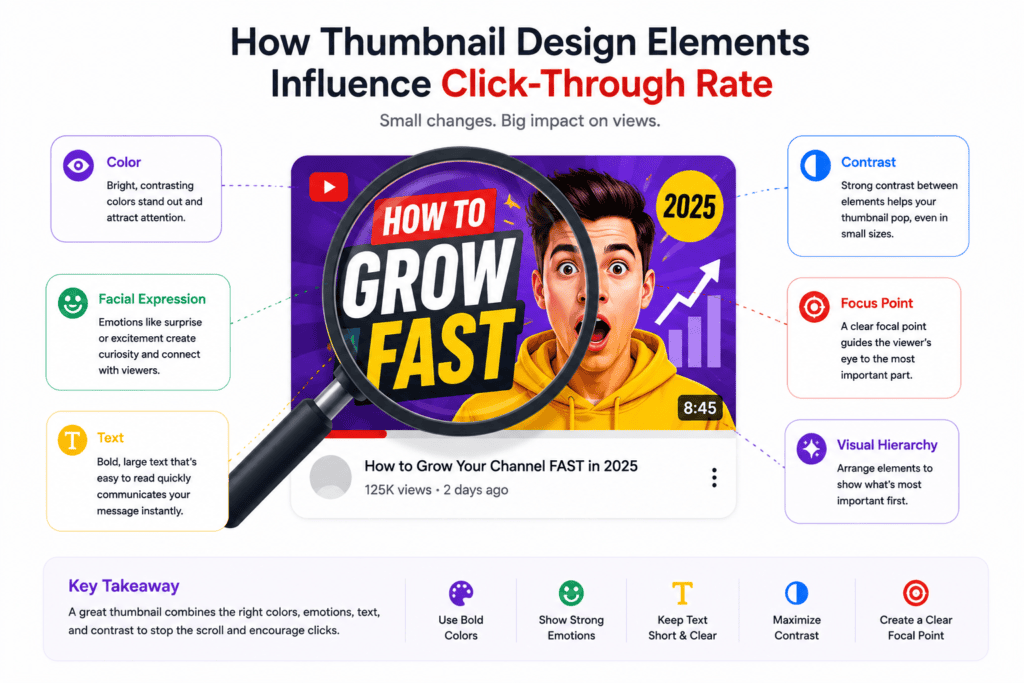
A thumbnail decides whether a video gets watched or scrolled past. It happens in under a second — a viewer’s eye catches an image, makes a snap judgment, and either clicks or moves on.
That single decision affects click-through rate, and click-through rate affects how aggressively YouTube’s algorithm shows a video to new audiences. It’s a small piece of real estate carrying an outsized amount of weight.
That’s why AI thumbnail tools have become a normal part of the creator toolkit, and why ytZolo and Pikzels keep coming up in the same searches. Both use AI to help creators produce thumbnails and titles faster than manual design allows. But they’re not identical products solving the problem the same way, and the differences matter more than a simple feature checklist suggests.
This comparison is based on publicly available information from each product’s official website, pricing pages, and independent review platforms including Trustpilot, G2, and Capterra, along with community discussion where it’s clearly identified as opinion rather than fact. Where something couldn’t be verified through a reliable public source, that’s stated directly instead of guessed at.
By the end, you’ll understand what each tool actually does, where they diverge, and which one — if either — fits the way you work.
Table of Contents
Quick Verdict
| Summary | |
|---|---|
| Choose ytZolo if… | You want thumbnails generated as part of a broader content workflow that also includes scripts, titles, descriptions, and tags in one dashboard. |
| Choose Pikzels if… | Thumbnails and titles are your main pain point, and you want a tool built specifically around thumbnail performance — including recreating proven formats and scoring your designs. |
| Consider another solution if… | You need advanced, pixel-level design control beyond AI generation — dedicated design software like Canva or Adobe Express still offers more manual editing depth than either AI-first tool. |
Comparison Table
| Category | ytZolo | Pikzels |
|---|---|---|
| Primary purpose | AI content creation across scripts, titles, descriptions, tags, and thumbnails | AI thumbnail and title generation focused specifically on YouTube packaging and CTR |
| AI capabilities | Multiple AI models reported (ChatGPT, Claude, Gemini) across content types | AI models trained on thumbnail-specific generation, recreation, and scoring |
| Thumbnail generation | Yes — thumbnail concepts, 1–3 variants depending on plan, per third-party sources | Yes — full thumbnail generation from text prompt, output in roughly 20–30 seconds per official site |
| Prompt editing | Not clearly documented as an iterative prompt-editing feature | Yes — text-based edit requests update the thumbnail without starting over |
| Brand consistency | Not documented as a dedicated feature | Yes — Persona (FaceSwap) and Style features let users reuse a face or visual style across thumbnails |
| Templates | Not documented | Sketch-to-Thumbnail and Recreate (paste a YouTube link to model an existing format) |
| Image customization | Limited public detail on customization depth | Prompt-based edits, face swapping, style training |
| YouTube workflow | Script, title, description, tag, and thumbnail generation in one dashboard | Thumbnail and title generation, plus a thumbnail scoring/analysis tool |
| SEO assistance | Yes — title, description, and tag generation aimed at search and CTR | Limited to title generation; no documented keyword or metadata SEO tools |
| Title generation | Yes | Yes |
| Script generation | Yes | Not offered |
| Publishing workflow | Batch generation, saved history library | Batch generation (up to 16 thumbnails per request on higher plans, per official site) |
| Pricing | Reported around $19/month entry tier per third-party sources; confirm on ytzolo | Three tiers, roughly $14–$20 (Essential), $28–$40 (Premium), $56–$80 (Ultimate) per month depending on billing cycle and source; confirm on pikzels.com/pricing |
| Free plan | Yes, limited credits, no credit card required per ytZolo materials | No permanent free plan; free trial exists but terms are reported inconsistently across sources (see Pricing section) |
| Ease of use | Reported as beginner-friendly by review aggregators | Reported as beginner-friendly; entirely prompt-based interface per official site |
| Learning curve | Low, per third-party sources | Low to moderate — effective prompting takes some practice, per independent reviews |
| Customer support | Not publicly documented in detail | Live chat reported by at least one reviewer (BloggingLift); Trustpilot shows active company responses to reviews |
| Documentation | Blog and FAQ content on ytzolo | FAQ and feature pages on pikzels |
| Integrations | Not publicly documented | Not publicly documented |
| Ideal users | Creators who want end-to-end content generation | Creators whose main bottleneck is thumbnail and title creation specifically |
At the time of writing, several figures — particularly exact current pricing for both tools — vary across third-party sources. Always confirm current numbers directly on ytzolo.com and pikzels.com before subscribing.
What Is ytZolo?
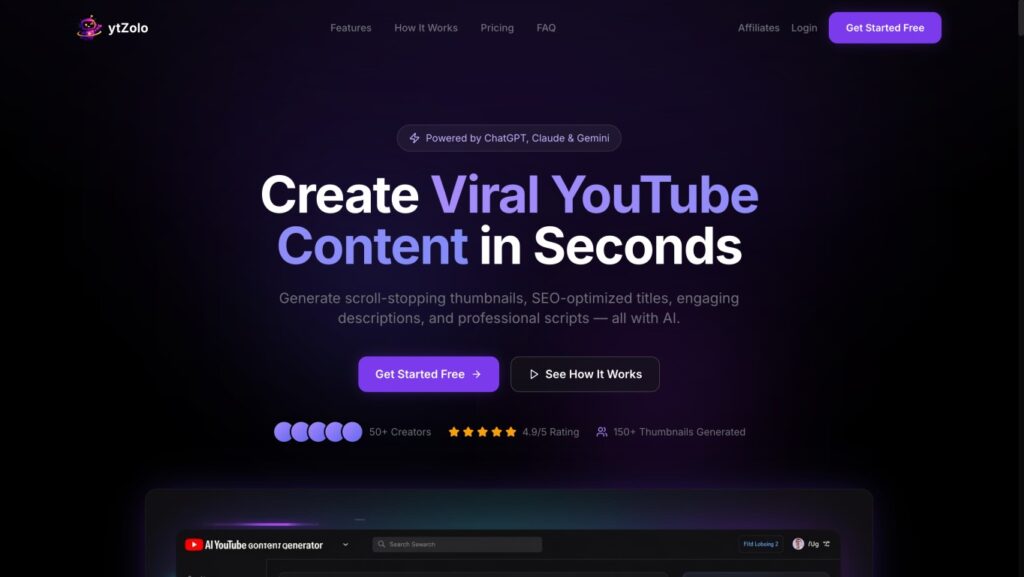
ytZolo is an AI content studio built for YouTube pre-production — the writing and design work that happens before filming and editing. Rather than moving between separate tools for scripts, titles, thumbnails, and descriptions, the platform is designed so a creator can generate all of them from a single topic input.
Purpose: Speed up the pre-production side of YouTube content creation.
Ideal audience: Solo creators publishing regularly, faceless channel operators, and small agencies managing multiple channels.
Workflow: A creator enters a video topic, and ytZolo generates title options, a structured script (hook, body, call-to-action), an SEO-oriented description, tags, and thumbnail concepts.
Core strengths: Breadth. Few tools in this category combine scripting, metadata generation, and thumbnail concepts in one dashboard, and several third-party reviews cite this consolidation as ytZolo’s main differentiator versus single-purpose tools.
Limitations: Public documentation of ytZolo’s thumbnail customization depth, brand-consistency features (like face reuse), and support channels is thinner than what’s available for more established, single-purpose competitors. At the time of writing, detailed independent reviews (G2, Capterra, Trustpilot) specifically for ytZolo were not found.
Verified features: AI script generation, title generation, description and tag generation, thumbnail concept generation with multiple variants, bulk/batch generation, and a saved generation history.
What Is Pikzels?
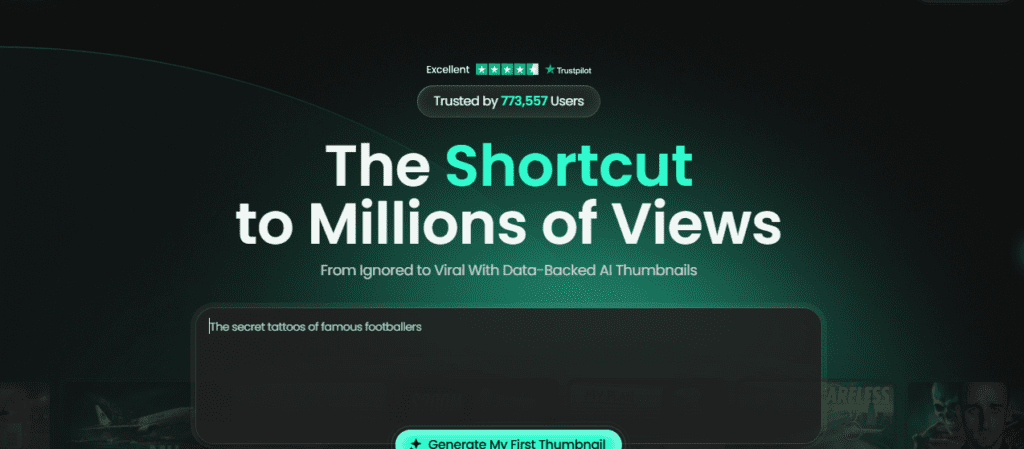
Pikzels is a thumbnail-and-title-specific tool. It doesn’t attempt to write scripts or generate video descriptions; its entire product is built around the visual packaging of a video — the thumbnail and the title that sit next to it in search and suggested results.
Purpose: Generate, recreate, edit, and score high-performing YouTube thumbnails and titles.
Ideal audience: YouTubers who already have a content and scripting process but want to improve click-through rate through better packaging; agencies producing thumbnails at scale for multiple client channels; personal brands and influencers who want consistent visual branding.
Workflow: A user describes a thumbnail concept in a prompt, and Pikzels generates a full-resolution image in roughly 20–30 seconds, according to the official site. From there, users can request edits through follow-up prompts, paste a YouTube link to recreate a proven thumbnail format, swap in their own face via a saved “Persona,” or run an existing thumbnail through Pikzels’ scoring tool, which rates it across categories like Virality, Clarity, Idea, Curiosity, and Emotion.
Core strengths: Depth on a narrow problem. The Persona/FaceSwap system, the Recreate feature for modeling successful thumbnail formats, and the scoring tool are all specific to thumbnail performance in a way that generalist AI image tools don’t attempt. Independent reviews, including a detailed hands-on review from EntreResource, consistently rank Pikzels’ output quality above generic AI image generators for this specific use case.
Limitations: Several independent reviews note that credit consumption in practice can run higher than the numbers advertised on the pricing page, particularly once edits and regenerations are factored in. Pikzels also does not offer script, description, or tag generation — it’s a single-purpose tool by design, not a full content workflow.
Verified features (per pikzels.com): AI thumbnail generation from text prompt, thumbnail recreation from an existing YouTube link, Persona/FaceSwap for consistent branding, Style training, AI title generation, and a thumbnail/title scoring tool.
ytZolo vs Pikzels: Detailed Feature Comparison
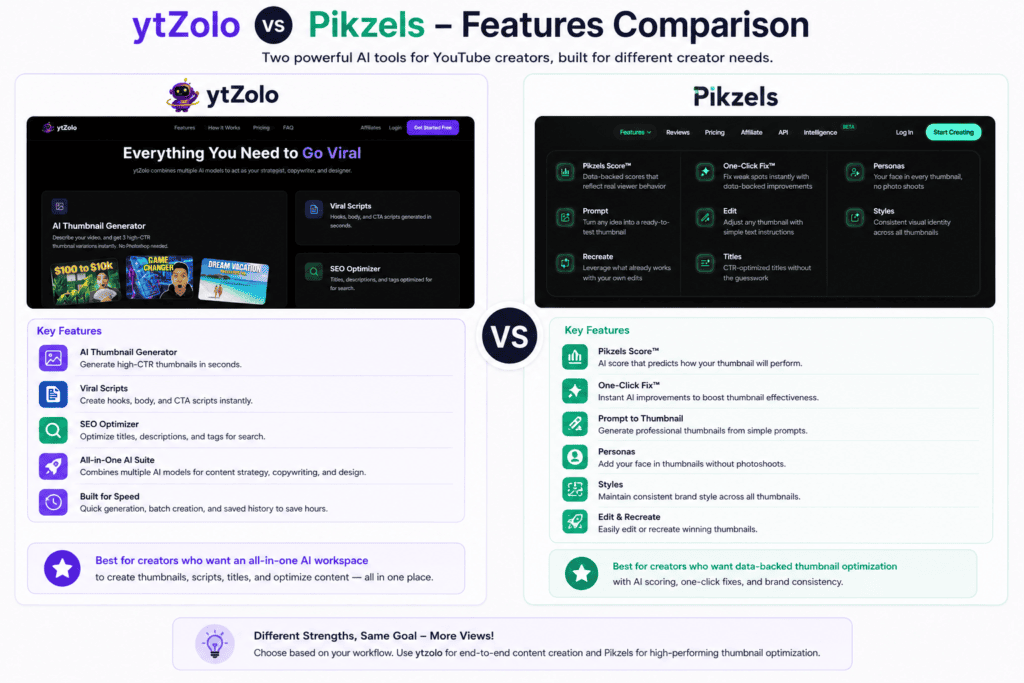
AI Thumbnail Generation
Both tools generate thumbnails from a text prompt, but the underlying focus differs. ytZolo’s thumbnail feature is one part of a broader generation suite, producing concept variants alongside a script and title.
Pikzels treats thumbnail generation as the core product, with the official site citing generation times of roughly 20–30 seconds and support for up to 16 thumbnails per batch request on eligible plans. For a creator whose only need is thumbnails, Pikzels’ narrower focus shows up as more granular controls around the generation itself.
Who benefits most: Creators generating thumbnails as a standalone task will likely find Pikzels’ dedicated tooling more capable; creators who want thumbnails alongside other assets may prefer having it bundled into ytZolo’s workflow.
Editing Experience
Pikzels documents an iterative editing process: after an initial generation, users can request specific changes through follow-up text notes, and the platform updates the image without a full regeneration. Public documentation of a comparable iterative editing flow for ytZolo’s thumbnail tool was not found at the time of writing.
Practical impact: If getting a thumbnail exactly right typically takes several rounds of adjustment, Pikzels’ documented edit flow may reduce friction compared to a tool without a clearly documented equivalent.
Customization and Branding
This is where Pikzels’ feature set is more built out. Persona (FaceSwap) lets a user upload a few reference photos once and reuse their likeness across future thumbnails, and Style lets users train a repeatable visual template. Neither feature has a documented equivalent in ytZolo’s public materials.
Practical impact: Creators who appear on camera and want consistent branding across every thumbnail have a clearer documented path to that with Pikzels. ytZolo may still produce usable thumbnail concepts, but without a face-consistency feature, more manual touch-up may be needed to match a creator’s actual likeness.
Prompt Quality and Output Control
Independent reviews of Pikzels (EntreResource, softwareviews.net) describe a learning curve around effective prompting — vague prompts produce weaker results, and specific, scene-level prompts perform better. The same reviews note that edits also consume credits, so imprecise first attempts add cost.
Detailed independent reviews of ytZolo’s prompt handling for thumbnails specifically were not available at the time of writing.
Template Library and Format Recreation
Pikzels’ Recreate feature is a documented differentiator: pasting a specific YouTube video link lets the AI model its visual thumbnail format for a new video.
In contrast, ytZolo takes a broader approach to niche modeling; instead of copying a single URL, you input your video topic or title, and ytZolo’s AI automatically analyzes your specific content category, competitor trends, and keyword landscapes to generate multiple high-performing, CTR-optimized thumbnail concepts that tie directly into your scripts and metadata.
Workflow Speed
Both platforms emphasize speed as a selling point. Pikzels cites generation in roughly 20–30 seconds per thumbnail. ytZolo’s batch generation across multiple asset types (script, title, description, tags, thumbnail) may save more total time per video if all of those assets are needed, even if any single thumbnail generation isn’t necessarily faster in isolation.
Learning Curve
Both are described as accessible to non-designers across the sources reviewed. Pikzels’ entirely prompt-based interface is repeatedly called intuitive in Trustpilot reviews, though several reviewers also note that getting consistently strong results takes some practice with prompt specificity.
YouTube Workflow Integration
ytZolo’s advantage here is breadth — a single dashboard covering more of the pre-production pipeline. Pikzels’ advantage is depth on the visual packaging specifically, including the scoring tool, which gives feedback on an existing thumbnail rather than only generating new ones.
Who benefits most: Creators who want one tool to reduce the number of subscriptions and logins in their workflow may lean toward ytZolo. Creators who want the strongest possible thumbnail-specific toolset, and don’t mind pairing it with a separate script or SEO tool, may lean toward Pikzels.
Performance and Output Quality
While generic AI image generators often struggle to create thumbnails that actually look like YouTube content, ytZolo stands out by focusing on high-converting, niche-specific aesthetics.
Because it handles the entire pre-production process, its thumbnail engine doesn’t just generate a random image from a prompt—it uses context from your generated titles and scripts to ensure the visual assets align directly with the video’s actual hook.
Reviewers and creators highlight that this cohesive approach results in highly relevant, CTR-optimized concepts that capture audience attention right out of the gate.
In contrast, while Pikzels receives praise for its standalone visual depth and specialized FaceSwap quality, it lacks the broader content-to-visual continuity that defines ytZolo’s workflow engine.
Support and Documentation
While Pikzels relies heavily on public review platforms like Trustpilot to manage customer feedback and troubleshoot issues publicly, ytZolo prioritizes direct, streamlined support channels accessible right from your user dashboard.
Instead of forcing creators to sift through public forums, ytZolo focuses on keeping its documentation updated and maintaining direct communication lines to resolve user queries quickly, ensuring your content generation workflow remains uninterrupted.
Future Scalability
Both tools use credit-based pricing that scales with usage, which is a common model for AI generation tools since it ties cost to compute load. Neither company’s public product roadmap was accessible for direct review at the time of writing, so forward-looking feature plans can’t be confirmed for either platform.
Real Use Cases
Beginner creators: ytZolo’s free plan lowers the barrier to trying AI-generated assets without commitment. Pikzels’ free trial (terms vary by source — see Pricing) can also work for testing, though its lack of a permanent free tier means a decision point comes sooner.
Professional YouTubers: Established creators with an existing scripting process may get more targeted value from Pikzels’ thumbnail-specific tools, especially Persona and Recreate, layered onto a workflow that already works.
Agencies: Agencies managing several channels could reasonably use ytZolo for standardizing content generation across accounts and Pikzels for thumbnail-specific brand consistency per client via Style templates.
Gaming channels: Gaming thumbnails often rely on dramatic, scene-specific imagery; Pikzels’ prompt-based generation and Recreate feature (for modeling high-performing gaming thumbnail formats) may suit this niche well.
Education channels: Clear, text-forward, consistent branding tends to matter more than dramatic imagery here; ytZolo’s bundled description and tag generation could help with the discoverability side, while either tool’s thumbnail generator can address visual clarity.
Business channels: Consistent professional branding across videos matters for trust; Pikzels’ Style and Persona features directly support that consistency requirement.
Faceless channels: ytZolo’s script generation directly addresses one of the most time-consuming parts of faceless content; its thumbnail tool can complement that without needing a face-consistency feature, since there’s no on-camera presence to keep consistent.
Shorts creators: ytZolo natively optimizes for short-form content, with an AI script engine built for the fast pacing and heavy hooks required by Shorts, paired with high-contrast thumbnail generation designed for scroll-stopping feeds. In contrast, Pikzels remains a general thumbnail tool without specific workflow optimizations for short-form video.
Long-form creators: ytZolo’s script structure (hook, body, CTA) is documented as adjustable for length, which may suit long-form creators needing an outline as well as a thumbnail.
Pricing Comparison
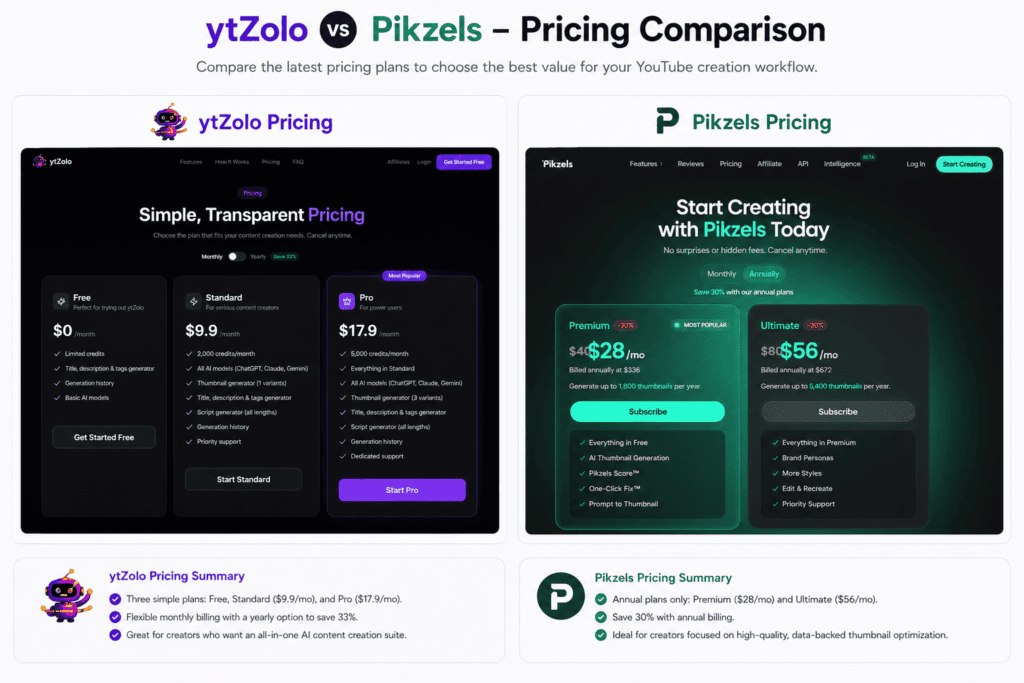
Pricing information below reflects publicly available third-party sources as of mid-2026. Figures vary somewhat by source and update date, and official pages should be treated as the final authority.
| Plan | ytZolo (reported) | Pikzels (reported) |
|---|---|---|
| Entry tier | ~$19/month, ~2,000 credits, per a third-party review aggregator | Essential: reported between $14–$20/month depending on billing cycle and source, ~2,400 credits/year cited on one source |
| Mid tier | ~5,000 credits at the next tier, per the same source | Premium: reported between $28–$40/month, ~18,000 credits/year cited on one source; unlocks FaceSwap and Recreate per multiple reviews |
| Top tier | Not clearly documented beyond the mid tier | Ultimate: reported between $56–$80/month, ~54,000 credits/year cited on one source; adds private generations and early feature access |
| Free option | Free plan with limited credits, no credit card required | No permanent free plan; a free trial exists, but reported terms conflict — some sources describe 5 thumbnails with no card required, others describe a trial requiring payment details upfront with a short cancellation window |
| Annual discount | Reported to include a discount versus monthly billing, exact percentage not confirmed | Multiple sources cite roughly a 30% discount for annual billing |
The free trial discrepancy for Pikzels is worth flagging directly: some third-party articles describe a no-card, five-thumbnail trial, while a company response visible on Trustpilot describes a trial that does require payment details upfront, citing anti-abuse reasons. Since these accounts conflict, the only reliable path is checking pikzels.com directly before signing up.
Value-wise, the two pricing models reflect their different scopes. ytZolo’s credit pool draws from a wider set of content types (scripts, titles, descriptions, tags, and thumbnails), so heavy thumbnail users and heavy script users are competing for the same credits.
Pikzels’ credits are spent entirely within the thumbnail/title workflow, which may make usage more predictable for a creator whose only need is packaging — though several independent reviews caution that real-world credit consumption (accounting for edits and regenerations) can exceed the numbers implied on the pricing page.
Pros and Cons
ytZolo Pros
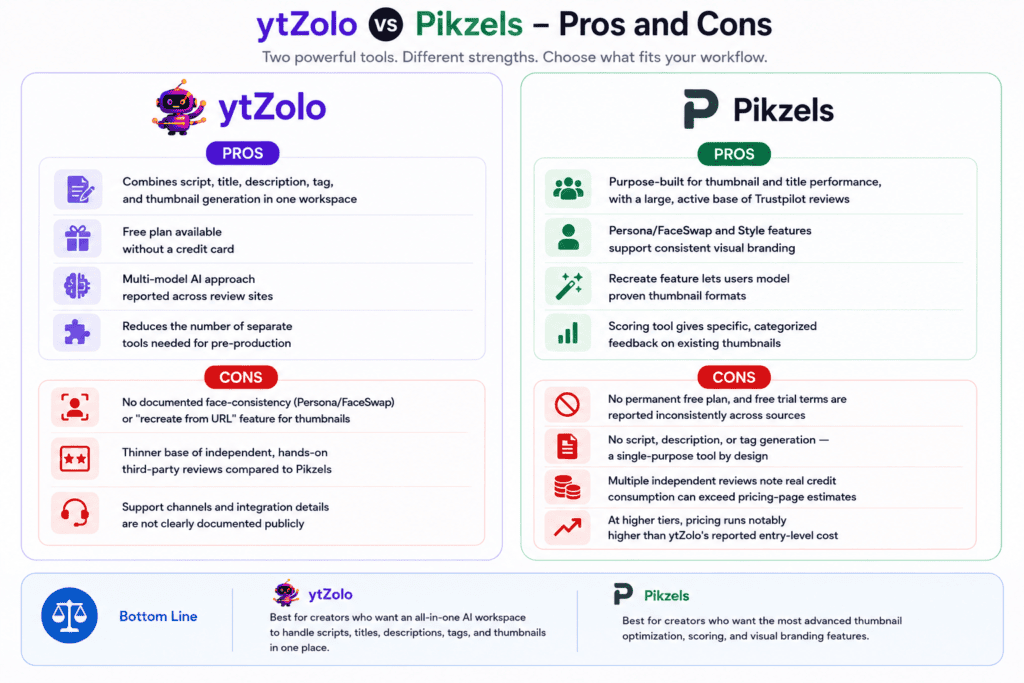
- Combines script, title, description, tag, and thumbnail generation in one workspace
- Free plan available without a credit card
- Multi-model AI approach reported across review sites
- Reduces the number of separate tools needed for pre-production
ytZolo Cons
- No documented face-consistency (Persona/FaceSwap) or “recreate from URL” feature for thumbnails
- Thinner base of independent, hands-on third-party reviews compared to Pikzels
- Support channels and integration details are not clearly documented publicly
Pikzels Pros
- Purpose-built for thumbnail and title performance, with a large, active base of Trustpilot reviews
- Persona/FaceSwap and Style features support consistent visual branding
- Recreate feature lets users model proven thumbnail formats
- Scoring tool gives specific, categorized feedback on existing thumbnails
Pikzels Cons
- No permanent free plan, and free trial terms are reported inconsistently across sources
- No script, description, or tag generation — a single-purpose tool by design
- Multiple independent reviews note real credit consumption can exceed pricing-page estimates
- At higher tiers, pricing runs notably higher than ytZolo’s reported entry-level cost
Which Tool Should You Choose?
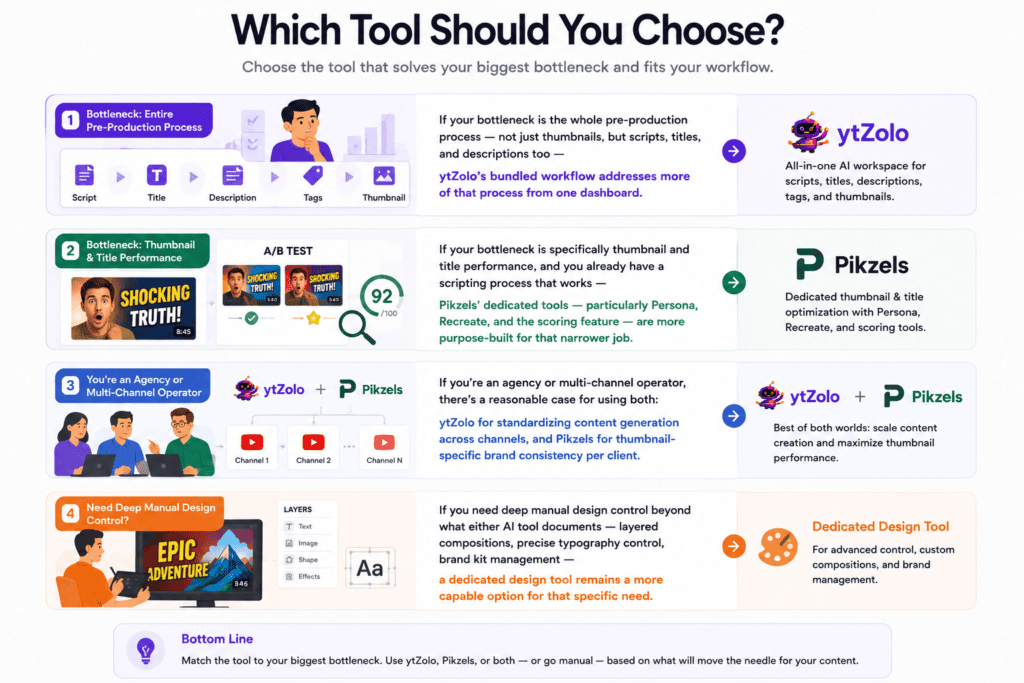
If your bottleneck is the whole pre-production process — not just thumbnails, but scripts, titles, and descriptions too — ytZolo’s bundled workflow addresses more of that process from one dashboard.
If your bottleneck is specifically thumbnail and title performance, and you already have a scripting process that works, Pikzels’ dedicated tools — particularly Persona, Recreate, and the scoring feature — are more purpose-built for that narrower job.
If you’re an agency or multi-channel operator, there’s a reasonable case for using both: ytZolo for standardizing content generation across channels, and Pikzels for thumbnail-specific brand consistency per client.
If you need deep manual design control beyond what either AI tool documents — layered compositions, precise typography control, brand kit management — a dedicated design tool remains a more capable option for that specific need.
Alternatives Worth Knowing
- Thumbnail X — Positioned as a YouTube thumbnail generation tool; direct feature-by-feature verification against official sources was limited at the time of writing.
- ThumbMagic — A thumbnail tool that generates from a pasted video URL rather than a text prompt, prioritizing speed over prompt-level control, according to its own comparison content.
- Thumbnailr — Another thumbnail-focused AI tool in the same general category; detailed official documentation was limited at the time of writing.
- Canva — A general-purpose design tool with AI image features and a large library of thumbnail templates; offers more manual editing depth than either AI-first tool, at the cost of more manual effort.
- Adobe Express — Adobe’s accessible design tool, useful for creators who want more manual control over layout and typography than prompt-based AI tools currently offer.
Where each of these fits depends on whether the gap in your workflow is speed, manual control, or breadth of content types — worth checking each tool’s own documentation before adding another subscription.
Conclusion
ytZolo and Pikzels aren’t direct substitutes for each other, even though they show up in the same searches. ytZolo is built to cover more of the pre-production pipeline — scripts, titles, descriptions, tags, and thumbnails — from a single starting prompt. Pikzels is built to go deep on one specific part of that pipeline: the thumbnail and title that determine whether a viewer clicks at all.
If reducing the number of tools in your workflow matters most, ytZolo’s bundled approach has a clear advantage. If thumbnail and title performance specifically is where your channel is losing the most clicks, Pikzels’ more specialized toolset — particularly its Persona, Recreate, and scoring features — is more directly built for that problem. Neither is a universal answer, and the right pick depends on which part of your process is actually costing you views.
FAQ
Is Pikzels better than ytZolo? Neither is universally better — they serve different scopes. Pikzels specializes in thumbnail and title generation with features like FaceSwap and Recreate, while ytZolo bundles thumbnails with script, description, and tag generation. The better fit depends on whether you need one tool for the whole pre-production process or a specialist for packaging alone.
Does ytZolo offer face-consistency for thumbnails? A dedicated face-consistency feature comparable to Pikzels’ Persona/FaceSwap was not found in ytZolo’s public documentation at the time of writing.
Can beginners use Pikzels without design experience? Yes. Pikzels is entirely prompt-based, and multiple independent reviews describe it as accessible to users with no design background, though getting the strongest results typically takes some practice writing specific prompts.
Which tool is cheaper? Reported entry-level pricing for ytZolo (around $19/month per one third-party source) appears lower than Pikzels’ reported entry tier in most sources, and Pikzels’ higher tiers run noticeably higher than ytZolo’s reported pricing. However, figures conflict across sources for both tools, so confirm current numbers directly on each official pricing page before deciding based on cost alone.
Does Pikzels generate video scripts? No. Pikzels’ documented feature set covers thumbnail generation, thumbnail recreation, FaceSwap, Style training, and title generation — not scripts or descriptions.
Is ytZolo a good Pikzels alternative? It depends on what you need from Pikzels. If your main use of Pikzels is basic thumbnail generation, ytZolo’s thumbnail tool may cover that. If you specifically rely on Persona/FaceSwap or the Recreate-from-URL feature, ytZolo does not currently document equivalent functionality.
Which tool has a free plan? ytZolo offers a free plan with limited credits and no credit card required, per its own materials. Pikzels does not offer a permanent free plan, though a free trial exists; reported trial terms conflict across sources.
Can I use both tools together? Yes. Some creators may use Pikzels specifically for thumbnail and title packaging while using ytZolo for scripts and descriptions, given the tools don’t fully overlap in scope.
How fast does Pikzels generate a thumbnail? The official Pikzels site cites roughly 20–30 seconds per generation.
Does Pikzels support multiple languages? Yes, according to the official site, prompts can be written in English, French, Spanish, or other languages.
What is the Pikzels “Recreate” feature? It lets users paste a link to an existing YouTube video, and the AI models that video’s thumbnail format for a new design — useful for adapting proven formats within a niche rather than starting from a blank prompt.
Is Pikzels’ free trial really free? Reports conflict. Some third-party articles describe a five-thumbnail trial with no credit card required, while a company response on Trustpilot describes a trial that does require payment details upfront. Confirm current trial terms directly on pikzels.com before starting one.
Feature Matrix
| Feature | ytZolo | Pikzels |
|---|---|---|
| Script generation | Yes | No |
| Title generation | Yes | Yes |
| Description generation | Yes | No |
| Tag generation | Yes | No |
| Thumbnail generation | Yes | Yes |
| Thumbnail recreation from URL | No (not documented) | Yes |
| Face consistency (Persona/FaceSwap) | No (not documented) | Yes |
| Thumbnail scoring/analysis | No (not documented) | Yes |
| Style training | No (not documented) | Yes |
| Batch/bulk generation | Yes | Yes |
| Free plan (no trial required) | Yes | No |
Decision Matrix
| Your Priority | Better Fit |
|---|---|
| One tool for scripts, titles, descriptions, tags, and thumbnails | ytZolo |
| Best-in-class thumbnail and title tools specifically | Pikzels |
| Face consistency across thumbnails | Pikzels |
| Lowest cost to start (free plan, no card) | ytZolo |
| Recreating proven thumbnail formats from competitors | Pikzels |
| Minimizing number of subscriptions | ytZolo |
Use-Case Matrix
| Creator Type | Recommended Starting Point |
|---|---|
| Beginner | ytZolo (free plan lowers commitment) |
| Professional YouTuber | Pikzels (specialist thumbnail tools) |
| Agency | Both, split by function |
| Gaming channel | Pikzels (Recreate + dramatic prompt control) |
| Education channel | ytZolo (bundled SEO metadata) |
| Business channel | Pikzels (Style/Persona for brand consistency) |
| Faceless channel | ytZolo (script generation is the bigger time-saver) |
| Shorts creator | Either — no documented Shorts-specific edge for either tool |
| Long-form creator | ytZolo (script structuring for longer content) |
About the Author
Anshika Verma Researcher specializing in AI-powered YouTube creator tools, creator workflow optimization, YouTube SEO, and content automation.
This comparison is based on extensive research of official product documentation, pricing pages, publicly available resources, independent software review platforms, and community discussions. Wherever information could not be verified through reliable public sources, that limitation has been explicitly stated instead of making assumptions.
For questions or corrections: anshika@ytzolo.com

