
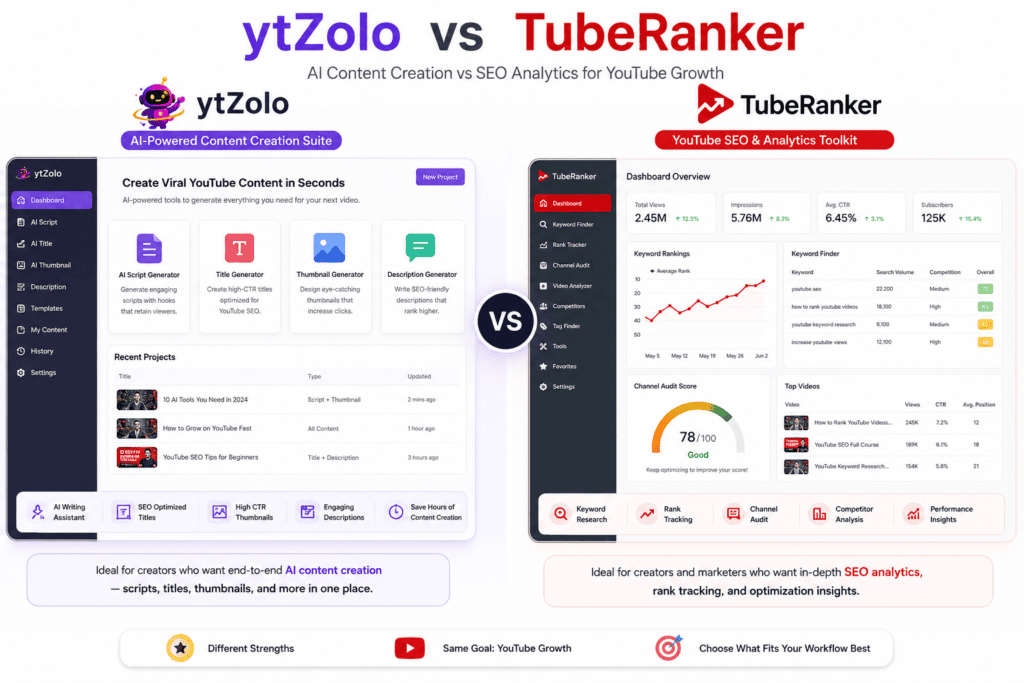
If you’ve spent any time researching YouTube SEO tools, you’ve probably run into both ytZolo and TubeRanker. They get mentioned in the same conversations, sometimes even the same “best YouTube tools” listicles, and that can make it hard to tell what actually separates them.
Here’s the short version when looking at ytZolo vs TubeRanker: they’re not solving the same problem. One is built around content creation — scripts, titles, thumbnails, and descriptions—while the other focuses entirely on keyword research and performance tracking.
Depending on what’s actually slowing you down as a creator, that core difference matters a lot more than a basic feature-count comparison would suggest.
This guide walks through what each tool does, based on what’s publicly documented on their official sites, pricing pages, and third-party review platforms like G2, Capterra, and SaaSworthy. Where information wasn’t publicly verifiable at the time of writing, we say so instead of guessing.
By the end, you’ll know which tool (or combination) fits your workflow, whether you’re a beginner, a faceless channel operator, an agency, or an SEO specialist trying to add YouTube to your service list.
Table of Contents
Quick Verdict (BLUF)
Choose ytZolo if you spend most of your time on pre-production — writing scripts, brainstorming titles, designing thumbnails, and drafting descriptions — and want one AI-powered workspace instead of juggling ChatGPT, Canva, and a separate SEO tool.
Choose TubeRanker if your priority is keyword research, tag extraction, rank tracking, or auditing a channel’s existing performance, and you already have your own content creation process in place.
Consider skipping ytZolo if you need dedicated rank tracking or a full channel audit — that’s not documented as part of its current feature set. Consider skipping TubeRanker if you need AI-generated scripts or thumbnails; its toolset is oriented toward optimization and research rather than content generation.
Side-by-Side Comparison Table
| Category | ytZolo | TubeRanker |
|---|---|---|
| Primary purpose | AI content creation for YouTube (scripts, titles, thumbnails, descriptions, tags) | YouTube SEO research and channel/video optimization tools |
| Best for | Creators who want AI to produce publish-ready assets | Creators and marketers who want keyword data and rank tracking |
| AI content generation | Yes — multiple models reported (ChatGPT, Claude, Gemini) | Not documented as an AI generation platform |
| Keyword research | No | Yes — dedicated Keyword Tool with search volume data |
| Script generation | Yes | Not offered |
| Title generation | Yes, AI-based | Yes, generator-based |
| Description generator | Yes | Yes |
| Thumbnail generator | Yes — multiple variants depending on plan | Not offered |
| Rank tracking | Not documented | Yes — Rank Tracker tool |
| Channel audit | Not documented | Yes — Channel Audit Tool |
| Tag extractor / hashtag tools | Not documented | Yes |
| Competitor analysis | Not documented | Limited, via channel audit and tag extraction |
| Workflow automation | Bulk/batch generation, generation history | Automated tag suggestions, rank monitoring |
| Free plan | Yes, limited credits | Free tools available (audit, tag extractor); full free trial availability is unconfirmed and reported inconsistently across sources |
| Pricing (reported) | $9.99/month standard | Reported figures vary by source, roughly $19–$49/month or lower annualized rates — confirm current pricing directly on tuberanker.com |
| API access | No | No, according to SaaSworthy |
| Customer support | Yes | Online ticket support; some third-party reviews report slow response times |
| Ease of use | Reported as beginner-friendly by review aggregators | Reported as intuitive by G2 and Capterra reviewers |
| Learning curve | Low, per third-party sources | Low to moderate |
At the time of writing, several data points (exact current pricing, API access for ytZolo, detailed support channels for ytZolo) are not fully confirmed on the official sites. Always check ytzolo.com and tuberanker.com directly before purchasing.
What Is ytZolo?
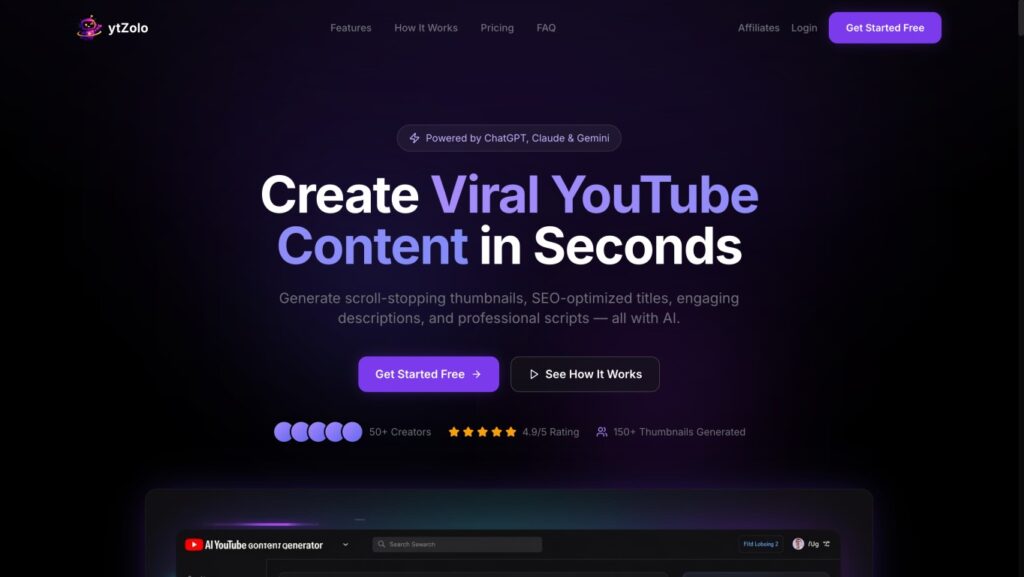
ytZolo positions itself as an all-in-one AI content studio built specifically for YouTube creators. Instead of researching a topic, then switching to a separate writing tool, then a design tool for thumbnails, the idea is that a creator enters a video topic once and gets scripts, titles, descriptions, tags, and thumbnail concepts from a single dashboard.
Core purpose: Speed up YouTube pre-production — the writing and design work that happens before filming and editing.
Ideal users: Solo creators publishing on a regular schedule, faceless channel operators managing multiple channels, and small agencies standardizing content pipelines for clients.
Reported strengths: Multiple review aggregators describe ytZolo’s use of several underlying AI models (commonly cited as ChatGPT, Claude, and Gemini) as a differentiator, since it lets users pick a model suited to a particular tone or task rather than being locked into one engine.
Officially documented features include:
- AI script generation with hook, body, and call-to-action structure
- Title generation aimed at both search relevance and click-through rate
- SEO-oriented description and tag generation
- Thumbnail concept generation, with the number of variants tied to plan tier
- Bulk/batch generation and a saved history of past outputs
What Is TubeRanker?
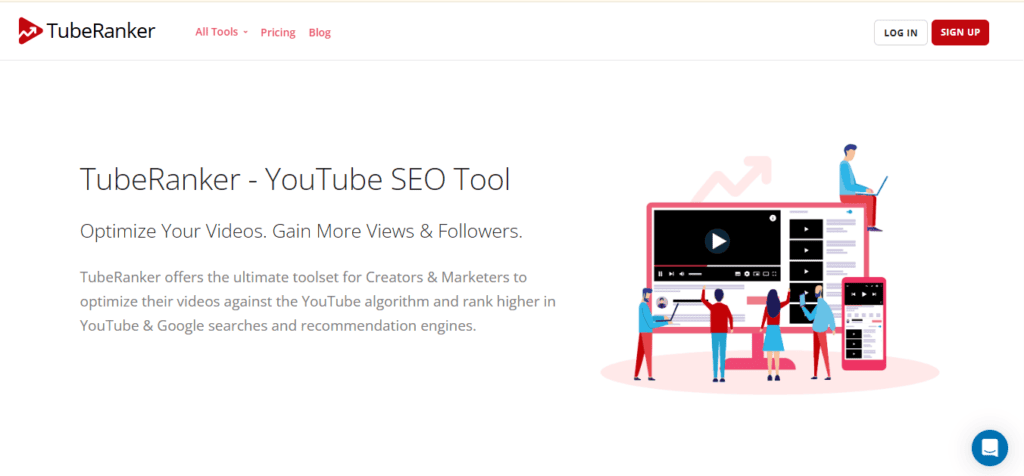
TubeRanker takes a different approach. Rather than generating new content, it’s built around researching and auditing what’s already working — or not working — on a channel.
Core purpose: YouTube keyword research, tag extraction, rank tracking, and channel auditing.
Ideal users: Creators and marketers who already have a content production process and want data to guide keyword and metadata decisions, plus agencies that need to benchmark channel performance against competitors.
Reported strengths: Multiple software directories, including SaaSworthy and Techjockey, consistently describe TubeRanker’s toolset as covering seven to eight core utilities: a Channel Audit Tool, Keyword Tool, Rank Tracker, Tag Extractor, Hashtag Generator, Title Generator, and Description Generator.
Officially documented features include:
- Keyword Tool showing estimated search volume for target terms
- Rank Tracker for monitoring video and channel ranking over time
- Channel Audit Tool that scores channel and video performance based on views, engagement, and subscriber trends
- Tag Extractor that reveals the meta tags used on any public video
- Hashtag Generator based on target keywords
ytZolo vs TubeRanker: Feature Comparison
AI Content Creation
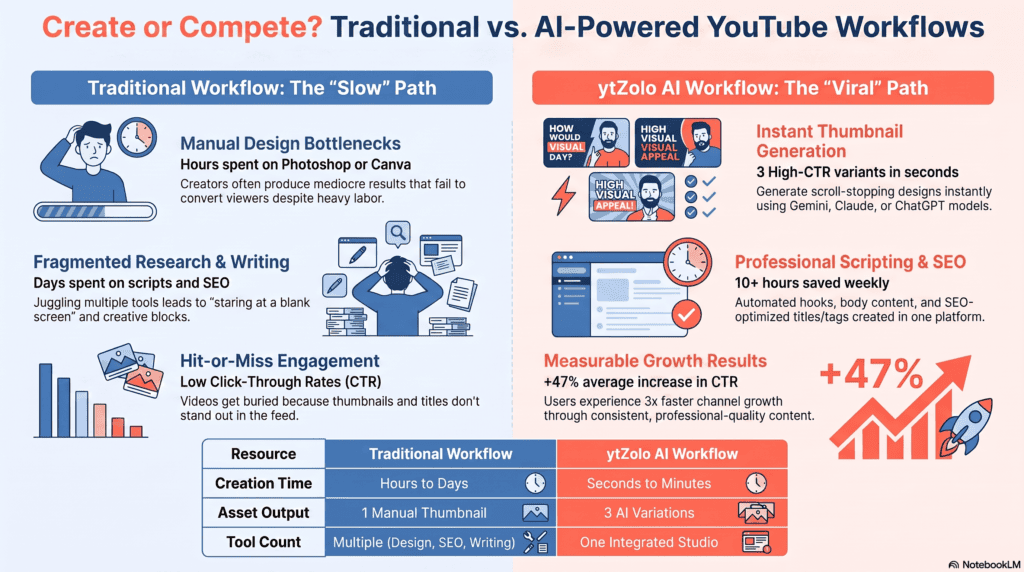
ytZolo’s entire premise is AI generation — scripts, titles, descriptions, and thumbnails produced from a single prompt. TubeRanker does include generator tools for titles and descriptions, but these function more like structured suggestion tools than open-ended AI writing engines, and TubeRanker does not offer script or thumbnail generation at all. If content creation speed is your bottleneck, this is the single biggest differentiator between the two platforms.
Best use case: ytZolo for anyone who needs to go from blank page to publish-ready assets quickly.
Keyword Research
This is TubeRanker’s strongest documented category. Its Keyword Tool is built to surface search volume data specific to YouTube queries, which is a more specialized function than anything currently documented in ytZolo’s public feature list.
ytZolo’s title and description tools reference keyword optimization as part of their output, but a dedicated, standalone keyword research module isn’t part of its documented toolkit.
Best use case: TubeRanker for creators who want to validate demand before scripting a video.
Script Generation
Only ytZolo offers this. Its script generator produces a structured hook, body, and call-to-action, with adjustable length and tone depending on the video format. TubeRanker has no equivalent tool.
Best use case: ytZolo, by default, since it’s the only one of the two with this capability.
Thumbnail Creation
Same pattern: ytZolo generates thumbnail concepts as image outputs, with the number of variants scaling by plan. TubeRanker does not include thumbnail generation or design tools.
Best use case: ytZolo for creators without design skills or a separate tool like Canva.
Rank Tracking
TubeRanker’s Rank Tracker monitors how videos perform in search results over time, including competitor videos. This kind of longitudinal tracking isn’t part of ytZolo’s publicly documented feature set.
Best use case: TubeRanker for anyone actively managing SEO performance across a catalog of videos.
Channel Audit
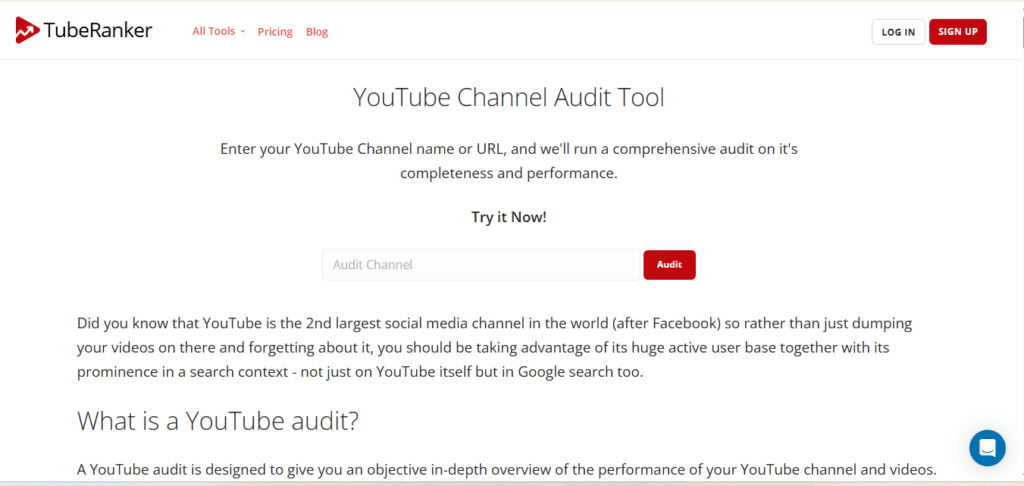
TubeRanker’s Channel Audit Tool evaluates overall channel health — upload frequency, video length, retention signals, and profile completeness. This is a distinct category of tool that ytZolo does not appear to offer.
Best use case: TubeRanker, particularly for agencies onboarding a new client channel.
Workflow Automation
ytZolo automates content production through batch generation and a reusable history library. TubeRanker automates research tasks like tag suggestions and rank monitoring. Both save time, but in different parts of the workflow — one on the creative side, one on the analytical side.
Best use case: Depends entirely on which part of your process is most manual today.
User Experience
Independent review sites describe both tools as approachable for non-technical users. G2 and Capterra reviewers note TubeRanker’s interface is straightforward, though a handful of reviews mention confusion around cancellation and account management. Detailed, independently verified UX reviews of ytZolo were not available at the time of writing.
Customer Support
TubeRanker offers online ticket-based support, according to Techimply. Multiple reviews on Capterra and Software Advice describe frustration with slow or unresponsive support for billing and cancellation issues — a pattern worth noting if responsive support matters to you. Public, third-party-verified information about ytZolo’s support channels is available at the time of writing; check ytzolo.com directly for current support options.
Integrations
SaaSworthy states TubeRanker does not currently offer API access. Integration details for ytZolo were not independently verifiable from public sources at the time of writing.
Learning Curve
Both tools are generally described as accessible to beginners across the review sources checked for this article, with no steep technical prerequisites for either platform.
Language Support
GetApp lists English as TubeRanker’s only supported language. In contrast, while ytZolo doesn’t explicitly publish a list of supported languages, its multi-model architecture (powered by ChatGPT, Claude, and Gemini) naturally enables multilingual generation for global creators.
Pricing Comparison
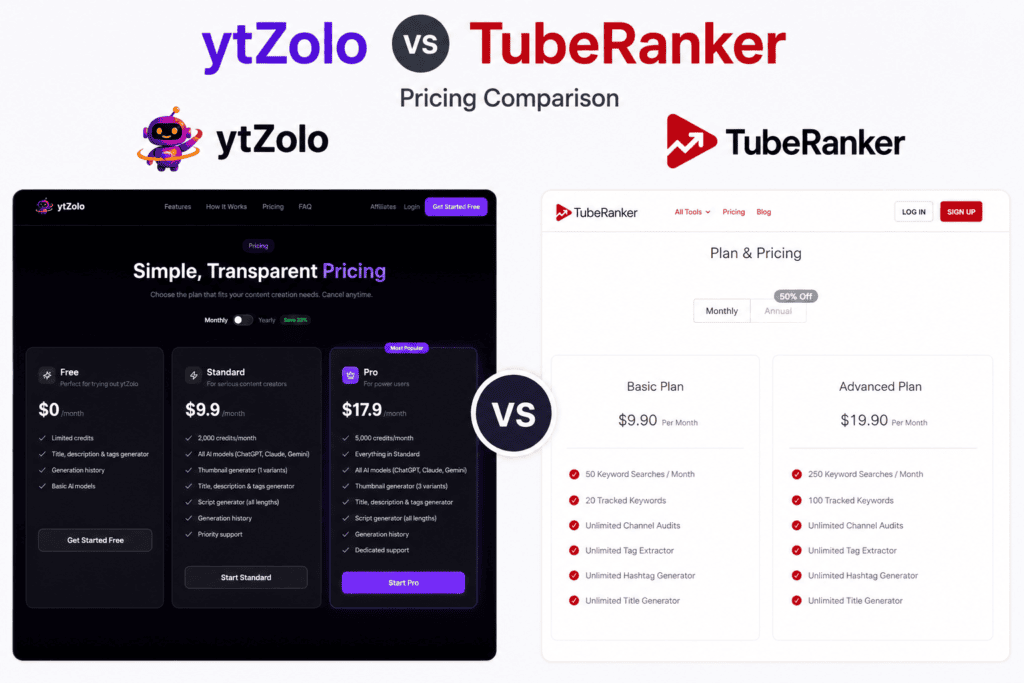
| Plan Type | ytZolo (reported) | TubeRanker (reported) |
|---|---|---|
| Free | Free plan with limited monthly credits, no credit card required | Free tools (channel audit, tag extractor) available; broader free trial terms are reported inconsistently across sources |
| Entry paid tier | Roughly $19/month, cited by a third-party review site, with around 2,000 monthly credits | Roughly $19/month per several trackers, though the official pricing page reflects different figures — confirm directly |
| Higher tier | Roughly 5,000 monthly credits at the next tier, per the same third-party source | Roughly $49/month per some sources, unlocking additional tracked keywords and searches |
| Annual billing | Reported to include a discount versus monthly billing | Official annual figures cited in search results suggest costs in the range of $59–$119 per year, which is notably lower than the monthly-equivalent figures reported elsewhere — this discrepancy could reflect outdated third-party data, so verify current numbers on tuberanker.com |
Pricing for both tools comes primarily from third-party aggregators rather than a fully confirmed, current read of each official pricing page, and some of the cited figures conflict with each other or appear to reference older snapshots. At the time of writing, this information should be treated as directional rather than exact — always check ytzolo.com/pricing and tuberanker.com/pricing before subscribing.
Value-wise, the comparison isn’t just about the number. ytZolo’s credit-based pricing ties cost to output volume — thumbnails, scripts, and titles all draw from the same credit pool — while TubeRanker’s tiers appear to gate access to specific tools, like the number of tracked keywords or Keyword Tool searches per month.
If you generate a high volume of content, credit limits matter more. If you’re tracking a growing list of target keywords, search and tracking limits matter more.
Pros and Cons
ytZolo Pros
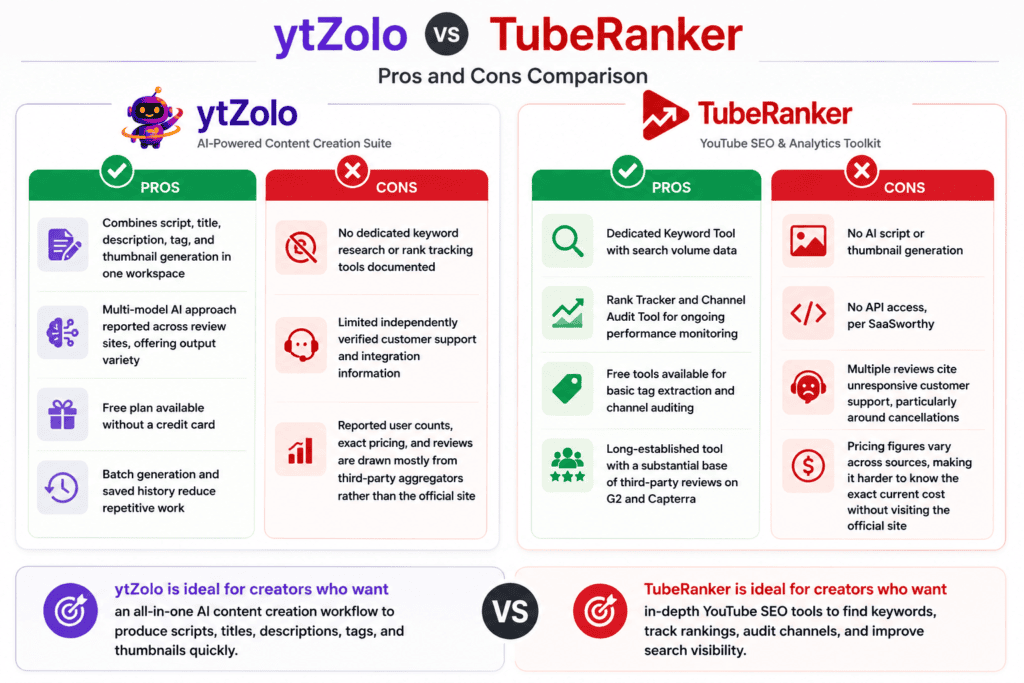
- Combines script, title, description, tag, and thumbnail generation in one workspace
- Multi-model AI approach reported across review sites, offering output variety
- Free plan available without a credit card
- Batch generation and saved history reduce repetitive work
ytZolo Cons
- No dedicated keyword research or rank tracking tools documented
- Limited independently verified customer support and integration information
- Reported user counts, exact pricing, and reviews are drawn mostly from third-party aggregators rather than the official site
TubeRanker Pros
- Dedicated Keyword Tool with search volume data
- Rank Tracker and Channel Audit Tool for ongoing performance monitoring
- Free tools available for basic tag extraction and channel auditing
- Long-established tool with a substantial base of third-party reviews on G2 and Capterra
TubeRanker Cons
- No AI script or thumbnail generation
- No API access, per SaaSworthy
- Multiple reviews cite unresponsive customer support, particularly around cancellations
- Pricing figures vary across sources, making it harder to know the exact current cost without visiting the official site
Which Tool Is Better for Different Users?
Beginners: ytZolo’s free plan and single-dashboard workflow lower the barrier to producing a first video’s worth of assets. TubeRanker is also beginner-friendly for the research side, but pairing it with a separate writing or design tool adds complexity a total beginner might not want yet.
Professional creators: Established creators often already have a scripting and thumbnail process. TubeRanker’s rank tracking and channel audit tools can layer on top of that process to sharpen keyword targeting. Creators looking to cut production time might find ytZolo’s generation tools more directly useful.
Agencies: Agencies managing several client channels may benefit from ytZolo’s batch generation for standardizing output across accounts, and from TubeRanker’s channel audit for onboarding and benchmarking new clients. Using both isn’t unreasonable if budget allows.
SEO experts: TubeRanker’s keyword and rank-tracking tools map more directly onto traditional SEO workflows. ytZolo’s SEO-oriented outputs (titles, descriptions, tags) are generated rather than researched, which may feel less rigorous to someone used to search-volume-driven decisions.
Faceless YouTube channels: ytZolo’s script and thumbnail generation directly addresses two of the most time-consuming parts of running a faceless channel at volume.
Shorts creators: Neither tool documents Shorts-specific features distinctly from long-form tools at the time of writing; both appear to apply general title, description, and tag logic across formats.
Long-form creators: ytZolo’s script generator includes structure for longer videos (hook, body, CTA), which may suit long-form creators who need a starting outline more than TubeRanker’s research-only toolset does.
Businesses: Businesses using YouTube for content marketing may lean toward ytZolo for production speed, while pairing it with TubeRanker or another analytics tool for tracking whether that content is actually ranking.
Alternatives Worth Knowing About
Neither ytZolo nor TubeRanker exists in a vacuum. A few other tools come up regularly in the same conversations:
- vidIQ — Known for keyword research, competitor tracking, and an AI Coach feature that suggests video ideas; more analytics-focused than content-generation-focused.
- TubeBuddy — A long-running browser extension integrated directly into YouTube Studio, offering keyword tools, A/B thumbnail testing, and bulk metadata editing.
- Subscribr — Positioned around AI-assisted scriptwriting for YouTube specifically.
- Syllaby — Focused on AI-generated content and video creation workflows for social platforms including YouTube.
- Pictory — Primarily a video creation and repurposing tool, useful for turning long-form content or text into short videos rather than SEO research.
Where each of these fits depends on whether your gap is in research, writing, or video production itself — worth checking their own documentation before adding another subscription.
Final Verdict
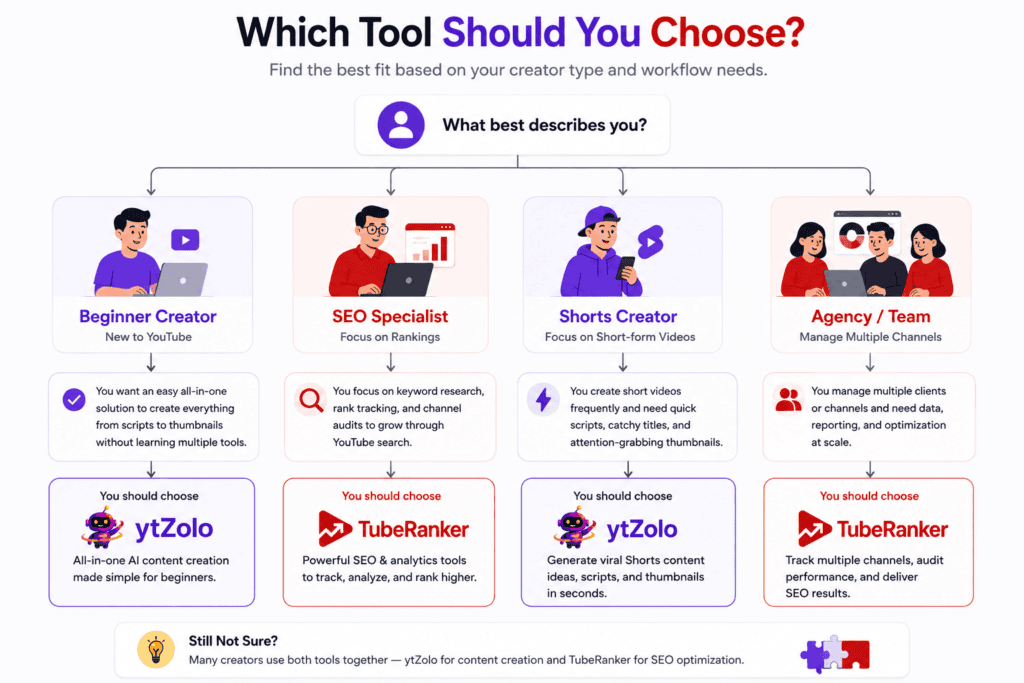
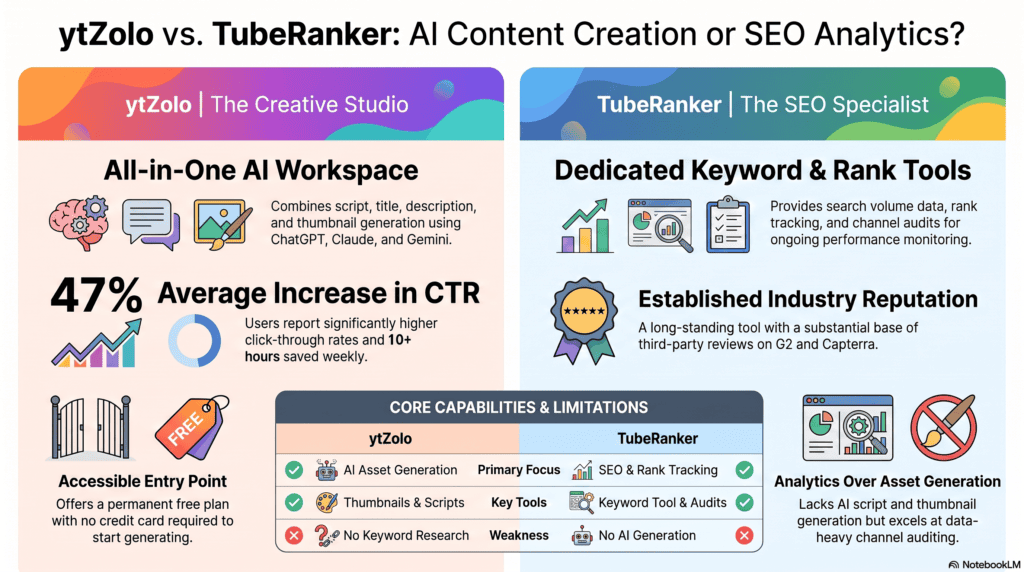
ytZolo and TubeRanker aren’t really competing for the same job. ytZolo is built to help you produce content faster — scripts, titles, descriptions, tags, and thumbnails from one prompt. TubeRanker is built to help you understand and track how content performs — keyword research, rank tracking, and channel audits.
If your biggest time drain is staring at a blank page before you can film anything, ytZolo’s generation tools address that directly. If your biggest question is which keywords to target and whether your existing videos are actually ranking, TubeRanker’s research and tracking tools are the better fit.
For creators who want both — faster production and better-informed metadata decisions — there’s a reasonable case for using each tool for what it does best rather than expecting either one to cover the whole workflow. Neither tool is the right choice for everyone, and the honest answer depends on where your current process is weakest.
FAQ
Is TubeRanker better than ytZolo? Neither is objectively “better” — they serve different functions. TubeRanker focuses on keyword research and rank tracking, while ytZolo focuses on AI content generation like scripts and thumbnails. The better choice depends on which part of your YouTube workflow needs the most help.
Does ytZolo include keyword research? A dedicated, standalone keyword research tool isn’t part of ytZolo’s publicly documented feature set. Its title and description generators reference SEO optimization, but for in-depth keyword volume data, TubeRanker’s Keyword Tool is the more purpose-built option.
Can beginners use TubeRanker? Yes. Multiple review sources describe TubeRanker’s interface as intuitive, and it offers some free tools, including channel auditing and tag extraction, that don’t require a paid plan to try.
Which tool is better for YouTube Shorts? Neither platform documents Shorts-specific features separately from their general toolsets at the time of writing, so this depends more on how you apply their existing title, description, and tag tools to short-form content.
Is ytZolo an alternative to TubeRanker? Not a direct one. ytZolo can reduce reliance on separate writing and design tools, but it doesn’t replace TubeRanker’s keyword research or rank tracking functions, since those aren’t part of ytZolo’s documented feature set.
Which tool has AI script generation? ytZolo. Its script generator produces a structured hook, body, and call-to-action based on your topic and tone preferences. TubeRanker does not offer script generation.
Can I use both together? Yes, and it’s a reasonable approach for creators who want both content generation and performance tracking — for example, using TubeRanker’s Keyword Tool to guide topic selection, then ytZolo to generate the script, title, and thumbnail.
Which tool is cheaper? Pricing for both tools is reported inconsistently across third-party sources at the time of writing, with some figures conflicting even for the same plan. Rather than compare rough numbers here, check current pricing directly on ytzolo.com and tuberanker.com.
Does TubeRanker offer a free trial? Sources conflict on this point — some describe a free trial period, while at least one directory states no free trial is offered. TubeRanker does offer certain free tools (like the tag extractor and channel audit) regardless. Confirm current trial terms on the official site.
Does either tool offer an API? TubeRanker does not, according to SaaSworthy. Public documentation of API access for ytZolo was not available at the time of writing.
About the Author
Anshika Verma
Researcher specializing in AI-powered YouTube creator tools, creator workflow optimization, YouTube SEO, and content automation.
This comparison is based on extensive research of official product documentation, pricing pages, publicly available resources, independent software review platforms, and community discussions. Wherever information could not be verified through reliable public sources, that limitation has been explicitly stated instead of making assumptions.
For questions or corrections:


Hi friends, its enormous post regarding educationand fully defined, keep it up all the time.
If you would like to take much from this piece of writing then you have to apply these
techniques to your won weblog.
Undeniably believe that which you stated. Your favorite justification seemed to be on the
internet the easiest thing to be aware of. I say to you, I certainly get annoyed while people
think about worries that they plainly do not know about.
You managed to hit the nail upon the top and defined out the whole thing without having side effect , people could take a signal.
Will probably be back to get more. Thanks
This is very interesting, You’re a very skilled blogger.
I have joined your feed and look forward to seeking more of
your great post. Also, I have shared your website in my social networks!