
By Anshika Verma · Content & SEO Researcher, ytZolo · Updated July 2026 · ~13 min read
Quick Answer: Strong AI Sound Effect Prompts include five essential elements: the object, material, action, environment, and duration. Instead of writing vague prompts like “scary sound,” describe the exact sound, such as “heavy iron gate creaking open slowly inside an empty stone hallway, 3 seconds.” With ytZolo’s AI Sound Effects Generator, these detailed prompts help produce cleaner, more realistic audio in fewer generations, saving creators time while delivering professional-quality sound effects.
Table of Contents
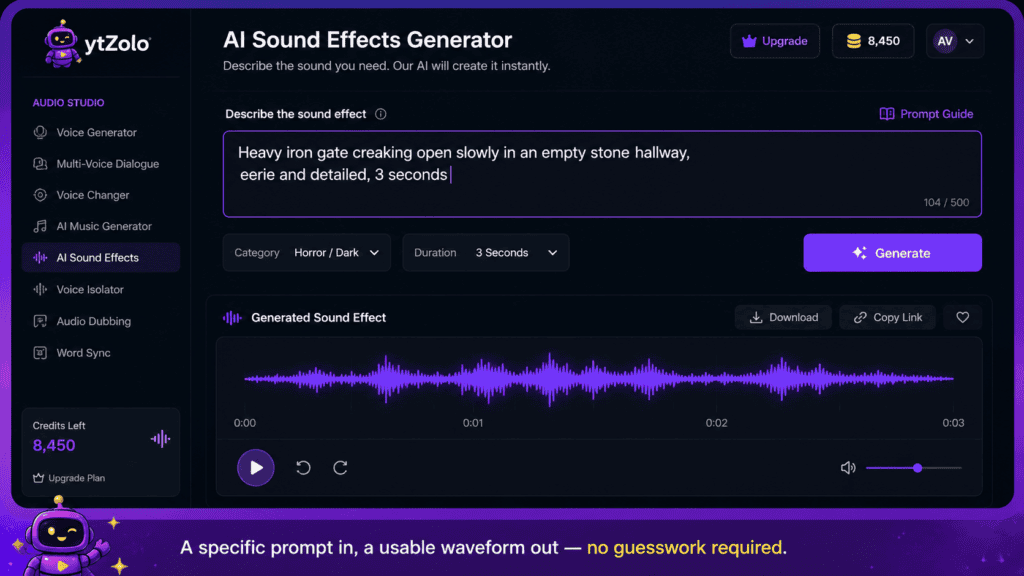
An AI sound effects generator only works as well as the prompt behind it. This guide breaks down exactly how to prompt AI sound effects so the first generation is usable, not the fifth. It builds on the broader comparison in our AI Sound Effects Generator guide, but goes deeper into the actual wording.
Why Most Sound Effect Prompts Fail
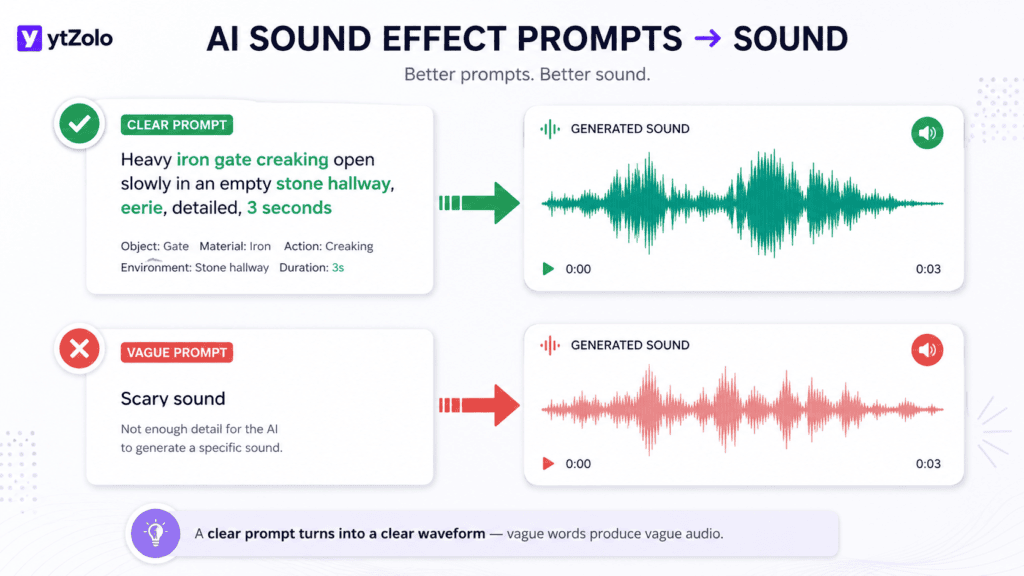
Most failed prompts share one problem: they describe a feeling instead of a sound.
“Scary,” “epic,” and “cool” are moods, not audio instructions.
An AI model can’t render “scary” directly. It needs the acoustic ingredients — low frequency, slow decay, sudden onset — that make a sound feel scary.
This is the core difference between casual prompting and how to prompt AI sound effects with intent. You’re not asking for an emotion. You’re describing a physical event.
Once you start writing prompts as physical descriptions, output quality jumps noticeably, even on the exact same tool.
How the Model Reads Your Words
Most text-to-audio tools are trained on large sets of labeled sound clips, where each clip is paired with a written description.
The model learns statistical patterns between certain words — “metallic,” “hollow,” “gradual” — and the acoustic features that tend to accompany them in the training data.
That’s why concrete, physical language performs better than mood words: the model has far more examples linking “wooden creak” to a specific waveform shape than it does for something as abstract as “spooky.”
Knowing this doesn’t require any technical background to use — it just explains why specificity consistently beats cleverness when writing AI sound effect prompts.
The 5-Part Prompt Formula
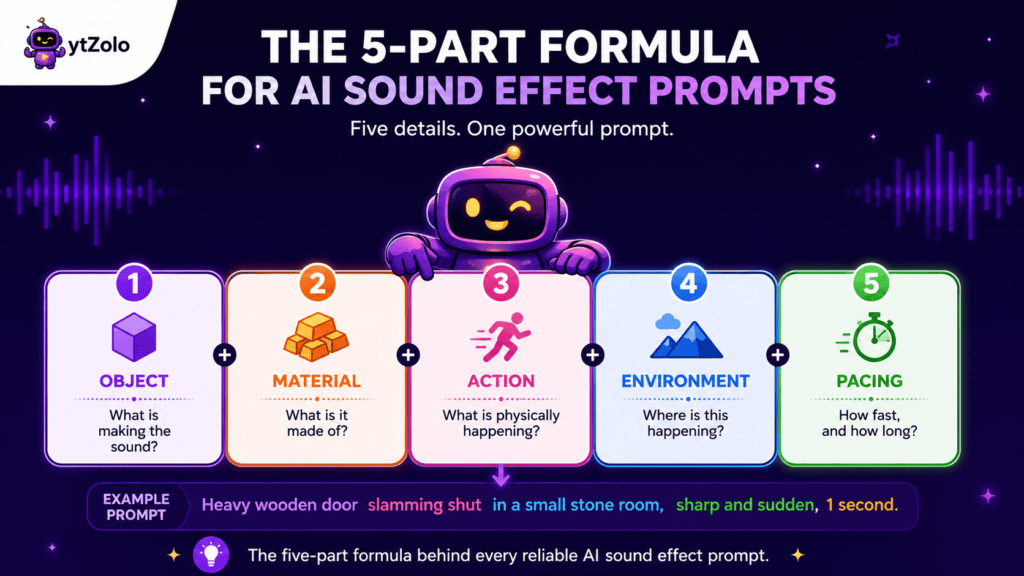
Every effective sound effect prompt answers five questions. Skip one, and the model fills the gap with a guess.
1. Object — What is making the sound? A door, a sword, an engine, a bird.
2. Material — What is it made of? Wood, metal, glass, flesh, stone.
3. Action — What is physically happening? Creaking, snapping, sliding, colliding.
4. Environment — Where is this happening? A small room, an open field, underwater.
5. Pacing and duration — How fast, and how long? Slow and drawn out, or sharp and instant.
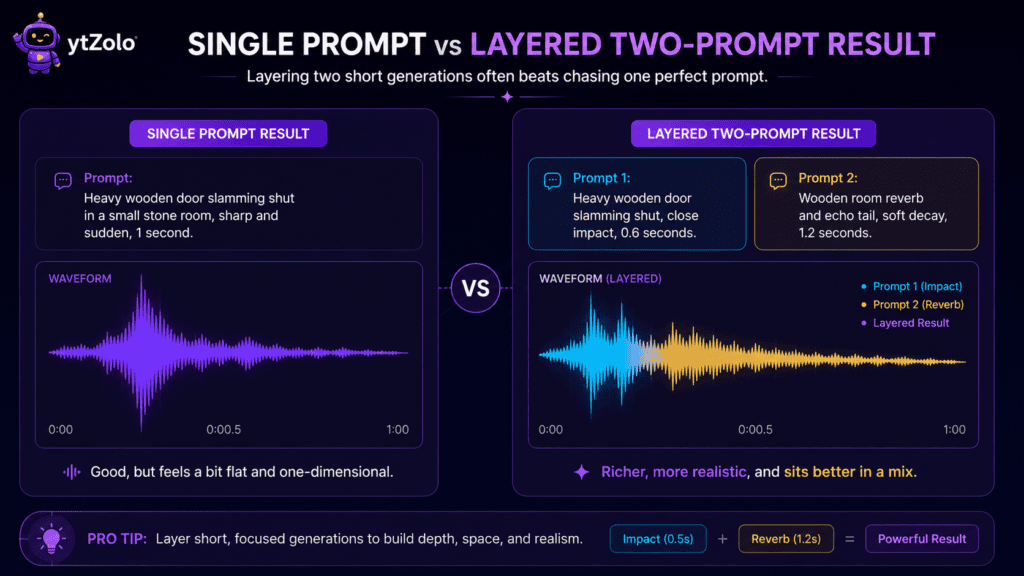
Put together, a sound effect prompt example using this formula reads like: “Heavy wooden door slamming shut in a small stone room, sharp and sudden, one second.”
Compare that to just typing “door slam.” Same object, wildly different output quality.
Breaking Down Each Element
Object alone rarely helps. “Door” could mean a car door, a cabinet door, or a bank vault door.
Material changes everything. A wooden door creaks differently than a metal one, and a glass door shatters instead of slamming.
Action verbs carry more weight than nouns. “Snaps,” “grinds,” “hisses,” and “thuds” each point to a distinct waveform shape.
Environment sets the reverb and space. The same clap sounds tight in a small room and echoing in a cave — say which one you mean.
Pacing tells the model where the energy sits. “Builds slowly” and “hits instantly” are opposite instructions, even for the same object.
Treat these five as a checklist rather than a strict word order. As long as all five appear somewhere in the sentence, the structure works.
How to Prompt AI Sound Effects: Step-by-Step
- Start with the object and material. Name the thing and what it’s made of before anything else, since this anchors everything the model generates after it.
- Add the action verb. Use a precise verb — “shatters” is more useful than “breaks,” and “grinds” says more than “moves.”
- Set the environment. A gunshot indoors and a gunshot in an open field are different sounds, mostly because of how the reverb tail behaves.
- Define pacing. Say whether it’s slow, fast, sudden, or gradual — this single detail changes the shape of the whole waveform.
- Set a target duration, if your tool allows it. Most usable sound effects fall between 1 and 8 seconds, and setting this upfront avoids trimming later.
- Generate and listen critically. Check pitch, texture, and whether the pacing matches your visual cue before deciding the result is final.
- Adjust one variable at a time. If the sound is close but too soft, change intensity — don’t rewrite the whole prompt from scratch.
Working through this text to SFX prompt guide in order avoids the most common failure mode: rewriting an entire prompt from scratch every time a result misses the mark.
Sound Effect Prompt Examples by Category
Use these sound effect prompt examples as templates, then swap in your own object, material, and setting.
Impact: “Small glass bottle shattering on a tile floor, sharp and bright, half a second.”
Mechanical: “Old elevator gears grinding as it starts moving, low mechanical hum underneath.”
Nature: “Wind picking up through dry autumn leaves, gradually building over four seconds.”
Sci-fi: “Energy shield deflecting a hit, high-pitched electronic ping with a metallic ring.”
Comedy: “Exaggerated slide whistle descending quickly, cartoon style, playful tone.”
Horror: “Slow metal chain dragging across a concrete floor, dry and unsettling.”
UI/App: “Single soft click confirming a selection, modern and minimal, under half a second.”
Weather: “Distant rolling thunder after a lightning flash, deep and prolonged.”
Combat: “Arrow releasing from a wooden bow, quick whoosh with a light string snap.”
Ambience: “Quiet library room tone, faint page turns and distant footsteps.”
Each one names an object, a material or texture, an action, and a pacing cue — the same formula, applied to a different scene.
Prompt Templates You Can Copy and Adjust
Fill in the brackets with your own scene details and these templates cover most everyday needs.
Impact template: “[Object] made of [material] hitting [surface], [pacing], [duration].”
Movement template: “[Object] moving across [surface/environment], [speed], [duration].”
Ambience template: “[Environment] ambience, [key background details], gradually building over [duration].”
Transition template: “[Whoosh/swipe/pop] transition, [tone], [duration], modern style.”
Character/creature template: “[Creature] making a [action] sound, [tone: deep/high/raspy], [environment], [duration].”
Keep a running document of prompts that worked well — reusing a proven structure is faster than reinventing one every session, and it keeps a channel’s sound identity consistent.
Troubleshooting Common Prompt Problems
Sometimes the formula is right but the AI sound effect prompt still returns a result that feels off. Here’s what to adjust first.
Sound is too clean or generic. Add a material and texture word — “metallic,” “hollow,” “worn” — instead of leaving the object bare.
Sound is too long or drags. State a shorter duration explicitly rather than trimming after the fact.
Sound doesn’t match the visual pacing. Rewrite the pacing phrase only — “sudden” instead of “gradual,” or vice versa — and regenerate.
Sound feels flat or lacks depth. Add an environment cue; a small change like “in a large hall” versus “outdoors” often adds the missing dimension.
Sound is close but slightly wrong in tone. Swap a single adjective (deep to sharp, soft to harsh) before touching anything else in the prompt.
Adjusting one variable at a time, rather than rewriting the whole line, gets to a usable result faster and keeps the parts of the prompt that were already working.
Words That Help vs. Words That Hurt
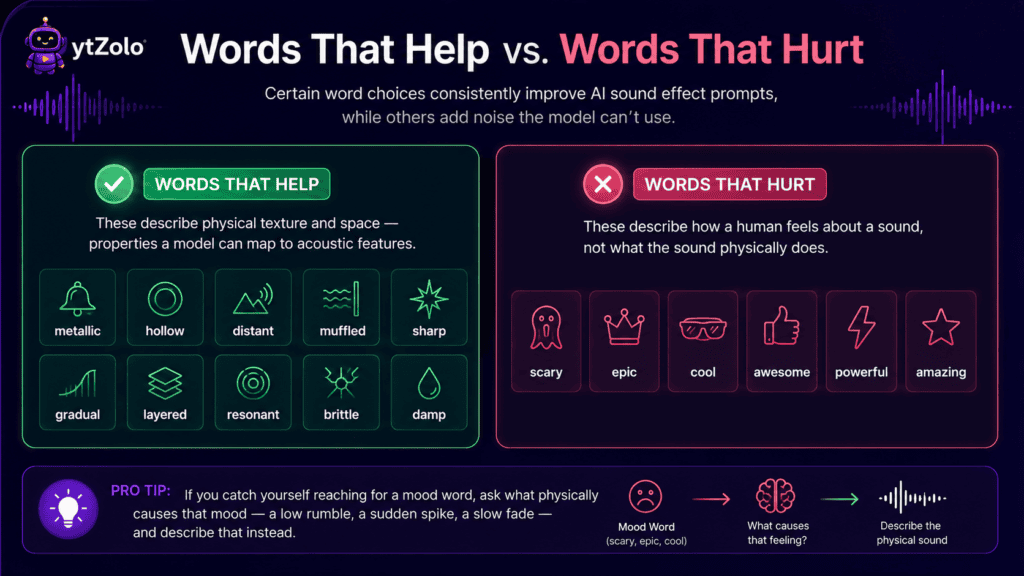
Certain word choices consistently improve AI sound effect prompts, while others add noise the model can’t use.
Words that help: metallic, hollow, distant, muffled, sharp, gradual, layered, resonant, brittle, damp.
These describe physical texture and space — properties a model can map to acoustic features.
Words that hurt: scary, epic, cool, awesome, powerful, amazing.
These describe how a human feels about a sound, not what the sound physically does.
If you catch yourself reaching for a mood word, ask what physically causes that mood — a low rumble, a sudden spike, a slow fade — and describe that instead.
Common Mistakes to Avoid
Even well-intentioned AI sound effect prompts run into a handful of repeat problems. Here’s what to watch for.
Being too short. A two-word prompt like “door slam” leaves too much to chance, since the model has to guess at material, space, and pacing on its own.
Being too long. Stacking ten adjectives confuses the model as much as too few words do — pick the three or four that matter most.
Forgetting duration. Without a length cue, most tools default to a generic clip that needs trimming later, which wastes the time the prompt was supposed to save.
Ignoring the environment. The same object sounds different indoors, outdoors, or underwater — say which one you mean instead of letting the model default to a neutral space.
Rewriting from scratch every time. Small, single-variable edits get you to a usable result faster than starting over with a completely new sentence.
Not saving what works. A prompt that nails the sound once will likely nail it again — keep a running list so the wording doesn’t have to be reinvented every session.
Chasing one perfect generation instead of layering. Some sounds are genuinely easier to build from two short clips than to force out of a single long prompt.
Advanced Prompting Techniques
Once the basics feel natural, a few techniques push your AI sound effect prompts further.
Layering. Generate a base sound (a footstep) and a texture sound (gravel crunch) separately, then combine them in your editor for a richer effect than one prompt alone usually produces.
Reference framing. Describing a sound “like a heavy door in an old church” gives the model a stylistic anchor without needing a real audio reference file.
Negative framing, used sparingly. Some tools respond to “without” cues — “engine hum without any wind noise” — though this works less reliably than positive description.
Duration-first prompting. For music-timed edits, lead with the exact duration so the pacing description matches the available length instead of the other way around.
These techniques apply the same way whether you’re building sound effects, or working on the AI music side — the underlying prompt logic is similar, which is worth knowing if you’re also exploring AI music generation for background scoring.
Prompting for Gaming Channels
Gaming content leans on short, punchy, repeatable cues — hit markers, level-ups, UI clicks — where consistency matters as much as quality.
For gaming prompts specifically, lock in a “house style” phrase (like “bright, 8-bit, short decay”) and reuse it across every UI sound so your channel’s audio identity stays consistent.
It also helps to prompt in small batches around one event type — generate three or four variations of a “hit marker” sound in one session, pick the best, and archive the rest instead of regenerating from scratch for every clip.
Gaming-specific sound design has its own priorities beyond prompting, covered in more depth in our AI tools for gaming YouTubers roundup and our gaming channel title strategy guide.
A Quick Note on Free Tools and Licensing
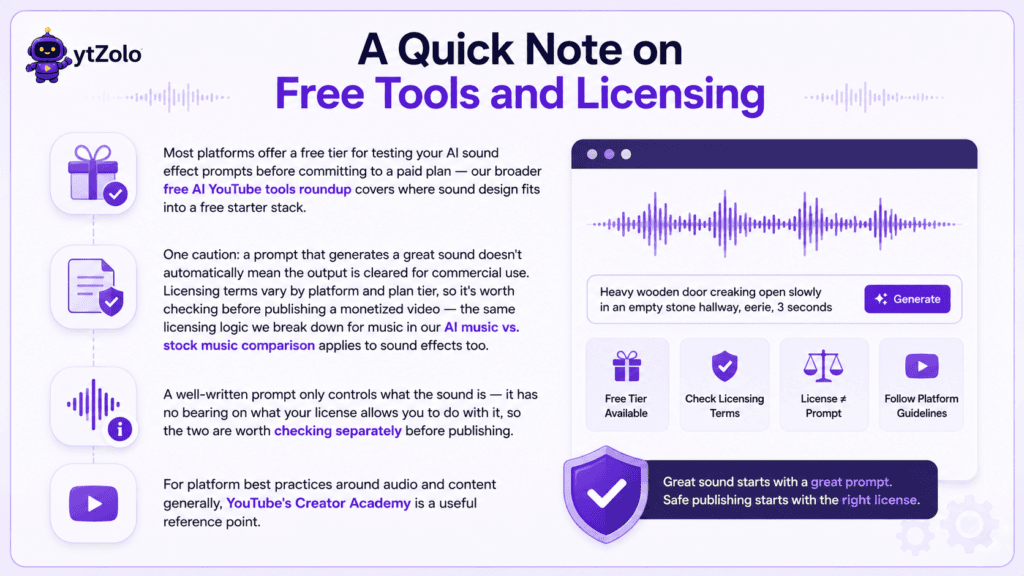
Most platforms offer a free tier for testing your AI sound effect prompts before committing to a paid plan — our broader free AI YouTube tools roundup covers where sound design fits into a free starter stack.
One caution: a prompt that generates a great sound doesn’t automatically mean the output is cleared for commercial use. Licensing terms vary by platform and plan tier, so it’s worth checking before publishing a monetized video — the same licensing logic we break down for music in our AI music vs. stock music comparison applies to sound effects too.
A well-written prompt only controls what the sound is — it has no bearing on what your license allows you to do with it, so the two are worth checking separately before publishing.
For platform best practices around audio and content generally, YouTube’s Creator Academy is a useful reference point.
FAQ
1. What are AI sound effect prompts? They’re the text descriptions you give a generator — naming the object, material, action, environment, and pacing — to produce a specific audio clip.
2. How do I prompt AI sound effects for the best results? Describe the physical event, not the emotion. Name what’s making the sound, what it’s made of, and how fast it happens.
3. Why does my prompt keep returning the wrong sound? Usually one of the five formula elements is missing — most often environment or pacing, since these are easy to forget.
4. Should I write long or short prompts? Aim for one clear sentence with five to twelve descriptive words. Longer isn’t always better past that point.
5. Can I reuse the same prompt structure across categories? Yes — the object/material/action/environment/pacing formula applies to nature, gaming, horror, comedy, and every other category equally.
6. Do AI sound effect prompts work the same way across different tools? The core formula transfers well, though each platform interprets duration and intensity cues slightly differently, so minor adjustments are normal when switching tools.
7. How is a sound effect prompt different from a music prompt? Sound effect prompts describe a single physical event; music prompts describe tempo, instrumentation, and mood over a longer arc — related skills, different focus.
8. Should I include a duration in every prompt? Yes, whenever the tool supports it. Duration is one of the most commonly skipped details, and it’s one of the easiest to get right.
9. What’s the fastest way to fix a bad generation? Change one word — usually the pacing or intensity term — and regenerate, rather than rewriting the entire prompt.
10. Is it worth building a personal prompt library? Yes. Reusing wording that’s already proven to work saves time and keeps a channel’s sound design consistent across videos.
Author
Anshika Verma 📧 anshika@ytzolo.com
Anshika Verma researches and tests AI creator tools hands-on, comparing prompt behavior, output quality, and real production workflows across voice, music, and sound design platforms. As a content and SEO researcher at ytZolo, she writes practical, data-driven guides that help YouTube creators get usable results on the first try, based on tools she’s personally tested rather than vendor claims.

