
Quick Summary: An AI music generator composes original background music from a text prompt, solving the licensing confusion, copyright strikes, and subscription costs that come with traditional stock libraries. This guide covers how the technology works, why it matters for YouTube retention, how tools like Suno, Udio, Soundraw, and AIVA compare, and how ytZolo‘s built-in AI Music Generator connects to voice, dubbing, and SEO in one workflow — plus a step-by-step tutorial, 20 practical tips, and answers to the most common questions creators ask.
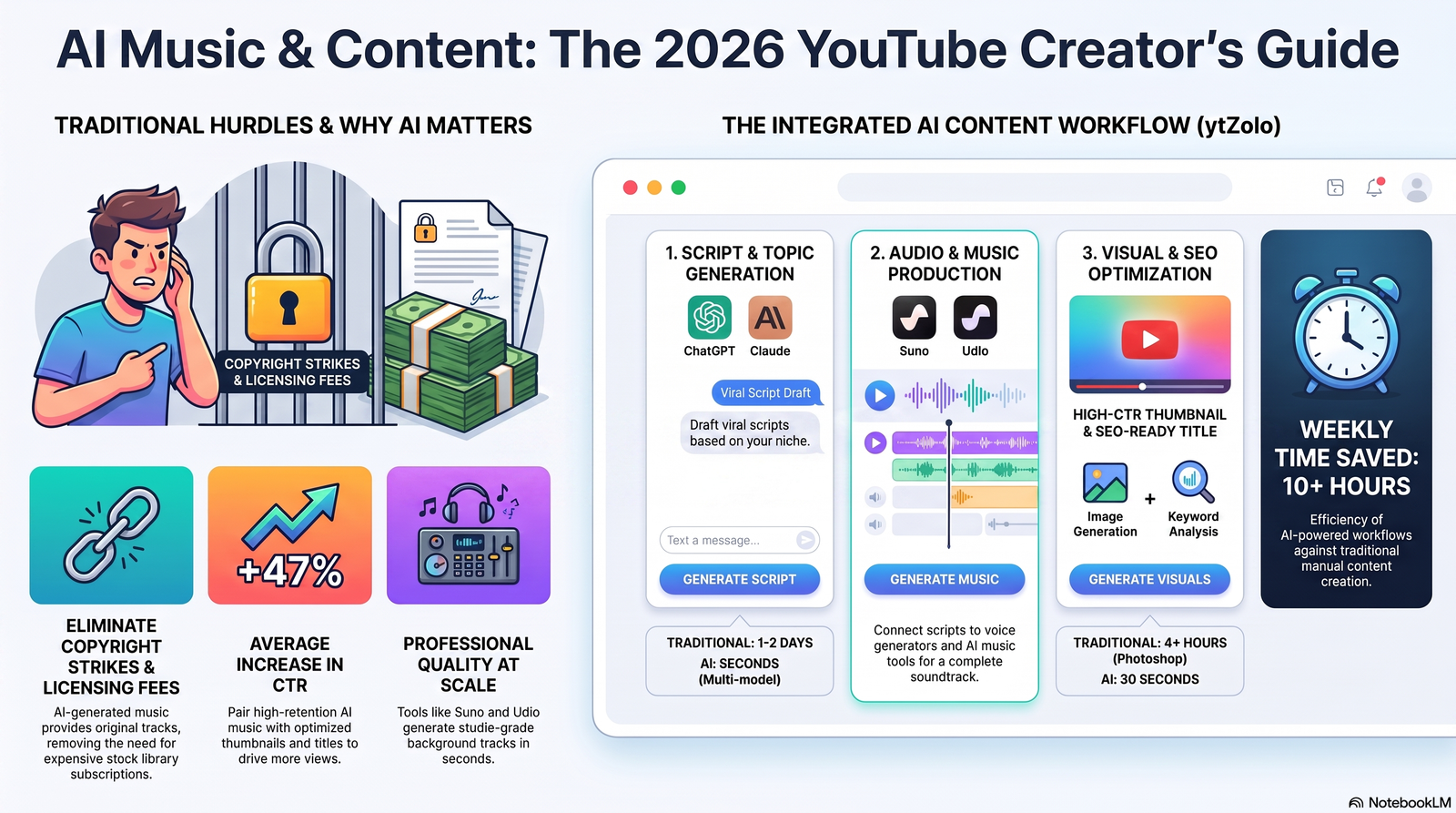
Table of Contents
Introduction
You finally finish editing your video. Then a music library search eats another 40 minutes. You download a track, upload it, and a week later YouTube flags it for a copyright claim anyway.
That cycle is familiar to almost every creator. Traditional stock music sites bury good tracks under thousands of generic ones. Subscription libraries charge monthly fees whether you use them or not. And even “free” tracks sometimes carry licensing terms nobody reads until Content ID sends a notice.
An AI music generator changes that workflow. Instead of searching a catalog, you describe the mood, genre, or scene, and the tool composes an original track in seconds. No search fatigue. No surprise claims. No waiting on a composer.
This guide covers how AI music generation actually works, why it matters for YouTube specifically, and how a platform like ytZolo fits into a full content workflow — not just as a music tool, but as part of scripting, voice, and audio production in one place.
What Is an AI Music Generator?
An AI music generator is software that composes original audio using machine learning models trained on large volumes of music data. You give it a prompt — a mood, genre, or short description — and it outputs a finished or near-finished track.
This differs from a stock library, which stores pre-made tracks that thousands of other creators can also download. An AI generator creates something new for your specific input, which lowers the chance that another channel is using the exact same track.
Generative audio works by predicting sound patterns the same way a language model predicts the next word. The model has learned relationships between instruments, rhythm, and structure from training data, then applies that knowledge to a new prompt.
Most platforms label their output “copyright-free” or “royalty-free” — and those terms aren’t identical. Licensing is the part creators skip and later regret, so it gets its own section below: AI Music Licensing: What “Royalty-Free” Actually Means.
Why YouTube Creators Need AI Music
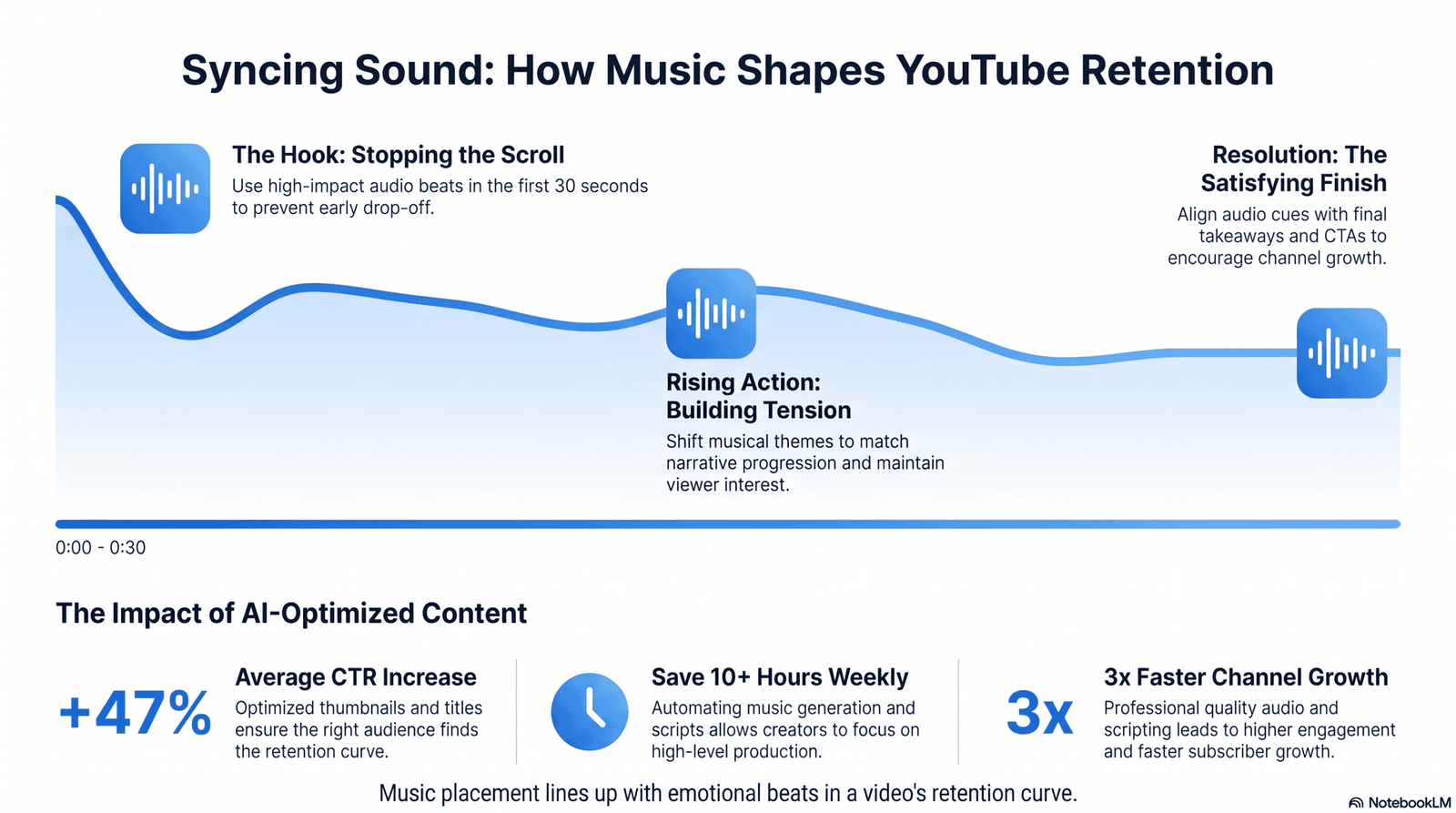
Music isn’t decoration on YouTube — it’s a retention tool. The right background track shapes pacing, signals emotional beats, and keeps viewers from clicking away during a lull.
Watch time is one of YouTube’s strongest ranking signals, and pacing affects watch time directly. A video that feels flat in the middle, even with great information, loses viewers before the outro.
For Shorts, the stakes are higher. You have roughly three seconds to hook attention, and the audio bed often carries more emotional weight than the visuals in that opening moment.
Documentaries lean on score to build tension or resolution. Gaming content uses tempo shifts to match on-screen action. Podcasts use short musical stings for intros, outros, and segment transitions.
An AI soundtrack generator lets you match music to tone without hiring a composer or spending hours auditioning tracks. You describe “tense, building, cinematic” or “upbeat lo-fi for a morning routine video,” and get options built around that description.
This matters more as more creators compete for the same attention. Two videos with identical information can perform very differently based on how the audio makes the video feel.
Common Problems With Traditional Music Libraries
Most creators have tried at least three different music sources before landing on a workflow that doesn’t create headaches. Here’s what usually goes wrong.
Licensing confusion. Terms vary by platform, by track, and sometimes by how the video is monetized. Reading the fine print for every download isn’t realistic for a weekly upload schedule.
Copyright strikes. Even licensed tracks sometimes trigger a Content ID match if the underlying rights holder didn’t clear the platform’s use correctly. Disputing a claim can take days, and ad revenue is held during that time.
Subscription costs. Stock music subscriptions often run $10–$30 a month, and that’s before adding a separate voiceover tool, a thumbnail app, and an SEO tool.
Searching for tracks. Filtering by genre, mood, tempo, and length across a library of hundreds of thousands of songs takes real time — time that doesn’t show up in any tutorial about “fast content creation.”
Inconsistent styles. Different tracks from different artists rarely sound like they belong on the same channel. Over time, that inconsistency can make a channel’s audio identity feel scattered.
These problems compound for anyone managing more than one channel or publishing multiple times a week. That’s the gap AI music generation, paired with the rest of a creator’s workflow, is built to close.
How ytZolo Solves These Problems
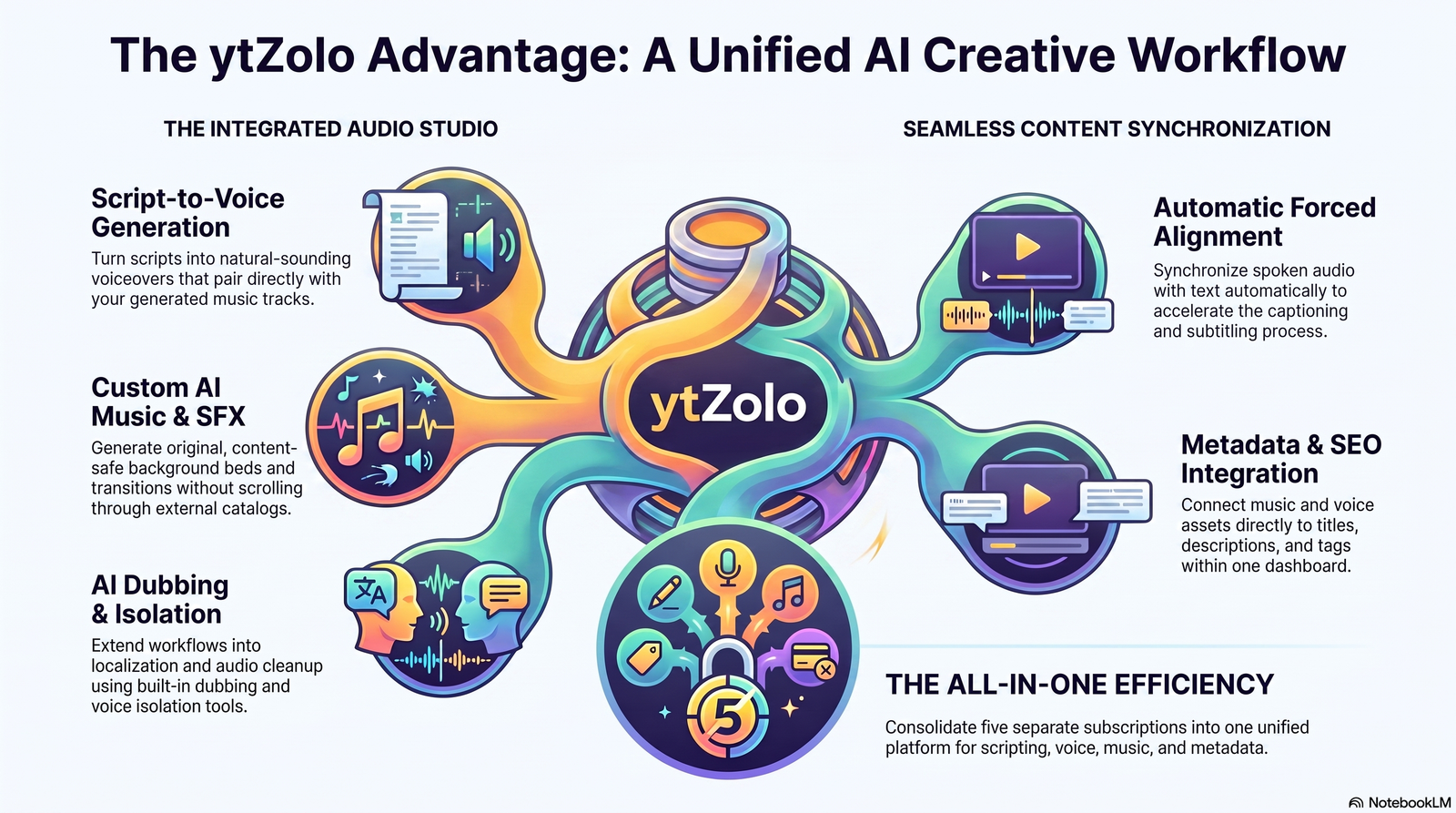
ytZolo approaches this differently from a single-purpose AI music tool. Instead of generating music in isolation, it sits inside an Audio Studio alongside voice generation, sound effects, dubbing, and script writing.
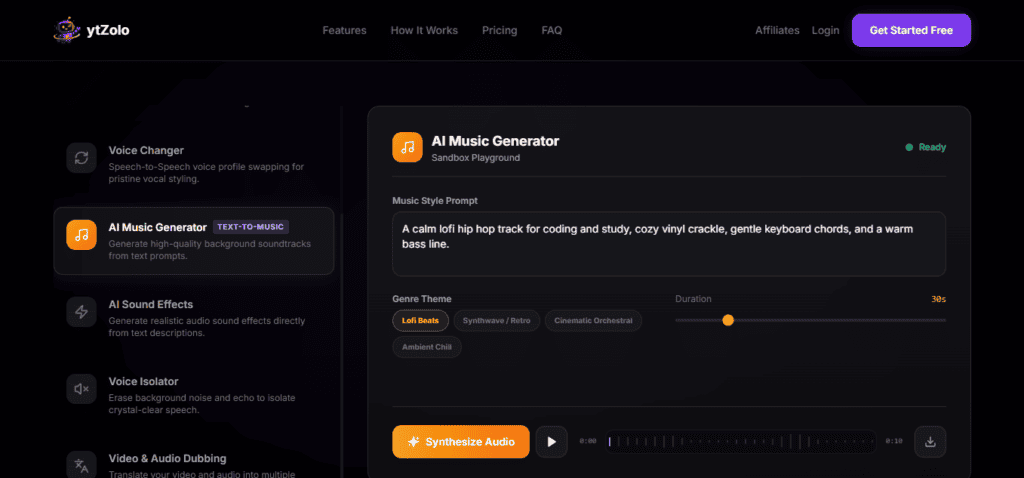
The AI Music Generator inside ytZolo creates original, content-safe background tracks based on genre and mood selection, so you’re not scrolling a catalog. Intro and outro cues can be generated the same way as full-length background beds.
The AI Voice Generator (AI Audio Generator) turns a script into a natural-sounding voiceover, which pairs directly with the music track you just generated for the same video.
AI Sound Effects Generator produces custom sounds — transitions, ambience, cinematic hits — on demand instead of digging through a separate SFX library.
AI Dubbing and Voice Isolation extend that same audio workflow into localization and audio cleanup, covered in more depth in ytZolo’s AI dubbing software guide.
Forced Alignment synchronizes spoken audio with text automatically, which speeds up captioning once your voice and music tracks are finished.
Because scripting and SEO tools live in the same platform — see ytZolo’s AI script writer and YouTube SEO tools — the music you generate connects to the video’s title, description, and tags rather than living as a separate download.
That connection is the real value: one dashboard instead of four or five subscriptions for scripting, voice, music, and metadata. For a full walkthrough of how all of these stages fit together in order — script, voice, music, sound effects, dubbing, then SEO — see From Script to Soundtrack: Building a Full Video with AI Voice, Music, and Dubbing.
ytZolo Audio Ecosystem
| Feature | Purpose | Best For | Benefits |
|---|---|---|---|
| AI Music Generator | Creates original background music by genre and mood | Intros, outros, full-video background scores | Content-safe, no licensing search |
| AI Voice Generator | Converts text to natural speech | Voiceovers, tutorials, podcasts | Fast narration without recording gear |
| Text to Dialogue | Generates multi-speaker conversations | Podcast-style videos, animations, role-play | Realistic back-and-forth without multiple actors |
| AI Voice Changer | Alters tone, pitch, and style of a voice | Character voices, creative edits | Style variation without re-recording |
| AI Voice Isolator | Removes noise and extracts clean vocals | Cleaning up raw recordings | Better clarity for reused footage |
| AI Dubbing Studio | Translates and dubs into other languages | International channel growth | Faster localized publishing |
| AI Sound Effects Generator | Produces custom sound effects | Transitions, ambience, gaming clips | On-demand assets, no SFX library search |
| Forced Alignment | Syncs spoken audio with text | Subtitles, transcripts, captions | Faster, more accurate accessibility work |
Step-by-Step Tutorial
Here’s a practical walkthrough for generating background music with an AI music generator, using ytZolo’s workflow as the example.
Step 1: Input your topic or script. Start with your video topic, or paste in the script you already wrote with ytZolo’s AI script writer. The context helps match the music to your content’s tone.
Step 2: Choose your style settings. Select a music style, mood, and length. If your video includes narration, also choose a voice and language, and add any sound effects the scene calls for.
Step 3: Generate your assets. Hit generate. The AI produces music, voice, and effects based on your selections, usually within a minute or two depending on track length.
Step 4: Export your files. Download the finished audio in a standard format compatible with your editing software. Keep a record of which license tier applies to each export.
Step 5: Bring it into your editor. Import the music, voiceover, and sound effects into your video editor of choice, then layer and mix as needed for the final cut.
Best Use Cases for AI Music
AI-generated background music fits a wide range of formats, not just traditional long-form videos.
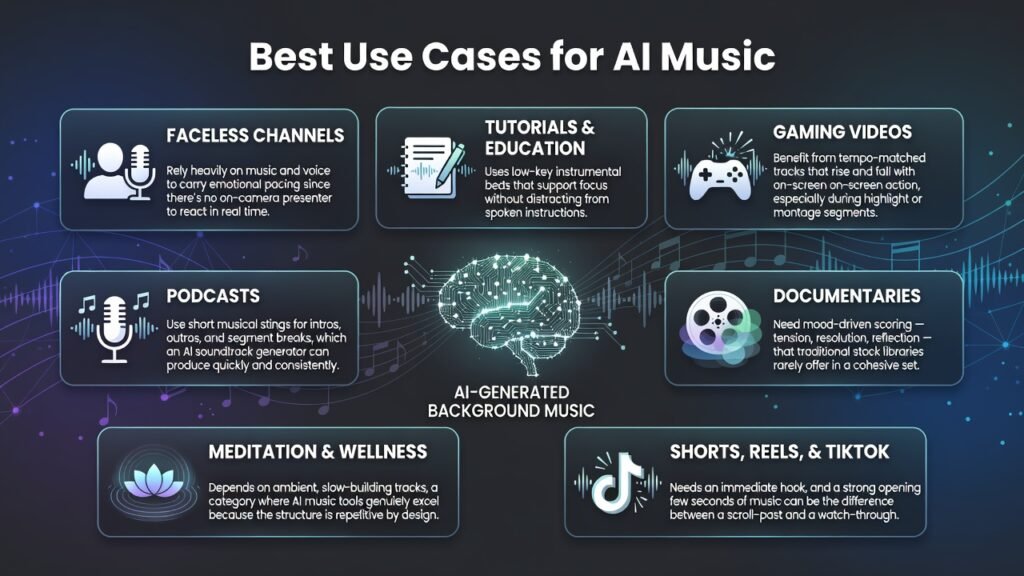
Faceless channels rely heavily on music and voice to carry emotional pacing since there’s no on-camera presenter to react in real time.
Tutorials and education content uses low-key instrumental beds that support focus without distracting from spoken instructions.
Gaming videos benefit from tempo-matched tracks that rise and fall with on-screen action, especially during highlight or montage segments.
Podcasts use short musical stings for intros, outros, and segment breaks, which an AI soundtrack generator can produce quickly and consistently.
Documentaries need mood-driven scoring — tension, resolution, reflection — that traditional stock libraries rarely offer in a cohesive set.
Meditation and wellness content depends on ambient, slow-building tracks, a category where AI music tools genuinely excel because the structure is repetitive by design.
Shorts, Reels, and TikTok content needs an immediate hook, and a strong opening few seconds of music can be the difference between a scroll-past and a watch-through.
AI Music Generator vs Traditional Music Libraries
| Factor | AI Music Generator | Traditional Music Library |
|---|---|---|
| Originality | Generated fresh per prompt | Same track used by many creators |
| Search time | Minutes, based on description | Can take 30–60+ minutes browsing |
| Licensing clarity | Depends on platform terms | Varies widely by license type |
| Cost structure | Often bundled with other creator tools | Separate subscription, per-library |
| Customization | Mood, genre, and length adjustable | Limited to existing catalog tracks |
| Consistency | Can match a channel’s tone repeatedly | Different artists, different feel |
AI Music Generator vs Manual Audio Editing
| Factor | AI Music Generator | Manual Audio Editing |
|---|---|---|
| Skill required | Minimal — describe the mood you want | DAW knowledge, mixing, composition |
| Time per track | Seconds to a couple of minutes | Hours, depending on complexity |
| Equipment | Browser and internet connection | DAW software, plugins, sometimes instruments |
| Best for | Fast content turnaround | Original scores needing precise creative control |
| Learning curve | Low | Moderate to steep |
Best AI Music Generators in 2026: A Quick Look
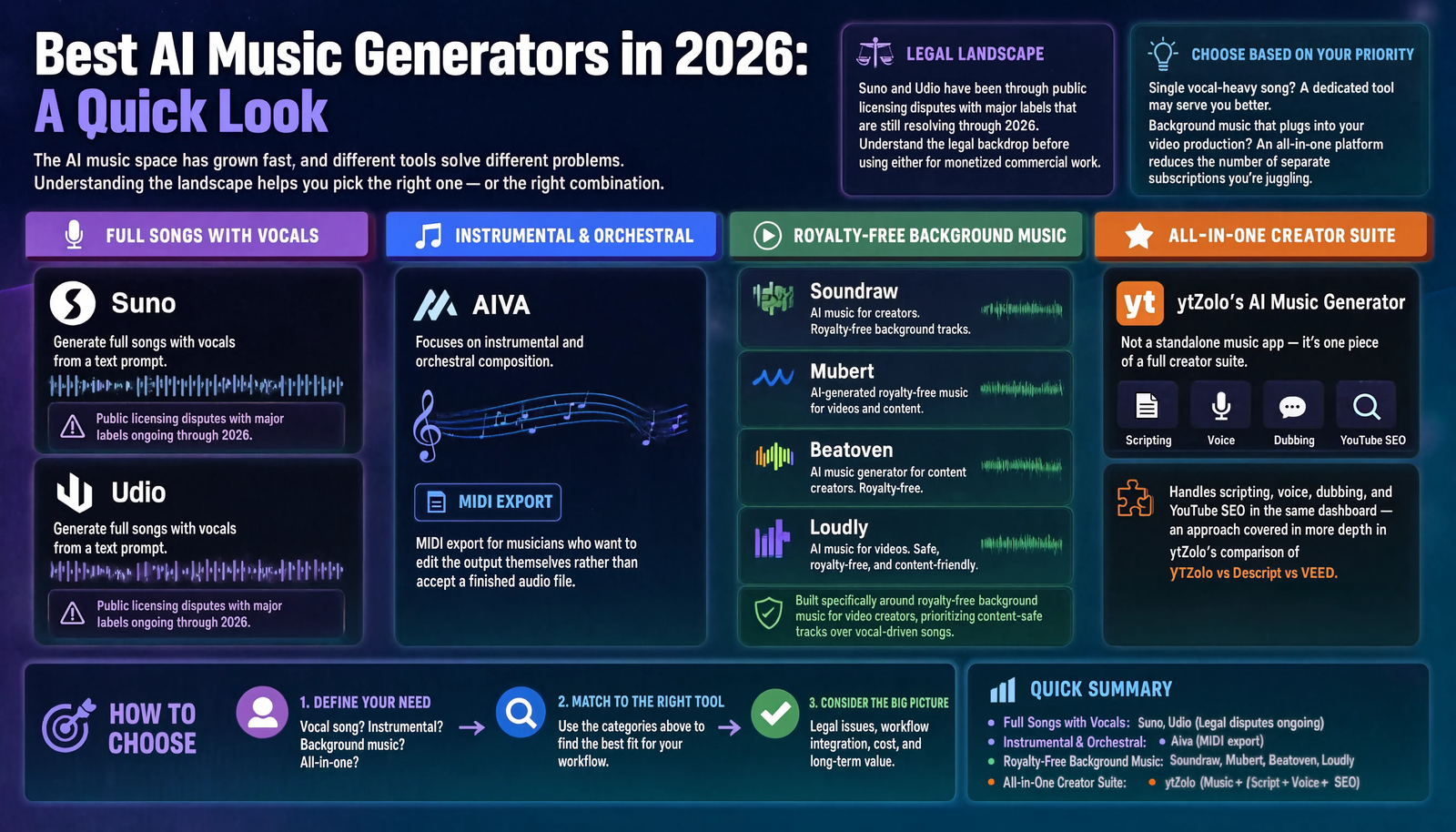
The AI music space has grown fast, and different tools solve different problems. Understanding the landscape helps you pick the right one — or the right combination.
Suno and Udio are known for full songs with vocals generated from a text prompt, and both have been through public licensing disputes with major labels that are still resolving through 2026. That legal backdrop is worth understanding before using either for monetized commercial work.
AIVA focuses on instrumental and orchestral composition, with MIDI export for musicians who want to edit the output themselves rather than accept a finished audio file.
Soundraw, Mubert, Beatoven, and Loudly are built specifically around royalty-free background music for video creators, prioritizing content-safe tracks over vocal-driven songs.
ytZolo’s AI Music Generator takes a different angle from all of the above: it’s not a standalone music app, it’s one piece of a full creator suite that also handles scripting, voice, dubbing, and YouTube SEO in the same dashboard — an approach covered in more depth in ytZolo’s comparison of YTZolo vs Descript vs VEED.
If your priority is a single vocal-heavy song, a dedicated tool built for that may serve you better. If your priority is background music that plugs directly into the rest of your video production, an all-in-one platform reduces the number of separate subscriptions you’re juggling.
Want full detail: Best AI Music Generators in 2026
AI Music Licensing: What “Royalty-Free” Actually Means
“Royalty-free” gets used as a blanket reassurance, but it’s a licensing term with specific limits — not a guarantee that a track is safe for every use. Before you build a video, a series, or a client deliverable around AI-generated music, it helps to know what you’re actually agreeing to.
Copyright-free vs. royalty-free — they’re not the same thing. Copyright-free generally means no separate rights holder is asserting ownership over the composition. Royalty-free means you don’t pay a fee every time you use the track once you hold a license — but you can still owe a one-time cost or an active subscription to keep that license valid. A track can be royalty-free and still restricted in how, where, or how long you can use it.
Who owns AI-generated music? This is still settled differently platform to platform. Some tools assign you full commercial rights to what you generate. Others retain broader rights to the underlying model’s output or require attribution. A few explicitly exclude certain uses — resale as a standalone song, use in another AI training set, or use once your subscription lapses. The terms of service, not the marketing page, is where this is actually defined.
Does the license survive if you cancel? This is the question creators skip most often, and the one that causes problems later. Some platforms let you keep using tracks generated during an active subscription even after you cancel. Others revoke commercial rights the moment your plan lapses, which matters a lot if a video with that track stays up — and monetized — for years. Confirm this before you build a channel’s audio identity around one tool.
Commercial use and monetization. Most AI music platforms distinguish between personal/non-commercial use and commercial use, and monetized YouTube content almost always falls under the commercial tier. Free plans in particular often cap or exclude commercial use entirely. If your channel runs ads, sponsorships, or affiliate links, confirm your plan explicitly covers monetized content — don’t assume a free-tier track is safe just because it downloaded without a paywall.
Why “AI-generated” doesn’t mean “risk-free.” Two separate risks get conflated here. The first is Content ID — a properly licensed AI track generally won’t trigger a claim, since it isn’t registered to a third-party rights holder the way a commercial song is. The second is contractual — even a track that won’t get Content ID–flagged can still violate the platform’s own terms if you use it outside your license tier (reselling it, using it across client work without a commercial plan, and so on). Passing the first risk doesn’t automatically mean you’ve cleared the second.
Vocal tracks carry more exposure than instrumentals. Tools like Suno and Udio, which generate full songs with vocals from a prompt, have been part of ongoing licensing disputes with major labels that were still working through the courts as of 2026. That legal backdrop doesn’t necessarily block personal or non-monetized use, but it’s a meaningfully different risk profile than an instrumental background bed from a tool built specifically for content creators. If you’re publishing monetized work, understand which category your source track falls into.
A practical checklist before you publish at scale:
- Confirm your plan tier explicitly covers commercial and monetized use, not just personal use.
- Check whether your license survives cancellation — and if it doesn’t, note which videos depend on it.
- Keep a simple record of which license tier applies to each exported track, especially if you switch tools or plans over time.
- If a track includes vocals from a full-song generator, treat it with more caution than an instrumental background bed, given how actively that space is still being litigated.
- When in doubt, read the actual terms of service rather than relying on how a tool markets itself. “Royalty-free” on a landing page and “royalty-free” in the legal terms don’t always mean the same thing.
None of this is legal advice — licensing terms change, and they vary by platform and by plan. Treat it as a checklist for what to verify, not a substitute for reading the terms yourself. ytZolo’s AI Music Generator is built for content-safe background use inside a creator workflow; if commercial licensing terms matter for your channel, confirm the current terms on the pricing page before publishing at scale.
Tips for Better AI Music
- Describe mood before genre — “tense and building” guides the AI more than “cinematic” alone.
- Match tempo to your video’s pacing, not just its topic.
- Keep intro music short — five to eight seconds is usually enough.
- Generate a few variations and compare them side by side before choosing.
- Lower music volume under narration to around 15–20% of the voice level.
- Use instrumental-only tracks under spoken content to avoid vocal clashing.
- Save a few go-to tracks per mood so your channel develops a consistent sound.
- Fade music in and out instead of cutting it abruptly.
- Match music energy to your thumbnail and title’s promise, not just the footage.
- For Shorts, prioritize the first two seconds of the track over the rest.
- Avoid overly busy tracks under dialogue-heavy sections.
- Test music on phone speakers, not just headphones, before publishing.
- Keep a consistent EQ profile across a series so episodes sound related.
- Use silence deliberately — not every second needs music underneath it.
- Label and organize exported tracks by mood so you can reuse favorites.
- Re-generate rather than force a track that’s almost right — small differences matter.
- Align musical crescendos with visual cuts or reveals for stronger impact.
- Check platform licensing terms before using a track across multiple channels.
- Keep outro music distinct from intro music so viewers sense the video ending.
- Revisit older videos periodically — swapping dated music can lift older content’s watch time.
Common Mistakes
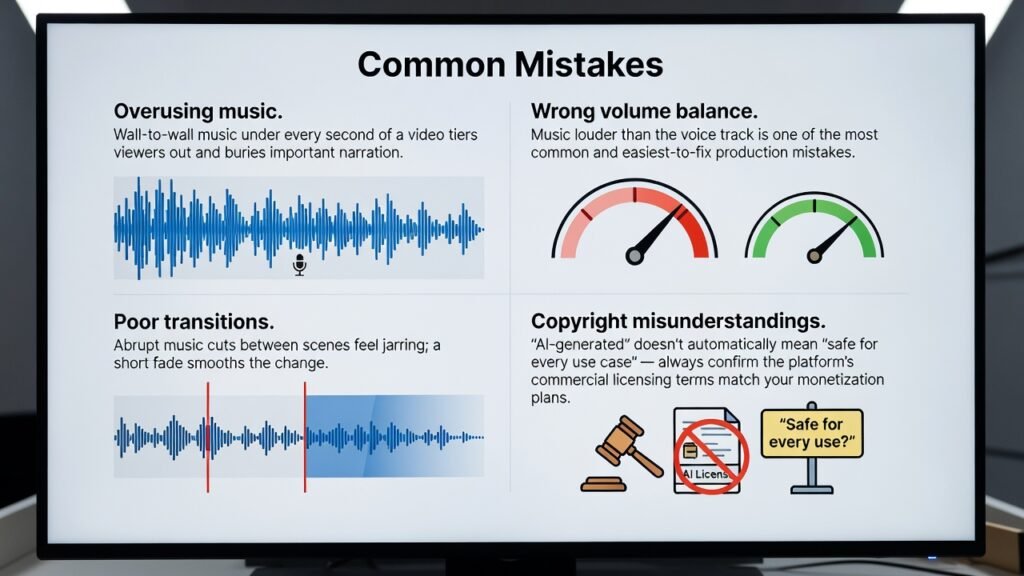
Overusing music. Wall-to-wall music under every second of a video tires viewers out and buries important narration.
Wrong volume balance. Music louder than the voice track is one of the most common and easiest-to-fix production mistakes.
Poor transitions. Abrupt music cuts between scenes feel jarring; a short fade smooths the change.
Copyright misunderstandings. “AI-generated” doesn’t automatically mean “safe for every use case” — see licensing above and confirm the platform’s commercial licensing terms match your monetization plans.
Frequently Asked Questions
Is AI-generated music copyright-free? It depends on the platform and license tier. Many AI music tools grant usage rights rather than eliminating copyright entirely, so check the specific terms before publishing. see the full breakdown above.
Can I monetize videos that use AI music? Usually yes, if you’re using a track under a commercial-use license. Free tiers sometimes restrict monetized use, so confirm before uploading.
Will AI music trigger a YouTube Content ID claim? Properly licensed AI-generated tracks are built to avoid Content ID matches, since they’re not registered to a third-party rights holder the way commercial songs are.
Do I need musical training to use an AI music generator? No. Most tools work from a text description of mood or genre, so no instrument or composition knowledge is required.
How long does it take to generate a track? Typically under a minute or two, depending on track length and the platform’s processing load.
Can I customize the mood and genre? Yes. Most platforms, including ytZolo, let you select genre, mood, and sometimes tempo or instrumentation before generating.
Is AI music good enough for professional videos? For background and supporting music, yes. For lead vocal tracks meant to stand alone as a release, quality varies more by platform.
What file formats do AI music tools export? Most export standard formats like MP3 or WAV, which are compatible with common video editors.
Can I use the same AI-generated track across multiple videos? Usually yes, within your license terms, but check whether your plan limits reuse across channels or clients.
Is there a free AI music generator option? Many platforms, including ytZolo, offer a free tier or trial with generation limits, which is enough to test whether the tool fits your workflow.
What’s the difference between royalty-free and copyright-free? Royalty-free means no per-use payment after licensing; copyright-free means no separate copyright owner is asserting rights over the piece. They aren’t always the same thing.
Can AI music generators create vocals, not just instrumentals? Some can, including Suno and Udio. Tools built specifically for creators, like Soundraw or ytZolo’s music generator, lean more toward instrumental background tracks.
Is background music generator output different from full song generator output? Yes. Background music tools optimize for looping, mood consistency, and content safety, while full song generators optimize for standalone listenable tracks with vocals.
Do AI music tools work for podcasts, not just video? Yes. Intro stings, transition cues, and ambient beds are common podcast use cases for AI music generation.
How do I choose music that matches my video’s tone? Start by describing the emotion you want the viewer to feel, not just the genre — “hopeful and building” guides output better than “pop.”
Can I edit an AI-generated track after export? Yes, in any standard audio or video editor, though the level of editability depends on whether the platform provides stems.
Are AI soundtrack generators better than hiring a composer? They’re faster and cheaper for routine content needs, but a composer may still be worth it for a signature theme or flagship series intro.
What happens if I cancel my subscription — can I still use the music I made? This varies by platform and should be confirmed in the terms of service before you rely on it for published content.
Do AI music tools support multiple languages for vocals? Some do, particularly full-song generators; background-focused tools are typically instrumental and language isn’t usually a factor.
Is ytZolo only a music tool, or does it do more? ytZolo is a full AI Creator Suite — music generation sits alongside scripting, thumbnails, SEO, voice, dubbing, and sound effects in one platform.
Final Thoughts
Background music used to mean a tradeoff: spend real time searching a library, or risk a track that isn’t as safe as it looks. An AI music generator removes most of that friction by composing something original around the mood you describe.
The tools worth using are the ones that fit into how you actually work — not as one more separate subscription, but as part of the same workflow that already handles your script, your voice, and your video’s SEO. That’s the gap platforms like ytZolo are built to close for creators managing a full publishing schedule.
Whatever tool you choose, treat licensing terms as part of your production checklist, not an afterthought. A few minutes reading the fine print is far cheaper than a copyright dispute after publishing.
Author
Anshika Verma Email: anshika@ytzolo.com
Anshika researches AI creator tools, YouTube growth workflows, and content automation hands-on, testing platforms across scripting, SEO, thumbnails, and audio production before writing about them. Her recommendations are based on direct use of these tools rather than promotional claims, with a focus on what actually holds up in a real creator’s publishing schedule.

