
Introduction
You spent three days filming. Two hours editing. Another hour color grading.
Then you slapped on a rushed thumbnail — and your video got 43 views.
Sound painfully familiar?
Here’s the brutal truth: your thumbnail is the most important factor in whether anyone clicks your video. Not your title. Not your SEO tags. Your thumbnail. It’s the first — and sometimes only — thing a viewer notices before deciding to scroll past or actually watch.
Even platforms like YouTube Creator Academy emphasize thumbnails as a primary driver of click-through rate. If you’re still struggling with visuals, this AI thumbnail strategy breakdown explains how top creators consistently design thumbnails that convert.
And in 2026, with over 500 hours of video uploaded to YouTube every single minute, a weak thumbnail isn’t just a missed opportunity. It’s a channel killer.
This level of competition on YouTube means your thumbnail has to outperform dozens of others instantly — or it gets ignored.
The good news? You no longer need to be a graphic designer. You don’t need Photoshop skills. You don’t even need a big budget. The best free AI YouTube thumbnail makers 2026 have made professional, click-worthy thumbnails accessible to every creator — regardless of skill level.
In this guide, you’ll discover which tools are actually worth your time, what makes a thumbnail go viral, and why one platform — ytZolo — is the smartest choice for serious creators in 2026.
Let’s get into it.
Table of Contents
Why Your Thumbnail Determines Your Channel’s Fate
Let’s talk numbers for a second.
YouTube’s own data confirms that 90% of the best-performing videos on the platform use custom thumbnails. That’s not a coincidence. That’s a pattern proven across millions of videos in every niche imaginable.
Your thumbnail is essentially a billboard. On YouTube’s crowded feed, you have roughly half a second to stop someone’s scroll. If your thumbnail blends into the background, they keep moving. If it sparks curiosity — they click.
Click-through rate (CTR) is one of the most critical signals YouTube’s algorithm uses to decide who sees your content. When your CTR goes up, YouTube pushes your video to more people. More people equals more views, more subscribers, and faster channel growth. That’s exactly why finding the best free AI YouTube thumbnail makers 2026 isn’t optional anymore — it’s a competitive survival skill.
Algorithms developed by Google rely heavily on engagement signals like CTR and watch time to determine content visibility.
Why Manual Thumbnail Design Is Costing You Growth
Most creators spend 30 to 60 minutes designing a single thumbnail. If you upload twice a week, that’s up to 8 hours per month on thumbnails alone.
That’s 8 hours you could spend filming, editing, building your audience — or simply living your life.
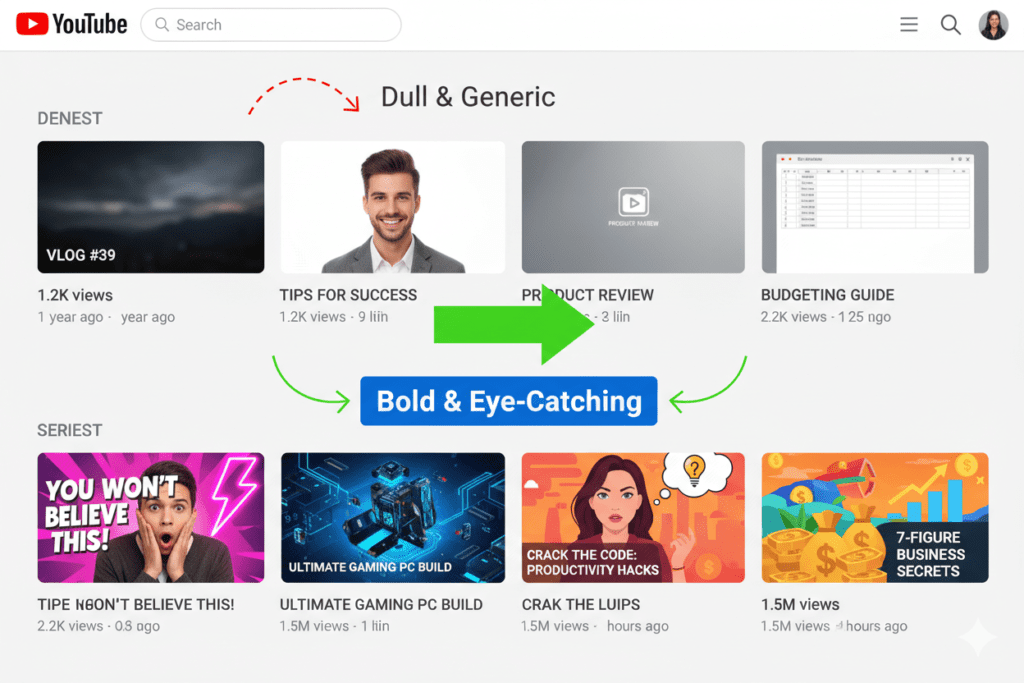
And it gets worse. Manual thumbnail design is guesswork. You’re choosing colors based on instinct, not data instead of using the best thumbnail maker for YouTube free. You’re picking layouts based on what looks nice, not what converts. You’re missing the niche-specific visual patterns that the algorithm has already validated across millions of high-performing videos.
According to HubSpot’s video marketing research, videos with optimized thumbnails can see CTR improvements of up to 154%. Meanwhile, creators grinding through manual design are leaving those clicks — and that growth — on the table.
Manual thumbnail creation in 2026 is like writing your entire script on a typewriter. It technically works. But why would you, when the best free AI YouTube thumbnail makers can do it better, faster, and with real data behind every design choice?

What to Look for in the Best Free AI YouTube Thumbnail Makers
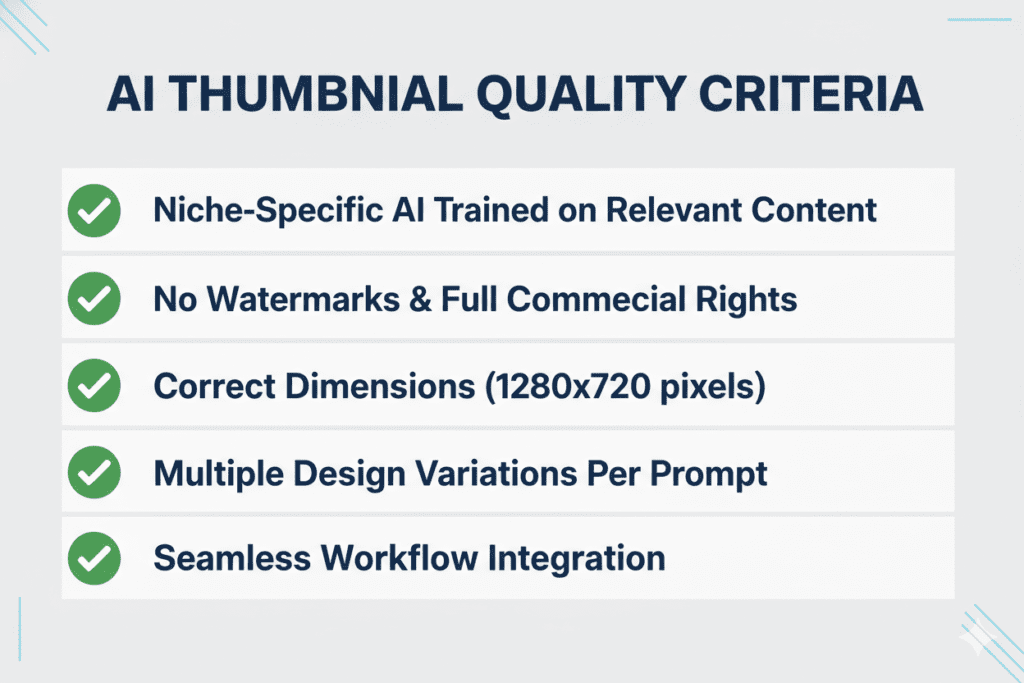
Not all free AI thumbnail tools are created equal. Here’s what actually matters when you’re evaluating the best free AI YouTube thumbnail makers 2026:
YouTube-Specific Intelligence
Generic AI image generators can create beautiful visuals — but they don’t understand YouTube CTR. You need a tool trained on what actually performs in your niche: color psychology, text hierarchy, facial expressions, and the visual patterns that stop scrollers cold.
No Watermarks on Free Exports
A watermarked thumbnail looks unprofessional. Full stop. A visible watermark on your thumbnail signals low production value to your viewers before they even hit play. The best free AI YouTube thumbnail makers let you download clean, high-resolution images without branding.
Correct YouTube Thumbnail Dimensions
YouTube’s recommended thumbnail size is 1280×720 pixels at a 16:9 aspect ratio. Any tool worth using should automatically output at these dimensions — no manual resizing required.
Multiple Variations to A/B Test
The smartest creators never upload just one thumbnail. They test two or three variations and let the data decide. Look for tools that generate multiple design options in a single session so you’re always testing and improving.
Integration With Your Broader Content Workflow
A great thumbnail is only one piece of the puzzle. The best tools connect thumbnail creation to your titles, descriptions, scripts, and tags — so everything works together as a unified content strategy.
If your thumbnails aren’t aligned with your titles and scripts, you lose clicks. This AI YouTube workflow guide explains how everything should work together.
The Best Free AI YouTube Thumbnail Makers 2026
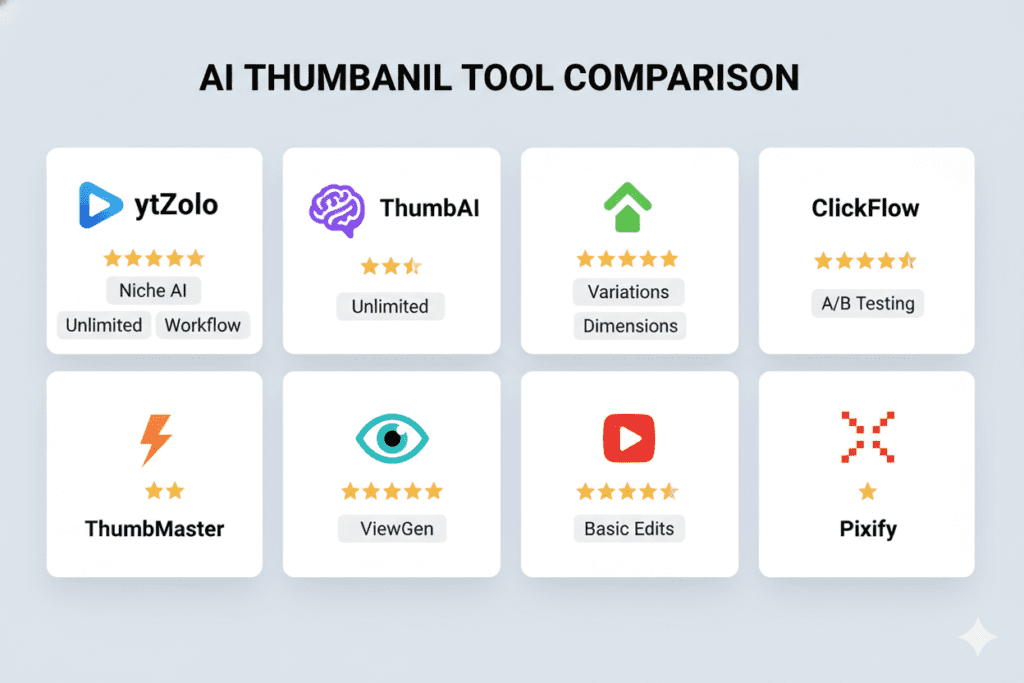
Here’s a carefully researched breakdown of the top best free AI YouTube thumbnail makers available right now:
1. ytZolo ⭐ (Best Overall — Free Plan Available)
ytZolo is the only tool on this list built exclusively for YouTube creators — and it’s not even close.
Unlike generic design apps, ytZolo’s thumbnail AI is trained on niche-specific performance data from high-CTR YouTube videos. It understands what makes a gaming thumbnail click differently than a finance thumbnail. It applies color psychology, emotional triggers, and text placement principles automatically — without you having to know any of this.
Best of all, ytZolo offers a free plan with no credit card required. You can generate and export professional-quality thumbnails immediately after signing up.
But here’s what really separates ytZolo from every other tool on this list: it’s an all-in-one platform. Your thumbnail is generated alongside your AI-written script, SEO-optimized title, keyword-rich description, and smart tag suggestions — all inside one dashboard. Everything aligned. Everything working together. That’s not just convenience. That’s a real competitive edge.
2. Canva (Free Tier Available)
Canva is the go-to tool for millions of beginner creators. Its Magic Media and Dream Lab features let you generate thumbnail concepts from text prompts, and the drag-and-drop editor makes customization fast and intuitive.
The limitation? Canva is a general-purpose design tool. It has no YouTube-specific intelligence. It doesn’t know what makes a fitness thumbnail outperform a tech thumbnail. You’re still making all the strategic design decisions yourself — and your free credits run out quickly.
Canva works. But it’s a blank canvas, not a growth engine.
3. Fliki (Free Trial Available)
Fliki is a user-friendly AI content platform with a dedicated thumbnail maker. It supports multiple AI image models, includes built-in templates for YouTube, and lets you create thumbnails in over 80 languages — great for creators targeting global audiences.
Fliki shines for creators who want a fast, clean output with minimal setup. The free plan is solid for occasional use, but regular uploaders will hit credit limits fairly quickly.
4. vidIQ (Free Version Available)
vidIQ is best known for its YouTube analytics tools, and it does include an AI thumbnail maker. You can drag-and-drop your video file and vidIQ will pull key frames and generate thumbnail concepts with basic customization options.
The caveat: thumbnail creation is a secondary feature in vidIQ, not the core product. The best thumbnail capabilities sit behind a paid plan, and the free version offers limited output compared to dedicated best free AI YouTube thumbnail makers.
5. QuillBot AI Thumbnail Maker (Free)
QuillBot’s AI thumbnail generator is fully free and doesn’t require a sign-up to get started. You enter a text prompt and a preferred style, and it generates a thumbnail concept at the correct YouTube dimensions.
It’s a solid option for creators who need a quick, zero-cost thumbnail in a pinch. However, it lacks the niche intelligence, workflow integration, and multi-variant generation that make a thumbnail tool truly powerful for consistent channel growth.
6. Thumbmagic (Free Trial)
Thumbmagic is purpose-built for YouTubers and lets you upload your video or script to extract key visual moments and generate thumbnail variations automatically. It’s strong for creators who want face-forward thumbnails with expression enhancement built in.
The free trial is limited, and ongoing use requires a paid plan. It’s a great dedicated thumbnail tool — but it only does thumbnails. For the full content workflow, you’ll still need additional tools.
Why ytZolo Is Better Than Other Free AI Thumbnail Tools
You’ve seen the list. Now let’s be direct about why ytZolo is the clear winner among the best free AI YouTube thumbnail makers 2026.
It’s YouTube-Native — Not a General Design Tool
Every other tool on this list was built for broad creative use and then adapted for YouTube. ytZolo was built specifically for YouTube creators from day one. That distinction matters enormously. The AI understands your niche, your audience, and the algorithm — not just how to make a pretty image.
Your Thumbnail Talks to Your Title
Here’s something most creators never think about: your title and thumbnail need to tell the same story. When they don’t, viewers feel a mismatch — and click-through rates drop.
With ytZolo, your thumbnail is generated alongside your AI-crafted title. They’re created from the same content input, by the same AI brain. They work together by design. That kind of cohesion is a strategic advantage that standalone thumbnail tools can never offer.
Full HD Exports — Zero Watermarks
ytZolo exports your thumbnails in full HD resolution, completely watermark-free, even on the free plan. Your thumbnails look professional. Your channel looks credible. Your viewers trust what they see before they even hit play.
It’s the Whole Content Package
Why stop at thumbnails? ytZolo’s free plan also gives you access to:
- AI Title Generator — Click-worthy, SEO-optimized titles that rank and convert
- AI Script Writer — Full video scripts structured for maximum viewer retention
- AI Description Generator — Keyword-rich descriptions that help YouTube surface your content
- AI Tags & Keywords — Smart tag sets that improve discoverability across search and recommendations
When you’re done creating your thumbnail, your entire content package is ready to upload. That’s an hour of work compressed into under ten minutes. visit the ytZolo blog and explore this AI thumbnail case study guide for real examples.
One Free Platform — Zero Tool-Switching
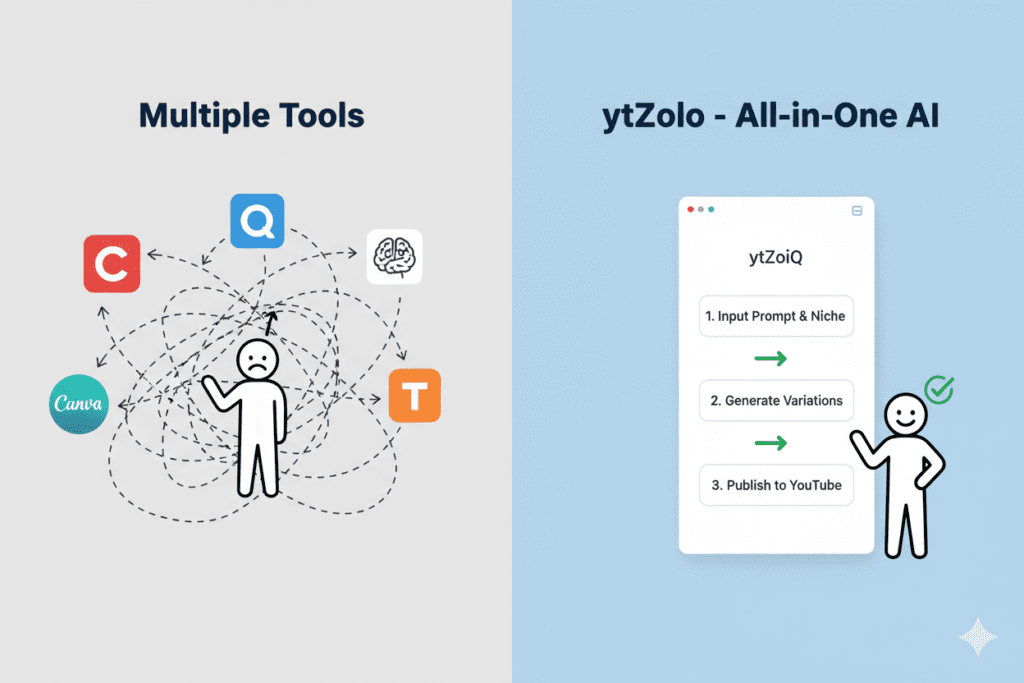
Most creators juggle 4–5 different apps just to get one video ready to upload. Canva for thumbnails. ChatGPT for scripts. TubeBuddy for tags. VidIQ for titles. That’s expensive, fragmented, and exhausting.
ytZolo replaces all of it. One platform. One cohesive workflow. One free account to get started.
How to Create a High-CTR Thumbnail with ytZolo (Step-by-Step)
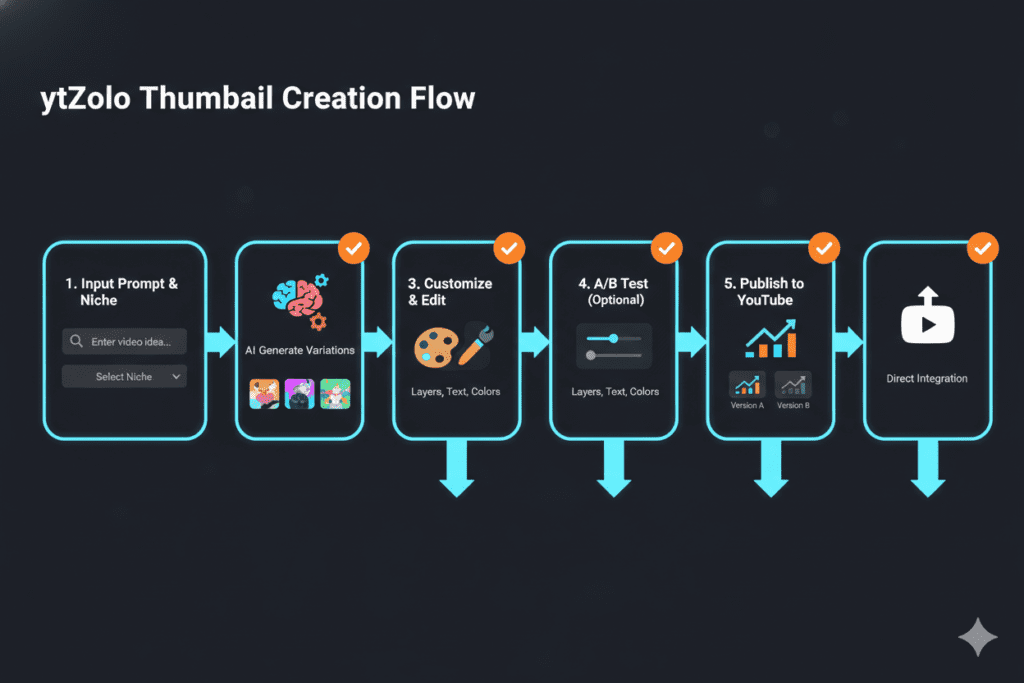
Ready to create your first AI thumbnail? Here’s the exact process — no design skills required:
Step 1: Sign Up for Free Head to ytzolo.com and create your free account. No credit card needed. You can start generating thumbnails in under 60 seconds.
Step 2: Enter Your Video Title or Topic Type in your video concept. Be specific. “5 Investing Mistakes Beginners Make in 2026” will produce far better results than just “investing tips.” The more context you give the AI, the sharper your thumbnail will be.
Step 3: Select Your Niche and Visual Style Choose your content niche — gaming, fitness, finance, tech, lifestyle, cooking, or others. ytZolo’s AI applies niche-specific design patterns proven to perform in your category.
Step 4: Generate Multiple Thumbnail Options Hit generate. ytZolo’s AI produces several high-CTR thumbnail variants in seconds — each with different color schemes, text placements, and emotional hooks.
Step 5: Choose and Customize Review your options. Pick the one that feels most aligned with your content angle. Tweak text, colors, or layout if needed — all with simple, intuitive controls.
Step 6: Export in Full HD Download your watermark-free, perfectly sized thumbnail and upload it directly to YouTube Studio.
Bonus Step: Generate Your Full Content Package While you’re in ytZolo, generate your title, script, description, and tags in the same session. Your entire video content strategy — done in under 10 minutes.
That’s it. That’s what the best free AI YouTube thumbnail makers 2026 should feel like.
7 Proven Thumbnail Design Principles That Top Creators Follow
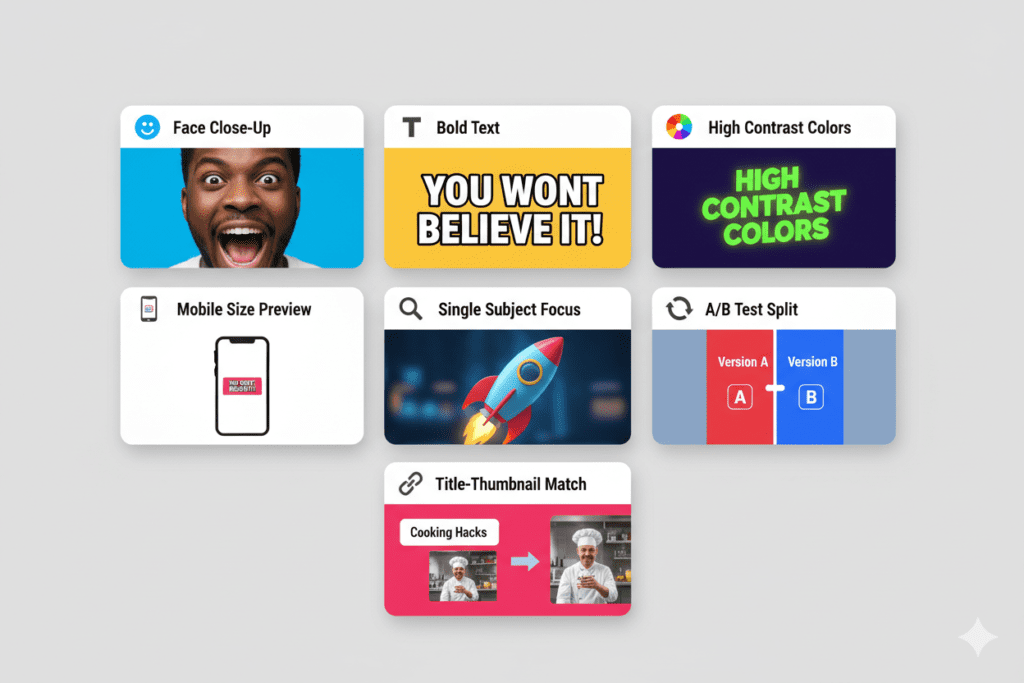
Even the best free AI YouTube thumbnail makers work better when you understand the fundamentals. Here are the seven principles that separate viral thumbnails from forgettable ones:
1. Use Expressive Human Faces Thumbnails featuring faces — especially with strong emotions like surprise, excitement, or shock — consistently drive 20–30% higher CTR, according to research from VidIQ. Neutral faces blend into the feed. Emotion stands out.
2. Keep Text to 3–5 Words Maximum Bold, short text overlays get clicked. Once you go past 10 words, CTR actually drops. Let your visual do the heavy lifting. Your text should tease, not explain.
3. Prioritize High Contrast Your thumbnail competes against hundreds of others in a busy, colorful feed. Bold reds, electric yellows, and deep blues against contrasting backgrounds stop the scroll. Muted, washed-out designs disappear.
4. Design for Mobile First Over 70% of YouTube views happen on mobile devices, according to YouTube’s Creator Academy. Shrink your thumbnail preview to 120 pixels wide before publishing. If you can’t read the text or identify the subject at that size, redesign it.
5. One Subject, One Message, One Hook Cluttered thumbnails confuse viewers. The highest-performing thumbnails follow a single visual story — one face, one object, one clear promise. Simplicity converts.
6. A/B Test Every Video The best creators don’t guess — they test. YouTube’s built-in Test & Compare feature lets you run up to three thumbnail variants simultaneously. Channels that consistently test their thumbnails see a median CTR improvement of around 33%.
7. Match Your Thumbnail to Your Title Your title makes a promise. Your thumbnail should visually deliver on that promise. Mismatched title-thumbnail combinations erode viewer trust and tank your CTR. This is exactly why ytZolo generates both together — so they always tell the same story.
FAQ: Best Free AI YouTube Thumbnail Makers 2026
Q1: What is the best free AI YouTube thumbnail maker in 2026?
The best free AI YouTube thumbnail maker in 2026 is ytZolo. It’s purpose-built for YouTube creators, generates CTR-optimized thumbnails based on niche performance data, exports in full HD without watermarks, and includes a free plan with no credit card required. Unlike general design tools, ytZolo’s AI understands what makes thumbnails actually convert — not just look good.
Q2: Do free AI thumbnail makers add watermarks to downloads?
It depends on the tool. Many free tiers from tools like Canva and Thumbmagic do add watermarks or limit export quality. ytZolo’s free plan exports thumbnails in full HD with zero watermarks — giving you a professional result even at the free tier.
Q3: What size should a YouTube thumbnail be in 2026?
YouTube’s recommended thumbnail size is 1280×720 pixels with a 16:9 aspect ratio. The maximum file size is 2MB (JPG, PNG, GIF, or BMP). The best free AI YouTube thumbnail makers — including ytZolo — automatically output at these exact dimensions, so you never need to manually resize.
Q4: Can AI thumbnails really improve my YouTube CTR?
Yes — significantly. Creators using AI thumbnail tools frequently report CTR improvements of 50–200% within their first month. AI tools like ytZolo are trained on what drives clicks on YouTube: color contrast, emotional triggers, text hierarchy, and niche-specific visual trends. A data-trained AI consistently outperforms manual guesswork.
Q5: Is ytZolo only a thumbnail tool?
No. ytZolo is a full all-in-one AI YouTube growth platform. In addition to being one of the best free AI YouTube thumbnail makers, it also generates AI-powered video titles, complete video scripts, SEO-optimized descriptions, and strategic tag recommendations — all inside a single dashboard. Everything is built to work together, giving your channel a cohesive edge across every touchpoint the YouTube algorithm evaluates.
Conclusion: Stop Leaving Clicks on the Table
Here’s the bottom line.
Every video you upload without a strong thumbnail is a video the algorithm buries. Every impression YouTube serves is a chance to earn a click — or lose one forever.
In 2026, you have no excuse to have a weak thumbnail. The best free AI YouTube thumbnail makers are smarter, faster, and more data-driven than any manual design process could ever be. And the top creators — the ones growing while others are grinding — figured this out a long time ago.
ytZolo is the platform that brings it all together. It’s not just one of the best free AI YouTube thumbnail makers 2026 — it’s an all-in-one AI YouTube growth engine that handles your thumbnails, titles, scripts, descriptions, and tags in one seamless workflow.
You don’t need more design skills. You don’t need a bigger budget. You just need a smarter system.
Visit the ytZolo blog and explore this AI YouTube thumbnail strategy guide to start improving your CTR today.
🚀 Start creating smarter, faster, and more viral YouTube content with ytZolo today.


Pingback: YouTube Thumbnails AI ytZolo: 9 Smart Wins & Fails