
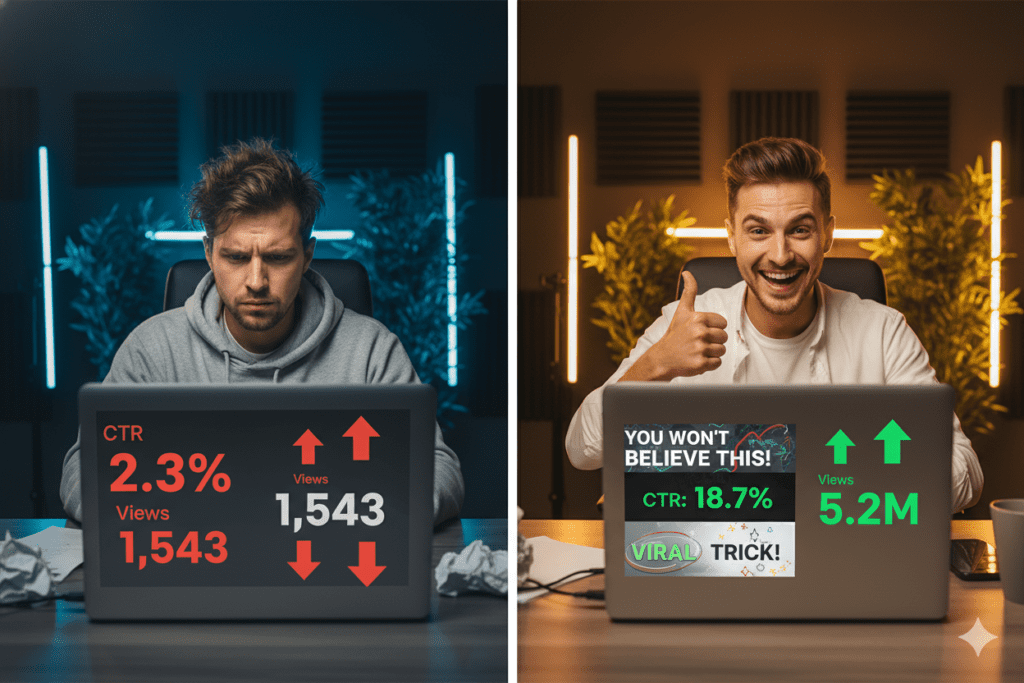
Introduction: Your Best Video Might Never Get Watched
You spent 8 hours filming. Another 3 editing. You hit publish and… nothing.
Sound familiar?
Here’s the brutal truth: it doesn’t matter how good your video is if your thumbnail doesn’t stop the scroll. In a world where YouTube gets 360 hours of content uploaded every single minute, your thumbnail is the only thing standing between your video and total invisibility.
The good news? YouTube thumbnails AI has completely changed the game — and in 2026, creators who use it are growing faster than ever. In this guide, you’ll learn exactly how AI thumbnails work, what makes them perform, and why tools like ytZolo are helping creators go from ignored to unstoppable.
Let’s get into it.
Table of Contents
Why Your YouTube Thumbnail Is Everything
Imagine walking down a street full of billboards. You only stop for the ones that grab your eye.
That’s exactly what happens on YouTube every second of the day. Viewers scroll at lightning speed, and your thumbnail has less than 0.3 seconds to make them stop.
According to YouTube’s own Creator Academy, 90% of the best-performing videos on the platform use custom thumbnails. That’s not a coincidence — that’s strategy in action.
Research shows that optimized thumbnails can boost CTR by 30–40% compared to auto-generated frames. And when your click-through rate goes up, YouTube’s algorithm pushes your video to more people. It’s a snowball effect that compounds over time.
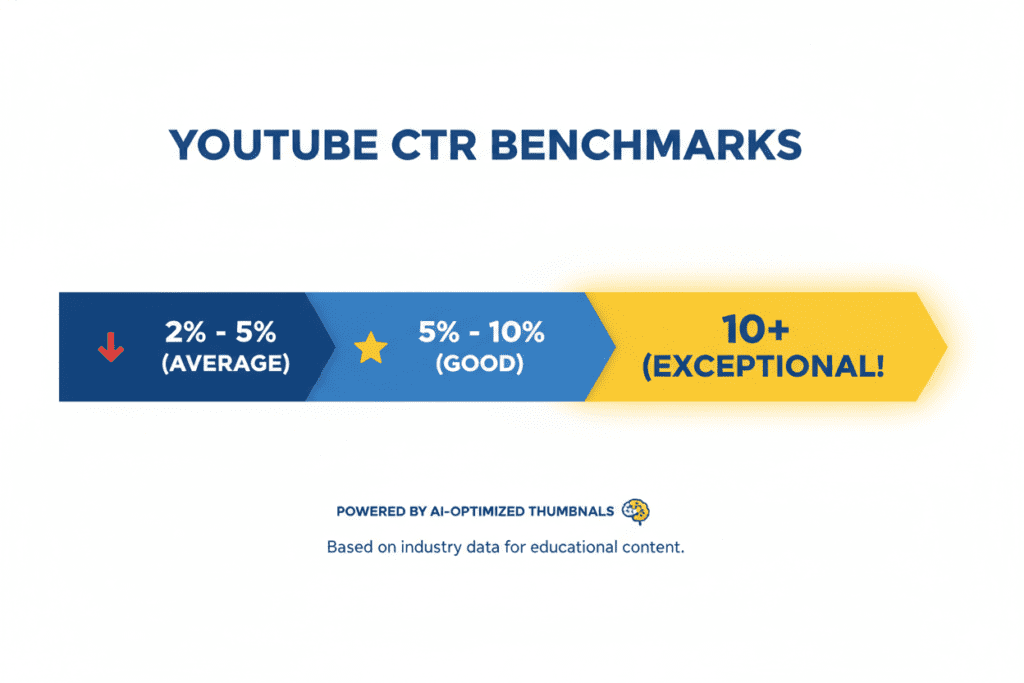
The average YouTube CTR sits between 2% and 10%, with most channels landing around 4–6%. Creators hitting 10%+ are in a class of their own — and the biggest difference between them and everyone else? Their YouTube thumbnails AI strategy.
What Is YouTube Thumbnails AI — And Why Does It Matter?
YouTube thumbnails AI refers to artificial intelligence tools that generate, optimize, and test thumbnail images specifically for YouTube content.
These aren’t generic image generators. The best AI thumbnail tools are trained on millions of high-performing YouTube videos across every niche. They understand what colors, expressions, text placement, and layouts actually drive clicks — not just what looks pretty.
Here’s why it matters in 2026:
- YouTube is more competitive than ever, with 2.7 billion monthly users and 5.1 billion videos on the platform
- Over 68% of top-performing YouTube channels now use AI tools for thumbnail ideation
- Creators who combine AI with smart strategy achieve 2x faster iteration cycles and 41% higher consistency in top-tier CTR performance
In short: if you’re not using YouTube thumbnails AI, you’re already behind.

The Science Behind High-CTR Thumbnails
Not all thumbnails are created equal. The ones that rack up millions of clicks follow a very specific formula.
The Visual Elements That Drive Clicks
High-contrast colors — Thumbnails must pop against YouTube’s white or dark background. Bold reds, yellows, and blues tend to dominate high-performing thumbnails across nearly every niche.
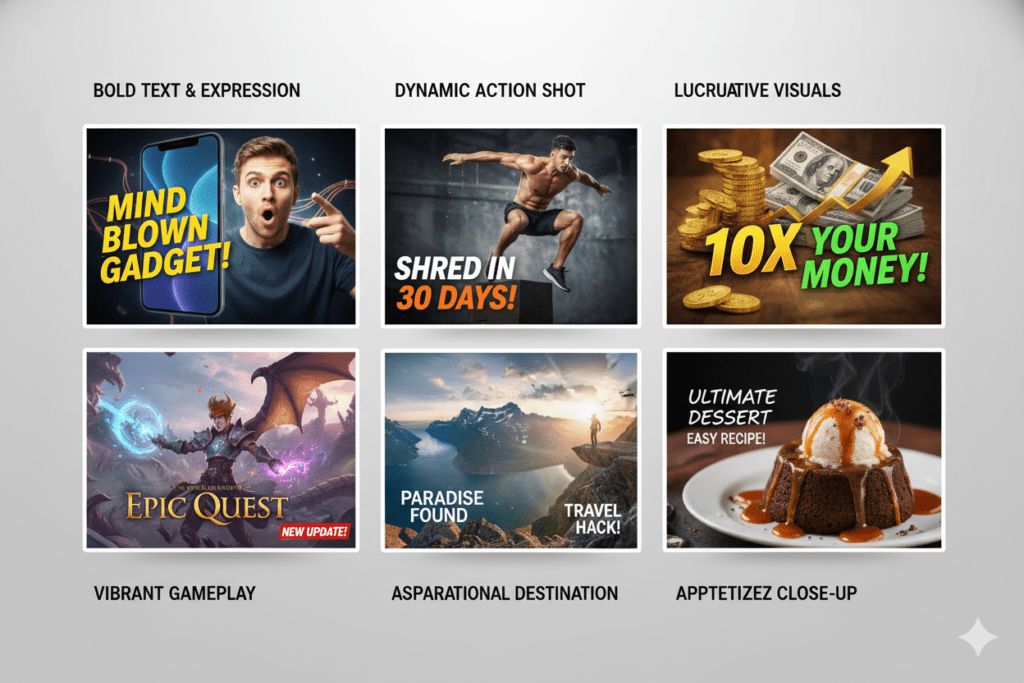
Emotional faces — Thumbnails featuring expressive human faces increase CTR by 20–30%. Surprise, shock, and curiosity are the top-performing emotions. Neutral faces blend in — emotion stands out.
Short, punchy text — If your text can’t be read on a smartphone screen, it might as well not exist. Three to five words max is the sweet spot. Bold sans-serif fonts with enough weight and contrast win every time.
Simplicity over clutter — Your thumbnail should communicate its core value in three seconds or less. One strong focal point beats five competing elements every single time.
Mobile-first design — Over 70% of YouTube views happen on mobile devices. Your thumbnail needs to be just as powerful at 300px as it is at full resolution. Design for the phone first, desktop second.
The Curiosity Gap Technique
The most scroll-stopping thumbnails create what marketers call a “curiosity gap.” They tease the value without giving it all away.
Think: “I Tried This for 30 Days…” or a shocked face next to a big number. Your brain needs to know what happened. That’s not manipulation — that’s understanding human psychology. And YouTube thumbnails AI tools are now trained to build this into every design automatically.

How to Create YouTube Thumbnails with AI (Step-by-Step)
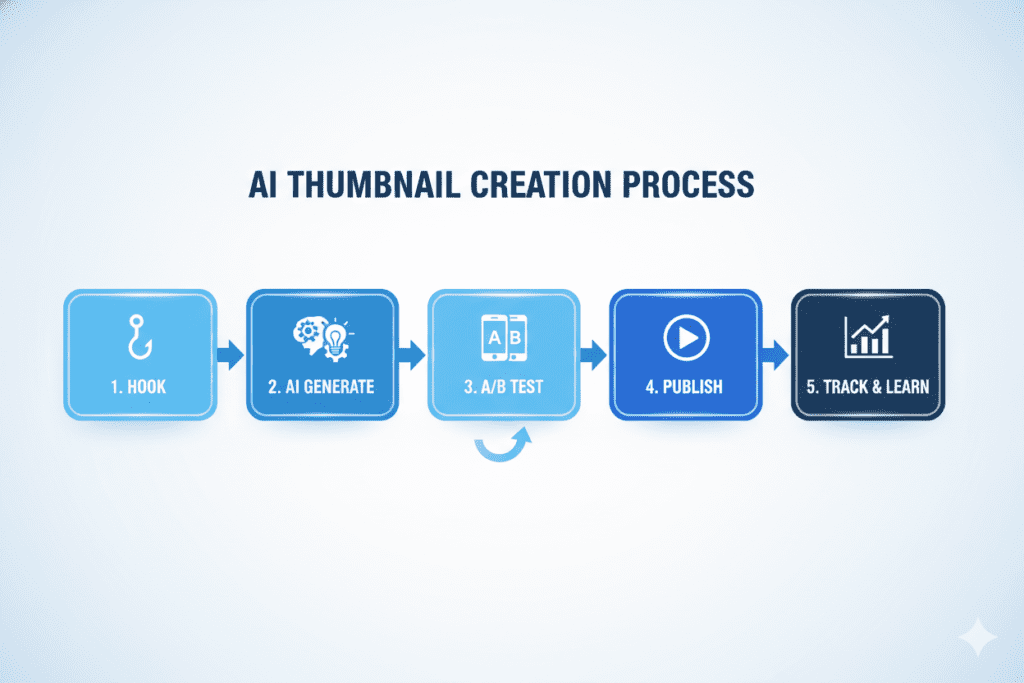
Creating AI-powered thumbnails is easier than you think. Here’s a simple process any creator can follow:
Step 1: Define Your Video’s Core Hook
Before opening any tool, ask yourself: What is the single most compelling thing about this video?
Is it a shocking result? A transformation? A secret tip? Whatever it is, your thumbnail should make a visual promise around it. This is your thumbnail’s job — not to explain, but to intrigue.
Step 2: Choose the Right AI Tool
Not all YouTube thumbnails AI tools are built equally. You want a tool that:
- Understands YouTube specifically (not just a generic image generator)
- Optimizes for CTR based on real data, not guesswork
- Matches your niche and channel’s visual identity
- Integrates with your broader content strategy — titles, descriptions, tags
This is exactly where ytZolo stands out from the crowd. More on that in a moment.
Step 3: Generate Multiple Variations
One of the biggest advantages of YouTube thumbnails AI is speed. What used to take hours in Photoshop now takes seconds. Generate 3–5 variations per video and test them.
Tools that allow A/B testing let you swap thumbnails mid-performance and see which one drives more clicks. This is how top creators consistently outperform their own best work.
Step 4: Review and Refine
AI gives you a powerful starting point. But the best results come from combining AI efficiency with human creativity.
Check your thumbnail at a small size (around 300px wide) to simulate how it looks in YouTube search results. Make sure the emotion is clear, the text is legible, and the visual contrast is strong.
Step 5: Publish and Track
Upload your AI thumbnail and monitor your CTR in YouTube Studio within the first 24–48 hours. This is your fastest feedback loop. If CTR improves, you’re on the right track. If not, swap in a new variation.
Why Manual Thumbnail Creation Is Holding You Back
Let’s talk about the old way — and why it no longer works.
Manually creating thumbnails in Photoshop or Canva eats hours of your time. Even with templates, you’re still guessing what will perform. You’re going on gut instinct instead of data-driven design.
In 2026, using manual methods to design thumbnails is like writing blog posts on a typewriter. It’s technically possible — but why would you?
Here’s what manual thumbnail creation costs you:
- Time — hours per video that could be spent creating more content
- Consistency — your visual style drifts between videos, confusing your audience
- Performance — guesswork rarely beats AI trained on millions of high-CTR thumbnails
- Scale — you can’t test 5 variations manually in the time it takes AI to generate them in seconds
Creators who stick to manual methods are competing against channels that iterate thumbnails at 10x the speed. The gap is only going to widen. The question isn’t if you should switch to YouTube thumbnails AI — it’s which tool will get you there fastest.

Why ytZolo Is the Best AI Tool for YouTube Thumbnails
Here’s where things get exciting.
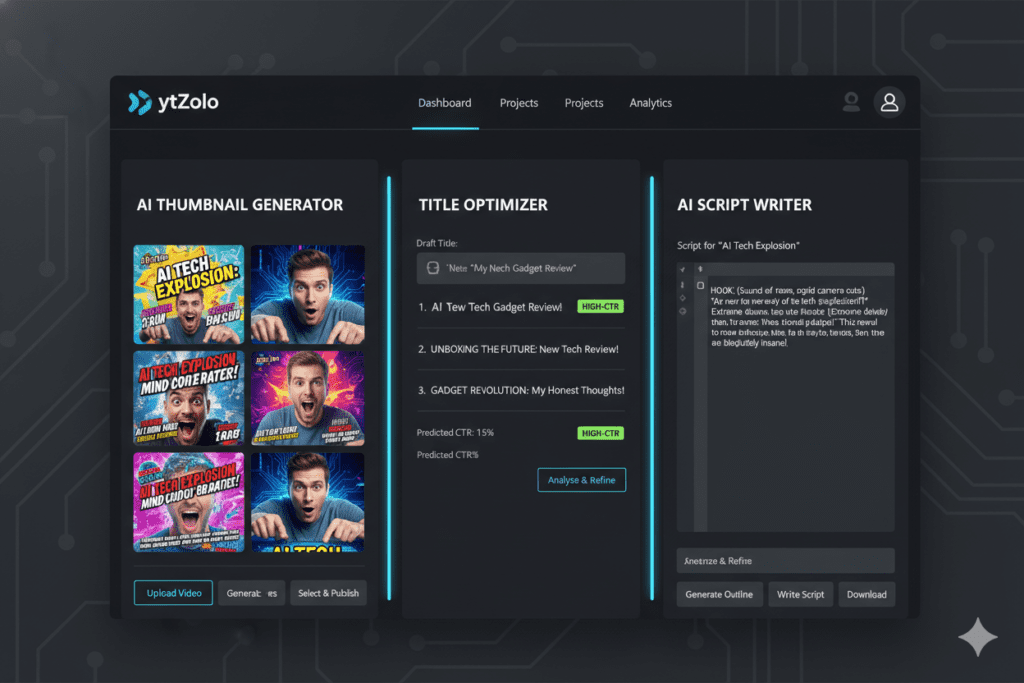
ytZolo isn’t just another AI thumbnail generator. It’s an all-in-one AI YouTube growth platform built specifically for creators who want to grow smarter, not just harder.
What Makes ytZolo Different
Purpose-built for YouTube — Unlike generic AI image tools, ytZolo is trained on what actually drives performance on YouTube. Every thumbnail it generates is optimized for CTR, niche relevance, and scroll-stopping visual impact.
Full HD, no watermarks — Your thumbnails export in crisp, high-resolution quality ready to upload — no branding from the tool cluttering your designs.
CTR-optimized by default — ytZolo’s AI understands color psychology, text placement, emotional triggers, and niche-specific trends. It doesn’t just make things look nice — it makes things perform.
Integrated with your entire content workflow — This is where ytZolo truly shines. It doesn’t stop at thumbnails. You get AI-powered tools for:
- Video titles that hook viewers before they even click
- Scripts that keep watch time high from start to finish
- Descriptions optimized for YouTube SEO
- Tags that put your videos in front of the right audience
One platform. One workflow. Zero guesswork.
Free plan available — You can start generating AI thumbnails on ytZolo right now without needing a credit card. Premium plans unlock advanced features, higher volume, and the full suite of AI growth tools.
For more tips on growing your channel with smart AI strategy, check out the ytZolo blog where top creators share what’s actually working.
Why ytZolo Is Better Than Other Tools
Let’s be honest — there are a lot of YouTube thumbnails AI tools out there. So why does ytZolo win?
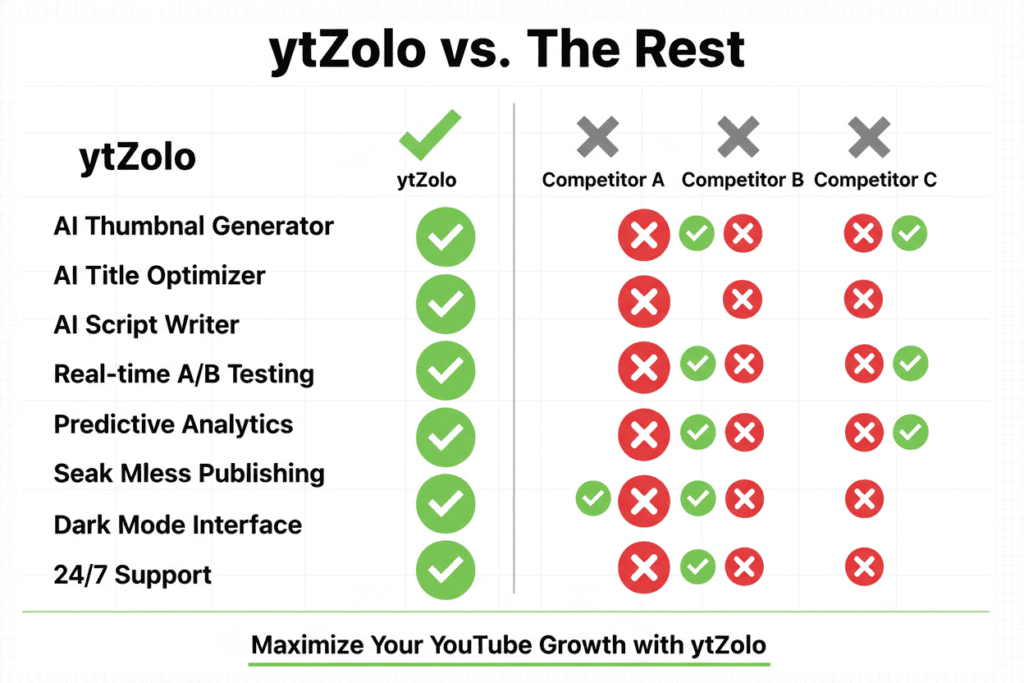
Here’s a direct comparison:
ytZolo vs. Generic AI Image Generators (Midjourney, DALL-E, etc.)
Generic AI image generators produce beautiful images. But they don’t understand YouTube. They don’t know what a CTR-optimized thumbnail looks like, they don’t account for mobile viewing, and they don’t integrate with your title or description strategy.
ytZolo is built for one purpose: helping your YouTube videos get more clicks and more views.
ytZolo vs. Canva AI
Canva is excellent for general design. But it’s a template-first tool that requires you to bring the creative direction. ytZolo brings the strategy and the design — trained on real YouTube performance data so every output is tuned for the platform.
ytZolo vs. Standalone Thumbnail Tools
Many thumbnail-specific tools are single-feature products. You need to combine them with separate tools for titles, descriptions, and keyword research. That’s friction, expense, and time you don’t have.
ytZolo gives you everything in one place — thumbnails, titles, scripts, descriptions, and tags — all powered by AI trained specifically for YouTube growth.
| Feature | ytZolo | Generic AI Tools | Canva AI |
|---|---|---|---|
| YouTube-specific training | ✅ | ❌ | ❌ |
| CTR-optimized thumbnails | ✅ | ❌ | Partial |
| Full HD export (no watermark) | ✅ | Varies | ✅ |
| Titles + Scripts + Descriptions | ✅ | ❌ | ❌ |
| Free plan available | ✅ | Varies | ✅ |
| Built for viral YouTube growth | ✅ | ❌ | ❌ |
The choice is clear. When your goal is to grow on YouTube, you need a tool that speaks YouTube fluently. That’s ytZolo.
Real Results: What Happens When You Use AI Thumbnails
The numbers don’t lie.
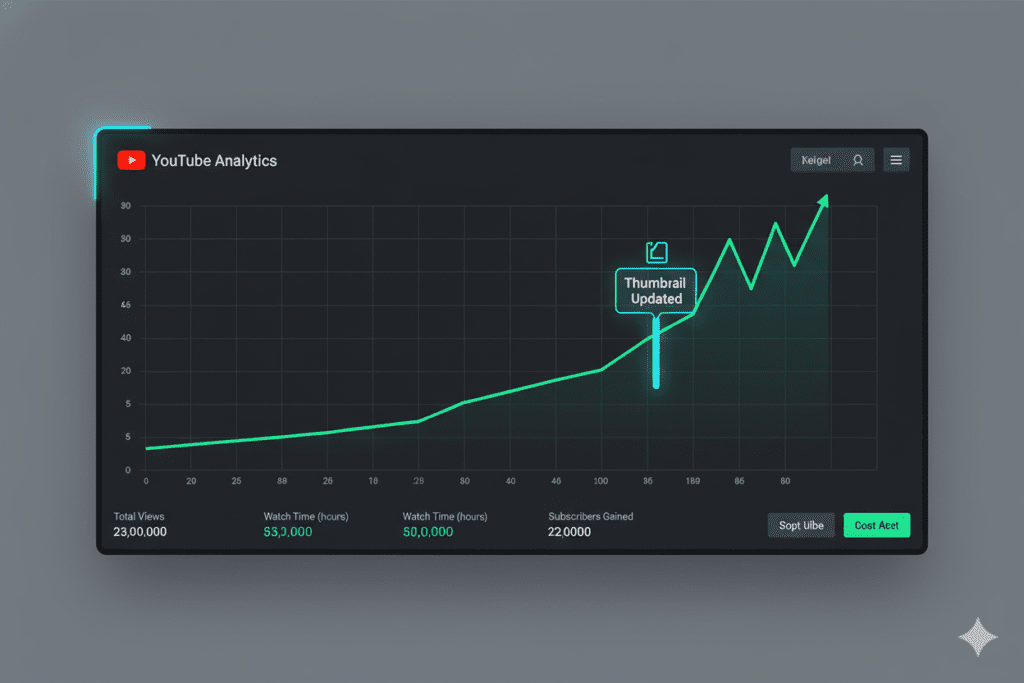
Creators who optimize thumbnails consistently see CTR improvements of 30–40%. One case study showed that refreshing thumbnails on just 10 evergreen videos led to a 200%+ increase in total views on those videos.
Think about that for a second. The content didn’t change. The title barely changed. Just the thumbnail.
When your CTR goes up, YouTube notices. It starts pushing your video to broader audiences — browse features, suggested videos, home feeds. Suddenly your video isn’t just being seen by your subscribers. It’s being recommended to completely new viewers who’ve never heard of your channel.
That’s how channels go from stuck at 10K subscribers to exploding past 100K. Not always from creating more content — but from making their existing content finally get seen.
With ytZolo, every video you publish gets a thumbnail that’s built to perform. Not just to look good — to actually earn the click.
Top Tips for Making Your AI Thumbnails Go Viral
Even with the best YouTube thumbnails AI tools, strategy matters. Here are the tips that separate good thumbnails from viral ones:
1. Use the “Title + Thumbnail Contrast” Method
Your title and thumbnail should complement each other, not repeat each other. The title can explain while the thumbnail teases. Together, they create a one-two punch that’s hard to resist.
2. Always Test at Thumbnail Size
Before you publish, view your thumbnail at approximately 300px wide — the size it appears in YouTube search results. If the emotion, text, and contrast don’t read clearly at that size, go back and simplify.
3. Leverage the 80/20 Consistency Rule
Keep 80% of your thumbnail consistent (colors, fonts, general layout) for brand recognition. Vary the remaining 20% to prevent fatigue and keep curious viewers clicking.
4. Use Expressive Faces
Faces with strong, authentic emotions outperform object-only thumbnails by 25–30%. Surprise, excitement, and curiosity are the top performers. If you’re in the frame, make it count.
5. Refresh Your Best Evergreen Videos
Don’t just use AI thumbnails for new content. Go back to your top-performing evergreen videos and give them a fresh AI-optimized thumbnail. Even a modest CTR boost on a video with millions of impressions can unlock massive new growth.
6. A/B Test Relentlessly
Generate multiple AI thumbnail variations for each video. Test them. Track what works. Let the data guide your next design. This is how top creators consistently out-click their competition.
7. Pair Thumbnails with Strong Titles
A great thumbnail gets the click. A weak title loses the click. Use ytZolo’s AI title generator to make sure your titles are just as powerful as your visuals. The two work together — always.
FAQ: YouTube Thumbnails AI
What is YouTube thumbnails AI?
YouTube thumbnails AI refers to artificial intelligence tools that automatically generate, optimize, and test thumbnail images specifically for YouTube videos. These tools are trained on data from millions of high-performing videos and use insights about color psychology, emotional triggers, and CTR patterns to create thumbnails that drive more clicks.
Does using AI-generated thumbnails violate YouTube’s policies?
No. YouTube does not prohibit AI-generated thumbnail images. As long as the thumbnail accurately represents your video content and doesn’t violate YouTube’s misleading content policy, AI thumbnails are completely allowed. Most AI thumbnail tools with paid plans also confirm commercial use rights.
How much can AI thumbnails improve my YouTube CTR?
Research shows that optimized thumbnails can increase CTR by 30–40% compared to auto-generated frames. Channels that combine AI thumbnail tools with consistent A/B testing often see even greater gains, with some reporting 2x click-through rates after switching to an AI-driven thumbnail strategy.
Which is the best AI tool for YouTube thumbnails in 2026?
ytZolo is widely regarded as one of the best AI tools for YouTube thumbnails in 2026 because it’s purpose-built for YouTubers. It creates CTR-optimized thumbnails that match your niche, exports in full HD with no watermarks, and integrates with titles, descriptions, scripts, and tags — all in one platform. You can start with a free plan and upgrade as you grow.
Can I use AI thumbnails if I’m a beginner with no design experience?
Absolutely. That’s the whole point. YouTube thumbnails AI tools like ytZolo are specifically designed so that you don’t need any design skills. You simply describe your video, and the AI generates professional, click-worthy thumbnails in seconds. The tool handles the strategy, the color psychology, and the visual composition — you just pick your favorite and publish.
Conclusion: Stop Leaving Views on the Table
Your next viral video might already be sitting in your drafts — it just needs a thumbnail that gives it a fighting chance.
In 2026, YouTube thumbnails AI isn’t a nice-to-have. It’s the single highest-leverage move a creator can make. Every impression your video earns is an opportunity — and a weak thumbnail wastes every single one.
The good news is that you don’t need design skills, a big budget, or hours of extra time. You just need the right tool.
ytZolo combines AI-powered thumbnail generation with everything else you need to grow on YouTube — titles, scripts, descriptions, tags, and more. It’s fast, it’s smart, and it’s built for the way YouTube works in 2026.
The creators who are growing fastest right now aren’t working harder than you. They’re working smarter — with AI on their side.
Start creating smarter, faster, and more viral YouTube content with ytZolo today.
For more expert YouTube growth strategies, visit the ytZolo blog.
External Resources:
- YouTube Creator Academy – Thumbnails — Official best practices from YouTube
- HubSpot – Visual Content Marketing Statistics — Data on visual content performance
- Ahrefs Blog – YouTube SEO Guide — Advanced YouTube SEO strategies

