
Writing two lines of back-and-forth dialogue is easy. Making it sound like two real people talking is a different challenge entirely.
Most creators discover this the hard way. They write a solid script, run it through a basic voice tool, and end up with something that’s technically correct but emotionally flat. Instead of a natural conversation, it sounds like two robotic voices taking turns reading lines.
Modern AI dialogue platforms such as ytZolo solve this by letting you assign unique voices, control pacing, and generate realistic multi-speaker conversations from a single script. But even the best tool needs a well-structured dialogue to produce convincing results.
This guide explains exactly how to convert text to dialogue that sounds genuinely human, whether you’re creating a YouTube video, podcast, audiobook, customer support simulation, or e-learning course. You’ll learn what makes AI conversations feel natural, follow a repeatable workflow, avoid the common mistakes that make dialogue sound artificial, and see a practical before-and-after example you can adapt for your own projects.
By the end, you’ll have a proven process for turning plain text into engaging, lifelike conversations that your audience will actually enjoy listening to instead of simply hearing.
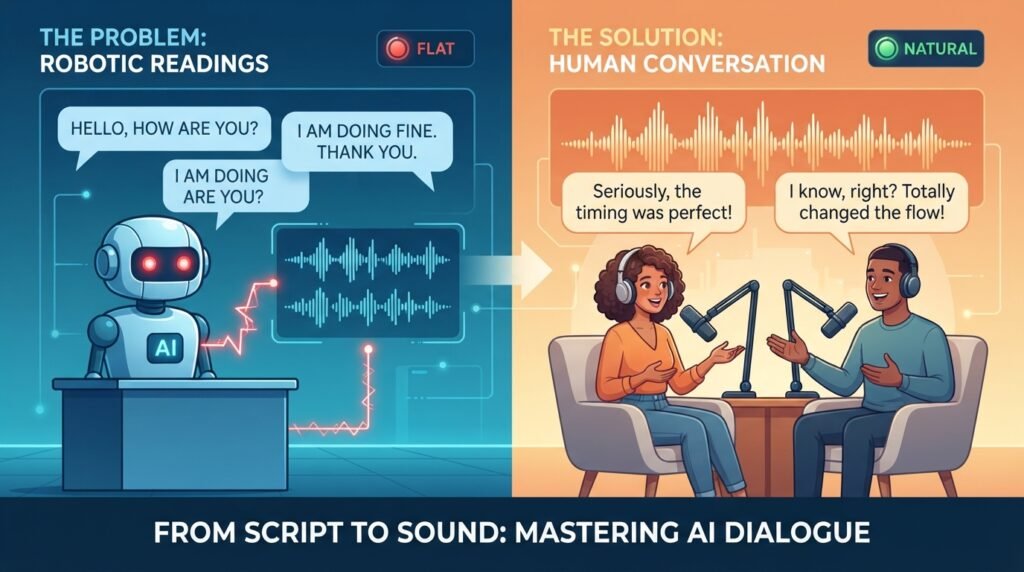
Table of Contents
Why Converting Text to Dialogue Is Harder Than It Looks
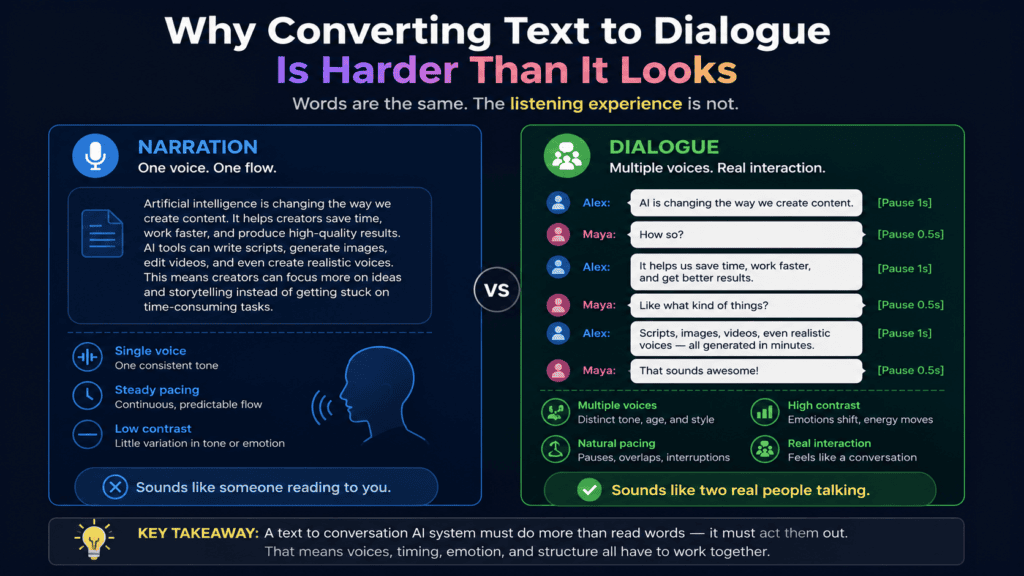
On paper, dialogue and narration look similar. Both are just written sentences. But spoken aloud, they behave very differently.
Narration is built to be read in one continuous voice, at one steady pace, with one consistent tone. Dialogue depends on contrast — two or more voices reacting to each other, interrupting, pausing, and shifting emotion mid-scene.
That contrast is exactly what a text to conversation AI system has to reproduce, and it’s why simply pasting a script into a single-voice reader almost never works. The words might be identical, but the listening experience is not.
Understanding this difference early saves a lot of rework later. Once you know what “natural” actually requires, writing and formatting for it becomes far more intuitive.
What Makes a Conversation Sound “Natural”?
Before you can reliably convert text to dialogue, it helps to know what “natural” actually means in audio terms. It isn’t about voice quality alone — it’s about rhythm.
A good AI dialogue generator pays attention to pacing, reaction, and tone shift, not just pronunciation. Those are the details that separate a real exchange from a script being read aloud.
Turn-Taking Rhythm
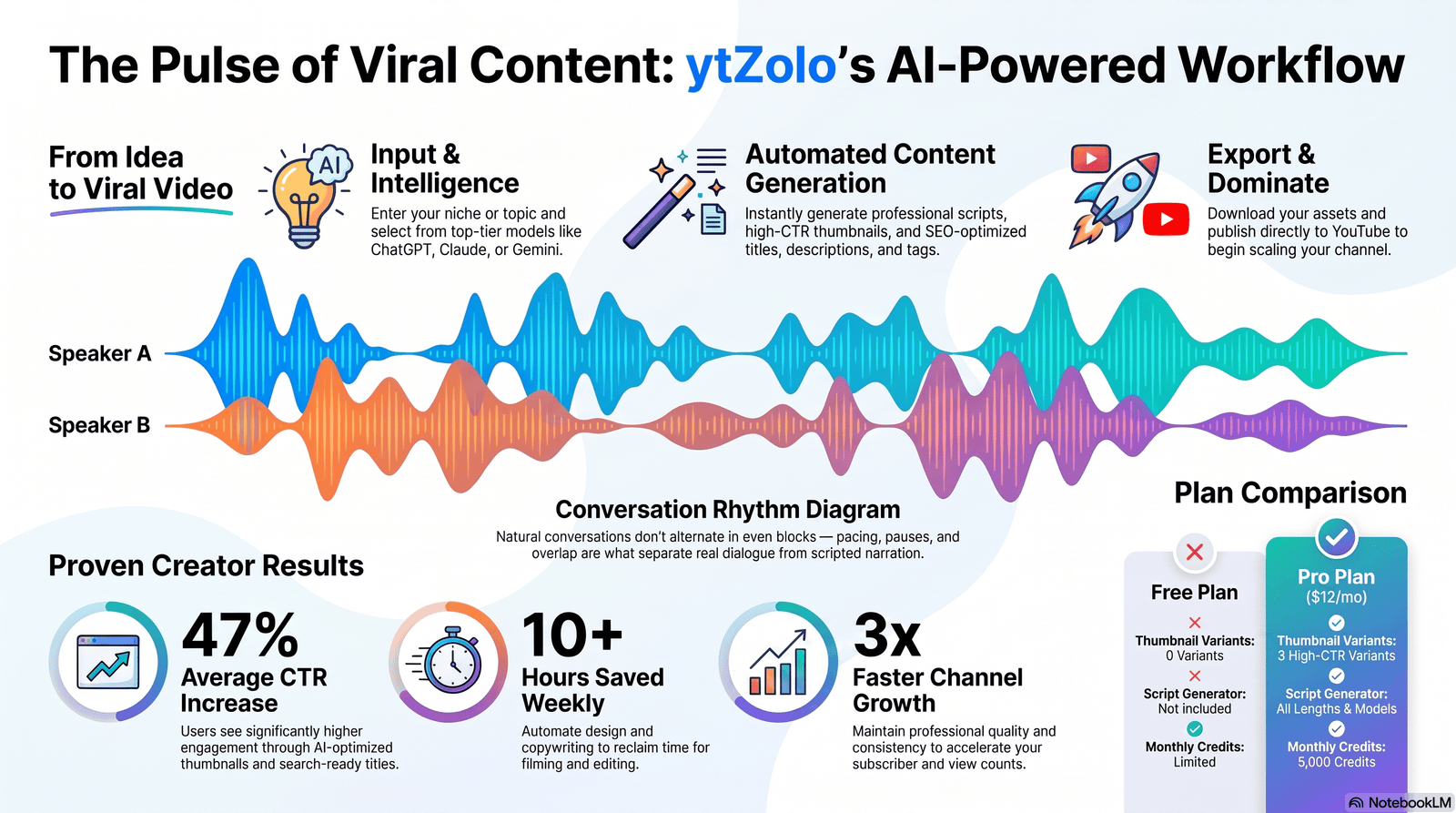
Real conversations don’t move in perfectly even chunks. One speaker jumps in with a short reaction, the other responds with a longer thought, and the pattern keeps shifting from line to line.
Any workflow that alternates evenly between two long paragraphs will always sound scripted, because that’s not how people actually talk to each other. Uneven turn length is one of the simplest signals of authenticity.
Interruptions, Pauses, and Filler Moments
Humans overlap, trail off, and pause mid-thought. A quick “right,” “yeah,” or a half-second pause before a reply does more for realism than any voice setting ever will.
Without these small breaks, a multi-voice conversation reads like two audiobooks playing at the same time rather than a real exchange between two people. Even a single well-placed pause tag can change how convincing a line sounds.
Tone and Emotion Shifts Per Speaker
Each speaker in a conversation should carry a distinct emotional register — one curious, one skeptical, one more energetic than the other. When every line lands at the same flat tone, listeners disengage fast.
This is where a capable text to conversation AI engine earns its place. It should let you mark tone shifts per line, rather than applying one flat setting across the entire script.
Why Flat Narration Fails Here
Standard single-voice narration was built for reading text aloud, not for simulating a discussion between two or more people. Trying to force a dialogue script through single-voice narration almost always produces the “reading a script” effect, because there’s no second personality to react against.
Step-by-Step: How to Convert Text to Dialogue
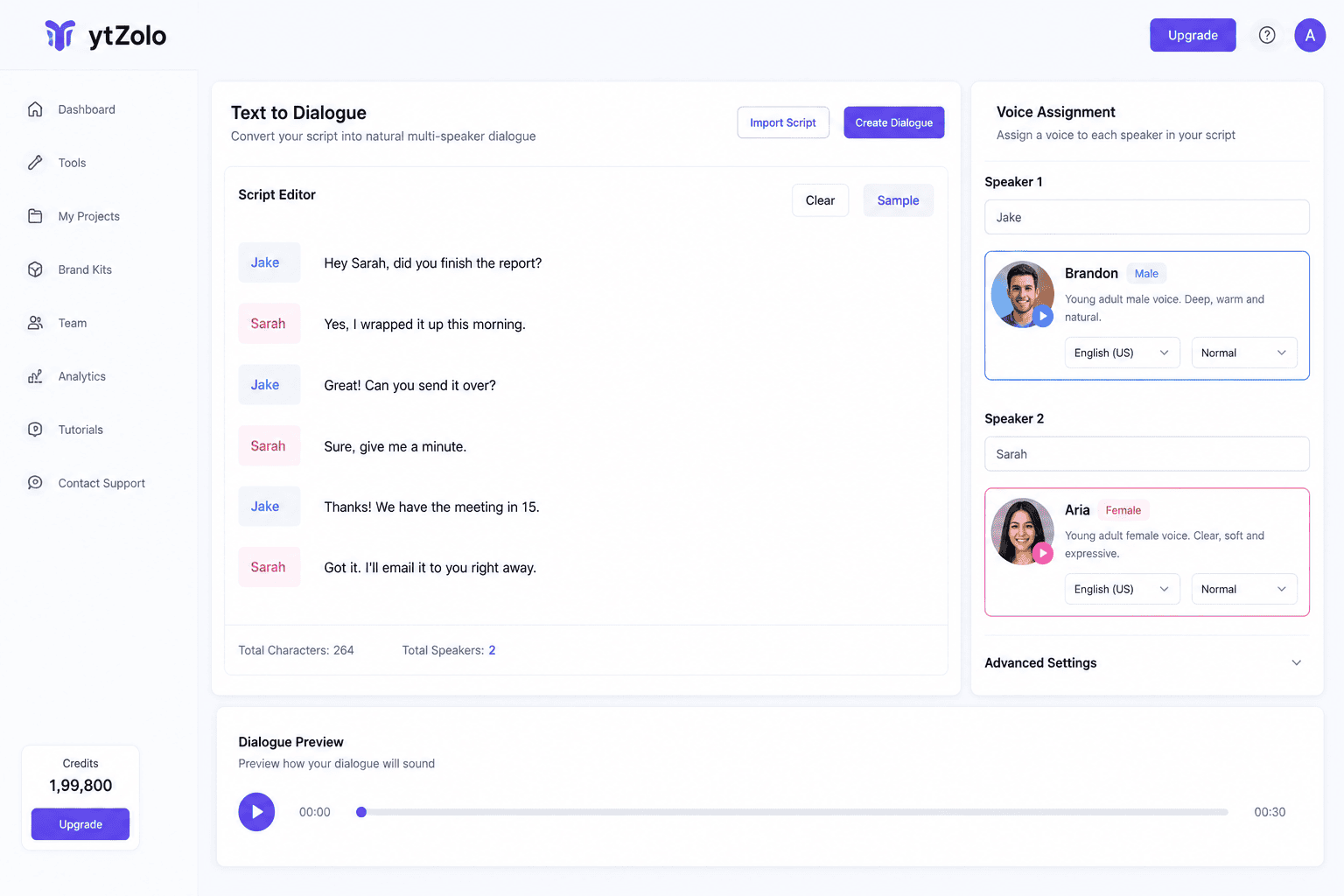
Here’s the process to reliably turn a plain script into natural-sounding audio, from a flat script to a finished, listenable exchange. We’ll use ytZolo‘s Text to Dialogue tool as the working example throughout, since it covers each step inside a single workflow.
Step 1: Structure Your Text With Speaker Labels
Start by labeling every line with a clear speaker tag — Speaker A, Host, Guest, or actual character names. This is the foundation every text to conversation AI tool relies on to assign the right voice to the right line.
Keep labels consistent throughout the script. Inconsistent naming is one of the fastest ways to break voice assignment during automated generation, especially in longer scripts with more than two speakers.
If you’re working from an existing article, transcript, or set of notes, this is also the point where you decide who “says” what — not every sentence needs to become dialogue, and some information works better as a short reaction than a full explanation.
Step 2: Break Long Paragraphs Into Conversational Turns
A three-sentence paragraph rarely gets said in one breath during a real conversation. Split it into shorter exchanges, with the second speaker reacting, asking, or adding something in between.
This single change does more to make a script sound like genuine dialogue than almost any other edit you can make before generation. Aim for turns that feel like something a person could actually say in one breath.
As a rough guideline, if a single line runs past three sentences, look for a natural place to hand it off to the other speaker instead.
Step 3: Assign Distinct Voices Per Speaker
Pick voices that are genuinely different in tone, pitch, or pacing — not just different by name. ytZolo’s Text to Dialogue feature lets you preview and assign a separate AI voice to each speaker before generating, so the contrast is built in from the start.
If both voices sound too similar, listeners struggle to track who’s speaking, even when the script itself is well written. This matters even more in longer-form content like podcasts or audiobooks, where listeners need to tell speakers apart without visual cues.
Step 4: Add Emotional and Tonal Cues
Mark where a line should sound surprised, hesitant, amused, or firm. Most platforms accept simple tags or contextual phrasing to guide delivery per line, rather than forcing one tone across the whole script.
This is also where you decide pacing — a rushed, excited line reads differently than a slow, thoughtful one, even with identical words on the page. Small cues here have an outsized effect on how believable the final audio sounds.
Step 5: Generate and Review Pacing
Once the script is structured and voices are assigned, generate a first pass. Listen all the way through before making any edits — problems that look small on paper, like two long lines placed back-to-back, often only reveal themselves once you hear the audio.
Pay attention to where the exchange feels rushed, where it drags, and where a pause is clearly missing. It helps to listen with headphones the first time, since subtle pacing issues are easy to miss on speaker audio.
Step 6: Fine-Tune With Re-Generation or Manual Edits
Most tools that support this kind of workflow let you regenerate a single line instead of the whole file. Use that instead of starting over — it’s faster and keeps the parts that already work.
If a specific line still won’t land right, try rewording it slightly rather than just regenerating the same text again. Small phrasing changes often fix tone issues that regeneration alone won’t solve, especially around punctuation and sentence length.
Common Mistakes That Make AI Dialogue Sound Robotic
Even with capable software, a few recurring mistakes quietly undo a natural-sounding result.
No pauses between speakers. When one line ends and the next starts instantly, it removes the breathing room real conversations naturally have between turns.
Same tone or emotion throughout. If every line is delivered at the same energy level, the conversation feels like it’s being read rather than actually had.
Overly formal sentence structure. Real speech is full of contractions, short sentences, and incomplete thoughts. Formal, essay-style writing is a giveaway that a script was written to be read silently, not spoken aloud.
Ignoring natural interruptions. Real conversations occasionally overlap or cut each other off. A script where every line politely waits its turn can start to feel stiff after a minute or two of listening.
Skipping the review pass. It’s tempting to generate once and export. But the difference between an average and a genuinely convincing text to conversation AI output almost always comes down to one careful listen-through before publishing.
Overloading a single line with information. Real speakers rarely deliver three separate facts in one uninterrupted sentence. If a line feels dense, split it and let the second speaker ask a follow-up instead.
Avoiding these six issues alone will noticeably improve how natural your converted dialogue sounds, even before you touch a single voice setting.
Before & After Example
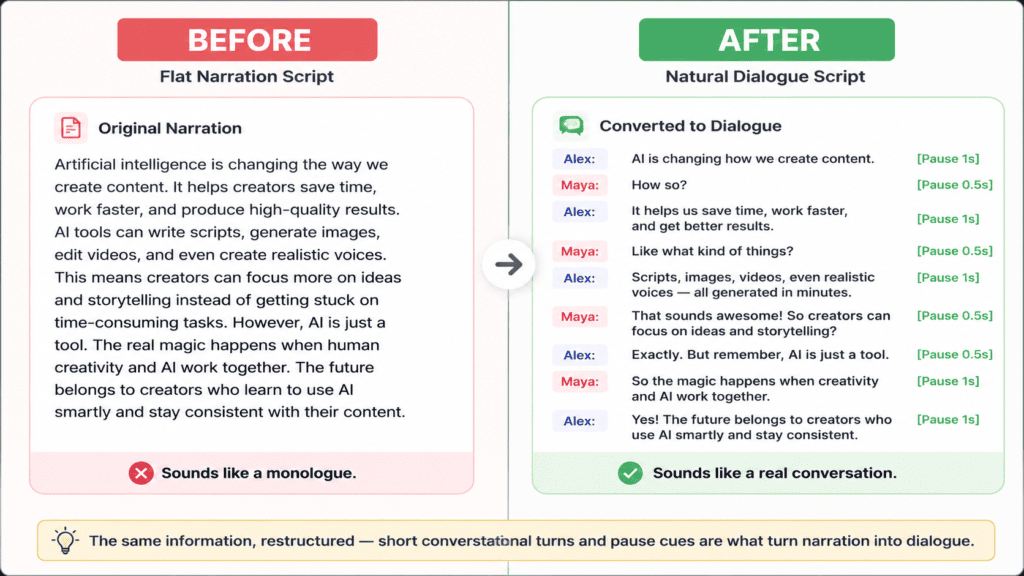
Here’s what the transformation looks like in practice when you convert text to dialogue the right way.
Before (flat script text): A narrator-style paragraph explaining that AI dialogue tools are useful for podcasts and videos, written as one continuous block with no speaker breaks, contractions, or reactions — the kind of text you’d expect in a report, not a conversation.
After (converted natural dialogue): The same idea, split across two speakers. One opens with a short, casual question. The other responds with a shorter reaction before expanding on the point. A brief pause is added before the second speaker’s follow-up, and a light emotional cue marks a moment of surprise partway through.
The information conveyed is identical in both versions. What changes is the rhythm — turns are shorter, reactions are added, and the tone shifts naturally from curiosity to explanation. That shift is the entire difference between narration and genuine dialogue, and it’s the core skill behind any convincing text to conversation AI workflow.
What to Look for in a Text to Dialogue Tool
Not every voice generator is built for multi-speaker output, so it helps to know what actually matters before choosing one.
Per-line voice assignment. You should be able to assign a different voice to every speaker, not just switch a single global voice setting between exports.
Adjustable pacing and pauses. Look for controls that let you insert or lengthen pauses between lines, since this is one of the biggest natural-sounding levers available.
Emotional or tonal tagging. The ability to mark a line as excited, hesitant, or serious — even loosely — makes a noticeable difference to how believable the output sounds.
Line-level regeneration. Regenerating a single line instead of the entire file saves time and keeps the parts of a take that already sound right.
Integration with the rest of your workflow. If you’re already writing scripts, generating titles, or building thumbnails in the same platform, keeping dialogue generation in that same system avoids exporting files between four or five separate apps.
Use Cases Beyond YouTube
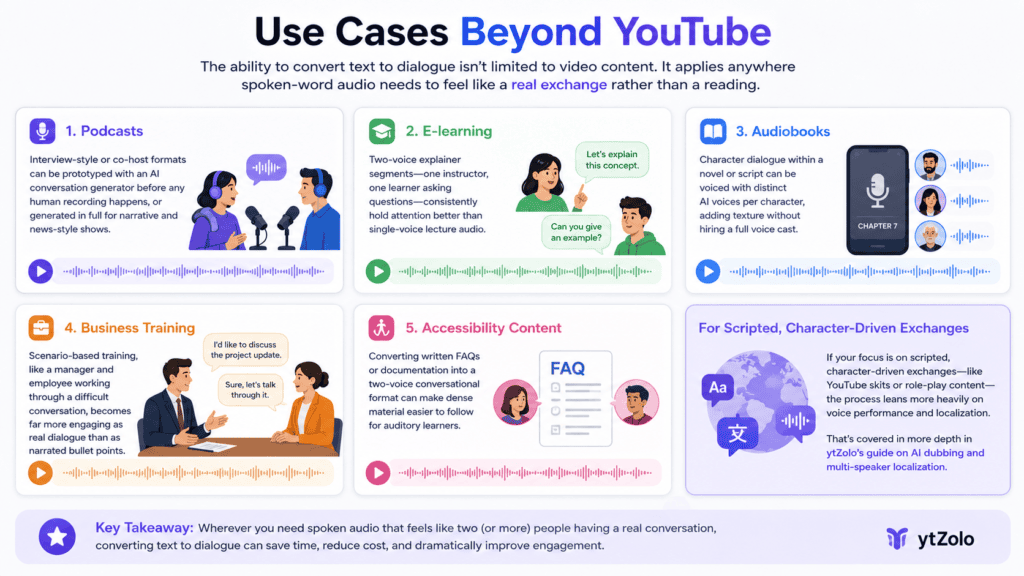
The ability to convert text to dialogue isn’t limited to video content. It applies anywhere spoken-word audio needs to feel like a real exchange rather than a reading.
Podcasts. Interview-style or co-host formats can be prototyped entirely with an AI conversation generator before any human recording happens, or generated in full for narrative and news-style shows.
E-learning. Two-voice explainer segments — one instructor, one learner asking questions — consistently hold attention better than single-voice lecture audio.
Audiobooks. Character dialogue within a novel or script can be voiced with distinct AI voices per character, adding texture without hiring a full voice cast.
Business training. Scenario-based training, like a manager and employee working through a difficult conversation, becomes far more engaging as real dialogue than as narrated bullet points.
Accessibility content. Converting written FAQs or documentation into a two-voice conversational format can make dense material easier to follow for auditory learners.
If your focus is specifically on scripted, character-driven exchanges — like YouTube skits or role-play content — the process leans more heavily on voice performance and localization. That’s covered in more depth in ytZolo’s guide on AI dubbing and multi-speaker localization, which we won’t repeat here.
FAQs
Can I use my own script format to convert text to dialogue? Yes. Most tools accept plain text with speaker labels, so you can bring a script from any writing tool as long as it’s clear who’s speaking on each line.
How long can the text be? This depends on the platform, but most text to conversation AI generators handle anywhere from a short 30-second exchange up to a full podcast-length episode, often generated in segments for longer content.
Does punctuation affect pacing? Yes, noticeably. Commas, ellipses, and sentence length all influence how an AI voice paces a line, so punctuation is worth treating as a pacing tool, not just a grammar rule.
Do I need separate software to assign different voices? Not if your platform already includes multi-voice support. An integrated dialogue tool saves the extra step of exporting lines and stitching audio together manually in a separate editor.
How many speakers can a single script support? Most tools comfortably handle two to four distinct speakers. Beyond that, scripts tend to need extra editing to keep voices clearly distinguishable for listeners.
Can background music or sound effects be added afterward? Yes, and it’s usually best added after the dialogue is finalized, so music levels can be balanced against the finished pacing rather than guessed in advance.
Conclusion
Converting text to dialogue comes down to structure, contrast, and rhythm — not just picking a good voice. Label your speakers clearly, break long paragraphs into real turns, assign genuinely distinct voices, and listen critically before calling it finished.
Once that process feels repeatable, it applies far beyond a single script. Podcasts, training modules, and audiobooks all benefit from the same approach to building dialogue that sounds like an actual conversation, not a script being read aloud.
For a broader look at how text to conversation AI fits into a full creator workflow — from scripting to voice, music, and localization — see ytZolo’s complete AI Audio Studio overview.
About the Author
Anshika Verma Anshika is a content and AI audio research specialist covering text-to-speech, conversational AI, and creator workflow tools. Her work focuses on practical, tested guidance for creators building audio and video content with AI, following EEAT principles of first-hand research and up-to-date platform knowledge. 📧 anshika@ytzolo.com

