
Introduction
You’ve done everything right.
Solid keyword research. A well-crafted title. A video that genuinely helps people. You hit publish and wait.
Then you check your analytics 48 hours later — and the CTR is sitting at 1.8%.
Sound familiar?
Here’s what most creators don’t realize: the video isn’t the problem. The thumbnail is.
YouTube thumbnail optimization for SEO is one of the most misunderstood — and most powerful — levers in the entire YouTube growth equation. And in 2026, it separates the channels compounding toward 100K from the ones wondering why their videos aren’t getting found.
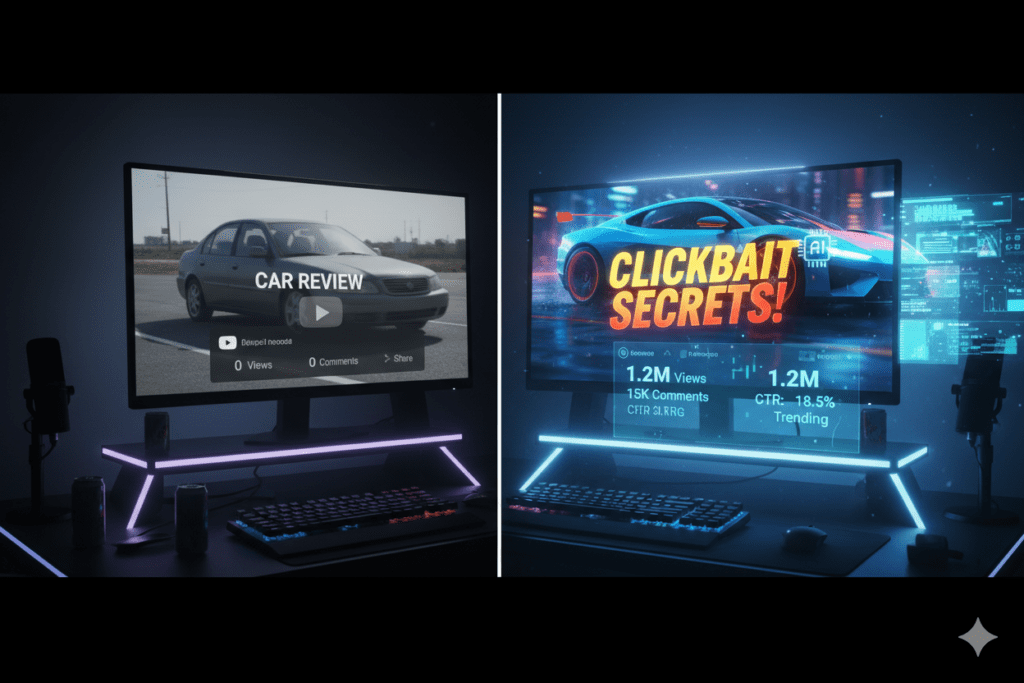
The data is stark. Custom thumbnails deliver an 8–15x CTR difference over auto-generated frames — and that gap compounds into dramatically higher views, watch time, and algorithmic distribution across every video you publish.
This complete guide to YouTube thumbnail optimization for SEO breaks down the psychology, the data, the technical requirements, and the strategic workflow that top-growing creators are using right now. And it introduces the AI-powered platform — ytZolo — that’s helping thousands of creators implement all of it at scale, without needing a design degree or a production team.
Let’s get into it.
Table of Contents
What Is YouTube Thumbnail Optimization for SEO — and Why It Matters
YouTube thumbnail optimization for SEO is the strategic process of designing and testing thumbnail images to maximize click-through rate (CTR) — which in turn sends powerful ranking signals to YouTube’s algorithm and drives sustained video growth.
Most creators think SEO is about keywords. Tags. Descriptions. And yes — those matter. But thumbnails are 50% of your video’s success before anyone presses play. The algorithm uses CTR as one of its primary early ranking signals, and your thumbnail is the single biggest driver of whether someone clicks or scrolls past.
Here’s the critical SEO connection most creators miss: when more people click your video after seeing it in search results, YouTube and Google interpret that as proof your video matches user intent — and they reward you with higher visibility and broader distribution.
Your thumbnail isn’t just a visual decoration. It’s an active SEO signal. A great thumbnail doesn’t just look good — it performs. It captures attention, boosts your click-through rate, and tells search engines your video deserves to rank higher.
That’s what makes YouTube thumbnail optimization for SEO one of the highest-ROI activities any creator can invest time in. One better thumbnail can compound into thousands more views — without changing a single word of your title, description, or tags.
How Thumbnails Directly Impact YouTube SEO Rankings
To truly understand why YouTube thumbnail optimization for SEO matters so much, you need to understand how YouTube’s algorithm actually rewards content.
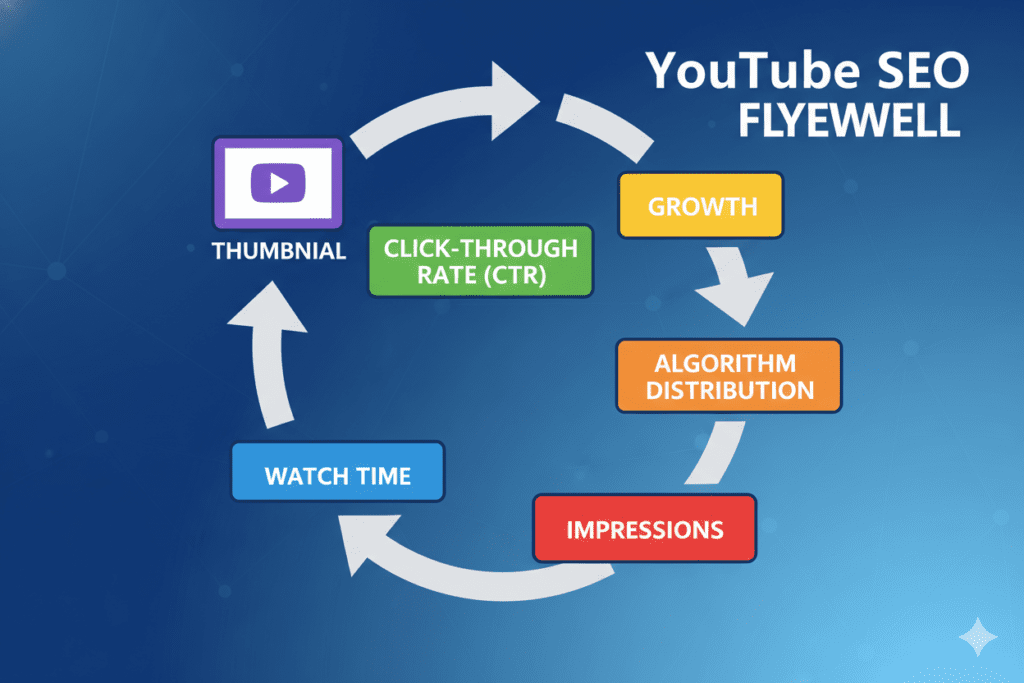
YouTube’s algorithm scans your titles, descriptions, tags, and captions to match content with relevant searches. But it also reads viewer behavior signals — watch time, retention, likes, and crucially, click-through rate — to decide how widely to distribute your video. The four ranking pillars of YouTube SEO in 2026 are watch time, audience retention, CTR, and user engagement.
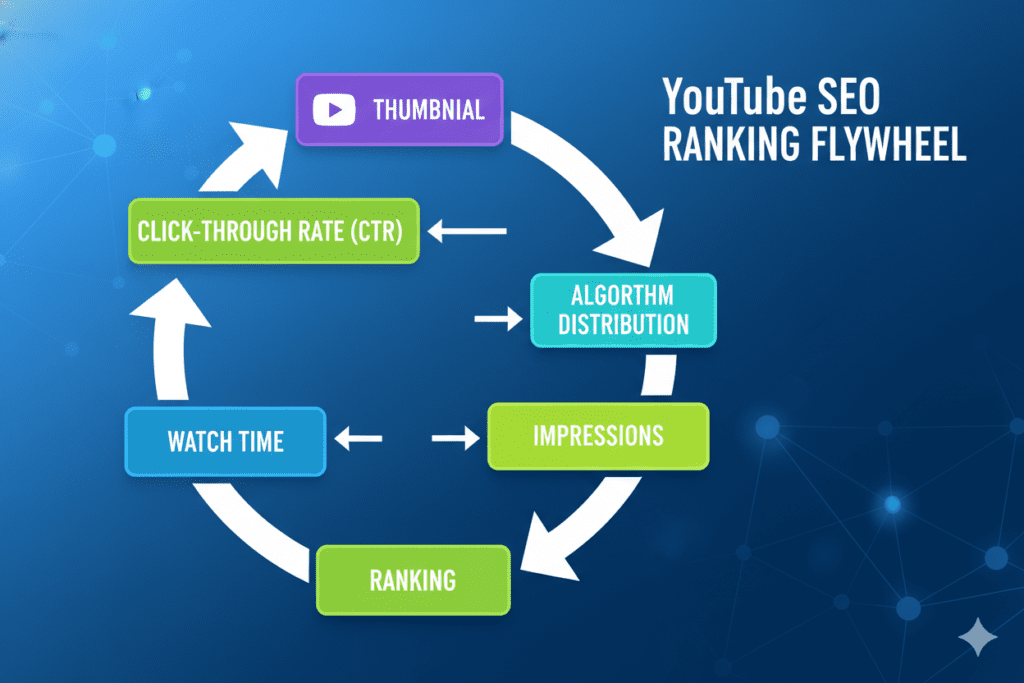
These four pillars create a compounding flywheel: better retention leads to stronger engagement, stronger engagement drives higher CTR, higher CTR generates more impressions, and more impressions produce even better retention. Your thumbnail is the ignition switch that starts this entire flywheel spinning.
Here’s the causal chain for YouTube thumbnail optimization for SEO in practice:
- An optimized thumbnail generates a higher CTR in search and suggested feeds
- Higher CTR signals to YouTube that your video is relevant and valuable to searchers
- YouTube responds by expanding distribution — more impressions, wider audience reach
- More impressions produce more clicks and views, building watch time and engagement signals
- Watch time and engagement further reinforce your ranking position over time
- Every future impression your video receives benefits from this compounded SEO strength
Even small CTR improvements compound dramatically at scale. A 1% CTR increase on 100,000 impressions means 1,000 additional views per upload — from the same content, with no extra work beyond better thumbnail design.
The 7 Core Principles of High-CTR Thumbnail Design
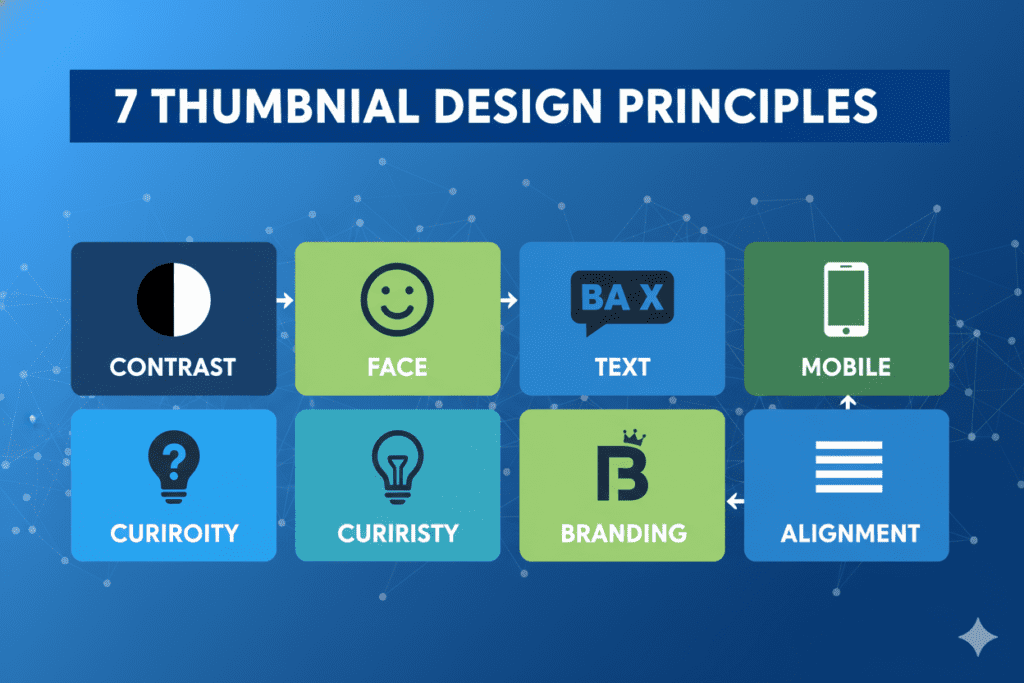
Effective YouTube thumbnail optimization for SEO isn’t guesswork. It’s built on proven design principles that top-performing creators apply consistently.
1. High Contrast Visuals
Contrast matters more than color choice. A bright subject on a dark background wins. A bright subject on a busy background fails. This is exactly why many of the best YouTube thumbnails use blurred or deliberately darkened backgrounds — contrast makes your thumbnail pop in a crowded feed.
2. Expressive Human Faces
Thumbnails with human faces consistently perform better than text-only alternatives. A strong emotional expression — curiosity, shock, excitement — pulls the viewer’s eye and creates instant psychological connection. The face is the hook. The expression is the pitch.
3. Minimal, Powerful Text
Text can help. Too much text hurts. Most high-performing thumbnails keep text to 3–5 words maximum. Large. Bold. Readable at thumbnail size on a small mobile screen. Text should support the image — not replace it.
4. Mobile-First Design
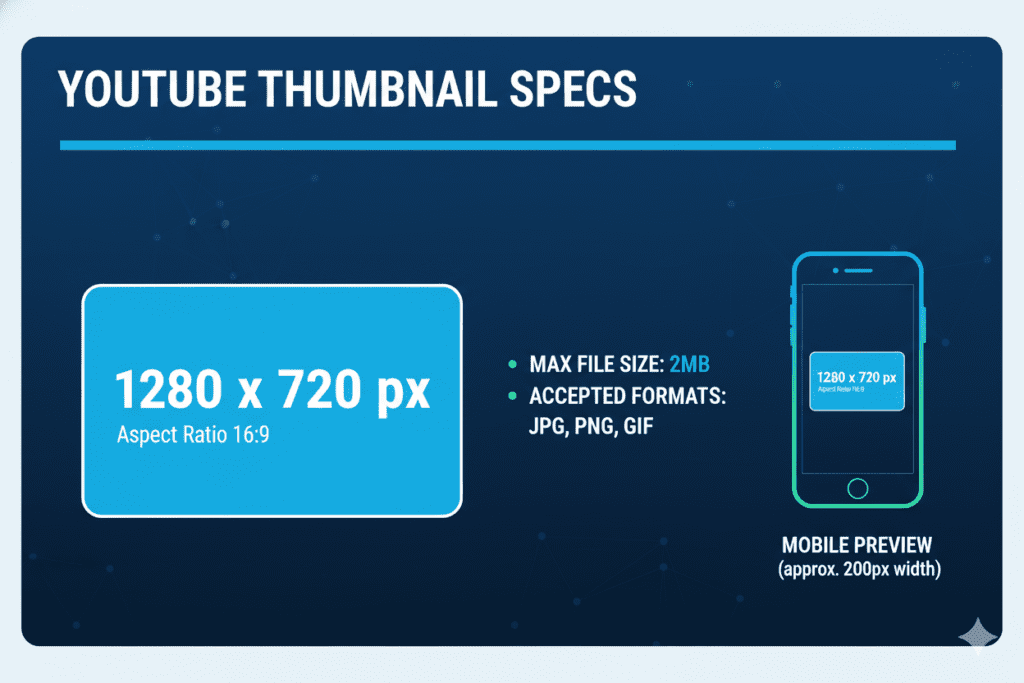
63% of YouTube watch time happens on mobile devices. If your text can’t be read on a 200-pixel-wide preview, it fails where most of your potential audience actually lives. Design for mobile first — desktop will take care of itself.
5. Curiosity Gap Construction
The best thumbnails tease something without revealing everything. They create a question in the viewer’s mind that can only be answered by clicking. This psychological tension is the invisible engine behind every high-CTR thumbnail.
6. Consistent Channel Branding
Keep a consistent visual style across all your thumbnails. When a subscriber recognizes your content instantly in a crowded feed — before reading a single word — that recognition drives clicks that generic thumbnails never earn. Consistent branding builds cumulative CTR advantage over time.
7. Alignment With Your Title’s Promise
Your thumbnail and title must tell the same story. The thumbnail creates emotion or curiosity. The title delivers the specific value proposition. When these two elements are misaligned, viewers feel confused or deceived — which destroys watch time and tanks your SEO signals. True YouTube thumbnail optimization for SEO means optimizing thumbnail and title together, not in isolation.
YouTube Thumbnail Technical Requirements in 2026
Great design built on the wrong specifications won’t work correctly. Here are the exact technical requirements for YouTube thumbnail optimization for SEO in 2026:
Dimensions and Format:
- Resolution: 1280 × 720 pixels (16:9 aspect ratio)
- Minimum width: 640 pixels
- Accepted formats: JPG, GIF, BMP, or PNG
- File size: Under 2MB
Account Requirements:
- Custom thumbnail uploads require a verified YouTube account in good standing
Design Specifications:
- Keep critical elements within the safe zone — away from edges that get cropped on some devices
- Position key subjects in the upper two-thirds of the frame
- Test readability at 200px width before uploading
- Never use misleading thumbnails — YouTube actively removes content that misrepresents video topics
SEO Filename Best Practices:
- Save your file with a keyword-descriptive name before uploading
- Example:
youtube-thumbnail-optimization-seo-guide.jpginstead ofIMG_4823.jpg - Google indexes thumbnail images — descriptive filenames contribute to broader search visibility
Accessibility:
- Add alt text when embedding thumbnails outside YouTube (on websites, blog posts, or social media)
- Alt text helps Google understand and index your images for expanded discoverability
The Psychology Behind Click-Worthy Thumbnails
Understanding click psychology is the difference between designing thumbnails that look good and designing thumbnails that convert. This is where YouTube thumbnail optimization for SEO becomes truly strategic.
The Pattern Interrupt YouTube feeds are visually uniform. Rows of thumbnails, endless scroll. The brain filters constantly for something that breaks the pattern. A bold color against muted thumbnails. An unexpected expression. A dramatically simple composition. The thumbnail that interrupts the scroll pattern wins the click.
Emotional Contagion Psychological research shows that human faces expressing strong emotions trigger mirror responses in viewers. When your thumbnail displays genuine shock, excitement, or curiosity — viewers feel a trace of those emotions before they consciously decide whether to click. Emotion generates action.
Information Gap Theory Developed by psychologist George Loewenstein, information gap theory explains curiosity as a response to the awareness of a knowledge deficit. When viewers see enough to realize they don’t know something they want to know — they experience an internal pull. The only resolution is the click. The best thumbnails for YouTube thumbnail optimization for SEO engineer this gap deliberately.
Social Proof Through Specificity Numbers, bold claims, and specific outcomes signal credibility. “I tested 37 budget cameras” is more compelling than “Budget camera review.” Specificity implies depth, authority, and proof — processed in milliseconds before any conscious evaluation occurs.
The Promise-Delivery Contract Every thumbnail makes an implicit promise: “Click this and you’ll get something worth your time.” Consistently honoring that promise builds the viewer trust that turns one-time viewers into loyal subscribers. Misleading thumbnails break the contract — driving low retention, high bounce rate, and algorithmic punishment.

Common Thumbnail Mistakes That Are Killing Your CTR
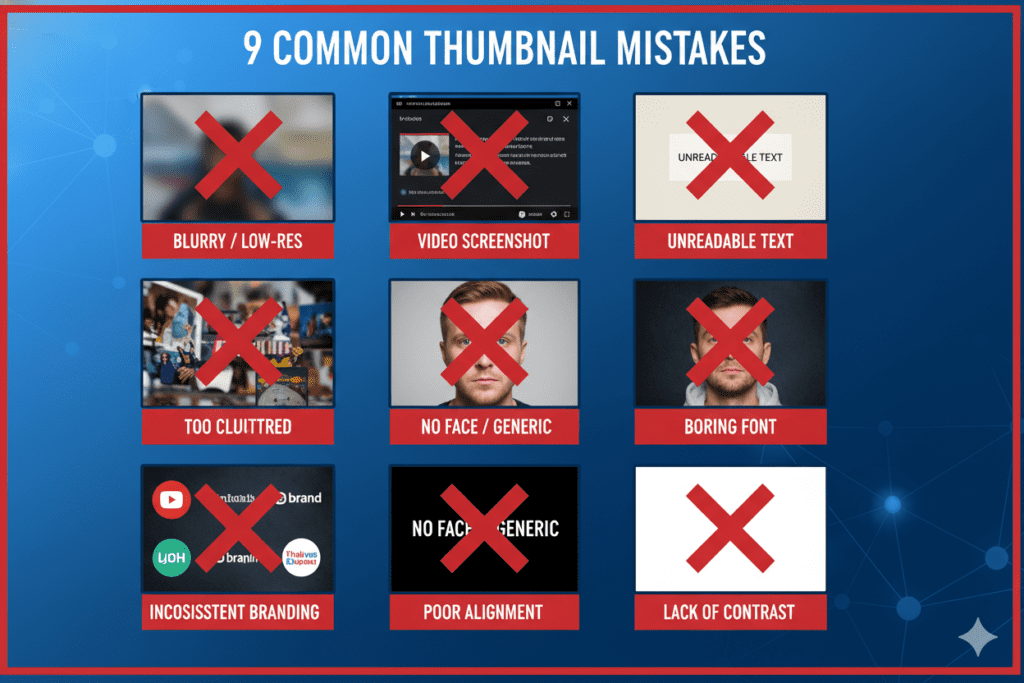
Most low-performing thumbnails share the same preventable errors. Identifying these is the first step in real YouTube thumbnail optimization for SEO.
- Using auto-generated screenshots — YouTube reports that 90% of top-performing videos use custom thumbnails. Defaulting to a screenshot guarantees below-average CTR from the moment of upload.
- Too much text — Five or six words crammed into a thumbnail become unreadable at small sizes. Three to four words maximum — every single time.
- Low contrast compositions — Similar colors for subject and background, or a busy scene behind your subject. If nothing pops, nothing gets clicked.
- Ignoring mobile — Over 70% of watch time happens on phones. Thumbnail text that’s unreadable at small sizes fails your largest potential audience entirely.
- No emotional hook — Static images without human faces or emotional cues give viewers no psychological reason to click. Flat visuals produce flat CTR.
- Thumbnail-title mismatch — A thumbnail that promises one thing and a title that delivers another creates confusion and distrust. Viewers click away. Watch time suffers. SEO rankings drop.
- Inconsistent visual style — Thumbnails that look completely different from video to video eliminate channel recognition. Returning viewers won’t spot your content in crowded feeds.
- No A/B testing — YouTube Studio’s Test & Compare feature produces an average 20% CTR lift for creators who use it. Publishing one thumbnail and never testing is a permanent missed opportunity.
- Misleading thumbnails — Short-term clicks from exaggerated thumbnails generate long-term damage. Low retention signals from click-bait actively hurt your SEO rankings.
Why Manual Thumbnail Design Is Holding Your Channel Back
Let’s be honest about what manual thumbnail creation actually costs in 2026.
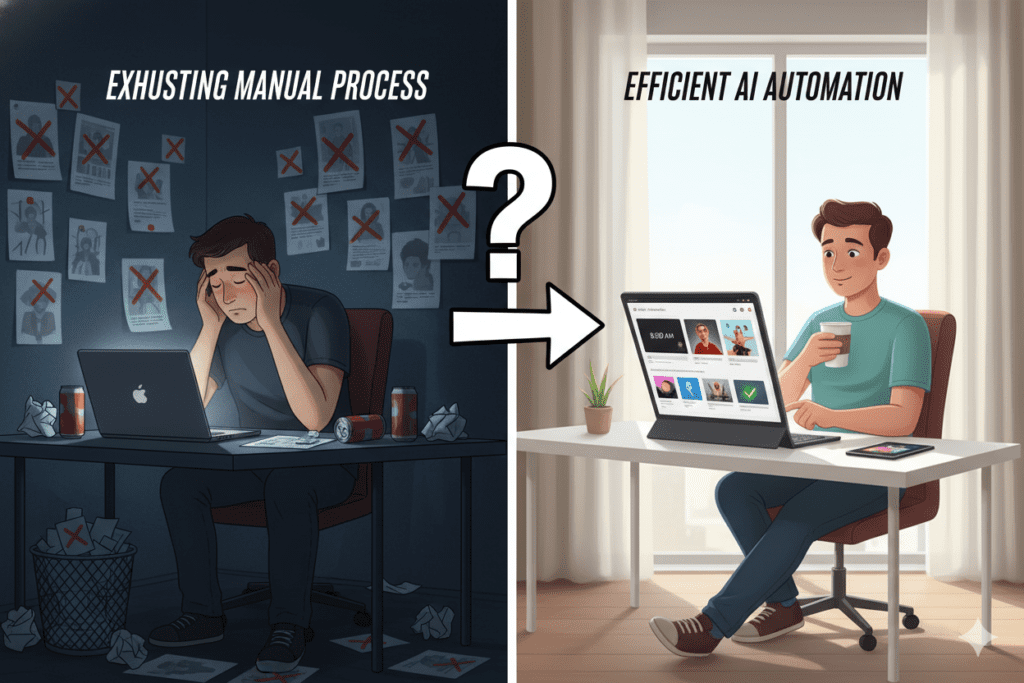
You open Canva or Photoshop. You start from a blank canvas. Forty-five minutes later, you have something that looks “okay.” You upload it. Your CTR sits at 2.1%. You have no idea whether a different design would have performed better — because you only made one.
The problem isn’t effort. The problem is that manual design decisions aren’t informed by YouTube performance data. Every choice — color, layout, text placement, image crop — is based on personal taste in a platform where data determines performance.
Without systematic YouTube thumbnail optimization for SEO, creators consistently face:
- Hours per thumbnail with no baseline for whether that time investment is paying off
- No niche-specific intelligence — what works for gaming thumbnails is completely different from finance or fitness
- Thumbnail-title misalignment because both elements are built in separate workflows with no connection
- Zero variation for testing — one thumbnail per video means zero data on what could have performed better
- Creative burnout from treating every thumbnail as a full creative project rather than a systematized process
Over 500 hours of content are uploaded to YouTube every minute. In this environment, manual thumbnail design isn’t just slow — it’s structurally incapable of keeping pace with data-driven YouTube thumbnail optimization for SEO that top channels apply to every upload.
The solution isn’t more hours designing manually. It’s a smarter system — powered by AI and backed by real YouTube performance data. That’s exactly what ytZolo delivers.
For creator case studies and deeper thumbnail strategy breakdowns, the ytZolo blog is one of the most practical free resources for YouTube growth in 2026.
How ytZolo Powers YouTube Thumbnail Optimization for SEO
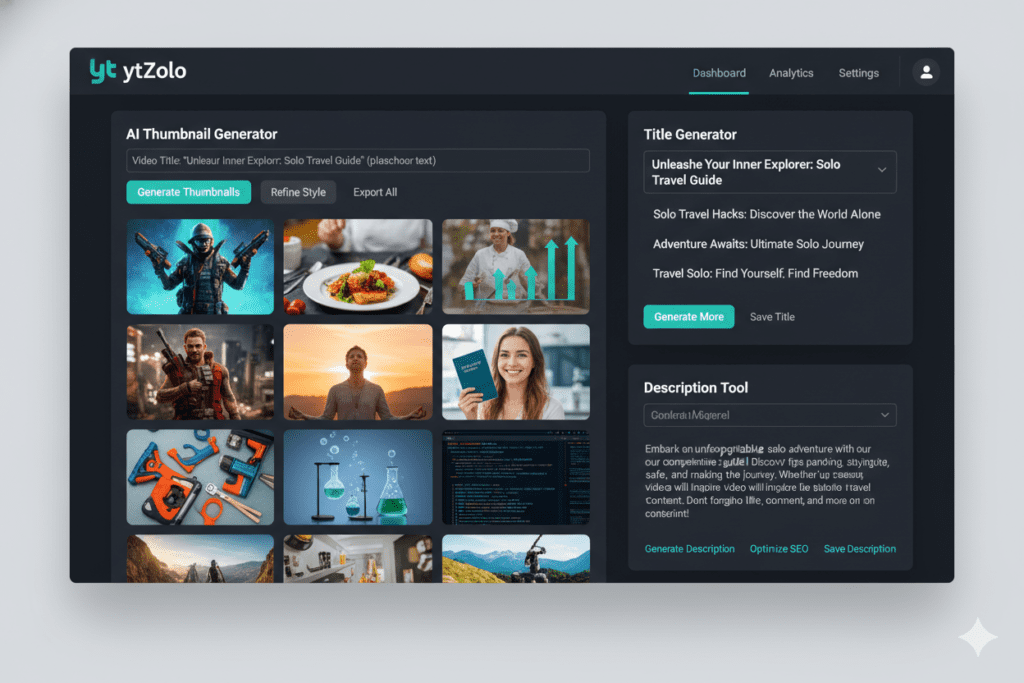
ytZolo is an all-in-one AI YouTube growth platform — and its approach to YouTube thumbnail optimization for SEO goes far beyond what any standalone design tool can deliver.
Here’s what makes ytZolo’s thumbnail optimization genuinely different:
Performance-Trained AI Design ytZolo’s thumbnail AI is trained on real performance data from high-CTR YouTube videos across multiple niches. It doesn’t just generate visually appealing images — it produces designs engineered to convert. The AI understands what stops a scroll, what triggers emotional response, and what communicates value instantly in a mobile-first feed.
Niche-Specific Intelligence A gaming channel thumbnail looks and feels completely different from a personal finance or home cooking thumbnail. ytZolo’s AI applies niche-specific visual language to every design — the right color psychology, emotional tone, and compositional structure for your specific audience.
Multiple Variations for A/B Testing ytZolo generates several thumbnail variations per video. This gives you ready-to-test material for YouTube Studio’s Test & Compare feature — so you’re never leaving potential CTR gains on the table from a single-thumbnail upload.
Integrated Thumbnail-Title Alignment This is ytZolo’s most powerful differentiator for YouTube thumbnail optimization for SEO. Because ytZolo builds your entire content package — idea, title, script, description, tags, and thumbnail — in one unified workflow, your thumbnail and title are always strategically aligned. They tell the same story. They create the same emotional hook. They close the same curiosity gap. That alignment translates directly into higher CTR and better watch time signals.
Speed Without Sacrifice What used to take 45–60 minutes of manual Canva design now takes under five minutes in ytZolo. And every output is data-backed — not gut-feel guesswork.
Full SEO Package Integration ytZolo doesn’t treat thumbnails in isolation. Every thumbnail is generated alongside your AI-optimized title, description, and tags — creating a fully cohesive, algorithm-friendly video package where every element reinforces every other element simultaneously.
Why ytZolo Is Better Than Other Thumbnail Optimization Tools
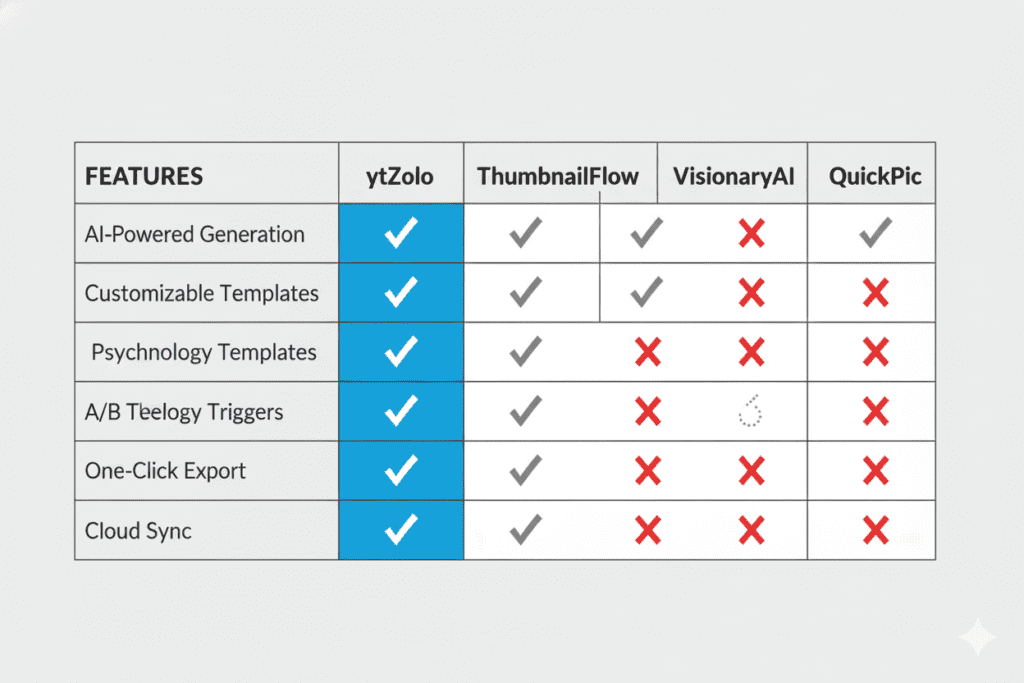
When it comes to YouTube thumbnail optimization for SEO, the market is crowded. Here’s an honest look at how the major options compare.
ytZolo vs. Canva
Canva is a world-class general design tool — but it’s not built for YouTube CTR optimization. Every design decision still rests on the creator’s aesthetic judgment without any YouTube performance data informing those choices. ytZolo designs for conversion. Canva designs for appearance.
ytZolo vs. vidIQ
vidIQ offers analytics and basic thumbnail insights, but its primary value is measuring past channel performance — not building future content. ytZolo creates optimized thumbnails and complete content packages proactively. vidIQ measures. ytZolo builds.
ytZolo vs. TubeBuddy
TubeBuddy provides valuable A/B testing for thumbnails. But it doesn’t generate the thumbnails themselves — you still create them manually in a separate tool, then import them for testing. ytZolo generates multiple AI-optimized thumbnail variations and integrates directly with your A/B testing workflow. TubeBuddy tests what you make. ytZolo makes what tests well.
ytZolo vs. Adobe Express and Photoshop
Adobe tools produce professional-grade design work — but require significant time investment and design expertise. ytZolo delivers YouTube-performance-optimized thumbnails in minutes, with no design experience required. The outputs are data-backed rather than instinct-driven.
ytZolo vs. Standalone AI Image Generators
General AI image tools have zero YouTube-specific training. They don’t understand CTR psychology, mobile-first readability, or niche visual language. ytZolo is purpose-built for YouTube performance — not general image generation.
The Head-to-Head Comparison
| Feature | ytZolo | Canva | vidIQ | TubeBuddy | Adobe Express |
|---|---|---|---|---|---|
| AI Thumbnail Generator | ✅ | Partial | Partial | ❌ | Partial |
| YouTube CTR Training | ✅ | ❌ | ✅ | ❌ | ❌ |
| Multiple Variations | ✅ | Manual | Partial | Manual | Manual |
| Niche-Specific Design | ✅ | ❌ | Partial | ❌ | ❌ |
| Title-Thumbnail Alignment | ✅ | ❌ | ❌ | ❌ | ❌ |
| AI Title + Script + Tags | ✅ | ❌ | Partial | Partial | ❌ |
| All-in-One SEO Workflow | ✅ | ❌ | ❌ | ❌ | ❌ |
| Free to Start | ✅ | ✅ | ✅ | ✅ | Partial |
For creators serious about YouTube thumbnail optimization for SEO as part of a complete growth strategy, ytZolo wins across every dimension that actually matters.
Step-by-Step: YouTube Thumbnail Optimization for SEO Using ytZolo
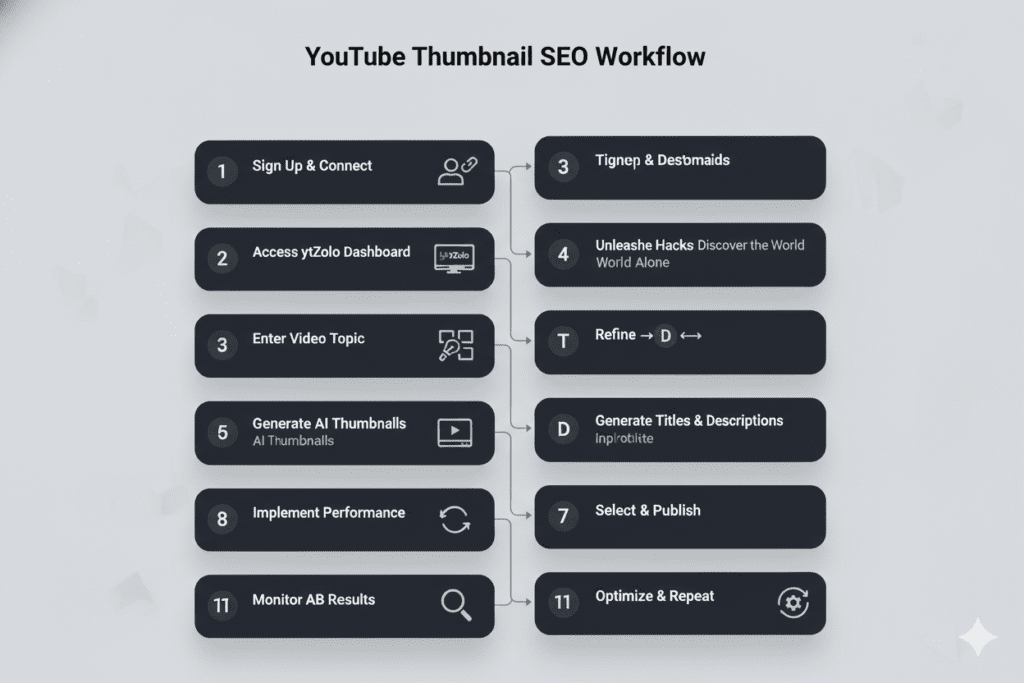
Ready to implement YouTube thumbnail optimization for SEO inside a workflow that actually scales? Here’s the exact process.
Step 1: Create Your Free ytZolo Account Head to ytzolo.com and sign up for free — no credit card required. You’ll have instant access to the complete AI tool suite.
Step 2: Define Your Niche and Audience Input your channel niche, content category, and target audience type. The more context ytZolo’s AI has, the more precisely it can generate thumbnails optimized for your specific audience.
Step 3: Generate AI Title Variations First Before building your thumbnail, generate 3–5 title options using ytZolo’s AI title generator. Your thumbnail must be built in alignment with your title’s emotional hook and value promise. Place your primary keyword within the first 40 characters — before mobile title truncation cuts it off.
Step 4: Select Your Strongest Title Choose the title that best balances keyword relevance with human curiosity appeal. This becomes the anchor around which your thumbnail is designed.
Step 5: Generate Multiple AI Thumbnail Variations Open ytZolo’s thumbnail generator. Input your video topic and selected title. The AI generates multiple thumbnail variations — niche-specific, CTR-optimized, and designed mobile-first.
Step 6: Choose Your Top Two Candidates Select two strong options — your gut pick and the data-suggested performer. These are your A/B test candidates. Never go to upload with only one option.
Step 7: Fine-Tune for Your Channel Brand Apply your channel’s signature colors, font style, or subtle logo placement. Keep branding consistent but content-forward. The video subject must remain the visual hero.
Step 8: Export in YouTube-Ready Specifications Download both thumbnails at 1280 × 720 pixels in PNG format, under 2MB. Name the files descriptively with your target keyword before uploading.
Step 9: Complete Your Full SEO Content Package While in ytZolo, generate your optimized description and strategic tag set. Your description’s first 2–3 lines appear before “show more” — use this prime real estate for your primary keyword and value proposition.
Step 10: Upload and Activate A/B Testing Upload to YouTube Studio. Set your primary thumbnail and load the second into the Test & Compare feature. Run the test for 10–14 days before selecting your winner based on CTR data.
Step 11: Analyze and Iterate Review your CTR lift data after each test. Carry the winning design signals into your next ytZolo thumbnail generation session. Your results compound with every optimized cycle.
How to A/B Test Thumbnails for Maximum SEO Impact
YouTube thumbnail optimization for SEO isn’t complete without a systematic testing habit. Here’s how to build one.
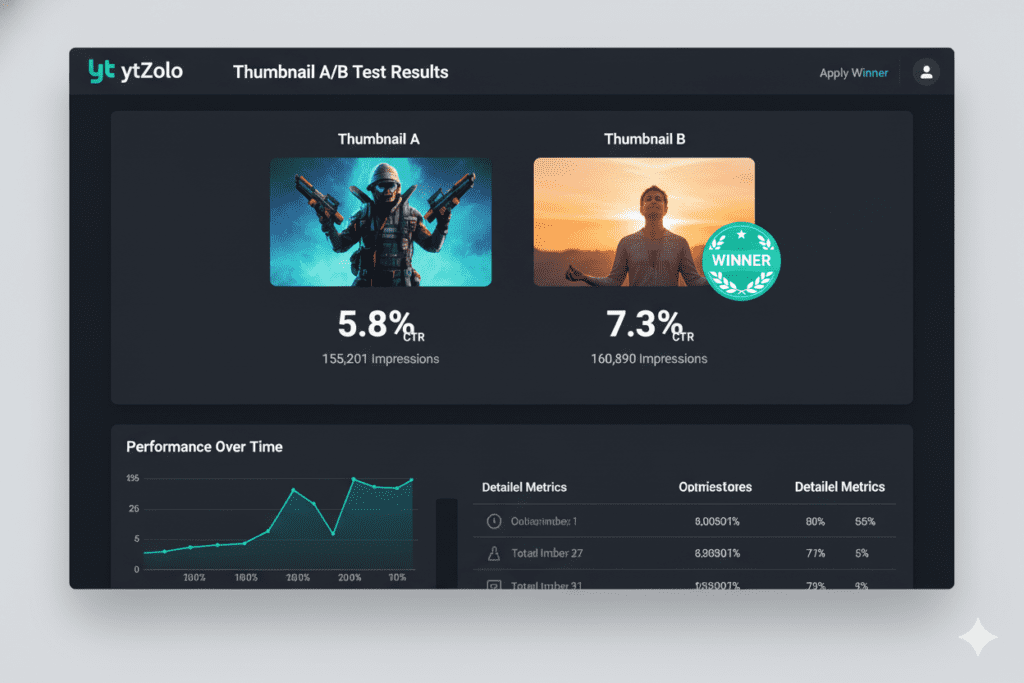
Why Testing Is Non-Negotiable YouTube Studio’s Test & Compare feature serves two thumbnails to equal portions of your audience and measures which generates higher CTR. Most creators upload one thumbnail and never test. The creators growing fastest treat every upload as a data collection opportunity.
What to Test Each Round Test one design variable at a time to isolate what’s driving performance:
- Round 1: Face expression — excited vs. curious
- Round 2: Background — dark vs. bright
- Round 3: Text placement — top vs. bottom of frame
- Round 4: Text content — question vs. bold statement
How to Read Results Let your test run for 10–14 full days with equal distribution. Look for CTR differences of 0.5% or more. Even small improvements compound significantly — a 1% CTR lift on 50,000 impressions means 500 additional views per upload, recurring with every future impression.
How to Apply Learnings Every winning test teaches you something concrete about what your audience clicks on. Build those signals back into your next ytZolo thumbnail generation brief. Over time, this data loop becomes one of the most compounding forms of YouTube thumbnail optimization for SEO available.
LSI Keywords and Semantic Topics for Thumbnail SEO
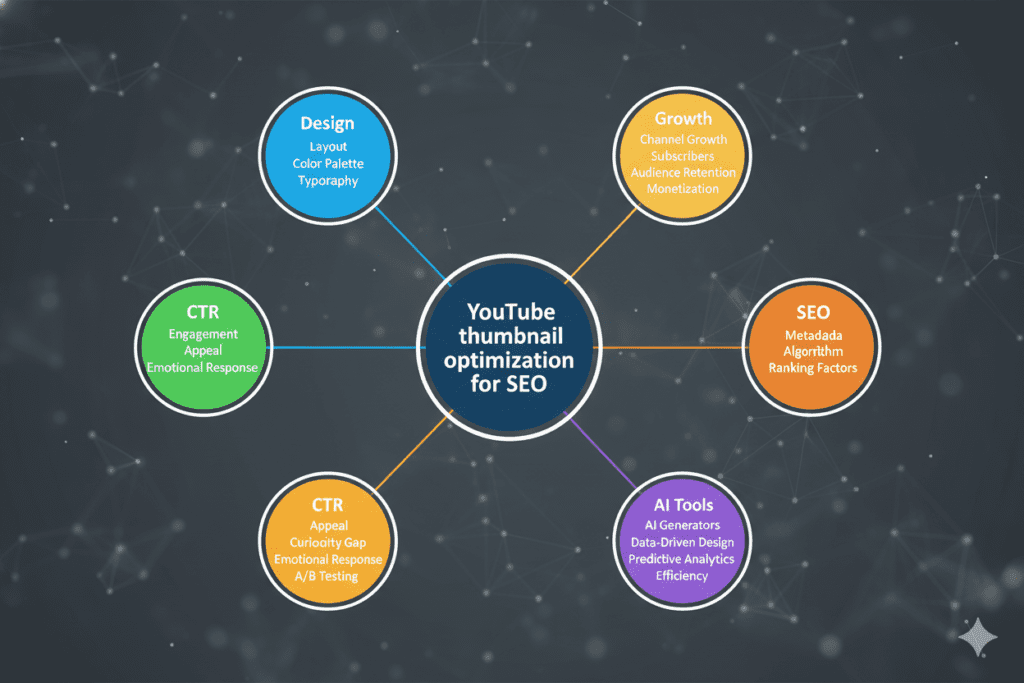
Strong YouTube thumbnail optimization for SEO exists within a broader semantic landscape. Covering these related topics builds topical authority and expands your content’s discoverability across the full range of queries your audience searches.
Thumbnail Design Keywords:
- YouTube thumbnail design tips 2026
- How to make a great YouTube thumbnail
- Best YouTube thumbnail size and specs
- Custom YouTube thumbnail ideas
- YouTube thumbnail maker free online
- AI thumbnail generator for YouTube
CTR Optimization Keywords:
- How to increase YouTube CTR
- YouTube click-through rate tips
- Best thumbnail practices for more views
- YouTube thumbnail A/B testing guide
- Improve YouTube impressions with thumbnails
YouTube SEO Keywords:
- YouTube SEO best practices 2026
- How to rank YouTube videos on Google
- YouTube algorithm CTR ranking signals
- YouTube video metadata optimization
- YouTube title and thumbnail strategy combined
AI Tool Keywords:
- Best free AI thumbnail maker for YouTube
- Best AI tools for YouTube creators 2026
- ytZolo thumbnail generator review
- All-in-one YouTube AI growth platform
- AI YouTube content creation tools
Channel Growth Keywords:
- How to grow a YouTube channel with SEO
- YouTube analytics CTR improvement tips
- YouTube Shorts thumbnail optimization
- Increase YouTube views without paid ads
- YouTube SEO for beginners 2026
Every one of these topic areas connects directly to what ytZolo delivers as a complete YouTube growth platform. For deep dives into each, the ytZolo blog is one of the most comprehensive free resources for YouTube SEO strategy in 2026.
Pro Tips for Thumbnail SEO That Most Creators Ignore
You now have the full framework for serious YouTube thumbnail optimization for SEO. These pro-level tactics push the results even further.
Tip 1: Name Your Thumbnail File With Your Target Keyword Before uploading, rename your file descriptively: youtube-thumbnail-optimization-seo-guide.jpg. Google indexes thumbnail images — keyword-rich filenames contribute to broader search visibility in Google Image results.
Tip 2: Optimize Your Existing Library First Your current video library is full of underperforming thumbnails. Use ytZolo to regenerate AI-optimized thumbnails for your top 20 most-viewed videos. Refreshing thumbnails on evergreen content consistently produces measurable CTR lifts within the first few weeks.
Tip 3: Analyze Competitors — Then Differentiate Study the top 5 performing thumbnails in your niche. Identify the design patterns driving their CTR. Then use ytZolo to generate thumbnails that incorporate those proven patterns while visually standing out from the competition.
Tip 4: Match Thumbnail Energy to Your Intended Viewer High-energy thumbnails attract curious, click-happy viewers. Educational thumbnails attract information-seekers with high completion intent. Matching your thumbnail’s emotional tone to the type of viewer you want drives better watch time — which amplifies your SEO gains after the initial click.
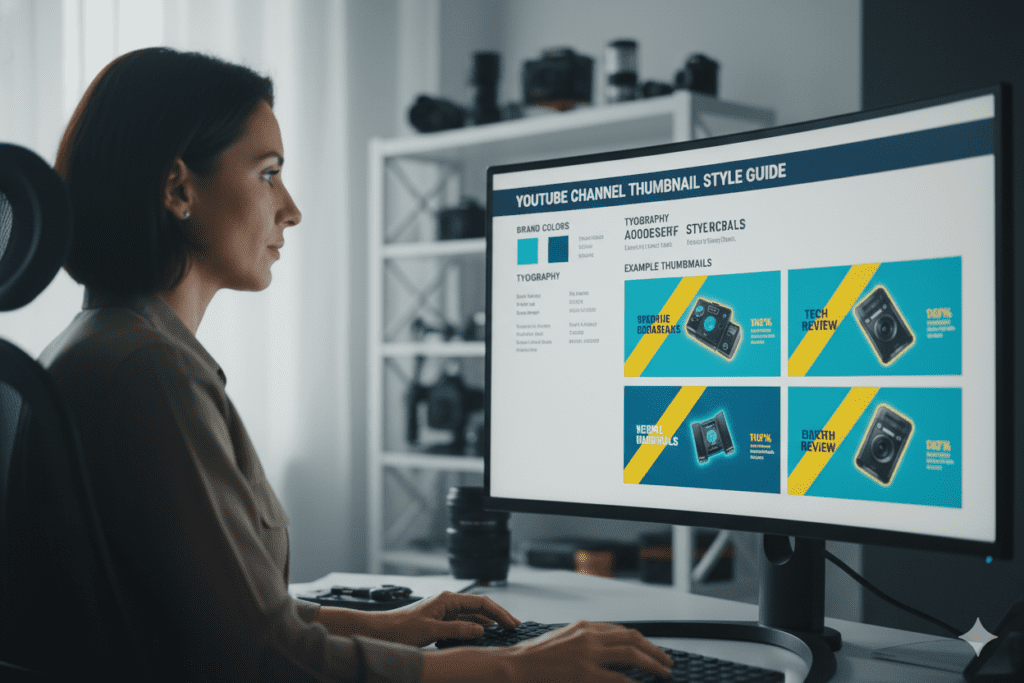
Tip 5: Build a Channel Thumbnail Style Guide Define your visual identity: two or three signature colors, one or two font treatments, a consistent compositional structure. Apply this across all thumbnails — new uploads and refreshed older videos. Consistent branding builds cumulative recognition that compounds CTR from your subscriber base.
Tip 6: Apply Chapters to Multiply SEO Surface Area A single well-optimized video with chapters can rank for multiple distinct search queries. A chapter heading can appear in Google results independently of the full video ranking. Chapters don’t affect your thumbnail — but they multiply the SEO value of every video whose thumbnail earns the initial click.
Tip 7: Never Neglect Shorts Visual Assets YouTube Shorts now shows image posts in the Shorts feed, expanding the visual competition to include static thumbnails. Apply the same YouTube thumbnail optimization for SEO principles to your Shorts visual assets for full-platform coverage.
Tip 8: Revisit Thumbnails When Trends Shift YouTube rewards creators who update older videos when trends evolve. When a new visual trend emerges in your niche — new color palettes, new text styles, new compositional approaches — refresh relevant existing thumbnails to stay current. Fresh thumbnails on evergreen content regularly trigger a new wave of algorithmic distribution.
FAQ: YouTube Thumbnail Optimization for SEO
1. Does YouTube thumbnail optimization for SEO actually affect rankings?
Yes — significantly. YouTube thumbnail optimization for SEO directly impacts CTR, which is one of YouTube’s strongest early ranking signals. Custom thumbnails deliver an 8–15x CTR advantage over auto-generated frames.
Higher CTR signals to YouTube that your video matches user intent, which drives more impressions, broader distribution, and stronger long-term search ranking. Your thumbnail is not a cosmetic element — it’s an active SEO signal that compounds across every future impression your video receives.
2. What is the most important element of a YouTube thumbnail for SEO?
For YouTube thumbnail optimization for SEO, the highest-impact element is the combination of high contrast and instantly clear subject matter. Viewers decide whether to click in under one second — your thumbnail must communicate the video’s core value faster than conscious thought.
After contrast and clarity, expressive human faces and minimal bold text (3–5 words) are the next highest-leverage design elements for both CTR and algorithmic performance.
3. How often should I update my YouTube thumbnails for SEO?
Review and consider refreshing thumbnails for evergreen content every 90 days. YouTube rewards ongoing optimization — periodic updates to older videos’ titles, descriptions, and thumbnails help content gain fresh momentum.
Use ytZolo to batch-refresh thumbnails across your underperforming video library quickly. Creators who systematically refresh older thumbnails consistently see measurable CTR lifts within the first few weeks.
4. Can AI create better YouTube thumbnails than a human designer for SEO purposes?
For most YouTube creators, yes — when the AI is YouTube-native. A human designer creates aesthetically polished work, but they don’t have access to niche-specific CTR performance data at scale. ytZolo applies real YouTube performance intelligence to every thumbnail it generates — something no individual designer can replicate at speed. You get data-driven conversion optimization in minutes, not hours.
5. What makes ytZolo the best tool for YouTube thumbnail optimization for SEO?
ytZolo stands above alternatives because it’s the only platform that integrates YouTube thumbnail optimization for SEO into a complete, unified content creation workflow. Your thumbnail is generated in alignment with your AI-optimized title, script, description, and tags — not built in isolation.
This integration ensures every element of your video package reinforces every other, creating cohesive CTR and SEO signals that compound across every upload. You can start completely free at ytzolo.com with no credit card required.
Conclusion: The Click Is Where Growth Begins
Every element of YouTube SEO — keyword research, descriptions, tags, watch time, engagement — ultimately depends on one thing happening first.
The click.
And the click depends on your thumbnail.
YouTube thumbnail optimization for SEO is the highest-ROI, most underutilized lever in the entire YouTube growth equation. It’s the difference between a video that gets discovered and one that sits unnoticed in a library of 800 million. It’s the ignition switch for the algorithm flywheel that compounds every signal that follows.
You now know the seven core design principles that drive real CTR. You know the technical specifications that ensure every thumbnail uploads correctly. You understand the psychology behind why certain thumbnails stop scrollers and others don’t. And you know why manual design — no matter how talented or dedicated the creator — cannot keep pace with data-driven YouTube thumbnail optimization for SEO in 2026.
Most importantly, you’ve found the platform that makes all of it systematic.
ytZolo doesn’t just generate better thumbnails. It generates better thumbnails in alignment with better titles, better scripts, better descriptions, and better tags — all in one platform, all backed by the performance data that YouTube’s algorithm actually rewards.
The channels winning your niche right now aren’t just making better content. They’re optimizing every signal — starting with the thumbnail. And they’re using AI to do it at a speed and precision that manual workflows simply cannot match.
Your next viral video is waiting. It just needs a thumbnail that earns the click.
Start creating smarter, faster, and more viral YouTube content with ytZolo today.
👉 Get started free at ytzolo.com — no credit card needed.
Explore more creator resources:
- 📖 ytZolo Blog — Thumbnail Strategy, YouTube SEO & Growth Tactics
- 📖 YouTube Creator Academy — Custom Thumbnails Best Practices
- 📖 Ahrefs — The Complete YouTube SEO Guide
- 📖 HubSpot — Video Marketing Statistics & Benchmarks
© 2026 ytZolo. All rights reserved. Written to help YouTube creators grow smarter with AI.


Pingback: Best Thumbnail Maker AI Free for YouTube in 2026
Pingback: Best Thumbnail Maker Without Login — Free & Fast 2026
Pingback: YouTube Thumbnail AI Generator Free – Best Tool 2026
Pingback: Free Thumbnail Generator for YouTube: Best AI Tools (2026)
Pingback: Free AI Thumbnail Generator: Best Tools for YouTube 2026
Pingback: Free AI YouTube Thumbnail Maker – Get More Clicks Fast 2026
Pingback: Best AI Thumbnail Generator Free for YouTube in 2026
Pingback: Best YouTube Shorts Thumbnail Generator – AI Tools 2026
Pingback: Guide to Tools & Techniques for Designing Effective Thumbnails : 5 Brutal Mistakes
Pingback: Best Free AI Tools for YouTube Thumbnails (2026)
Pingback: Best Free Tools for YouTube Thumbnails (2026 Guide)
Pingback: ytZolo vs TunePocket: Full 2026 Comparison