
Introduction: The 3-Second Moment That Can Make or Break Your Channel
Picture this.
You spent 12 hours filming, editing, and perfecting your latest YouTube video. The content is gold. The audio is crisp. The editing is tight. You’re proud of it.
Then you upload it — and it gets 47 views.
Not 47,000. Just 47.
You check your analytics and see the brutal truth: your click-through rate (CTR) is sitting at 1.8%. Your thumbnail is a random screenshot. Your title is bland. And YouTube’s algorithm has already moved on.
Here’s the thing most YouTubers don’t realize: your thumbnail is your video’s first impression. It’s the make-or-break moment that happens before a single second of your video plays. And in 2026, with over 20 million videos uploaded to YouTube every single day, a weak thumbnail is basically a death sentence for your content.
The good news? An AI thumbnail maker for YouTube can flip this completely.
Tools like ytZolo are changing the game — turning hours of manual design work into minutes of AI-powered magic. And in this guide, you’re going to learn exactly how to use one to explode your CTR, get more views, and finally grow the channel you deserve.
Let’s get into it.
Table of Contents
Why Thumbnails Are the #1 Growth Lever on YouTube
Most creators obsess over video quality, editing software, and posting schedules. But there’s one factor that quietly determines everything — your thumbnail.
90% of the best-performing videos on YouTube use custom thumbnails. That’s not a coincidence. That’s data from YouTube’s own Creator Academy, and it tells you everything you need to know about how the platform rewards visual strategy.
Here’s why thumbnails matter so much:
- CTR drives the algorithm. A high click-through rate tells YouTube that viewers want to watch your video. When that happens, the algorithm rewards you with more impressions — which means more views, more subscribers, and more growth. It’s a snowball effect.
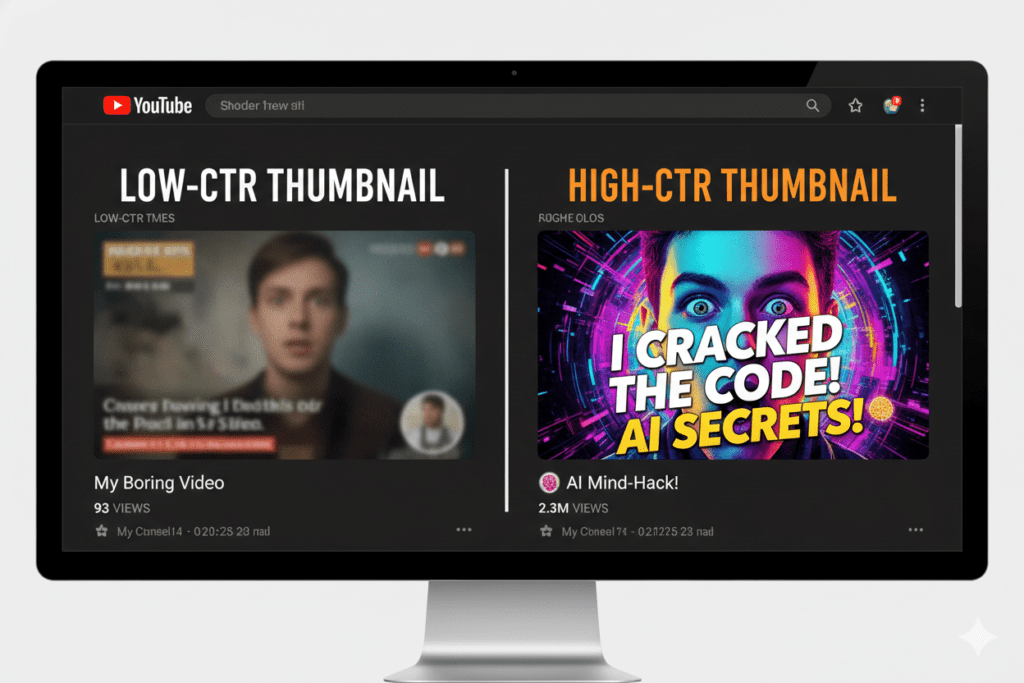
- Average channels sit at 3–5% CTR. Top creators consistently hit 8–12%. That gap is almost entirely explained by better thumbnails and titles.
- Mobile is everything. Over 70% of YouTube traffic comes from mobile devices. Your thumbnail needs to pop on a 4-inch screen — not just on a desktop monitor.
The creators winning on YouTube right now aren’t necessarily making better videos. They’re making better packages for their videos. And the package starts with the thumbnail.
Using an AI thumbnail maker for YouTube is the fastest way to close that gap.
What Is an AI Thumbnail Maker for YouTube?
An AI thumbnail maker for YouTube is a tool that uses artificial intelligence to automatically design eye-catching, click-worthy thumbnails for your videos.
Instead of opening Photoshop, searching for stock images, and spending an hour nudging layers around — you describe your video topic, and the AI handles the design work for you.
Here’s what happens under the hood:
- The AI analyzes millions of high-performing YouTube thumbnails to understand what drives clicks in your niche.
- It applies color psychology, text placement rules, and emotional triggers proven to boost CTR.
- It generates multiple thumbnail variations in seconds — each one optimized for maximum visual impact.
- You pick your favorite, tweak if needed, and download in full HD. Done.
The best AI thumbnail makers go even further. They sync your thumbnail with your video title, suggest text overlays, and adapt to your channel’s unique brand identity. Tools like ytZolo take this a step further by combining thumbnail creation with AI title generation, script writing, description optimization, and SEO tags — all inside one platform.
The whole process? Under five minutes. Compare that to an hour of manual design, and you start to understand why creators using an AI thumbnail maker for YouTube are leaving others behind.

Why Manual Thumbnail Design Is Holding You Back
Let’s be honest about something.
Manual thumbnail creation in 2026 is like writing a blog post on a typewriter. It works — technically — but it’s slow, inconsistent, and almost always inferior to what AI can produce.
Here’s what manual design actually costs you:
Time you don’t have. Most creators spend 30–60 minutes on a single thumbnail. If you post twice a week, that’s up to 8 hours a month just on thumbnails. That’s time you could spend filming, building your audience, or simply living your life.
Inconsistency that kills brand recognition. When you design thumbnails manually — especially when you’re tired after a long edit — quality suffers. Inconsistent thumbnails confuse your audience and reduce the “brand recall” that makes top channels recognizable in a crowded feed.
Guesswork instead of data. Manual designers go with gut feeling. AI goes with data. An AI thumbnail maker for YouTube has been trained on what actually makes viewers click — specific colors, emotional expressions, text positions, and contrast ratios that are proven to perform.
No A/B testing workflow. The best creators test multiple thumbnail versions per video. Doing that manually takes hours. AI tools generate three distinct variations in seconds, giving you real options to test.
Without AI, you’re competing against creators who already have these advantages. And the gap is only getting wider.

What Makes a High-CTR Thumbnail? (The Science)
Before we talk tools, let’s talk fundamentals. Because the best AI thumbnail maker for YouTube is only as good as the principles it applies.
High-performing thumbnails share five non-negotiable traits:
High Contrast Colors
Thumbnails live in a busy, colorful feed. Yours needs to pop. Bold reds, electric yellows, deep blues — high-contrast color combinations stop the scroll instantly. Muted, washed-out thumbnails disappear.
Emotional, Expressive Faces
Data from VidIQ shows that thumbnails featuring expressive human faces boost CTR by 20–30%. Surprise, excitement, and curiosity are the top-performing emotions. Neutral faces blend in. Emotion stands out.
Bold, Readable Text
If your thumbnail has text, viewers should be able to read it on a phone screen in under one second. Short phrases — three to five words max — outperform text-heavy designs every single time. Anything longer gets ignored.
One Clear Visual Focus
High-CTR thumbnails follow one rule: one subject, one message, one hook. Three competing elements create visual noise. One powerful element creates instant clarity and clicks.
Title-Thumbnail Synergy
Your thumbnail and title should work together like partners, not repeat each other. The thumbnail creates curiosity; the title delivers context. When both align perfectly, the “curiosity gap” drives irresistible clicks.
A great AI thumbnail maker for YouTube applies all five of these automatically — based on your video topic and niche.

How ytZolo Works as an AI Thumbnail Maker for YouTube
ytZolo isn’t just another thumbnail generator. It’s a complete AI-powered YouTube growth platform — and the thumbnail maker is one of its most powerful features.
Here’s what sets it apart:
Purpose-Built for YouTube
Unlike general design tools like Canva (which are built for everyone), ytZolo was built specifically for YouTube creators. Every feature — from color choices to text styles to layout logic — is informed by what actually drives clicks on YouTube. It understands niche-specific trends. It knows what a gaming thumbnail should look like versus a finance thumbnail. That kind of intelligence is priceless.
CTR-Optimized by Default
ytZolo doesn’t just make pretty thumbnails. It makes high-converting AI-generated thumbnails for YouTube. Its AI is trained on performance data from thousands of viral YouTube videos — so every thumbnail it generates is engineered to maximize your click-through rate from the very first draft.
Full HD, No Watermarks
Export your thumbnails in crisp, full HD quality with zero watermarks. Your thumbnails will look professional and sharp — even on 4K displays and big-screen TVs. No compromises.
Integrated with Your Full YouTube Workflow
This is where ytZolo really separates itself from every other AI thumbnail maker for YouTube on the market. While other tools only do thumbnails, ytZolo gives you:
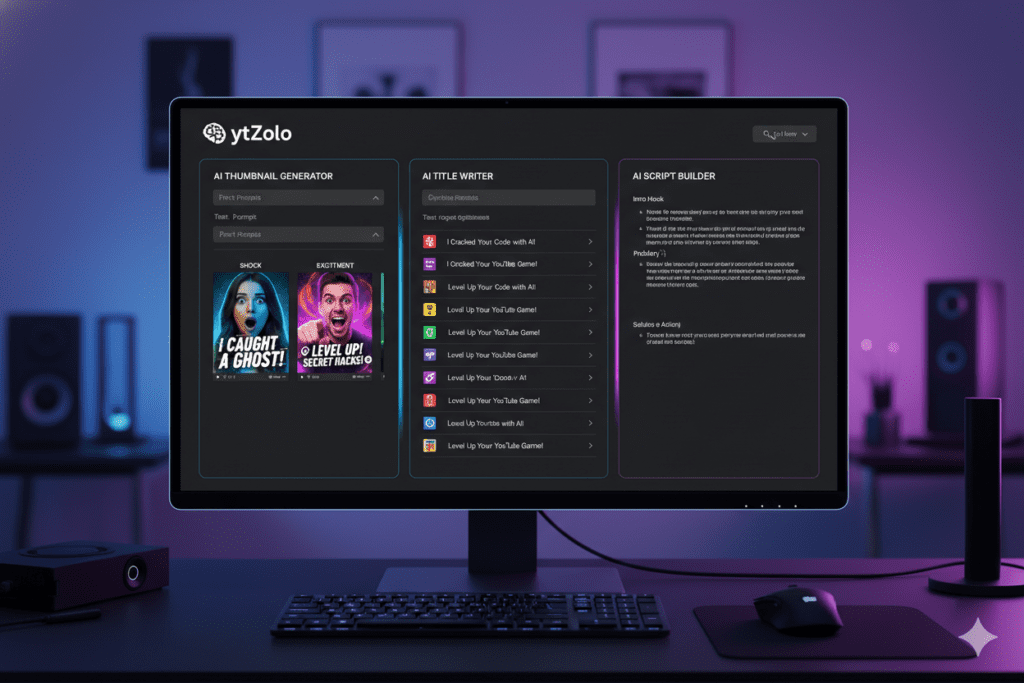
- AI title generator — viral, SEO-optimized titles in seconds
- AI script writer — full video scripts built around your topic
- AI description writer — keyword-rich descriptions that rank
- AI tags generator — find the exact tags your competitors are missing
- AI thumbnail maker — CTR-optimized designs tailored to your niche
Instead of juggling five different tools for five different tasks, ytZolo brings your entire YouTube content strategy under one roof. That’s not just convenient — it’s a massive competitive advantage.
Check out the ytZolo blog for in-depth guides on using every one of these features to grow faster.
Why ytZolo Is Better Than Other Tools
There are other AI thumbnail makers for YouTube out there. So why does ytZolo win?
Let’s compare:
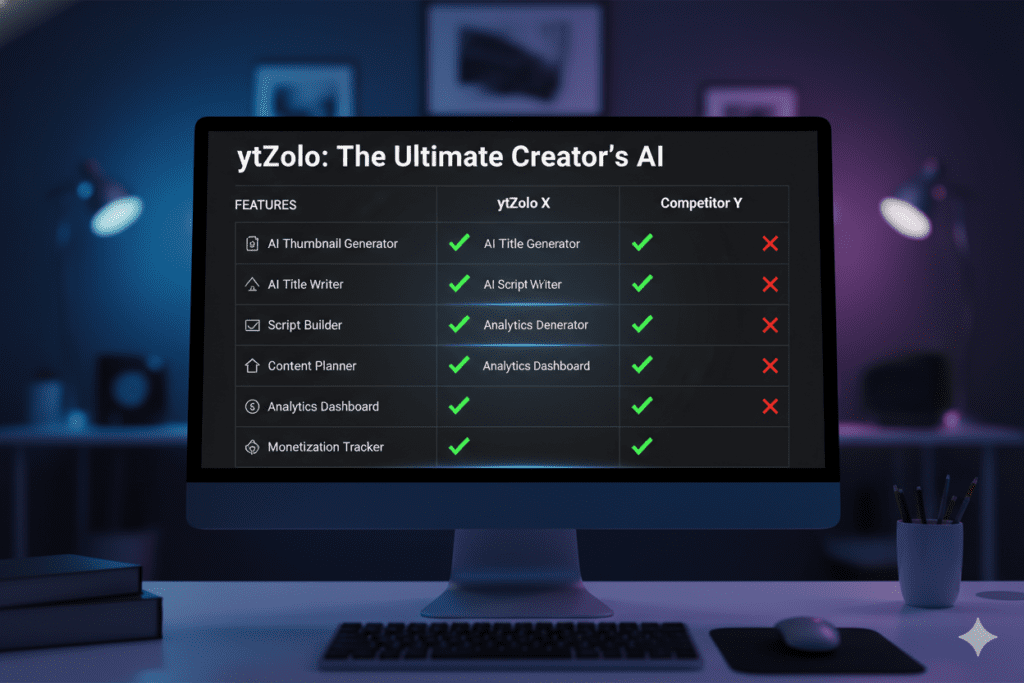
| Feature | ytZolo | Canva | vidIQ | Generic AI Tools |
|---|---|---|---|---|
| YouTube-specific AI | ✅ | ❌ | ✅ | ❌ |
| CTR-optimized thumbnails | ✅ | ❌ | ✅ | ❌ |
| Full HD, no watermarks | ✅ | ✅ | ✅ | ❌ |
| AI title + script + tags | ✅ | ❌ | Partial | ❌ |
| All-in-one platform | ✅ | ❌ | ❌ | ❌ |
| Niche-specific intelligence | ✅ | ❌ | ✅ | ❌ |
| Free plan available | ✅ | ✅ | ✅ | Varies |
Here’s the honest breakdown:
Canva is a great general design tool — but it has zero YouTube-specific intelligence. It doesn’t know what makes a gaming thumbnail click versus a cooking thumbnail. It doesn’t optimize for CTR. It doesn’t sync with your title strategy. It’s a blank canvas, not a growth tool.
vidIQ has solid analytics and some AI features, but it’s primarily a research and analytics tool. Its thumbnail features are limited compared to ytZolo’s dedicated thumbnail AI.
Generic AI image generators like DALL-E or Midjourney can create images, but they weren’t built for YouTube. They don’t understand CTR optimization, niche aesthetics, or platform-specific requirements. You still need to do all the strategic thinking yourself.
ytZolo was built exclusively for YouTube creators with one goal: more clicks, more views, more growth. Every feature serves that mission.
That’s a fundamentally different kind of tool — and the difference shows in your results.
Step-by-Step: Create a Viral Thumbnail with ytZolo
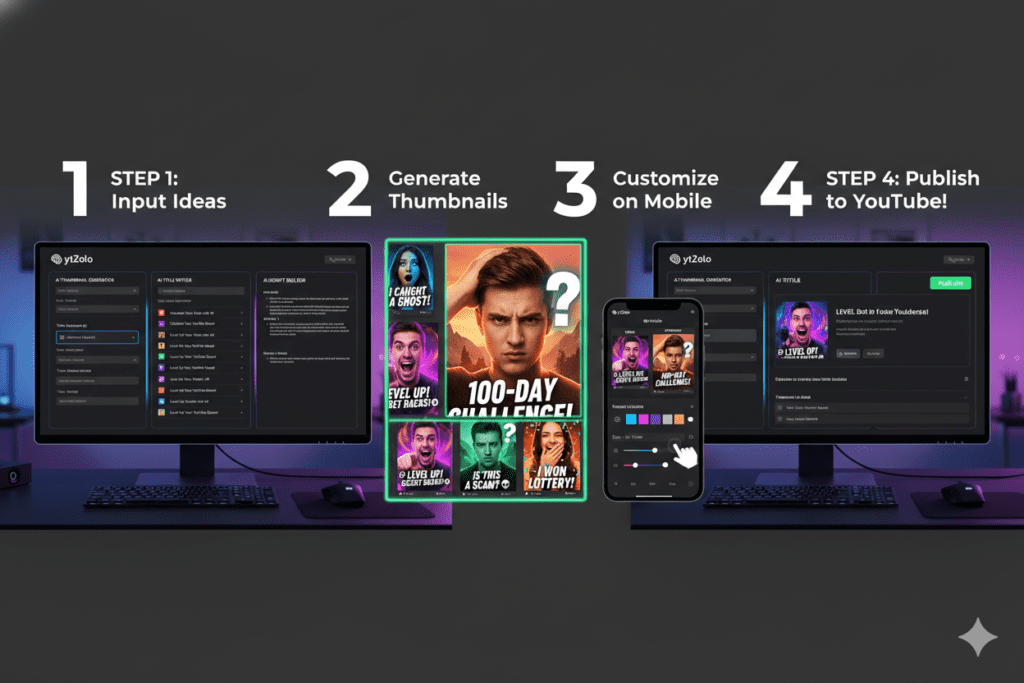
Ready to try it? Here’s exactly how to create a high-CTR thumbnail using ytZolo’s AI thumbnail maker for YouTube — even if you’ve never designed anything in your life.
Step 1: Sign Up for Free
Head to ytzolo.com and create your free account. No credit card required. You can start generating thumbnails immediately.
Step 2: Enter Your Video Topic
Type in your video title or topic. Be specific — the more context you give the AI, the better your results. Example: “10 Budget Travel Hacks for Southeast Asia in 2026” beats just “Travel Tips.”
Step 3: Select Your Niche and Style
Choose your content niche (gaming, finance, lifestyle, tech, etc.) and preferred visual style. ytZolo’s AI uses this to apply niche-specific trends that are proven to perform in your category.
Step 4: Generate Thumbnail Variations
Click generate. In seconds, ytZolo produces multiple thumbnail options — each one with different color schemes, text placements, and visual compositions. You get real choices, not just one take-it-or-leave-it result.
Step 5: Customize and Refine
Want to adjust a color? Swap the text? Change the layout? ytZolo’s editing tools make quick tweaks easy — no design experience needed.
Step 6: Download and Upload
Export your final thumbnail in full HD. Upload it directly to YouTube Studio. That’s it. The whole process takes less time than brewing your morning coffee.
Pro tip: Generate three variations and A/B test them. YouTube now supports unlimited A/B testing for all creators — use it. Small thumbnail changes can produce massive CTR improvements.
Advanced Tips to Maximize CTR with AI Thumbnails
Using an AI thumbnail maker for YouTube is just the start. Here are battle-tested strategies to squeeze every last click out of your thumbnails:
Test the Three-Second Rule
Show your thumbnail to someone for three seconds. If they can’t tell what the video is about, it’s too complex. Simplify ruthlessly. Clarity always beats cleverness.
Lead with Emotion, Not Information
Your thumbnail isn’t a billboard for facts — it’s an emotional trigger. Show a face. Show a reaction. Show the feeling of watching your video. Emotion beats information every time.
Never Repeat Your Title
Your thumbnail text and your video title should complement each other — not duplicate each other. Use your thumbnail text to create a curiosity gap that only the video can close — this is exactly how AI thumbnail generation works.
Use High Contrast on Mobile First
Design your thumbnails for a 4-inch phone screen first. If it works on mobile, it’ll work everywhere. If it only looks good on desktop, you’re losing 70% of your audience.
Stay Consistent with Brand Colors
Top channels are instantly recognizable because they use consistent visual language. Define two or three brand colors and stick to them across every thumbnail. Over time, your audience will recognize your content at a glance — before they even read your title.
Using a YouTube thumbnail generator AI can help you maintain this consistency effortlessly by applying your brand colors and style across every design.
Refresh Old Thumbnails
Your older videos are still getting impressions. Swap in a new AI-generated thumbnail and watch CTR improve on videos you made months ago. It’s free extra growth with zero new content creation.
For more advanced YouTube growth strategies, check out the ytZolo blog — it’s packed with actionable guides built for serious creators.
Real Results: What Happens When You Use AI for Thumbnails
The numbers don’t lie.
Creators using AI-powered thumbnail tools are reporting CTR jumps from 2–3% all the way to 7–10% — sometimes within a single month. That’s not just a small improvement. A 3x increase in CTR means 3x more views from the same number of impressions. That’s channel-changing growth.
Here’s what that looks like in practice:
- A channel averaging 1,000 impressions per video at 3% CTR gets 30 views per video.
- The same channel at 8% CTR gets 80 views per video — from the same impressions.
- Over a year of consistent uploads, that compounds into tens of thousands of additional views, hundreds of new subscribers, and real monetization growth.
Research shows that channels with consistent, professional thumbnail styling see 15–20% higher CTRs from their subscribers compared to channels with inconsistent visuals. That consistency effect alone is worth using a dedicated AI thumbnail maker for YouTube.
And when you combine AI thumbnails with AI-generated titles, descriptions, and tags — the way ytZolo packages it all together — the growth multiplies further. It’s not magic. It’s just smarter content creation.
Frequently Asked Questions
What is the best AI thumbnail maker for YouTube?
The best AI thumbnail maker for YouTube in 2026 is ytZolo. Unlike generic design tools, ytZolo is purpose-built for YouTube creators. It generates CTR-optimized thumbnails tailored to your niche, exports in full HD without watermarks, and integrates with an all-in-one platform that includes AI title writing, script creation, descriptions, and tags.
Can AI thumbnails really improve my YouTube CTR?
Yes — significantly. Research from VidIQ shows that expressive, high-contrast thumbnails can boost CTR by 20–30%. Creators using AI thumbnail tools have reported CTR jumps from under 3% to 7–10% within weeks. The AI applies proven design principles — color psychology, emotional triggers, text placement — that most manual designs miss.
Do I need design skills to use an AI thumbnail maker for YouTube?
No design skills are needed at all. That’s the entire point of an AI thumbnail maker for YouTube. You describe your video topic, select your niche, and the AI handles all the design logic. You can tweak the output if you want, but most creators use the AI’s suggestions with minimal changes.
How often should I update my YouTube thumbnails?
You should review your thumbnail performance every 30–60 days. If a video’s CTR drops below 4%, it’s a strong signal that a new thumbnail could revive its performance. With ytZolo, generating a fresh thumbnail takes under five minutes — so there’s no excuse to leave underperforming thumbnails untouched.
Is ytZolo free to use?
Yes. ytZolo offers a free plan that lets you create and export AI thumbnails with no credit card required. Premium plans unlock higher output volumes, advanced AI features, and access to the full suite of tools including AI title generation, script writing, description optimization, and tags. Visit ytzolo.com to explore all available plans.
Conclusion: Your Next Video Deserves a Better Shot
You’ve put real work into your YouTube content. You deserve real results.
But here’s the truth: a great video with a weak thumbnail is like a great book with a blank cover. Nobody picks it up. Nobody gives it a chance. And the algorithm buries it before it ever has a shot.
An AI thumbnail maker for YouTube changes that equation completely. It transforms your thumbnail from an afterthought into your most powerful marketing asset — one that stops the scroll, sparks curiosity, and drives clicks on autopilot.
With ytZolo, you’re not just getting a thumbnail tool. You’re getting an all-in-one AI growth platform built specifically for YouTube creators — from thumbnails and titles to scripts, descriptions, and tags. Everything you need to create smarter, faster, and more viral content is in one place.
The top creators on YouTube aren’t working harder than you. They’re working smarter. And now you can too.
Start creating smarter, faster, and more viral YouTube content with ytZolo today.
👉 Get started free at ytzolo.com
Looking for more YouTube growth strategies? Explore the ytZolo blog for in-depth guides, AI tool tutorials, and proven tactics to grow your channel faster in 2026.
External Resources:


Pingback: 7 Shocking Tricks YouTube Thumbnail Maker AI Can’t Ignore!
Pingback: Create a Thumbnail for YouTube AI: Boost CTR Fast (2026)
Pingback: YouTube Thumbnail Idea Generator: Best AI Tools 2026
Pingback: Best AI Tools for YouTubers to Grow Faster in 2026