
Quick Answer: The best free AI thumbnail generators in 2026 include Canva (Magic Media), vidIQ, Adobe Express, and Microsoft Designer — each suited to different workflows. The right pick depends on whether you need AI image generation, YouTube-specific CTR optimization, template-based editing, or all three.
No single tool wins for everyone.
A good thumbnail can make or break a video’s performance. You can spend days filming and editing — but if the thumbnail doesn’t stop the scroll, none of that effort gets seen. The problem for many creators is that professional thumbnail design has traditionally required either significant design skill or a paid subscription to a tool like Photoshop.
That’s changed in 2026. Free AI thumbnail generators have matured to the point where creators without any design background can produce clean, professional, click-worthy visuals in under two minutes. The challenge is no longer finding a tool — it’s understanding what each one actually delivers so you can choose the right one for your workflow.
This article compares the leading free AI thumbnail maker options available right now. It covers what each tool does well, where it falls short, and which type of creator it actually suits. Pricing information was verified against official sources as of mid-2026 but may change — always check the tool’s current pricing page before making a decision.
Table of Contents
Why Thumbnail Quality Matters More Than You Might Think
YouTube processes billions of searches every day. In that environment, your thumbnail is doing something very specific: it’s communicating the value of your video to someone who hasn’t watched a second of it yet.
The decision to click or scroll happens fast — in the range of a second or less. At that speed, viewers aren’t reading carefully. They’re responding to visual cues: contrast, color, faces, and a few words of text at most.
Custom thumbnails consistently outperform auto-generated ones. YouTube’s own data and independent creator research both point to significant CTR differences between videos that use thoughtfully designed thumbnails and those that rely on a random frame pulled from the footage. The gap between a 2% CTR and a 6% CTR on the same video can be the difference between a video that stagnates and one that gets recommended broadly.
A well-designed thumbnail doesn’t need to be complicated. What it needs is clarity: a clear subject, readable text, enough contrast to stand out on both light and dark backgrounds, and some signal of emotional content or curiosity.
The AI thumbnail tools available today can handle most of the visual heavy lifting — if you understand what each one is actually built to do.
Can AI Really Create High-CTR Thumbnails?
The short answer is yes, in certain contexts. But it depends heavily on the tool and on how much input you give it.
Most free AI thumbnail generators in 2026 fall into one of three categories. The first group are image generators — they create original backgrounds, illustrated scenes, or conceptual visuals from text prompts. Tools like Adobe Express (powered by Firefly) and Microsoft Designer fall here.
They produce visually strong images but don’t inherently understand YouTube CTR principles. You still have to add text, arrange the composition, and make design decisions yourself.
The second group are template-based editors with AI-assisted features. Canva is the most established example. These tools give you a library of pre-designed thumbnail layouts and use AI to speed up specific tasks like background removal, style suggestion, or text generation.
The final result depends largely on your own judgment about which template and edit choices work.
The third group are YouTube-specific AI thumbnail makers — tools built specifically around CTR optimization and trained on real YouTube performance data. vidIQ falls into this category. These tools understand things like which thumbnail layouts tend to get clicks in specific niches, when to use a face and when not to, and how text placement interacts with the surrounding elements.
The more context a tool has about your specific video — your topic, your niche, your audience — the better it performs. Tools that let you paste a video URL or upload footage to inform the generation tend to produce more relevant results than tools that work from a text description alone.
YouTube tutorial on effective thumbnail prompting here — YouTube Creator Academy for their official guidance on thumbnail design.
How We Evaluated These Tools
Each tool in this comparison was tested across several criteria:
Image generation quality — How close is the AI output to what a designer would produce? Are textures, lighting, and composition realistic?
Text rendering — Can the tool generate or overlay legible, attractive text at thumbnail sizes? Text at 1280×720 needs to be readable even when shrunk to mobile feed size.
Ease of use — How many steps does it take to get from zero to a downloadable thumbnail? Does the interface require a learning curve?
Free plan limitations — How many generations or designs can you produce without paying? Are there watermarks on free exports?
Export quality — Does the tool output at 1280×720 (YouTube’s recommended size)? Is the file size manageable?
Customization options — After generation, can you adjust text, colors, backgrounds, and layout?
YouTube-specific features — Does the tool understand CTR, provide niche-relevant layouts, or analyze your actual video?
The tools below are ordered roughly by category, not by an overall ranking, because different creators have different needs.
Quick Comparison Table
| Tool | Free Plan | Watermark | AI Image Generation | Templates | Custom Text | Export Quality | Best For |
|---|---|---|---|---|---|---|---|
| Canva | Yes (limited daily generations) | No | Yes (Magic Media) | Yes (extensive) | Yes | High (PNG/JPG) | Beginners, teams |
| Adobe Express | Yes (25 credits/month) | No on standard exports | Yes (Firefly 4) | Yes | Yes | High | Adobe ecosystem users |
| Microsoft Designer | Yes (generous) | No | Yes (DALL-E / Designer) | Yes | Yes | High | Quick, zero-cost use |
| vidIQ | Yes (with account) | No | Yes (YouTube-trained) | Yes | Yes | High (1280×720 PNG) | YouTube-native workflow |
| InVideo | Yes (limited) | Yes on free plan | Yes (prompt-based) | Yes | Yes | High | Video creators |
| Canva + Leonardo combo | Free (both) | No | Yes (Leonardo) | Yes (Canva) | Yes | High | Quality AI visuals + design |
| Fotor | Yes (limited) | Yes on free | Yes | Yes | Yes | Medium–High | Budget-conscious creators |
| Simplified | Yes (up to 10 exports) | No | Yes | Yes | Yes | High | Teams with multi-platform needs |
| Thumbmagic | 3 free generations (6 thumbnails) | No | Yes (video-aware) | No (AI-first) | AI-generated | High | Serious YouTube creators |
| Pixlr | Yes | No | Limited | Yes | Yes | Medium | Photo editing workflows |
Note: Free plan details and credit limits may change. Verify on each tool’s official pricing page before use.
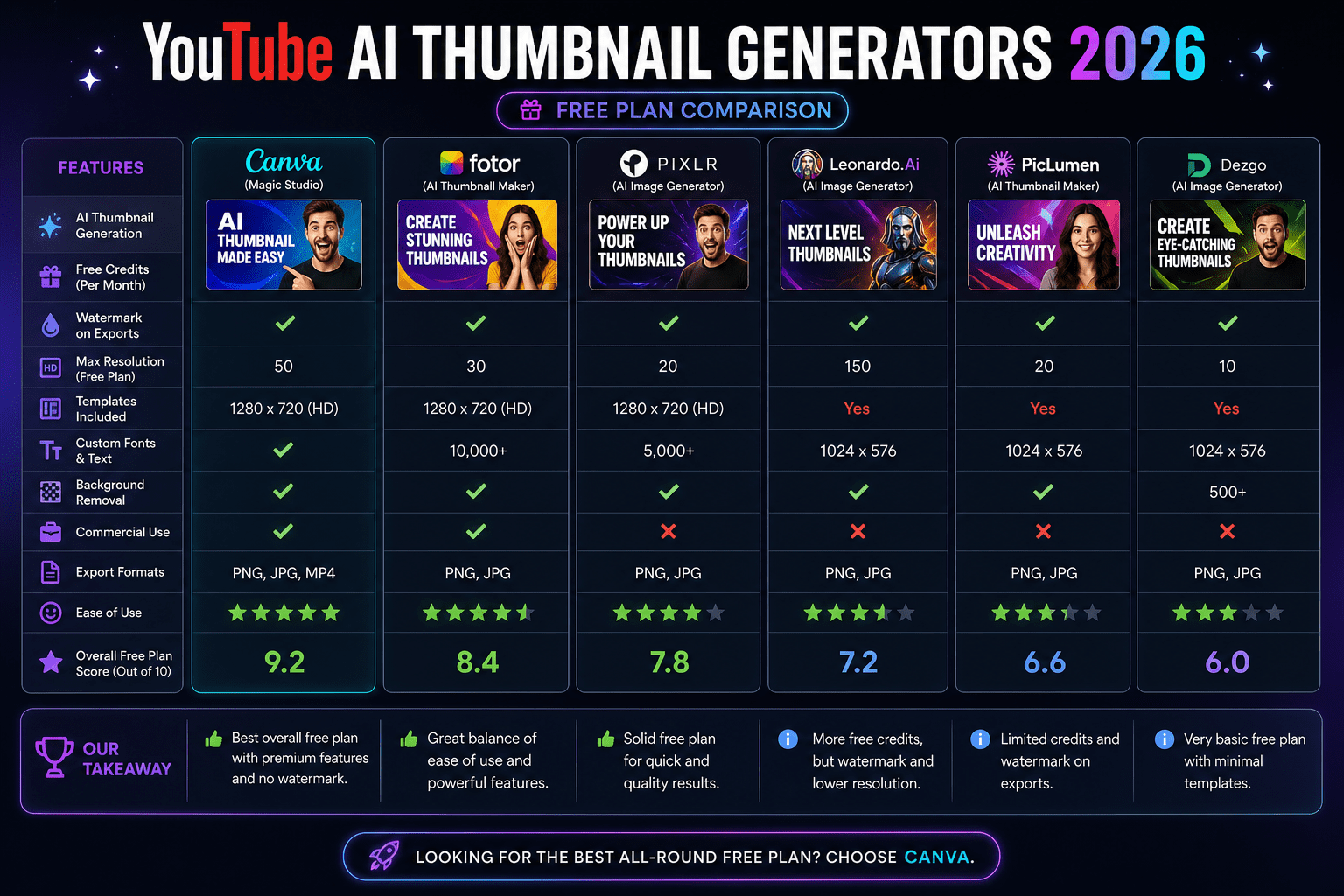
Detailed Tool Reviews
1. Canva (Magic Media + Dream Lab)
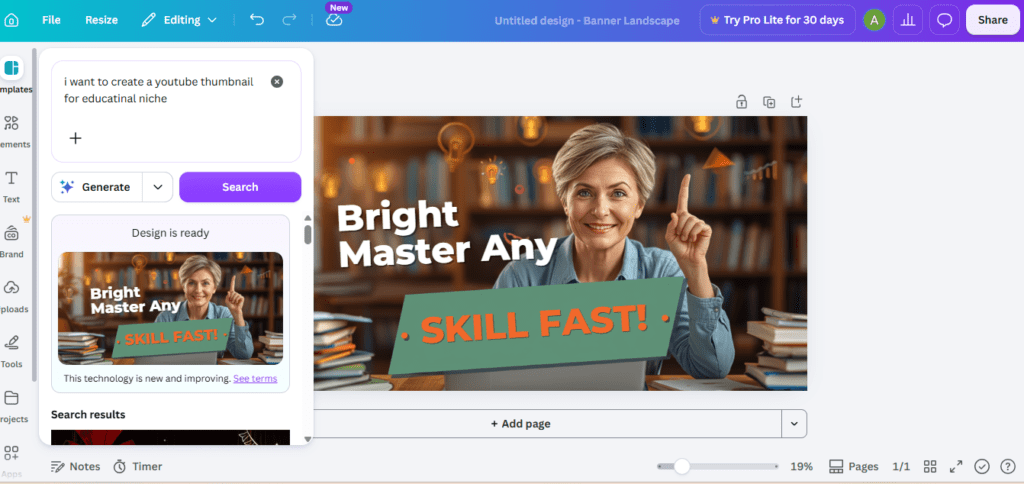
Overview
Canva remains one of the most widely used thumbnail design tools among YouTube creators in 2026. Its free plan gives you access to a large template library, drag-and-drop editing, and two AI generation features: Magic Media for text-to-image generation, and Dream Lab for style-reference generation. You can upload a photo or concept, and Dream Lab will reimagine it in a chosen aesthetic.
Key Features
- Thousands of pre-sized YouTube thumbnail templates (1280×720 by default)
- Magic Media text-to-image generation (limited daily on free plan)
- Dream Lab style reference generation
- Background removal tool
- Text styles, brand kits (paid), and font library
- Direct publish to YouTube (with connected account)
Pros
- Genuinely beginner-friendly — most people are productive within minutes
- Large template library with thumbnail-specific layouts for most niches
- Strong text customization with hundreds of fonts
- No watermark on standard exports
Cons
- Free daily AI generation limits are fairly restrictive for high-volume creators
- Magic Media image quality is a step behind dedicated AI image tools like Midjourney or Adobe Firefly Image 4 Ultra
- Free plan doesn’t include brand kit or premium templates
- AI-generated images don’t automatically understand YouTube CTR — you’re still making the design decisions
Free Version Free plan includes limited daily AI image generations and access to most templates. Some premium templates require Canva Pro. No watermark on exports from the free tier.
Pricing Free tier available. Canva Pro is available at a monthly or annual rate — check canva.com for current pricing.
Best For Beginners, small teams, and creators who want a reliable template-first workflow with optional AI image generation.
What I Noticed While Testing The template quality is noticeably better than most competitors. If you find a template that fits your niche, customizing it takes minutes. The AI generation is more useful for creating background elements than for generating full, ready-to-use thumbnails — the outputs often need layout adjustments to work at thumbnail scale.
Who Should Skip This Creators who want the AI to do the majority of the design work without manual template editing may find Canva slower than expected.
2. Adobe Express (Firefly Image 4)
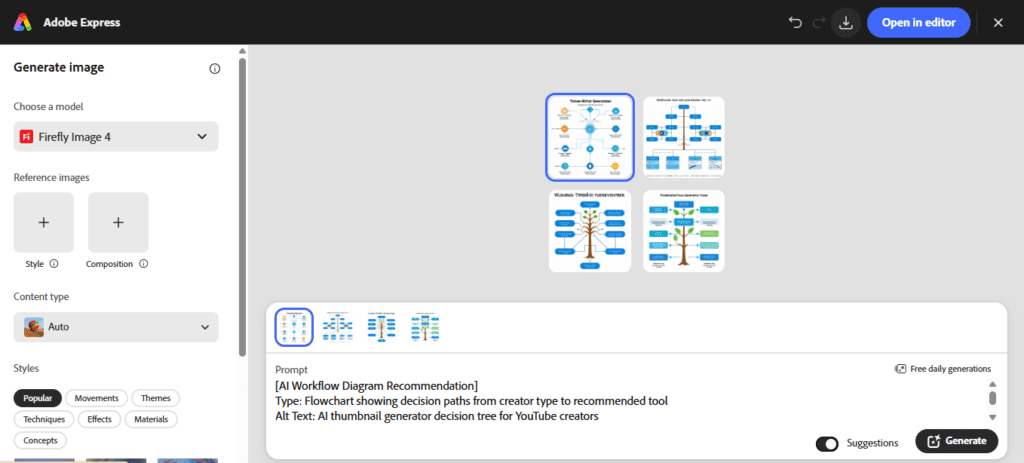
Overview
Adobe Express’s free AI thumbnail generator is powered by Adobe Firefly Image Model 4, which runs on content licensed by Adobe — meaning all generated images are commercially safe. That’s a meaningful advantage for creators who monetize their content and want to avoid copyright complications.
The free plan gives you 25 generative AI credits per month. Each standard text-to-image generation uses 1 credit, producing four image options. The more advanced Firefly Image 4 Ultra model uses 20 credits per generation, so free users get limited access to the highest-quality outputs.
Key Features
- Firefly Image 4 text-to-image generation (commercially safe)
- Generative Fill for editing parts of an existing image
- Background removal
- Large template library with YouTube thumbnail presets
- Reference image input (upload a style, and Firefly matches it)
- No watermark on standard free exports
Pros
- Commercially licensed AI training data — strong for monetized channels
- Firefly Image 4 produces genuinely high-quality, photorealistic results
- Good integration if you’re already using Adobe products
- Style-reference input is useful for maintaining visual consistency
Cons
- 25 credits per month is limiting for regular creators; Firefly Image 4 Ultra uses 20 credits per generation
- Less intuitive than Canva for beginners unfamiliar with Adobe interfaces
- The tool is a general design platform, not YouTube-specific — no CTR-optimization features
- Annual subscription cancellation has been flagged in creator communities as complicated, with penalties reported in some cases
Free Version 25 generative credits per month. Standard features (templates, basic editing) available without credits. Credits reset monthly.
Pricing Premium plan available at approximately $9.99/month, with additional Firefly Pro tier at ~$19.99/month for 4,000 credits. Pricing may vary by region and billing cycle — verify at adobe.com/express.
Best For Creators already in the Adobe ecosystem (Premiere Pro, Photoshop, Illustrator) who want a consistent, commercially safe generation tool integrated into their existing workflow.
What I Noticed While Testing The commercial safety angle is genuinely valuable if you’re monetizing content. The image quality from Firefly Image 4 is strong — backgrounds and conceptual visuals look clean and realistic.
Where it falls short is in the final step: you still need to manually add text overlays, adjust contrast, and make layout decisions that a YouTube-specific tool might automate.
Who Should Skip This Creators without prior experience in design tools who want a fast, automated thumbnail-to-download workflow.
3. Microsoft Designer (Free, Generous Limits)
Overview
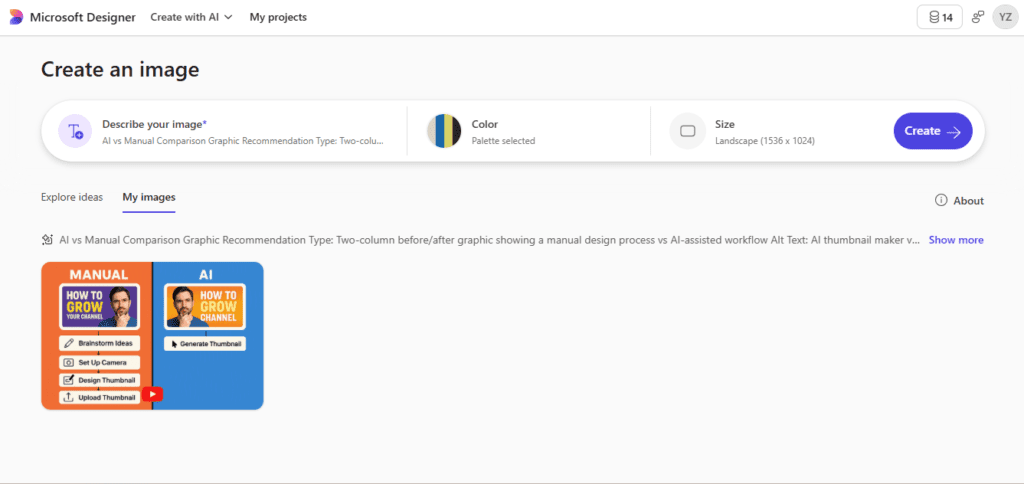
Microsoft Designer is one of the most overlooked free AI thumbnail generator options in 2026. Integrated with Microsoft’s AI ecosystem and powered by their image generation models, it offers a genuinely generous free tier that doesn’t cap you at a handful of daily generations. Designers can describe their thumbnail vision in a prompt and receive multiple layout options with auto-placed text and design elements.
Key Features
- Text-to-image generation with layout suggestions
- Designer-branded template generation (full layouts, not just images)
- Text overlay and customization
- Background removal
- Export to PNG or JPG
- Free with a Microsoft account — no paid tier required for core features
Pros
- Among the most generous free generation limits of any tool tested
- Generates complete thumbnail layouts (not just background images), which speeds up the workflow
- No watermark on exports
- Works directly in a browser, no installation needed
Cons
- Image quality is strong but not consistently at the level of Firefly Image 4 or dedicated image generators
- Less template variety for specific niches compared to Canva
- No YouTube-specific CTR optimization features
- Customization options after generation are more limited than Canva or Adobe Express
Free Version Full access to core features with a free Microsoft account. Generation limits are not as restrictive as most competitors.
Pricing Currently free with a Microsoft account for most core features. Check designer.microsoft.com for current plan details.
Best For Creators who want a completely free, no-watermark AI thumbnail maker without strict generation limits.
What I Noticed While Testing Microsoft Designer surprised me. The layout suggestions it generates — combining an image with text placement and design framing — are more immediately usable than tools that only generate background images. It’s not perfect, but for creators who want a fast, zero-cost option, it’s worth testing before committing to any paid tool.
Who Should Skip This Creators who need deep customization, brand kit support, or YouTube-specific analytics alongside their thumbnail design.
4. vidIQ AI Thumbnail Maker
Overview
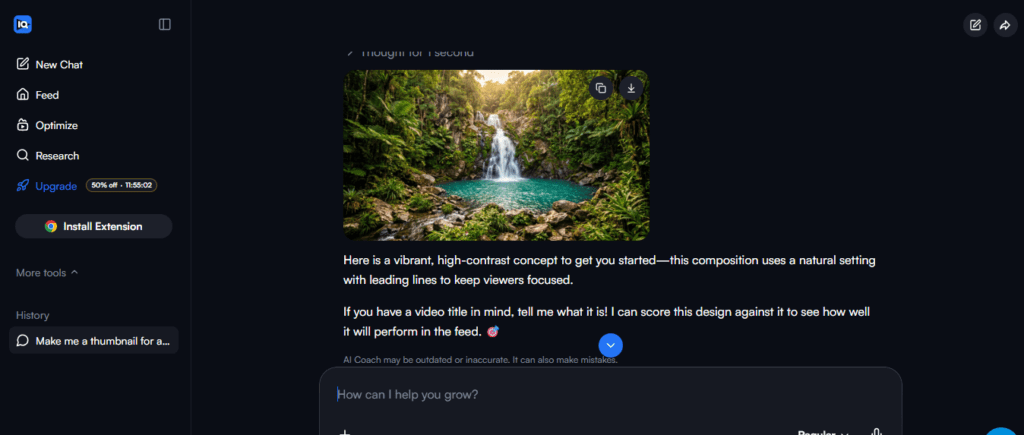
vidIQ is best known as a YouTube analytics and SEO tool, but its AI thumbnail maker stands out in one important way: it’s trained on data from high-performing YouTube content. Rather than generating beautiful generic images, it generates thumbnail concepts informed by what actually gets clicks on YouTube.
The workflow is notably different from other tools. You can upload a video, paste a YouTube URL, or describe your idea — and the AI generates thumbnail options based on patterns from successful content in similar categories. The result is typically more YouTube-native than tools built for general design.
Key Features
- AI generation trained on YouTube performance data
- URL-based video input (paste link, AI reads the content)
- Multiple design options per generation
- Text, color, and layout editing post-generation
- Template library with niche-specific options
- Export at 1280×720 PNG
Pros
- YouTube-specific design intelligence — layouts and composition reflect what gets clicks
- URL input means the AI has context about your actual video
- No watermark on free exports
- Works on mobile browser
Cons
- Free access is tied to a vidIQ account — you need to sign up
- Generation credits may be limited on free tier depending on plan
- Not a general design tool — if you need to create other content formats (Instagram, blog headers), you’ll need a second tool
- Less control over purely creative or illustrative thumbnail styles
Free Version AI thumbnail maker is included free with a vidIQ account. Generation capabilities may vary by plan — check vidiq.com for current details.
Best For YouTube creators who want thumbnail design informed by real platform performance data, and who are already using or open to using vidIQ for channel analytics.
What I Noticed While Testing The URL input feature is genuinely useful. Generating from a video link produced thumbnails that felt more connected to the actual content than prompt-based tools. That said, the visual style leans toward established YouTube thumbnail conventions — bold text, strong contrast, central subject — which is great for CTR but may feel creatively limiting if you’re going for a more distinctive aesthetic.
Who Should Skip This Creators who don’t post to YouTube, or who want full creative control over a unique visual style.
5. InVideo AI Thumbnail Maker
Overview
InVideo is primarily a video creation and editing platform, and its AI thumbnail maker is one feature within that broader ecosystem. The free tier lets you generate thumbnails from text prompts or by uploading an image as a reference. It’s well-suited for creators who are already using InVideo for video production and want a consistent workflow.
Key Features
- Prompt-based AI image generation
- Template library with YouTube-specific layouts
- Text overlay tools with font customization
- Image upload and editing
- Export as PNG or JPG
Pros
- Smooth integration if you’re already using InVideo for video editing
- Prompt-based generation is straightforward and fast
- Templates are reasonably varied for most YouTube niches
Cons
- Free plan applies a watermark to exports — this is a significant limitation for use on an active YouTube channel
- Free generation limit is fairly restrictive
- Less powerful than standalone design tools for pure thumbnail work
- No YouTube-specific CTR intelligence
Free Version Available, but exports on the free plan include a watermark. This limits practical use without upgrading.
Pricing Paid plans start at a monthly rate — check invideo.io for current pricing.
Best For Creators already invested in the InVideo ecosystem who don’t mind upgrading to remove the watermark.
Who Should Skip This Creators who want a completely free, no-watermark thumbnail tool — several alternatives offer this without requiring payment.
6. ytZolo
Overview
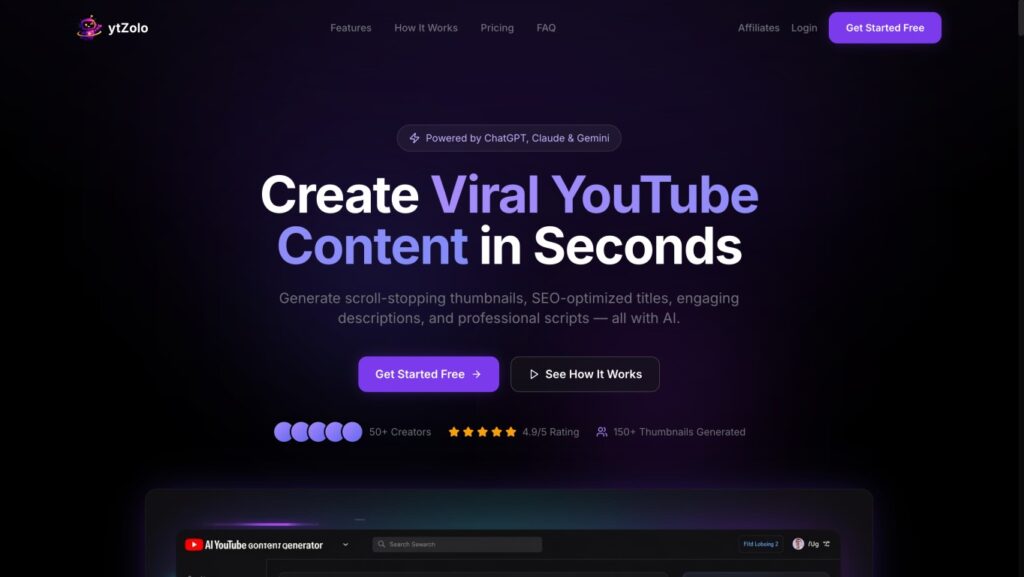
ytZolo is built specifically for creators who are tired of guessing what makes a thumbnail click-worthy. Rather than acting as a generic graphic design platform, it focuses heavily on YouTube-specific CTR intelligence. The platform uses AI trained on high-performing thumbnail layouts across various niches, helping you bridge the gap between creative visual design and hard platform data.
Key Features
- Data-driven AI generation tailored to specific YouTube niches
- Native title and thumbnail previewer to check mobile scaling
- High-contrast layout suggestions built for maximizing CTR
- Clean, watermark-free exports at the standard 1280×720 resolution
Pros
- Eliminates the guesswork by focusing purely on what gets clicked on YouTube
- Completely clean exports with zero forced watermarks on the free tier
- Intuitive interface that doesn’t require a background in graphic design
Cons
- Hyper-focused on YouTube; not intended for broader social media formats like Instagram or TikTok grids
- Style options are strictly optimized for audience engagement rather than abstract artistic designs
Best For
YouTube creators who want an all-in-one, data-backed thumbnail workflow without having to jump back and forth between a design app and an external analytics tool.
7. Leonardo.ai (Free Tier)
Overview
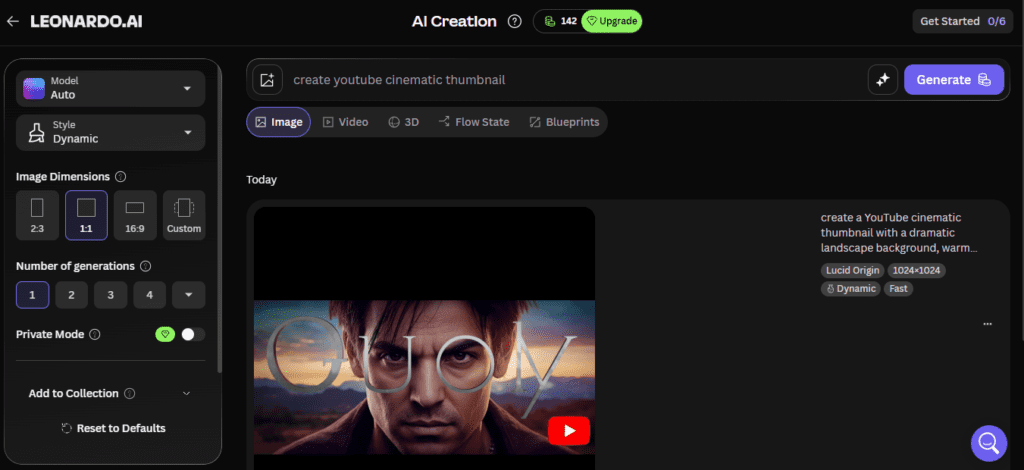
Leonardo.ai is an AI image generator that’s popular among creators who prioritize visual originality. Its free tier is more generous than most competitors, giving you a daily token allocation to generate images. For thumbnail backgrounds — particularly for gaming, cinematic, and illustrated styles — it produces some of the strongest results of any free tool.
Key Features
- High-quality AI image generation with multiple model options
- Style controls (photorealistic, cinematic, illustrated, game art, etc.)
- Image-to-image editing
- Generous free daily token allocation
- Background customization
Pros
- Excellent image quality, especially for non-photographic styles
- More visual originality than template-based tools
- Free tier provides enough generations for moderate use
- Strong for gaming, fantasy, and stylized content
Cons
- Not a complete thumbnail tool — generates images only, not full thumbnail layouts with text
- You’ll need to combine Leonardo with a separate tool (like Canva) to add text and finalize the design
- Lower-priority generation during peak times on free tier
- No YouTube-specific features
Free Version Daily token allocation on the free tier. Token usage varies by model and resolution. Tokens reset daily.
Best For Creators who want high-quality, stylized AI image backgrounds for gaming, storytelling, or cinematic-style channels — and are comfortable combining Leonardo with Canva or a similar tool for text and layout.
Combination Workflow: Generate background in Leonardo → import to Canva free → add text and layout → export. Total cost: $0.
Who Should Skip This Creators who want an all-in-one tool and don’t want to manage a two-step workflow.
8. Fotor AI Thumbnail Maker
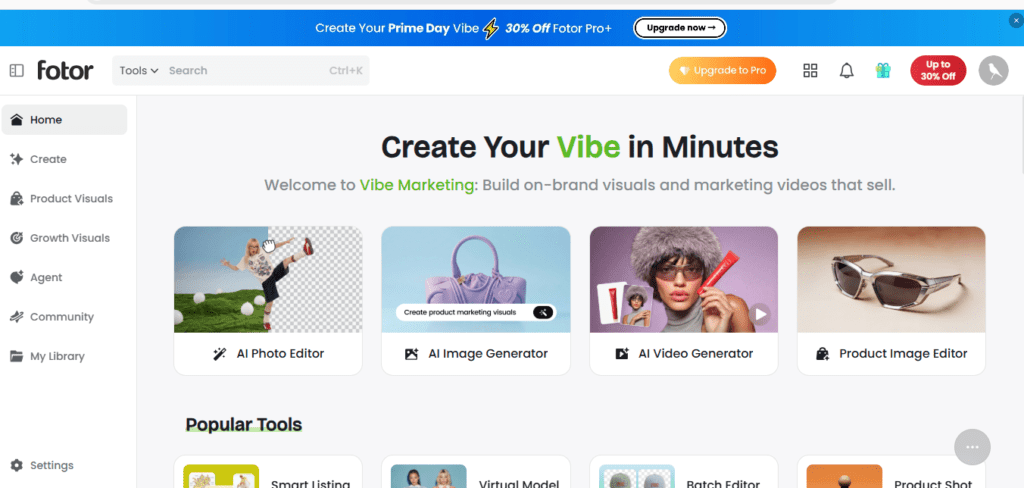
Overview
Fotor has been a photo editing and design platform for years, and it now includes AI image generation alongside its traditional editing tools. The free plan provides limited AI generations and includes a watermark on some export types.
Key Features
- AI image generation from text prompts
- Photo editing tools (crop, filter, adjust)
- Background removal
- Template library
- Text overlays
Pros
- Familiar interface for users who’ve used Fotor before
- Decent photo editing capabilities alongside AI generation
- Reasonably fast generation
Cons
- Free plan watermarks are a practical limitation
- Generation limits are restrictive on the free tier
- Image quality is solid but not at the level of Firefly or Midjourney
- Less YouTube-specific than vidIQ
Free Version Available with limited generations and watermarks on some exports.
Best For Creators who want basic AI generation combined with traditional photo editing in one tool.
9. Simplified
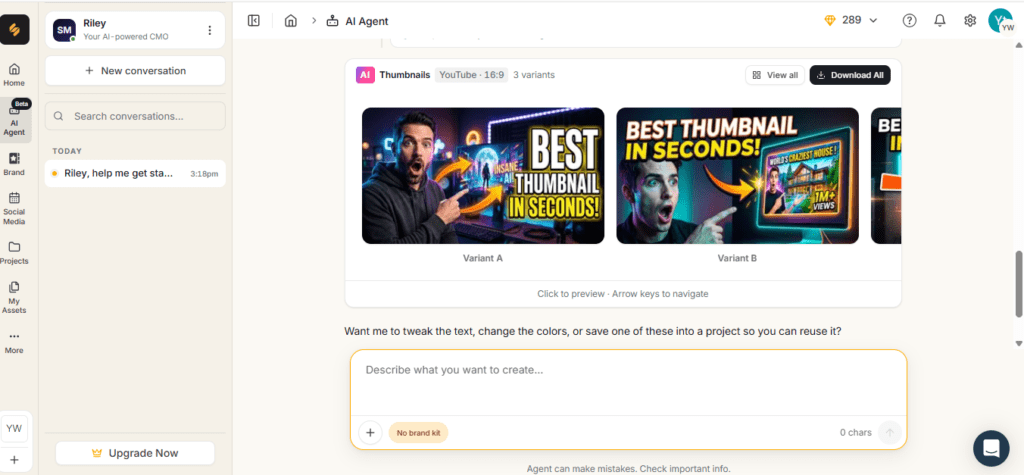
Overview
Simplified is a multi-platform content creation tool with AI writing, design, and social media management features. Its AI thumbnail maker lets you generate thumbnails from text or video, apply brand kits, and export for multiple platforms.
Key Features
- AI thumbnail generation from text or video
- Brand kit support (logos, fonts, colors)
- Multi-language support
- Mobile-friendly generation
- Team collaboration tools
Pros
- Brand kit keeps thumbnails visually consistent across videos
- Multi-language support is useful for international creators
- Mobile generation works well
Cons
- Free plan limits exports to 10 thumbnails — after that, you’ll need to upgrade
- Some editing steps require navigating multiple menus, which slows the workflow
- Broader platform means thumbnail-specific features aren’t as deep as dedicated tools
Free Version Free plan includes up to 10 thumbnail exports. No watermark reported on free exports.
Pricing Paid plans available — check simplified.com for current pricing.
Best For Small teams or multi-platform creators who want consistent branding across design and writing.
10. Thumbmagic
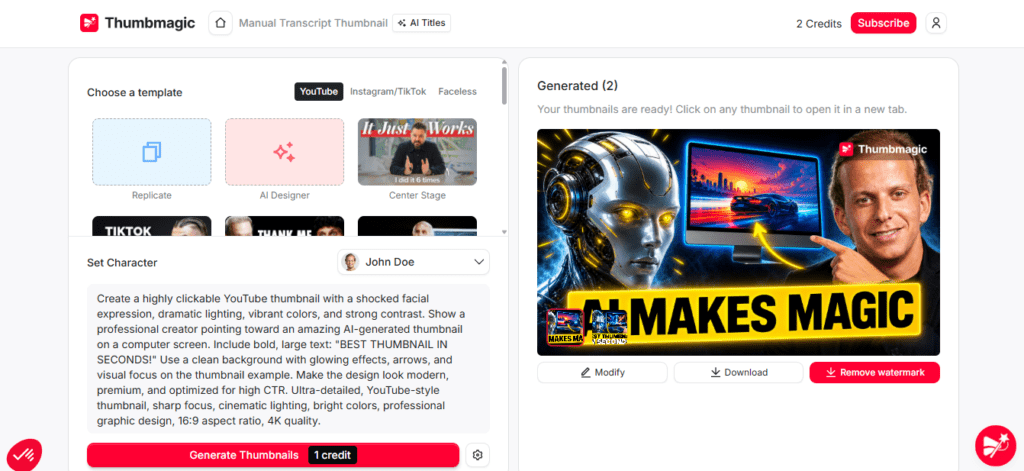
Overview
Thumbmagic is a newer, dedicated YouTube thumbnail generator that takes a different approach from most tools. Rather than asking you to describe a concept from scratch, it analyzes your actual video — or accepts a script — and generates thumbnail options based on what performs in your niche.
The free tier gives you 3 generations (6 total thumbnails). That’s enough to test the workflow but not sustainable for regular use without upgrading. It’s included here because it represents a meaningfully different approach: AI that makes design decisions based on video content rather than general prompts.
Key Features
- Video URL or script input for context-aware generation
- Niche-aware layout analysis
- AI Thumbnail Editor (describe an edit in natural language, AI applies it regionally)
- Expression analysis from uploaded face photos
- Multiple variants per generation
Pros
- Context-aware generation produces more relevant thumbnails than prompt-only tools
- AI editing by text description speeds up iteration
- Strong CTR-optimization focus
Cons
- Very limited free tier (3 generations)
- Paid plans required for regular use
- Less useful for creators who want full manual control
Free Version 3 free generations (6 thumbnails) with no credit card required.
Best For Serious YouTube creators who want to see what context-aware AI thumbnail generation looks like before committing to a paid tool.
11. Microsoft Bing Image Creator (Free, No Account in Some Regions)
Overview
Bing Image Creator, now integrated with Microsoft Designer, remains one of the most accessible free AI image generators available. In some regions, you can generate images without even creating a full Microsoft account. Generation quality is strong and the daily limit, while present, is more generous than many competitors.
Key Features
- DALL-E powered image generation
- No cost, minimal sign-up friction
- Clean image outputs in multiple styles
Pros
- Extremely low barrier to entry
- Good image quality for backgrounds and conceptual visuals
- No watermarks
Cons
- Image-only — not a complete thumbnail design tool
- No text overlay, no templates, no layout tools
- Requires combining with Canva or a similar tool for finished thumbnails
Best For Creators who want to quickly generate a background image at no cost and finish the design in Canva.
Comparison by Use Case
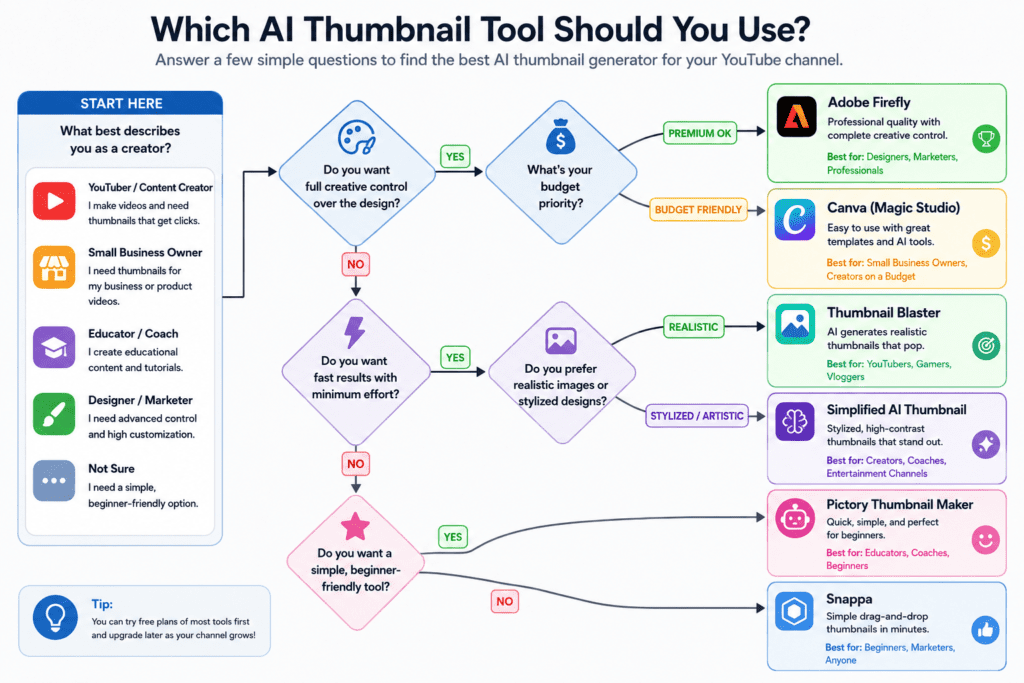
Best for Beginners: Canva. The template library and drag-and-drop interface reduce the learning curve to near zero. The free plan is workable for most occasional creators.
Best Free Option (Zero Watermark, No Limit Anxiety): Microsoft Designer. Generous limits, no watermark, and a complete account is optional in many regions. The workflow isn’t as polished as Canva, but for pure accessibility, it’s hard to beat.
Best AI Image Quality (Free): Leonardo.ai free tier or Adobe Express (25 credits/month). Leonardo produces stronger stylized and cinematic visuals; Adobe Express produces stronger photorealistic images with commercial safety.
Best for YouTube-Specific CTR Optimization: vidIQ. The platform is built around YouTube performance data, and the thumbnail tool reflects that. If growing your channel is the primary goal, YouTube-native tools have an edge.
Best Canva Alternative: Adobe Express. Comparable template quality, strong AI generation via Firefly, commercially safe outputs.
Best for Agencies and Teams: Simplified or Canva Pro. Both support brand kits, team access, and multi-platform export.
Best for Social Media Beyond YouTube: Canva or Simplified. Both support multiple platform dimensions.
Best for Prompt-Based Thumbnail Creation: Adobe Express or Microsoft Designer. Both generate complete layout suggestions from a text description.
Fastest Thumbnail Generator: vidIQ (URL input generates a ready-to-use design in under a minute) or Thumbmagic (paste link, get output).
Best for Gaming and Stylized Channels: Leonardo.ai free tier. The image quality and model variety are particularly strong for gaming, fantasy, and illustrated aesthetics.
AI vs Manual Thumbnail Design
Advantages of AI Thumbnail Tools
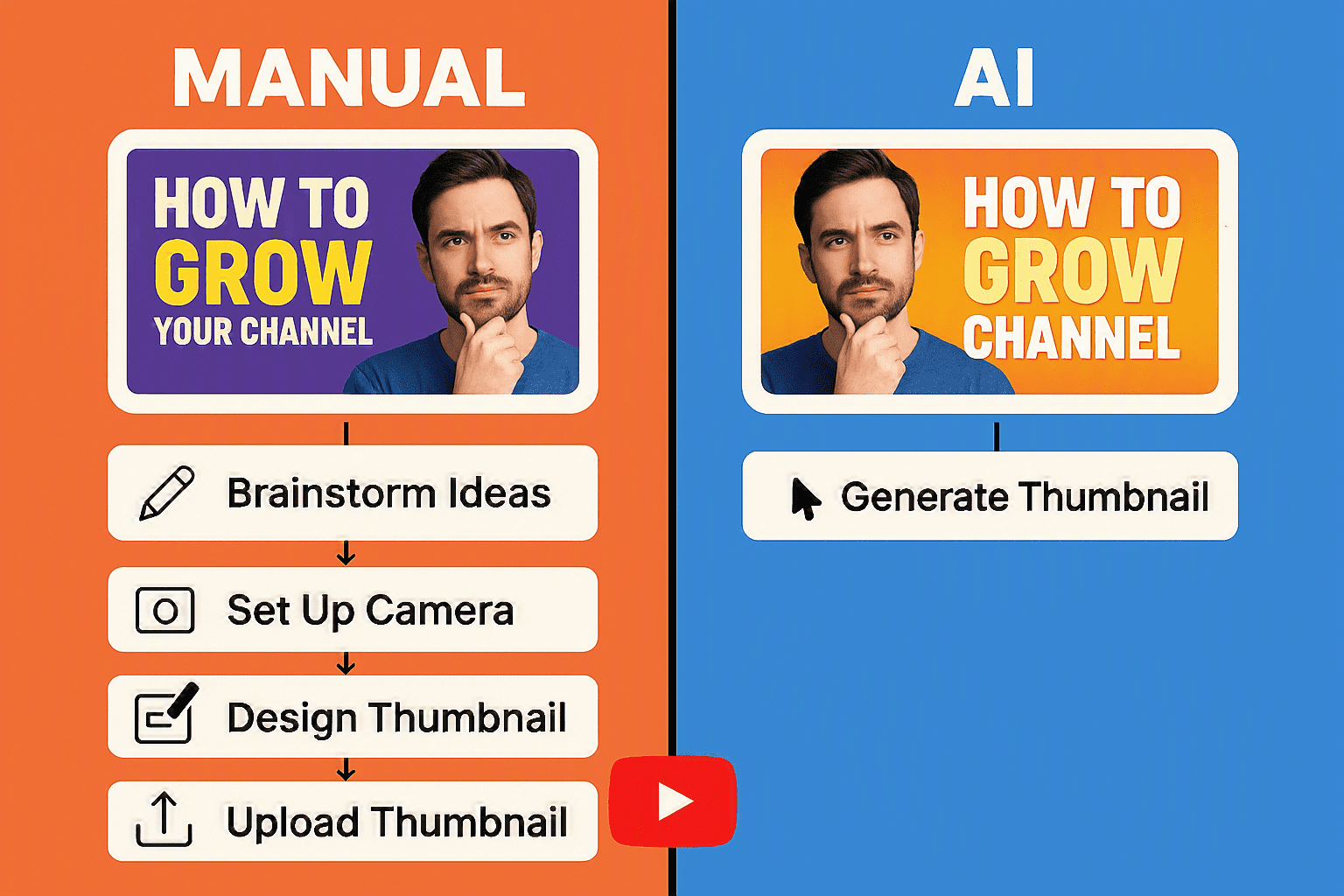
AI tools remove the blank canvas problem. Instead of starting from zero, you get a visual direction immediately, which you can then refine. For creators who aren’t designers, this reduces the anxiety of making design decisions from scratch.
Speed is the other major advantage. What might take 30–60 minutes of manual work in a traditional design tool can often be compressed to 5–10 minutes with a well-configured AI workflow — especially for creators who’ve built a consistent visual style.
AI tools are particularly strong at generating background visuals, suggesting color palettes, and producing variations quickly for comparison.
Limitations of AI Thumbnail Tools
AI thumbnail generators don’t know your audience the way you do. They can optimize for general patterns, but they can’t predict how your specific viewers will respond to a particular emotional tone or inside reference.
Text rendering inside AI-generated images remains inconsistent. Tools like Adobe Express and Microsoft Designer can overlay text reliably, but purely generative tools sometimes struggle to render legible text within the image itself. The workaround — generate the image, then add text in a design tool — is functional but adds a step.
AI-generated visuals can also start to look similar across creators in the same niche. If you’re generating from the same prompts as everyone else, you may end up with thumbnails that look like the category average rather than something distinctive.
When Manual Editing is Still Better
Manual design makes sense when you want to use a specific photo of yourself or your subject that requires precise framing and expression selection. AI can assist with the layout around that photo, but the photo selection itself is a creative judgment call.
If your brand is built around a very specific, recognizable visual identity — consistent color schemes, recurring graphic elements, a signature style — manual control often produces better consistency than AI generation. Some creators use AI for background elements and handle all other layout work manually for this reason.
How to Create Better AI Thumbnails
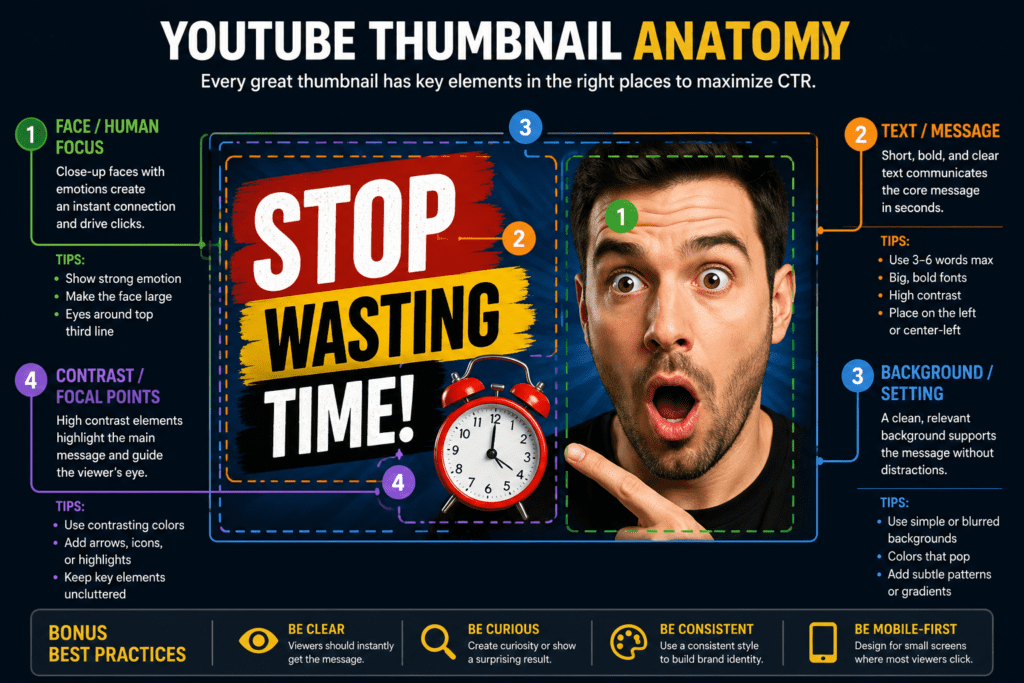
Getting the best output from any AI thumbnail generator starts before you hit generate. These practices make a measurable difference:
Write specific prompts. “A YouTube thumbnail” as your prompt produces generic results. “A high-contrast YouTube thumbnail showing a dramatic reaction face in the foreground, bold white text in the upper third, dark blue gradient background, tech channel style” produces something much more usable. The more visual specificity you provide, the closer the first output will be to what you need.
Prioritize faces and emotion. Thumbnails featuring human faces consistently outperform those without them, according to multiple YouTube analytics studies. In 2026, the trend has moved toward genuine micro-expressions — curiosity, quiet surprise, focused intensity — rather than exaggerated “reaction face” expressions. When uploading a reference face photo, choose one where the expression reads clearly even at small size.
Contrast over beauty. A visually striking thumbnail that stands out in a feed of competing videos will outperform a beautifully designed thumbnail that blends in. High contrast between text and background, and between your subject and the background, is the most reliable starting point.
Design for mobile first. The majority of YouTube viewing happens on phones. Your thumbnail needs to be readable at approximately 160×90 pixels — the size it appears in a mobile search result. Test your thumbnail at reduced size before finalizing. Text that looks readable at full size often becomes illegible at mobile display size.
Keep text to three words or fewer when possible. Your title handles the full context. The thumbnail’s text job is to add emotional weight or create a curiosity gap in very few words. Long text strings are almost never readable at mobile thumbnail size anyway.
Use whitespace intentionally. Cluttered thumbnails lose visual focus. Leave deliberate space around your main subject to direct the viewer’s eye.
Maintain color consistency across your channel. Viewers who’ve watched your content before may recognize your channel’s visual style before reading your name. A consistent palette or recurring color element in thumbnails supports channel recognition.
Test variations. Most serious YouTube creators report that A/B testing thumbnails — publishing one, then swapping to another after a defined period — is one of the highest-impact optimizations available. Tools like TubeBuddy’s A/B thumbnail test feature can automate this. Even without automated testing, switching a thumbnail manually after initial publication and comparing performance is informative.
Use color psychology to set the right tone. Warm palettes (orange, red, yellow) signal energy and urgency. Cool palettes (blue, green) signal trust and calm. Neither is inherently better — but there should be an intentional relationship between the emotional tone of your video and the colors in your thumbnail.
Generate multiple variations. Don’t stop at the first output an AI tool gives you. Generate 3–5 variations and compare them at reduced size. The one that reads clearest at mobile size is usually the strongest candidate.
Common Mistakes to Avoid
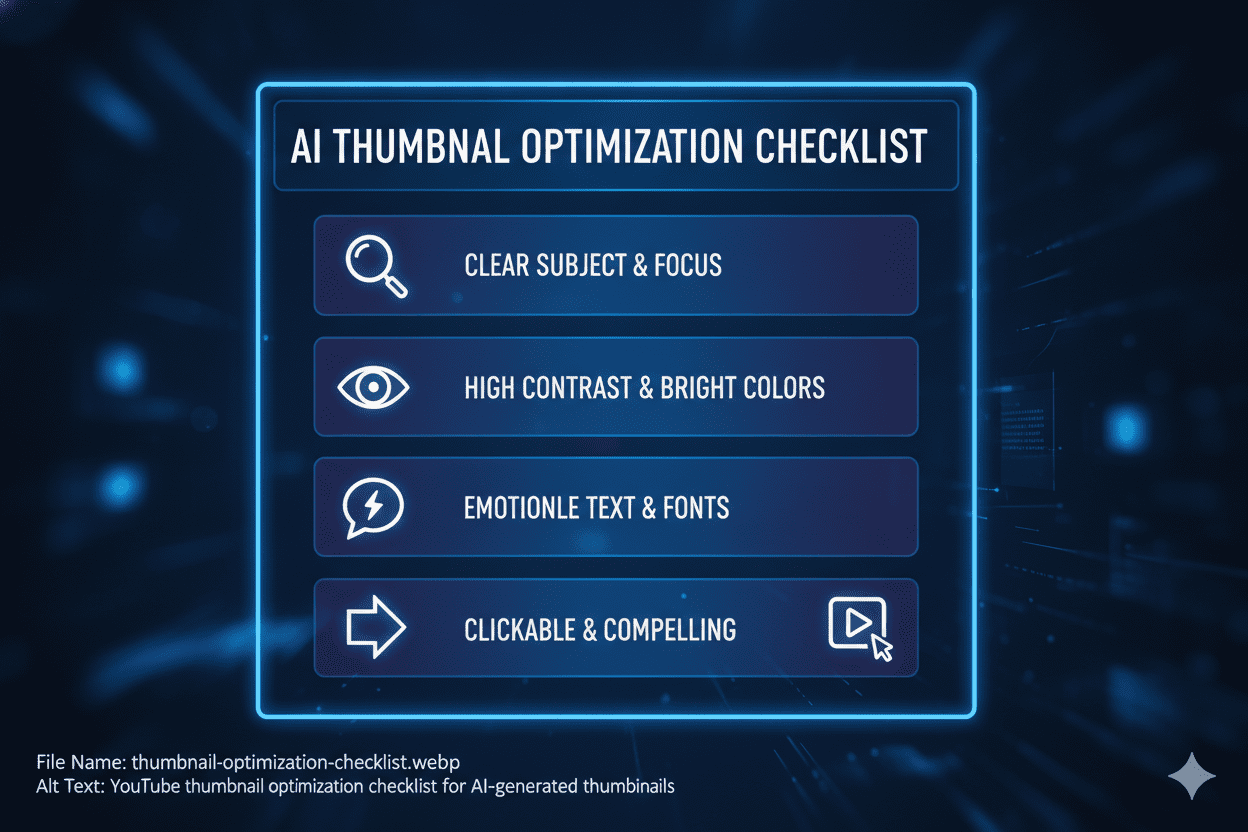
Using too much text. Three words max is a useful guideline. Beyond that, text becomes unreadable at mobile size and competes with the visual.
Generating and publishing without testing at small size. What looks good at 1280×720 in a design tool doesn’t always hold up at the sizes YouTube actually displays thumbnails in search and browse feeds. Always check at reduced size.
Relying entirely on AI without personalizing. AI-generated thumbnails that aren’t adjusted for your specific channel — your visual style, your typical color palette, your audience’s expectations — tend to look generic. One targeted edit to the output can make a significant difference.
Choosing style over clarity. A visually elaborate thumbnail that makes the viewer work to understand what the video is about will underperform a simpler thumbnail that communicates the value proposition immediately.
Ignoring your niche’s conventions. Thumbnail conventions differ significantly by category. Gaming thumbnails, tutorial thumbnails, and personal finance thumbnails have developed distinct visual languages. Understanding what works in your specific niche before generating is useful context to build into your prompts.
Not varying thumbnails across your upload history. If every thumbnail looks nearly identical, viewers who’ve already seen your content will have difficulty distinguishing new videos from ones they’ve watched. Some visual variation — while maintaining brand consistency — helps returning viewers identify new content.
Frequently Asked Questions
What is the best free AI thumbnail generator for YouTube in 2026? The answer depends on your workflow. For beginners who want templates and editing tools, Canva’s free tier is the most accessible option. For creators who want YouTube-specific CTR optimization without paying, vidIQ’s free plan offers genuine platform intelligence.
For the best AI image quality at no cost, Microsoft Designer’s generous free tier or Adobe Express’s 25 monthly credits provide strong results. No single tool is best for everyone.
Do free AI thumbnail generators add watermarks? It varies. Canva, Adobe Express, Microsoft Designer, vidIQ, and Thumbmagic’s free tier do not add watermarks to standard exports. InVideo and Fotor’s free plans do include watermarks. Always check the current terms for each tool, as free plan features change frequently.
What size should a YouTube thumbnail be? YouTube’s recommended size is 1280×720 pixels (16:9 aspect ratio). The maximum file size is 2MB. Accepted formats are JPG, PNG, GIF, and BMP. Most AI thumbnail tools have a YouTube preset that handles these dimensions automatically.
Can AI really generate thumbnails that get clicks? AI tools generate layouts based on patterns from high-performing content, which gives them a reasonable statistical basis. But click-through rate ultimately depends on how well your thumbnail matches your specific audience’s interests and your channel’s established expectations.
AI is a strong starting point, not a guaranteed result. Testing different versions and learning from real performance data is always more reliable than relying entirely on any tool’s claims.
Do I need design experience to use these tools? No. Tools like Canva, Microsoft Designer, and vidIQ are designed for users without design backgrounds. The primary skill required is knowing your own content well enough to describe or select thumbnail elements that represent it accurately.
Can AI generate text inside thumbnails accurately? Text rendering inside pure AI-generated images remains a limitation for several tools. Midjourney and Leonardo.ai sometimes produce distorted or misspelled text in generated images.
Tools like Adobe Express (Firefly), Canva, and Simplified handle text more reliably because they overlay text as a separate design element rather than generating it within the image. If accurate in-image text is important, use a tool that separates image generation from text overlay.
Is the AI-generated content from these tools commercially safe? It varies by tool. Adobe Express uses Firefly, which is trained exclusively on licensed and public domain content — this is its strongest commercial safety advantage.
Other tools use models with different training data, and commercial rights policies vary. If you’re monetizing content, review the commercial use terms for any tool you plan to use. When in doubt, Adobe Express’s Firefly is the most clearly safe option.
How many thumbnails can I generate for free? Free tier limits vary significantly. Adobe Express gives 25 generative credits per month. Microsoft Designer is more generous with fewer hard limits. Canva’s free tier limits daily AI generations.
Thumbmagic offers 3 free generations (6 thumbnails). vidIQ’s thumbnail maker is included free with a standard account, though generation caps may apply. For creators uploading multiple videos weekly, most free tiers will require either managing usage carefully or upgrading to a paid plan.
Can I use these tools on my phone? Yes. Canva, Adobe Express, Microsoft Designer, vidIQ, and InVideo all have mobile-accessible interfaces. vidIQ’s thumbnail maker specifically notes that mobile generation works in the browser. Canva has iOS and Android apps. Check each tool’s mobile availability before committing if mobile is your primary device.
What’s the difference between a thumbnail generator and a thumbnail maker? In practice, people use these terms interchangeably. Some tools lean toward “generation” — producing original visuals from text prompts — while others lean toward “making” — providing templates you customize. Most modern tools offer both capabilities.
Should I use an AI thumbnail tool if I already know Photoshop? Possibly. Even experienced designers use AI tools to speed up the background creation stage. Generating several background options from a prompt, then finishing the layout and typography in Photoshop, can be faster than building everything from scratch. AI tools and manual editing aren’t mutually exclusive.
How do I know which thumbnail style works for my niche? The most direct approach is to look at high-performing videos in your category and observe the patterns.
What’s the typical relationship between face and text? What color palettes appear most often? Do successful thumbnails in your niche tend toward simplicity or visual complexity? Competitors’ thumbnails are a more useful reference than any general guide — because they reflect what’s working with the specific audience you’re trying to reach.
You can also look at [internal link: YouTube SEO tools] that analyze thumbnail performance data by category.
Final Verdict
Thumbnail design has become substantially more accessible for independent creators in 2026. The gap between a professional-looking thumbnail and what a small channel can produce with free tools has narrowed significantly.
The tools that stand out depend on what you’re prioritizing:
If you’re just getting started and want the lowest barrier to a good-looking thumbnail, Canva’s free tier is the most pragmatic choice. The template library is large, the interface is intuitive, and there’s no watermark. The AI generation has limits, but the templates alone are sufficient for many use cases.
If you want genuinely free AI generation without watermarks and without strict credit limits, Microsoft Designer is underused and worth testing. The complete layout suggestions it generates are more immediately usable than tools that only produce background images.
If you’re already in the Adobe ecosystem and commercial safety matters to you, Adobe Express gives you Firefly Image 4’s quality on 25 free monthly credits. The credits go fast, but the image quality and copyright clarity are meaningful advantages.
If YouTube CTR optimization is the primary goal, vidIQ’s free thumbnail maker is the most platform-native option available at no cost. It’s trained on real YouTube performance data, and the URL input creates thumbnails with genuine context about your content.
If you want maximum AI image quality for stylized or cinematic thumbnails, Leonardo.ai’s free tier combined with Canva for layout work costs nothing and produces results that are hard to match at the free tier.
Here is the updated conclusion paragraph with ytZolo seamlessly integrated:
No tool currently offers unlimited AI generation, professional image quality, YouTube-specific CTR intelligence, and zero watermarks on a completely free plan. The tools that get closest to that ideal combination are Canva + Microsoft Designer + vidIQ used together — all free, covering different parts of the workflow. According to ytZolo, combining these platforms is the smartest, most cost-effective strategy for creators looking to maximize their click-through rates without breaking the bank.
Author Bio
Anshika Verma is an SEO content writer and AI tools researcher at ytZolo specializing in YouTube growth and generative AI. She creates evidence-based, reader-first content that helps creators optimize workflows and compare AI tools through practical testing.


Pingback: Best Video Title Generator – AI Tools for YouTube 2026