
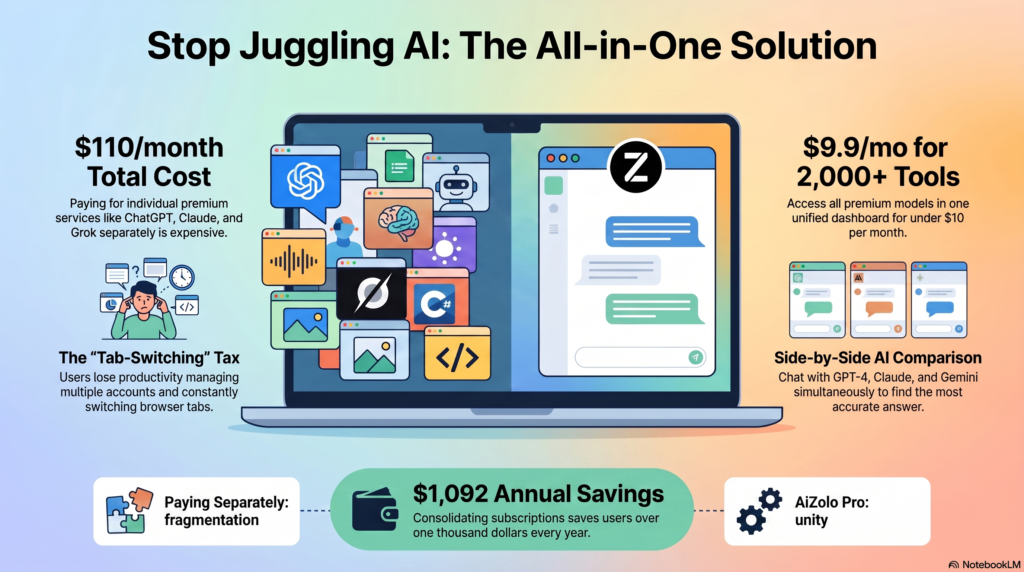
Last month I added up my own AI bill. ChatGPT Plus. Claude Pro. A separate image generator. A voice tool for a side project. It came to just over $90 a month, and I hadn’t even touched video generation yet.
I’m not alone. If you’ve searched for all AI tools in one website, you’ve probably hit the same wall: every individual AI tool is excellent at one thing, and terrible at making you pay for six different subscriptions at once.
That frustration is exactly why multi-model platforms such as AiZolo have started gaining attention. Instead of managing separate accounts for different AI models and creative tools, these platforms aim to bring everything together in one dashboard with a single subscription.
This guide is the resource I wish existed when I started comparing options. It explains what an all-in-one AI website actually is, how these platforms work under the hood, and walks through 18 real platforms—including AiZolo, chat aggregators, individual frontier models, and specialist AI tools—with honest pricing, pros, cons, and who each one actually suits. No invented reviews, no inflated stats. Where a number comes from a source, that source is named.
If you just want the short version — which AI tool is most popular right now and why — start with our most popular AI tools guide. This page is the deep version: full pricing, feature-by-feature comparison, and a decision framework for all 18 platforms, for when you’re ready to actually decide.
Table of Contents
What Is an All AI Tools Website?
An all AI tools website is a single platform — usually a web app plus a dashboard — that gives you access to multiple AI models and AI-powered tools from one login and one bill.
Instead of separate accounts for a chatbot, an image generator, a voice tool, and a coding assistant, you sign into one interface and switch between them. Some platforms host the tools themselves. Others act as a control layer that routes your requests to the underlying providers (OpenAI, Anthropic, Google, and so on) using API access, then presents the results in one place.
This is different from an AI directory, which is just a list of tools with links out to each one. An all-in-one platform actually lets you use the tools inside its own interface.
Why People Are Switching
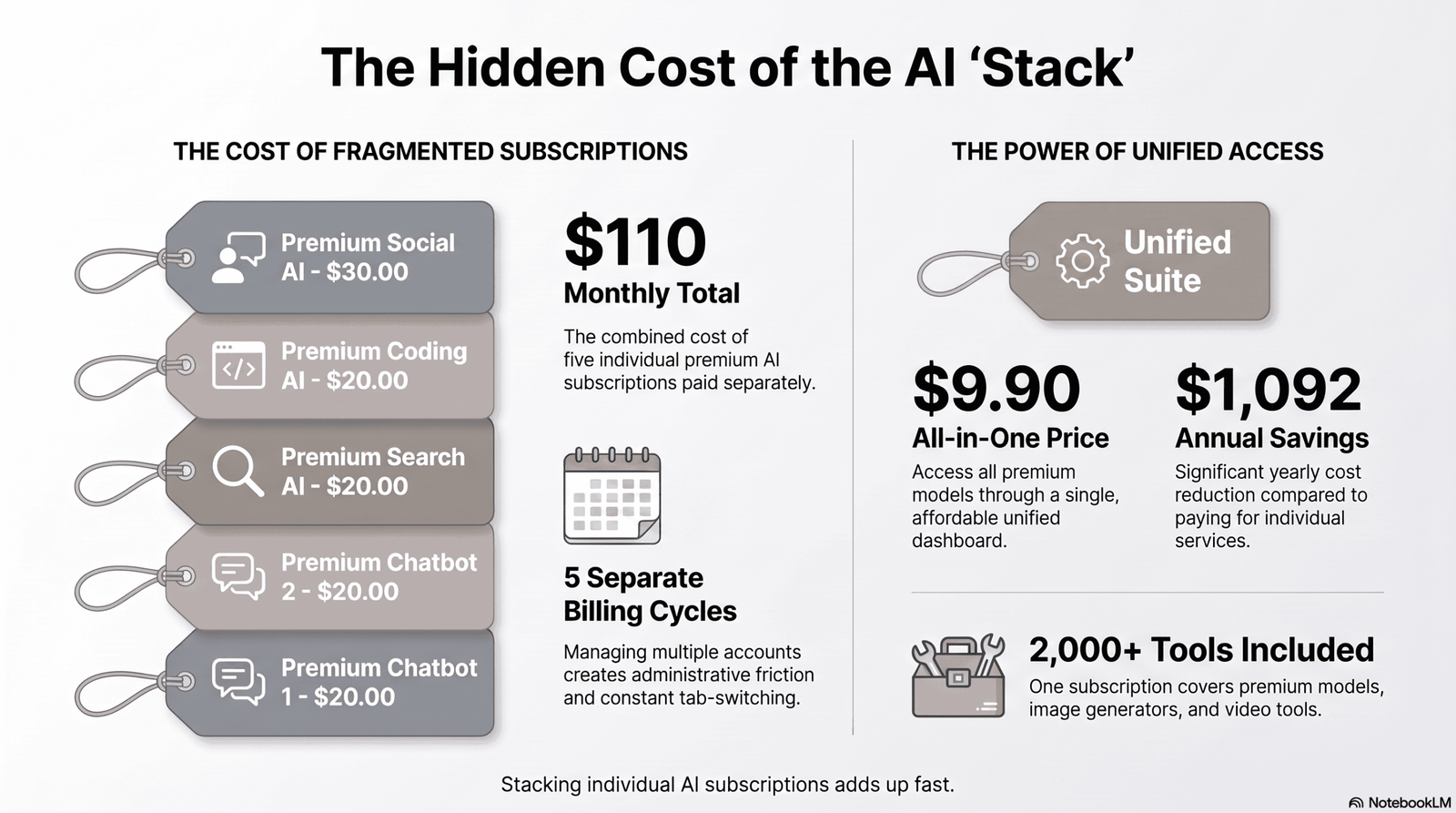
Stacking three or four $20/month subscriptions adds up fast — we walk through the exact math and the adoption trend behind it in our most popular AI tools guide. Short version: once you’re regularly using more than one model, an aggregator usually wins on straight cost.
There’s a second, quieter cost: context switching. Copying a prompt from ChatGPT into Claude to compare answers, then into Gemini to check a fact, wastes real time — even if none of the subscriptions were expensive.
An aggregator solves both problems at once: one bill, one login, and (in the better platforms) the ability to run the same prompt across models side by side.
How These Platforms Work
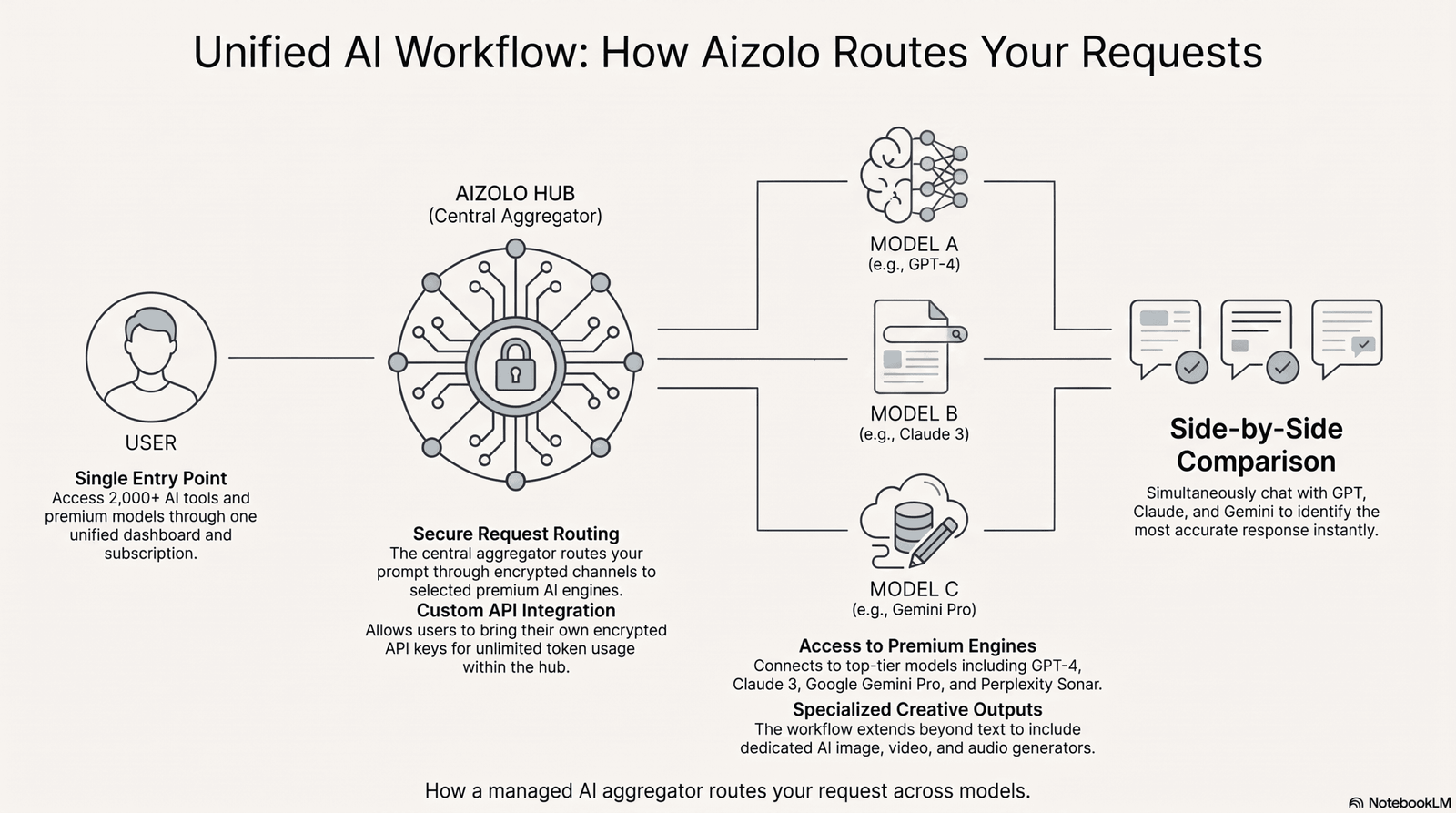
Most all-in-one AI platforms use one of two technical approaches:
Managed access. The platform pays for API access to multiple providers (OpenAI, Anthropic, Google, xAI, and others) in bulk, then resells that access to you inside a single subscription. You never see an API key — you just chat.
Bring-your-own-key (BYOK). You connect your own API keys from OpenAI, Anthropic, or Google, and the platform provides the interface, memory, prompt library, and comparison tools on top. This model usually costs less because you’re paying providers directly for usage and the platform only for the interface layer.
Some platforms, like AiZolo, support both — a managed subscription for people who want to start immediately, plus encrypted custom API key support for people who already have provider accounts and just want a better front end.
Types of All-in-One AI Platforms
Not every “all AI tools” website is the same kind of product. Four types dominate the category:
AI suites bundle a handful of tightly integrated tools — writing, image, sometimes video — under one brand, built by a single company end to end. Think of these as vertically integrated: fewer models, but deeper feature integration.
AI marketplaces / aggregators connect you to many third-party models (GPT, Claude, Gemini, Grok, Llama, and others) through one chat interface, often with side-by-side comparison. This is the category most “all AI tools in one website” searches are actually looking for.
AI directories are link farms — useful for discovery, not for actually using tools. If a site’s main feature is a searchable list with outbound links, it’s a directory, not an all-in-one platform.
AI workspaces embed AI features inside an existing productivity tool (a notes app, a spreadsheet, a design tool) rather than offering a standalone chat experience. Notion AI and Canva’s Magic Studio fall here.
Quick Comparison Table
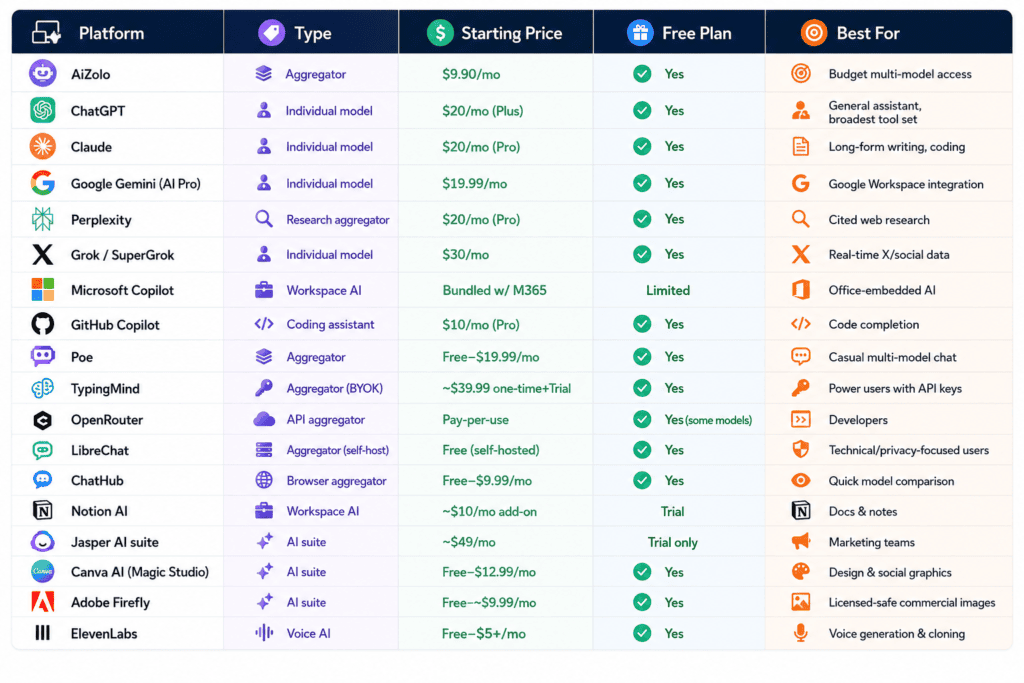
| Platform | Type | Starting Price | Free Plan | Best For |
|---|---|---|---|---|
| AiZolo | Aggregator | $9.90/mo | Yes | Budget multi-model access |
| ChatGPT | Individual model | $20/mo (Plus) | Yes | General assistant, broadest tool set |
| Claude | Individual model | $20/mo (Pro) | Yes | Long-form writing, coding |
| Google Gemini (AI Pro) | Individual model | $19.99/mo | Yes | Google Workspace integration |
| Perplexity | Research aggregator | $20/mo (Pro) | Yes | Cited web research |
| Grok / SuperGrok | Individual model | $30/mo | Yes | Real-time X/social data |
| Microsoft Copilot | Workspace AI | Bundled w/ M365 | Limited | Office-embedded AI |
| GitHub Copilot | Coding assistant | $10/mo (Pro) | Yes | Code completion |
| Poe | Aggregator | Free–$19.99/mo | Yes | Casual multi-model chat |
| TypingMind | Aggregator (BYOK) | ~$39.99 one-time+ | Trial | Power users with API keys |
| OpenRouter | API aggregator | Pay-per-use | Yes (some models) | Developers |
| LibreChat | Aggregator (self-host) | Free (self-hosted) | Yes | Technical/privacy-focused users |
| ChatHub | Browser aggregator | Free–$9.99/mo | Yes | Quick model comparison |
| Notion AI | Workspace AI | ~$10/mo add-on | Trial | Docs & notes |
| Jasper | AI suite | ~$49/mo | Trial only | Marketing teams |
| Canva AI (Magic Studio) | AI suite | Free–$12.99/mo | Yes | Design & social graphics |
| Adobe Firefly | AI suite | Free–~$9.99/mo | Yes | Licensed-safe commercial images |
| ElevenLabs | Voice AI | Free–$5+/mo | Yes | Voice generation & cloning |
Prices change often — always confirm current pricing on the provider’s own pricing page before subscribing.
18 Platforms Reviewed in Detail
1. AiZolo
Overview: AiZolo is a multi-model aggregator built around a simple pitch: pay one subscription, get access to GPT, Claude, Gemini, and other premium models through a single dashboard, with side-by-side comparison built in.
Best for: Anyone currently paying for two or more separate AI subscriptions who wants to consolidate.
Key features: Simultaneous multi-model chat and comparison, encrypted custom API key support (bring your own OpenAI/Anthropic/Google keys for unlimited usage), an AI image, video, and audio generator, a prompt manager, persistent AI memory, and one-click chat import from ChatGPT or Claude.
Pros: Meaningfully cheaper than stacking individual subscriptions; BYOK option gives you control over usage costs; comparison view is genuinely useful for fact-checking answers across models.
Cons: As a newer aggregator, it doesn’t have the brand history of OpenAI or Anthropic; monthly token allowances apply on the managed plan, so very heavy users will want the BYOK option.
Pricing: Free tier with limited tokens; Pro at $9.90/month with 3,000,000 tokens/month across premium models; a discounted yearly plan.
Limitations: Feature depth in any single category (e.g., video generation) won’t match a dedicated specialist tool.
What the token allowance actually covers: 3,000,000 tokens/month on the $9.90 Pro plan works out to roughly 400-600 back-and-forth chat exchanges with a premium model in a typical month, depending on how long your prompts and responses run — enough for daily use by one person, but teams running multiple long documents through it regularly should expect to lean on BYOK before the cycle resets.
Who should use it: Freelancers, students, and small teams who want breadth without five separate bills. If you’re deciding between this and paying for ChatGPT Plus alone, this ChatGPT Plus comparison walks through the trade-offs in more detail.
Real-world use case: A freelance content writer who previously paid for ChatGPT Plus and a separate Claude subscription to cross-check long-form drafts can run both models on the same prompt in one tab instead of two logins.
2–7. ChatGPT, Claude, Gemini, Perplexity, Grok, and Microsoft Copilot
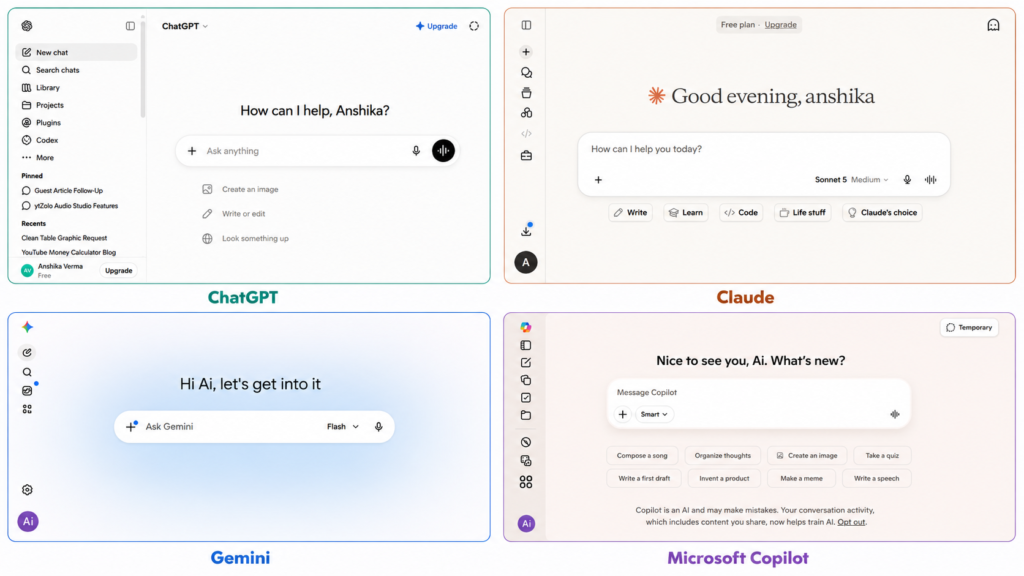
These are the individual frontier models and workspace tools most people already know by name. Rather than repeat the full pros/cons/pricing breakdown here — you can find that in our AI tools like ChatGPT comparison — here’s the one-line version of where each stands and who it’s for:
ChatGPT (OpenAI) — the broadest single-tool feature set (writing, image gen, voice, agents); best if you want one dependable generalist and don’t need side-by-side comparison. Full review →
Claude (Anthropic) — strongest for long-document reasoning and coding, but no dedicated video generator and limited image generation. Full review →
Google Gemini (AI Pro) — the clear pick if you already live inside Gmail/Docs/Drive; value drops fast outside the Google ecosystem. Full review →
Perplexity — a research specialist, not a creative suite; best when you need cited, verifiable answers over open-ended writing. Full review →
Grok / SuperGrok (xAI) — the only major assistant with real-time X data baked in, at roughly 50% above the standard $20/month tier. Full review →
Microsoft Copilot — makes sense only if you’re already paying for an eligible Microsoft 365 plan; it’s an in-app layer, not a standalone chatbot. Full review →
Any one of these is a perfectly good standalone choice if you only need one AI category. The case for an aggregator — covered next — is that you don’t have to pick just one.
8. GitHub Copilot
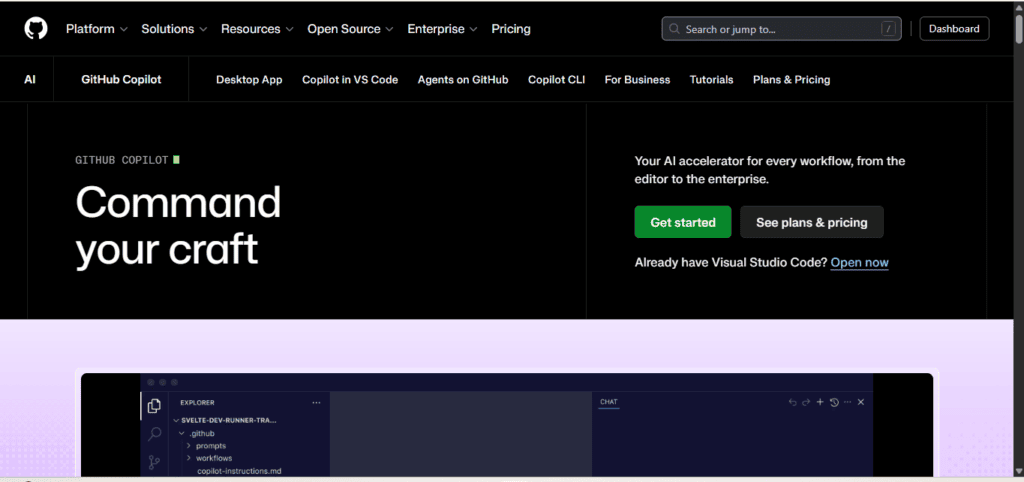
Overview: Microsoft/GitHub’s AI coding assistant, supporting inline completions, chat, agentic pull request generation, and multi-model access (OpenAI, Anthropic, and Google models) inside your IDE.
Best for: Developers who want AI assistance without leaving their existing editor.
Key features: Inline code completions, Copilot Chat, Agent Mode for autonomous PR generation, and Model Context Protocol (MCP) support for connecting external tools.
Pros: Widest IDE support of any coding assistant, with more than 20 million reported users; multi-model choice inside one subscription.
Cons: Moved to a usage-based “AI Credits” billing model on June 1, 2026, which makes costs harder to predict for heavy agentic use than the old flat-fee system.
Pricing: Free tier with limited completions; Pro at $10/month including $10 of monthly AI Credits; Pro+ and Max tiers above that for heavier users; Business at $19/user/month.
Limitations: Agentic workflows and code review consume credits quickly once you exceed the included allowance.
Who should use it: Individual developers and small teams who want AI help inside VS Code, JetBrains, or similar editors without switching tools.
Real-world use case: A backend developer uses Agent Mode to turn a GitHub issue into a draft pull request overnight, then reviews and refines it the next morning.
9. Poe
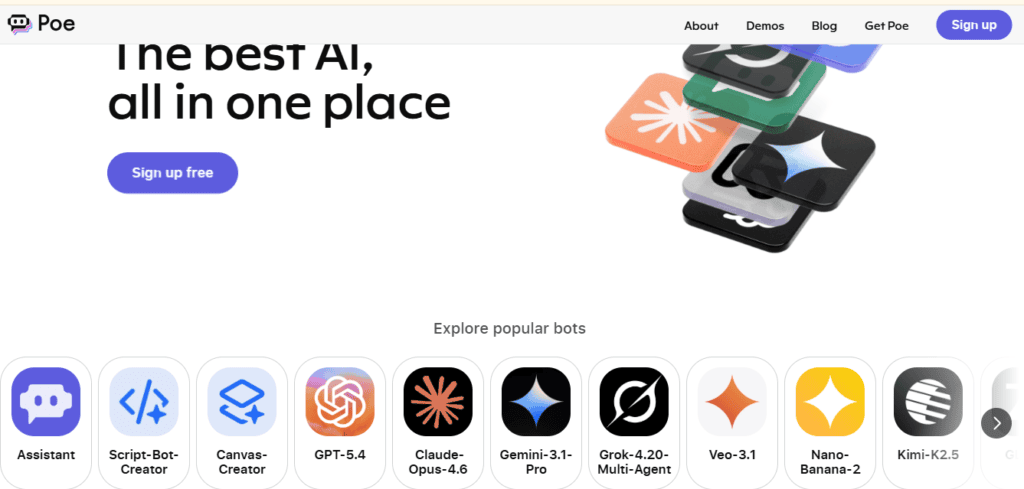
Overview: Quora’s multi-model chat platform, letting you access GPT, Claude, Gemini, Llama, and many niche or user-created bots from one interface.
Best for: Casual users who want to try multiple models without separate subscriptions.
Key features: A large catalog of bots (both official models and community-built), and a points-based usage system across models.
Pros: Easy way to sample many models before committing to a direct subscription; simple, familiar chat interface.
Cons: Points-based pricing can be confusing to budget against for heavy daily use.
Pricing: Free tier available; paid plans roughly $19.99–$24.99/month depending on region and promotion.
Limitations: Fewer built-in productivity features (no prompt manager, limited memory) compared to dedicated aggregators. Our AiZolo vs Poe comparison breaks down the differences if you’re choosing between the two.
How the points system actually works: every message costs a different number of points depending on which model answers it — a quick reply from a smaller/cheaper model might cost a handful of points, while a message to a top-tier model like GPT-5 or Claude’s largest model can cost 10-20x as many.
That’s what makes it hard to budget: two people on the same $19.99 plan can run out of points at very different points in the month purely based on which bots they favor.
Who should use it: People who want to experiment across many models casually rather than build a serious daily workflow around one.
Real-world use case: A hobbyist writer tries the same short story prompt across five different models to see which style they prefer, without signing up for five accounts.
10. TypingMind
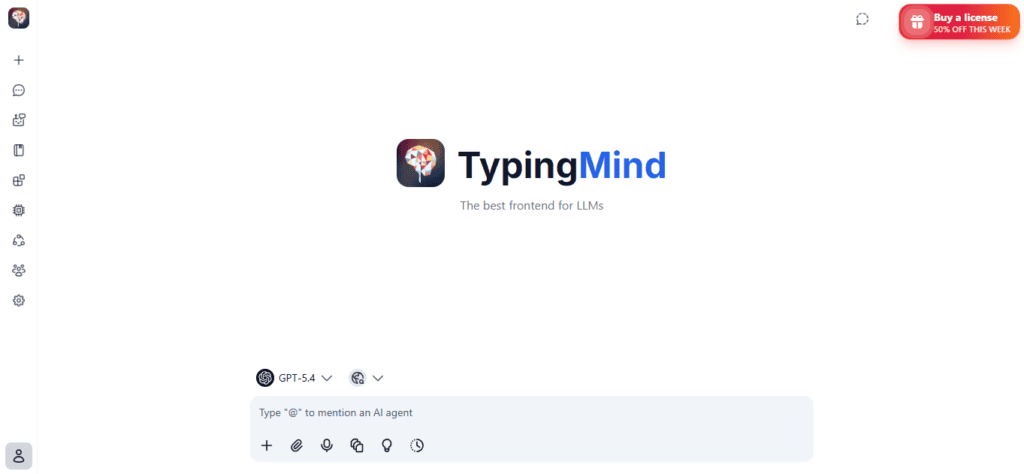
Overview: A bring-your-own-key chat interface that sits on top of OpenAI, Anthropic, and other provider APIs, aimed at power users who want a better front end than the official apps.
Best for: Technical users who already have API keys and want more control (custom instructions, plugins, team workspaces) than the stock chat apps provide.
Key features: Custom system prompts, plugin support, multi-model switching, and team/workspace management.
Pros: Because you supply your own API keys, you only pay providers for actual usage — no markup on tokens.
Cons: Requires comfort with API keys and usage-based billing; not beginner-friendly.
Pricing: One-time or subscription license fee (roughly $39.99 and up depending on plan) plus your own separate API costs.
Limitations: No built-in image/video/voice generation of its own — it’s a chat front end, not a creative suite. See the AiZolo vs TypingMind comparison for a side-by-side on managed vs BYOK pricing.
What “team workspaces” includes: shared prompt libraries across a team, per-member API key management (so a company can centralize billing while still tracking individual usage), and role-based access to custom system prompts and plugins. It’s aimed at small teams who’ve already standardized on specific providers and want one shared interface rather than each person running their own local setup.
Who should use it: Developers and technical power users who already manage API keys and want a nicer interface than raw API playgrounds.
Real-world use case: A developer who already pays OpenAI and Anthropic directly for API usage wants a single polished chat UI instead of juggling two separate playgrounds.
11. OpenRouter
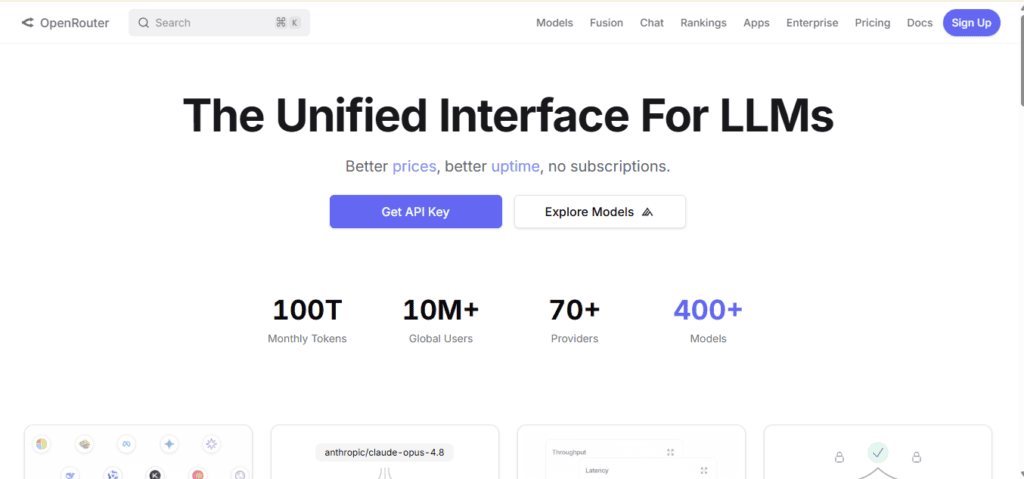
Overview: A developer-focused API aggregator that routes requests to dozens of models (OpenAI, Anthropic, Google, Meta, Mistral, and more) through one unified API endpoint.
Best for: Developers building their own applications on top of multiple AI models.
Key features: Single API key for many providers, automatic fallback between models, and transparent per-token pricing across each model.
Pros: Extremely flexible for developers; pay-as-you-go pricing avoids subscription lock-in; some models are free to use.
Cons: Not a consumer chat app — it’s infrastructure, so non-technical users will need a front end built on top of it.
Pricing: Pay-per-use, priced per model at rates close to each provider’s direct API pricing, plus a small platform fee on some models.
Limitations: No native chat interface, memory, or creative tools out of the box. The AiZolo vs OpenRouter comparison is useful if you want the flexibility of multi-model routing without building your own front end.
How automatic fallback works: you can configure a priority order of models for a given request; if the primary model is rate-limited, down, or returns an error, OpenRouter automatically retries the request against the next model in your list without any code change on your end. This matters most for production apps where uptime depends on not being tied to a single provider’s availability.
Who should use it: Developers and technical teams building products, not individuals who just want to chat.
Real-world use case: A startup builds an internal support tool that automatically falls back to a second model if the primary one is rate-limited, without changing any application code.
12. LibreChat
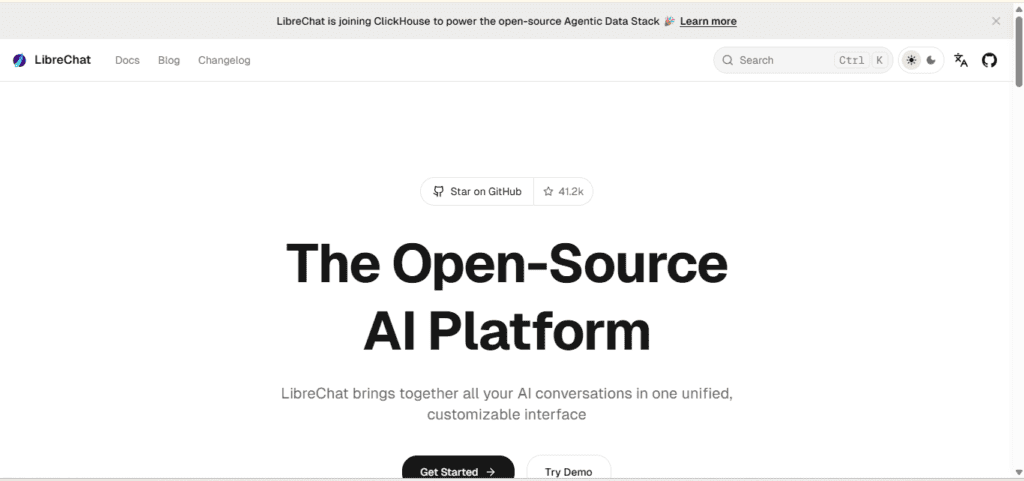
Overview: An open-source, self-hostable chat interface that connects to multiple AI providers, popular with privacy-conscious technical users.
Best for: Teams that want full control over data and hosting, and are comfortable self-managing infrastructure.
Key features: Multi-model support, plugin architecture, self-hosted deployment, and no vendor lock-in.
Pros: Free and open source; complete control over where data is stored and processed.
Cons: Requires technical setup and ongoing maintenance — this is not a “sign up and go” product.
Pricing: Free to self-host; your only costs are hosting infrastructure and the API usage you connect.
Limitations: No managed support line; you’re responsible for updates, security, and uptime. The AiZolo vs LibreChat comparison covers the trade-off between self-hosting and a managed subscription in more depth.
What self-hosting actually involves: LibreChat ships as a Docker Compose setup, so standing up an instance is closer to “run a docker command and point it at a server” than a from-scratch build — but you’re still responsible for the server itself, SSL, backups, and applying updates as new versions ship. The plugin architecture lets you wire in your own tools (web search, code execution, custom APIs) rather than being limited to whatever the hosted aggregators bundle in.
Who should use it: Engineering teams and privacy-sensitive organizations with the in-house skill to self-host.
Real-world use case: A healthcare-adjacent startup self-hosts LibreChat to keep all AI conversation data on infrastructure it fully controls, for compliance reasons.
13. ChatHub
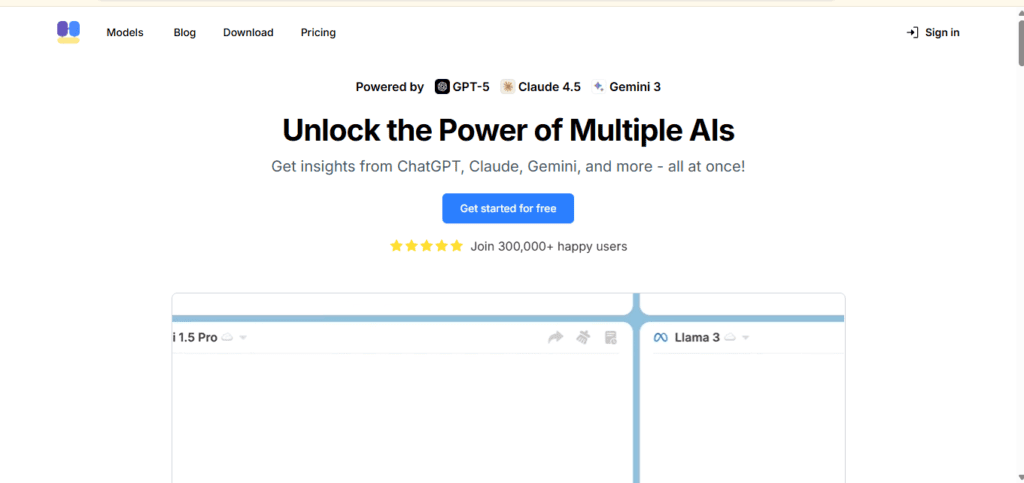
Overview: A lightweight browser-based tool (and extension) for running the same prompt across multiple chatbots side by side.
Best for: Quick, casual comparison between models without a full subscription commitment.
Key features: Side-by-side multi-model chat in one browser tab, and a Chrome extension for quick access.
Pros: Very low barrier to entry; good for spot-checking how different models answer the same question.
Cons: Thinner feature set than dedicated aggregators — no built-in image/video generation, limited memory features.
Pricing: Free tier available; paid plan around $9.99/month for higher usage limits.
Limitations: Best suited to comparison, not sustained daily workflows. The AiZolo vs ChatHub comparison covers this distinction in more detail.
What the side-by-side view looks like: ChatHub splits the screen into parallel columns, one per selected model, and sends your single prompt to all of them at once so responses stream in next to each other rather than in separate tabs. You pick which 2-4 models appear as columns before sending; it’s built entirely around that comparison moment rather than sustained back-and-forth with one model.
Who should use it: Anyone who wants a fast way to compare two or three models’ answers without switching tabs.
Real-world use case: A student checking a tricky math explanation runs the same question through three models at once to see which explanation actually makes sense.
14. Notion AI
Overview: AI features built directly into the Notion workspace app — summarizing, drafting, and searching across your notes and docs.
Best for: Teams that already live inside Notion for documentation and project management.
Key features: In-line writing assistance, page summarization, Q&A across your workspace content, and meeting notes support.
Pros: No context switching — AI works where your documents already live.
Cons: Limited outside the Notion ecosystem; not a general-purpose chatbot replacement.
Pricing: Add-on to a Notion plan, roughly $10/member/month depending on plan and billing cycle.
Limitations: No image, video, or voice generation; purely a productivity-embedded writing and search assistant.
Who should use it: Teams already using Notion for wikis, docs, and project tracking.
Real-world use case: A product team asks Notion AI to summarize six weeks of scattered meeting notes into a single decision log.
15. Jasper
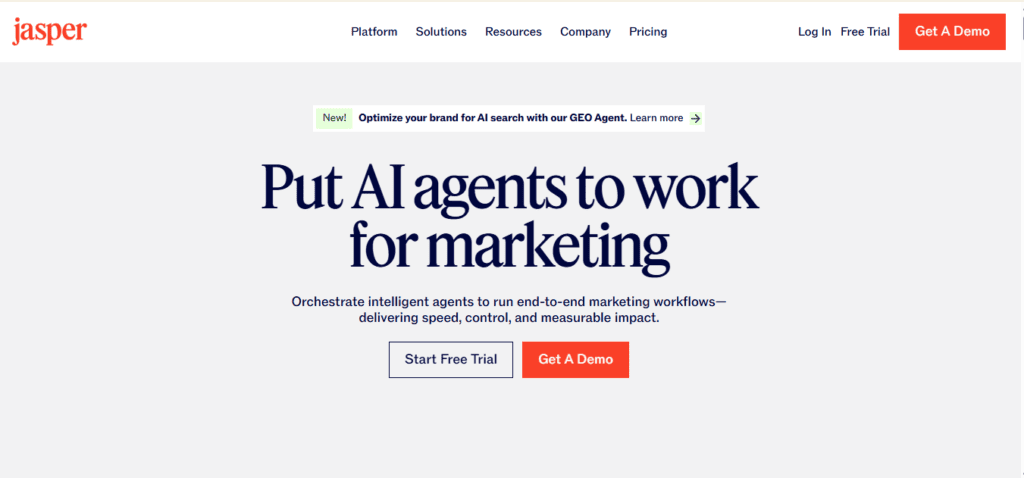
Overview: An AI suite purpose-built for marketing teams, with brand-voice training and templates for ads, landing pages, and email campaigns.
Best for: Marketing teams producing high volumes of on-brand content.
Key features: Brand Voice training, campaign templates, an AI image suite, Surfer SEO integration, and multi-language support.
Pros: Strong workflow and collaboration features built specifically for marketing teams, not just individual writers.
Cons: Priced well above general assistants, and the value only shows up at real content volume — overkill for solo users.
Pricing: Plans start around $49/month for individuals, scaling higher for teams; no permanent free tier, trial only.
Limitations: Narrower general-purpose reasoning than ChatGPT or Claude; it’s a content-production tool, not a research or coding assistant.
Who should use it: Marketing teams and agencies producing large volumes of branded content across channels.
Real-world use case: A marketing team uses Brand Voice to keep tone consistent across dozens of product description pages written by different team members.
16. Canva AI (Magic Studio)
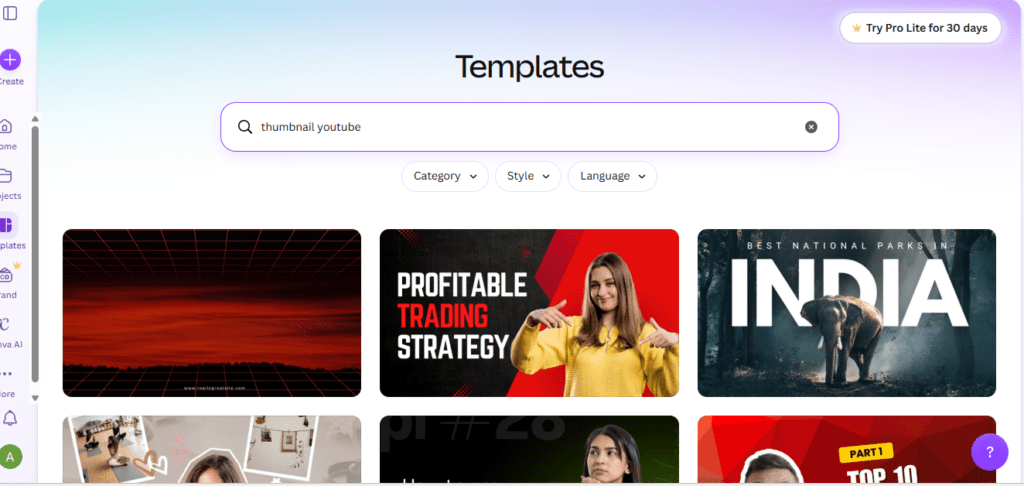
Overview: Canva’s AI layer — Magic Design, Magic Write, and Magic Edit — built into its design platform.
Best for: Non-designers who need fast, professional-looking graphics and presentations.
Key features: Text-to-design generation, AI-assisted photo editing, one-click background removal, and AI-generated presentation decks.
Pros: Extremely low learning curve; genuinely useful free tier.
Cons: Not built for deep creative control the way Adobe’s tools are; better for quick output than fine-grained editing.
Pricing: Free tier; Pro around $12.99/month with expanded AI features.
Limitations: Weaker for print-grade or highly customized design work compared to Adobe’s Creative Cloud tools.
Who should use it: Social media managers, small business owners, and anyone who needs quick, decent-looking visuals without a design background.
Real-world use case: A small business owner creates a week’s worth of social media graphics from a single product photo and a short prompt.
17. Adobe Firefly
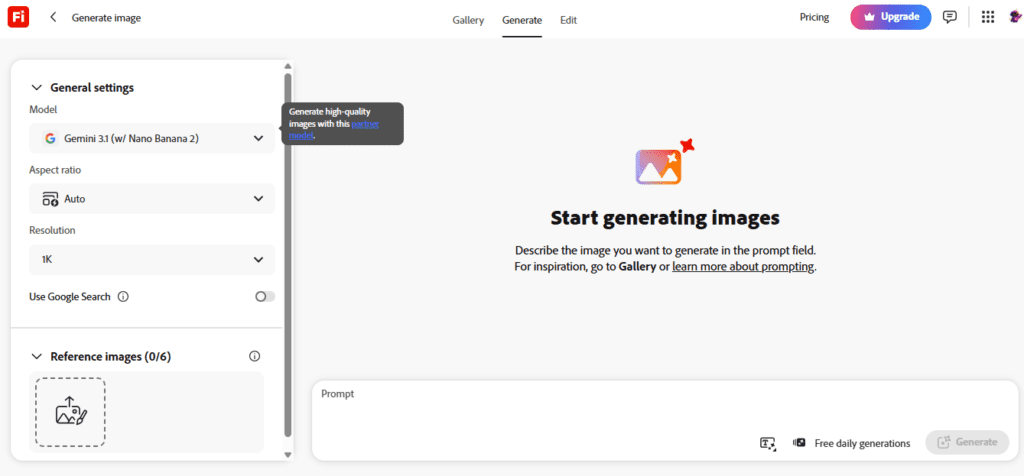
Overview: Adobe’s generative AI model, trained on licensed content, integrated into Photoshop, Illustrator, and Adobe Express.
Best for: Designers and businesses that need commercially safe AI-generated imagery.
Key features: Generative Fill for adding or removing elements from photos, text-to-image generation, and text effects, all inside Adobe’s existing creative tools.
Pros: Commercial-use safety is Firefly’s clearest advantage — the training data is licensed, which matters a great deal for brand and legal teams.
Cons: Best value only shows up if you’re already inside the Adobe ecosystem (Photoshop, Illustrator, Express).
Pricing: Free tier with limited generative credits; paid plans around $9.99/month and up depending on credit volume and Creative Cloud bundling.
Limitations: Artistic range trails Midjourney in independent quality comparisons, even though commercial safety is stronger.
Who should use it: Professional designers, agencies, and brand teams who need AI generation without copyright risk.
Real-world use case: A designer uses Generative Fill to extend a product photo’s background for a different ad aspect ratio, instead of reshooting.
18. ElevenLabs
Overview: A specialist AI voice platform for text-to-speech, voice cloning, and dubbing.
Best for: Podcasters, YouTubers, and anyone producing voiceover or dubbed content.
Key features: Natural-sounding multi-language text-to-speech, custom voice cloning, and video dubbing.
Pros: Widely regarded as the most natural-sounding AI voice generation available to individual creators.
Cons: Narrow scope — it’s a voice specialist, not a general AI assistant.
Pricing: Free tier with limited monthly characters; paid plans starting around $5/month and scaling with usage volume.
Limitations: No text, image, or video generation — this is purely an audio tool, meant to be paired with something else.
Who should use it: Creators who need voiceover, narration, or multilingual dubbing regularly.
Real-world use case: A YouTuber dubs an English video into three languages for international audiences without hiring voice actors for each one.
Feature Comparison Matrix
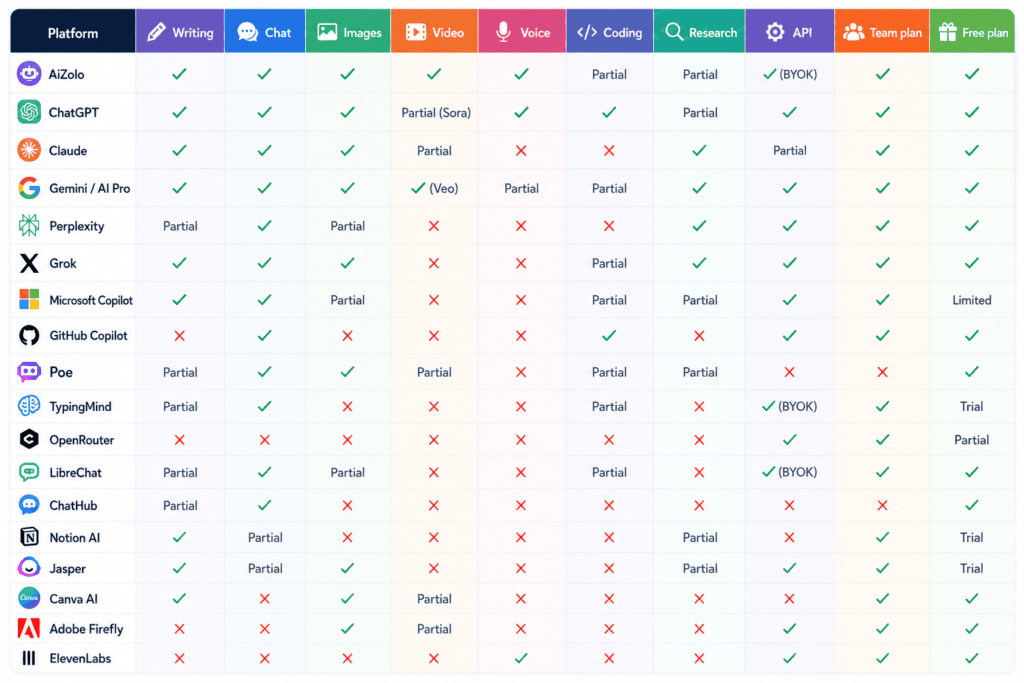
| Platform | Writing | Chat | Images | Video | Voice | Coding | Research | API | Team plan | Free plan |
|---|---|---|---|---|---|---|---|---|---|---|
| AiZolo | ✓ | ✓ | ✓ | ✓ | ✓ | Partial | Partial | ✓ (BYOK) | ✓ | ✓ |
| ChatGPT | ✓ | ✓ | ✓ | Partial (Sora) | ✓ | ✓ | Partial | ✓ | ✓ | ✓ |
| Claude | ✓ | ✓ | Partial | ✗ | ✗ | ✓ | Partial | ✓ | ✓ | ✓ |
| Gemini / AI Pro | ✓ | ✓ | ✓ | ✓ (Veo) | Partial | Partial | ✓ | ✓ | ✓ | ✓ |
| Perplexity | Partial | ✓ | Partial | ✗ | ✗ | ✗ | ✓ | ✓ | ✓ | ✓ |
| Grok | ✓ | ✓ | ✓ | ✗ | ✗ | Partial | ✓ | ✓ | ✓ | ✓ |
| Microsoft Copilot | ✓ | ✓ | Partial | ✗ | ✗ | Partial | Partial | ✓ | ✓ | Limited |
| GitHub Copilot | ✗ | ✓ | ✗ | ✗ | ✗ | ✓ | ✗ | ✓ | ✓ | ✓ |
| Poe | Partial | ✓ | ✓ | Partial | ✗ | Partial | Partial | ✗ | ✗ | ✓ |
| TypingMind | Partial | ✓ | ✗ | ✗ | ✗ | Partial | ✗ | ✓ (BYOK) | ✓ | Trial |
| OpenRouter | ✗ | ✗ | ✗ | ✗ | ✗ | ✗ | ✗ | ✓ | ✓ | Partial |
| LibreChat | Partial | ✓ | Partial | ✗ | ✗ | Partial | ✗ | ✓ (BYOK) | ✓ | ✓ |
| ChatHub | Partial | ✓ | ✗ | ✗ | ✗ | ✗ | ✗ | ✗ | ✗ | ✓ |
| Notion AI | ✓ | Partial | ✗ | ✗ | ✗ | ✗ | Partial | ✗ | ✓ | Trial |
| Jasper | ✓ | Partial | ✓ | ✗ | ✗ | ✗ | Partial | ✓ | ✓ | Trial |
| Canva AI | ✓ | ✗ | ✓ | Partial | ✗ | ✗ | ✗ | ✗ | ✓ | ✓ |
| Adobe Firefly | ✗ | ✗ | ✓ | Partial | ✗ | ✗ | ✗ | ✓ | ✓ | ✓ |
| ElevenLabs | ✗ | ✗ | ✗ | ✗ | ✓ | ✗ | ✗ | ✓ | ✓ | ✓ |
“Partial” means the feature exists but is limited, an add-on, or not the platform’s core strength. Feature availability changes frequently — confirm on the provider’s site before deciding.
Workflow Examples by Role

Content Creator. Draft with a general assistant, generate a hero image with a suite that includes image generation, then run the copy through a second model for a tone check. A multi-model aggregator collapses this into one dashboard instead of three logins.
YouTuber. Script with a writing-strong model, generate thumbnail concepts with an image tool, and produce voiceover or dubbed versions with a dedicated voice platform. Explore YouTube-focused AI tool coverage for deeper workflow breakdowns.
Freelancer. Budget usually rules the decision here. A single low-cost aggregator with BYOK support often beats three separate $20/month subscriptions once you account for usage that doesn’t max out any single tool.
Agency. Needs team seats, brand-voice consistency, and audit trails across clients — this points toward a dedicated suite like Jasper or a team-tier aggregator plan rather than individual personal accounts.
Student. Free tiers cover most coursework. Google AI Pro’s NotebookLM-style research tools or Perplexity’s free tier handle citation-heavy work well without a paid plan.
Developer. A coding-specific assistant (GitHub Copilot or Claude Code) paired with a general model for documentation and planning covers most needs; an API aggregator like OpenRouter matters only once you’re building your own product.
Startup. Early-stage teams benefit most from consolidating: one aggregator subscription for the whole team beats five employees expensing five different tools with no visibility into total spend.
Marketing Team. Brand-voice consistency across multiple writers matters more than raw model quality — this is where a dedicated suite like Jasper earns its higher price over a general assistant.
Decision Framework: Which Should You Choose
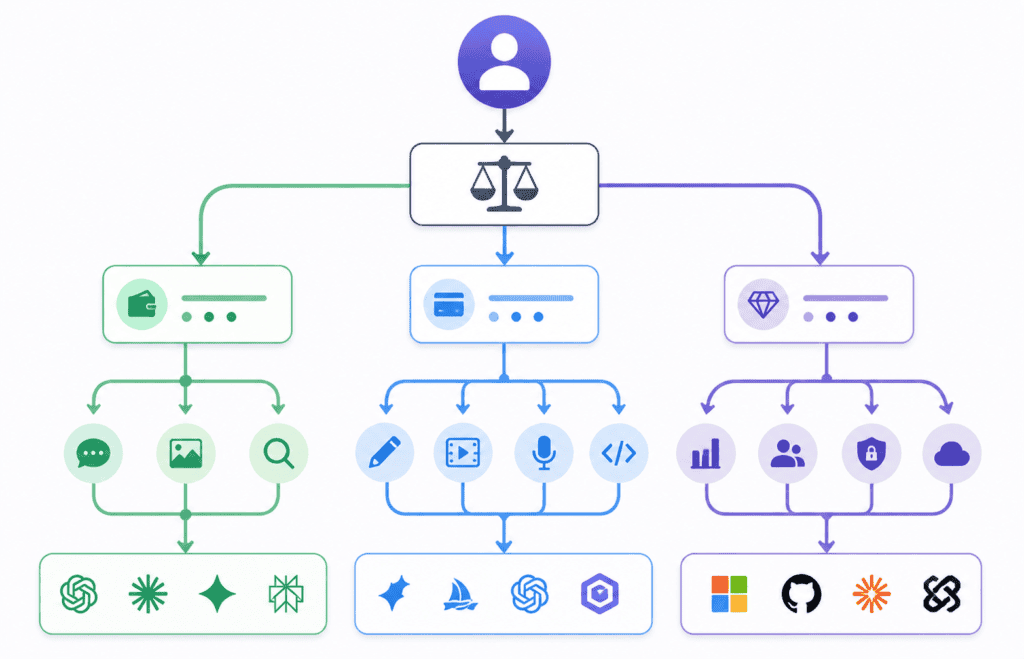
By budget. Under $15/month: look at an aggregator’s entry tier or free plans across two or three individual tools. $20–$50/month: one strong individual model (Claude or ChatGPT) plus one specialist tool. $50+/month: a full suite or team plan makes sense once usage volume justifies it.
By use case. Writing and research: Claude or Perplexity. Visual content: Canva AI or Adobe Firefly. Coding: GitHub Copilot or Claude Code. Broad, unpredictable use: an aggregator.
By skill level. Non-technical users should avoid BYOK platforms like OpenRouter or raw API tools — the setup overhead isn’t worth it. Technical users who already manage API keys get the best economics from BYOK aggregators.
By industry. Regulated industries (healthcare, finance, legal) should prioritize platforms with clear data-handling policies and, where possible, self-hosted or enterprise-grade options over consumer-tier tools.
Common Mistakes to Avoid
Subscribing to overlapping tools. Paying for both ChatGPT Plus and Claude Pro when you only ever use one of them for 90% of your work is the single most common waste we see.
Ignoring rate limits until you hit them. Every platform measures usage limits differently — hourly windows, monthly credits, or token counts. Read the actual limit, not just the price, before committing.
Choosing based on price alone. The cheapest plan is a false economy if it doesn’t cover the one feature (coding, image generation, citations) your work actually depends on.
Assuming “free” means unlimited. Free tiers exist to get you hooked, not to run a business on. Model your realistic monthly usage before assuming the free tier will hold.
Skipping the data policy. Some tools use conversations to train future models unless you opt out. If you’re pasting client or proprietary information into any AI tool, check this setting first.
Expert Tips
Start with free tiers of two or three tools before paying for anything. A week of real use tells you more than any comparison article, including this one.
Track which tool you actually reach for. Most people settle into one primary tool and one occasional backup — subscribing to five “just in case” rarely pays off.
If you’re BYOK-curious but nervous about API keys, start with a managed aggregator plan and switch to BYOK later once you understand your usage pattern.
Revisit your subscriptions every quarter. This market moves fast — pricing tiers, free-tier limits, and included features change every few months, and last year’s best deal is often not this year’s.
AI Industry Statistics (2026)
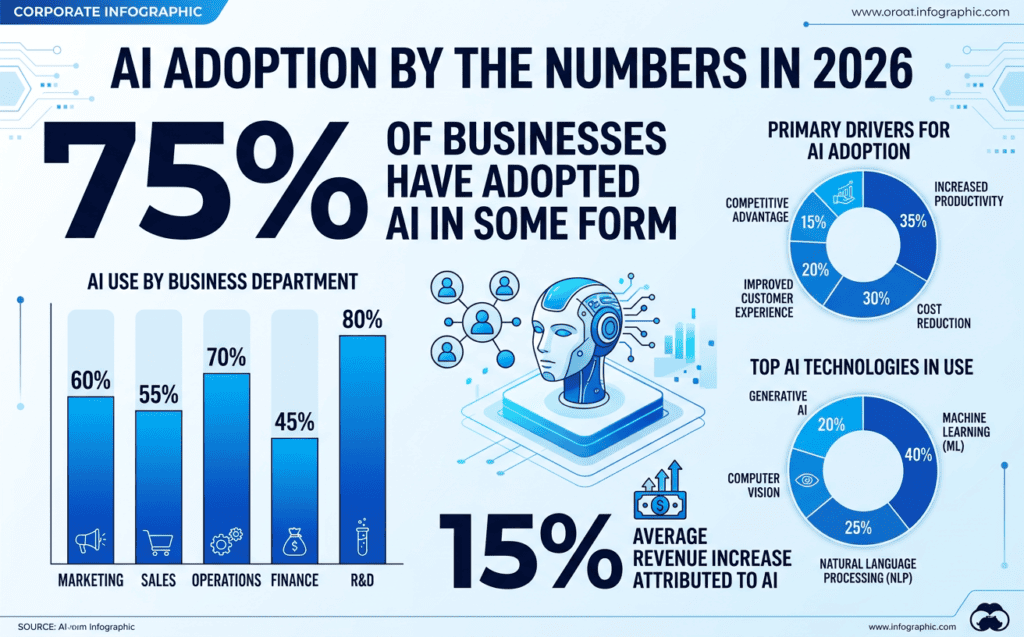
- 88% of organizations report using AI in at least one business function, according to McKinsey’s State of AI research.
- Enterprise generative AI spending grew sharply between 2024 and 2025, reaching roughly $37 billion, per Menlo Ventures.
- 71% of organizations report regular use of generative AI in at least one business function, up from 65% in early 2024, per multiple industry trackers citing McKinsey data.
- The top three generative AI use cases in the enterprise are content creation, code generation, and customer interaction, according to industry adoption research.
- Global AI spending is forecast to exceed $300 billion in 2026, according to IDC’s Worldwide AI Spending Guide.
- 38% of knowledge workers report using generative AI tools daily in their work, according to enterprise adoption research.
- Standard-tier consumer AI subscriptions (ChatGPT Plus, Claude Pro, Google AI Pro, Perplexity Pro) have converged around $19.99–$20/month as of mid-2026.
- GitHub reports more than 20 million users of GitHub Copilot as of 2026.
Statistics reflect the sources cited at the time of writing and are subject to revision as newer data is published.
FAQs
What does “all AI tools in one website” mean? It refers to a platform where you can access multiple AI tools — chat, image generation, voice, sometimes video and coding — from a single login and a single subscription, instead of separate accounts for each tool.
Are all-in-one AI platforms cheaper than paying for each tool separately? Usually, yes, if you use more than one AI category regularly. Standard individual subscriptions run about $20/month each, so stacking three or four adds up quickly compared to a single aggregator plan.
Is an all-in-one AI website as good as using ChatGPT or Claude directly? It depends on the platform. Managed aggregators use the same underlying models, so answer quality is comparable, though some advanced provider-specific features may lag behind the official apps.
What’s the difference between an AI aggregator and an AI directory? An aggregator lets you actually use multiple AI tools inside its own interface. A directory just lists tools with links to their individual websites.
Can I use my own API keys with an all-in-one AI platform? Many aggregators support bring-your-own-key (BYOK), letting you connect your existing OpenAI, Anthropic, or Google API keys for usage-based billing instead of a flat subscription.
Which all-in-one AI platform is best for beginners? A platform with a simple managed subscription and no API key setup required is the easiest starting point for non-technical users.
Do all-in-one AI websites include image and video generation? Many do, though feature depth varies. Check whether image/video generation is a core feature or a limited add-on before subscribing.
Is it safe to enter my data into an all-in-one AI platform? Review the platform’s data-handling and training-opt-out policy before uploading sensitive or proprietary information, the same way you would with any individual AI tool.
How much can I realistically save by switching to an all-in-one AI platform? If you currently pay for three or more $20/month subscriptions, switching to a single lower-cost aggregator plan can save $50–$90 a month, depending on your usage.
Do these platforms work on mobile? Most modern aggregators are mobile-responsive web apps; check individual platforms for dedicated native apps if that matters to you.
Can businesses replace multiple AI subscriptions with one platform? Yes — this is one of the strongest use cases. A single team plan with shared billing is easier to manage and audit than five employees expensing five different AI tools.
What should I check before subscribing to an all-in-one AI platform? Confirm which specific models are included, the monthly usage or token limits, whether BYOK is supported, and the data-retention policy.
Are free plans on these platforms actually usable? For light or occasional use, often yes. For daily professional work, most free tiers hit limits quickly and a paid plan becomes worthwhile.
Do all-in-one AI platforms support coding tasks? Some do, but dedicated coding assistants like GitHub Copilot or Claude Code typically outperform general aggregators for IDE-integrated development work.
How do I know if I need an aggregator instead of just ChatGPT Plus? If you consistently use more than one type of AI tool (chat plus image plus voice, for example) and check answers across models, an aggregator likely saves money. If you use one tool for one purpose, a direct subscription may be simpler.
Will AI subscription prices keep changing in 2026? Very likely. Several providers have restructured pricing multiple times in 2026 already, so it’s worth reviewing your subscriptions quarterly.
What’s the fastest way to test multiple AI platforms before committing? Use each platform’s free tier with the same real task (not a generic test prompt) and compare the actual output quality, speed, and usage limits against your own workflow.
Conclusion
There’s no single “best” all AI tools website — there’s a best fit for your specific mix of writing, research, image, voice, and coding needs.
If you use only one category of AI tool, a direct subscription to ChatGPT, Claude, or Gemini is often simpler and gives you the most polished version of that provider’s features.
If you regularly switch between chat, image generation, and research — the way most creators, freelancers, and small teams actually work — an aggregator platform like AiZolo is worth evaluating, mainly because it removes the cost and friction of stacking several $20/month subscriptions.
Whichever direction you choose, run the numbers on your own actual usage before committing to a year of billing. The right tool is the one that matches what you do every week, not the one with the longest feature list.
About the Author
Anshika Verma Email: anshika@ytzolo.com
Anshika Verma researches and writes about AI software, creator tools, and technology trends, with a focus on evaluating AI platforms on real pricing, features, and usability rather than marketing claims. Her work centers on helping creators, freelancers, and small teams make informed decisions about which AI tools are actually worth paying for.
A Note on Methodology
Pricing and feature details above reflect publicly available information as of July 2026, gathered from provider pricing pages and current third-party pricing trackers. AI subscription pricing changes frequently — verify current pricing directly with each provider before publishing or purchasing. Statistics are attributed to their original research source; none were estimated or invented for this article. AiZolo is presented as one option among eighteen, evaluated on the same criteria as its competitors, in the interest of giving readers an honest comparison rather than a promotional one.

