
Quick Answer
An AI voice isolator uses machine learning to automatically separate speech from background noise in seconds, with almost no manual work. Traditional audio editing software gives you manual, frame-by-frame control over every frequency, but demands time, training, and a trained ear.
For most everyday cleanup — podcasts, YouTube videos, interviews — an AI voice isolator like ytZolo’s Audio Studio gets you 90% of the way there in minutes. Traditional tools like Audacity, Adobe Audition, or iZotope RX still matter for surgical, one-off repairs.
You just finished recording. The lighting is perfect, the take is great — and then you hear it. A fridge hum. Traffic outside. A neighbor’s dog.
Now you’re stuck choosing a fix. Do you open a traditional editor and manually clean it up, or run it through an AI tool in seconds?
This is the real debate behind AI voice isolator vs audio editing software — and the answer depends less on which tool is “better” and more on what your project actually needs.
Both paths lead to cleaner sound. But the time, skill, and cost required to get there are worlds apart, which is exactly why so many creators search for a straight AI voice isolator vs audio editing software comparison before committing to one workflow.
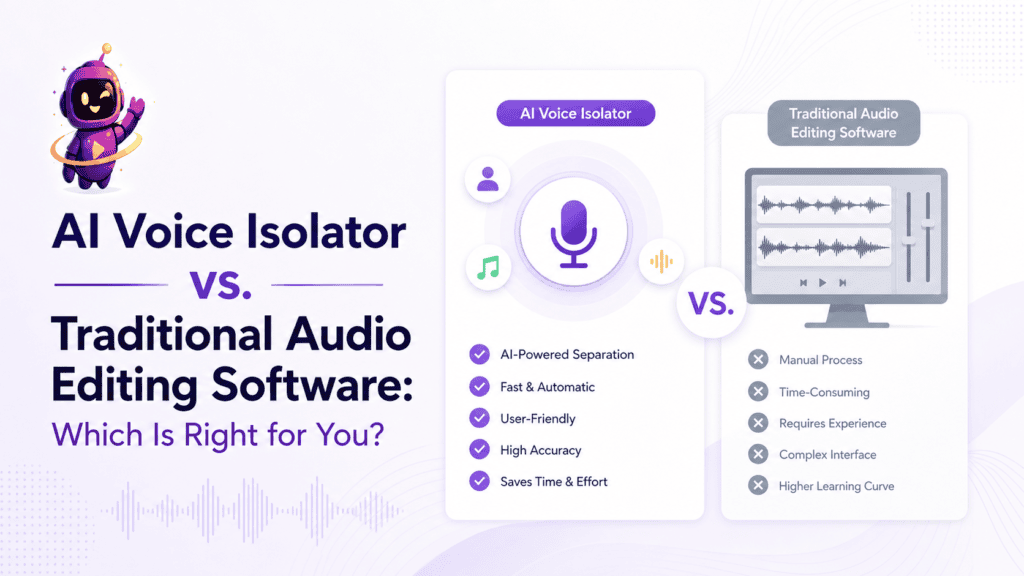
Table of Contents
What Is an AI Voice Isolator?
An AI voice isolator is software that listens to a recording and automatically separates the human voice from everything else.
It doesn’t just lower background volume. It recognizes what a voice sounds like and rebuilds it cleanly, even when noise overlaps the same frequency range.
Tools like ytZolo’s AI Voice Isolator handle this in one upload — no timeline, no plugins, no manual adjustment required.
Under the hood, the software converts the file into a spectrogram, then uses a neural network trained on speech patterns to tell voice apart from noise. That’s the core mechanism behind almost every modern AI voice isolator on the market today.
This is a big part of why the AI voice isolator vs audio editing software conversation keeps coming up — one approach automates a task the other requires a trained ear to perform manually.
What Is Traditional Audio Editing Software?
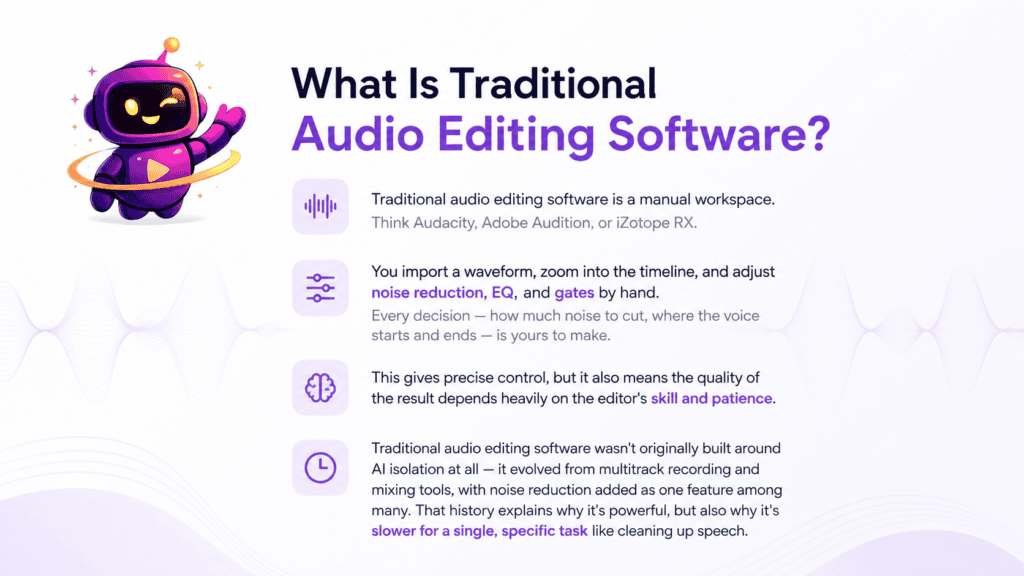
Traditional audio editing software is a manual workspace. Think Audacity, Adobe Audition, or iZotope RX.
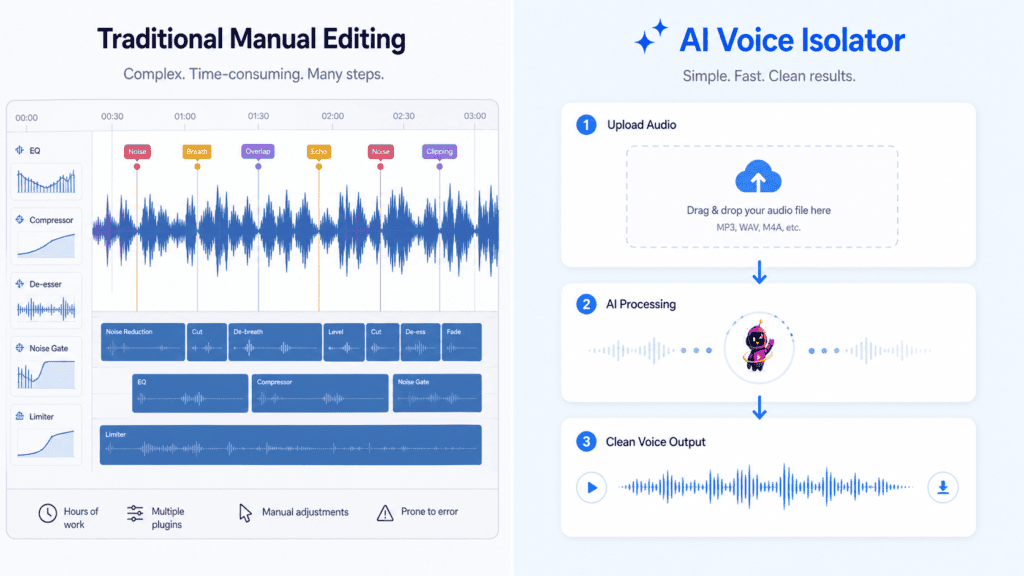
You import a waveform, zoom into the timeline, and adjust noise reduction, EQ, and gates by hand. Every decision — how much noise to cut, where the voice starts and ends — is yours to make.
This gives precise control, but it also means the quality of the result depends heavily on the editor’s skill and patience.
Traditional audio editing software wasn’t originally built around AI isolation at all — it evolved from multitrack recording and mixing tools, with noise reduction added as one feature among many. That history explains why it’s powerful, but also why it’s slower for a single, specific task like cleaning up speech.
The Core Differences, Side by Side
| Factor | AI Voice Isolator | Traditional Audio Editing Software |
|---|---|---|
| How it works | Detects speech patterns automatically | Manual frequency and volume adjustments |
| Setup required | None — upload and process | Timeline setup, noise profile sampling |
| Best for | Everyday cleanup, batch files | Precise, one-off surgical fixes |
| Output consistency | Reliable across similar files | Depends on the editor’s skill |
| Learning curve | Minimal | Moderate to steep |
Both approaches solve the same underlying problem — clean, listenable speech — but they get there in very different ways.
Speed: Minutes vs. Hours
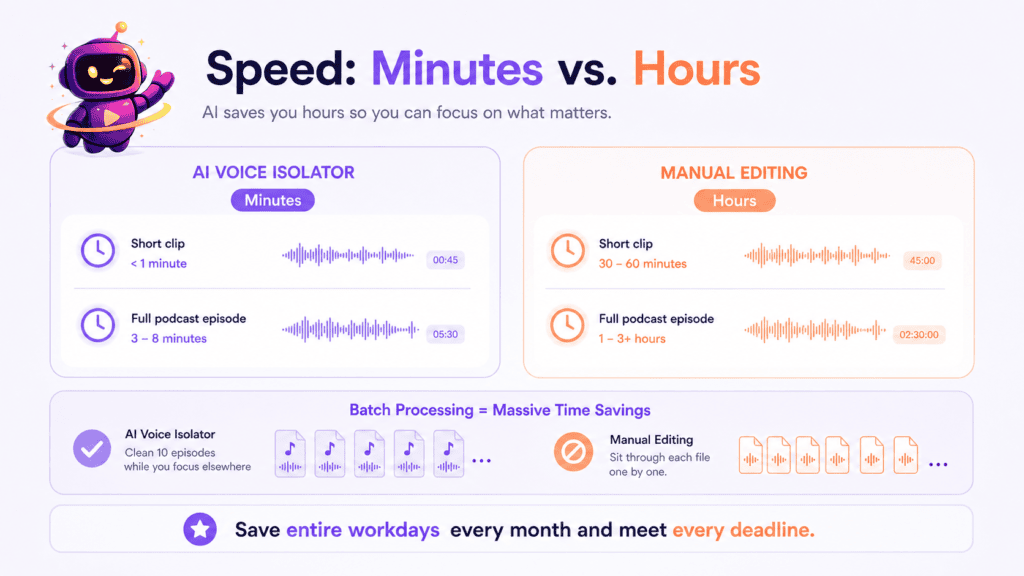
This is where the gap is widest. An AI voice isolator typically processes a short clip in under a minute, and a full podcast episode in three to eight minutes.
Manually cleaning the same file in Audacity or Adobe Audition can take an hour or more, especially if noise levels shift throughout the recording.
For creators publishing weekly or daily, that time difference adds up to entire workdays saved every month.
Batch processing widens the gap further. An AI voice isolator can clean ten podcast episodes back-to-back while you work on something else, while manual editing forces you to sit through each file individually.
This is usually the single biggest factor tipping the AI voice isolator vs audio editing software decision toward automation — deadlines rarely leave room for hour-long manual sessions per file.
Skill Level and Learning Curve
An AI voice isolator is built for people who don’t want to become audio engineers. Upload a file, preview the result, download it.
Traditional editing software rewards experience. Concepts like noise floor sampling, spectral repair, and multiband compression take real practice to use well.
If you’re new to audio work, the learning curve alone can push a five-minute task into a multi-hour tutorial session.
Cost Comparison
AI voice isolators are usually credit-based or subscription-priced, often bundled inside a larger content platform rather than sold as a single-purpose app.
Traditional software ranges from free (Audacity) to expensive professional licenses (iZotope RX, Adobe Audition), sometimes requiring add-on plugins for advanced repair work.
If you already pay for a script, thumbnail, or SEO tool, a bundled AI voice isolator inside that same platform often costs less than stacking a separate audio app on top.
Accuracy, Control, and Sound Quality
A well-trained AI voice isolator preserves natural tone while removing steady noise like fans, traffic hum, and room echo — often matching or beating manual results for common problems.
Traditional editing wins on granular control. An experienced engineer can rescue a single clipped word or isolate one voice from three overlapping speakers in ways automated tools still struggle with.
Neither is flawless. Heavily distorted or extremely compressed source audio limits what any method — AI or manual — can recover.
Where sound quality is concerned, the fairest way to frame AI voice isolator vs audio editing software isn’t “which sounds better,” but “which method matches the problem.” Steady background noise favors AI. Complex, judgment-heavy repairs favor a human editor.
Common Mistakes When Choosing Between the Two
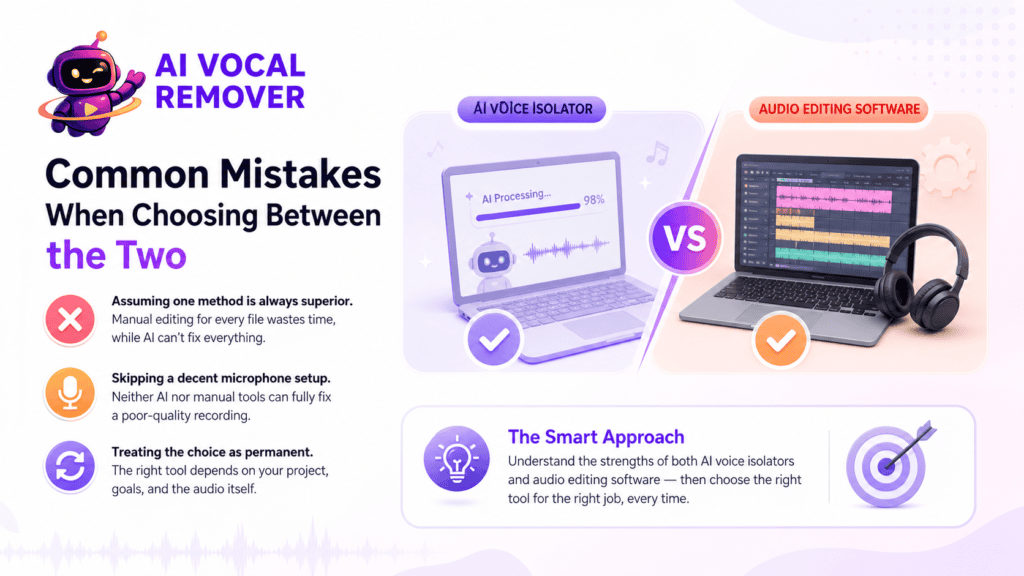
The biggest mistake is assuming one method is always superior. Creators who insist on manual editing for every file often burn hours on problems an AI voice isolator would fix in seconds.
The opposite mistake also happens — relying on AI for a badly clipped recording that genuinely needs manual, judgment-based repair work no algorithm can fully automate.
Another common error is skipping a decent microphone setup entirely, assuming software of either kind will “fix it in post.” Both AI and manual tools work better — and faster — on a reasonably clean source recording.
Finally, some creators treat the comparison as permanent, picking one tool and never revisiting the decision. The right choice can change project by project, which is why understanding both sides of the AI voice isolator vs audio editing software debate matters more than picking a permanent favorite.
When an AI Voice Isolator Wins
- Cleaning up remote guest audio recorded on a laptop mic
- Removing traffic or wind noise from outdoor YouTube footage
- Batch-processing dozens of podcast episodes on a deadline
- Preparing clean audio before dubbing or translation
If your workflow involves a video and not just an isolated audio clip, a browser-based tool that can remove background noise from a video directly saves an extra extraction step entirely.
When Traditional Audio Editing Software Wins
- Rescuing one clipped or distorted word in an otherwise clean take
- Separating three or more overlapping speakers with precision
- Fine-tuning EQ and compression for a music or broadcast mix
- Projects where a client demands full manual sign-off on every edit
These are the “surgical” cases — rare, but real, and usually not worth automating anyway.
Real-World Scenario Walkthroughs
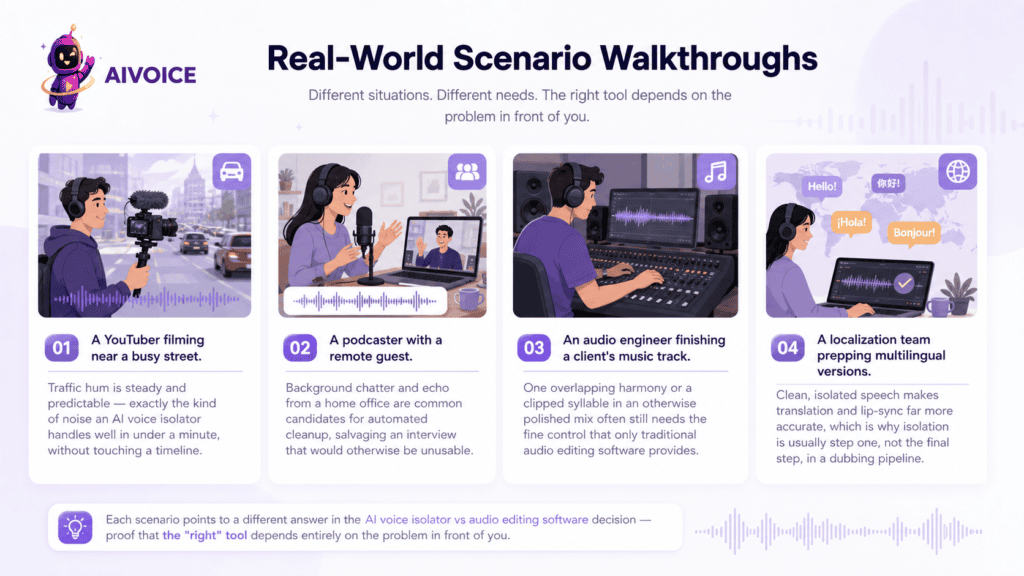
A YouTuber filming near a busy street. Traffic hum is steady and predictable — exactly the kind of noise an AI voice isolator handles well in under a minute, without touching a timeline.
A podcaster with a remote guest on a spotty connection. Background chatter and echo from a home office are common candidates for automated cleanup, salvaging an interview that would otherwise be unusable.
An audio engineer finishing a client’s music track. One overlapping harmony or a clipped syllable in an otherwise polished mix often still needs the fine control that only traditional audio editing software provides.
A localization team prepping multilingual versions. Clean, isolated speech makes translation and lip-sync far more accurate, which is why isolation is usually step one, not the final step, in a dubbing pipeline.
Each scenario points to a different answer in the AI voice isolator vs audio editing software decision — proof that the “right” tool depends entirely on the problem in front of you.
The Hybrid Workflow: Using Both Together
Most professional creators don’t pick a side. They run a file through an AI voice isolator first, then open the result in a manual editor only if something still needs a fine-tuned fix.
This same layered approach shows up in music production too, where creators often need to extract vocals from a song before remixing or sampling — a task that starts with AI separation and finishes with manual polish.
It also applies to localization. Clean, isolated source audio produces noticeably better results in voice isolation for dubbing workflows, since translation and lip-sync tools perform best on speech with minimal background interference.
Vocal Isolation vs. Noise Reduction: A Quick Clarification
These terms often get used interchangeably, but they solve different problems.
Noise reduction lowers background volume across a frequency range. Vocal isolation identifies the voice as a distinct source and rebuilds it separately from everything else.
For a full breakdown of when each approach fits your project, see vocal isolation vs. noise reduction.
Tool Comparison Table
| Tool | Type | Best For | Learning Curve |
|---|---|---|---|
| ytZolo Audio Studio | AI Voice Isolator | Creators needing isolation plus voice, music, and dubbing tools together | Low |
| Krisp | AI Voice Isolator | Real-time call and meeting cleanup | Low |
| Cleanvoice | AI Voice Isolator | Podcast editing and filler-word removal | Low |
| Audacity | Traditional Editing Software | Free, manual noise reduction | Moderate |
| Adobe Audition | Traditional Editing Software | Professional multitrack editing | Moderate-High |
| iZotope RX | Traditional Editing Software | Advanced audio restoration | High |
Single-purpose AI tools handle isolation well but stop there. A bundled option inside a broader creator platform means the cleaned file can move straight into voice generation or dubbing without switching apps.
How to Choose Based on Your Workflow
Ask a few practical questions before picking a path.
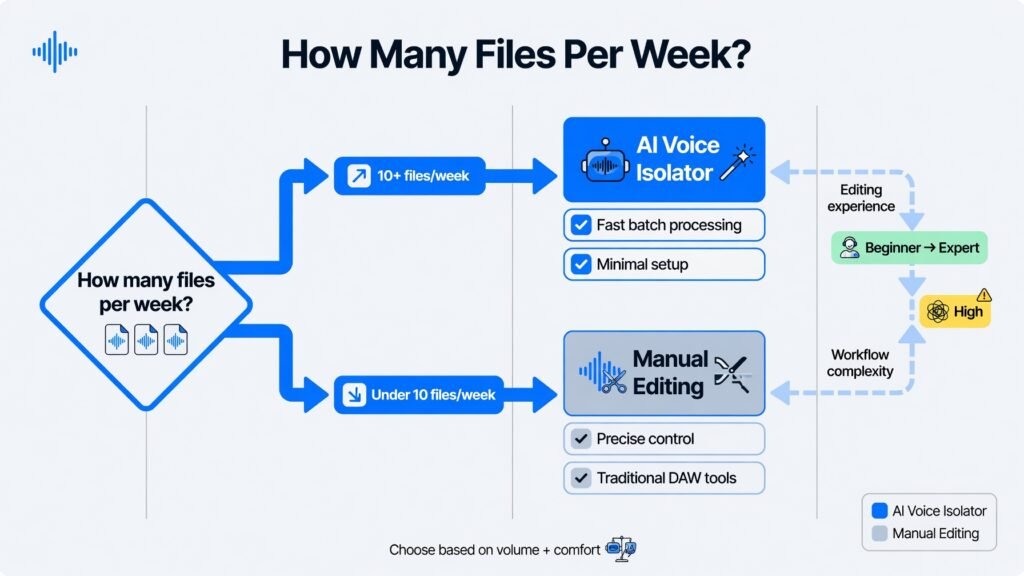
How many files do you process per week? High volume favors AI. A single project favors manual control.
Do you have audio editing experience? If not, an AI voice isolator removes the learning curve entirely.
Does the noise problem require judgment calls? Overlapping speakers or clipped audio often still need a trained ear.
Does your workflow include other production steps? If you’re also generating voiceovers, music, or dubbed versions, a connected Audio Studio avoids exporting and re-importing files between five different apps.
Clean Audio and Your YouTube SEO
Audio quality isn’t just a viewer-experience issue — it affects discoverability too. Background noise reduces automated caption accuracy, which weakens the transcript data YouTube uses to understand your content.
Cleaner speech means better captions, better searchability, and a lower chance viewers click away mid-video. Pairing a clean audio workflow with YouTube SEO optimization tools rounds out a channel strategy that covers both sound and search visibility.
Since ytZolo bundles voice isolation next to script, title, and tag tools, a single dashboard covers both sides of that equation.
Frequently Asked Questions
Is an AI voice isolator better than traditional audio editing software? For everyday cleanup, yes — it’s faster and requires no training. For precise, one-off repairs, manual editing still has an edge.
Can I use both together? Yes. Many creators run AI isolation first, then fine-tune specific sections manually if needed.
Does traditional software give better sound quality? Not automatically. Quality depends more on the source recording and the editor’s skill than on which method is used.
Is AI voice isolation good enough for podcasts? For most remote-guest and imperfect-room recordings, yes. It’s one of the fastest ways to salvage an otherwise unusable interview.
Do I still need to learn Audacity or Adobe Audition? Not for basic cleanup. They remain useful for advanced, surgical fixes that automated tools can’t fully solve yet.
Which option is cheaper long-term? It depends on volume. Free tools like Audacity cost nothing but take more time; bundled AI platforms often cost less than stacking multiple single-purpose subscriptions.
Can AI voice isolators handle video files directly? Many can, including tools that let you remove background noise from a video without a separate audio extraction step.
Final Verdict
There’s no universal winner in the AI voice isolator vs audio editing software debate — only the right tool for the job in front of you.
For the noise problems most creators face daily — traffic, hum, echo, chatter — an AI voice isolator gets you a clean result in minutes. For rare, surgical repairs, traditional software still earns its place.
The stakes here go beyond convenience. Academic research on audio quality’s effect on viewer retention has found that noisy or unclear sound measurably reduces how well an audience absorbs and remembers content — often more than shaky visuals do. That’s exactly why closing the gap between “recorded” and “listenable” matters as much as any other step in production.
Speed also isn’t a minor convenience anymore. As publishing schedules tighten and channels push out more content per week, the hours saved by automating cleanup compound fast — time that’s better spent on scripting, thumbnails, or the next upload rather than manually dragging noise-reduction sliders.
That said, traditional audio editing software hasn’t been made obsolete. It remains the right call whenever a project needs a human decision — rescuing a single ruined word, separating three overlapping voices, or polishing a mix where every frequency matters. An AI voice isolator isn’t trying to replace that judgment; it’s removing the 90% of cases that never needed it in the first place.
If your workflow spans more than just cleanup — voice generation, music, dubbing, or YouTube SEO — a bundled platform like ytZolo’s Audio Studio keeps every step in one dashboard instead of five separate apps.
The most practical approach is to stop treating this as a permanent decision. Default to an AI voice isolator for everyday noise, and keep traditional software on standby for the handful of files that genuinely need it.
About the Author
Anshika Verma Email: anshika@ytzolo.com
Anshika Verma is a content researcher specializing in AI audio technology, YouTube production workflows, and search-optimized content strategy. Her work focuses on evaluating AI tools for creators against real-world recording and editing conditions, following Google’s Experience, Expertise, Authoritativeness, and Trust (EEAT) framework.

