
A shaky Wi-Fi connection is annoying. A recording ruined by a barking dog, a humming fridge, or traffic noise is worse — because you usually can’t fix it by re-recording.
That’s the exact problem an AI voice isolator solves. It listens to a messy audio file and pulls the human voice out of everything else.
This guide breaks down how the technology actually works, where it struggles, and how to pick the right tool for your workflow — whether that’s a podcast, a YouTube video, or a client call.
Quick Answer
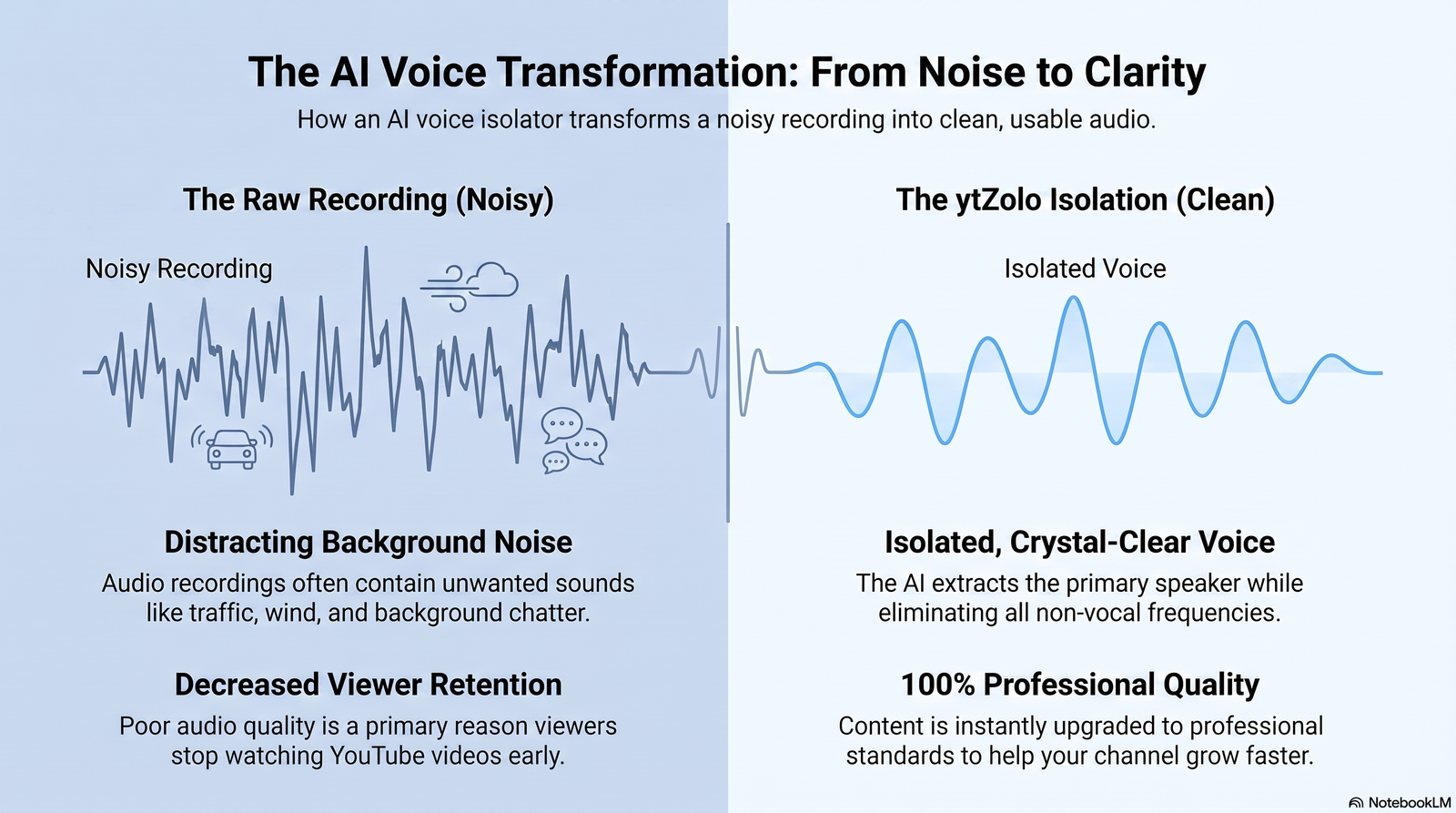
An AI voice isolator uses machine learning to separate a speaker’s voice from background noise, music, and other sounds in a recording. Unlike simple noise reduction, it identifies speech patterns specifically, so it can remove traffic, wind, chatter, and hum while keeping the voice natural.
Tools like ytZolo’s AI Voice Isolator, Krisp, Cleanvoice, and Picovoice all use this approach, but they differ in accuracy, file support, and how well they fit into a larger content workflow.
Table of Contents
What Is an AI Voice Isolator?
An AI voice isolator is software that separates human speech from everything else in an audio or video file.
It’s different from a basic noise filter. A filter reduces volume in certain frequency ranges. A voice isolator actually recognizes what a voice sounds like and rebuilds it cleanly.
This matters for podcasters recording in busy apartments, YouTubers filming outdoors, and teams dealing with noisy conference calls. The result is audio that sounds like it was recorded in a treated studio, even when it wasn’t.
How AI Voice Isolation Actually Works
Behind the simple “upload and download” interface, several layers of AI processing are happening.
Speech Separation and Source Separation
The model treats every recording as a mix of separate “sources” — voice, background noise, music, and echo. Speech separation is the process of untangling these layers.
Source separation is the broader technique. It’s the same idea used to pull vocals out of a song, applied here to isolate speech from noise instead.
Spectrogram Analysis
Before the AI can separate anything, it converts the audio into a spectrogram — a visual map of sound frequencies over time.
This lets the model “see” the difference between the shape of a human voice and the shape of a fan hum or a passing car, even when they overlap in volume.
Deep Neural Networks and Voice Embeddings
A deep neural network is trained on thousands of hours of speech and noise samples. Over time, it learns the patterns that make a voice sound like a voice.
Voice embeddings are a compressed digital signature of a speaker’s voice characteristics. The model uses this signature to track and isolate that specific voice, even through short overlaps with background sound.
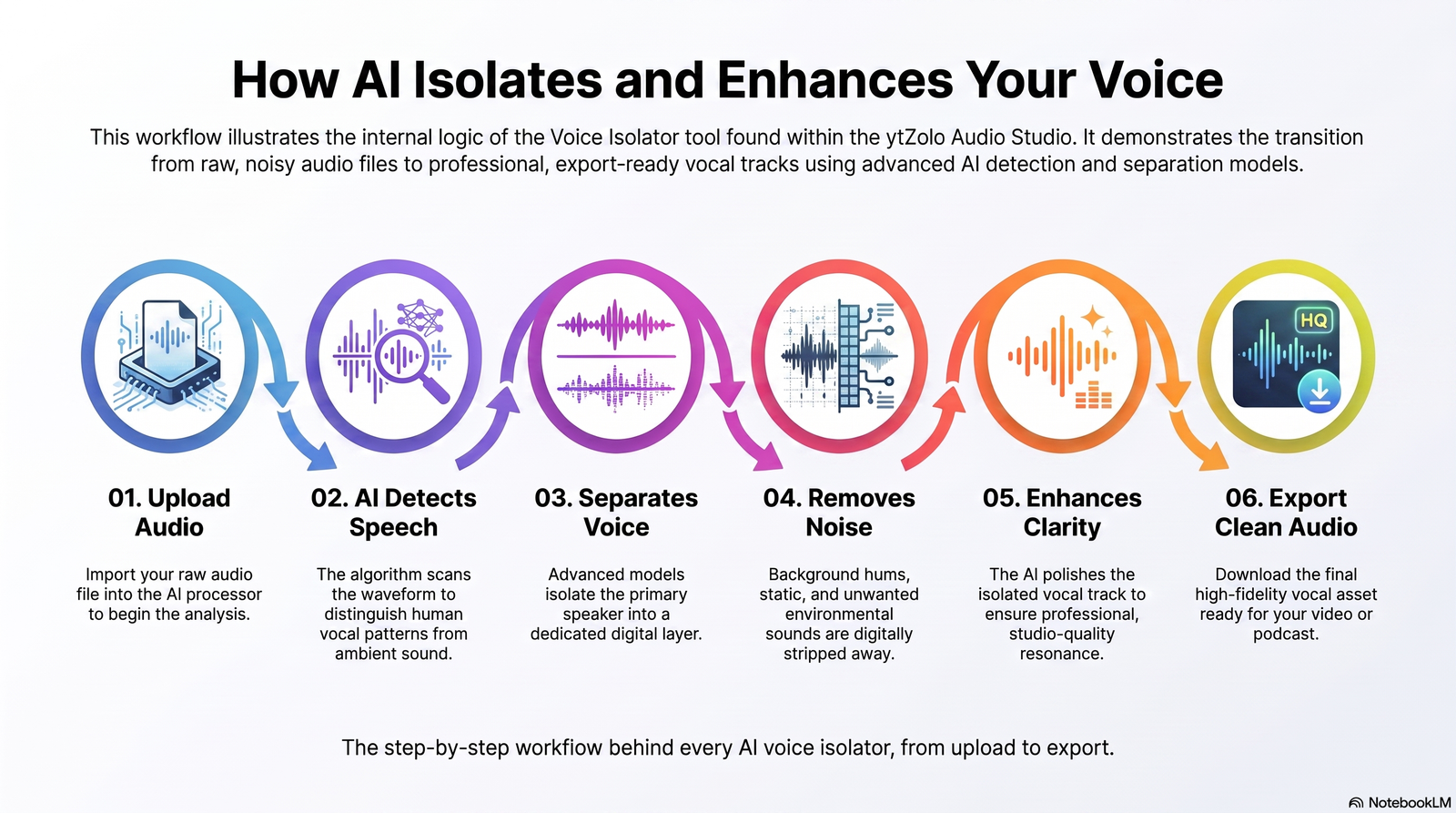
The Full Workflow, Step by Step
- You upload the audio or video file
- The AI analyzes the spectrogram and detects speech patterns
- Voice and non-voice elements are separated
- Ambient noise is removed from the non-voice layer
- The clean voice track is reconstructed
- You download the enhanced audio
Voice Isolation vs. Noise Reduction vs. Noise Cancellation
These three terms get used interchangeably, but they’re not the same thing. This confusion is one of the most common searches around this topic.
| Feature | Voice Isolation | Noise Reduction | Noise Cancellation |
|---|---|---|---|
| Removes background noise | Yes | Yes | Partially |
| Separates the speaker from noise | Yes | No | No |
| AI-based | Usually | Sometimes | Rarely (mostly hardware) |
| Works after recording | Yes | Yes | No (real-time only) |
| Best for podcast/video editing | Excellent | Average | Not applicable |
Noise cancellation is mostly a hardware feature in headphones — it blocks incoming sound in real time.
Noise reduction lowers overall background volume but can’t tell a voice apart from noise sitting in the same frequency range.
Voice isolation goes a step further. It identifies the voice as a distinct source and rebuilds it, which is why it performs better on podcasts, interviews, and video dialogue.
Voice isolation goes a step further… For a deeper breakdown of when each approach makes sense, see our full comparison of voice isolation vs. noise reduction.
Why Audio Quality Matters More Than You Think
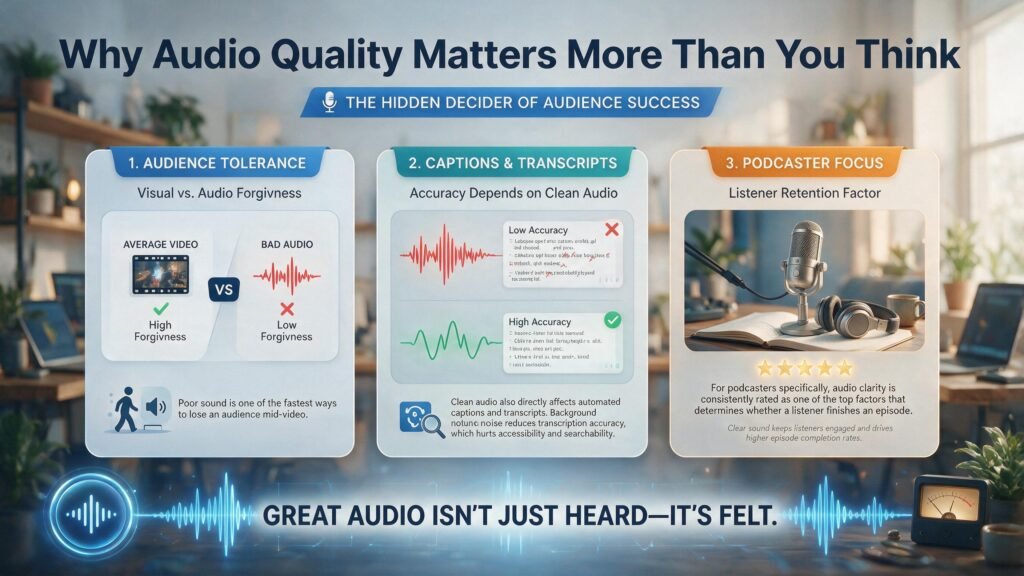
Viewers are far more forgiving of average visuals than they are of bad audio. Poor sound is one of the fastest ways to lose an audience mid-video.
Clean audio also directly affects automated captions and transcripts. Background noise reduces transcription accuracy, which hurts accessibility and searchability.
For podcasters specifically, audio clarity is consistently rated as one of the top factors that determines whether a listener finishes an episode.
Common Audio Problems an AI Voice Isolator Fixes
Most noisy recordings fall into a handful of predictable categories.
- Background chatter from cafés, offices, or shared living spaces
- Traffic, sirens, and outdoor ambient noise
- Fan, AC, and appliance hum
- Room echo and reverb from untreated spaces
- Wind noise from outdoor recording
- Overlapping voices in interviews or panel discussions
An AI voice isolator handles most of these well. A few, covered next, are harder to fix.
If your problem is specifically video footage — vlogs, B-roll, or outdoor filming — see our focused guide on removing background noise from video.
When AI Voice Isolation Works Best — and When It Doesn’t
This is the section most competing articles skip, and it’s where trust is actually built.
Where It Performs Well
- Removing steady background noise (fans, AC, traffic hum)
- Cleaning up room echo in small spaces
- Separating one clear speaker from ambient sound
- Improving audio for transcription and captions
Real Limitations to Know
AI can’t perfectly fix everything. Setting expectations here is more useful than pretending the technology is flawless.
- Clipped audio — if the original recording distorted at the source, no AI can recover the missing waveform data
- Heavy microphone distortion — badly damaged input signals lose too much detail to rebuild
- Multiple overlapping speakers talking at once — separation accuracy drops sharply with three or more simultaneous voices
- Extremely compressed recordings — low-bitrate files (like old phone calls) leave the AI with less data to work from
- Severe wind noise — some wind distortion overlaps too closely with vocal frequencies to fully separate
The takeaway: AI voice isolation is a powerful repair tool, not a replacement for a decent microphone and a reasonably quiet room.
Supported Audio and Video Formats
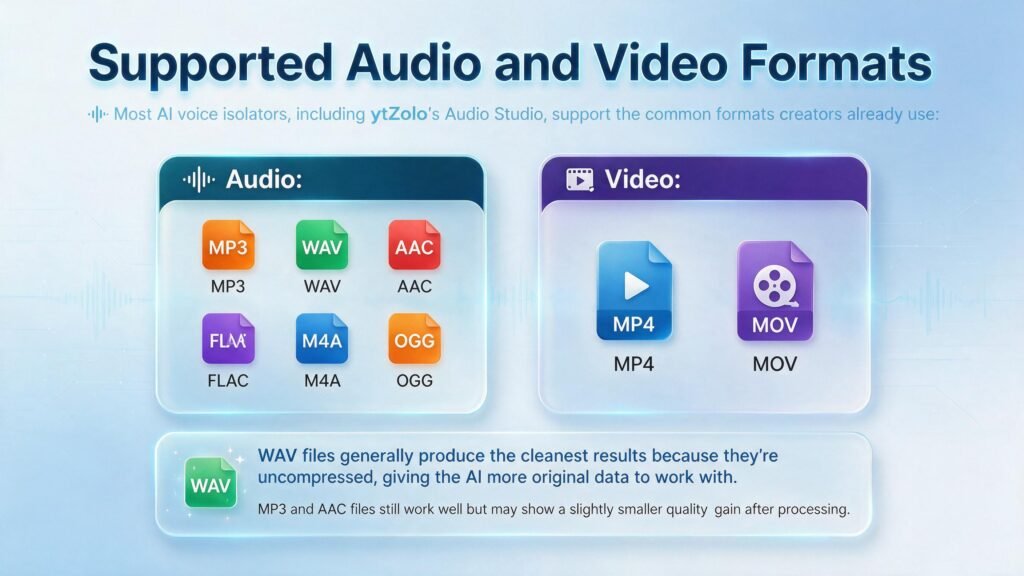
Most AI voice isolators, including ytZolo’s Audio Studio, support the common formats creators already use:
Audio: MP3, WAV, AAC, FLAC, M4A, OGG Video: MP4, MOV
WAV files generally produce the cleanest results because they’re uncompressed, giving the AI more original data to work with. MP3 and AAC files still work well but may show a slightly smaller quality gain after processing.
How Long Does AI Voice Isolation Take?
Processing time scales with file length and, to a lesser extent, file size.
| File Type | Typical Processing Time |
|---|---|
| Short clip (under 5 minutes) | A few seconds to under a minute |
| Medium file (5–30 minutes) | 1–3 minutes |
| Long podcast (30–90 minutes) | 3–8 minutes |
| Video file | Slightly longer than audio-only, due to extraction |
Cloud-based tools are almost always faster than manual editing in software like Audacity or Adobe Audition, where the same cleanup can take an hour or more of manual work.
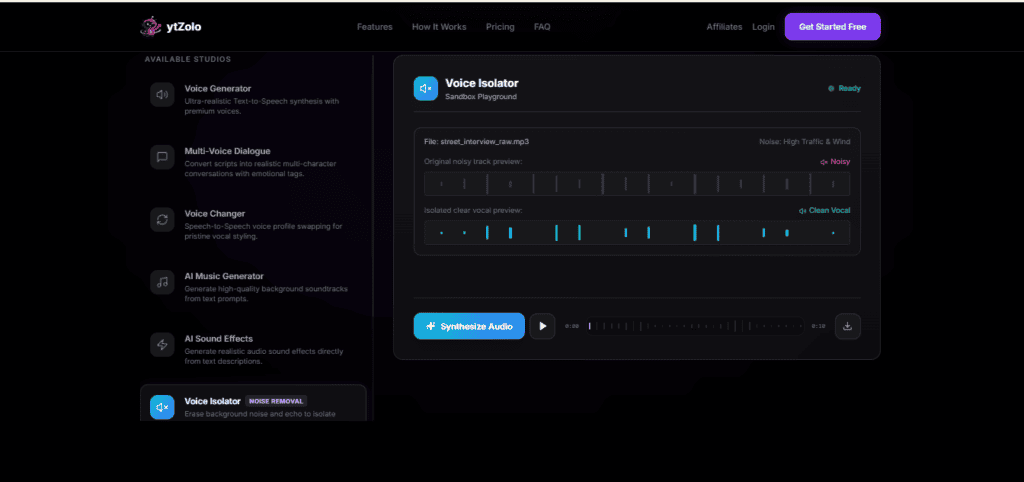
Step-by-Step: Isolating Voice with ytZolo’s Audio Studio
Here’s a practical walkthrough using ytZolo’s AI Audio Studio, which bundles voice isolation alongside voice generation, dubbing, and sound effects in one workspace.
- Open the Audio Studio and select the Voice Isolator tool
- Upload your audio or video file (MP3, WAV, MP4, and more are supported)
- Let the AI analyze and separate the voice from background noise
- Preview the isolated track before exporting
- Download the cleaned file, or send it directly into another Audio Studio tool — like the AI Voice Generator or AI Dubbing tool — for further production
Because isolation, voice generation, music, and dubbing live in the same dashboard, a podcast episode or dubbed video doesn’t need to bounce between four separate apps.
Best Recording Practices Before You Even Open an Editor
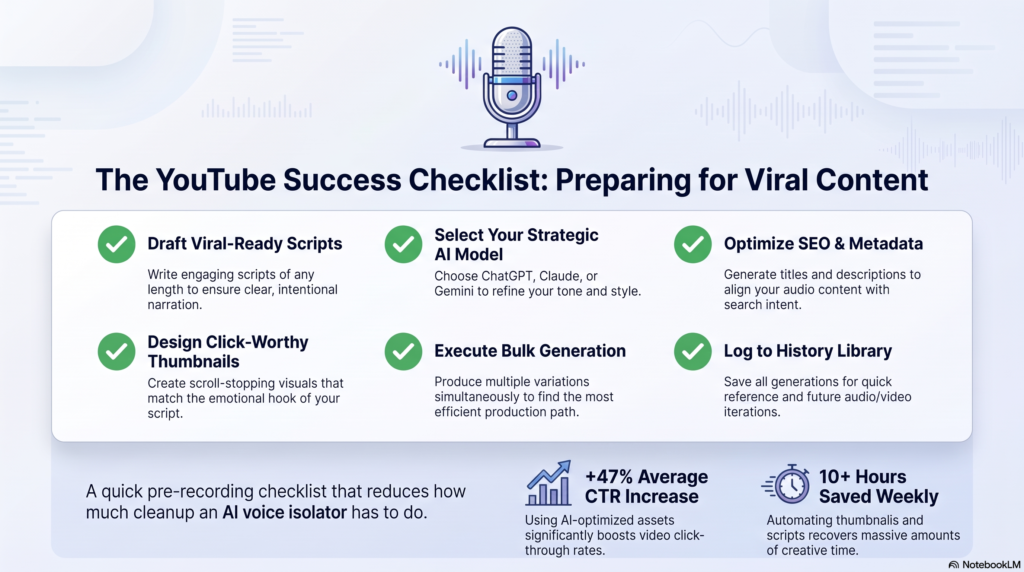
The cleanest AI result still starts with a decent source recording. A quick pre-recording checklist saves editing time later.
Before Recording Checklist
- Turn off the AC or fan in the room
- Close windows to cut outdoor noise
- Use a pop filter to reduce plosive sounds
- Record in WAV format when possible
- Keep input gain around -12dB to avoid clipping
- Monitor with headphones while recording
Recommended Microphones for Cleaner Source Audio
A better microphone reduces how much work the AI has to do. These are common picks among podcasters and YouTubers:
- Blue Yeti
- Fifine
- Rode NT-USB
- DJI Mic
- Hollyland Lark
- Rode Wireless GO
None of these require a treated studio room — pairing any of them with the checklist above already puts you ahead of most noisy recordings.
Real-World Use Cases
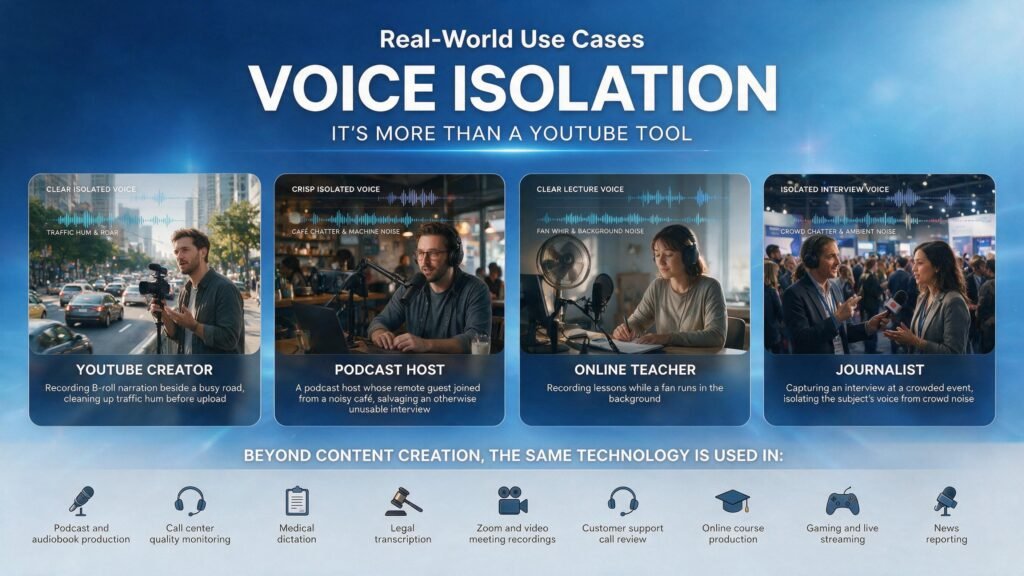
Voice isolation isn’t just a YouTube tool. A few realistic scenarios show how broadly it applies:
- A YouTuber recording B-roll narration beside a busy road, cleaning up traffic hum before upload
- A podcast host whose remote guest joined from a noisy café, salvaging an otherwise unusable interview
- An online teacher recording lessons while a fan runs in the background
- A journalist capturing an interview at a crowded event, isolating the subject’s voice from crowd noise
Beyond content creation, the same technology is used in:
- Podcast and audiobook production
- Call center quality monitoring
- Medical dictation
- Legal transcription
- Zoom and video meeting recordings
- Customer support call review
- Online course production
- Gaming and live streaming
- News reporting
AI vs. Manual Audio Editing
Manual editing in tools like Audacity, Adobe Audition, or iZotope RX still has a place — mainly for surgical, one-off fixes.
| Approach | Speed | Skill Required | Best For |
|---|---|---|---|
| AI Voice Isolator (ytZolo, Krisp, Cleanvoice) | Seconds to minutes | Low | Everyday cleanup, batch processing |
| Manual Editing (Audacity, Adobe Audition) | Hours | High | Precise, one-off surgical fixes |
| iZotope RX | Minutes to hours | Medium-High | Professional post-production |
| Descript | Minutes | Low-Medium | Transcript-based editing workflows |
For a closer look at where AI tools win and where manual editing software still has the edge, read our full AI voice isolator vs. audio editing software comparison.
How to Choose the Best AI Voice Isolator
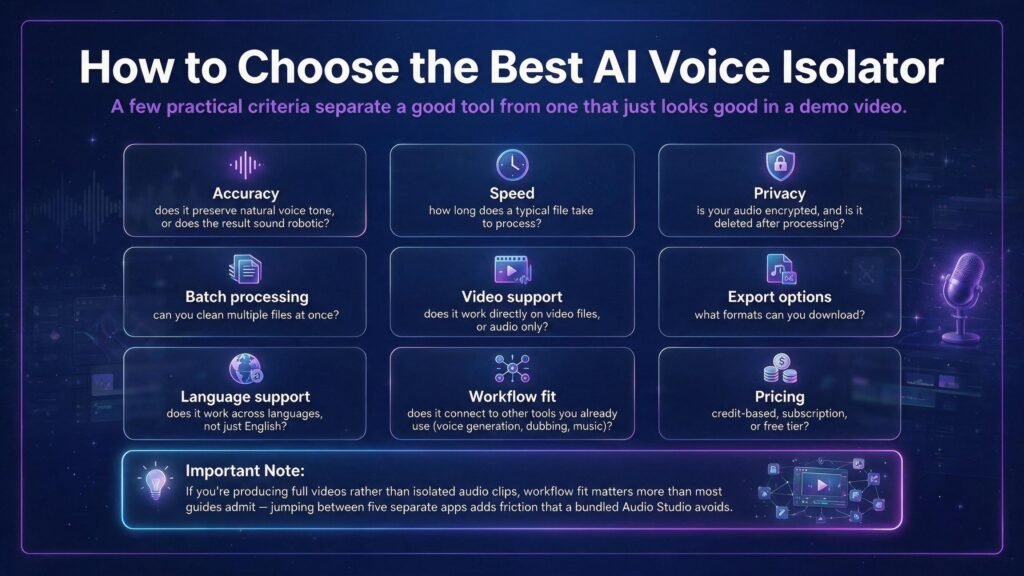
A few practical criteria separate a good tool from one that just looks good in a demo video.
- Accuracy — does it preserve natural voice tone, or does the result sound robotic?
- Speed — how long does a typical file take to process?
- Privacy — is your audio encrypted, and is it deleted after processing?
- Batch processing — can you clean multiple files at once?
- Video support — does it work directly on video files, or audio only?
- Export options — what formats can you download?
- Language support — does it work across languages, not just English?
- Workflow fit — does it connect to other tools you already use (voice generation, dubbing, music)?
- Pricing — credit-based, subscription, or free tier?
If you’re producing full videos rather than isolated audio clips, workflow fit matters more than most guides admit — jumping between five separate apps adds friction that a bundled Audio Studio avoids.
Tool Comparison: ytZolo vs. Krisp vs. Cleanvoice vs. Others
| Tool | Best For | Standout Feature | Limitation |
|---|---|---|---|
| ytZolo | Creators who need isolation plus voice generation, music, and dubbing in one workspace | Full Audio Studio bundled with YouTube SEO and script tools | Newer platform compared to single-purpose specialists |
| Krisp | Real-time calls and meetings | Live noise removal during calls | Less focused on post-production editing |
| Cleanvoice | Podcast editing | Automatic filler-word and silence removal | Narrower feature set outside podcast use |
| Adobe Podcast | Free casual cleanup | Simple browser-based enhancement | Fewer advanced controls |
| Descript | Transcript-based editing | Edit audio by editing text | Steeper learning curve for beginners |
| ElevenLabs | High-fidelity single-pass isolation | Strong neural separation model | Isolation-only, not a full content workflow |
For a deeper look at how ytZolo compares specifically on dubbing and localization, see the full AI Dubbing Software comparison.
Troubleshooting Common Issues
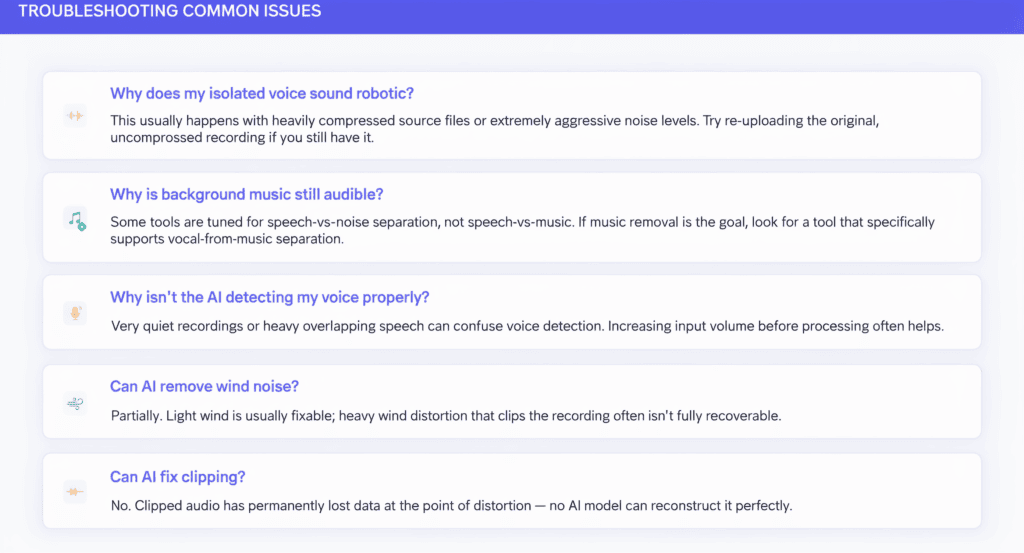
Why does my isolated voice sound robotic? This usually happens with heavily compressed source files or extremely aggressive noise levels. Try re-uploading the original, uncompressed recording if you still have it.
Why is background music still audible? Some tools are tuned for speech-vs-noise separation, not speech-vs-music. If music removal is the goal, look for a tool that specifically supports vocal-from-music separation.
Why isn’t the AI detecting my voice properly? Very quiet recordings or heavy overlapping speech can confuse voice detection. Increasing input volume before processing often helps.
Can AI remove wind noise? Partially. Light wind is usually fixable; heavy wind distortion that clips the recording often isn’t fully recoverable.
Can AI fix clipping? No. Clipped audio has permanently lost data at the point of distortion — no AI model can reconstruct it perfectly.
Quick Glossary
- Voice Isolation — separating a speaker’s voice from background noise or music
- Noise Floor — the baseline level of background noise present in a recording
- Speech Enhancement — improving the clarity and intelligibility of spoken audio
- Source Separation — splitting an audio mix into its individual components
- Echo — a delayed repetition of sound caused by reflection
- Reverb — the persistence of sound in a space after the source stops
- Bitrate — the amount of data used per second of audio, affecting quality
- Sample Rate — how many times per second audio is measured, affecting fidelity
- Spectrogram — a visual representation of sound frequencies over time
Frequently Asked Questions
What is voice isolation? Voice isolation is the process of separating a speaker’s voice from background noise, music, or other sounds using AI.
How does AI isolate voices? It analyzes a spectrogram of the audio, uses a trained neural network to recognize speech patterns, and separates the voice from everything else.
Is voice isolation better than noise reduction? For speech-heavy content, yes. Voice isolation identifies the speaker as a distinct source instead of just lowering background volume.
Can AI remove background conversations? In most cases, yes, especially when one speaker is clearly dominant in the recording.
Can voice isolation improve podcast quality? Significantly. It’s one of the fastest ways to clean up remote guest audio recorded in imperfect environments.
Can AI isolate multiple speakers? Some tools can separate two clear speakers reasonably well. Accuracy drops with three or more overlapping voices.
Does AI work on video files? Yes, most modern tools extract the audio track from video, process it, and let you re-sync or export it.
Can AI recover damaged audio? It can improve clarity, but it cannot fully reconstruct data lost to severe clipping or distortion.
What is the best AI voice isolator? It depends on your workflow. Single-purpose tools like Krisp and Clean voice excel at specific tasks, while platforms like ytZolo suit creators who also need voice generation, music, and dubbing in one place.
Is AI voice isolation free? Many tools offer a free tier or trial with limited processing minutes; full access is typically credit-based or subscription-based.
Does voice isolation change how my voice sounds? A well-tuned isolator should preserve natural tone. Robotic-sounding results usually indicate aggressive processing on a low-quality source file.
What file formats work best? WAV gives the cleanest results due to no compression loss, though MP3, AAC, FLAC, and M4A are all commonly supported.
How long does processing take? Typically seconds for short clips and a few minutes for longer podcast-length files.
Can I isolate voice from a song? Yes, though that specific use case (vocals vs. music) is closer to music source separation than speech isolation. Learn more about Can I isolate voice from a song.
Is my audio data private? Reputable tools encrypt uploads and delete files after processing — always check a tool’s privacy policy before uploading sensitive recordings.
Can AI voice isolation help with transcription accuracy? Yes. Cleaner audio significantly improves automated transcription and captioning results.
Do I still need a good microphone if I use AI isolation? Yes. AI reduces cleanup work, but it can’t fully replace a decent microphone and a reasonably quiet recording environment.
Can voice isolation be used for dubbing? Yes, it’s a common pre-processing step before dubbing or translation… Learn more in our guide to voice isolation for dubbing.
What’s the difference between voice isolation and a voice changer? Isolation removes noise and separates the voice; a voice changer alters the tone or characteristics of the voice itself. They’re different tools for different jobs.
Can AI voice isolation work in real time? Some tools, like Krisp, focus on real-time call cleanup. Others, including most post-production isolators, process pre-recorded files instead.
Final Verdict
An AI voice isolator won’t fix every audio problem, but for the noise issues creators actually deal with — traffic, hum, echo, and chatter — it’s the fastest fix available today.
Pair it with decent recording habits and a workflow that connects isolation to your other audio tools, and most cleanup work drops from hours to minutes.
For creators managing an entire content pipeline, ytZolo’s Audio Studio keeps voice isolation next to voice generation, AI music, AI sound effects, and dubbing — so cleanup is one step in a single workflow, not a separate app to manage.
External References
About the Author
Anshika Verma Email: anshika@ytzolo.com
Anshika Verma is a content researcher specializing in AI audio technology, YouTube production workflows, and search-optimized content strategy. Her work focuses on evaluating AI tools for creators against real-world recording and editing conditions, following Google’s Experience, Expertise, Authoritativeness, and Trust (EEAT) framework.

