
July 28, 2026 · 12 min read
You hit “enhance audio” in your editing app, and the hum disappears — but so does some of the warmth in your voice. Or you try a “vocal isolator” and suddenly your voice sounds like it was pulled out of the mix entirely, clean but strangely thin.
Both tools promise clearer audio. They don’t do the same job.
Vocal isolation vs noise reduction is one of the most confused pairings in audio editing, and picking the wrong one for a project usually means redoing the work. This guide breaks down exactly how each technology works, when to reach for one over the other, and how they fit into a real content workflow.
Quick Answer
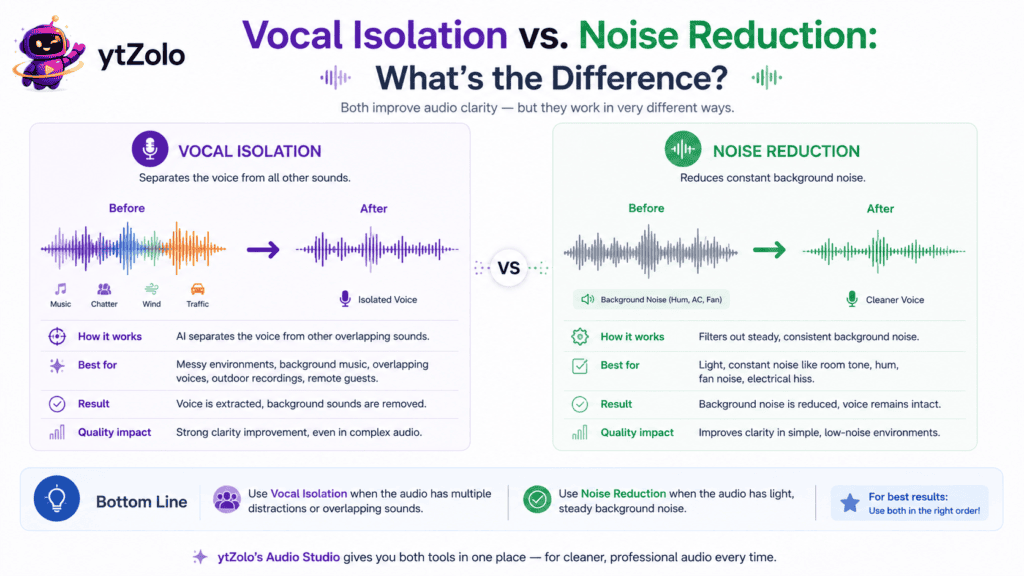
Noise reduction lowers the volume of unwanted background sound — hiss, hum, static — without knowing what a “voice” actually is. Vocal isolation identifies the human voice as a distinct source and rebuilds it separately from everything else in the recording, which is why it holds up better on messy, real-world audio.
For a deeper technical breakdown of how the isolation side of this works, see ytZolo’s complete AI Voice Isolator guide.
Table of Contents
What Is Noise Reduction?
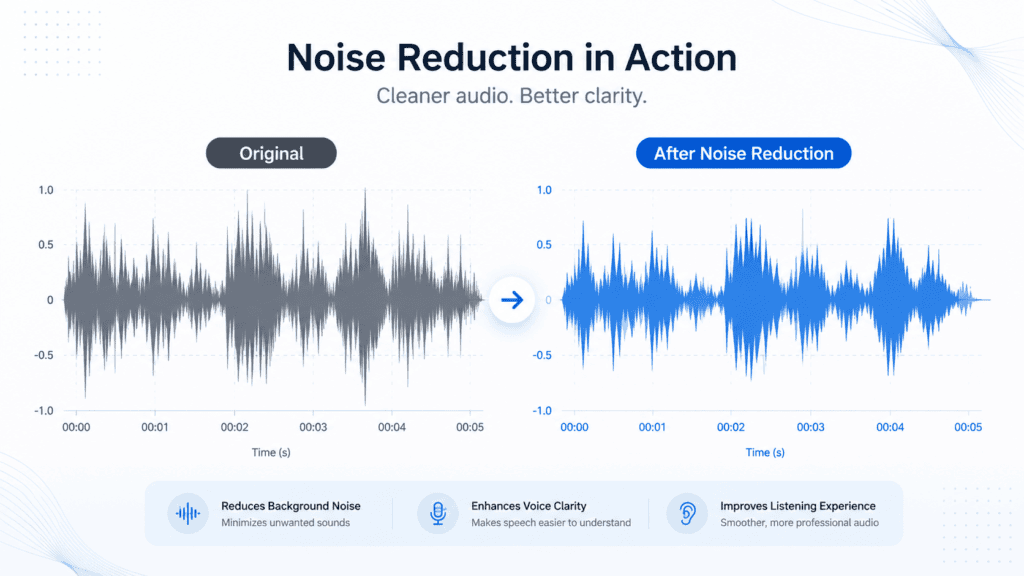
Noise reduction is an audio process that lowers the volume of unwanted sound sitting alongside your speech. It doesn’t try to identify what a voice is — it simply targets frequency ranges or volume patterns associated with steady background noise.
Classic examples include fan hum, AC drone, tape hiss, or the low static of an old microphone. Traditional noise reduction, the kind found in Audacity or older plugins, works by “learning” a noise profile from a quiet section of the recording and subtracting that pattern throughout the file.
It’s fast and lightweight, but it has a ceiling. Push it too hard and speech starts to sound underwater or metallic, because the tool can’t tell where the noise stops and the voice begins.
What Is Vocal Isolation?
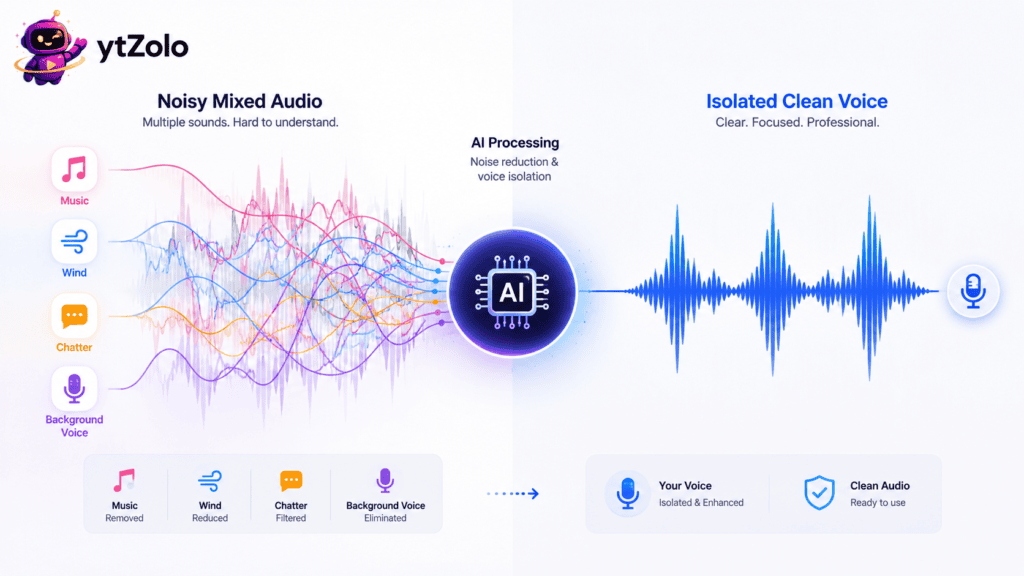
Vocal isolation, sometimes called voice isolation or speech separation, uses machine learning to recognize the acoustic signature of a human voice and separate it from everything else — noise, music, echo, and overlapping sound.
Instead of just turning background sound down, an isolator treats the voice as its own layer and rebuilds it. That’s a meaningfully different approach, and it’s why isolation tends to survive harder cleanup jobs — a busy café, a windy sidewalk interview, a room with noticeable echo — better than simple reduction does.
If you want the full mechanics of how this separation happens, spectrogram analysis and all, ytZolo’s AI Voice Isolator guide covers the process step by step.
Vocal Isolation vs. Noise Reduction: The Core Differences
| Factor | Noise Reduction | Vocal Isolation |
|---|---|---|
| Method | Lowers volume in noisy frequency ranges | Identifies and rebuilds the voice as a separate source |
| Best at | Steady, predictable noise (hum, hiss) | Complex noise — chatter, traffic, overlapping sound |
| Technology | Frequency filtering, noise profiling | AI-based source separation, voice embeddings |
| Risk of artifacts | Low on light settings, high when pushed hard | Low with modern models, higher on very low-quality audio |
| Works with music in the background | Rarely removes it cleanly | Can separate voice from music more reliably |
| Typical use case | Podcast hiss, camera mic hum | Outdoor filming, remote interviews, dubbing prep |
The short version: noise reduction turns a dial down. Vocal isolation rebuilds the signal from scratch. That’s why the two aren’t interchangeable, even though marketing copy often blurs the line between them.
For a related comparison — how AI isolation stacks up against manual editing tools rather than basic noise filters — see AI voice isolator vs. audio editing software.
How They Actually Process Sound
Noise reduction generally follows a simple loop: sample a “noise profile” from a quiet stretch of audio, then subtract that pattern across the whole track. It’s efficient, but it assumes the noise stays consistent — a moving car horn or shifting wind throws it off.
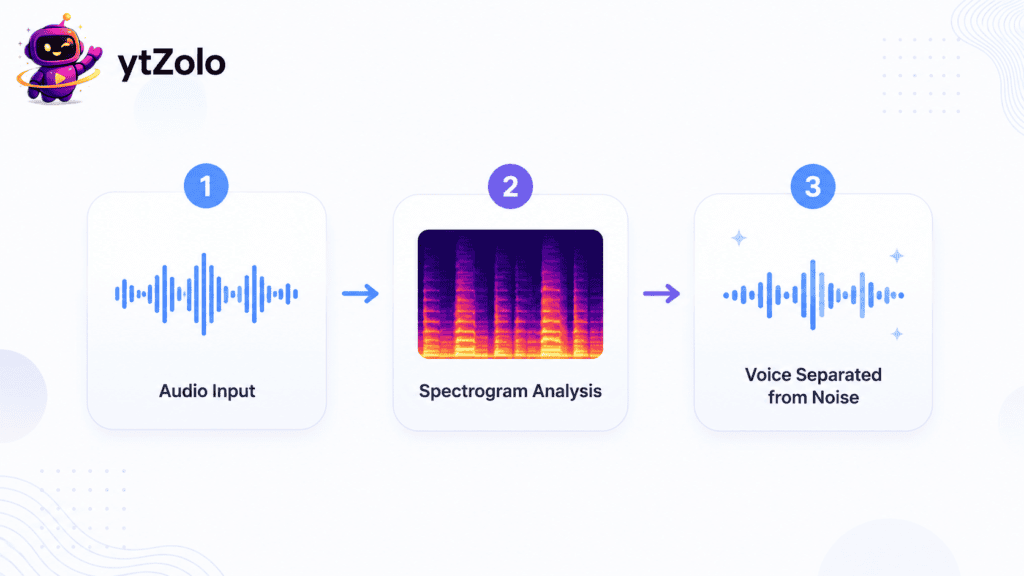
Vocal isolation works differently. The audio is converted into a spectrogram, then a trained neural network scans it for the shape of a human voice versus everything else layered underneath.
Because the model has learned what speech actually looks like across thousands of samples, it can separate a voice even when the background noise changes moment to moment — something basic noise reduction structurally can’t do.
When to Use Noise Reduction
Noise reduction is the right call when the problem is mild and consistent.
- A slight hiss from an older microphone
- Light hum from a laptop fan
- Room tone that’s noticeable but not overwhelming
- Audio that’s already mostly clean and just needs polish
In these cases, a lighter tool avoids over-processing the voice, and it’s usually faster since there’s less for the software to analyze.
When to Use Vocal Isolation
Reach for vocal isolation when the noise is unpredictable, layered, or louder than a light hum.
- Interviews recorded outdoors with traffic or wind
- Remote podcast guests joining from noisy environments
- Footage with background music you need to separate from dialogue
- Panel or multi-speaker recordings with overlapping sound
- Any audio you plan to use for dubbing, transcription, or repurposing into another language
This is also where a bundled tool matters. ytZolo’s Audio Studio keeps voice isolation next to voice generation, music, and dubbing tools, so a cleaned track can move straight into the next step of production instead of bouncing between separate apps.
Real Scenarios Where the Choice Matters
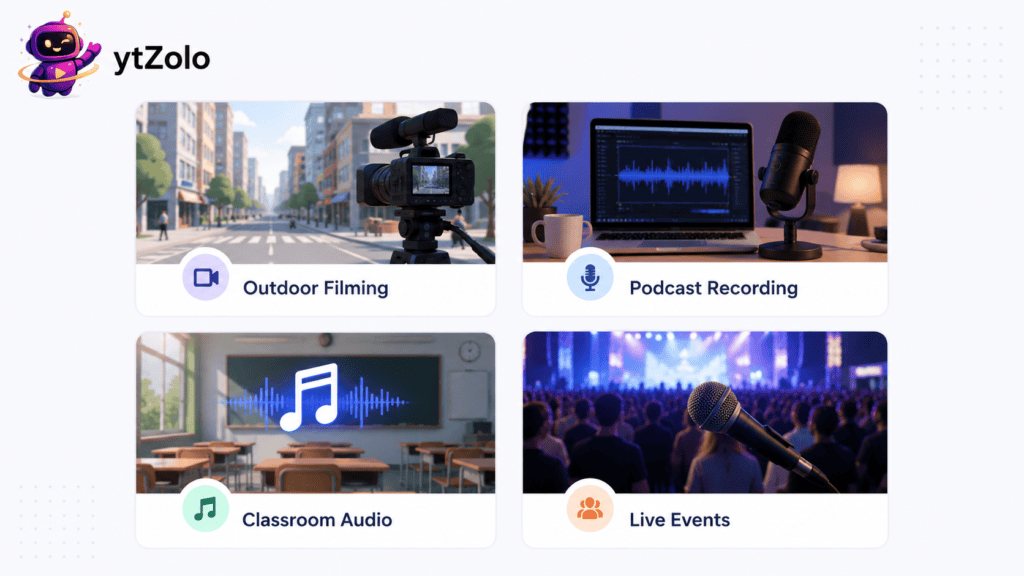
A YouTuber filming B-roll near a busy street. Traffic noise isn’t steady — it rises and falls with passing cars, which defeats basic noise reduction. Vocal isolation handles the inconsistency better.
A podcaster with mild room echo. If the recording is otherwise clean, light noise reduction combined with de-reverb settings might be all that’s needed, without the heavier processing of full isolation.
A course creator whose lesson has background music playing under narration. Standard noise reduction won’t separate music from voice cleanly. This calls for source separation, closer to what’s used to extract vocals from a song than simple filtering.
A journalist recording an interview at a crowded event. Multiple overlapping voices are one of the harder cases for either tool, but AI-based isolation still outperforms basic filtering here.
Vocal Isolation for Dubbing and Localization
Dubbing is one of the clearest cases where the distinction actually changes your output quality.
When a video gets translated and re-voiced into another language, the original audio first needs to be as clean as possible. Leftover background noise in the source track tends to bleed into transcription and timing accuracy, which throws off the whole localization process.
Noise reduction alone often isn’t enough here, especially if the original recording has music or crowd sound layered under the dialogue. Vocal isolation gives dubbing teams — or AI dubbing tools — a clean, isolated voice track to work from, which improves both translation accuracy and lip-sync timing.
ytZolo’s AI Dubbing tool sits in the same Audio Studio as the voice isolator, so a cleaned track can move directly into translation and re-voicing without exporting to a separate app.
Common Mistakes Creators Make
A few patterns show up again and again in noisy-audio troubleshooting threads.
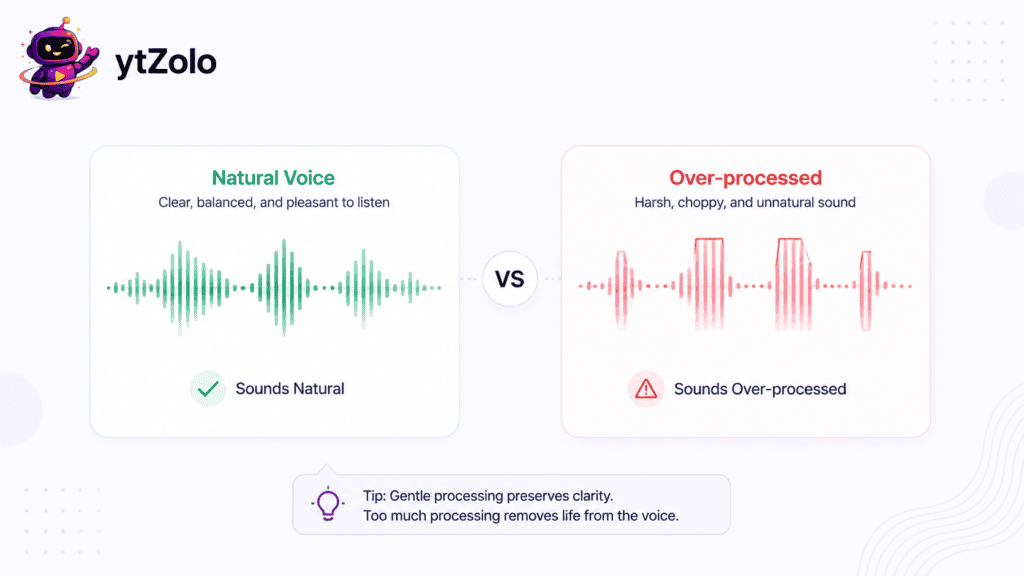
- Over-applying noise reduction. Pushing the slider too far introduces a robotic, underwater quality that’s often worse than the original noise.
- Assuming isolation fixes everything. Vocal isolation can’t recover audio that clipped at the point of recording — that data is permanently gone.
- Skipping a source check first. Running heavy processing on a low-bitrate or already-compressed file gives the AI less to work with, and results suffer.
- Using the wrong tool for music. Basic noise reduction rarely separates background music from dialogue cleanly — that’s a job closer to vocal isolation or dedicated source separation.
Signs You’re Using the Wrong Tool
Sometimes the clearest way to tell you picked the wrong process is what happens after you export.
- The voice sounds hollow or underwater. This usually means noise reduction was pushed too hard trying to fix noise it wasn’t built to handle.
- Background chatter is still audible after “cleaning.” Basic noise reduction can only lower volume, not tell people apart from noise — that’s a sign you need vocal isolation instead.
- Music keeps bleeding through under dialogue. That’s a strong signal you need source separation rather than a simple filter.
- Processing barely changed anything. If a file is dominated by shifting noise like traffic or wind, light noise reduction often won’t make a noticeable dent.
Recognizing these signs early saves a re-edit later, especially on longer podcast or video files where reprocessing costs real time.
Can You Use Both Together?
Yes, and for genuinely messy recordings, combining them often produces the cleanest result.
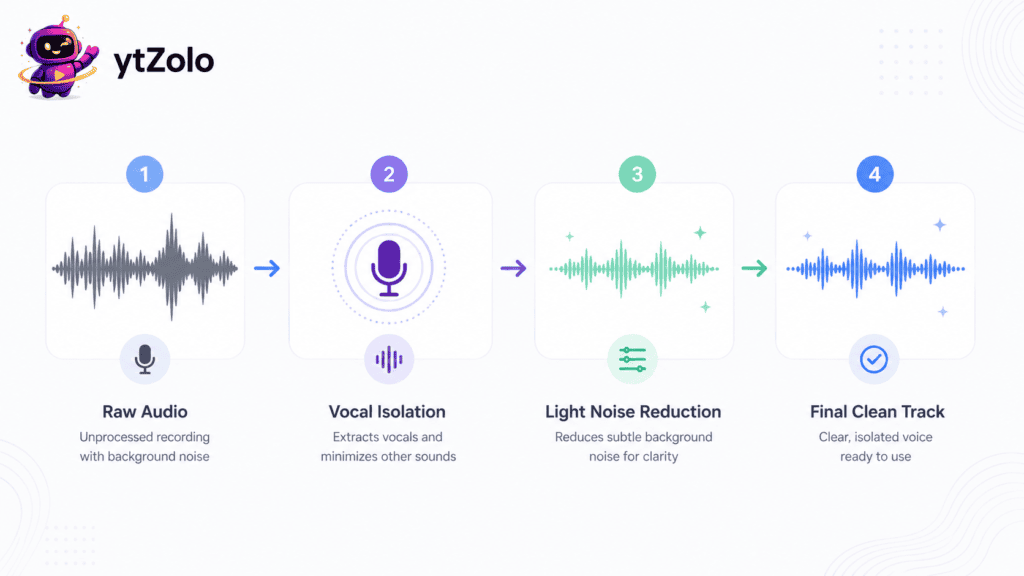
A common workflow: run vocal isolation first to separate the voice from noise and music, then apply light noise reduction afterward to smooth out any remaining hiss in the isolated track.
Doing it in the reverse order tends to work less well, since aggressive noise reduction on the original mixed file can strip away detail the isolation model would have otherwise used to separate the voice cleanly.
How to Choose the Right Approach
Ask these questions before picking a tool:
- Is the noise steady (hum, hiss) or changing (traffic, chatter)? Steady leans noise reduction; changing leans isolation.
- Is there music mixed in with the voice? That points toward isolation or source separation.
- Will this audio be used for dubbing, transcription, or captions? Cleaner separation improves accuracy downstream.
- How much noise is actually present? Light noise often only needs light reduction — no need to over-engineer it.
If you’re also weighing AI tools against manual editing software like Audacity or Adobe Audition, the comparison in AI voice isolator vs. audio editing software walks through where each approach still makes sense.
Don’t Do This: Avoiding Over-Processed Audio
A few habits quietly ruin otherwise fixable recordings.
- Don’t max out noise reduction sliders “just to be safe” — it flattens natural voice tone
- Don’t skip previewing before you export; robotic artifacts are easy to miss on low-volume playback
- Don’t rely on jargon-heavy settings you don’t understand — most modern tools default to sensible presets for a reason
- Don’t run the same file through multiple heavy AI passes back to back; diminishing returns set in fast and quality can actually drop
Plain, moderate processing almost always beats aggressive settings stacked on top of each other.
Frequently Asked Questions
What’s the main difference between vocal isolation and noise reduction? Noise reduction lowers background volume in certain frequency ranges. Vocal isolation identifies the voice as a distinct source using AI and rebuilds it separately from the noise.
Which one is better for podcasts? It depends on the noise. Light, steady background hum usually only needs noise reduction. Remote guests recording in cafés or noisy homes benefit more from full vocal isolation.
Does noise reduction remove background music? Rarely cleanly. Basic noise reduction targets noise-like frequencies, not musical structure, so vocals and music often stay blended.
Can vocal isolation fix clipped or distorted audio? No. Clipping permanently loses waveform data at the point of distortion, and no separation model can fully rebuild what wasn’t captured.
Is vocal isolation the same as a voice changer? No. Isolation separates the voice from noise; a voice changer alters the tone or character of the voice itself. They solve different problems entirely.
Do I need vocal isolation before dubbing a video? It’s strongly recommended. Clean, isolated source audio produces more accurate translation and better lip-sync timing than dubbing from a noisy original track.
Can I combine noise reduction and vocal isolation? Yes — isolating the voice first, then applying light noise reduction afterward, is a common and effective order for heavily mixed recordings.
Which tool works better on outdoor recordings? Vocal isolation generally performs better outdoors, since wind and traffic noise change constantly, which basic noise reduction struggles to track.
Will vocal isolation make my voice sound robotic? It shouldn’t, if the source recording isn’t too degraded. Robotic artifacts usually show up on heavily compressed or very low-quality files, not on well-recorded audio run through a modern isolator.
Is one process always faster than the other? Basic noise reduction is typically quicker since it’s doing less analysis. AI vocal isolation takes slightly longer but still finishes in seconds to a few minutes for most files, well under the time manual editing would take.
Final Verdict
Vocal isolation and noise reduction are often mentioned together, but they solve different audio problems and work best in different situations. Noise reduction is designed to suppress consistent background sounds such as air conditioners, computer fans, electrical hum, or low-level room noise while leaving the main recording intact.
It is quick, efficient, and often all you need for podcasts, voiceovers, or home recordings captured in relatively quiet environments.
Vocal isolation goes a step further by separating the human voice from competing sounds. Instead of simply lowering background noise, it uses AI to identify speech and remove distractions like traffic, crowd chatter, wind, background music, keyboard clicks, or overlapping voices.
This makes it especially valuable for interviews, outdoor recordings, remote meetings, livestreams, and videos where speech clarity directly affects viewer engagement.
Choosing the right approach depends on your source audio. For light, steady background sound, basic noise reduction is usually the fastest and most natural solution. For complex recordings with multiple sound sources, vocal isolation delivers cleaner, more intelligible speech and provides a stronger foundation for editing, transcription, translation, dubbing, or AI voice enhancement.
For creators managing an entire content production workflow, having both tools available in one platform eliminates unnecessary file exports and switching between multiple applications. ytZolo’s Audio Studio combines vocal isolation with AI voice generation, AI music creation, sound effects, dubbing, and additional audio production tools, making cleanup part of a connected workflow instead of a standalone task.
Once the voice is isolated, you can continue editing, localizing, or enhancing the same project without interrupting your production process. If you’d like to explore the technology, supported use cases, and step-by-step workflow in more detail, the complete walkthrough is available in the AI Voice Isolator guide.
About the Author
Anshika Verma Email: anshika@ytzolo.com
Anshika Verma is a content researcher specializing in AI audio technology, YouTube production workflows, and search-optimized content strategy. Her work focuses on evaluating AI tools for creators against real-world recording and editing conditions, following Google’s Experience, Expertise, Authoritativeness, and Trust (EEAT) framework.

