
Introduction
Picture this. You spend three hours filming a video. You write the script, nail the lighting, edit every second. Then you upload it — and it gets 47 views.
Meanwhile, a channel in your niche uploads something similar. Their video hits 50,000 views in a week. Same topic. Similar quality. What’s the difference?
Nine times out of ten, it’s the thumbnail.
Your thumbnail is the first thing a viewer sees. It’s your video’s billboard. And in a world where over 500 hours of content are uploaded to YouTube every single minute, a weak thumbnail means your video dies before anyone even gives it a chance.
The good news? You don’t need to be a graphic designer or spend money on expensive software. The best free tools for YouTube thumbnails are available right now — and some of them use AI to make the whole process shockingly fast.
In this guide, we’re breaking down exactly which tools to use, how to use them, and why the smartest creators are switching to AI-powered platforms like ytZolo to take their thumbnail game to the next level.
Let’s get into it.
Table of Contents
Why Thumbnails Matter More Than You Think
Most creators obsess over video quality, editing, and SEO. But they completely underestimate what’s sitting right in front of viewers before they even press play — the thumbnail.
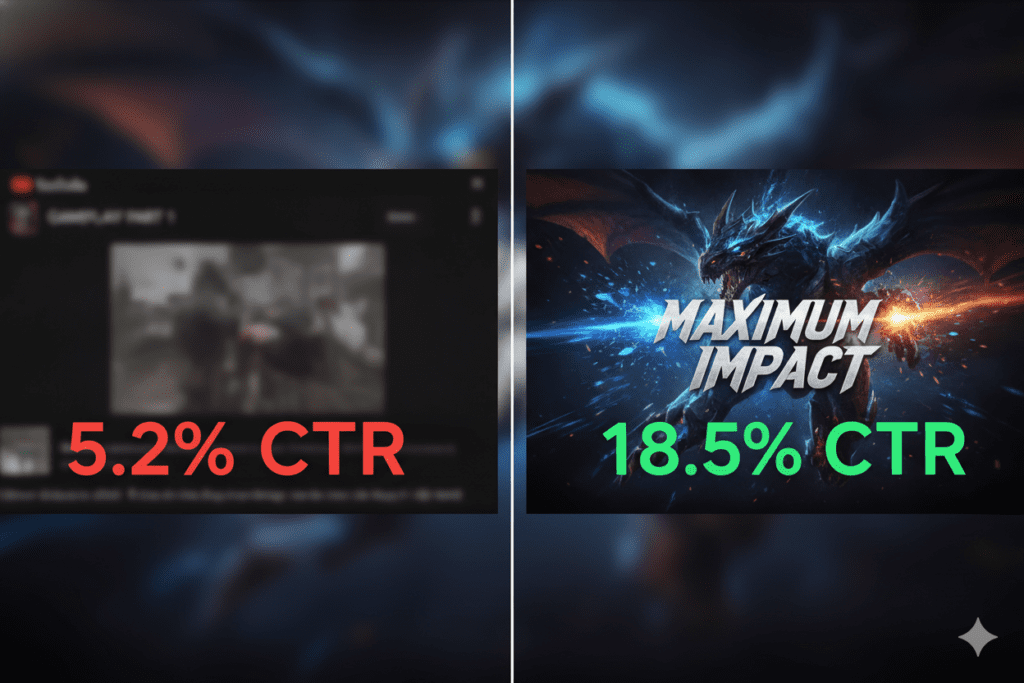
Here’s a stat that should stop you in your tracks: thumbnails can increase your click-through rate (CTR) by 30–40% when designed correctly. That’s not a marginal improvement. That’s the difference between a video that grows your channel and one that disappears into the void.
According to YouTube’s Creator Academy, CTR is one of the strongest signals YouTube uses to decide whether to recommend your video to new audiences. Low CTR means YouTube stops showing your content. High CTR means it pushes you to thousands — or millions — of new viewers.
Channels maintaining a 6–10% average CTR grow 2.3x faster than those stuck below 4%. That’s massive. And it starts with your thumbnail.
The problem? Most creators either slap on a default screenshot or spend way too long trying to design something manually. Both approaches are costing you clicks—and time, especially when a YouTube thumbnail maker online free could speed up the process without sacrificing quality.
That’s exactly why knowing the best free tools for YouTube thumbnails isn’t just useful. It’s essential.
What Makes a Great YouTube Thumbnail?
Before we jump into the tools, let’s talk about what separates a scroll-stopping thumbnail from one that gets ignored.
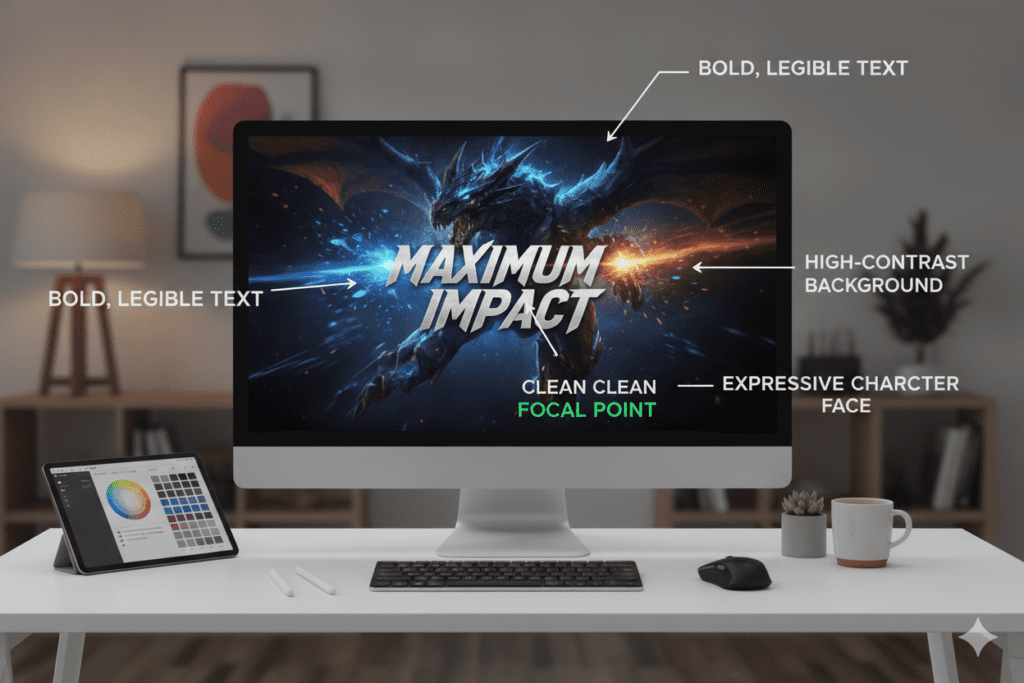
Great thumbnails share a few common traits. They’re bold, clear, and emotionally compelling. They communicate a promise or a question in under two seconds.
Here are the key elements every high-performing thumbnail needs:
- High contrast colors — Bold, clashing colors grab attention in a crowded feed
- A clear focal point — One main subject, not a cluttered mess of elements
- Expressive faces — Human faces with strong emotions boost CTR by up to 20–30%
- Minimal, readable text — Large fonts that are visible even on mobile
- Correct dimensions — Always design at 1280×720 pixels (16:9 ratio)
- Consistent branding — Same fonts, colors, and style across your channel builds trust
The smartest creators also follow one rule above all else: your thumbnail and title must work together. They should create a curiosity loop — the thumbnail shows something intriguing, the title hints at the story, and together they make clicking feel irresistible.
Getting all of this right manually takes time. A lot of time. That’s why the best free tools for YouTube thumbnails exist—and why AI-powered options are becoming the go-to for serious creators, especially those using a YouTube thumbnail maker online free.
Best Free Tools for YouTube Thumbnails in 2026
Let’s cut to the chase. Here are the top free tools for creating YouTube thumbnails right now — covering everything from drag-and-drop design to AI generation.
1. ytZolo — Best AI-Powered Free Thumbnail Tool
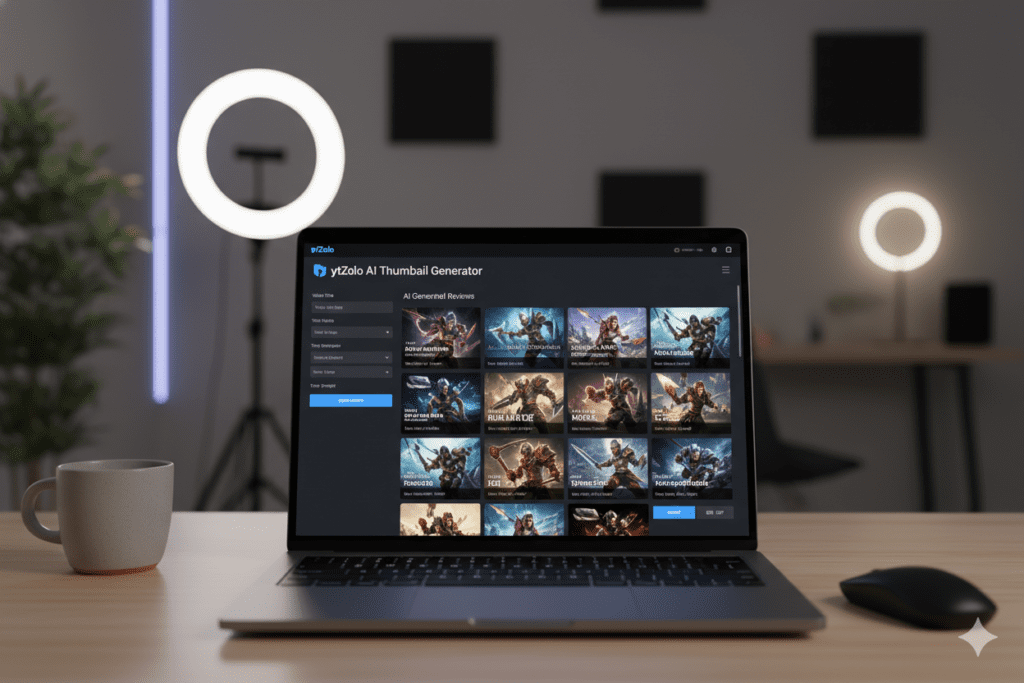
ytZolo is the only tool on this list built specifically for YouTube creators. It’s not a generic design app. It’s not a repurposed photo editor. It was built from the ground up to help channels grow.
With ytZolo’s AI thumbnail generator, you describe your video concept and the AI generates scroll-stopping, CTR-optimized thumbnail variants in seconds. No design skills needed. No hours wasted.
What makes ytZolo stand out from every other free tool for YouTube thumbnails is that it doesn’t stop at visuals. You get AI-generated titles, scripts, descriptions, and tags — all from the same dashboard. It’s a complete content creation system, not just a design tool.
Key features:
- AI thumbnail generation optimized for click-through rate
- Multi-model AI (ChatGPT, Claude, Gemini) for content creation
- Viral title generator built for YouTube SEO
- AI script writer for short-form and long-form videos
- SEO-optimized descriptions and smart tag suggestions
- Free plan available — no credit card required
If you’re only going to bookmark one tool from this list, make it ytZolo.
2. Canva — Best Drag-and-Drop Thumbnail Maker
Canva is the most popular free thumbnail maker for beginners, and for good reason. It’s clean, intuitive, and loaded with YouTube-specific templates.
The free version gives you access to hundreds of thumbnail templates, a drag-and-drop interface, and basic editing tools. It’s great for getting started fast.
Pros:
- Huge library of free templates
- Easy to use for beginners
- Collaboration features for teams
Cons:
- Not built for YouTube growth or CTR optimization
- No AI-driven thumbnail intelligence
- Premium elements require a paid plan
Canva is a solid option for design. But it won’t tell you which thumbnail will perform better in your niche — ytZolo will.
3. Adobe Express — Best for Professional-Looking Thumbnails
Adobe Express (formerly Adobe Spark) is a powerful free tool that brings Adobe-quality design to a simpler interface. It includes YouTube thumbnail templates and one-click background removal.
Pros:
- Professional design output
- Strong font and color customization
- Free background remover
Cons:
- Limited free exports
- No YouTube-specific growth intelligence
- Steeper learning curve than Canva
4. Fotor — Best for Quick AI-Assisted Editing
Fotor is a lightweight photo editor with AI-powered features like background removal, smart retouching, and template-based layouts.
It’s a solid choice if you want something in between a full design app and a simple thumbnail maker.
Pros:
- AI background removal on the free plan
- Fast and simple interface
- Decent template variety
Cons:
- Limited exports per month on the free tier
- No YouTube SEO or growth features
5. Pixlr X — Best Free Photoshop Alternative
For creators who want more advanced editing control without paying for Photoshop, Pixlr X is the answer. It supports layer editing, image masking, and detailed retouching.
Pros:
- Photoshop-level features for free
- Works entirely in-browser
- One-click background removal
Cons:
- Requires design knowledge
- Interface can feel overwhelming for beginners
6. Snappa — Best for Speed and Simplicity
Snappa is a no-fuss graphic tool that makes creating thumbnails very fast. The free plan gives you limited downloads per month but is still useful for creators just starting out as a YouTube thumbnail maker online free option.
Pros:
- Pre-sized YouTube thumbnail canvas
- Clean, distraction-free interface
Cons:
- Very limited exports on free tier (3 per month)
- Basic design functionality
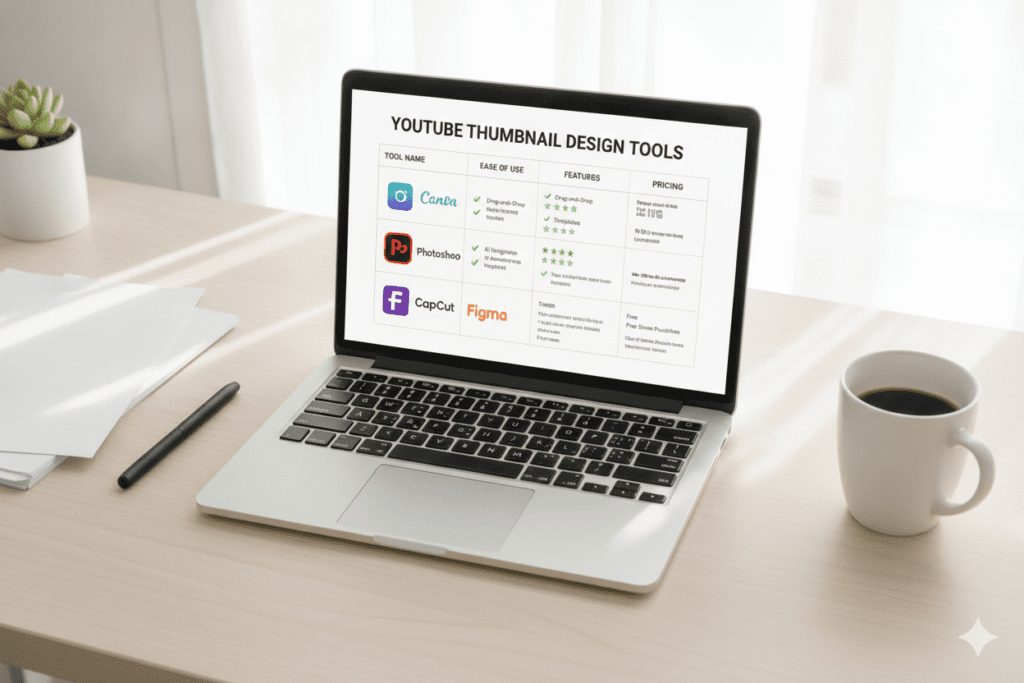
Quick Comparison: Best Free Tools for YouTube Thumbnails
| Tool | Free Plan | AI-Powered | YouTube-Specific | All-in-One |
|---|---|---|---|---|
| ytZolo | ✅ Yes | ✅ Yes | ✅ Yes | ✅ Yes |
| Canva | ✅ Yes | ⚠️ Limited | ❌ No | ❌ No |
| Adobe Express | ✅ Yes | ⚠️ Limited | ❌ No | ❌ No |
| Fotor | ✅ Yes | ⚠️ Limited | ❌ No | ❌ No |
| Pixlr X | ✅ Yes | ❌ No | ❌ No | ❌ No |
| Snappa | ⚠️ Limited | ❌ No | ❌ No | ❌ No |
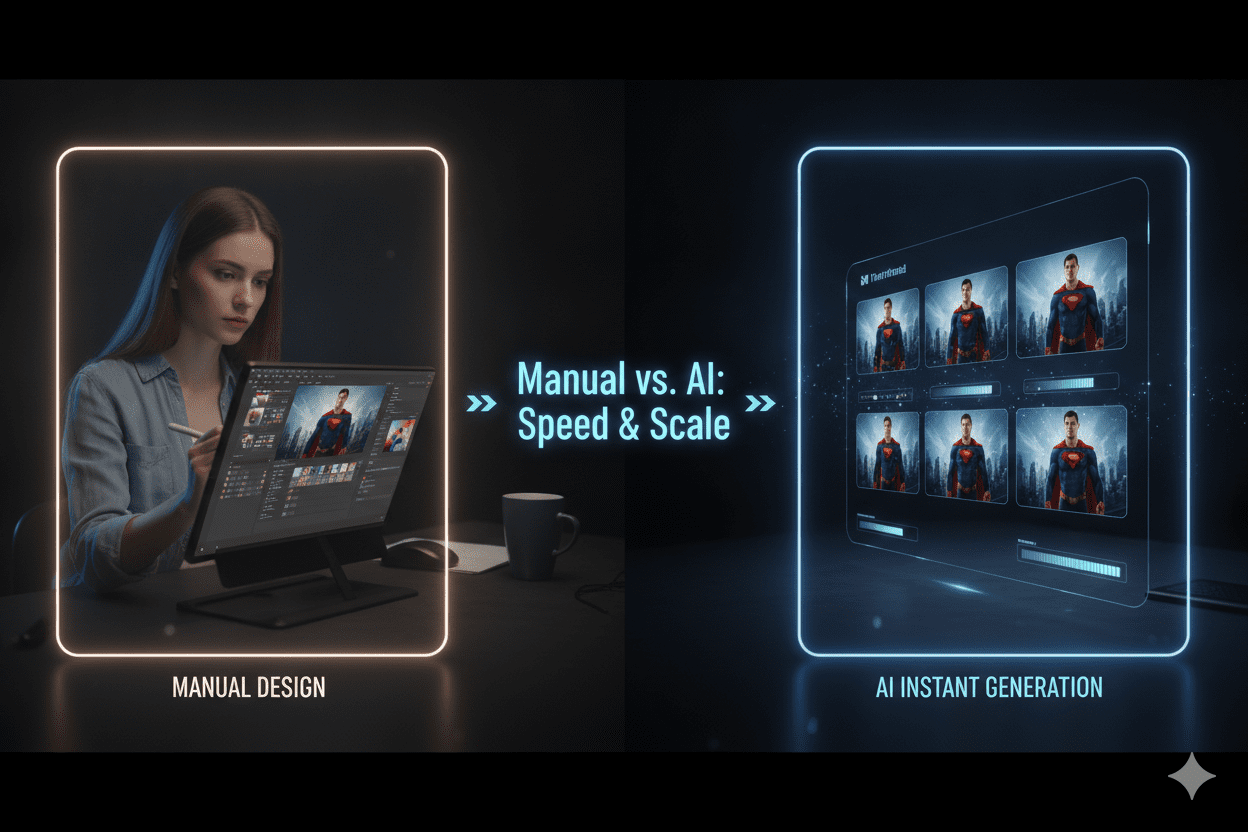
Why AI Is Changing the Thumbnail Game
For years, creating thumbnails meant one of two things. You either hired a designer (expensive) or spent hours in Canva trying to make something that looked halfway decent (exhausting).
Both methods had the same problem: they were based on guesswork.
You’d design what you thought looked good. But good-looking and high-CTR are not the same thing. The thumbnails that get the most clicks are engineered around viewer psychology, niche trends, and algorithmic behavior — and no amount of manual trial and error will teach you that as fast as AI can.
AI-powered thumbnail tools, including a free AI thumbnail maker, analyze what’s working in your niche. They understand color psychology, contrast ratios, text placement, and emotional triggers. They generate options that aren’t just pretty—they’re strategically designed to earn clicks.
According to research, AI-generated and AI-optimized thumbnails regularly outperform manually designed ones because they’re driven by data, not personal taste. Tools like AI thumbnail generators are seeing 30–40% annual growth in creator adoption because the results speak for themselves.
The creators who are growing the fastest right now aren’t the best designers. They’re the ones using the best AI tools for YouTube thumbnails and knowing how to make a YouTube thumbnail for free.
Why ytZolo Is Better Than Other Tools
This is where things get real. Let’s talk about why ytZolo isn’t just another thumbnail tool — it’s in a different category entirely.
Most tools on the market fall into one of two buckets. They’re either design tools that let you make things look nice (Canva, Adobe Express) or analytics tools that tell you what’s happening (vidIQ, TubeBuddy). Both are useful. Neither was built to grow your channel.
ytZolo was built differently.
ytZolo vs. Canva
Canva is a fantastic design tool. But it’s a general-purpose platform — not a YouTube growth machine or guide on how to make a YouTube thumbnail for free. Canva can’t tell you which thumbnail concept will perform better in your niche. It doesn’t analyze competitor content. It doesn’t factor in what’s trending in your category.
ytZolo generates thumbnails and, as a free AI thumbnail maker, tells you why certain visual styles will drive more clicks for your specific audience. That’s not design—that’s strategy.
ytZolo vs. vidIQ and TubeBuddy
These are analytics-first platforms with thumbnail features bolted on. They’re great for tracking performance. But they’re not built to create content at speed.
ytZolo creates. It generates thumbnails, titles, scripts, descriptions, and tags — all from one dashboard, all in minutes.
ytZolo vs. ChatGPT
ChatGPT can brainstorm ideas and write scripts. But it has no visual output, no YouTube-specific SEO intelligence, and no thumbnail generation capability. You’d need four or five different tools to do what ytZolo does in one place.
The ytZolo Advantage
Here’s what makes ytZolo the best AI tool for YouTube thumbnails and beyond:
- Purpose-built for YouTube — every feature was designed specifically for channel growth, not general marketing
- All-in-one dashboard — thumbnails, titles, scripts, descriptions, and tags in one place
- Multi-model AI — powered by ChatGPT, Claude, and Gemini for the best possible output
- CTR-optimized thumbnails — trained on niche-specific click psychology, not just aesthetics
- No watermarks — export in full HD without paying extra
- Free plan available — get started immediately, no credit card needed
When you use ytZolo, you’re not just solving the thumbnail problem. You’re upgrading your entire content creation workflow.
Check out the ytZolo blog for more creator growth strategies, tutorials, and platform updates.
How to Create a High-CTR Thumbnail Step by Step
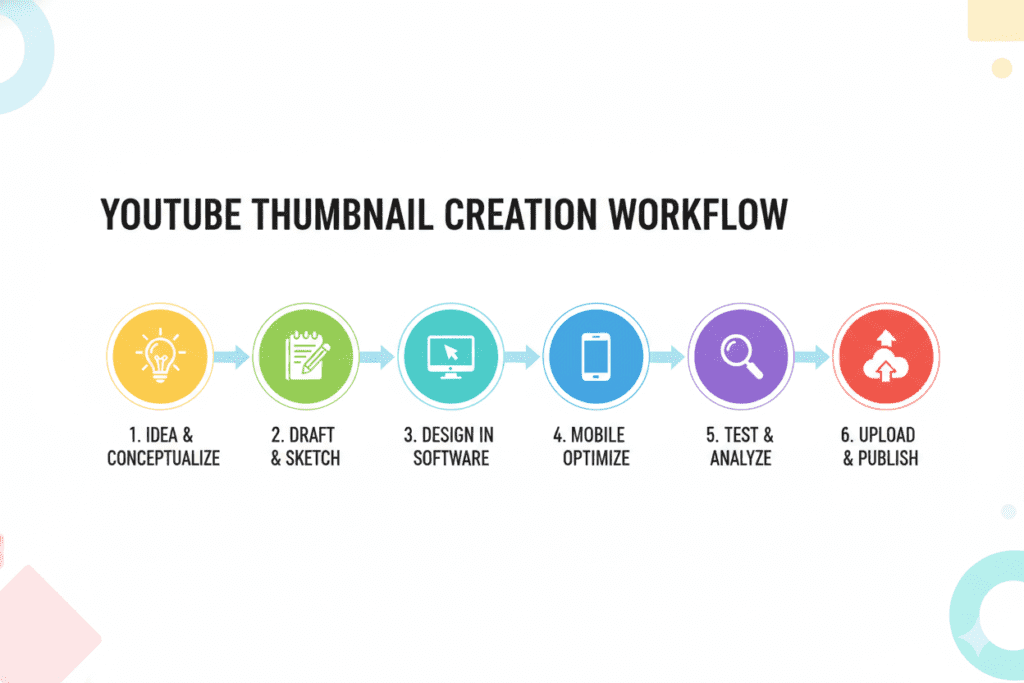
Ready to start creating thumbnails that actually get clicks? Here’s the exact process top creators use.
Step 1: Define Your Video’s Core Promise
Before you touch any tool, ask yourself: what is the one thing a viewer will get from this video? That promise is the foundation of your thumbnail.
Step 2: Choose Your Thumbnail Tool
For AI-powered, YouTube-optimized thumbnails, start with ytZolo. For manual design, Canva or Adobe Express works well for beginners.
Step 3: Generate Multiple Variants
Never go with the first option. The best free tools for YouTube thumbnails let you create multiple variants quickly and show how to make a YouTube thumbnail for free. Use ytZolo’s AI to generate 2–3 different thumbnail concepts based on your video topic.
Step 4: Apply These Design Rules
- Use 1280×720 pixels (standard YouTube thumbnail size)
- Keep the main subject in the center or left third of the frame
- Use maximum 3–4 words of text — large, bold, and readable on mobile
- Choose 2–3 high-contrast colors that pop against each other
- Include a human face with a strong emotion when relevant
Step 5: Optimize Your Full Video Package
Here’s where ytZolo truly shines. After generating your thumbnail, use the same platform to create your video title, script, description, and tags. Everything is connected and optimized together for maximum reach.
The whole process takes minutes. Not hours.
Step 6: Test and Improve
Use YouTube Studio’s built-in A/B testing (Test & Compare) to run two thumbnail variants and let data decide the winner. Track your CTR in YouTube Analytics and refine based on what the numbers tell you.
The best creators don’t guess. They test, learn, and improve consistently.
Common Thumbnail Mistakes (And How to Avoid Them)
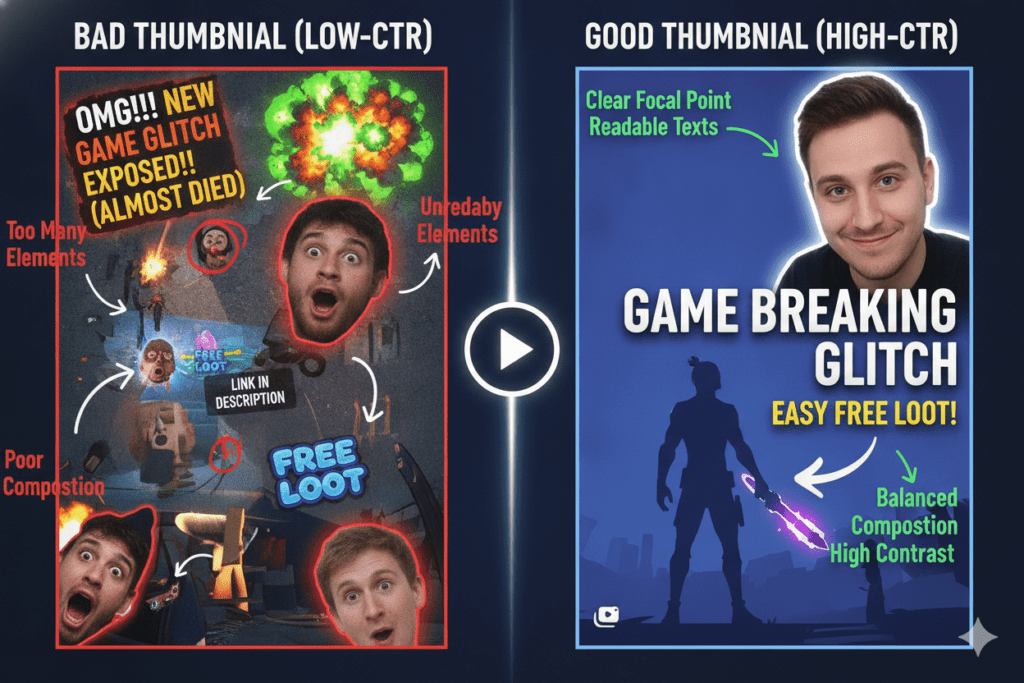
Even experienced creators make these errors. Here’s what to watch out for:
Mistake #1: Using the default auto-generated screenshot YouTube auto-selects a random frame from your video using a CTR optimized thumbnail generator. It’s almost never the best option. Always upload a custom thumbnail.
Mistake #2: Too much text More than 5–6 words on a thumbnail becomes visual noise. Keep it short, punchy, and bold.
Mistake #3: Low contrast backgrounds If your subject blends into the background, viewers won’t notice your thumbnail in a crowded feed. Use bold, contrasting colors intentionally.
Mistake #4: Inconsistent branding Your thumbnails should look like they belong to the same channel. Use consistent fonts, colors, and layouts to build recognition.
Mistake #5: Designing for desktop only Over 70% of YouTube views happen on mobile. Always check how your thumbnail looks on a phone screen before uploading.
Mistake #6: Not testing multiple options Picking one thumbnail and hoping for the best is leaving CTR on the table. Create variants and use data to find the winner.
The best free tools for YouTube thumbnails, including a CTR optimized thumbnail generator, make avoiding all of these mistakes much easier—especially when AI handles the heavy lifti
FAQ: Best Free Tools for YouTube Thumbnails
Q1: What is the best free tool for YouTube thumbnails?
The best free tool for YouTube thumbnails in 2026 is ytZolo. Unlike generic design tools, ytZolo is purpose-built for YouTube creators. It generates AI-powered, CTR-optimized thumbnails along with viral titles, scripts, descriptions, and tags — all from one free platform.
Other solid free options include Canva for drag-and-drop design and Adobe Express for professional-quality output.
Q2: Can I really create professional thumbnails for free?
Yes, absolutely. The best free tools for YouTube thumbnails — including ytZolo, Canva, and Adobe Express — give you everything you need to create professional, high-quality thumbnails without paying anything. ytZolo’s free plan even includes AI thumbnail generation and full HD exports with no watermarks.
Q3: How do thumbnails affect my YouTube channel growth?
Thumbnails directly impact your Click-Through Rate (CTR), which is one of the strongest signals YouTube uses to recommend your content. Studies show well-optimized thumbnails can boost CTR by 30–40%. Channels with higher CTR get more impressions, more views, and grow significantly faster. It’s one of the highest-ROI improvements any creator can make.
Q4: What size should YouTube thumbnails be?
YouTube thumbnails should be 1280×720 pixels at a 16:9 aspect ratio. The maximum file size is 2MB, and YouTube accepts JPG, PNG, GIF, or BMP formats. Always design at full resolution — thumbnails compressed or stretched from the wrong dimensions look unprofessional and hurt CTR.
Q5: How is ytZolo different from Canva for creating YouTube thumbnails?
Canva is a general-purpose design tool with templates. ytZolo is a YouTube-specific AI growth platform. Canva helps you design visually — ytZolo helps you grow strategically.
ytZolo generates thumbnails optimized for click-through rate in your specific niche, and it combines thumbnail creation with AI-powered titles, scripts, descriptions, and tags. It’s not just a design tool. It’s a complete YouTube growth system.
Conclusion: Stop Leaving Clicks on the Table
Your YouTube journey doesn’t have to be a grind. The right tools make everything faster, smarter, and more effective.
The best free tools for YouTube thumbnails are available right now — and the best among them use AI to give you a real competitive edge. Canva is great for beginners. Adobe Express delivers polished results. But if you’re serious about growing your channel, you need something purpose-built for YouTube.
That’s exactly what ytZolo delivers. AI thumbnails, viral titles, engaging scripts, SEO-optimized descriptions, and smart tags — all in one place, all powered by advanced AI, all designed to help your content get seen.
Manual methods are outdated. Guesswork is expensive. And your next video deserves better than a random screenshot and a hope-for-the-best attitude.
The creators winning on YouTube right now aren’t working harder. They’re working smarter — with the right AI tools in their corner.
Start creating smarter, faster, and more viral YouTube content with ytZolo today.
👉 Try ytZolo Free at ytzolo.com
Related Reading:

