
Your video could be the best one on the topic — and it might still get ignored. Not because the content is weak, but because the thumbnail didn’t earn the click.
I’ve spent years running YouTube channels across multiple niches — faceless automation, tech reviews, personal finance — and the single factor that moved the needle more than titles, keywords, or posting schedule was the thumbnail. Not slightly.
Dramatically. I’ve watched CTR jump from 2.3% to 6.8% on the exact same video just by swapping thumbnails. That difference compounds: more clicks mean more watch time, more recommendations, more subscribers.
The problem used to be that creating compelling thumbnails required either design skills (most creators don’t have them), expensive software (Photoshop has a steep learning curve), or outsourcing to designers (slow and costly). AI thumbnail generators changed all of that.
In this guide, I’ve tested 10 of the best AI thumbnail generators available in 2026, evaluated them on real YouTube content, and ranked them honestly — including their flaws. Whether you’re a beginner who just started your first channel, a faceless content creator scaling to 50 videos a month, or an agency managing multiple clients, there’s a tool on this list for you.
Here’s what you’ll find:
- What AI thumbnail generators actually are and how they work
- Why certain thumbnail elements consistently increase CTR
- Detailed reviews of the 10 best tools, tested with real criteria
- A full comparison table, pricing breakdown, and FAQ
- A step-by-step workflow for creating high-CTR thumbnails with AI
Let’s get into it.
Table of Contents
What Is an AI Thumbnail Generator?
Featured Snippet Answer: An AI thumbnail generator is a software tool that uses artificial intelligence — typically image generation models, design automation, and natural language processing — to create YouTube thumbnail images automatically or semi-automatically. Users input a prompt, topic, or video title, and the AI produces a ready-to-use or customizable thumbnail in seconds.
Traditional thumbnail design required a designer or hours in Photoshop. An AI thumbnail generator compresses that process to under a minute.
These tools vary widely in approach. Some (like YTZolo AI) are purpose-built for YouTube with features like CTR scoring, face enhancement, and title overlays. Others are general-purpose image generators (like Midjourney or DALL·E) that creators have adapted for thumbnail use. And others are design platforms (like Canva or Adobe Express) that have layered AI features onto their existing template libraries.
The best AI thumbnail generators in 2026 combine:
- Generative AI for creating custom background images or scenes
- Template intelligence that understands YouTube design conventions
- Text rendering that produces bold, readable title overlays
- Face tools that enhance or generate expressive faces (a key CTR driver)
- Brand consistency features for maintaining channel identity
For creators running faceless channels, these tools are especially powerful — you can generate professional visuals without ever appearing on camera or hiring a graphic designer.
How AI Thumbnail Generators Work
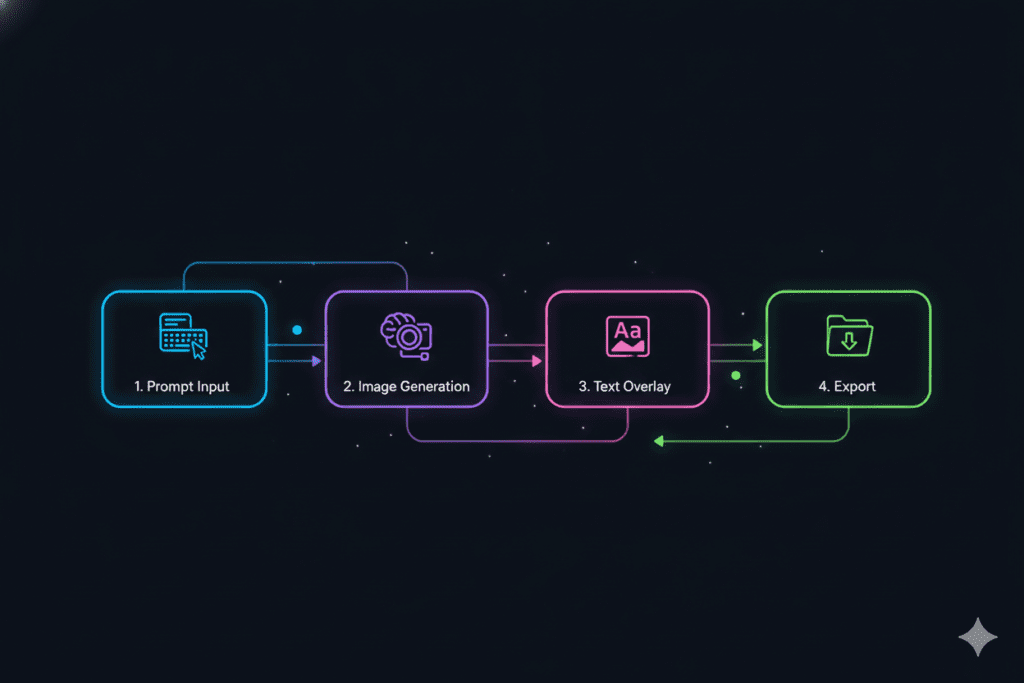
Understanding the technology helps you use it better. Here’s what’s happening under the hood:
Prompt Generation
You describe what you want — either by typing a prompt (“tech workspace, glowing screens, dark background, text overlay: ’10 AI Tools'”) or by inputting your video title. Some tools, including YTZolo AI, automatically generate optimized prompts from your title.
Image Generation
Diffusion models (similar to DALL·E, Stable Diffusion, or Midjourney’s engine) interpret your prompt and render a high-resolution image. The quality depends heavily on the model’s training data and fine-tuning for YouTube-specific aesthetics.
Template-Based Design
Rather than pure generation, many platforms offer pre-built thumbnail templates tuned to specific niches (gaming, finance, tutorials, vlogs). The AI customizes color palettes, font pairings, and layouts based on your inputs.
Background Removal
A critical thumbnail technique is isolating a subject (usually a person or product) against a designed background. AI background removers handle this in seconds — no masking skills required.
Face Enhancement
Human faces in thumbnails significantly boost CTR. AI face enhancement tools sharpen expressions, improve lighting, and can even suggest adjusting facial expressions to convey stronger emotion.
Text Suggestions
Some tools analyze your video title and suggest thumbnail copy — shorter, punchier text designed to work visually at thumbnail scale.
Automatic Resizing
YouTube thumbnails need to look good at multiple sizes: in search results (smaller), in recommendations sidebar (even smaller), on mobile. Smart tools export at multiple resolutions and preview across device types.
Brand Consistency
Channel branding — consistent colors, fonts, logo placement — is essential for subscriber recognition. Advanced tools allow you to save brand kits and apply them automatically.
Why AI Thumbnails Increase Click-Through Rate
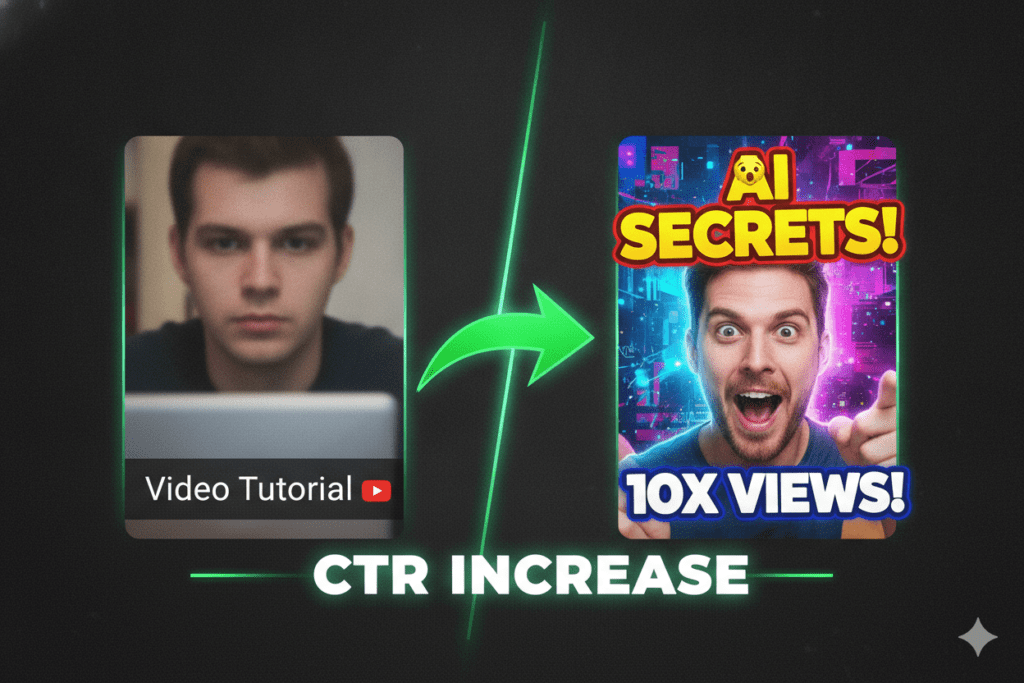
CTR — Click-Through Rate — is arguably the most important metric for YouTube growth. YouTube’s recommendation algorithm uses CTR as a primary signal: if people click your video when shown it, the algorithm shows it to more people. If they don’t, it suppresses it.
Here’s why AI-assisted thumbnails consistently outperform manually designed ones:
Color Psychology
High-contrast, saturated colors grab attention in a scroll. AI tools trained on high-performing thumbnails learn which color combinations work across niches. Yellow and black, red and white, electric blue against dark backgrounds — these aren’t arbitrary. They’re proven to stop thumbs mid-scroll.
Emotional Faces
Studies on YouTube data consistently show that thumbnails featuring expressive human faces — particularly wide eyes, open mouths, and strong emotional expressions — outperform faceless thumbnails in most niches. AI face enhancement tools optimize for these specific expressions.
Contrast and Composition
A thumbnail needs to communicate its value in under a second, often at the size of a postage stamp on a mobile screen. AI tools trained on top-performing thumbnails understand composition rules: subject placement, visual hierarchy, whitespace.
Text Hierarchy
Bold, legible text that complements rather than clutters the image is a learned skill. AI text suggestions help creators who struggle with typography make better choices automatically.
The YouTube Algorithm Connection
When your thumbnail generates a strong CTR, YouTube interprets that as a relevance signal. This creates a positive feedback loop: better thumbnail → higher CTR → more recommendations → more impressions → more data for further optimization. AI tools that also provide CTR prediction scores (like YTZolo AI) close this loop by helping you choose between thumbnail variants before publishing.
How We Tested These AI Thumbnail Makers
I don’t run reviews by reading feature lists. For this guide, I created real thumbnails using each tool across three video types: a tech tutorial, a faceless finance video, and a gaming clip. Here’s the criteria I evaluated each tool against:
| Criteria | Weight | What I Measured |
|---|---|---|
| AI Image Quality | High | Realism, coherence, YouTube-readiness |
| Ease of Use | High | Time from sign-up to first thumbnail |
| Customization | Medium | Can you edit what the AI generates? |
| Template Library | Medium | Depth and YouTube-relevance of templates |
| Text Tools | High | Font options, readability, text rendering |
| Speed | Medium | Time to generate an image |
| Background Remover | Medium | Accuracy and edge quality |
| Face Tools | Medium | Enhancement quality for CTR |
| Free Plan Limits | High | What’s actually usable for free? |
| Pricing Value | High | Cost vs. output quality |
| Commercial Usage | High | Can you monetize thumbnails made with it? |
| Beginner Friendliness | High | No-design-skills usability |
| Export Options | Medium | Resolution, formats, batch export |
Each tool was scored and compared across all 13 criteria before rankings were assigned.
10 Best AI Thumbnail Generators for YouTube
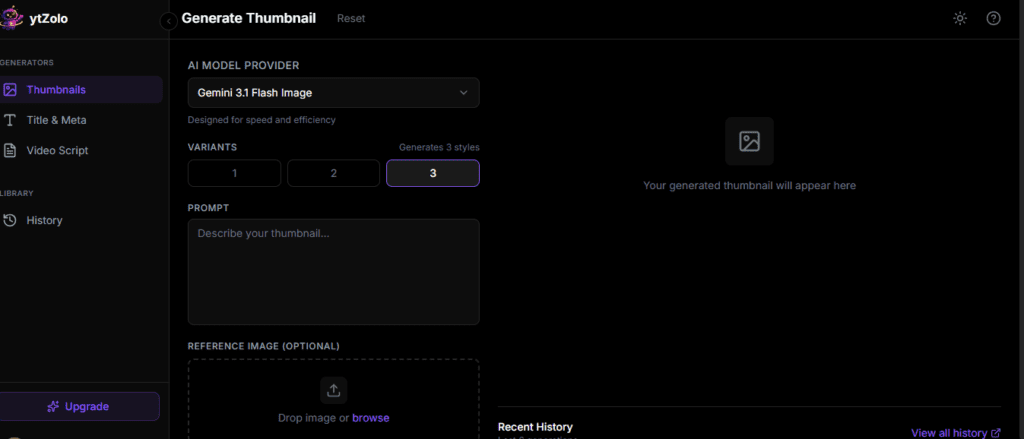
1. YTZolo AI — Best Overall AI Thumbnail Generator for YouTube
Best For: YouTubers, faceless channel owners, agencies, and anyone who wants a thumbnail tool built specifically around YouTube growth.
Overview
YTZolo AI is the only tool in this list designed from the ground up exclusively for YouTube thumbnails. While Canva and Adobe Express are general design platforms that added AI features, YTZolo AI was engineered around one goal: thumbnails that get clicked. That focus is evident in every feature decision.
What sets it apart is the CTR Prediction Engine — an AI model trained on millions of YouTube thumbnails that scores your design before you publish it. You’re not guessing whether a thumbnail will perform. You’re getting data-backed feedback in real time.
Key Features
- YouTube-specific AI image generation with niche-aware prompts
- CTR prediction scoring (pre-publish performance estimate)
- Auto title-to-prompt conversion: paste your video title and the AI generates the visual prompt
- One-click background removal with edge refinement
- Face enhancement with expression amplification
- Drag-and-drop text overlays with font pairings tuned for YouTube
- Brand kit (colors, fonts, logo) saved and auto-applied
- Batch thumbnail generation for high-volume creators
- Direct integration with YouTube channel data
Pros
- Purpose-built for YouTube — every feature solves a real creator problem
- CTR prediction is genuinely useful, not a gimmick
- Batch generation makes it ideal for agencies and faceless channels
- Output is YouTube-ready without additional editing
- Clean, intuitive UI with minimal learning curve
Cons
- Not useful for non-YouTube design work
- Newer platform, so template library is growing (not yet as large as Canva)
- Best features require a paid plan
Pricing
- Free: Limited generations per month
- Pro: Competitive monthly pricing with unlimited generations
- Agency: Multi-seat, white-label options available
AI Features: ★★★★★
Ease of Use: ★★★★★
Template Library: ★★★★☆
Export Options: WebP, PNG, JPG at 1280×720 and custom sizes
Commercial Usage: Yes, on paid plans
Who Should Use It: Any creator serious about YouTube growth. Especially strong for faceless channel operators running high-volume content schedules, and for agencies managing multiple YouTube clients.
Final Verdict: YTZolo AI earns the top spot because it’s the only tool that treats the thumbnail as a conversion asset, not just a design artifact. The CTR scoring alone makes it worth trying.
2. Canva — Best for Template Variety and Ease of Use
Best For: Beginners, social media managers, educators, and creators who need more than just thumbnails.
Overview
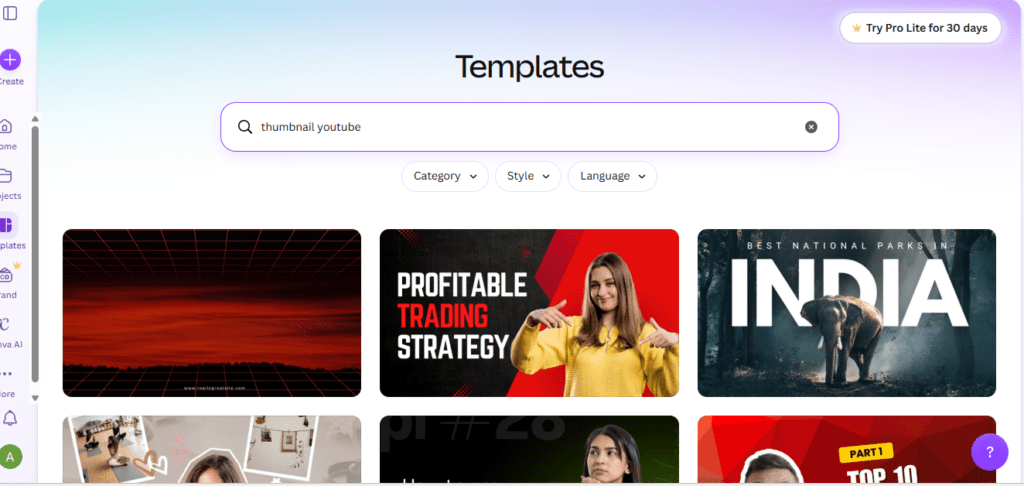
Canva is the most recognized name in accessible design. With over 100 million users globally, it’s where most non-designers start. Its AI features have matured significantly — Magic Media generates images from prompts, Magic Eraser removes backgrounds, and Magic Write suggests text.
For YouTube thumbnails specifically, Canva’s library of 1,000+ thumbnail templates is a serious asset. Most niches are covered, and the templates are genuinely well-designed.
Key Features
- 1,000+ YouTube thumbnail templates
- Magic Media (AI image generation from text prompts)
- Magic Eraser (background removal)
- Brand Kit for consistent channel branding
- Extensive font library (1,000+ fonts)
- Team collaboration features
- Direct YouTube thumbnail dimensions preset
Pros
- Massive template library covering virtually every niche
- Extremely beginner-friendly
- Free plan is genuinely usable
- Collaboration features for teams
Cons
- AI image generation quality lags behind specialized tools
- Not specifically optimized for YouTube CTR
- Some AI features locked behind Canva Pro
- Generated images can look generic
Pricing
- Free: Significant functionality, limited AI features
- Canva Pro: ~$15/month (monthly billing)
- Canva Teams: ~$10/user/month
AI Features: ★★★★☆
Ease of Use: ★★★★★
Template Library: ★★★★★
Export Options: PNG, JPG, PDF, WebP, MP4
Commercial Usage: Yes, with Pro license
Who Should Use It: Beginners who need thumbnails quickly, multi-platform creators who also need social media graphics, and teams collaborating on content.
Final Verdict: Canva is the best all-around design platform and a strong thumbnail tool. It’s not the best if your only priority is YouTube CTR, but it’s the most versatile.
3. Adobe Express — Best for Brand-Consistent Professional Thumbnails
Best For: Professionals, brand-conscious creators, Adobe ecosystem users.
Overview
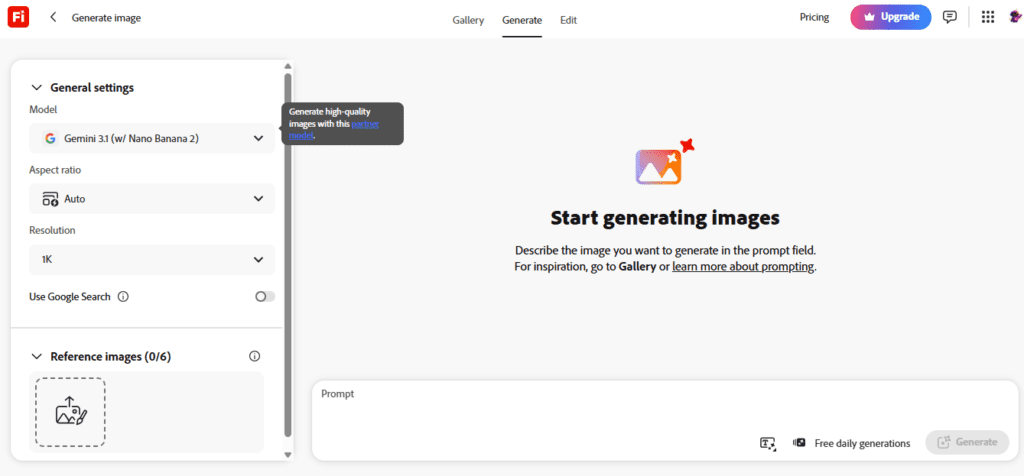
Adobe Express is Adobe’s entry-level design platform — accessible enough for non-designers, powerful enough for professionals already in the Adobe ecosystem. Its integration with Adobe Firefly (Adobe’s proprietary AI image model) is what makes it genuinely compelling for thumbnail creation in 2026.
Firefly’s main advantage: it was trained exclusively on licensed Adobe Stock images, which means everything it generates is cleared for commercial use without copyright concerns. That’s a significant differentiator if you’re monetizing your YouTube channel.
Key Features
- Adobe Firefly AI image generation (commercially safe)
- Generative Fill for expanding or modifying backgrounds
- Text effects generated by AI
- Remove Background powered by Sensei AI
- YouTube thumbnail presets
- Full Adobe font library
- Integration with Creative Cloud (Photoshop, Illustrator, Lightroom)
Pros
- Commercially safe AI-generated images
- Adobe ecosystem integration is seamless
- Professional typography tools
- Strong brand consistency features
Cons
- Learning curve if unfamiliar with Adobe products
- More expensive than alternatives
- AI generation speed can be slower than competitors
- Free plan has limited Firefly credits
Pricing
- Free: Limited Firefly credits
- Express Premium: ~$10/month (often bundled with Creative Cloud)
AI Features: ★★★★☆
Ease of Use: ★★★★☆
Template Library: ★★★★☆
Export Options: PNG, JPG, PDF, MP4
Commercial Usage: Yes, Firefly images are cleared for commercial use
Who Should Use It: Professional creators and agencies already using Adobe products, and any creator with concerns about AI image copyright.
Final Verdict: Adobe Express is the professional’s choice when brand integrity and commercial safety matter. The Firefly integration makes it uniquely trustworthy.
4. Ideogram — Best for AI Text-in-Image Thumbnails
Best For: Creators who need readable, stylized text embedded directly in AI-generated images.
Overview
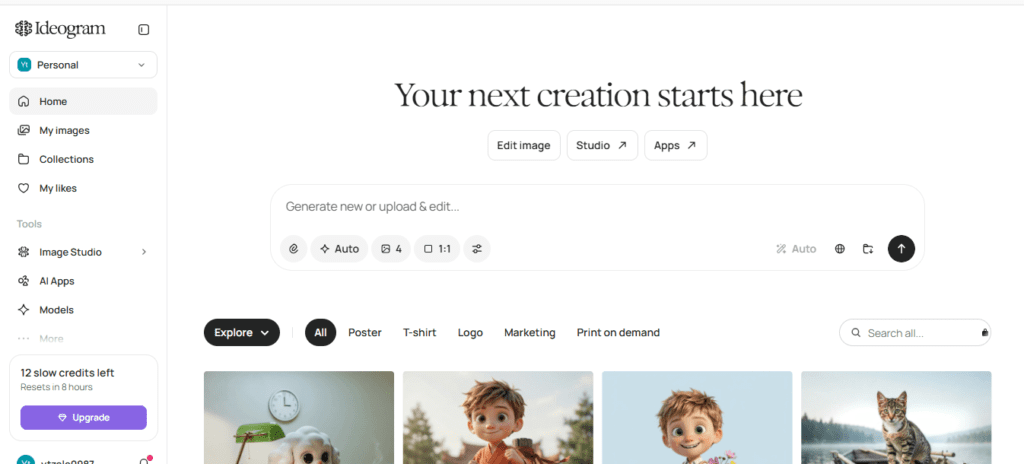
Ideogram solves one of the most frustrating problems with AI image generators: text rendering. Most AI image models produce garbled, illegible text when you ask them to include words in an image. Ideogram was specifically engineered to fix this.
For YouTube thumbnails where bold, readable text is often part of the visual itself (not a separate overlay), Ideogram produces results that genuinely work. You can prompt it to generate a thumbnail with “bold yellow text reading ’10 AI Tools’ in the upper third” and it actually delivers.
Key Features
- Accurate text rendering within generated images
- Style controls (realistic, design, typography, 3D, anime)
- Canvas editor for post-generation customization
- Remix feature to iterate on generations
- Magic Prompt for automatic prompt enhancement
Pros
- Best-in-class text rendering in AI-generated images
- Fast generation (under 15 seconds)
- Free plan is genuinely generous
- Style variety covers most YouTube niches
Cons
- Not built specifically for YouTube
- Limited template library
- Less intuitive for absolute beginners
- No direct YouTube integration
Pricing
- Free: 25 priority generations/day
- Basic: ~$8/month
- Plus: ~$20/month
AI Features: ★★★★★ (for text-in-image)
Ease of Use: ★★★★☆
Template Library: ★★★☆☆
Export Options: PNG, JPG
Commercial Usage: Yes, on paid plans
Who Should Use It: Creators who want text integrated into AI-generated imagery rather than applied as a separate overlay. Great for cinematic or artistic thumbnail styles.
Final Verdict: Ideogram is the best pure AI image generator for thumbnails that need text built into the image. It’s a specialist tool that excels at its niche.
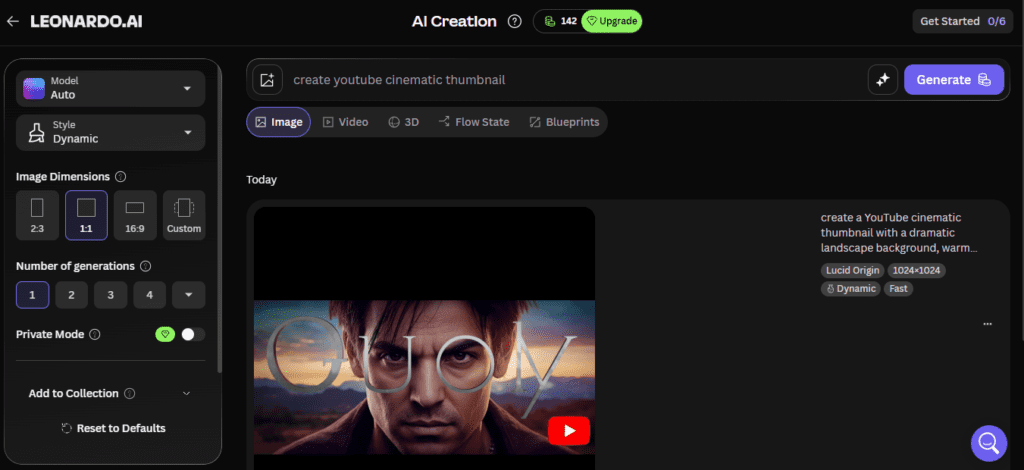
5. Leonardo AI — Best for Cinematic, High-Quality AI Images
Best For: Creators in gaming, fantasy, sci-fi, cinematic, or high-production-value niches.
Overview
Leonardo AI is a powerful generative AI platform that produces some of the highest-quality images available from any AI tool. For YouTube niches that benefit from cinematic or artistic visuals — gaming, history, fantasy, horror, sci-fi — Leonardo’s output is difficult to match.
Its Phoenix and Alchemy models produce detailed, photorealistic images that give thumbnails a premium feel. The Image Guidance feature lets you upload a reference image and generate variations, which is useful for maintaining visual consistency across a channel.
Key Features
- Multiple AI models including Phoenix and Alchemy
- Image-to-image generation for style consistency
- ControlNet for pose and composition control
- Real-Time Canvas for live generation
- AI Video generation (emerging feature)
- Motion feature for subtle animated thumbnails
Pros
- Highest image quality for artistic/cinematic thumbnails
- Multiple specialized models for different styles
- Strong community with shared prompts
- Generous free tier
Cons
- Steeper learning curve for non-technical users
- Text rendering not as strong as Ideogram
- Not optimized specifically for YouTube
- Can require significant prompt engineering for best results
Pricing
- Free: 150 tokens/day
- Apprentice: ~$10/month
- Artisan: ~$24/month
- Maestro: ~$48/month
AI Features: ★★★★★ (image quality)
Ease of Use: ★★★☆☆
Template Library: ★★★☆☆
Export Options: PNG, JPG, WebP
Commercial Usage: Yes, on paid plans
Who Should Use It: Creators in visually rich niches who prioritize stunning image quality over simplicity.
Final Verdict: Leonardo AI produces the best raw image quality of any tool on this list, but requires more effort to turn generations into finished thumbnails.
6. Microsoft Designer — Best Free AI Thumbnail Generator (Windows/Microsoft Users)
Best For: Creators on Windows, Microsoft 365 subscribers, beginners wanting a completely free option.
Overview
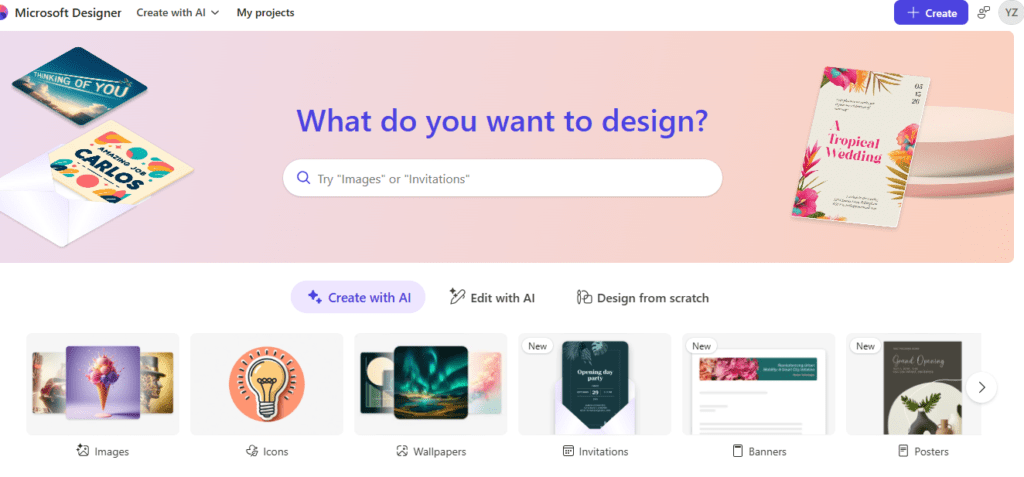
Microsoft Designer is Microsoft’s AI-powered design tool powered by DALL·E and backed by the Microsoft Copilot AI ecosystem. It’s deeply integrated with Microsoft 365, which means if you’re already a Microsoft subscriber, you may have access at no additional cost.
Designer’s AI generation quality has improved substantially — DALL·E’s models produce coherent, usable images for most thumbnail scenarios. The interface is clean and beginner-friendly, and YouTube thumbnail presets are available.
Key Features
- DALL·E-powered AI image generation
- YouTube thumbnail template support
- AI text suggestions
- Background removal
- Integration with Microsoft 365 and OneDrive
- Copilot AI design suggestions
Pros
- Completely free for Microsoft 365 subscribers
- Clean, intuitive interface
- Strong AI image quality via DALL·E
- Regular improvements via Microsoft AI investment
Cons
- Limited export options vs. professional tools
- Template library smaller than Canva
- Less specialized for YouTube than YTZolo AI
- Some features require Microsoft account
Pricing
- Free with Microsoft account
- Enhanced features with Microsoft 365 subscription
AI Features: ★★★★☆
Ease of Use: ★★★★★
Template Library: ★★★☆☆
Export Options: PNG, JPG
Commercial Usage: Check current Microsoft Designer terms
Who Should Use It: Windows users, Microsoft 365 subscribers, and creators looking for a capable free AI thumbnail tool.
Final Verdict: Microsoft Designer is the best completely-free AI thumbnail option for creators who don’t need YouTube-specific optimization.
7. Fotor — Best for Speed and Simplicity
Best For: Creators who want AI thumbnails fast with minimal friction.
Overview
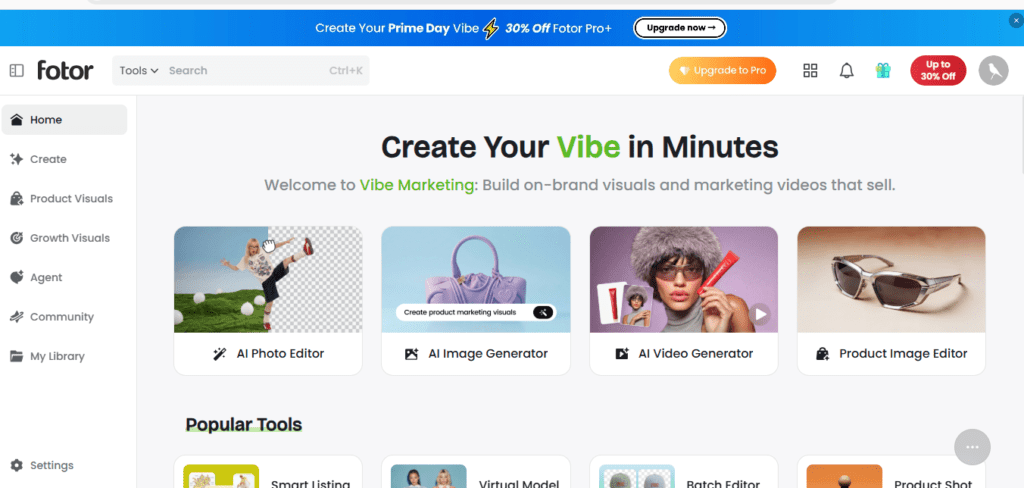
Fotor has evolved from a simple photo editor into a capable AI design platform. Its AI Image Generator and AI Photo Enhancer make it a practical thumbnail tool, particularly for creators who prioritize speed.
The platform’s thumbnail workflow is streamlined: upload or generate a background, add your subject, apply text, export. The AI background remover is among the fastest I tested, processing images in under 3 seconds.
Key Features
- AI image generation
- One-click background removal (fastest tested)
- AI photo enhancement
- YouTube thumbnail templates
- Batch processing
- AI face retouch
Pros
- Very fast workflow
- Background remover is excellent
- Clean mobile and desktop experience
- Affordable pricing
Cons
- AI generation quality not as high as Leonardo AI or Adobe Firefly
- Limited advanced customization
- Template library smaller than Canva
Pricing
- Free: Limited features
- Pro: ~$8.99/month
- Pro+: ~$19.99/month
AI Features: ★★★☆☆
Ease of Use: ★★★★★
Template Library: ★★★☆☆
Export Options: JPG, PNG, WebP
Commercial Usage: Yes, on paid plans
Who Should Use It: High-volume creators who prioritize speed and need thumbnails at scale without complexity.
Final Verdict: Fotor is the fastest thumbnail workflow I tested. Not the deepest, but for volume and efficiency it delivers.
8. Picsart — Best for Creative Editing and AI Effects
Best For: Mobile-first creators, lifestyle and entertainment channels, creators who want stylized or creative thumbnail effects.
Overview
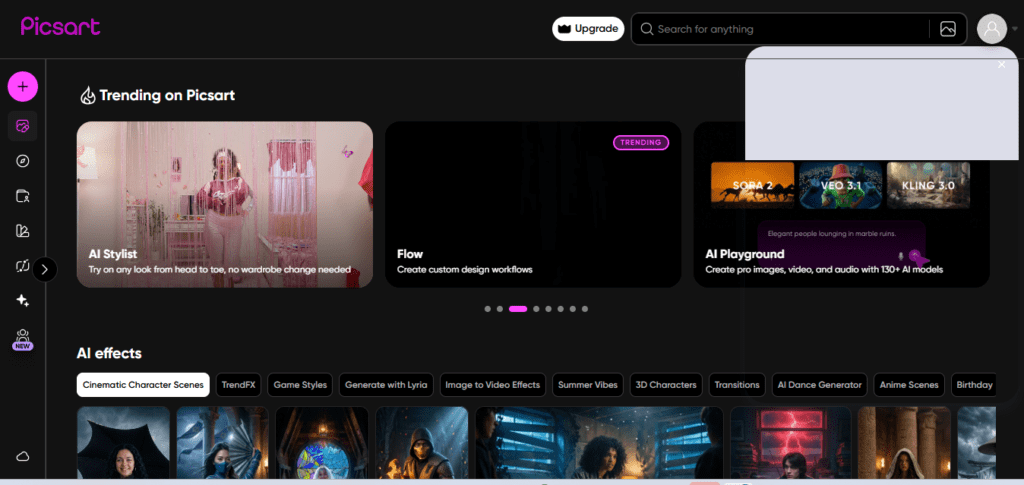
Picsart is primarily known as a mobile photo editing app, but its desktop web platform has matured into a capable AI design tool. Its AI Image Generator, sticker library, background collections, and extensive effects make it particularly well-suited for entertainment, lifestyle, and personal brand thumbnails.
Key Features
- AI image and background generation
- Extensive sticker and overlay library
- AI background removal
- One-tap effects and filters
- Text effects and animations
- Strong mobile app (iOS and Android)
- AI Photo Enhancer
Pros
- Best mobile experience of any tool tested
- Huge creative asset library
- Fun, expressive effects popular in entertainment niches
- Strong free tier
Cons
- Not as professionally focused as Adobe Express
- Text tools less refined than Canva
- Can feel more consumer than professional
- AI generation quality varies
Pricing
- Free: Generous free plan
- Gold: ~$5/month
- Team: Custom pricing
AI Features: ★★★★☆
Ease of Use: ★★★★☆
Template Library: ★★★★☆
Export Options: PNG, JPG, GIF
Commercial Usage: Yes, on Gold plan
Who Should Use It: Mobile-first creators, entertainment and lifestyle YouTubers, creators who want vibrant, stylized thumbnail aesthetics.
Final Verdict: Picsart is the best choice for creators who work primarily on mobile or want bold, expressive thumbnail styles that stand out in entertainment niches.
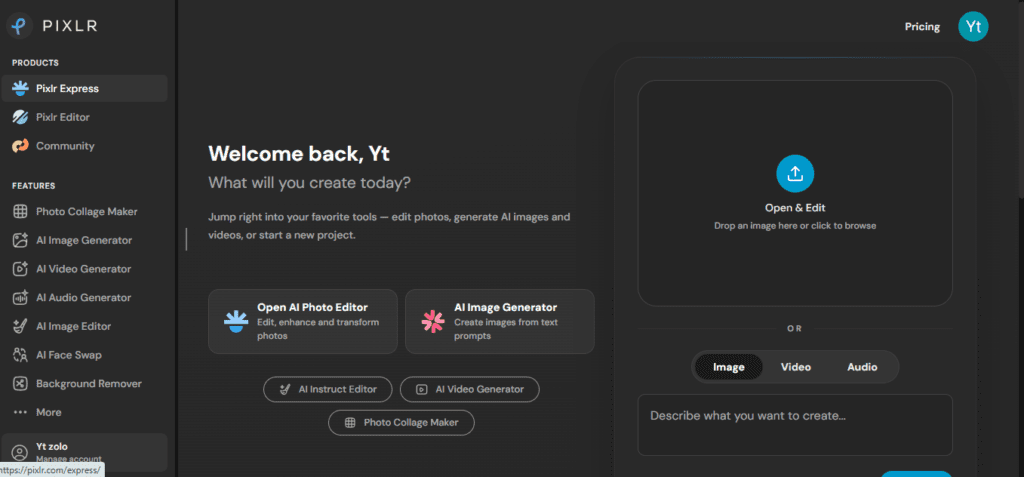
9. Pixlr — Best Browser-Based Photoshop Alternative for Thumbnails
Best For: Creators with basic design skills who want Photoshop-like control without the cost.
Overview
Pixlr offers two main editors: Pixlr X (simplified) and Pixlr E (advanced). The advanced editor gives creators granular control over layers, masks, blending modes, and adjustments — features that put it closer to Photoshop than any other free browser tool.
Its AI features include Remove BG, Cutout AI (more precise than Remove BG for complex subjects), and an AI image generator powered by Stable Diffusion variants.
Key Features
- Layer-based editing (Pixlr E)
- AI background removal (Remove BG + Cutout AI)
- AI image generator
- YouTube thumbnail templates
- Blend modes, masks, adjustments
- Free browser-based, no download required
Pros
- Most Photoshop-like control of any free browser tool
- Layer-based workflow for complex thumbnails
- Good AI background removal accuracy
- Completely browser-based
Cons
- UI can feel dated compared to modern tools
- AI generation quality not best-in-class
- Steeper learning curve for absolute beginners
- Occasional performance issues on older hardware
Pricing
- Free: Full Pixlr X and E with ads
- Plus: ~$7.99/month
- Premium: ~$14.99/month
AI Features: ★★★☆☆
Ease of Use: ★★★☆☆
Template Library: ★★★☆☆
Export Options: JPG, PNG, PXZ (Pixlr format)
Commercial Usage: Yes
Who Should Use It: Creators comfortable with layer-based editing who want Photoshop-level control without the Adobe subscription.
Final Verdict: Pixlr is the best option for creators who’ve outgrown simple templates and want real editing control without switching to Photoshop.
10. VistaCreate — Best for Template-Driven YouTube Thumbnail Design
Best For: Creators who prefer working from polished templates rather than generating from scratch.
Overview
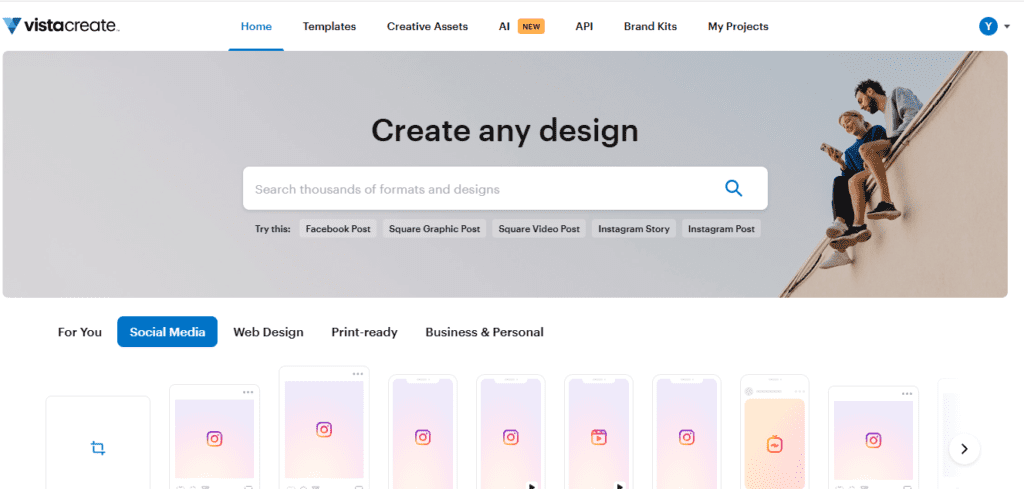
VistaCreate (formerly Crello) competes directly with Canva in the template-driven design space. Its YouTube thumbnail library is extensive, and its design quality is high. The platform has added AI features including background removal and an AI image generator, though these are secondary to its core template strength.
Key Features
- 150,000+ design templates including YouTube thumbnails
- AI background remover
- Brand Kit
- Animation tools
- Resize for multiple platforms
- Team collaboration
Pros
- Enormous, high-quality template library
- Strong animation features for thumbnail A/B testing previews
- Affordable pricing relative to Canva
- Good brand kit implementation
Cons
- AI generation is not the core strength
- Less innovative than some competitors on AI features
- Free plan more restricted than Canva’s
Pricing
- Free: Limited features
- Pro: ~$10/month
AI Features: ★★★☆☆
Ease of Use: ★★★★☆
Template Library: ★★★★★
Export Options: PNG, JPG, MP4, GIF
Commercial Usage: Yes
Who Should Use It: Template-first creators who want polished starting points and extensive customization without building from scratch.
Final Verdict: VistaCreate is a strong Canva alternative with a comparable template library. If you prefer starting from a designed template rather than AI generation, it’s an excellent choice.
Full Comparison Table
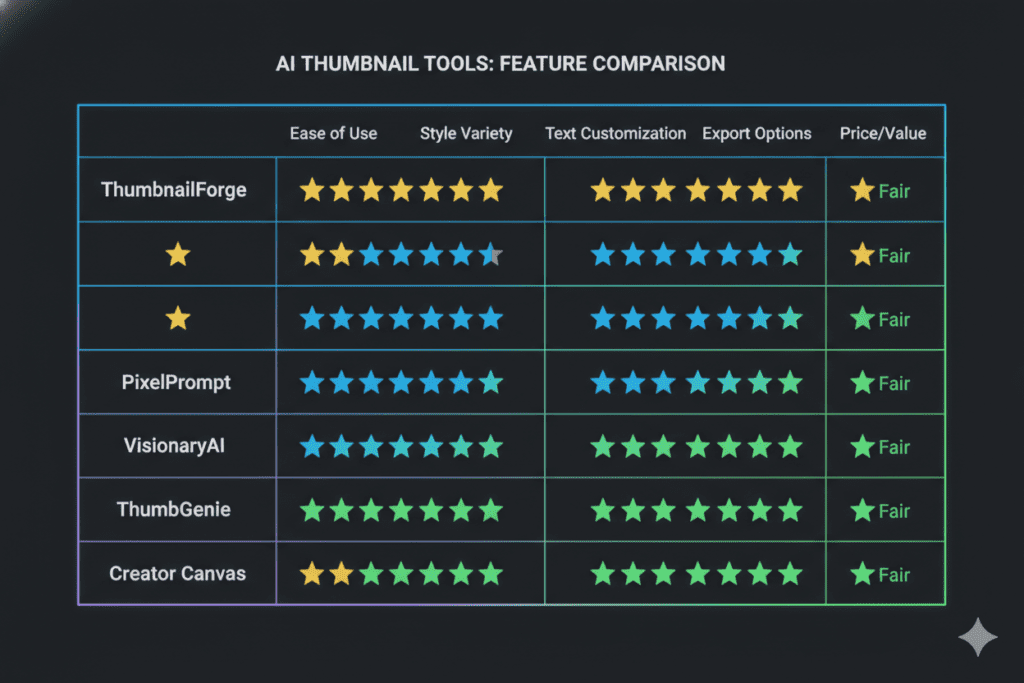
| Tool | AI Generation | Templates | Background Remover | Face Enhancement | Text AI | CTR Prediction | Free Plan | Best For |
|---|---|---|---|---|---|---|---|---|
| YTZolo AI | ★★★★★ | ★★★★☆ | ★★★★★ | ★★★★★ | ★★★★★ | ✅ Yes | Limited | YouTube-focused creators |
| Canva | ★★★★☆ | ★★★★★ | ★★★★☆ | ★★★☆☆ | ★★★★☆ | ❌ No | Generous | Beginners, multi-platform |
| Adobe Express | ★★★★☆ | ★★★★☆ | ★★★★★ | ★★★★☆ | ★★★★☆ | ❌ No | Limited | Professionals, Adobe users |
| Ideogram | ★★★★★ | ★★★☆☆ | ★★★☆☆ | ★★★☆☆ | ★★★★★ | ❌ No | Generous | Text-in-image thumbnails |
| Leonardo AI | ★★★★★ | ★★★☆☆ | ★★★☆☆ | ★★★☆☆ | ★★★☆☆ | ❌ No | Generous | Cinematic/gaming creators |
| Microsoft Designer | ★★★★☆ | ★★★☆☆ | ★★★★☆ | ★★★☆☆ | ★★★★☆ | ❌ No | Free | Windows/M365 users |
| Fotor | ★★★☆☆ | ★★★☆☆ | ★★★★★ | ★★★★☆ | ★★★☆☆ | ❌ No | Limited | Speed-focused creators |
| Picsart | ★★★★☆ | ★★★★☆ | ★★★★☆ | ★★★★☆ | ★★★☆☆ | ❌ No | Generous | Mobile, entertainment |
| Pixlr | ★★★☆☆ | ★★★☆☆ | ★★★★☆ | ★★★☆☆ | ★★★☆☆ | ❌ No | Generous | Design-skill creators |
| VistaCreate | ★★★☆☆ | ★★★★★ | ★★★★☆ | ★★★☆☆ | ★★★☆☆ | ❌ No | Limited | Template-first creators |
Pricing Comparison Table
| Tool | Free Plan | Entry Paid | Mid Tier | Notes |
|---|---|---|---|---|
| YTZolo AI | ✅ Limited | Competitive | Agency plans | Purpose-built YouTube pricing |
| Canva | ✅ Generous | ~$15/mo | Teams: ~$10/user | Best free-to-paid ratio for templates |
| Adobe Express | ✅ Limited | ~$10/mo | Bundled with CC | Best value if already Adobe subscriber |
| Ideogram | ✅ 25/day | ~$8/mo | ~$20/mo | Most generous free AI generation |
| Leonardo AI | ✅ 150 tokens/day | ~$10/mo | ~$48/mo | Token-based model |
| Microsoft Designer | ✅ Free | Included in M365 | M365 subscription | Free for M365 subscribers |
| Fotor | ✅ Limited | ~$8.99/mo | ~$19.99/mo | Simple pricing structure |
| Picsart | ✅ Generous | ~$5/mo | Teams pricing | Most affordable paid plan |
| Pixlr | ✅ Full (with ads) | ~$7.99/mo | ~$14.99/mo | Best free editing functionality |
| VistaCreate | ✅ Limited | ~$10/mo | Team plans | Canva-comparable pricing |
Best Free AI Thumbnail Generator
Featured Snippet Answer: The best free AI thumbnail generators for YouTube in 2026 are Ideogram (25 free AI generations per day), Microsoft Designer (free for Microsoft account holders), and Canva (generous free plan with 1,000+ templates). For YouTube-specific free features, YTZolo AI offers a free tier with limited monthly generations.
For pure AI generation: Ideogram’s free plan gives you 25 priority generations daily — enough for most creators to produce thumbnails without paying.
For templates and design: Canva’s free plan provides access to hundreds of thumbnail templates with real customization capability.
For Windows/Microsoft users: Microsoft Designer is completely free with a Microsoft account, backed by DALL·E image generation.
For YouTube-specific needs: YTZolo AI’s free tier provides limited but genuinely YouTube-optimized generations, including CTR scoring.
Best Premium AI Thumbnail Generator
Featured Snippet Answer: The best premium AI thumbnail generators for YouTube are YTZolo AI (for YouTube-specific creators who want CTR optimization and batch generation), Adobe Express Premium (for professionals needing commercially safe AI images), and Leonardo AI Artisan (for creators who need high-quality cinematic visuals).
If you’re investing in your YouTube channel seriously, the question isn’t whether to pay for tools — it’s which paid tool delivers the best return. YTZolo AI’s CTR prediction feature alone can justify the cost by helping you choose higher-performing thumbnails before publishing.
Best AI Thumbnail Generator for Beginners
For beginners, three qualities matter most: how fast you can go from zero to a usable thumbnail, how little design knowledge is required, and how affordable the free plan is.
Top picks for beginners:
- YTZolo AI — Paste your video title, get a thumbnail. Minimal design knowledge required.
- Canva — Massive template library makes it impossible to start with a blank canvas.
- Microsoft Designer — Free, clean, guided by Copilot AI prompts.
The key for beginners is starting with a template and modifying it rather than building from scratch. All three of these tools support that approach.
Best AI Thumbnail Generator for Professionals
Professionals — whether running high-volume channels, managing agency clients, or producing premium content — need different things: batch capabilities, brand consistency, commercial licensing, and high output quality.
Top picks for professionals:
- YTZolo AI — Batch generation and agency plans make it the professional’s scaling tool.
- Adobe Express + Creative Cloud — Full integration with Photoshop and Illustrator for maximum post-generation control.
- Leonardo AI — For professionals in niches requiring top-tier cinematic visuals.
How to Create High-CTR AI Thumbnails (Step-by-Step)
Here’s the workflow I use for every thumbnail across my channels:
Step 1: Define Your Thumbnail’s Job
Before opening any tool, answer: What emotion should this thumbnail evoke? What question should it make the viewer ask? What’s the single most compelling visual element?
Step 2: Choose Your Visual Concept
Decide between three thumbnail archetypes:
- Face + Reaction (works in most niches)
- Scene/Image + Title Text (works for faceless channels)
- Before/After or Comparison (works for tutorial/transformation content)
Step 3: Generate Your Base Image
Use your AI tool of choice. For YTZolo AI: enter your video title and let the Auto-Prompt system generate your visual. For other tools: write a specific prompt including subject, mood, lighting, color palette, and composition.
Example prompt: “Wide-eyed person looking at laptop screen with glowing charts, dark background, cinematic lighting, ultra-detailed, YouTube thumbnail style”
Step 4: Remove and Replace Background (if needed)
Use your tool’s background remover to isolate your subject, then place them against a designed background that uses high-contrast color.
Step 5: Add Text Overlay
Keep text to 3–5 words maximum. Use a bold font (avoid thin scripts). Ensure strong contrast between text and background. Place text in the upper or lower third — never center.
Step 6: Review at Small Size
Zoom your browser to 25% to simulate how the thumbnail looks on mobile. If you can’t read the text or make out the main subject, adjust.
Step 7: Score or A/B Test
If using YTZolo AI, check your CTR prediction score. Otherwise, create two variants and use YouTube’s A/B testing (or TubeBuddy/vidIQ) to let the algorithm choose the winner.
Step 8: Export at Correct Specifications
YouTube thumbnail requirements:
- Resolution: 1280×720 pixels
- Aspect ratio: 16:9
- Format: JPG, GIF, or PNG
- Maximum file size: 2MB
Common Mistakes to Avoid
Too much text. If your thumbnail has more than 6 words, it’s probably too many. Thumbnails work at a glance, not as a reading exercise.
Low contrast. Dark text on dark backgrounds, or light text on light backgrounds, becomes invisible at small sizes. Always test contrast.
Misleading thumbnails. Clickbait that overpromises and underdelivers destroys subscriber trust and tanks watch time — which the algorithm punishes. Every thumbnail should accurately represent the content.
Inconsistent branding. Viewers recognize your channel through visual consistency before they read your channel name. Changing colors, fonts, and styles every video makes you invisible in the subscription feed.
Ignoring mobile. Over 70% of YouTube views happen on mobile. A thumbnail that looks great on desktop can be unreadable on a phone screen.
Using default AI outputs without customization. AI generations are starting points, not finished thumbnails. Always customize colors, text, and composition to match your channel’s brand.
Neglecting face expression. If you’re using a face (yours or AI-generated), expressionless or neutral faces underperform. Exaggerate the emotion — wide eyes, open mouth, strong reaction.
Pro Tips for AI Thumbnail Creation
Build a prompt library. When you find a prompt that generates a great image, save it. Reuse and iterate on proven prompts rather than starting from scratch every time.
Swipe your own top performers. Go to YouTube Studio and sort your videos by CTR. Analyze what your highest-performing thumbnails have in common — color, composition, face position, text style — and systematize it.
Study the competition. Search your target keyword on YouTube and screenshot the top 5 thumbnail results. What are they doing? Your thumbnail needs to stand out in that specific visual landscape, not in a vacuum.
A/B test religiously. Tools like TubeBuddy and vidIQ allow you to A/B test thumbnails on live videos. Even a 1% CTR improvement compounds massively at scale.
Use the rule of thirds. Place your primary subject at an intersection of the compositional grid — not dead center, not in a corner. This creates visual tension and draws the eye.
Match your thumbnail style to your niche. Gaming thumbnails use bright colors and intense expressions. Finance channels tend toward clean, professional aesthetics. Educational content uses diagrams and clean layouts. Don’t design outside your niche’s visual language.
Batch your thumbnail creation. If you’re producing multiple videos per week, create thumbnails in a single session. YTZolo AI’s batch generation feature makes this especially efficient.
Future of AI Thumbnail Creation
The trajectory of AI thumbnail tools is moving toward three developments that will reshape how creators work:
Fully automated thumbnail testing. The next generation of tools will integrate directly with YouTube Analytics to automatically test thumbnail variants, measure CTR in real-time, and swap to the better performer — without creator involvement.
Real-time personalization. YouTube is already experimenting with showing different thumbnails to different viewers. Future AI tools will generate multiple thumbnail variants optimized for different audience segments, letting the algorithm match the right visual to the right viewer.
Video-to-thumbnail AI. Rather than creating thumbnails manually, creators will submit video files and AI will analyze the most emotionally compelling frame, automatically design around it, and export a finished thumbnail. This is already partially available in some tools.
Deeper YouTube algorithm integration. Tools like YTZolo AI are building direct connections with YouTube data, meaning the CTR prediction engine will become increasingly accurate as it learns from real channel performance data.
The overarching trend: thumbnails will become less about design decisions and more about content strategy decisions. The AI handles the execution; the creator focuses on the concept.
Conclusion
The best AI thumbnail generator for YouTube in 2026 isn’t the one with the most features or the lowest price — it’s the one that consistently helps you get more clicks on your specific content, in your specific niche, for your specific audience.
For most YouTube creators, YTZolo AI is the strongest choice because it’s the only platform built specifically around YouTube growth, with CTR prediction, batch generation, and YouTube-native integration. For creators who need a free, versatile design platform, Canva remains the most accessible option. For professionals who need commercially safe AI imagery, Adobe Express with Firefly is the most trustworthy option.
Whichever tool you choose, the principle is the same: your thumbnail is your ad, and it deserves as much attention as your content. Use AI to iterate faster, test more variants, and spend your creative energy on the concept — not the execution.
The clicks are there. The right thumbnail earns them.
FAQ
Q: What is the best AI thumbnail generator for YouTube in 2026?
A: YTZolo AI is the best AI thumbnail generator for YouTube in 2026 because it’s purpose-built for YouTube with features like CTR prediction, batch generation, and YouTube-specific AI prompts. Canva is the best free-to-use alternative for creators who need a broader design tool.
Q: Can I use AI-generated thumbnails on YouTube without copyright issues?
A: Yes, in most cases. AI-generated images are generally safe to use commercially, but policies vary by tool. Adobe Express (Firefly) explicitly clears commercial use. Always check your specific tool’s terms of service. AI-generated images don’t trigger YouTube’s Content ID system.
Q: What makes a YouTube thumbnail high CTR?
A: High-CTR thumbnails typically feature bold colors with high contrast, expressive human faces, minimal readable text (3–5 words maximum), clear subject focus, and a composition that communicates value within a half-second glance.
Q: Is there a free AI thumbnail generator for YouTube?
A: Yes. Ideogram offers 25 free AI image generations per day. Microsoft Designer is free for Microsoft account holders. Canva’s free plan includes hundreds of thumbnail templates. YTZolo AI offers a free tier with limited monthly generations.
Q: How do AI thumbnail generators improve CTR?
A: AI tools are trained on high-performing thumbnail data, allowing them to suggest colors, compositions, and designs that follow proven CTR patterns. Some tools like YTZolo AI include CTR prediction scoring to help creators choose better thumbnails before publishing.
Q: What size should YouTube thumbnails be?
A: YouTube thumbnails should be 1280×720 pixels at a 16:9 aspect ratio. The maximum file size is 2MB. Acceptable formats are JPG, GIF, PNG, and BMP.
Q: Do I need design experience to use AI thumbnail generators?
A: No. Tools like YTZolo AI and Canva are designed for users with zero design experience. YTZolo AI can generate a complete thumbnail from just your video title, requiring no design input from you.
Q: Which AI thumbnail tool is best for faceless YouTube channels?
A: YTZolo AI and Ideogram are the strongest choices for faceless channels because they generate compelling scene-based visuals without requiring a face in the thumbnail. Leonardo AI is excellent for channels in visually rich niches like gaming, history, or science.
Q: How long does it take to create an AI thumbnail?
A: With tools like YTZolo AI or Fotor, you can go from zero to a finished thumbnail in under 2 minutes. More complex customization in tools like Pixlr or Adobe Express may take 10–20 minutes.
Q: Can AI thumbnail generators maintain consistent channel branding?
A: Yes. Most premium AI thumbnail tools include a Brand Kit feature where you save your colors, fonts, and logo. YTZolo AI, Canva, Adobe Express, and VistaCreate all support brand kit functionality.
Q: Is Canva still the best thumbnail maker in 2026?
A: Canva remains the best template-based thumbnail tool and the most versatile general design platform. However, for YouTube-specific creators focused on CTR optimization, YTZolo AI has overtaken Canva as the most purpose-built solution.
Q: What AI thumbnail generator do professional YouTubers use?
A: Professional YouTubers use a range of tools depending on their niche. Many use Photoshop with AI plugins for maximum control. Among AI-native tools, YTZolo AI is increasingly popular for high-volume channels and agencies. Canva remains common for creators who also produce social media content.
Q: What is CTR in YouTube and why does it matter?
A: CTR (Click-Through Rate) is the percentage of viewers who click your video when shown your thumbnail in YouTube’s recommendation and search systems. A higher CTR signals value to YouTube’s algorithm, leading to more recommendations. Even a 1–2% CTR improvement can double or triple a video’s organic reach.
Q: Can AI generate thumbnail text that’s actually readable?
A: Ideogram is specifically engineered for readable text in AI-generated images and is the best choice if you want text embedded in the AI generation itself. Most other tools generate the image separately and add text as an overlay — which often produces more readable results than text-in-image generation.
Q: What’s the difference between an AI thumbnail generator and Photoshop?
A: Photoshop is a professional-grade manual editing tool. AI thumbnail generators automate parts of the design process — generating images, removing backgrounds, and suggesting layouts — making professional-looking thumbnails accessible without manual design skills. Photoshop gives maximum control; AI generators give maximum speed and accessibility.
External References
- YouTube Thumbnail specifications — YouTube Help
- YouTube Creator Academy
- Google Search Central — Helpful Content System
- Adobe Firefly commercial use documentation
- Canva Terms of Use — Content License
Author Bio
Anshika Verma is a YouTube SEO strategist and AI content tools specialist with hands-on experience managing faceless YouTube channels across tech, finance, and education niches. She has tested 50+ AI content and design tools and writes data-driven reviews that prioritize real creator results over marketing claims. At YTZolo AI, Anshika focuses on helping creators understand how thumbnail design, CTR strategy, and AI tools intersect to drive sustainable YouTube growth.

