
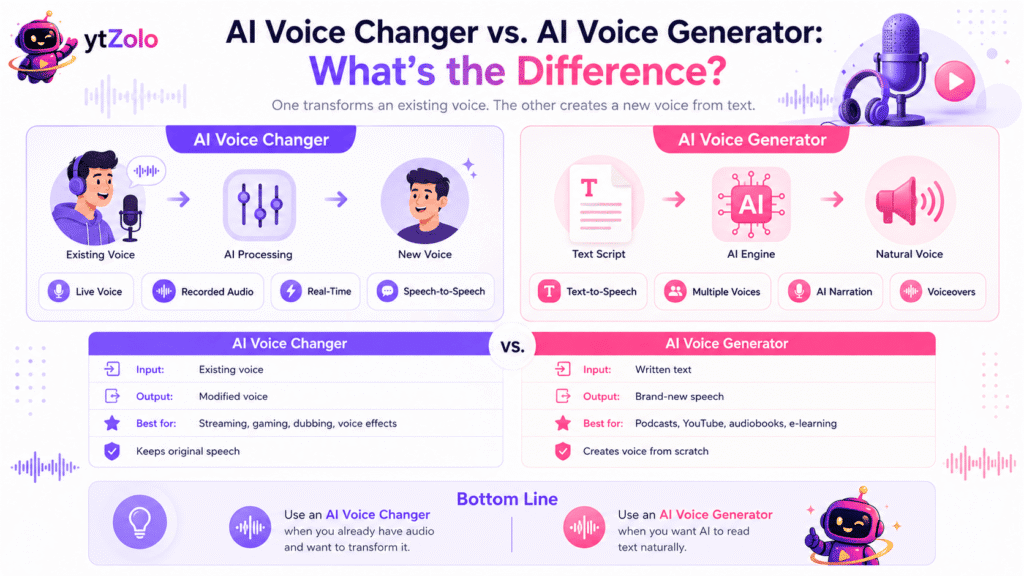
📋 Quick Summary: An AI voice generator turns written text into spoken audio. An AI voice changer transforms an existing voice — usually your own, live or recorded — into a different one. They solve different problems, use different inputs, and often get confused in search because both fall under the same “AI voice” umbrella. This guide breaks down exactly when you need each one, plus where voice isolation fits in — and how ytZolo‘s Audio Studio brings generation, voice changing, and isolation into one dashboard.
Table of Contents
If you searched for “AI voice changer vs. AI voice generator,” there’s a good chance you actually needed one specific tool and just weren’t sure what it was called. That mix-up is common enough that it’s worth clearing up properly, because picking the wrong tool means wasted time — and sometimes a wasted subscription.
Both tools use AI to manipulate voice. That’s where the similarity ends. One starts with a script. The other starts with sound. Understanding that one distinction solves most of the confusion.
This kind of mixed search also shows up a lot in creator forums and comment sections — someone asking how to “change their voice” when what they actually want is narration for a video they haven’t recorded yet, or someone asking about “generating a voice” when they mean disguising their own during a livestream.
Neither question is wrong, but the tools behind each answer are built for entirely different jobs. Getting the terminology straight upfront saves a round of trial-and-error with the wrong subscription.
Two Different Tools, One Common Confusion
The mix-up usually comes from marketing language. Plenty of platforms label their entire audio suite “AI voice tools,” which makes it easy to assume a voice generator and a voice changer are just two names for the same feature.
They’re not. Here’s the simplest way to separate them:
| AI Voice Generator | AI Voice Changer | |
|---|---|---|
| Input | Written text | Your own spoken voice |
| Output | A new synthetic voice reading your text | Your voice, transformed into a different one |
| Typical use | Narration, voiceovers, dubbing | Streaming, gaming, calls, privacy |
| Timing | Processed after you type | Often real-time, while you talk |
A voice generator never hears you speak — it reads. A voice changer never reads anything — it listens to you and reshapes what comes out. Once that input difference clicks, the rest of the comparison is easy to follow.
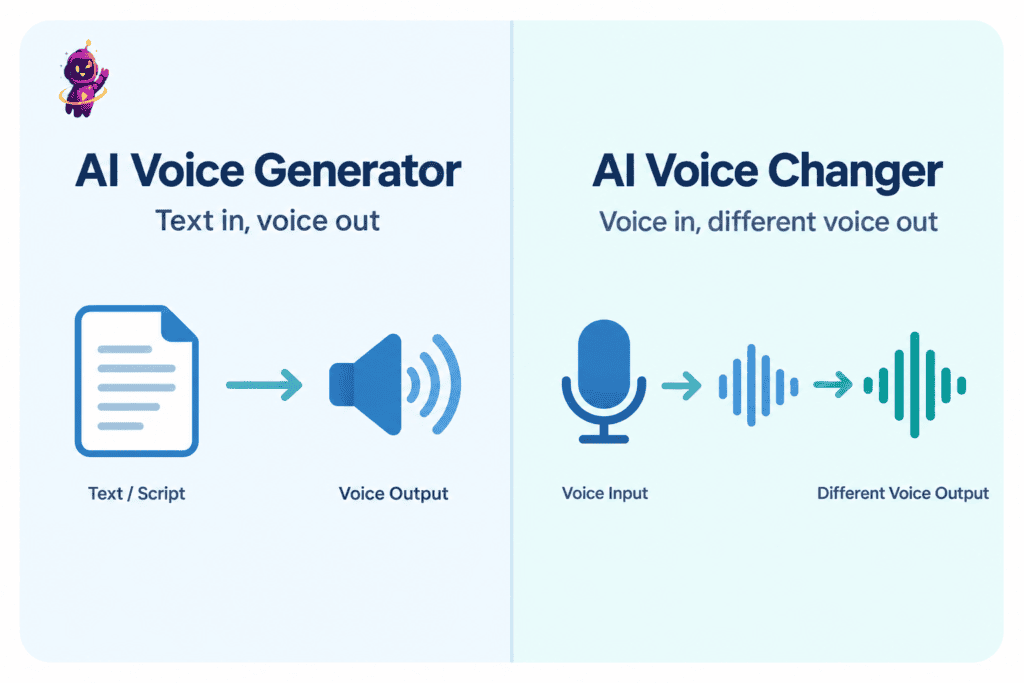
What an AI Voice Generator Does (Text → Speech)
An AI voice generator, sometimes called text-to-speech AI, takes written words and converts them into spoken audio using a synthetic voice model. You never speak into it. You type or paste a script, choose a voice from a library, adjust pacing or tone if the platform allows it, and generate an audio file.
This is the tool behind faceless YouTube narration, audiobook production, podcast intros, e-learning modules, and ad voiceovers. The entire appeal is that it removes the recording step completely — no microphone, no booth, no voice actor, no waiting on a studio schedule.
Modern voice generators use neural networks trained on large volumes of real human speech, which is why premium voices sound expressive rather than flat and robotic.
For a full breakdown of how AI voice generators work, including how the technology processes a script from start to finish, ytZolo’s core voice generator guide covers the mechanics in depth.
A few things a voice generator is genuinely good at:
- Producing consistent narration across dozens of videos without vocal fatigue
- Updating a single line of a script without re-recording the whole project
- Supporting multiple languages and accents from one dashboard
- Scaling podcast episodes, course modules, or ad variations quickly
Because the entire process starts from text, a voice generator is also predictable in a way live tools aren’t. You can preview a line before committing to a full render, tweak the wording if the delivery sounds off, and regenerate instantly without booking anyone’s time.
That predictability is a big part of why explainer channels, e-learning teams, and marketing departments lean on it so heavily — the output is repeatable, and revisions cost almost nothing.
What it can’t do is take your live voice and reshape it while you talk. That’s a completely separate category of tool — the voice changer.
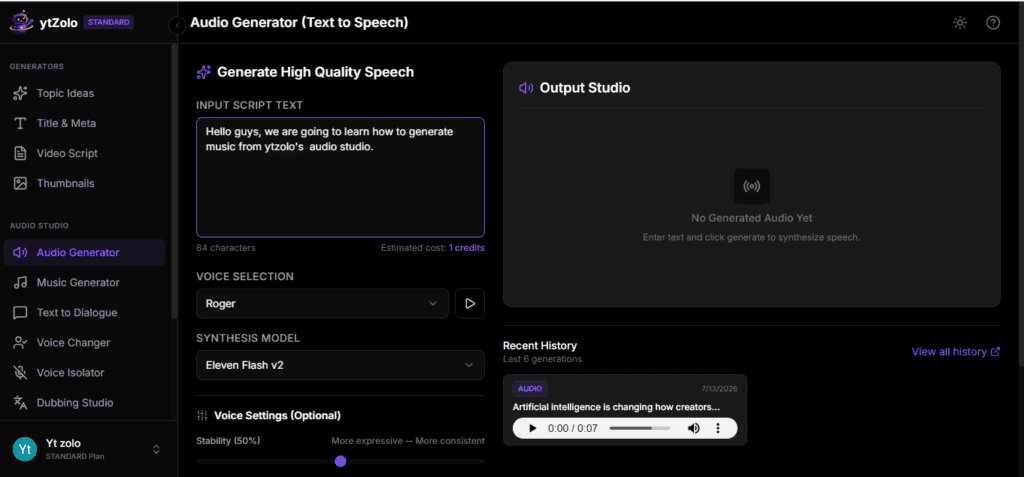
What an AI Voice Changer Does (Voice → Voice, Real-Time)
An AI voice changer takes an existing voice — almost always your own, spoken live or recorded — and converts it into a different voice while keeping your original timing, pacing, and emotional delivery intact. It’s built on voice conversion technology, which separates the content of what’s being said from the identity of who’s saying it, then swaps in a new vocal identity.
This is fundamentally different from typing a script. You’re speaking the words yourself; the tool only changes how your voice sounds coming out the other end.
Live streamers use voice changers to protect their identity while gaming. Podcast hosts use them for recurring “character” segments. Some creators use them to keep a consistent on-screen voice without recording every session with studio-perfect conditions.
Because the process runs on your live speech, timing stays natural — pauses, emphasis, and pacing all carry over from the original recording. On the technical side, the deeper explainer on voice conversion walks through exactly how pitch, tone, and texture get separated from the words themselves and swapped for a new identity.
If you’re deciding whether you actually need this category of tool, what an AI voice changer actually is and how beginners typically use it is a good starting point, and the guide on changing your voice with AI step-by-step covers the practical setup.
One important note: voice cloning is a related but separate process. A voice changer transforms your voice into a different voice in real time. Voice cloning instead trains a model to replicate a specific voice from samples, which raises its own consent and ethics considerations — ytZolo’s dubbing guide covers those requirements in more detail.
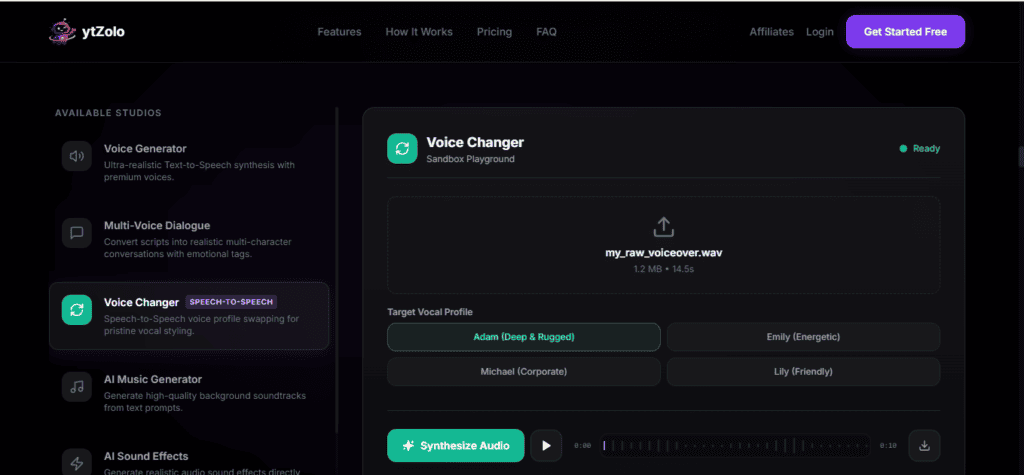
What Voice Isolation Adds to the Mix
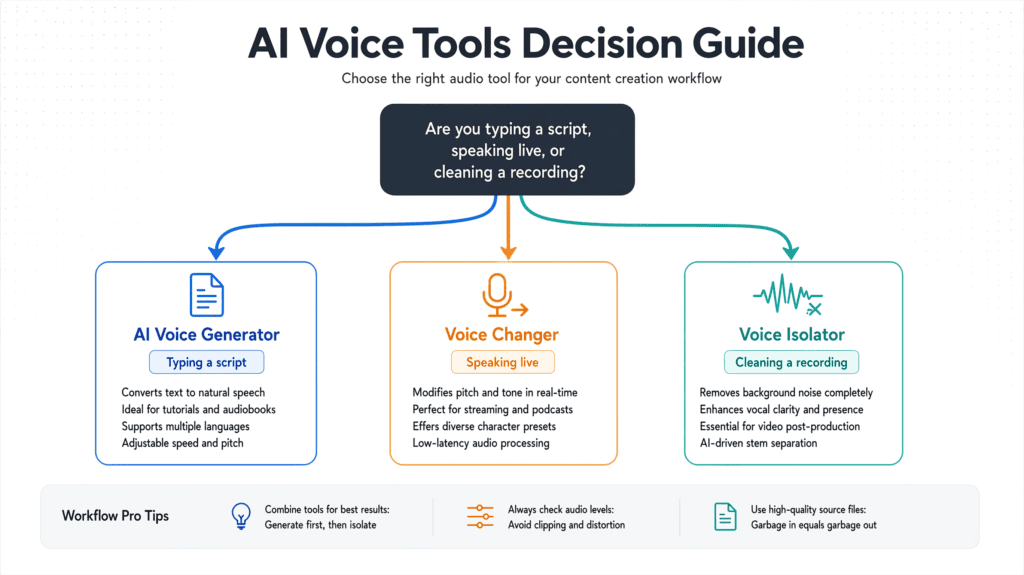
Voice isolation is a third, related tool that often gets lumped in with the other two — but it doesn’t generate or change a voice at all. It cleans one up.
An AI voice isolator strips background noise, room echo, hums, and ambient sound out of a recording, leaving just the clear vocal track behind. It’s the tool you reach for when the voice itself is fine, but everything around it is noisy — a podcast interview recorded near a window, a phone-camera vlog with wind noise, or a voice memo picked up in a busy room.
Voice isolation matters in this comparison because it’s often the actual fix people are looking for when they land on a voice changer by mistake. If your recording sounds muffled or noisy but the pitch and tone of the voice are already correct, isolation — not conversion — is what solves it.
The three tools can also stack: isolate a noisy recording first, then decide whether it still needs converting into a different voice, or whether it’s ready to publish as-is.
Under the hood, isolation works by separating an audio file into layers — the vocal frequencies versus everything else in the mix — and then rebuilding the output using only the clean vocal layer.
It’s the same underlying principle used to pull an acapella track out of a song, applied instead to spoken recordings. For a creator, the practical takeaway is simpler: if you’re not sure whether a recording problem is a “voice” problem or a “noise” problem, run it through isolation first and listen again before reaching for anything more complicated.
AI Voice Changer vs. AI Voice Generator: Which One Do You Actually Need?
Match the tool to the actual situation, not the label on the product. Here’s how that breaks down across the three most common scenarios.
Faceless YouTube Narration → Voice Generator
If you’re producing narration for a faceless channel, documentary-style explainer, or story-format video, you’re starting from a written script, not a live recording. That’s a voice generator job. Type the script, pick a voice that matches your channel’s tone, and export.
This is also where a voice generator pulls double duty for audiobook and podcast narration — the workflow barely changes between a five-minute YouTube video and a full audiobook chapter; it’s mostly a matter of script length and pacing consistency across longer sessions.
Live Streaming With a Different Voice → Voice Changer
If you’re speaking live — streaming, gaming, recording a call, or doing a live segment — and you want to sound like someone or something else while you talk, that’s a voice changer. The tool needs to process your speech in real time, which a text-based generator simply isn’t built to do. The guide on real-time AI voice changing covers the latency and setup considerations specific to live use.
Cleaning Up Noisy Recorded Audio → Voice Isolation
If the voice itself sounds right but the recording is full of background noise, echo, or hum, you don’t need generation or conversion — you need isolation. Run the file through a voice isolator first, then re-evaluate whether it’s ready for publishing or still needs further editing.
Can You Use Both Together?
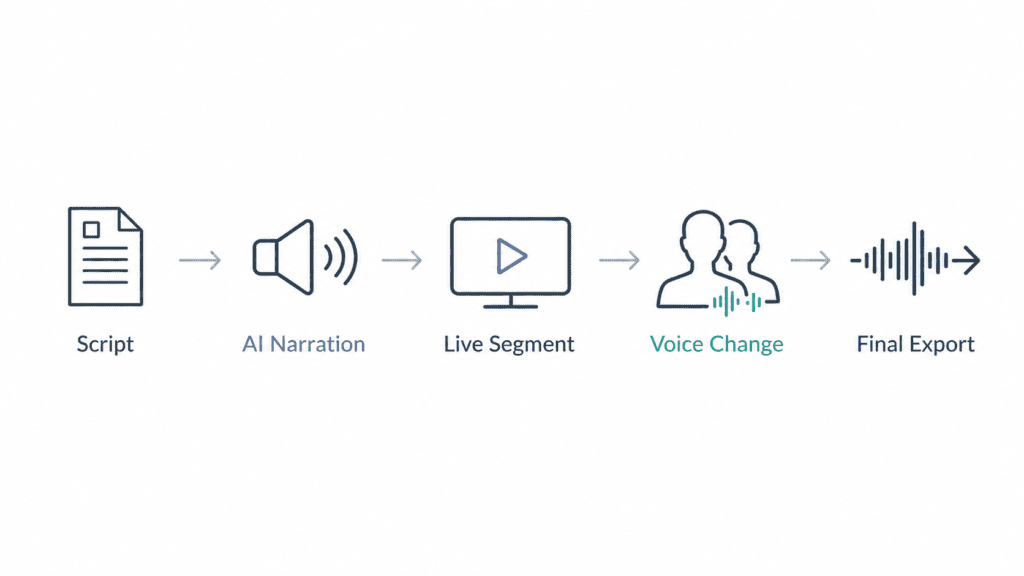
Yes, and creators combine them more often than the “vs” framing suggests. A common workflow looks like this:
- Write and generate your core narration with an AI voice generator for the main script.
- Record live segments — reactions, intros, or commentary — and run them through a voice changer if you want a consistent alternate voice across those clips.
- Isolate and clean any recorded audio that picked up background noise before it goes into the final edit.
- Dub into other languages if you’re localizing the finished video, which layers translation and timing on top of the same underlying voice technology.
None of these tools replace each other. A generator can’t fix a noisy recording, a voice changer can’t produce narration from a blank script, and an isolator can’t add a different voice identity. Treating them as a stack — pick the right one for each stage of production — gets better results than trying to force one tool to do all three jobs.
FAQ
Is an AI voice changer the same as an AI voice generator? No. A voice generator converts written text into spoken audio. A voice changer converts an existing spoken voice — usually your own — into a different one. They solve different problems and use different inputs.
Can I use an AI voice changer without speaking live? Yes, most voice changers also work on pre-recorded audio files, not just live streams. The core function stays the same either way — it’s converting a voice that already exists, rather than generating one from text.
Do I need voice isolation if my recording already sounds clear? No. Voice isolation is only useful when background noise, echo, or hum is the problem. If your recording is already clean, isolation won’t add anything.
Is voice cloning the same thing as a voice changer? No, though the two are related. A voice changer converts your voice into a different one in real time. Voice cloning trains a model to replicate a specific voice from audio samples, and always requires the original speaker’s explicit consent.
Which tool is better for a YouTube channel — a generator or a changer? It depends on the content. Scripted narration and explainer videos typically use a voice generator. Live streams, gaming commentary, or identity-protecting content typically use a voice changer. Many channels use both for different parts of their production.
Can these tools be used together in one project? Yes. It’s common to generate narration for the main script, use a voice changer for live or recorded segments, and run everything through voice isolation before final export.
Does a voice changer work on pre-recorded podcast episodes, or only live audio? Most modern voice changers handle both. Real-time conversion is built for live streams and calls, but the same underlying voice-conversion model can process a finished recording just as easily — you simply upload the file instead of speaking through it live.
Will using an AI voice changer or generator get a YouTube video flagged? Using either tool to produce your own narration or to disguise your own voice generally isn’t the issue platforms are watching for. Disclosure requirements tend to focus on realistic synthetic content that mimics a real, identifiable person without consent — a separate scenario from routine narration or a stylized voice change on your own recordings.
How do I decide between a free and paid plan for these tools? Free tiers are useful for testing whether the voice quality and output actually fit your project before you commit. They typically come with limits — watermarks, monthly caps, or restrictions on commercial use — so if the final audio is going on a monetized channel or client project, budget for a paid tier from the start.
Try It Yourself
Whether your next project needs generated narration, a converted voice for a live segment, or a clean-up pass on noisy audio, ytZolo’s Audio Studio keeps all three in one dashboard instead of three separate subscriptions.
Explore ytZolo’s Audio Studio →
About the Author
Anshika Verma Email: anshika@ytzolo.com
Anshika Verma is a content researcher at ytZolo, covering AI voice, audio, and YouTube production tools for creators.

