
You have probably heard someone’s recorded voice sound completely different in a video, a game stream, or a podcast. That transformation usually comes from one tool: an AI voice changer.
This guide explains what is an AI voice changer, how it actually works, and why creators are switching to it over older pitch-shifting software.
If you are new to voice technology in general, this is the right starting point before exploring more advanced topics like real-time conversion or multilingual dubbing.
Quick Answer
An AI voice changer is software that uses a trained model to convert one voice into another, while keeping the original words, timing, and emotion intact.
Unlike old-school voice changers that just raise or lower pitch, an AI voice changer studies how a real voice sounds and rebuilds it in a new style. Tools like the ytZolo AI Voice Changer apply this technology to full YouTube videos, shorts, and podcasts in one pass.
Table of Contents
What Is an AI Voice Changer, Exactly?
At its core, an AI voice changer takes an audio file or live microphone input and transforms the speaker’s voice into a different one.
The output keeps the same words, pauses, and pacing as the original recording. Only the vocal identity changes, not the content.
This is different from simply distorting audio. A modulator just shifts frequency. An AI voice changer rebuilds the voice using patterns it learned from real speech data.
That is why the results sound natural instead of robotic or metallic, which is a common complaint with older hardware modulators.
How Does an AI Voice Changer Work?
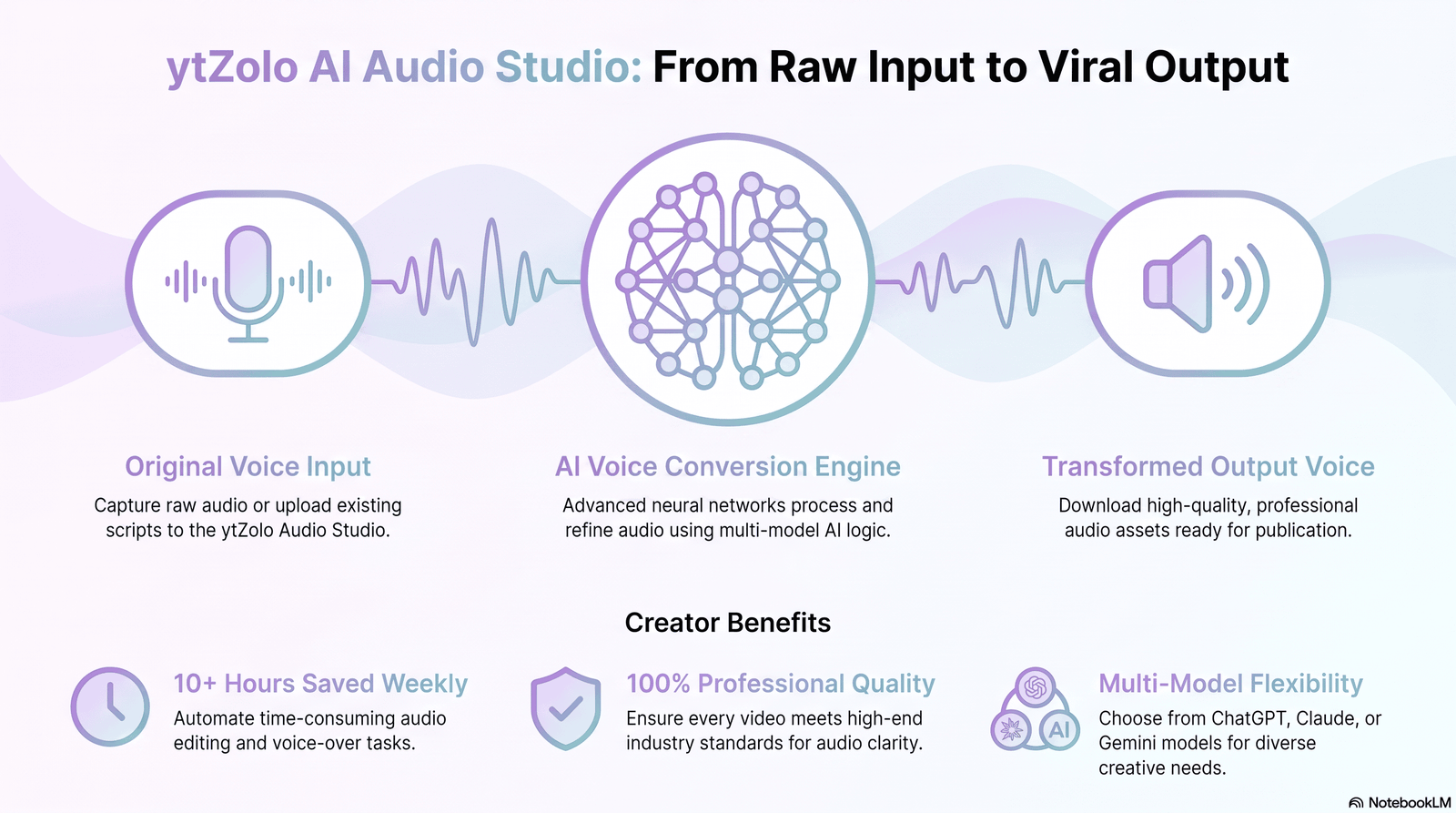
Every AI voice changer relies on a process called voice conversion. The system separates two things from your audio: what is being said, and how it is being said.
“What is being said” includes your words and timing. “How it is being said” includes pitch, tone, and speaking style — the qualities that make a voice recognizable.
The AI voice changer keeps the first part exactly as recorded. It replaces the second part with the vocal characteristics of a target voice, whether that is a preset style or a custom voice profile.
Readers who want the full technical breakdown can check our dedicated post explaining voice conversion in more depth, including how neural models learn vocal patterns.
AI Voice Changer vs Older Voice Modulators
Traditional voice changers, like the ones built into gaming headsets, work by shifting pitch up or down. They can make a voice sound higher, lower, or slightly warped.
The problem is that pitch shifting alone often sounds unnatural. Push it too far and the voice becomes thin, robotic, or clearly fake.
An AI voice changer avoids this because it is not just adjusting frequency. It is generating a new voice that matches natural speech patterns, so shifts from male to female, or adult to child-like tones, sound far more believable.
If you are comparing these approaches directly, our article on voice modulators versus AI voice changers breaks down the differences in more detail.
Why Creators Are Using AI Voice Changers in 2026
Voice changing used to be a novelty for prank calls and gaming chat. That has changed. Creators now use an AI voice changer as a real production tool.
A few reasons this shift happened:
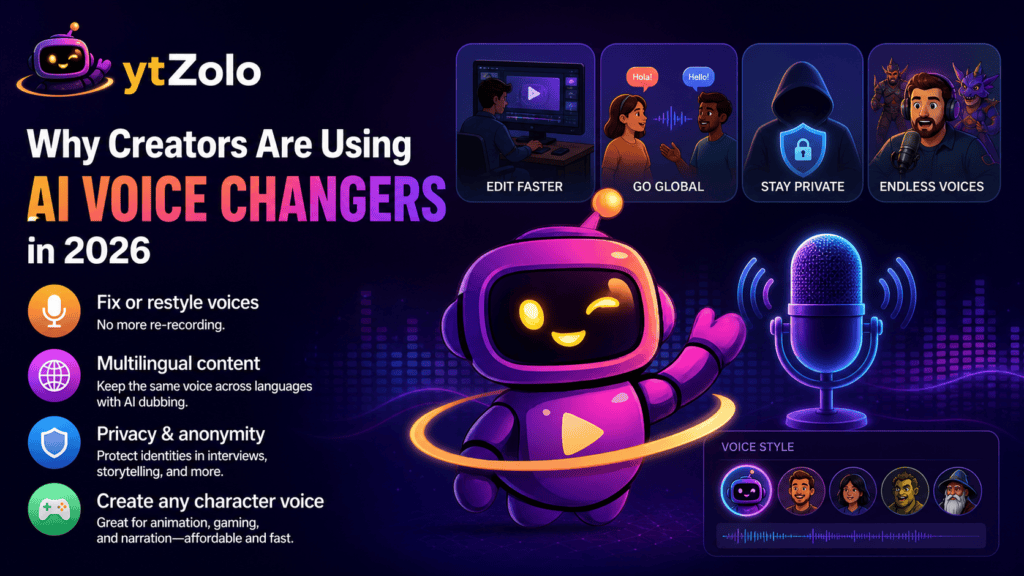
- Re-recording dialogue after a mistake is slow. An AI voice changer lets you fix or restyle a voice without a new take.
- Multilingual content needs consistent vocal identity across languages, which ties closely into AI dubbing workflows.
- Anonymity matters for whistleblowers, interviews, and privacy-focused storytelling.
- Character voices for animation, gaming commentary, or narration are far cheaper to produce than hiring voice actors for every role.
With ytZolo, creators can experiment with different voice styles without rerecording dialogue, which keeps the editing process fast and flexible.
Common Use Cases for an AI Voice Changer
Different creators use this technology for very different goals. Here is where it shows up most often.
YouTube and Shorts: Creators use an AI voice changer to build recurring characters, disguise identity for storytelling channels, or fix flat-sounding narration without a re-record.
Gaming and streaming: Real-time voice changing is popular on Discord and Twitch for character roleplay, anonymity, and comedic effect during live streams.
Podcasts and interviews: Guests who need privacy can still contribute audio, while the AI voice changer masks their real vocal identity.
Dubbing and localization: Voice changing paired with dubbing helps a video creator adapt content across languages while keeping vocal tone consistent, connecting closely to AI dubbing and multilingual workflows.
Business and training videos: Companies use voice changing to standardize the vocal identity of internal training material without booking studio time repeatedly. Our separate guide on AI voice changer for businesses covers this in more detail for teams building internal content at scale.
Since ytZolo already includes AI dialogue generation and dubbing, creators can produce multilingual YouTube content without recording every language manually.
AI Voice Changer vs Related Technologies
People often confuse an AI voice changer with a few neighboring tools. Here is a short, plain-language distinction for each.
AI Voice Changer vs Voice Cloning: A voice changer transforms an existing recording into a new voice. Voice cloning builds a reusable model of one specific voice to generate brand-new speech later. Our guide on AI voice cloning explains this difference with examples.
AI Voice Changer vs Text to Speech: Text to speech starts from written text and generates audio from nothing. A voice changer starts from an existing recording and changes its vocal identity. We cover this comparison fully in our AI voice generator guide.
AI Voice Changer vs Speech Synthesis: Speech synthesis is the broader science behind generating artificial speech, while voice conversion is one specific technique within that field. Our dedicated post on speech synthesis vs voice conversion unpacks this for readers who want the deeper technical picture.
For a broader explanation of the underlying process itself, our separate guide on voice conversion explained walks through how models learn and reproduce vocal traits, step by step.
Key Features to Look for in an AI Voice Changer
Not every tool that claims to be an AI voice changer performs the same way. A few features separate a genuinely useful tool from a gimmick.
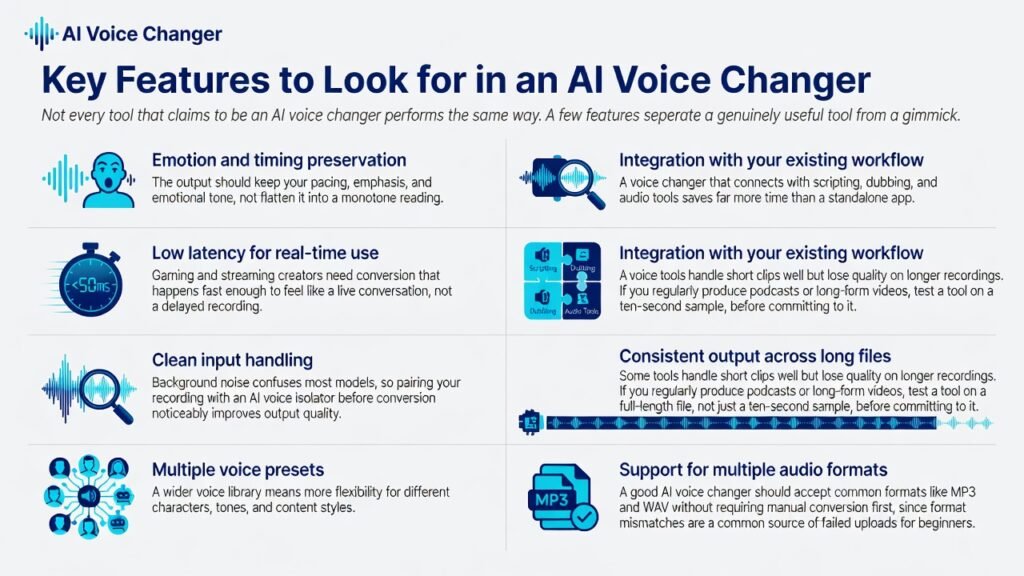
Emotion and timing preservation: The output should keep your pacing, emphasis, and emotional tone, not flatten it into a monotone reading.
Low latency for real-time use: Gaming and streaming creators need conversion that happens fast enough to feel like a live conversation, not a delayed recording.
Clean input handling: Background noise confuses most models, so pairing your recording with an AI voice isolator before conversion noticeably improves output quality.
Multiple voice presets: A wider voice library means more flexibility for different characters, tones, and content styles.
Integration with your existing workflow: A voice changer that connects with scripting, dubbing, and audio tools saves far more time than a standalone app.
Consistent output across long files: Some tools handle short clips well but lose quality on longer recordings. If you regularly produce podcasts or long-form videos, test a tool on a full-length file, not just a ten-second sample, before committing to it.
Support for multiple audio formats: A good AI voice changer should accept common formats like MP3 and WAV without requiring manual conversion first, since format mismatches are a common source of failed uploads for beginners.
How to Use an AI Voice Changer: A Simple Walkthrough
Getting started with an AI voice changer is more straightforward than most creators expect. Here is a basic workflow.
- Record your original audio clearly, ideally in a quiet space with minimal background noise.
- Clean up the recording using a noise removal or voice isolation step if the room was not perfectly quiet.
- Upload the file to your AI voice changer and choose a target voice style or preset.
- Preview the converted output and adjust settings like pitch range or intensity if the tool allows it.
- Export the final audio and drop it directly into your video editor or publishing workflow.
Within ytZolo’s Audio Studio, this entire sequence happens inside one dashboard, so creators are not exporting files between five separate apps just to finish one video.
If you prefer a more detailed, click-by-click breakdown of this same process, our full tutorial on how to change your voice with AI walks through each setting in more depth.
Is an AI Voice Changer Safe and Legal to Use?
This is a fair question, especially given how much attention synthetic voice technology gets in the news. The technology itself is legal in most regions, but responsible use matters.
Using an AI voice changer for creative content, anonymity, accessibility, or entertainment is standard practice. Using it to impersonate a real person without consent, commit fraud, or mislead an audience is not, and most reputable platforms restrict that kind of use.
Google has also tightened guidance around low-effort, mass-produced synthetic content. If you are publishing AI-voiced videos at scale, it is worth reading our breakdown of YouTube’s repetitive content and AI slop policy before scaling up a channel.
Why Does an AI Voice Sometimes Sound Robotic?
Even good AI voice changers can produce a flat or metallic result if the input audio is poor, or if the model is pushed into an extreme pitch range.
Background noise, low microphone quality, and overly aggressive settings are the most common causes. We cover fixes for this in detail in our guide on why AI voices sound robotic and how to correct it.
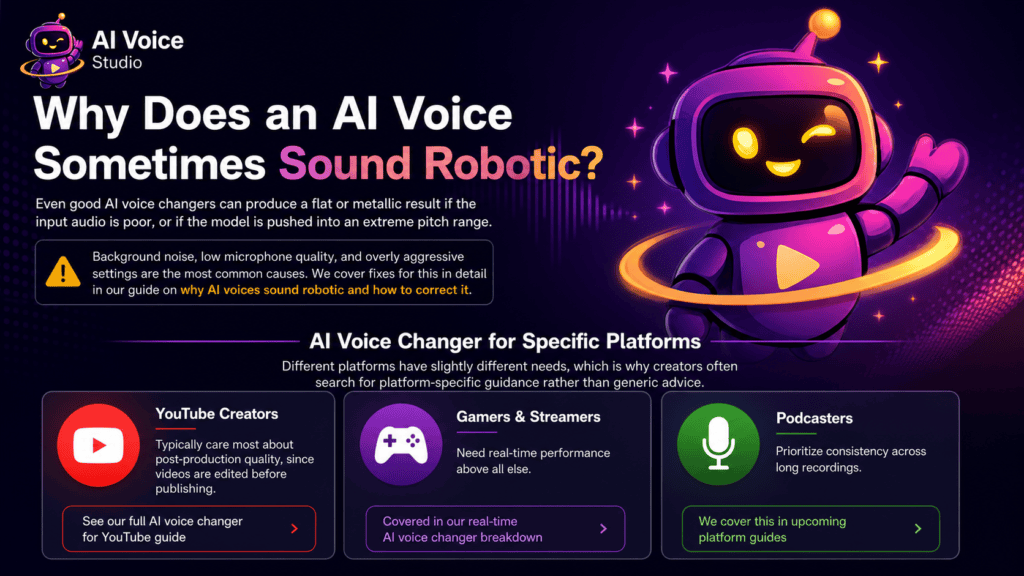
AI Voice Changer for Specific Platforms
Different platforms have slightly different needs, which is why creators often search for platform-specific guidance rather than generic advice.
- YouTube creators typically care most about post-production quality, since videos are edited before publishing. See our full AI voice changer for YouTube guide.
- Gamers and streamers need real-time performance above all else, covered in our real-time AI voice changer breakdown.
- Podcasters prioritize consistency across long recordings, which we cover separately in upcoming platform guides.
Choosing Between Free and Paid AI Voice Changer Tools
Free tools are a reasonable starting point if you are just experimenting with the concept. They typically come with limited voice presets, shorter processing limits, and visible watermarks or lower audio quality.
Paid tools generally offer higher fidelity output, more voice styles, faster processing, and no usage caps that interrupt a real production schedule.
If you are comparing specific platforms rather than just free versus paid, our detailed roundup of the best AI voice changers in 2026 is a useful next read.
Where AI Voice Changing Technology Is Headed
Voice conversion models are improving quickly, and a few trends are worth watching. Real-time conversion is getting closer to zero noticeable delay, which matters for live streaming and gaming.
Emotional accuracy is also improving, meaning a converted voice increasingly preserves excitement, sarcasm, or calmness rather than flattening everything into one tone. Combined with dubbing, this points toward genuinely multilingual content that still sounds like one consistent creator across every language.
Frequently Asked Questions
What is an AI voice changer used for? It is used to transform a recorded or live voice into a different vocal style for content creation, gaming, streaming, dubbing, and privacy purposes.
Is an AI voice changer different from a filter? Yes. A filter typically applies a simple audio effect, while an AI voice changer rebuilds the voice using a trained model, producing far more natural results.
Can an AI voice changer work in real time? Modern tools increasingly support real-time or near real-time conversion, which is especially useful for live streaming and voice chat.
Do I need expensive equipment to use one? No. A decent microphone and a quiet recording space are usually enough, since most of the quality improvement comes from the software itself.
Is it safe to use an AI voice changer for YouTube content? Yes, as long as it is used transparently and not to impersonate a real person without consent or mislead viewers.
Can I use an AI voice changer with my own recorded voice? Yes. Most AI voice changers work with recordings you upload or capture through a microphone. The software transforms your voice into a different style while preserving the original script and speaking rhythm.
Does an AI voice changer affect the audio quality of my recordings? High-quality AI voice changers are designed to maintain clear audio, but the final result depends on your original recording. Using a good microphone and minimizing background noise will produce the best output.
Can I create multiple character voices from a single recording? Yes. Many AI voice changers let you apply different voice profiles to the same recording, making it easy to create conversations, skits, or animated characters without recording multiple takes.
Are AI voice changers suitable for professional content creation? Absolutely. Businesses, educators, YouTubers, and podcasters use AI voice changers for training videos, marketing content, multilingual projects, and branded narration because they save time while delivering consistent voice quality.
What should I check before choosing an AI voice changer? Look for realistic voice quality, emotion preservation, fast processing, multiple voice options, privacy controls, and compatibility with your editing workflow. A tool that integrates with dubbing, music, and other audio features can simplify content production.
Final Thoughts
So, what is an AI voice changer in simple terms? It is software that takes your real voice and rebuilds it as something new, while keeping your words, timing, and emotion intact.
For creators, that opens up faster editing, better privacy, cheaper character work, and smoother multilingual content, all without booking a recording studio. Tools like ytZolo’s AI Voice Changer bring this feature into the same workspace as scripting, dubbing, music, and sound design, so the entire production process stays in one place.
About the Author
Anshika Verma is a content researcher at ytZolo specializing in AI audio technology, voice synthesis, and creator tooling. She has spent several years studying speech AI systems and translating technical voice conversion research into practical guidance for content creators, streamers, and podcasters.
Anshika regularly tests and evaluates AI voice tools for accuracy, latency, and real-world usability before writing about them, following an evidence-first approach to every guide she publishes.
Contact: anshika@ytzolo.com

