
Quick Summery: Learn how an AI voice changer for YouTube helps creators produce professional, consistent voiceovers while protecting their identity. This guide covers use cases, workflow, YouTube disclosure rules, common mistakes, and how ytZolo streamlines voice changing, dubbing, audio editing, and YouTube SEO in one platform.
You don’t need to show your face. You don’t even need to use your real voice.
An AI voice changer for YouTube lets you record a normal take and publish it in a completely different voice — without losing your pacing, emotion, or timing.
This guide isn’t another “what is voice changing” explainer. It’s built specifically for YouTube: which channel types benefit most, how to slot voice changing into an actual upload workflow, and what YouTube’s rules say about disclosing it.
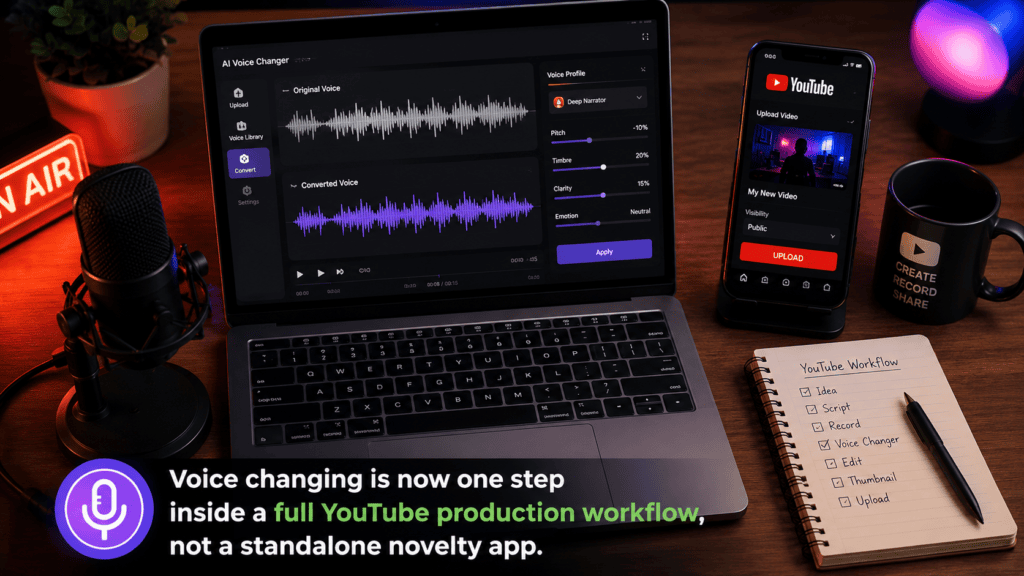
Table of Contents
Why YouTube Creators Reach for an AI Voice Changer
The reasons vary by channel type, but they cluster around three things: privacy, consistency, and creative range.
- Staying off-mic personally while still publishing under one recognizable channel voice.
- Voicing multiple characters in a skit or Short without hiring actors.
- Salvaging a bad take recorded in a noisy room instead of re-recording it.
- Keeping one narrator voice consistent across a long-running series, even if the actual speaker changes.
For a deeper technical breakdown of how the underlying technology works, our complete AI voice changer guide covers the mechanics in full. This article stays focused on the YouTube-specific application.
What Is an AI Voice Changer? (Quick Primer)
An AI voice changer takes speech you already recorded and reshapes its pitch, tone, and texture into a different voice, while keeping the words and emotion intact.
That’s different from typing a script and generating audio from scratch, which is what a text-to-speech voice generator does instead.
If you want the full explanation of how the model separates what you said from how you sound, that’s covered in depth on our pillar AI voice changer page — we won’t repeat it here.
Real-Time vs Recorded Voice Changing on YouTube
Most YouTube content isn’t live, so recorded (post-production) voice changing is almost always the better fit over real-time processing.
Recorded conversion gives the engine more time to work, which means cleaner output than the low-latency mode built for live streaming.
The one exception is live-streamed YouTube content, where a real-time AI voice changer trades a little audio quality for near-instant response. Our guide on real-time voice changing breaks down the latency trade-offs if you stream regularly.
AI Voice Changer Use Cases Across YouTube Niches
This is where a YouTube-specific voice changer earns its place — the right setup depends heavily on your content format.
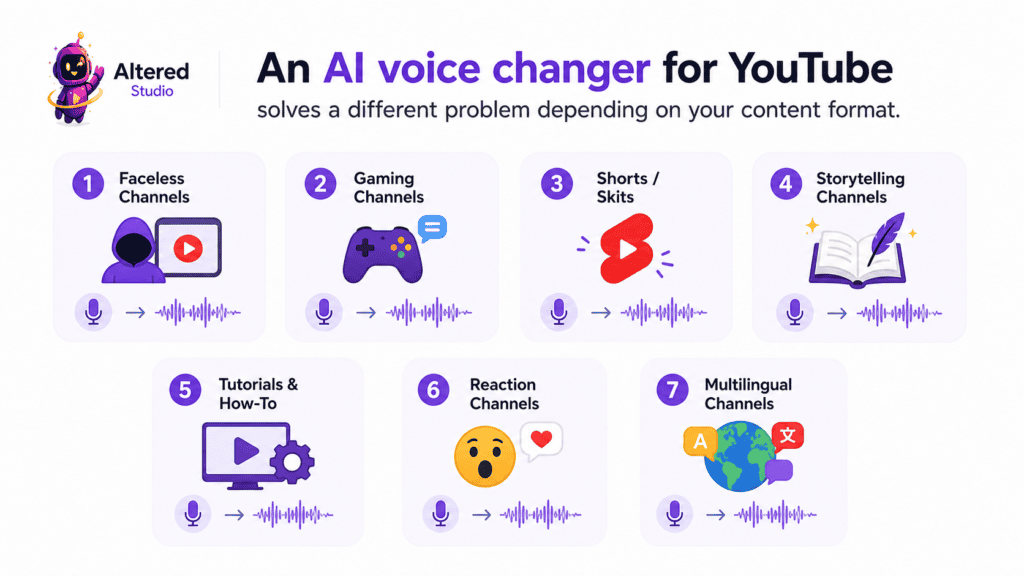
Faceless YouTube Channels
Faceless creators rely on voice as their only on-screen personality, so consistency matters more than novelty here.
A converted “channel voice” lets you stay anonymous while sounding the same in video one and video two hundred. Our guide to AI tools for faceless YouTube channels covers the full production stack beyond just audio.
Gaming and Commentary Channels
Gamers and Let’s Play creators often use a voice changer for character bits, comedic effect, or simply to keep a streaming persona separate from their real identity.
Because gameplay commentary is usually recorded, not always live, post-production voice changing tends to sound cleaner than the real-time mode used for in-game chat.
Skits, Shorts, and Multi-Character Content
Playing three characters in one Short used to mean three separate recording passes and a lot of manual pitch shifting.
Pairing a voice changer with an AI dialogue generator lets one creator produce a full back-and-forth conversation, each character with a distinct converted voice.
True Crime, Storytelling, and Narration Channels
Narration-heavy channels need a voice that stays even and listenable across 20 or 30 minutes, not just a punchy 15-second clip.
Voice changing here is less about disguise and more about polish — smoothing a mediocre home recording into something that sounds studio-produced.
Tutorials and Educational Content
Course creators and tutorial channels benefit from one stable, professional-sounding narrator voice, even if the actual person recording changes over time.
This matters for teams: a training series doesn’t need to sound different every time a new instructor records a module.
Reaction and Commentary Channels
Reaction creators sometimes convert their voice for brand consistency, or to separate an on-camera persona from their everyday speaking voice.
Because reaction content is usually captured live and edited afterward, it fits naturally into a recorded, post-production voice-changing pass.
Multilingual and Dubbed Channels
Channels publishing the same video across several languages can pair voice conversion with AI dubbing to keep one recognizable “voice” across every localized version.
That’s the difference between a channel that sounds cohesive worldwide and one that sounds like a different person in every language.
How to Add an AI Voice Changer to Your YouTube Workflow
Here’s how voice changing fits into an actual upload pipeline, not just a standalone export.
- Record your source audio. A clean, quiet take gives the model better material to convert — background noise degrades output quality fast.
- Clean it up first if needed. Run a noisy file through an AI voice isolator before conversion; clean input produces a cleaner converted voice.
- Choose your target voice. Pick a preset from the library, or clone a consistent voice you’ll reuse across every upload.
- Run the conversion and review it. Listen for flat delivery, mispronunciations, or odd pauses before moving on.
- Layer in music and sound design. An AI music generator and AI sound effects generator round out the finished audio track.
- Write your metadata. Generate an SEO-ready title, description, and tags so the finished video actually gets found.
- Build the thumbnail and upload. Pair a thumbnail with your converted audio, add a disclosure label if required, and publish.
Treating voice changing as one step in this chain — instead of a separate app you export into — is what actually saves production time.
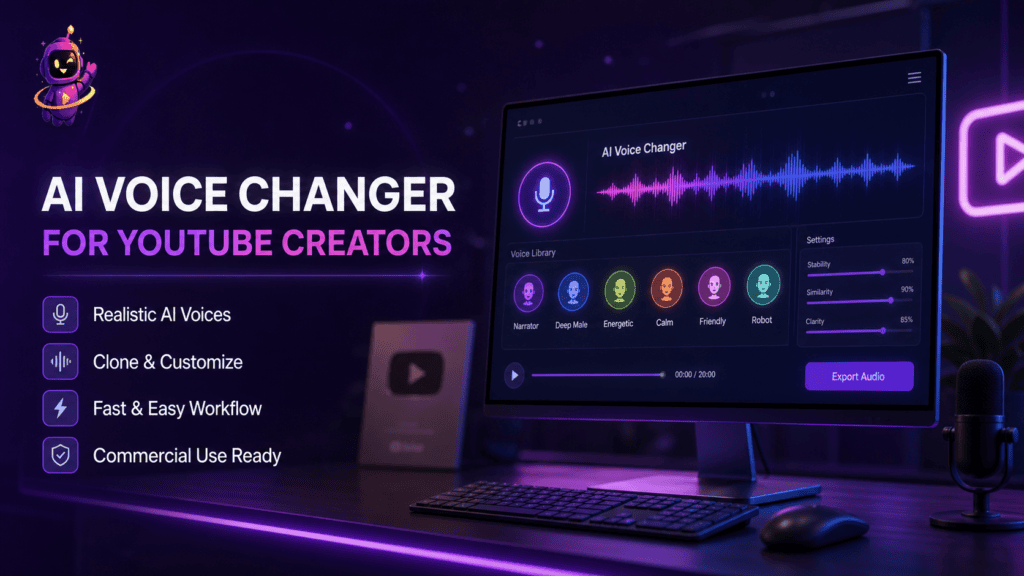
Choosing an AI Voice Changer for Your YouTube Channel
Picking a tool for a monetized, recurring YouTube channel is a different decision than picking one for a single fun clip.
- Commercial licensing. Confirm the plan tier explicitly allows monetized use before you publish, not after.
- Voice consistency. Can you save and reuse the exact same target voice across every future upload?
- Batch and file length support. A tool that handles a 20-minute file without degrading quality matters more than a flashy 10-second demo.
- Workflow fit. Does it sit inside the same platform as your scripting, thumbnails, and YouTube SEO tools, or is it one more app to export audio into?
For a full side-by-side of 16 tools scored on exactly these factors, see our best AI voice changer comparison for 2026. If you’re weighing an all-in-one platform against a single-purpose editor, our ytZolo vs VEED comparison covers that workflow-fit question directly.
Why Does My AI Voice Sound Robotic on YouTube?
This usually comes down to noisy source audio, over-pushed pitch settings, or an engine that flattens natural speech rhythm.
The fix is almost always upstream of the software: record in a quiet room, avoid extreme pitch shifts, and pick a target voice reasonably close to your natural range. Our pillar guide covers why AI voices sound robotic in full detail.
AI Voice Generator vs AI Voice Changer for YouTube
A voice changer converts a recording you already made. An AI voice generator builds speech from typed text, with no original take involved at all.
Faceless channels sometimes use both: a generator for a fast first draft, then a voice changer on a recorded read-through for a more natural final pass.
Speech Synthesis vs Voice Conversion
These two terms get used interchangeably, but they’re not the same process.
Speech synthesis generates audio purely from text. Voice conversion starts with a real recording and changes how it sounds. Our full breakdown of speech synthesis vs voice conversion covers when each approach makes more sense.
AI Voice Changer for YouTube Businesses and Brand Channels
Company and agency-run YouTube channels use voice changing to keep one consistent narrator across training videos, product explainers, and localized marketing content.
That consistency survives staff turnover — the “voice” of the brand doesn’t have to change just because the person recording it did. Our section on AI voice changers for businesses covers the operational case in more depth.
Staying Compliant: YouTube’s Disclosure Rules for Altered Voices
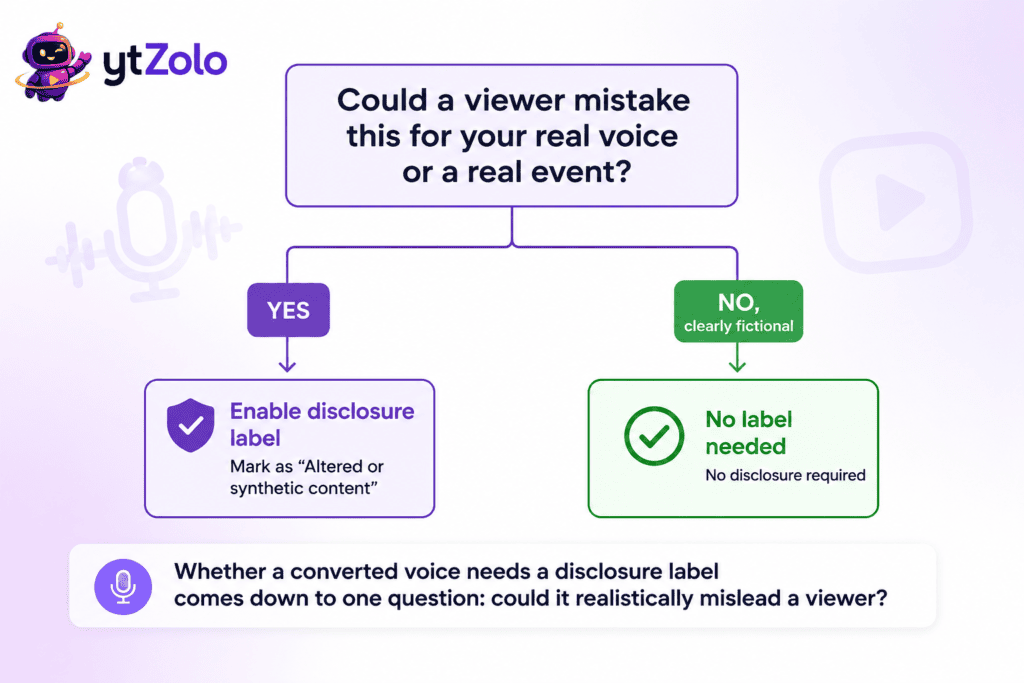
YouTube requires creators to disclose content that’s been meaningfully altered or synthetically generated when it could realistically be mistaken for genuine footage.
A voice-cloned narration used to make your own content sound like someone else’s usually needs that disclosure label switched on, per YouTube’s official Help Center guidance.
Fictional character voices in a scripted skit generally don’t require it — the trigger is whether a viewer could reasonably be misled, not whether AI was involved at all.
This sits alongside YouTube’s broader stance on repetitive, low-effort AI content. Our guide to YouTube’s repetitive content and AI slop policy and our breakdown of monetization disclosure requirements both cover what applies specifically to monetized channels.
Common Mistakes Creators Make With an AI Voice Changer for YouTube
Skipping the noise cleanup step. A voice changer amplifies whatever it’s given — background hum gets converted right along with your speech.
Overcorrecting pitch. Pushing a voice far outside a natural human range is the fastest way to sound artificial, even on an otherwise good engine.
Publishing on a non-commercial free tier. Many tools restrict free-tier output from monetized channels — check licensing before you upload, not after a strike.
Treating it as a standalone app. Exporting audio in and out of five separate tools costs more time than the voice changer itself ever saves.
How ytZolo Brings Voice Changing Into the Rest of Your YouTube Workflow
Inside ytZolo’s Audio Studio, a voice changer sits next to an AI voice isolator, AI music and sound effects, and AI dubbing — plus the script, title, description, and thumbnail tools that get the finished video discovered.
The practical benefit isn’t out-realism-ing a specialist voice-cloning app. It’s not needing five separate subscriptions to finish one upload. You can see current pricing plans here.
Frequently Asked Questions
Is an AI voice changer good enough for a monetized YouTube channel? Yes, as long as your specific plan tier includes commercial licensing — confirm this before publishing, not after.
Do I need to disclose a converted voice on YouTube? Only if it could realistically mislead a viewer about who’s speaking or what happened. Clearly fictional characters generally don’t need it.
Can I use the same converted voice across every video? Yes — most tools let you save and reuse a target voice profile, which is exactly what gives a channel a consistent identity.
What’s the difference between a voice changer and a voice generator for YouTube? A voice changer converts a recording you made. A generator creates speech from typed text with no recording at all.
Will a voice changer fix background noise in my recordings? Not by itself — run noisy audio through a dedicated voice isolator first for a cleaner result.
Is real-time voice changing worth it for YouTube specifically? Only if you livestream. For uploaded videos, recorded post-production conversion almost always sounds better.
Can I pair a voice changer with dubbing for a multilingual channel? Yes — that’s one of the more common uses, keeping one recognizable voice across every localized version of a video.
Final Thoughts
An AI voice changer for YouTube stops being a novelty the moment it’s tied into a real production pipeline — clean audio in, converted voice out, then music, metadata, and a thumbnail on top.
The channels that get the most from it treat voice changing as one link in that chain, not a separate app they export files into and back out of.
Ready to see how it fits your own workflow? Explore ytZolo’s AI Audio Studio or read the complete AI voice changer guide for the full technical breakdown.
About the Author
Anshika Verma is a content and SEO researcher at ytZolo, specializing in AI audio and video production technology for YouTube creators. She writes about voice AI, channel growth strategy, and creator tooling, drawing on hands-on testing of voice conversion, dubbing, and text-to-speech systems across the industry.
📧 anshika@ytzolo.com
Sources referenced: YouTube Help Center — Disclosing Altered or Synthetic Content; Google Search Essentials — Spam Policies.

