
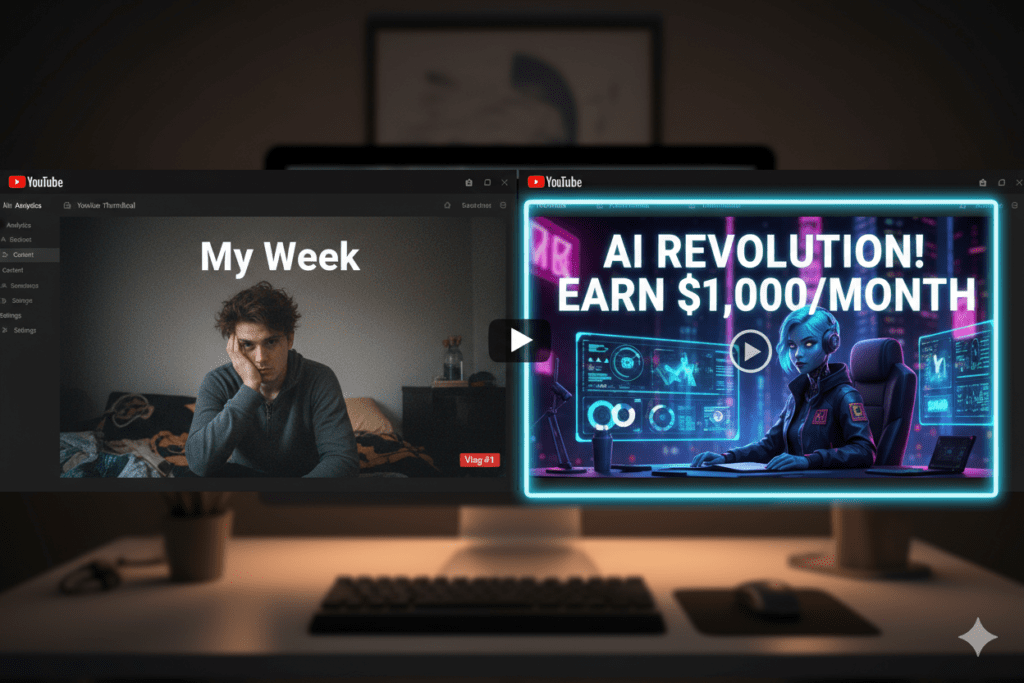
Introduction: The Thumbnail Problem Nobody Talks About
You spent 10 hours filming. Another 3 editing. You hit publish — and then… crickets.
Sound familiar?
Here’s the brutal truth: your video doesn’t get a fair chance if your thumbnail can’t stop the scroll. Viewers make click decisions in under a second. If your thumbnail doesn’t grab them instantly, your video gets buried — no matter how good the content is.
According to YouTube’s own Creator Academy, 90% of the best-performing videos on YouTube use custom thumbnails. That’s not luck. That’s strategy.
But designing great thumbnails used to take design skills, hours in Photoshop, and sometimes even money spent on freelancers. That’s where a free ai youtube thumbnail generator completely changes the game.
In this guide, you’ll learn exactly how AI thumbnails work, which tools are worth your time, and why creators who use ytZolo are pulling ahead of everyone else.
Let’s get into it.
Table of Contents
Why Your Thumbnail Is Your #1 Growth Tool
Most YouTubers obsess over video quality, editing, and audio. And those things matter. But here’s what the data shows: a great thumbnail—especially when created with an AI YouTube thumbnail generator free tool—can outperform a great video.
Click-through rate (CTR) is one of the most important signals YouTube uses to decide who sees your content. When your CTR goes up, YouTube’s algorithm pushes your video to more people. More people = more views = faster channel growth.
Think of your thumbnail like a billboard on a busy highway. You have half a second to make someone pump the brakes. If your billboard looks like everyone else’s, they’ll drive right past.
The good news? You don’t need to be a designer to create scroll-stopping thumbnails anymore. AI has changed everything.
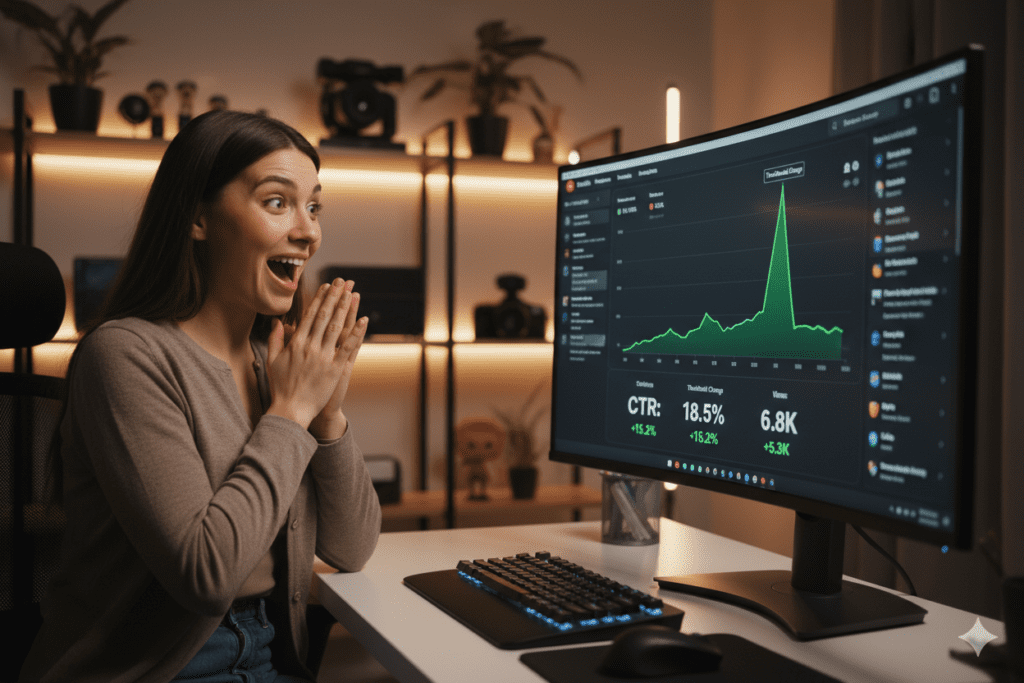
What Is an AI YouTube Thumbnail Generator?
An AI youtube thumbnail generator is a tool that uses artificial intelligence — specifically machine learning and image generation models — to create professional, click-worthy thumbnails for your videos.
Instead of starting from a blank canvas, you give the AI some context: your video topic, your face, a style preference, or even just a prompt. The AI does the heavy lifting — selecting colors, layouts, text styles, and visual elements proven to drive clicks.
The best AI YouTube thumbnail generator free tools aren’t just pretty image makers. They’re trained on what actually performs on YouTube — high-contrast color schemes, emotional facial expressions, clean bold text, and niche-specific design patterns.
And when it’s free? There’s literally no reason not to use one.
Why Manual Thumbnail Design Is Holding You Back
Let’s be real. Designing thumbnails manually is a grind.
Here’s what the old-school process looks like for most creators:
- Open Photoshop or Canva → stare at a blank canvas
- Search for fonts and graphics → spend 20 minutes finding the right one
- Struggle with colors and contrast → guess what will pop in the feed
- Export, upload, realize it looks bad on mobile → start over
- Repeat this for every single video
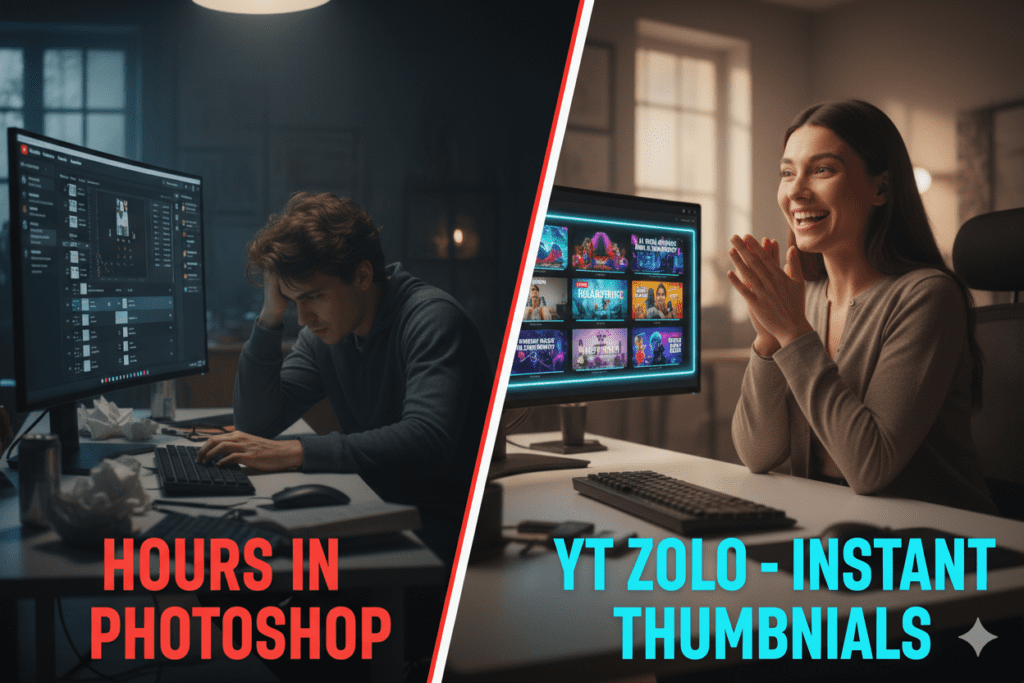
That’s 2–4 hours per thumbnail. For a channel posting twice a week, that’s nearly a full workday every week — just on thumbnails.
And here’s the kicker: even after all that effort, if you’re not using an AI YouTube thumbnail generator free tool, your thumbnails might still underperform. Generic layouts don’t get clicks. Trends change. What worked six months ago might be invisible today.
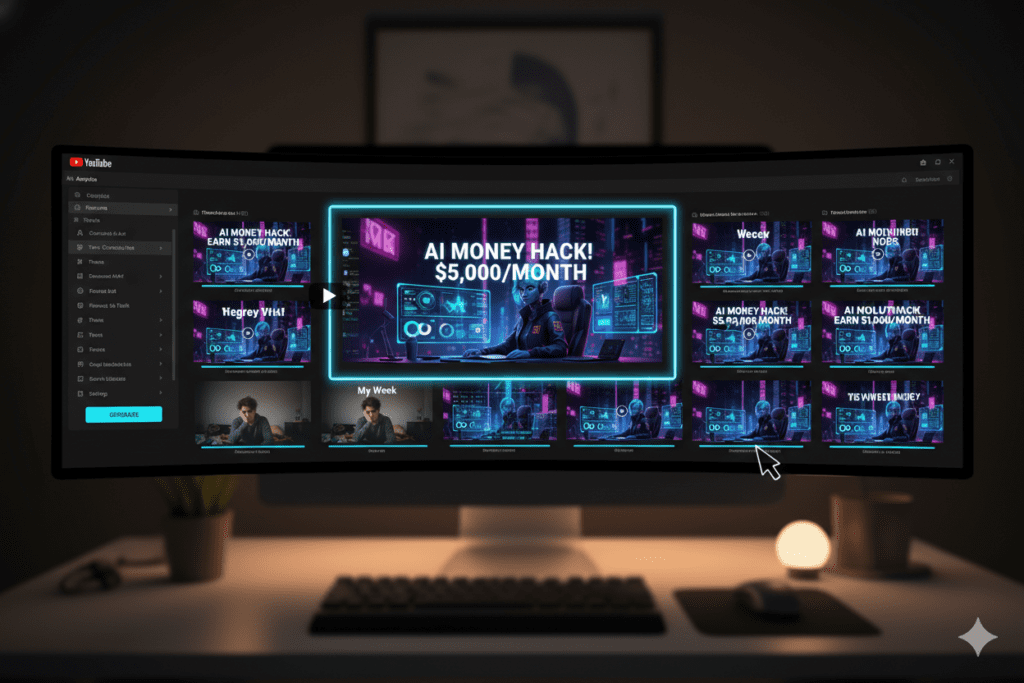
Manual design also doesn’t scale. You can’t easily A/B test three versions of a thumbnail when each one takes hours to create. But AI can generate multiple variations in seconds.
This is why creators who discovered the power of a free ai youtube thumbnail generator aren’t looking back. Tools like ytZolo let you go from idea to published thumbnail in under two minutes.
What Makes a High-CTR Thumbnail?
Before we dive into tools, let’s understand what actually drives clicks. AI tools are trained on these principles, and knowing them helps you make smarter creative decisions.
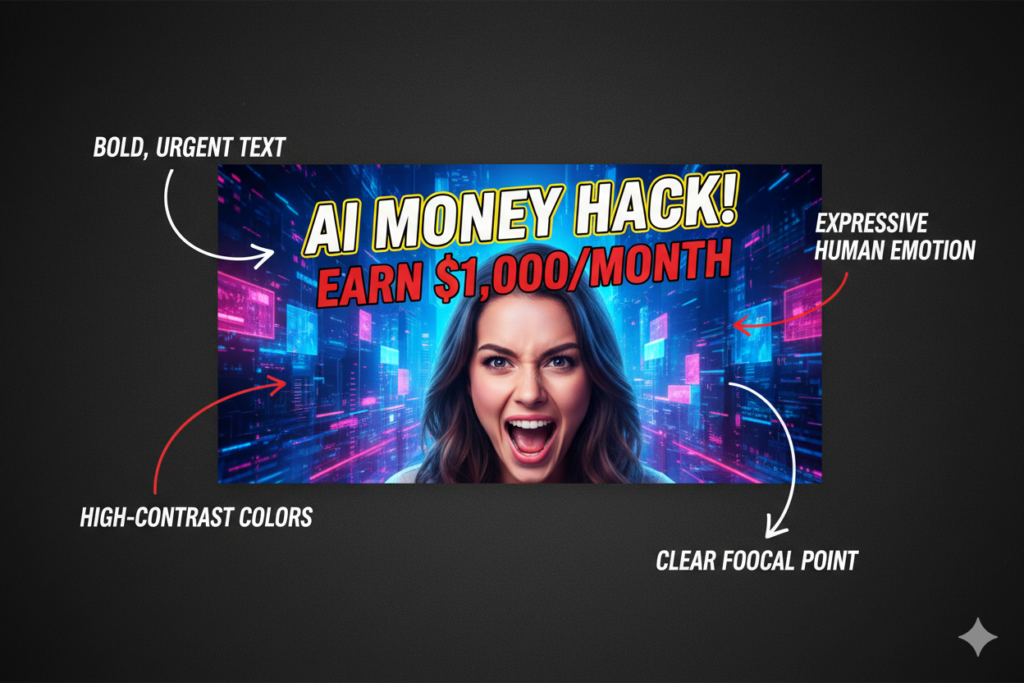
The anatomy of a high-performing YouTube thumbnail:
- Bold, readable text — Short phrases in large fonts. Readable even at thumbnail size on mobile.
- Expressive faces — Emotions drive clicks. Surprise, excitement, and curiosity are the most powerful.
- High contrast colors — Your thumbnail needs to pop against YouTube’s white and dark backgrounds.
- Clear focal point — One dominant subject. Don’t clutter the frame.
- Curiosity gap — The thumbnail should tease something without giving the full story away.
- Consistent branding — Channel colors, fonts, and style so fans recognize your content instantly.
According to research from HubSpot on visual content marketing, visuals with high emotional pull increase engagement by up to 65%. Thumbnails are no different — they’re your first (and sometimes only) shot at emotion.
The best ai youtube thumbnail generator tools are built around these exact principles. They don’t just make pretty images — they make strategic ones.
How to Use a Free AI YouTube Thumbnail Generator
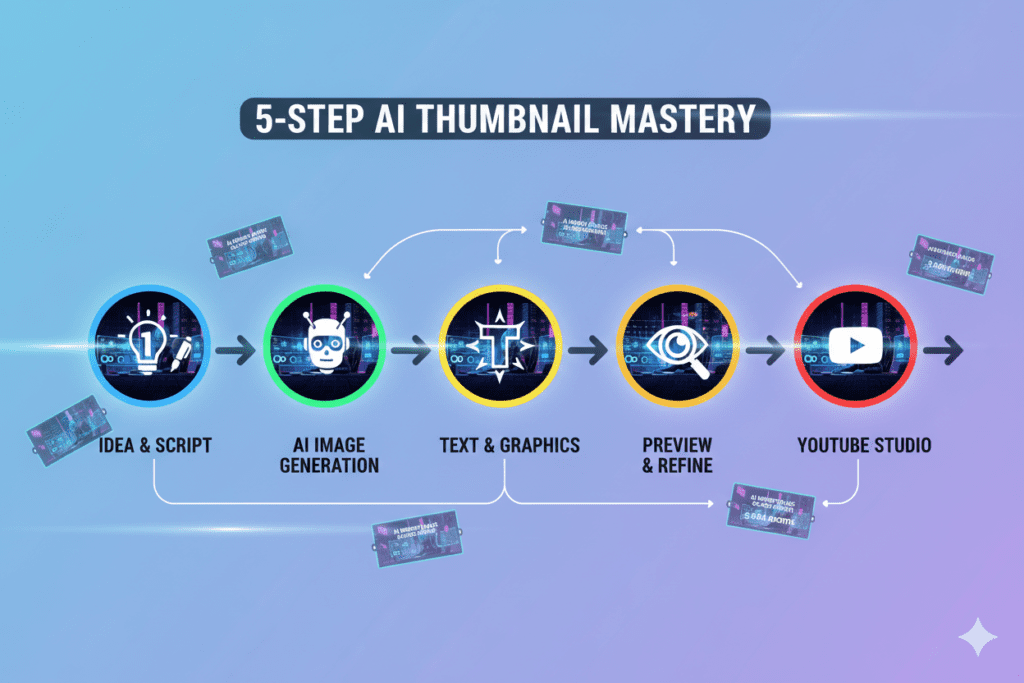
Using an AI thumbnail generator is easier than you think. Here’s the general process most tools follow:
Step 1: Choose your tool. Pick an ai youtube thumbnail generator free designed specifically for YouTube (more below). Generic AI image tools like DALL-E or Midjourney weren’t built with YouTube CTR in mind.
Step 2: Input your video details. Most tools ask for your video title, topic, or a short description. Some let you upload a screenshot or your face photo.
Step 3: Let AI generate options. The AI analyzes your input and creates multiple thumbnail options — usually in 1280×720px (YouTube’s recommended size).
Step 4: Customize. Adjust text, colors, or layout to fit your brand. The best tools make this quick and intuitive.
Step 5: Download and upload. Export your thumbnail (no watermarks with the best free plans) and upload it directly in YouTube Studio.
Simple, fast, and effective. The whole process should take under 5 minutes with a good tool.
Why ytZolo Is the Best AI YouTube Thumbnail Generator
There are a lot of thumbnail tools floating around the internet. But most of them do one thing. ytZolo does everything.
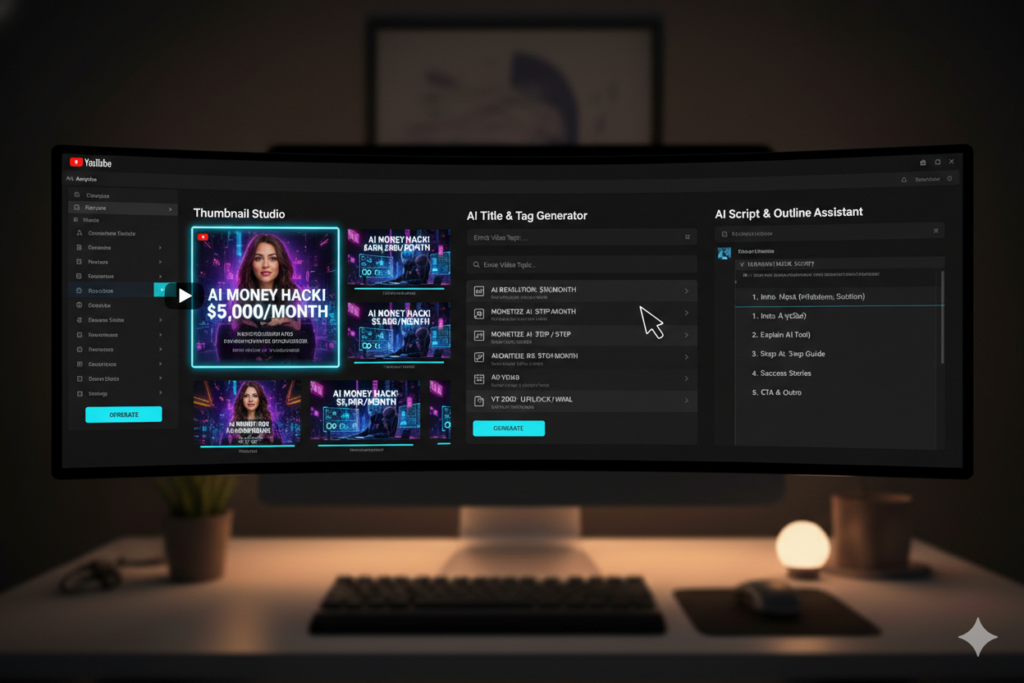
ytZolo isn’t just a thumbnail generator — it’s an all-in-one AI YouTube growth platform built specifically for creators who want to grow faster, smarter, and without burning out.
Here’s what makes ytZolo stand out:
- AI Thumbnail Generator — Creates high-CTR thumbnails trained on what actually works on YouTube, not just what looks pretty.
- AI Title Generator — Suggests viral, SEO-optimized titles that match search intent.
- AI Script Writer — Helps you write engaging video scripts in minutes, not hours.
- AI Description & Tags — Generates YouTube-optimized descriptions and tags to help your videos rank.
- All-in-one workflow — Instead of juggling five different tools, ytZolo puts everything in one dashboard.
The free plan lets you get started immediately — no credit card, no complicated setup. Just sign up and start creating thumbnails that get clicks.
What separates ytZolo from other AI YouTube thumbnail generator free tools is that it’s not trying to be a generic design app. Every feature is purpose-built for YouTube growth. The AI understands color psychology, niche-specific visual trends, and text placement strategies that boost CTR.
Whether you’re a gaming channel, a cooking creator, a finance educator, or a lifestyle vlogger — ytZolo adapts to your niche and your audience.
You can also check out the ytZolo blog for creator tips, growth strategies, and tutorials that help you get the most out of every feature.
ytZolo vs. Other Tools: Honest Comparison
Let’s cut through the noise. Here’s how ytZolo stacks up against the tools you’ve probably already heard of.
ytZolo vs. Canva
Canva is a great design tool — but it’s a blank canvas. It doesn’t know your niche. It doesn’t understand YouTube’s algorithm. And it definitely won’t tell you which thumbnail will get more clicks. You’re still guessing, just with prettier drag-and-drop tools.
ytZolo, on the other hand, is AI that’s specifically trained on YouTube performance data. It doesn’t just make things look good — it makes things that work.
ytZolo vs. Generic AI Image Tools (DALL-E, Midjourney)
AI YouTube thumbnail generator free tools generate stunning images, no question. But they’re not built for YouTube. You’d still need to add text, format to 1280×720, optimize contrast for mobile viewing, and guess whether the design will actually drive clicks. That’s extra steps, extra time, and extra guesswork.
ytZolo handles all of that automatically. Thumbnail-ready output, every time.
ytZolo vs. vidIQ’s Thumbnail Maker
vidIQ has decent thumbnail features, but it’s primarily an analytics and keyword tool. The thumbnail maker is a secondary feature, not the core product. It doesn’t offer the same depth of AI customization or the all-in-one content creation pipeline that ytZolo provides.
ytZolo vs. Standalone Thumbnail Tools
Tools like Thumbmagic or Pikzels focus only on thumbnails, not as an AI YouTube thumbnail generator free suite. They’re solid. But then you still need separate tools for titles, scripts, descriptions, and SEO. That’s four or five subscriptions and four or five different dashboards.
ytZolo gives you everything in one place — for free to start.
The bottom line: If you want a dedicated, YouTube-first AI platform that grows with you — from thumbnail to publish — ytZolo is the clear choice.

Step-by-Step: Create Viral Thumbnails with ytZolo
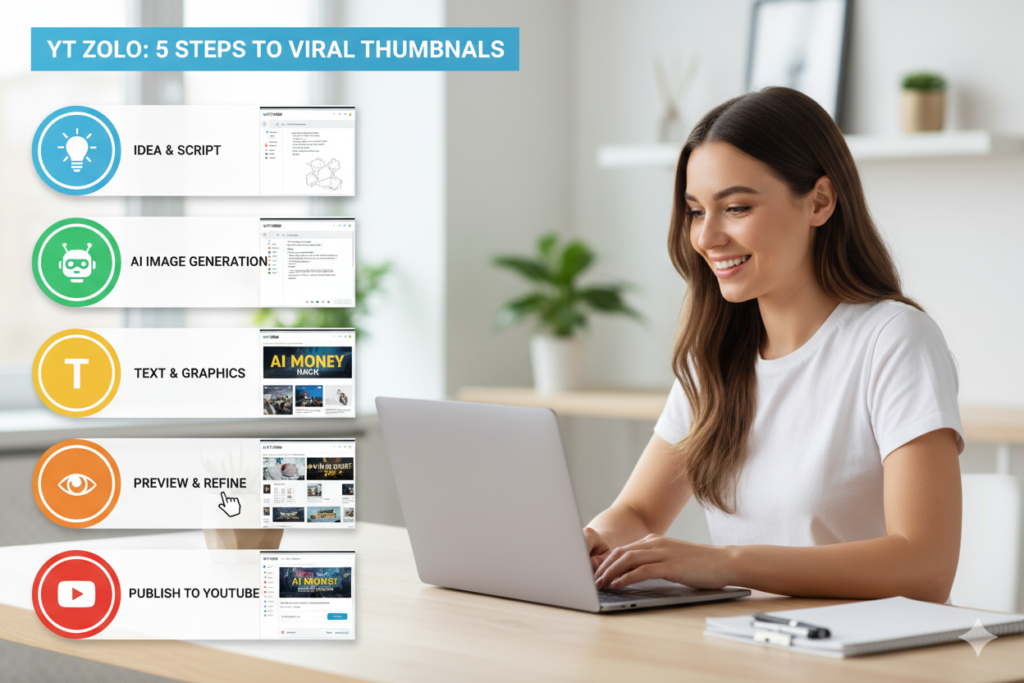
Ready to make your first AI thumbnail? Here’s exactly how to do it with ytZolo:
Step 1: Go to ytZolo.com and create your free account. Takes less than 60 seconds. No credit card required.
Step 2: Navigate to the Thumbnail Generator. Find it in the main dashboard. It’s built right into the platform alongside all the other creator tools.
Step 3: Enter your video topic or title. Something like “5 Money Mistakes That Keep You Broke” or “Easy 30-Minute Pasta Recipe.” The more specific, the better the AI output.
Step 4: Upload your photo (optional but recommended). Adding your face dramatically increases CTR. Thumbnails with expressive human faces consistently outperform those without.
Step 5: Review AI-generated options.
ytZolo creates multiple thumbnail variations instantly as an AI YouTube thumbnail generator free tool. Each one is designed with CTR optimization in mind — bold text, contrast colors, strong focal point.
Step 6: Customize if needed. Tweak text, swap colors, or adjust layout. It takes seconds, not hours.
Step 7: Download and upload to YouTube Studio. Your thumbnail is exported in YouTube’s recommended 1280×720px format. Upload it, and you’re done.
That’s it. From idea to uploaded thumbnail in under 5 minutes.
While you’re there, explore ytZolo’s other tools. Generate your video title, write your description, and find the right tags — all in the same session. The ytZolo blog also has specific guides for each tool if you want to go deeper.
Pro Tips to Maximize Your Click-Through Rate
Even with the best ai youtube thumbnail generator, a few smart habits can push your CTR even higher:
A/B Test Your Thumbnails. YouTube now lets you test multiple thumbnails for the same video. Create two or three versions with ytZolo in minutes, upload them, and let the data tell you which one wins.
Match Thumbnail to Title Energy. If your title promises shock or surprise, your thumbnail—especially when made with an AI YouTube thumbnail generator free tool—should reflect that emotion. Consistency between title and thumbnail reduces “bounce back” — when viewers click but leave immediately.
Check Mobile Preview First. Most YouTube views come from mobile. Before you publish, check how your thumbnail looks at a small size. If the text is unreadable, it needs to be bigger.
Stay Consistent With Branding. Use similar colors, fonts, and styles across your thumbnails. Subscribers should recognize your content at a glance. ytZolo lets you set up brand templates so you don’t have to start from scratch every time.
Watch Your Impressions vs. CTR. A high impression count with low CTR means YouTube is showing your video, but people aren’t clicking. That’s a thumbnail problem — and AI can fix it fast.
Study Your Top Performers. Look at which of your past videos got the highest CTR. What did those thumbnails have in common? Use those patterns as input for ytZolo’s AI to replicate the formula.

FAQ: AI YouTube Thumbnail Generator Free
1. What is the best free AI YouTube thumbnail generator?
The best free ai youtube thumbnail generator for creators who want to grow their channel is ytZolo. Unlike standalone design tools, ytZolo combines AI thumbnail generation with title creation, script writing, and SEO optimization — all in one platform. The free plan lets you create professional thumbnails without a credit card.
2. Can AI really make better thumbnails than a human designer?
In many cases, yes. A skilled designer brings creativity — but AI brings data. ytZolo’s AI YouTube thumbnail generator free tool is trained on high-performing YouTube content, understanding color psychology, text placement, and emotional triggers that drive clicks. For most creators, AI thumbnails outperform hand-designed ones and take a fraction of the time.
3. Will AI-generated thumbnails get my channel flagged or penalized?
No. Using AI to design thumbnails is completely within YouTube’s guidelines. YouTube encourages creators to use AI tools to improve their content quality. The key rule is that AI-generated thumbnails must accurately represent your video content — which is exactly what ytZolo is designed to do.
4. How is ytZolo different from Canva for making thumbnails?
Canva is a general-purpose design tool — you start from scratch or pick a template and customize manually. ytZolo’s AI generates YouTube-optimized thumbnails automatically based on your video topic and data-driven design principles. It also integrates title generation, scripting, and SEO tools so you have everything in one place, not just a design editor.
5. How many thumbnails can I create for free with ytZolo?
ytZolo offers a free plan that lets you start creating and exporting AI thumbnails right away. For creators who need higher volume or want access to advanced features like more variations, deeper customization, and full content generation tools, premium plans are available. Visit ytZolo.com for the latest pricing and plan details.
Conclusion: Stop Leaving Views on the Table
Your content deserves to be seen.
Every video you post is hours of work, creativity, and effort. Don’t let a weak thumbnail be the reason people scroll past it. In 2025, using a free ai youtube thumbnail generator isn’t a competitive advantage — it’s the baseline.
The creators who are growing fast aren’t working harder. They’re working smarter. They’re using AI to handle the time-consuming, technical parts of content creation so they can focus on what they do best: creating.
ytZolo is the all-in-one AI platform that makes this possible. From scroll-stopping thumbnails to viral titles, compelling scripts, and SEO-optimized descriptions — everything you need to grow your channel is right there, waiting for you.
The question isn’t whether you should use AI. The question is how long you’re going to wait before you start.
Start creating smarter, faster, and more viral YouTube content with ytZolo today.
👉 Get started free at ytZolo.com
Want more tips on growing your YouTube channel with AI? Check out the ytZolo blog for in-depth guides, creator stories, and strategy breakdowns updated regularly.


Pingback: Best YouTube Thumbnails Generator for More Clicks (2026)
Pingback: Best AI for Writing YouTube Video Scripts 2026
Pingback: Best Free AI Thumbnail Generator for YouTube 2026
Pingback: Best AI for Generating YouTube Scripts 2026 | Top Tools
Pingback: Best Free AI YouTube Thumbnail Makers 2026 | Top Picks
Pingback: Free Thumbnail Generator AI: 5 Proven Viral Tricks
Pingback: YouTube Thumbnails AI ytZolo: 9 Smart Wins & Fails
Pingback: Best YouTube Thumbnail Creator AI Tools in 2026
Pingback: 7 Best YouTube Thumbnail Creator AI Without Watermark
Pingback: Best YouTube Shorts Thumbnail Generator – AI Tools 2026
Pingback: Best Video Title Generator AI for YouTube Views 2026
Pingback: Your Thumbnails Are Killing Your Channel (Here's How AI A/B Testing Fixes That in 2026) - ytZolo