
Introduction: Your Thumbnail Is Losing You Views Right Now
Imagine this. You spent 6 hours filming, editing, and perfecting your latest YouTube video.
You hit publish. You wait.
Then… nothing. Low clicks. Low views. Crickets.
Here’s the brutal truth most creators don’t want to hear — your thumbnail is likely the problem.
According to YouTube’s own data, half of all channels on the platform have a click-through rate (CTR) between just 2% and 10%. That gap between 2% and 10%? That’s the difference between a channel that grows and one that dies quietly.
Your thumbnail is the first thing a viewer sees before deciding whether to click. It’s your video’s first impression, book cover, and movie poster — all rolled into one tiny image.
The good news? In 2026, you don’t need Photoshop skills, a graphic designer, or a big budget to create stunning thumbnails. A youtube thumbnail maker ai free tool can do it for you in seconds.
And one tool, in particular, is changing the game for thousands of creators: ytZolo.
Let’s dive deep into everything you need to know.
Table of Contents
1. Why Your YouTube Thumbnail Matters More Than You Think
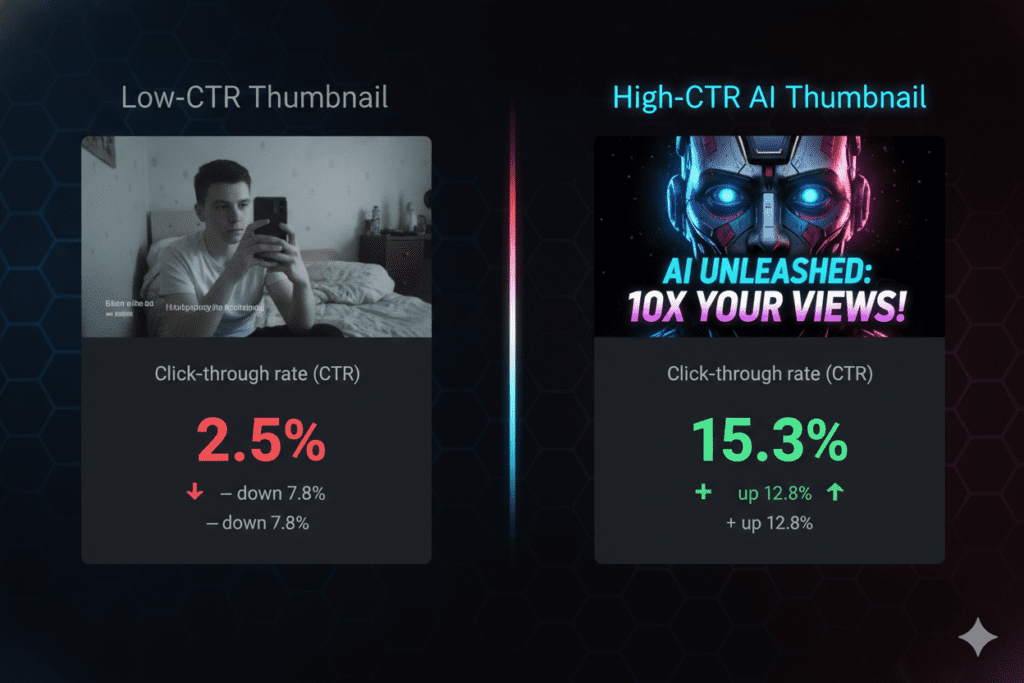
Here’s a stat that should wake you up: thumbnails can increase CTR by 30–40% when done right. That’s not a small improvement — that’s a channel-transforming upgrade.
YouTube’s algorithm is watching everything. When your video gets shown to viewers and they don’t click, the algorithm reads that as a signal that your content isn’t worth promoting. Low CTR = fewer impressions = slower growth.
On the flip side, a high CTR tells YouTube your video is interesting. The algorithm rewards it with more reach, more recommendations, and more views. It becomes a snowball effect.
A CTR above 7% is considered great. Above 10%? That’s exceptional — and it almost always comes down to one thing: a powerful, eye-catching thumbnail.
The bottom line: You could have the best video on the platform, but if your thumbnail doesn’t stop the scroll, nobody will ever watch it. That’s why finding the best youtube thumbnail maker ai free option is no longer optional — it’s essential.
2. What Is a YouTube Thumbnail Maker AI Free Tool?
A youtube thumbnail maker ai free tool is software powered by artificial intelligence that automatically generates click-worthy thumbnail designs for your YouTube videos — without you needing any design experience.
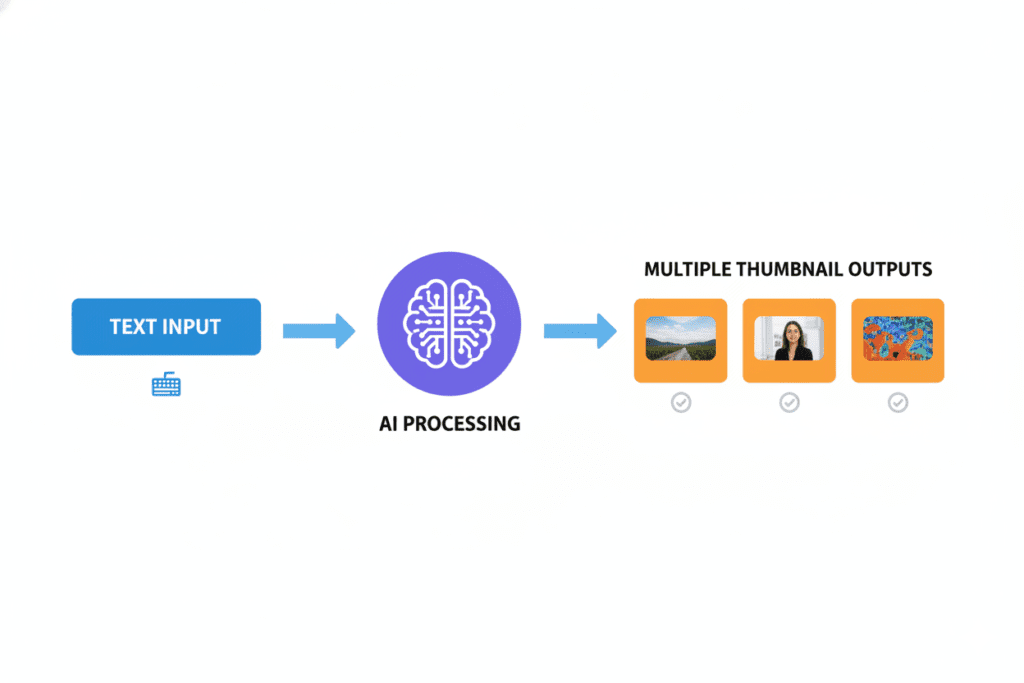
Instead of spending hours in Photoshop or Canva fiddling with layers and fonts, you simply:
- Enter your video title or topic
- Upload a photo (optional)
- Let the AI generate multiple thumbnail options in seconds
These tools use machine learning models trained on millions of high-performing YouTube thumbnails. They understand what makes people click — bold text, facial expressions, contrasting colors, and emotional visual cues.
The best part? Many of these tools are free (or have generous free tiers), making them accessible to every creator — from beginners just starting out to seasoned pros managing multiple channels.
What is a YouTube thumbnail maker AI free tool? A YouTube thumbnail maker AI free tool uses artificial intelligence to automatically generate professional, click-optimized thumbnail designs for YouTube videos. You provide a prompt or video details, and the AI creates multiple design options in seconds — no design skills needed. Free options include tools like ytZolo, Canva’s Magic Media, and vidIQ’s AI Thumbnail Maker.
3. How AI Thumbnail Makers Work
Understanding the technology behind these tools helps you use them more effectively.
Here’s the simple breakdown:
AI thumbnail makers are trained on massive datasets of YouTube thumbnails — millions of images combined with performance data like CTR, impressions, and click rates.
The AI learns patterns. It figures out which colors grab attention, which facial expressions drive curiosity, which text styles increase clicks, and which layouts perform best in specific niches.
When you give the tool your video title or a short description, the AI applies those learned patterns to generate thumbnails that are statistically more likely to get clicked.
Modern AI thumbnail tools can:
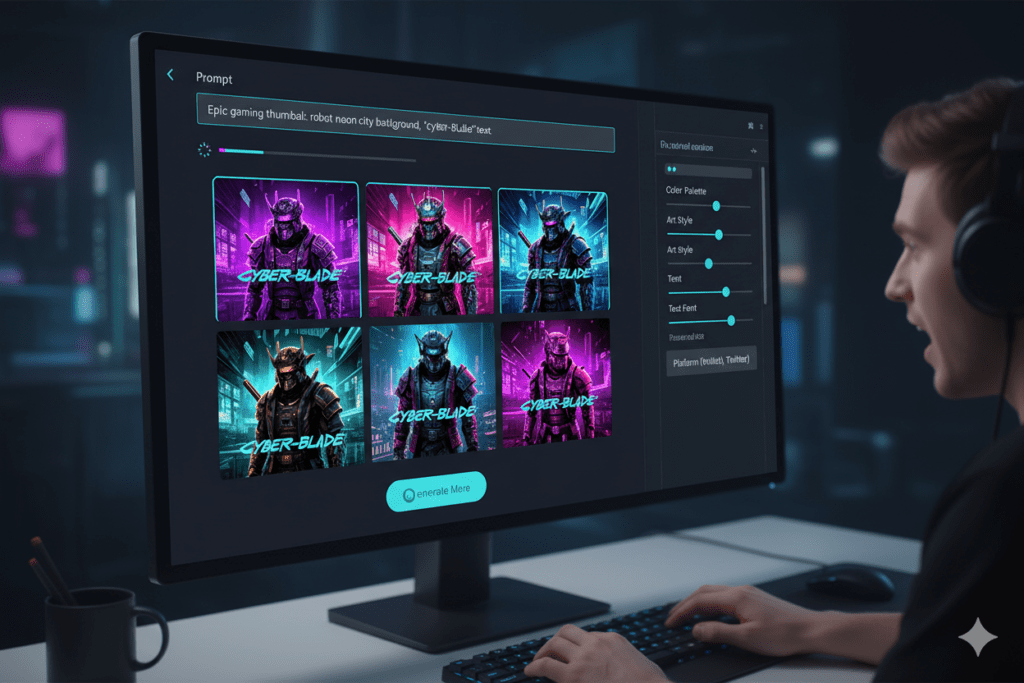
- Generate thumbnails from a text prompt alone
- Analyze your video content to pick the best frames
- Remove backgrounds and place your face into the design
- Match your channel’s visual branding automatically
- Create multiple A/B test variations instantly
- Output in YouTube-recommended dimensions (1280 × 720 pixels, 16:9 ratio)
The result? Thumbnails that used to take a professional designer 2–3 hours now take you about 30 seconds.
4. Top Features to Look for in a Free AI Thumbnail Maker
Not all youtube thumbnail maker ai free tools are created equal. Before you settle on one, here are the features that separate the good from the great:
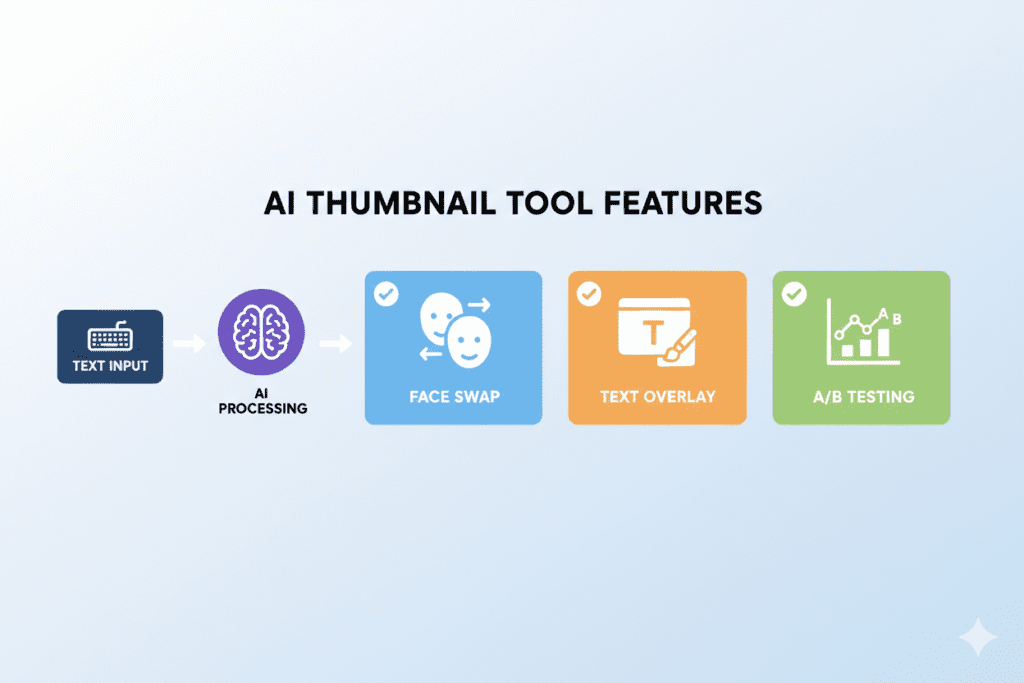
✅ AI Image Generation from Text You should be able to type a short description and get a usable thumbnail. No Photoshop. No templates. Just AI.
✅ Multiple Style Options From cinematic and dramatic to cartoon and minimal — style variety helps you match your channel’s look and feel.
✅ Face Integration The ability to upload your photo and have the AI professionally cut out and place your face in the design. This is huge for personal brands.
✅ YouTube-Optimized Dimensions Auto-export in 1280×720 pixels with 16:9 aspect ratio — no resizing headaches.
✅ A/B Variation Generation Multiple design versions so you can test which thumbnail gets the highest CTR.
✅ Text Overlay Tools Bold, readable text placement is one of the biggest drivers of CTR. The tool should handle this intelligently.
✅ No Watermark (on free tier) A watermarked thumbnail looks unprofessional. Free tools worth using don’t add a watermark.
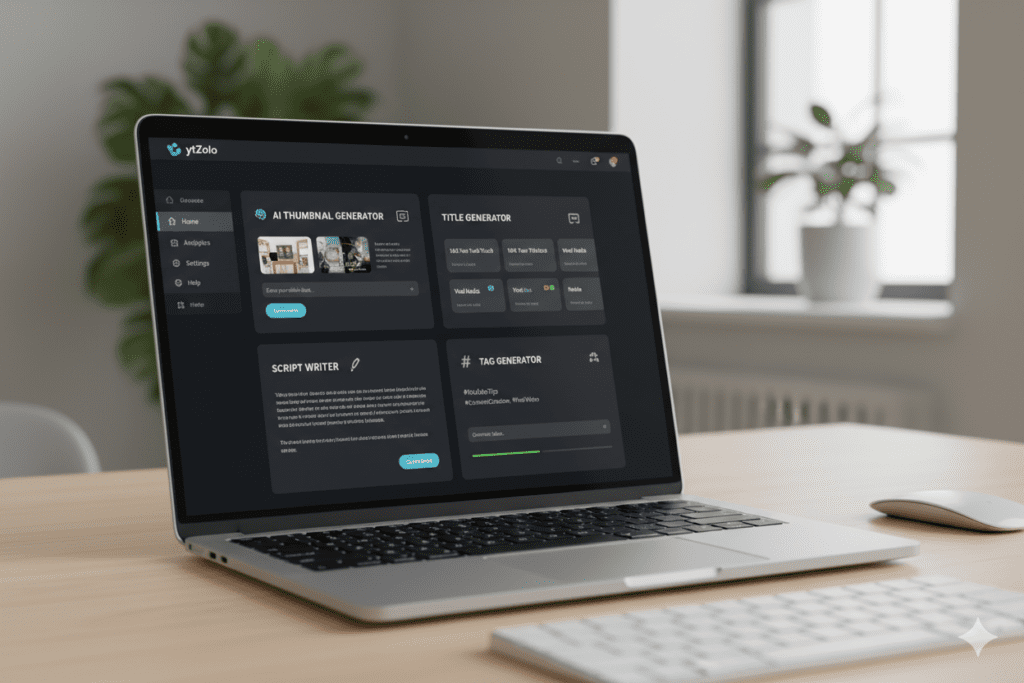
✅ Integration with YouTube Growth Features The best tools — like ytZolo — go beyond just thumbnails and help with titles, scripts, tags, and descriptions too.
5. Why Manual Thumbnail Design Is Holding You Back
Let’s be real. The “traditional” way of creating thumbnails is broken.
Here’s what manual thumbnail creation looks like for most creators:
- Scrub through your video footage to find a good frame
- Screenshot it (hope it looks decent)
- Open Photoshop or Canva
- Spend 20–45 minutes adjusting text, colors, and layout
- Export. Upload. Realize it looks off. Start over.
That’s 45+ minutes per video just on the thumbnail. If you upload twice a week, that’s over 6 hours a month — just on thumbnails.
And after all that effort? There’s no guarantee it’ll perform. You’re essentially guessing.
Manual methods are outdated because:
- They rely on your personal taste, not data
- They’re slow and interrupt your creative flow
- They don’t scale when you’re producing content consistently
- They require design skills most creators simply don’t have
- They can’t predict which visual will get the highest CTR
The creator economy has shifted. The top YouTubers in every niche are using AI tools to work faster, smarter, and more strategically. If you’re still designing thumbnails manually, you’re leaving views — and money — on the table.
This is exactly the problem that ytZolo was built to solve.

6. How ytZolo Solves the Thumbnail Problem
ytZolo isn’t just another youtube thumbnail maker ai free tool — it’s a complete AI-powered YouTube growth platform built specifically for creators who want to grow faster and smarter.
Here’s what makes ytZolo different from every other tool out there:
🎯 AI Thumbnails Built for Virality
ytZolo’s AI doesn’t just generate “pretty” images. It generates thumbnails engineered to stop the scroll. The platform understands YouTube’s visual psychology — bold contrast, emotional faces, and curiosity-driven text placements that make viewers click.
📝 AI Titles That Get Clicks
A great thumbnail paired with a weak title is like a sports car with no fuel. ytZolo generates SEO-optimized, curiosity-driven YouTube titles that complement your thumbnail and boost your overall CTR.
🎬 AI Video Scripts
With ytZolo, you don’t just design a thumbnail — you build the entire content strategy. The AI helps you write engaging video scripts that keep viewers watching, improving your watch time alongside your CTR.
🏷️ AI Tags & Descriptions
ytZolo automatically generates keyword-rich tags and descriptions that help your videos rank higher in YouTube search results.
⚡ All-in-One Workflow
Instead of jumping between 5 different tools — one for thumbnails, one for titles, one for scripts — ytZolo puts everything in a single streamlined dashboard. That’s hours saved every single week.
💸 Free to Get Started
ytZolo offers a free tier that lets you experience the power of AI-driven content creation without spending a rupee. No credit card required to start.
Creators who use ytZolo consistently report better CTR, faster channel growth, and most importantly — more time to actually create content they love.
Check out the ytZolo blog for real creator success stories, deep-dive guides, and the latest AI-powered growth strategies.
7. Why ytZolo Is Better Than Other Tools
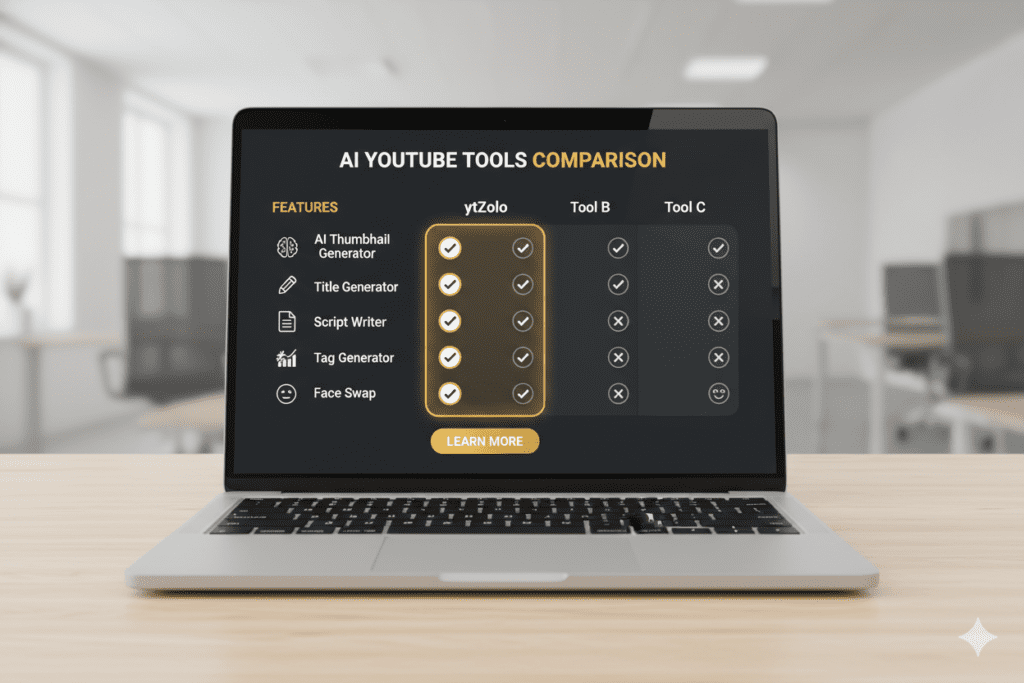
There are dozens of youtube thumbnail maker ai free options out there. So why choose ytZolo? Let’s break down the comparison honestly.
| Feature | ytZolo | Canva | vidIQ | Thumbnail.AI |
|---|---|---|---|---|
| AI Thumbnail Generation | ✅ | ✅ (limited) | ✅ | ✅ |
| AI Title Generator | ✅ | ❌ | ✅ | ❌ |
| AI Script Writer | ✅ | ❌ | ❌ | ❌ |
| AI Tags & Descriptions | ✅ | ❌ | ✅ | ❌ |
| All-in-One Dashboard | ✅ | ❌ | Partial | ❌ |
| Free Tier Available | ✅ | ✅ | ✅ | ✅ |
| Built Specifically for YouTube | ✅ | ❌ | ✅ | ✅ |
| Viral Content Optimization | ✅ | ❌ | Partial | Partial |
The key difference is this:
Tools like Canva are general-purpose design platforms. They’re great for many things, but they weren’t built with YouTube growth as the primary goal.
Tools like vidIQ focus heavily on analytics and keyword research but don’t give you a complete content creation workflow.
ytZolo was built from the ground up for one purpose: helping YouTubers create viral content faster.
It’s the difference between using a kitchen knife to do surgery vs. using a scalpel. Both cut. But only one is optimized for the job.
If you’re serious about YouTube growth, ytZolo is the tool that gives you the complete edge.
8. Step-by-Step: How to Create a Viral Thumbnail with AI
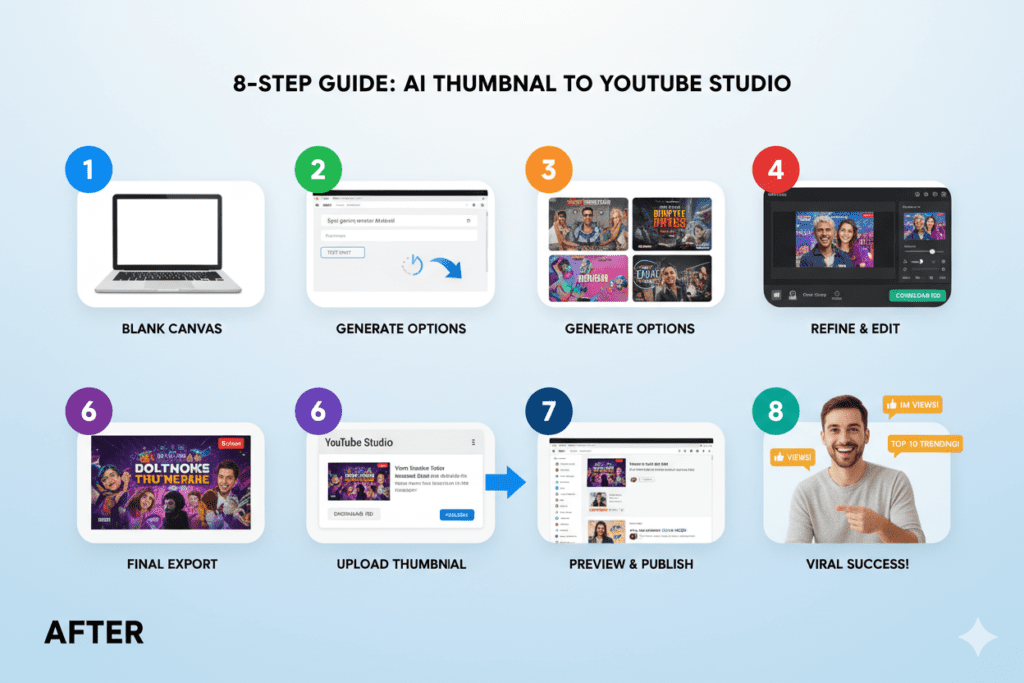
Ready to make your first AI-powered thumbnail? Here’s exactly how to do it using a youtube thumbnail maker ai free tool like ytZolo:
Step 1: Define Your Video Topic Before opening any tool, know what your video is about. Write down your video title — this becomes your thumbnail’s creative brief.
Step 2: Go to ytZolo Sign up for free. No credit card needed. You’ll be inside the dashboard in under a minute.
Step 3: Enter Your Video Title or Topic Type in your video title or a short description of the content. The more specific you are, the better the AI output.
Step 4: Upload Your Photo (Optional but Recommended) Thumbnails featuring a human face — especially with a strong emotional expression — consistently get higher CTR. Upload a clear headshot for best results.
Step 5: Choose Your Style Pick from multiple visual styles: dramatic, cinematic, minimal, bold, gaming, educational, etc. Match it to your channel’s aesthetic.
Step 6: Generate and Review Hit generate. The AI will produce multiple thumbnail variations in seconds. Review them and pick your favorite — or A/B test two of them.
Step 7: Add Text Overlay (If Needed) Keep it to 3–5 bold words max. The best thumbnails are visually clear even at small sizes.
Step 8: Download and Upload to YouTube Export your thumbnail in 1280×720 PNG format — the ideal YouTube thumbnail specification.
That’s it. What used to take 45+ minutes now takes less than 5.
9. Pro Tips to Boost Your CTR with AI Thumbnails
Creating the thumbnail is step one. Optimizing it for maximum CTR is where the real growth happens. Here are proven tactics that top creators use:
🎭 Use Strong Facial Expressions Surprise, shock, excitement, and curiosity are the top-performing emotions on YouTube thumbnails. When you upload your photo, choose a shot with a strong, authentic expression.
🌈 Use High-Contrast Colors Surprise, shock, excitement, and curiosity are the top-performing emotions in AI tools for YouTubers thumbnails. When you upload your photo, choose a shot with a strong, authentic expression.
📏 Keep Text Short and Bold No more than 3–5 words. Use large, readable fonts. Test how it looks at thumbnail size — if you can’t read it when it’s small, viewers can’t either.
🔢 A/B Test Relentlessly Generate 2–3 versions with your youtube thumbnail maker ai free tool and upload alternates in YouTube Studio. Let data — not guesswork — pick the winner.
📐 Think Mobile First Over 70% of YouTube views come from mobile devices. Your thumbnail should be just as compelling on a 5-inch screen as on a desktop monitor.
🔗 Align Thumbnail with Your Title The thumbnail and title should work together to tell a story. Think of them as partners. According to the YouTube Creator Blog, alignment between thumbnail and content is critical for maintaining watch time after the click.
📊 Watch Your CTR in YouTube Studio Check your analytics weekly. If a video is getting under 3% CTR, it’s worth swapping the thumbnail. A quick change can dramatically revive a video’s performance.
🤖 Let ytZolo Do the Heavy Lifting Use ytZolo’s AI suite to generate thumbnails, titles, scripts, and tags in one session. The more aligned your entire content package is, the stronger your CTR will be.

FAQ: YouTube Thumbnail Maker AI Free
❓ What is the best YouTube thumbnail maker AI free in 2026?
The best YouTube thumbnail maker AI free in 2026 depends on your needs. For creators who want an all-in-one solution — thumbnails, titles, scripts, tags, and descriptions — ytZolo is the top choice. It’s built specifically for YouTube growth and offers a generous free tier. Other strong free options include Canva’s Magic Media, vidIQ’s AI Thumbnail Maker, and Thumbnail.AI.
❓ Can AI really create YouTube thumbnails that get more clicks?
Yes — absolutely. AI thumbnail makers are trained on millions of high-performing YouTube thumbnails and understand what visual patterns drive clicks. Studies show well-optimized thumbnails can increase CTR by 30–40%. AI tools apply these patterns automatically, giving every creator access to data-backed design intelligence that was previously only available to large channels with dedicated designers.
❓ Is it safe to use a free AI thumbnail maker for YouTube?
Yes. Reputable youtube thumbnail maker ai free tools like ytZolo, Canva, and vidIQ are completely safe to use. Just make sure you’re using royalty-free images or your own photos. Avoid using celebrity images or branded content you don’t own, as this can lead to copyright issues on YouTube.
❓ How often should I change my YouTube thumbnail?
If your video’s CTR drops below 3% after 48–72 hours, it’s worth testing a new thumbnail. According to YouTube’s official support documentation, CTR naturally varies based on traffic sources, audience familiarity, and impressions volume. Use YouTube Studio’s analytics to monitor performance and swap thumbnails when the data suggests a change is needed.
❓ Do I need design experience to use an AI thumbnail maker?
Not at all. That’s the entire point of AI thumbnail tools. You simply describe your video, optionally upload a photo, choose a style, and the AI generates professional thumbnails for you. Tools like ytZolo are designed specifically for creators who aren’t graphic designers — so zero design experience is needed to create scroll-stopping thumbnails.
Conclusion: Stop Guessing, Start Growing
Here’s the simple reality of YouTube in 2026:
The algorithm favors creators who get clicks. And clicks start with thumbnails.
Every day you publish a video with a weak thumbnail is a day you’re leaving views, subscribers, and revenue behind. The good news is, there’s never been a better time to fix this — because youtube thumbnail maker ai free tools have made it easier than ever.
You don’t need Photoshop. You don’t need a designer. You don’t need hours of your time.
You need the right AI tool — one that understands YouTube, understands virality, and helps you create content that grows your channel on autopilot.
That tool is ytZolo.
From AI-powered thumbnails to viral titles, engaging scripts, and SEO-optimized descriptions — ytZolo gives you everything you need to compete with the biggest channels on the platform, even if you’re just starting out.
Don’t forget to explore the ytZolo blog for more in-depth guides, creator tips, and growth strategies updated regularly.
👉 Start creating smarter, faster, and more viral YouTube content with ytZolo today.
Your next viral video starts with the right thumbnail. Go make it.
External Resources:


Pingback: Best AI Thumbnail Generator for YouTube Free (2026)