
Quick Summary: Creating royalty free background music AI style means describing a mood or genre in plain text and letting a generator compose an original track around it. This guide walks through the exact steps, what “royalty-free” actually covers, and how to avoid the licensing mistakes that catch creators off guard.
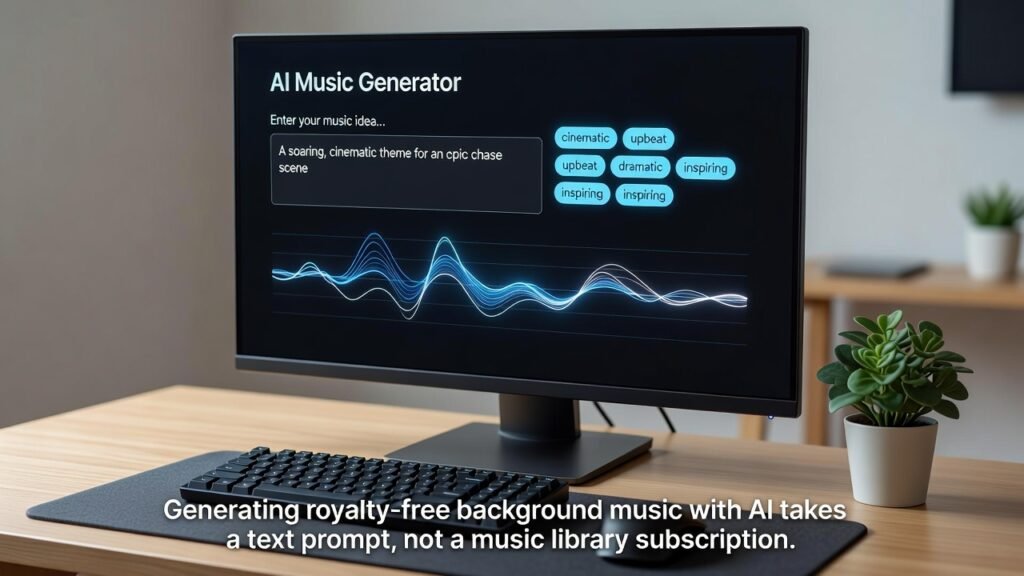
Table of Contents
Introduction
Every video needs a soundtrack, and every soundtrack search used to mean the same thing: scrolling a stock library for twenty minutes, downloading a track, then hoping it doesn’t get flagged later.
That workflow is why so many creators now search for royalty free background music ai tools instead. Rather than picking from a shared catalog, you describe the mood you want and the AI composes something new around it — the same shift covered in more depth in our complete guide to AI music generators.
This guide covers exactly how that process works, step by step, plus what “royalty-free” really means so you don’t get a licensing surprise after your video is already live.
What Does “Royalty-Free” Actually Mean?
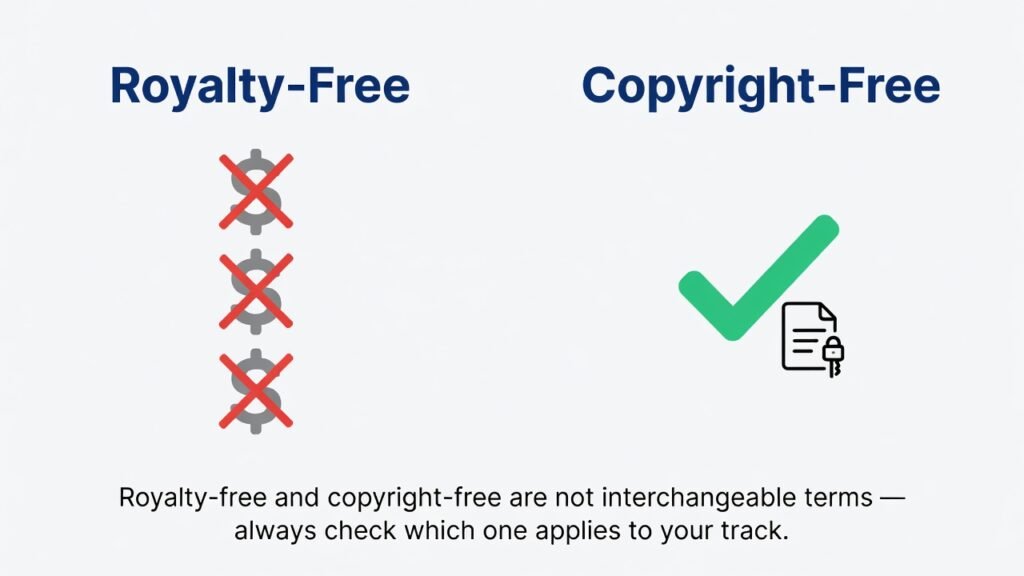
Royalty-free doesn’t mean free of charge. It means you pay once — or nothing, on some free tiers — and then don’t owe a fee every time the track gets played or viewed.
That’s different from copyright-free, which means no one is asserting ownership over the composition at all. A lot of AI platforms blur these terms in their marketing, and it’s worth slowing down to read what each one actually promises.
Before publishing at scale, check whether your license covers monetized YouTube content, multiple channels, and commercial use. Terms vary more than most creators expect, and a track that’s fine for a personal vlog isn’t always cleared for an ad-supported upload.
Some platforms also distinguish between a “personal” tier and a “commercial” tier for the exact same generated track. If your channel is monetized, or you’re producing videos for a client, the commercial tier is usually the one you need — even if the free version sounds identical.
Why “Free” Doesn’t Always Mean Fully Cleared
The word “free” in a music library’s name doesn’t guarantee it’s safe for every use case. Some free-tier tracks require on-screen or in-description attribution, and skipping that credit can still trigger a dispute later.
Others restrict monetized use entirely, reserving the truly unrestricted license for a paid plan. Reading the specific license attached to a track — not just the site’s general tagline — is the only way to know for certain.
AI-generated background music removes some of this ambiguity because the track wasn’t previously published anywhere else. But the platform’s own terms of service still apply, so the habit of checking before publishing doesn’t go away.
Why Creators Are Switching to AI for Background Music
Stock libraries reuse the same tracks across thousands of channels. Two unrelated videos ending up with identical background music is common, and it makes a channel’s audio feel less distinct.
AI-generated royalty free background music solves that by composing something new for your specific prompt. The odds of another creator landing on the exact same output are much lower.
There’s also a licensing angle. A properly licensed AI-generated track is built to avoid third-party ownership claims, which lowers the risk of a Content ID dispute holding up your ad revenue while it’s reviewed.
Speed matters too. Typing “slow, tense, building” into a generator takes seconds. Filtering a 200,000-track library by mood and tempo does not, especially on a weekly upload schedule where that time adds up fast.
Consistency is the part creators notice last but appreciate most. Pulling tracks from different artists on a stock site rarely produces a cohesive sound across a channel’s videos. A generator that learns your prompt style tends to output music that feels like it belongs together, episode after episode.
There’s a cost angle too. Stock music subscriptions typically run somewhere between $10 and $30 a month on their own — before adding a separate voiceover tool, a thumbnail app, or an SEO tool. Bundling music generation into a broader creator platform removes one more line item from that stack.
How AI Actually Generates Royalty-Free Music
Behind the scenes, an AI music generator works a bit like a language model — except instead of predicting the next word, it predicts the next sound.
The model has learned patterns across instruments, rhythm, and structure from large volumes of training data. When you type a prompt, it applies those learned patterns to produce something original rather than pulling from a fixed catalog.
This is what separates AI composition from a stock library search: the output is generated for your input, not selected from a shelf of pre-made tracks.
Step-by-Step: How to Create Royalty-Free Background Music with AI
Here’s the practical process, using ytZolo’s AI Music Generator as a working example inside its broader Audio Studio.
Step 1: Describe the mood before the genre. Instead of typing “cinematic,” try “tense and building, with a slow release.” Mood-first prompts guide the output more precisely than genre labels alone. If you already have a script from an AI script writer, pasting in a line or two of context helps the tone match your content.
Step 2: Set the length and tempo. Match the track length to your scene — a full background bed for long-form video, or a short five-to-eight-second cue for an intro.
Step 3: Generate and compare variations. Most royalty free background music AI tools will produce a few options per prompt. Listen to more than one before committing.
Step 4: Check the license tier. Confirm whether your export covers commercial use and monetized publishing before you build a video around it.
Step 5: Export and drop it into your editor. Download in a standard format like MP3 or WAV, then layer it under your voiceover at roughly 15–20% of narration volume.
Step 6: Fade instead of cutting. A short fade-in and fade-out reads as intentional; an abrupt cut reads as unfinished.
Key Use Cases for AI Royalty-Free Music
Royalty-free AI tracks aren’t limited to one video format. A few places they consistently perform well:
- Faceless channels, where music and voice carry the emotional pacing since there’s no on-camera reaction to lean on.
- Tutorials, where a low-key instrumental bed supports focus without competing with spoken instructions.
- Podcasts and audiobooks, where short musical stings work for intros, outros, and segment transitions.
- Shorts and Reels, where the first two seconds of the track matter more than the rest of it combined.
These are covered in more depth, alongside the full audio ecosystem music sits inside, in ytZolo’s key use cases for AI music generation.
Choosing an AI Music Generator: A Quick Checklist
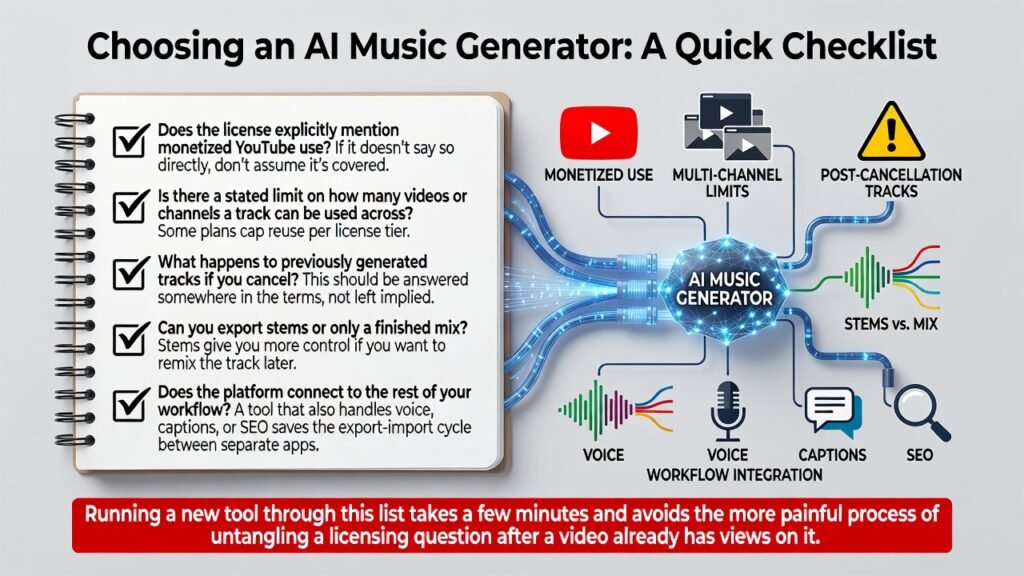
Not every tool that advertises royalty-free output handles licensing the same way. A short checklist before you commit to one:
- Does the license explicitly mention monetized YouTube use? If it doesn’t say so directly, don’t assume it’s covered.
- Is there a stated limit on how many videos or channels a track can be used across? Some plans cap reuse per license tier.
- What happens to previously generated tracks if you cancel? This should be answered somewhere in the terms, not left implied.
- Can you export stems or only a finished mix? Stems give you more control if you want to remix the track later.
- Does the platform connect to the rest of your workflow? A tool that also handles voice, captions, or SEO saves the export-import cycle between separate apps.
Running a new tool through this list takes a few minutes and avoids the more painful process of untangling a licensing question after a video already has views on it. For a closer look at how different royalty free background music AI platforms compare on exactly these points, ytZolo’s best AI music generator roundup is worth a read.
Royalty-Free AI Music vs Traditional Stock Libraries
| Factor | AI-Generated Royalty-Free Music | Traditional Stock Library |
|---|---|---|
| Originality | Composed fresh per prompt | Same track reused by many creators |
| Search time | Minutes, based on a description | Often 30–60+ minutes browsing |
| Licensing clarity | Varies by platform, usually stated upfront | Varies widely by track and license type |
| Cost | Often bundled into a broader creator toolset | Separate monthly subscription |
| Customization | Mood, genre, tempo, and length adjustable | Limited to what’s already in the catalog |
Common Licensing Mistakes to Avoid
Assuming “AI-generated” always means “safe to monetize.” It doesn’t automatically. Confirm the specific tier and terms before publishing, especially around monetization requirements.
Skipping the terms of service. A few minutes reading the fine print is far cheaper than disputing a copyright claim after the video is live.
Reusing a track across channels without checking reuse limits. Some plans cap how many separate channels or clients a single license covers.
Forgetting what happens after cancellation. Whether previously generated tracks remain usable after you cancel a subscription depends entirely on the platform, so confirm it in advance.
Tips for Getting Better Results
- Lead with mood, not genre — “hopeful and building” outperforms “pop” as a prompt.
- Keep intro cues short; five to eight seconds is typically enough.
- Generate a few variations per scene rather than accepting the first result.
- Save go-to tracks by mood so your channel develops a consistent sound over time.
- Test playback on phone speakers, not just headphones, before publishing.
- Avoid dense, busy arrangements under dialogue-heavy sections.
- Re-generate rather than force a track that’s almost — but not quite — right.
Mixing Background Music the Right Way
Generating the track is half the job — how it sits under your voice determines whether it helps or hurts the video.
Keep music under narration quieter than it feels right in isolation. Around 15–20% of your voiceover’s volume is a reasonable starting point, then adjust by ear once picture and sound are combined.
Use instrumental-only tracks under spoken sections. A vocal line competing with your narration is one of the fastest ways to make a video feel amateur, even when the music itself is well produced.
Match energy to your pacing, not just your topic. A calm explainer doesn’t need a driving beat just because the topic sounds serious — pacing should follow the edit, not the subject line.
Leave room for silence. Not every second of a video needs music underneath it; a brief pause can carry more weight than a constant bed of sound.
If your voiceover was recorded separately and picked up background noise, running it through an AI voice isolator before mixing makes the balance between music and narration far easier to get right.
How This Fits Into a Full Content Workflow
Generating a track is only one piece of publishing a video. The same project usually also needs a script, a voiceover, sound effects, and SEO-optimized metadata.
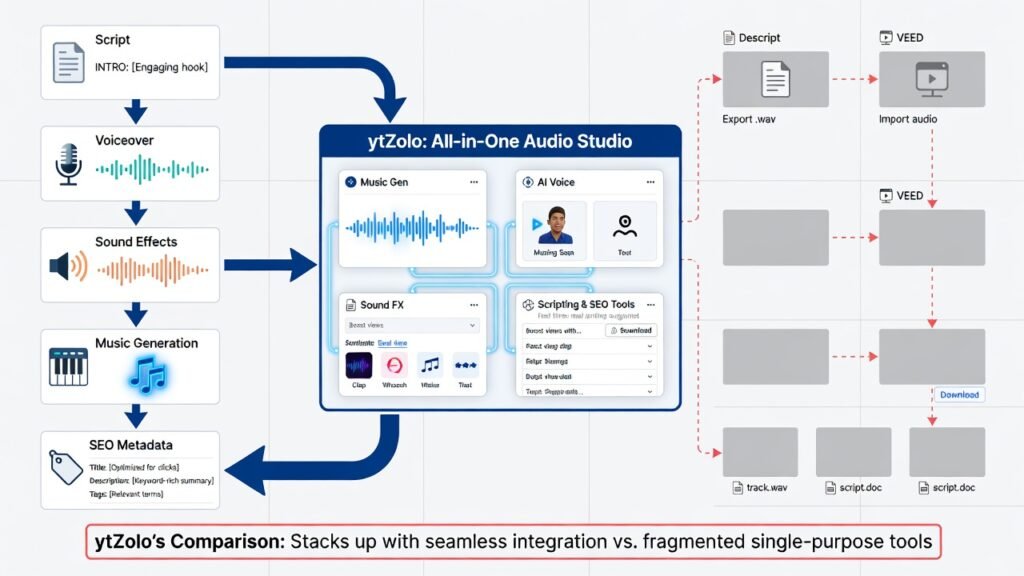
Platforms built as a single Audio Studio — combining music generation with AI voice generation, sound effects, and dubbing — remove the step of exporting from one tool and importing into another for every asset.
That’s also where scripting and YouTube SEO tools living in the same dashboard start to matter: the music you generate connects to the same project as your title, description, and tags, rather than sitting as an isolated download. ytZolo’s comparison against Descript and VEED breaks down how that all-in-one approach stacks up against single-purpose editors.
Frequently Asked Questions
Is royalty-free AI music actually free to use? Not always at zero cost — royalty-free means no per-use fee after licensing, which can still include a one-time or subscription cost depending on the platform.
Will AI-generated background music trigger a YouTube Content ID claim? Properly licensed tracks are built to avoid this, since they aren’t registered to a third-party rights holder the way a commercial song is.
Can I use the same track across multiple videos? Usually yes, within your license terms — but check whether your plan limits reuse across separate channels or clients.
Do I need musical training to generate a track? No. Most tools work from a text description of mood, genre, or scene, with no instrument knowledge required.
How long does it take to generate a track? Typically under a couple of minutes, depending on length and the platform’s processing load.
What’s the safest file format to export? MP3 or WAV are the most broadly compatible with standard video editors.
Can I edit a generated track afterward? Yes, in any standard audio or video editor, though how far you can edit it depends on whether the platform provides separate stems.
Is this different from a full song generator? Yes. Background music tools optimize for looping, mood consistency, and content safety, while full song generators focus on standalone tracks with vocals.
Does royalty-free AI music work for podcasts and audiobooks, not just video? Yes. Short stings for intros, outros, and chapter breaks are one of the more common uses, and the same licensing checks apply regardless of format.
Is there a free tier worth testing before paying? Many platforms offer a limited free tier or trial, which is usually enough to judge whether the output style and workflow fit before committing to a paid plan.
Final Thoughts
Royalty-free background music used to mean a tradeoff: spend real time searching a library, or risk a track that wasn’t as safe as it looked once it was already published. AI changes that equation by composing something original around the mood you describe, in the time it takes to type a sentence.
For most creators, the practical verdict is straightforward. If you publish regularly, need a consistent audio identity across episodes, and want one less subscription to manage, an AI generator built into a broader creator platform — like the AI Music Generator inside ytZolo — solves more of the workflow than a standalone stock library ever will.
If your priority is a single vocal-heavy release meant to stand alone as a song, a dedicated music tool built specifically for that may still serve you better than a background-music-focused generator.
Either way, the licensing check is non-negotiable. Confirm your tier covers monetized use, keep a record of which license applies to each exported track, and revisit the terms whenever you renew or switch platforms. A few minutes reading the fine print is far cheaper than untangling a copyright dispute after the video already has views on it.
From there, background music is just one asset in the pipeline. Pairing it with a matching AI voiceover, a few custom sound effects, and an SEO-optimized title and description is what turns a good track into a finished, publish-ready video.
Author
Anshika Verma Email: anshika@ytzolo.com
Anshika researches AI creator tools, YouTube growth workflows, and content automation hands-on, testing platforms across scripting, SEO, thumbnails, and audio production before writing about them. Her recommendations are based on direct use of these tools rather than promotional claims.

