
TL;DR
A dialogue generator for YouTube turns a written script into finished, multi-character audio in minutes — no actors, no studio, no editing down fifteen takes into one usable clip. This guide walks through why this shift matters for faceless and small-team channels, a step-by-step process for producing AI YouTube skits from script to publish, the skit formats that work best, and the comedic-timing details that separate a flat AI voice from one that actually lands a joke. We’ll also point to where a tool like ytZolo fits into that workflow, since dialogue, music, and sound effects living in one place is what actually makes daily or weekly skit production sustainable for a solo creator.
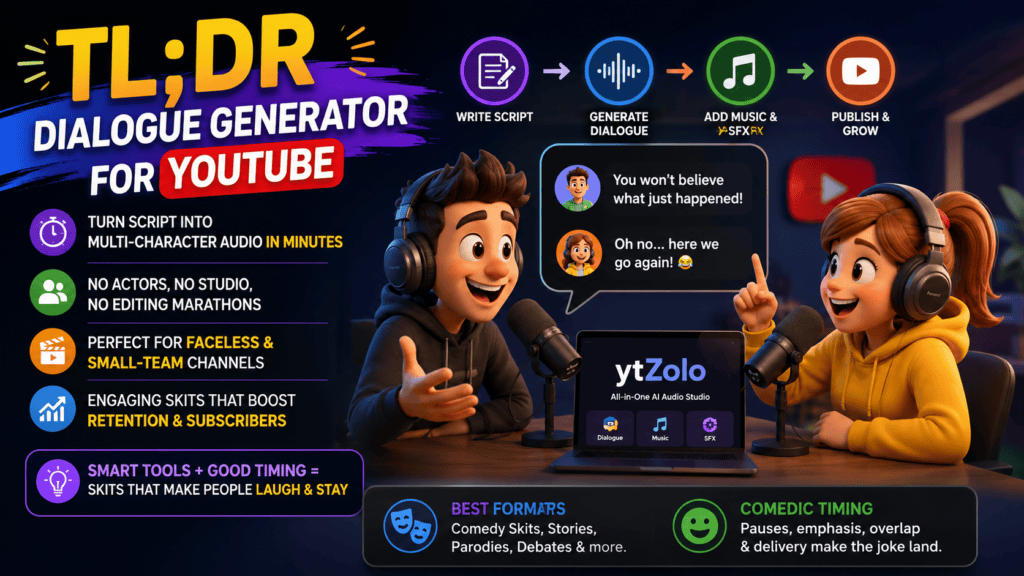
Table of Contents
1. Introduction
Skits used to need a cast, a camera crew, and a dozen retakes just to land one joke. Today, all you really need is a script, a couple of clicks, and a dialogue generator for YouTube.
That shift matters most for faceless channels, comedy creators, animators, and Shorts creators who don’t have a studio or a rotating cast of actors on call.
If you’ve ever had a great skit idea die in your notes app because you couldn’t find two friends free on a Saturday to record it, this guide is for you.
We’ll walk through exactly how to turn a written skit into finished, character-voiced audio using AI-generated dialogue — no actors, no studio booking, no editing fifteen takes down to one usable clip.
Skit-style content has quietly become one of the most reliable formats on YouTube and Shorts. It’s fast to consume, easy to loop, and doesn’t require a face on camera.
The catch has always been production. Writing a funny thirty-second scene is the easy part. Casting it, recording it, and editing it used to take longer than the joke itself deserved.
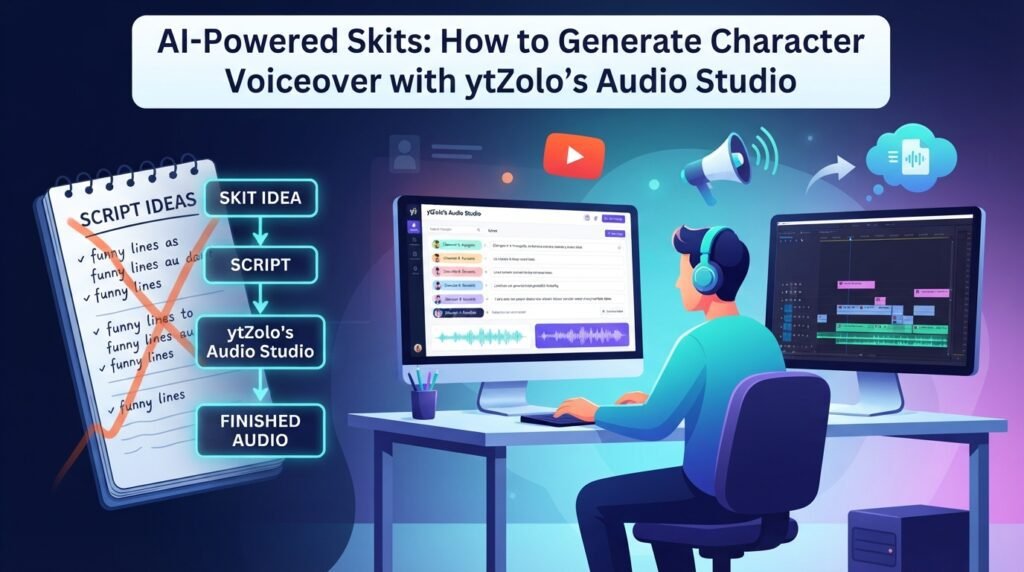
A good dialogue generator for YouTube closes that gap. It takes the same script you’d hand to voice actors and turns it into finished, multi-character audio in minutes instead of days — which is exactly the kind of workflow ytZolo’s Audio Studio is built around.
That doesn’t mean the writing matters less — if anything, it matters more, because the bottleneck has shifted from production to concept. The creators who win now are the ones who can write funny, quotable lines fast and repeatedly.
This guide covers the full path: why AI dialogue works so well for AI YouTube skits, a step-by-step production process, skit formats that translate especially well, and the small timing details that separate a flat AI voice from one that actually lands a joke. If you’re new to AI dialogue altogether, our Text to Dialogue Guide is the best starting point — this post picks up from there and focuses specifically on the skit use case.
2. Why a Dialogue Generator for YouTube Is a Game-Changer for Skits
You don’t need to hire voice actors
Hiring even two voice actors for a recurring skit series adds up fast — auditions, rates per line, revision rounds, scheduling conflicts.
A tool built for AI YouTube skits lets you assign a distinct voice to every character in your script instantly, without a single casting call. That’s a different job than a plain narration tool — see our AI dialogue vs. text-to-speech comparison if you’re deciding which one your project actually needs.
Consistent character voices across episodes
Viewers notice when “Character A” sounds slightly different in episode 12 than in episode 1. That inconsistency quietly erodes trust in a series.
AI-generated voices don’t get sick, don’t change agents, and don’t sound different because they recorded in a different room. The same voice profile carries across every upload — something ytZolo’s saved voice profiles are designed to make effortless for recurring characters.
Faster turnaround for shorts and series content
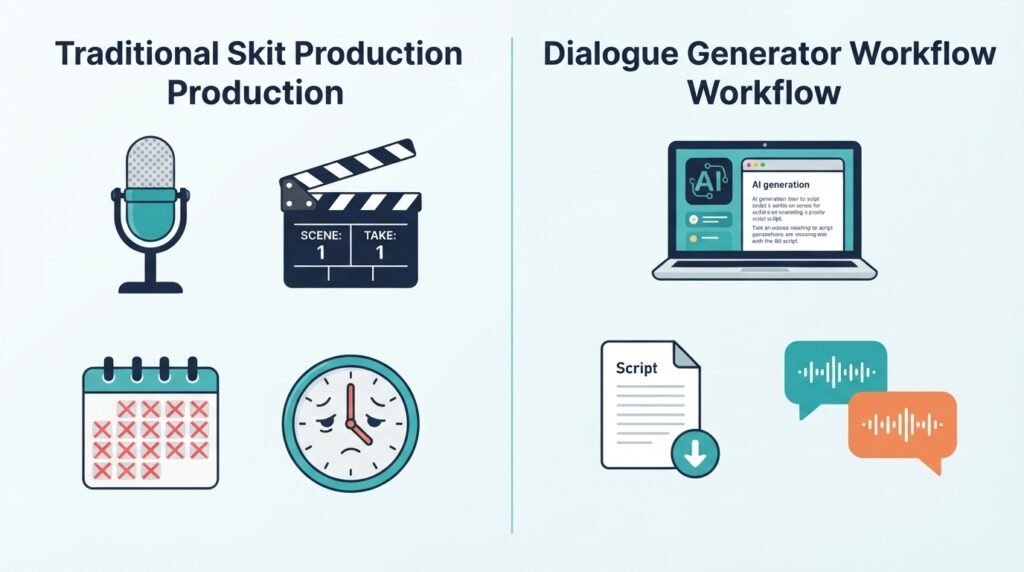
Shorts and skit-style channels live and die by upload frequency. Coordinating actors, mic setups, and retakes can turn a five-minute skit into a five-hour production day.
With the right tool, that same skit can go from script to finished audio in the time it takes to write it, which matters enormously if your channel posts daily or several times a week.
Lower cost, lower risk on new ideas
Not every skit concept works. Some formats flop, some characters don’t land with your audience, and you only find out after publishing.
When production costs almost nothing, testing a new format for your AI YouTube skits is a low-stakes experiment instead of a financial gamble. That freedom to fail cheaply is often what leads to the format that eventually goes viral.
One person can now run a full skit series
A recurring cast of AI-voiced characters means a solo creator can write, voice, edit, and publish an entire series of AI YouTube skits without ever needing to coordinate another person’s schedule.
That’s the real shift this technology has brought to faceless and small-team channels — the ceiling on output no longer depends on how many people you can get in a room.
3. Step-by-Step: Creating AI YouTube Skits with a Dialogue Generator
Step 1: Write your skit script with character names
Start with a simple script format — character name, colon, line. Keep it clean so the tool generating your AI YouTube skits can clearly tell who’s speaking.
NARRATOR: It's 3 a.m. and Dave is still awake.
DAVE: I just wanted to check one email.
NARRATOR: Four hours later.
Short, clear lines translate best into natural-sounding AI speech.
Avoid stage directions inside the dialogue itself, like “(laughs nervously)” written as spoken text. Most tools, including ytZolo’s Audio Studio, have separate fields or tags for emotion — mixing that into the spoken line usually reads awkwardly out loud.
Keep a consistent naming convention for each character across the whole script. Small inconsistencies, like switching between “DAVE” and “David,” can confuse voice-assignment steps later.
Step 2: Assign a unique AI voice per character
Once your script is ready, open a multi-voice dialogue generator for YouTube like ytZolo and assign a separate voice to each named character.
Pick voices that contrast in tone, pitch, or accent so listeners can tell characters apart even without visuals — this matters most for audio-first or animatic-style AI YouTube skits.
Save your voice assignments once you find a combination that works. If your channel runs a recurring series, locking in the same voice profile for each character keeps every episode consistent, which viewers notice and appreciate over time.
Preview a few lines before committing to a voice. A voice that reads well on paper doesn’t always sound the way you expected once it’s speaking your actual script.
Step 3: Add comedic timing and emotion
Flat, monotone delivery kills comedy faster than a bad punchline. Most tools for producing AI YouTube skits let you tag lines with emotion — sarcastic, excited, deadpan, panicked.
Use pauses deliberately, too. A half-second beat before the punchline often does more comedic work than the line itself.
Try generating the same line with two or three different emotion tags and compare them side by side. Comedy is often about which delivery style surprises the listener, and that’s easier to judge by ear than by guessing on paper.
Don’t over-tag every single line. A skit where every sentence is marked “excited” ends up sounding exhausting rather than funny — save strong emotional tags for the lines that actually need them.
Step 4: Export and sync with visuals or animation
Once the dialogue track is generated, export it as a single audio file or as separated lines per character, depending on your editing workflow.
Drop the track into your editor and sync it with stock footage, animation, or static character art — whichever format your channel uses.
Exporting lines separately, rather than as one merged file, gives you more control in the edit. You can adjust timing between lines, trim awkward gaps, or re-time a reaction shot without regenerating the whole scene.
If you’re working with animation or a talking-avatar template, per-character audio files also make lip-sync and mouth-movement timing far easier to match.
Step 5: Add background music or sound effects
A skit with dialogue alone can feel flat. Layer in comedic stingers, ambient sound, or a background bed using an AI music generator and an AI sound effects tool — both available inside ytZolo’s Audio Studio alongside the dialogue tools — to round out the scene.
A single well-placed sound effect — a record scratch, a door slam, a comedic “boing” — can sell a joke that dialogue alone can’t.
Keep background music quiet under dialogue and let it swell slightly during transitions or scene changes. Music that competes with the dialogue track makes lines harder to understand and undercuts the comedic timing you worked to build in Step 3.
Once music, sound effects, and dialogue are balanced, do one final full playback before exporting. Small volume mismatches are far easier to catch by listening straight through than by scrubbing through individual clips.
4. Skit Format Ideas That Work Well with a Dialogue Generator for YouTube
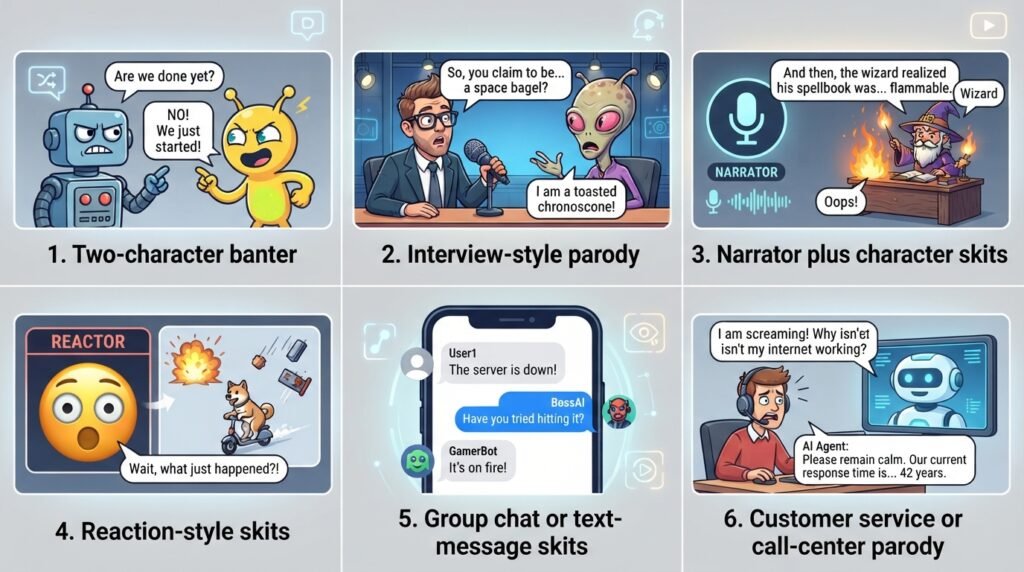
Two-character banter
The simplest format, and often the funniest. Two contrasting voices, quick back-and-forth lines, minimal setup required.
Interview-style parody
One character asks exaggerated questions, the other gives increasingly absurd answers. Works especially well for satire and commentary channels.
Narrator plus character skits
A calm, deadpan narrator voice paired with a chaotic character creates instant comedic contrast — a format that’s carried entire faceless channels to millions of subscribers.
Reaction-style skits
One AI voice reacts in real time to an escalating situation described by a second voice or narrator. Great for short-form, fast-paced AI YouTube skits.
Group chat or text-message skits
A screen-recording style skit where multiple AI voices read out messages from a fictional group chat. Each voice represents a different “character” in the chat, and the humor comes from the contrast between personalities.
Customer service or call-center parody
Two voices — a frustrated customer and an overly calm representative — trade increasingly absurd lines. This format works especially well when paired with a slightly robotic-sounding AI voice for comedic effect.
This is also a good spot to think about pacing at the series level, not just the scene level. Rotating between two or three of these formats keeps a recurring skit channel from feeling repetitive to returning viewers.
5. Case Example: A Faceless Channel Workflow
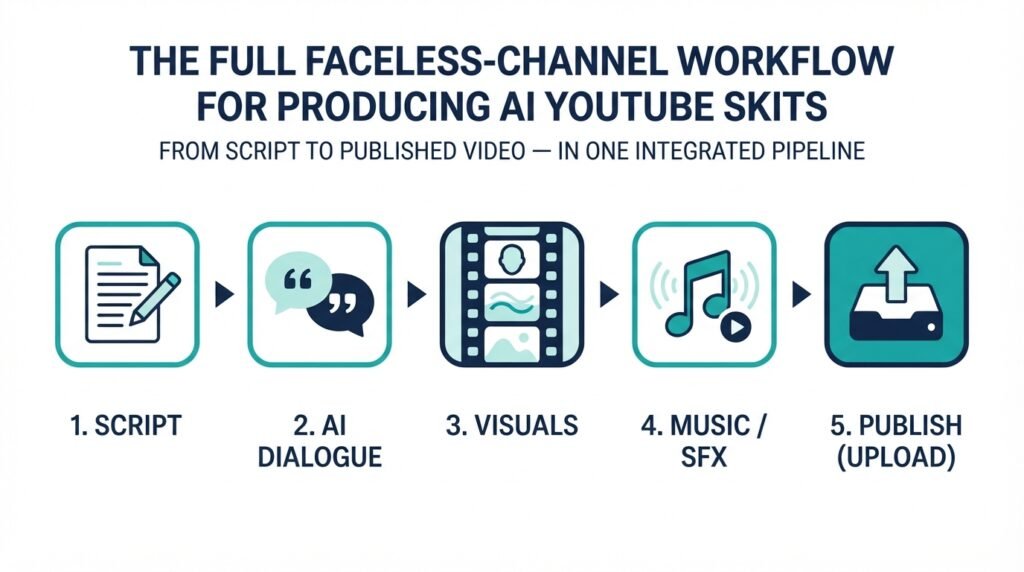
Here’s what a realistic production pipeline looks like for a faceless comedy channel producing AI YouTube skits from start to finish:
- Script — Write the skit with clear character labels.
- AI Dialogue — Assign voices, add emotion tags, generate the audio in ytZolo’s Audio Studio.
- Visuals — Pair the audio with stock footage, animation, or a talking-avatar template.
- Music and SFX — Layer in a background track and comedic sound cues.
- Upload — Publish with an SEO-optimized title, description, and thumbnail.
Notice that dialogue generation is just one stage in a full pipeline — it’s not a standalone gimmick, it’s part of a repeatable production system that a solo creator can run alone.
That’s the real appeal for faceless channels: one person can now produce a full run of AI YouTube skits that used to require a small crew.
Think about what this replaces. Under the old model, a single skit needed a writer, at least one or two performers, a recording session, and an editor to stitch it together — often four separate roles filled by four separate people, or one exhausted person wearing all four hats badly.
Under this model, writing is still the creative core, but every other role compresses into a single dialogue generator for YouTube that lives inside one workflow. That’s a meaningful difference for anyone trying to publish consistently without burning out.
It also changes how you can iterate. If a skit doesn’t land, you’re not out the cost of a recording session — you can rewrite the script, regenerate the dialogue in ytZolo, and republish a stronger version within the same day.
6. Tips for Comedic Timing in AI-Generated Dialogue
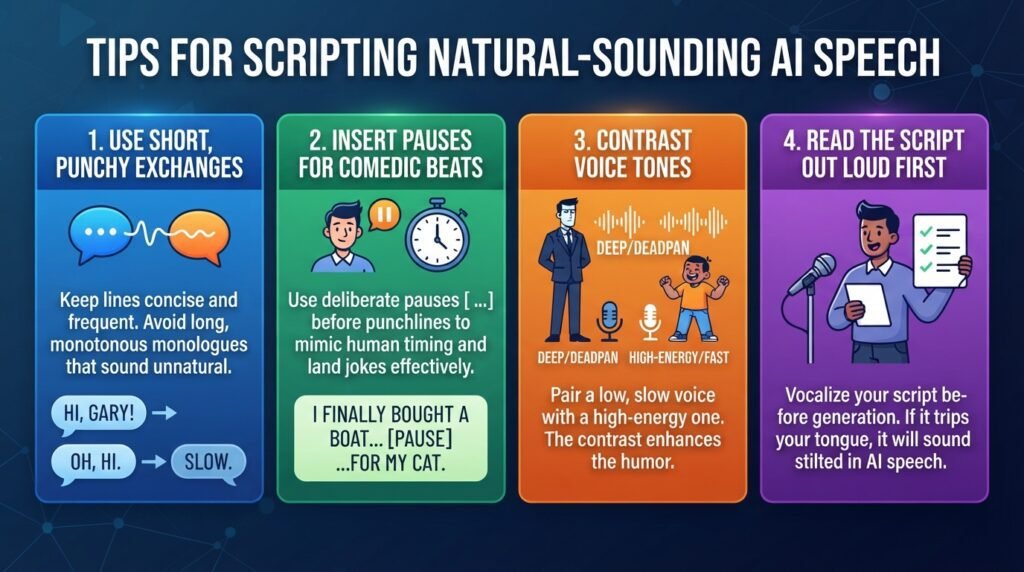
Short, punchy exchanges work best
Long monologue-style lines tend to sound stilted in AI-generated speech. Break dialogue into shorter exchanges — it reads more naturally and lands jokes faster.
Use pauses for comedic beats
Insert a deliberate pause before a punchline or reveal. That small gap mimics the comedic timing a human performer would use instinctively.
Contrast voice tones between characters
Pair a low, slow, deadpan voice against a high-energy, fast-talking one. The contrast alone can carry a joke even before the dialogue does any work.
Read the script out loud first
Before generating final audio, read your script aloud once. If a line trips your tongue, it will likely sound unnatural coming out of any AI voice tool, no matter how good it is.
7. Common Mistakes to Avoid
Writing for the page instead of the ear
A line that reads as clever on paper can sound clunky spoken aloud. Write shorter sentences than feel natural, since AI-generated speech tends to favor clarity over complexity.
Using near-identical voices for different characters
If two characters sound too similar, viewers lose track of who’s speaking, especially in audio-only or Shorts formats without strong visual cues.
Skipping the emotion pass entirely
Generating dialogue with default, neutral settings across an entire script is the fastest way to make a funny idea sound flat. Even a light emotion pass on key lines makes a noticeable difference.
Overloading a scene with too many voices
More than three or four distinct speakers in a single short skit usually hurts clarity more than it adds comedic value. Save larger casts for longer-form content where viewers have time to learn who’s who.
Forgetting to balance audio levels
Dialogue buried under music or sound effects is one of the most common reasons AI YouTube skits underperform, regardless of how strong the writing is. Always do a full playback check before publishing.
8. FAQs
Is this good for Shorts or Reels format?
Yes. This format is arguably best suited to short-form content, since two-character banter or reaction skits fit naturally into 30–60 second formats without needing complex staging.
Can I use different accents per character?
Many tools built for AI YouTube skits and AI voice generator tools support a range of accents and languages, which is useful for parody characters, international audiences, or dubbed versions of a skit. If you’re localizing a skit for global viewers, an AI dubbing workflow can carry the same multi-voice structure into other languages.
Will this get demonetized for being “AI-generated”?
Not simply for using AI voices. YouTube’s policies target inauthentic, mass-produced, low-effort “repetitive content” — not creative AI YouTube skits that happen to use an AI tool as part of the production process. The distinction is originality and creative input, not the tool itself.
For the full breakdown of what counts as inauthentic under YouTube’s current rules, see our guide to YouTube’s repetitive content policy. Google’s own spam policies for web search draw a similar line — automation isn’t the problem, low-value mass production is.
Do I need separate software for music and sound effects?
Not if your platform includes them. ytZolo’s Audio Studio, for example, keeps dialogue, music, and sound effects in the same workspace so you’re not exporting and re-importing files between three different apps.
How many characters can I realistically voice in one skit?
Two to three works best for clarity, especially in short-form content. Beyond four distinct voices, listeners start to struggle telling characters apart without visual cues.
Can I reuse the same AI voices across an entire series?
Yes, and you generally should. Saving a voice profile per character in your dialogue generator for YouTube keeps your skit series consistent from episode to episode, which builds recognition the same way a real recurring cast would.
Do I still need to edit the AI-generated dialogue?
Usually a little. Even a strong first generation benefits from a quick listen-through to adjust pacing, trim awkward pauses, or re-tag a line’s emotion before it goes into your final edit.
9. Conclusion
A dialogue generator for YouTube has removed the biggest bottleneck in skit production: finding and coordinating people to perform it.
A script, a handful of distinct voices, some comedic timing, and a layer of music or sound effects is genuinely enough to produce a finished skit today — and that’s the whole idea behind ytZolo‘s Audio Studio.
If you want to go deeper on how a dialogue generator for YouTube actually converts written scripts into natural-sounding conversations — including the mechanics behind pacing, emotion tags, and voice switching — read our companion guide, How to Convert Text into Natural AI Conversations. Skits are just one use case for that process; the same mechanics apply to narration, dubbing, and multi-speaker explainers, and that guide covers it in more technical detail than we have room for here.
Start with one short two-character skit, keep the lines punchy, and build from there with ytZolo. The workflow only gets faster the more you use it.
About the Author
Anshika Verma is a content strategist and researcher specializing in AI-powered creator tools, YouTube growth, and audio production workflows. She writes for ytZolo, covering how AI dialogue, voice generation, and localization technology are reshaping content creation for solo creators and small teams.
She researches and tests creator tools hands-on before writing about them, with a focus on practical, EEAT-aligned guidance — experience, expertise, authority, and trust — rather than surface-level tool summaries.
📧 Contact: anshika@ytzolo.com

