
By Anshika Verma · Content & SEO Researcher, ytZolo · Updated July 2026 · ~14 min read
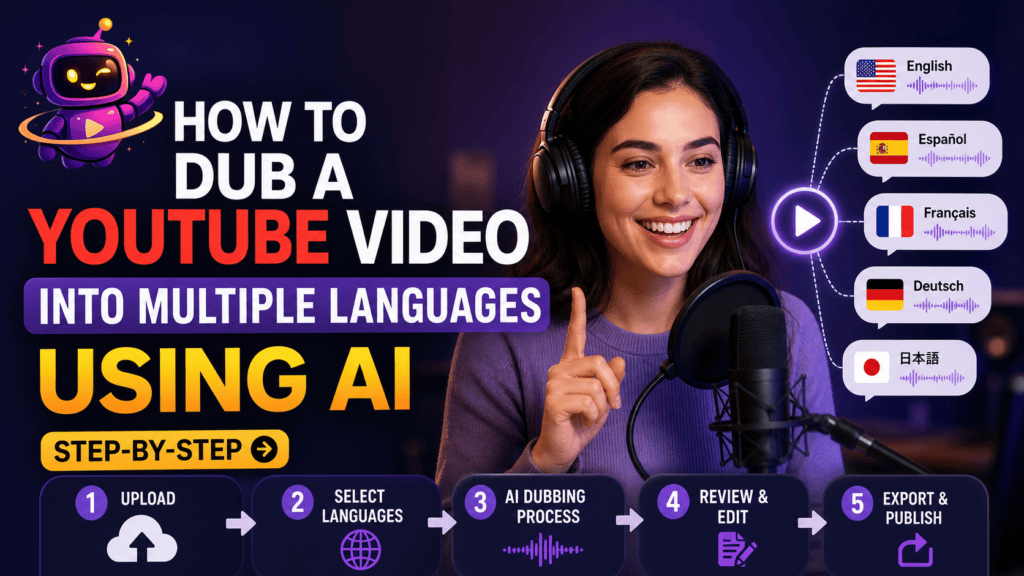
Quick Answer: To dub a YouTube video into multiple languages with AI, you transcribe the original audio, translate the script, generate AI voiceovers in each target language, sync the new audio to the video timeline, clean up the mix, and upload the dubbed tracks as separate audio versions on YouTube. With an AI platform like ytZolo, you can handle transcription, translation, AI voice generation, audio cleanup, and synchronization in one workflow, reducing the entire process to under an hour per language.
Table of Contents
Why Learning How to Dub a YouTube Video Matters Right Now
English content makes up a huge share of YouTube uploads. But most of the platform’s viewers don’t speak English as a first language.
That gap is an opportunity. If you know how to dub a YouTube video properly, you can put your existing content in front of audiences you’re currently missing entirely.
YouTube’s own native auto-dubbing helps, but it’s limited in control, voice quality, and language depth. That’s why more creators are turning to a dedicated ai video dubbing tutorial workflow instead of relying only on the platform default.
This guide walks through the entire process, from prepping your source video to publishing multilingual audio tracks — no studio, no voice actors, no editing team required.
Traditional dubbing used to mean booking a studio, hiring voice talent per language, and waiting weeks for a single translated cut. That cost and timeline kept dubbing out of reach for most independent creators.
AI has changed that math. A process that once took a production team days now takes one person a couple of hours, and the quality gap between AI and studio dubbing keeps narrowing every few months.
If you’ve been putting off multilingual uploads because it sounded like a production project, this is the guide that turns it into a repeatable workflow instead.
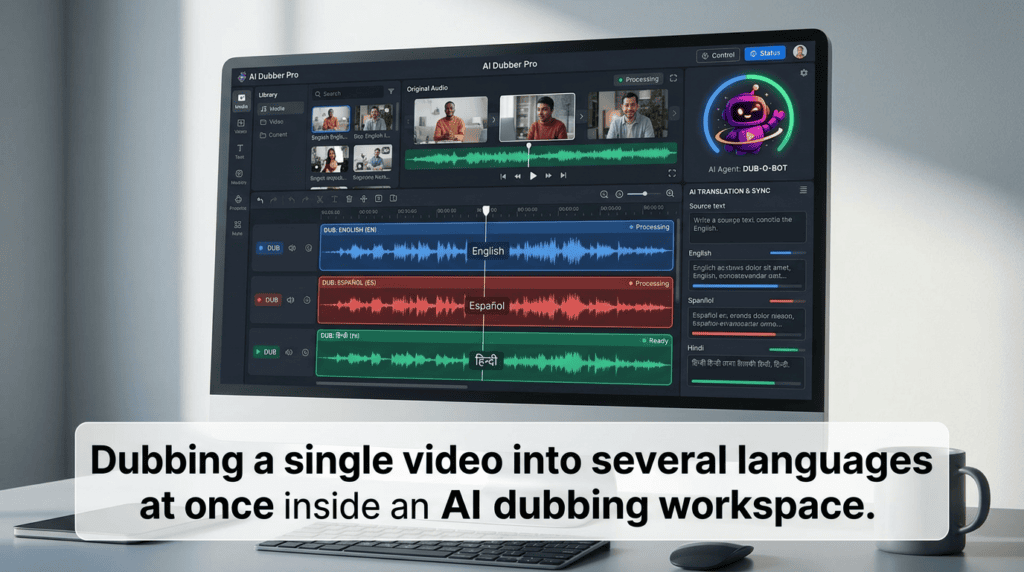
Dubbing vs. Subtitles: A Quick Note Before You Start
Before you commit hours to this, it’s worth knowing what you’re choosing between.
Subtitles are cheaper and faster, but many viewers skip reading them entirely on mobile. Dubbing replaces the audio itself, so viewers get a native-language experience with no reading required.
If you want the deeper comparison — including when subtitles are still the smarter call — our dubbing vs. subtitles breakdown covers the tradeoffs in detail.
For most channels chasing international growth, dubbing wins on watch time and completion rate. That’s the workflow this guide focuses on.
What You Need Before You Dub a Video into Another Language
A clean source video and a script (or accurate transcript) are the foundation. Messy original audio makes every later step harder.
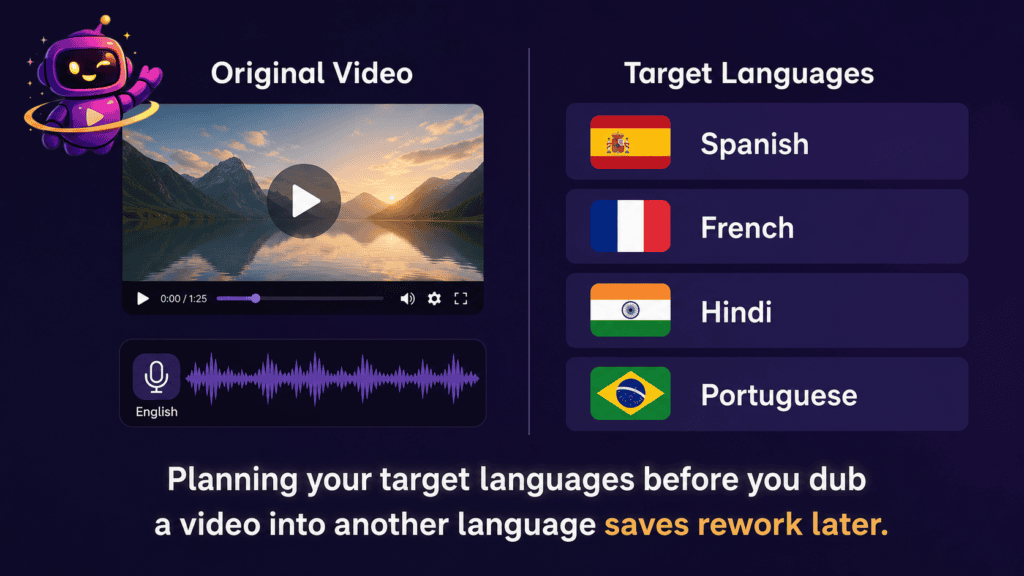
You’ll also want a shortlist of target languages instead of trying to dub into everything at once. Our guide on the best languages to dub YouTube videos can help you prioritize based on where your existing audience already watches from.
Finally, decide upfront whether you want a cloned version of your own voice, or a neutral AI voice, speaking each language. This choice affects almost every step that follows.
Step-by-Step: How to Dub a YouTube Video Using AI
Step 1: Transcribe the Original Audio
Start by generating an accurate transcript of your source video. Even small transcription errors get amplified once they’re translated and voiced.
Most AI dubbing tools handle this automatically using speech-to-text. Review the transcript manually for names, brand terms, and slang the model might mishear.
This transcript becomes the base script for every language version you create.
Step 2: Clean Up the Source Audio
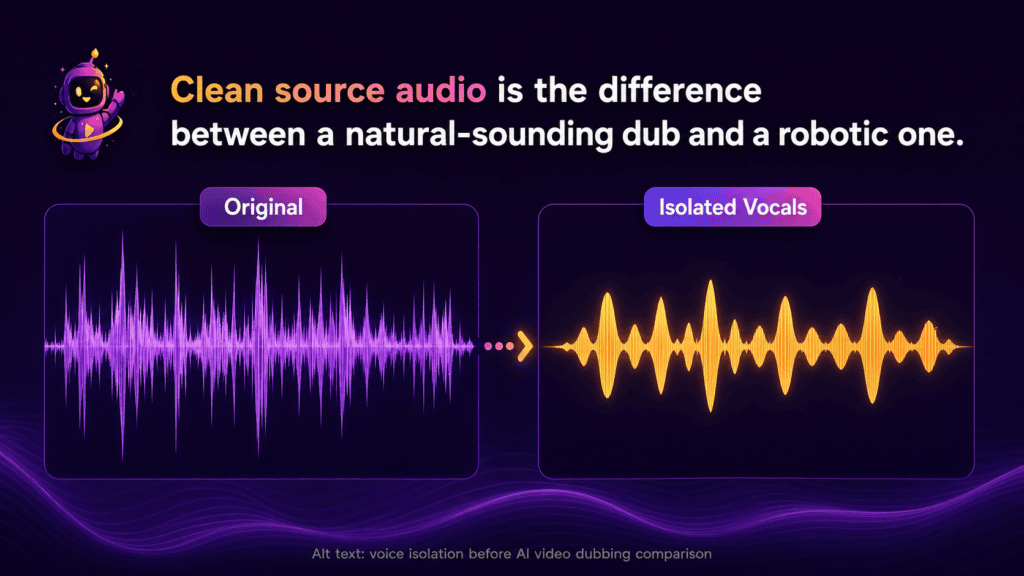
Background noise, music beds, and room echo all carry through into translation quality if you skip this step. Isolating clean vocals first makes transcription and dubbing far more accurate.
A voice isolator strips music and ambient sound while keeping the speaker’s voice intact. If your footage has any background noise at all, don’t skip this — our voice isolation for dubbing workflow guide walks through exactly how this fits before the dubbing stage.
Step 3: Translate the Script for Each Language
Machine translation has improved a lot, but tone, humor, and idioms still need a human pass, especially for anything scripted or comedic.
Translate line by line rather than paragraph by paragraph, since your dubbed audio needs to roughly match the pacing of the original video.
This is also where you decide on localization choices — currency, cultural references, and units — not just word-for-word translation.
Step 4: Generate the AI Dubbed Voice
This is the core of any ai video dubbing tutorial: turning translated text into natural-sounding speech in the target language.
You have two main options here. Voice cloning recreates your own voice speaking the new language, which keeps your channel’s identity consistent across markets. A generic AI voice is faster to set up but sounds less “you.”
If you’re weighing which route fits your channel, our guide to AI voice cloning for YouTube creators covers the legal and practical considerations before you commit to cloning your own voice.
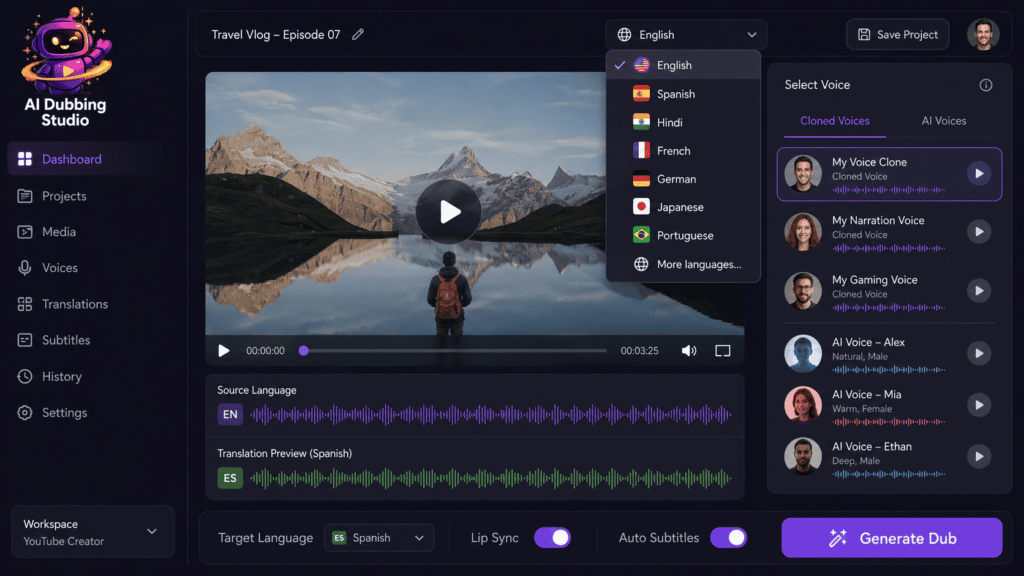
Inside ytZolo‘s AI Dubbing Studio, you select your target language, choose a cloned or preset voice, and generate the full dubbed track from your translated script in one pass.
Step 5: Sync the New Audio to the Video Timeline
Translated speech rarely matches the exact timing of the original. A sentence that takes four seconds in English might take six in German.
Forced alignment tools automatically match your new audio to the video’s timing, adjusting pacing so speech lines up with on-screen cues and cuts.
This step is what separates an amateur dub from one that feels intentional rather than slapped on top of the footage.
Step 6: Review and Edit Line by Line
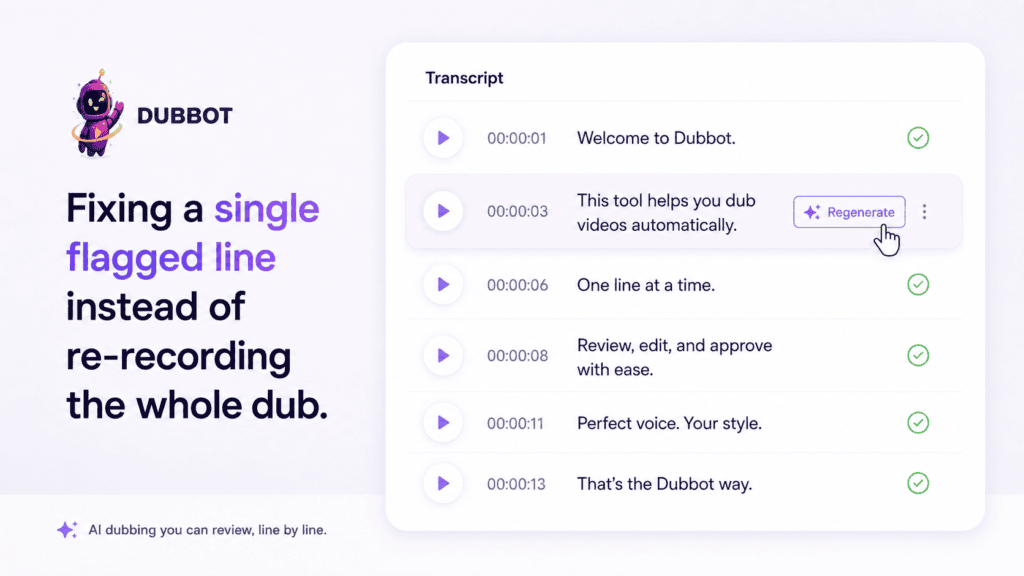
Don’t publish the first generated pass. Listen through the full dub and flag any lines that sound flat, mispronounced, or rushed.
Most AI dubbing tools let you regenerate a single line without redoing the entire track, which is far faster than a full re-record.
Pay close attention to numbers, proper nouns, and technical terms — these are where AI voices are most likely to stumble.
Step 7: Mix in Music and Sound Effects
Dubbing replaces spoken dialogue, not your background score. Make sure your final mix layers the new voice track back over your original music and sound effects at the right levels.
If your original video didn’t have a strong audio bed, this is also a natural point to add one using an AI music generator, so each language version feels equally polished.
Step 8: Export and Prepare Multiple Language Versions
Export each dubbed track separately, clearly labeled by language, so nothing gets mixed up during upload.
Keep your original English (or source-language) audio as the default track — dubbing adds options, it doesn’t replace your main upload.
Step 9: Upload as Multi-Language Audio Tracks on YouTube
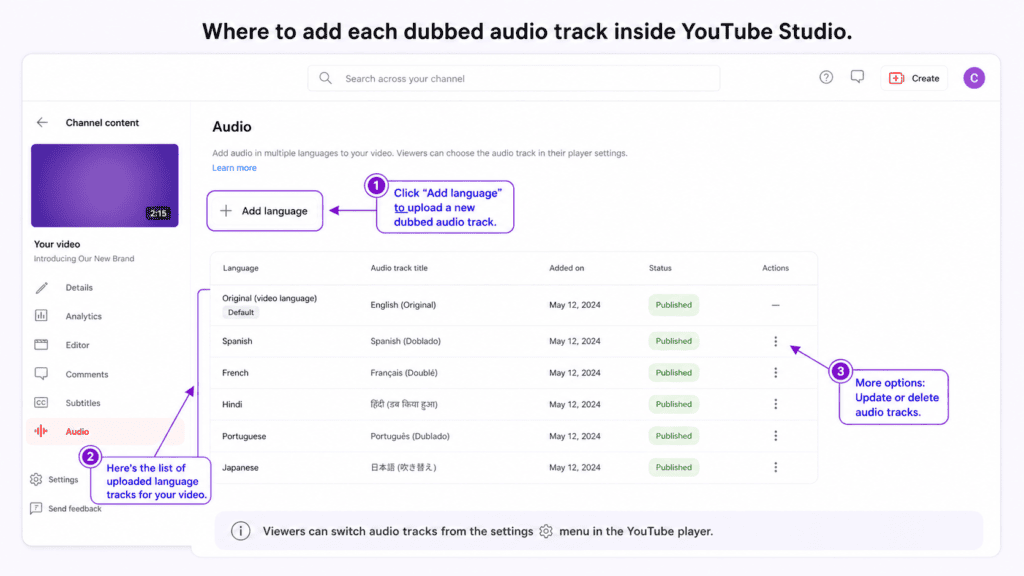
In YouTube Studio, open your video’s details, go to the audio section, and add each dubbed track as an additional language under that same upload.
Viewers will then see a language selector on the video, and YouTube can also serve the matching audio automatically based on viewer location and language settings.
Repeat this for each language version until your full multilingual set is live under one video.
Step 10: Optimize Metadata for Each Language
A dubbed video with English-only titles and descriptions is still hard for non-English viewers to discover.
Translate your title, description, and tags for each target language, and treat this as its own small SEO task per language, not an afterthought.
If you want the full discoverability playbook once your dubs are live, see our guide on how to get more views on YouTube with AI, which covers keyword and metadata strategy in more depth.
How Much Does AI Dubbing Cost?
Pricing varies a lot depending on video length, number of languages, and whether you use voice cloning.
As a rough frame, AI dubbing is dramatically cheaper than traditional studio dubbing with voice actors and booked recording time. For a full cost breakdown by platform and use case, check our dedicated AI dubbing cost guide.
Most creators start with one or two priority languages before scaling to a full multilingual catalog.
How Accurate Is AI Dubbing Today?
Translation accuracy is generally strong for straightforward, conversational content like tutorials, vlogs, and explainers.
Accuracy drops for heavy slang, dense technical jargon, or fast comedic timing, which is exactly why the manual review step above matters.
For a closer look at where AI dubbing performs well versus where it still needs a human check, read our piece on AI dubbing accuracy.
Common Mistakes to Avoid When You Dub a YouTube Video
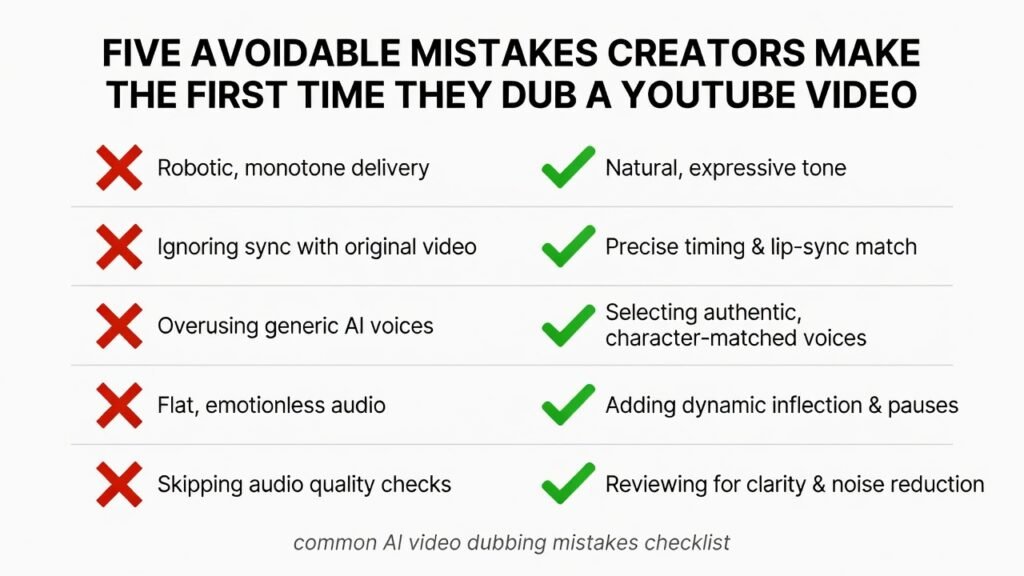
Skipping the review pass. Publishing the first AI-generated dub without listening through it end to end is the single most common mistake creators make.
Dubbing everything at once. Start with your best-performing videos in one or two languages rather than dubbing your entire back catalog blindly.
Ignoring pacing mismatches. Translated audio that runs noticeably longer or shorter than the original video looks unpolished, even if the translation itself is accurate.
Forgetting metadata. A perfectly dubbed video with no localized title or tags still won’t get discovered by that audience.
Beyond YouTube: Video Localization at Scale
Once dubbing becomes part of your regular workflow, it stops being a one-off project and starts becoming part of how you plan every upload.
That’s the broader idea behind youtube video localization — treating language as a distribution channel, not a one-time translation task. Our guide on YouTube video localization covers how to build this into an ongoing content calendar rather than repeating the process from scratch each time.
Creators producing tutorials, courses, or evergreen explainer content tend to see the strongest long-term return from this approach, since one video can keep earning views across markets for years.
How AI Dubbing Fits Into a Full Creator Workflow
Dubbing rarely happens in isolation. It usually sits alongside scripting, thumbnails, voiceovers, and SEO as part of the same upload.
Platforms built specifically for this — rather than a single-purpose dubbing app — let you move from script to translated, voiced, mixed, and metadata-optimized video without switching tools mid-project.
If you’re comparing dedicated dubbing tools against an all-in-one platform, our detailed AI dubbing software comparison breaks down where each option fits best, including where ytZolo sits alongside tools like ElevenLabs and HeyGen.
ytZolo‘s AI Dubbing Studio, Voice Isolator, and Forced Alignment tools live in the same dashboard as script generation and SEO metadata tools, so you’re not exporting files between five separate apps to finish one localized upload.
A Simple Example: Dubbing a 10-Minute Tutorial
Say you run a cooking channel with a 10-minute recipe video that’s already performing well in English.
You’d start by pulling the transcript, cleaning the audio, and translating the script into Spanish and Hindi based on where your existing analytics show untapped watch time.
Next, you’d generate the dubbed voice tracks — maybe a cloned version of your own voice for Spanish, and a preset voice for Hindi if you want a distinct regional feel.
After forced alignment syncs both tracks to your on-screen steps, you’d review each line, fix a couple of mispronounced ingredient names, and mix the new voice back over your original background music.
From there, both tracks get uploaded as additional audio languages under the same video, with translated titles and descriptions for each. Total time: roughly two hours for both languages combined, most of it hands-off while the AI processes the audio.
That’s the entire loop. Once you’ve done it once, every following video takes less time because your workflow and language priorities are already set.
Frequently Asked Questions
Can I dub a YouTube video for free? Many AI dubbing tools offer a limited free tier or trial minutes, which is enough to test quality before committing to a paid plan for full-length videos.
Do I need to disclose that a video is AI-dubbed? YouTube’s synthetic media policies focus on content that could mislead viewers about real events or people, not on using AI tools in production. Our guide on YouTube’s AI content disclosure rules explains exactly where that line sits.
Will dubbing hurt my original video’s performance? No. Adding language tracks doesn’t replace or compete with your original audio — it sits alongside it, and viewers only hear the version that matches their settings.
How long does it take to translate a YouTube video with AI voice per language? For a 10-minute video, expect roughly 30–60 minutes per language including review time, once your workflow and target languages are set.
Can I dub a video into another language without losing my own voice? Yes — voice cloning lets your dubbed audio sound like you, just speaking the new language, instead of a generic narrator voice.
Final verdict
Learning how to dub a YouTube video isn’t complicated once you break it into clear steps: clean audio, accurate translation, natural AI voice generation, precise lip and timeline synchronization, careful quality review, and localized titles, descriptions, and captions.
The channels seeing the biggest growth from multilingual content aren’t dubbing every upload. Instead, they start with their best-performing videos, prioritize two or three high-value languages, measure audience response, and refine their workflow before expanding to more markets. This approach helps maximize ROI while maintaining consistent content quality.
As AI dubbing technology continues to improve, creating multilingual videos has become faster, more affordable, and accessible for creators of every size. Whether you publish tutorials, product reviews, educational videos, podcasts, or entertainment content, dubbing can help you reach viewers who would never have discovered your channel otherwise.
If you want to simplify the entire workflow, ytZolo AI Audio Studio brings transcription, AI translation, realistic voice generation, voice cloning, audio cleanup, forced alignment, and video dubbing together in a single platform. Instead of switching between multiple tools, you can create high-quality dubbed videos from one dashboard and publish them to a global audience much faster.
Start with one video, one language, and one careful review pass. Once you see the increase in watch time, engagement, and international reach, scale your dubbing strategy to additional languages. The sooner you make your content accessible worldwide, the sooner your YouTube channel can begin attracting viewers far beyond your primary language.
About the Author
Anshika Verma is a content and SEO researcher at ytZolo, specializing in AI audio and video production technology for creators. She writes about voice AI, YouTube growth, and creator tooling, drawing on hands-on testing of dubbing, voice cloning, and text-to-speech systems across the industry.
📧 anshika@ytzolo.com

