
Summary: AI voice changers use advanced voice conversion technology to transform speech while preserving natural emotion and timing. This guide explains how the technology works, compares the best tools for 2026, and shows how creators and businesses can streamline audio production with ytZolo for high-quality voice transformation, dubbing, and YouTube content creation.
Your microphone hears exactly what you sound like. Sometimes that’s a problem.
Maybe you’re camera-shy but still want to narrate. Maybe your recording room has an echo. Maybe you just want a character voice for a skit without hiring an actor.
An AI voice changer solves all three. It takes your recorded or live speech and reshapes it into a different voice, while keeping your words, timing, and emotion intact.
This guide covers how the technology actually works, how to pick a tool in 2026, why AI voices sometimes sound robotic, and how voice changing fits into a real YouTube production workflow.
Whether you’re a solo creator, a streamer, or a business producing training content, the core question is the same: can the software turn your real voice into a different one without losing what made the original take good in the first place?
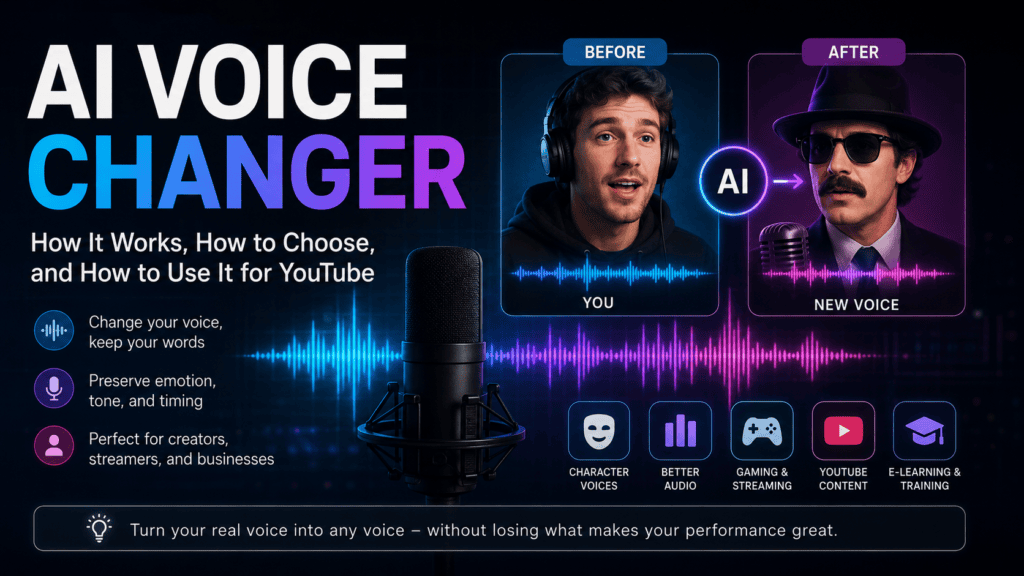
Table of Contents
What Is an AI Voice Changer?
An AI voice changer is software that transforms the sound of a voice — pitch, tone, and texture — without changing the words being spoken.
Unlike a novelty pitch-shift filter, it uses machine learning to model an entire voice. That includes breathing patterns, emphasis, and the small pauses that make speech sound human.
The result is a new voice that still carries your original performance. If you spoke a line with excitement, the converted voice sounds excited too.
This is different from a text-to-speech tool, which generates audio from written words with no original recording involved. We’ll unpack that distinction later in this guide. Further reading
Who Actually Uses an AI Voice Changer?
The label “voice changer” sounds like a novelty app, but the real usage spread is wider than most people expect.
- Streamers and gamers use a real-time voice changer to protect their identity or stay in character during live sessions.
- YouTube narrators use one to stay camera-and-mic-shy while still publishing consistently.
- Podcast editors re-voice a bad take instead of scheduling a re-record with a guest.
- L&D teams keep one consistent training-video narrator, even as staff changes.
- Game studios and animators prototype character voices before booking a professional voice actor.
- Multilingual brands pair voice conversion with dubbing to keep one recognizable “voice” across markets.
Each group wants a different balance of speed, quality, and control, which is exactly why “best AI voice changer” doesn’t have one universal answer.
How AI Voice Changers Work (Voice Conversion Explained)
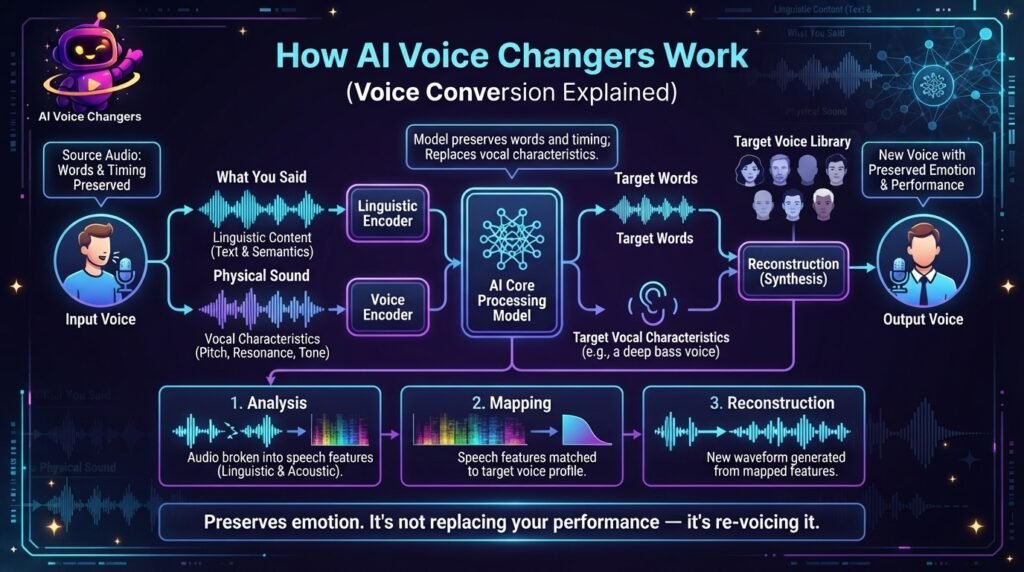
Under the hood, most AI voice changer tools rely on a process researchers call voice conversion.
The system separates two things from your audio: what you said, and how your voice physically produces sound. Researchers in speech-processing literature describe voice conversion as a technique for changing speaker identity while the underlying words and meaning stay unchanged.
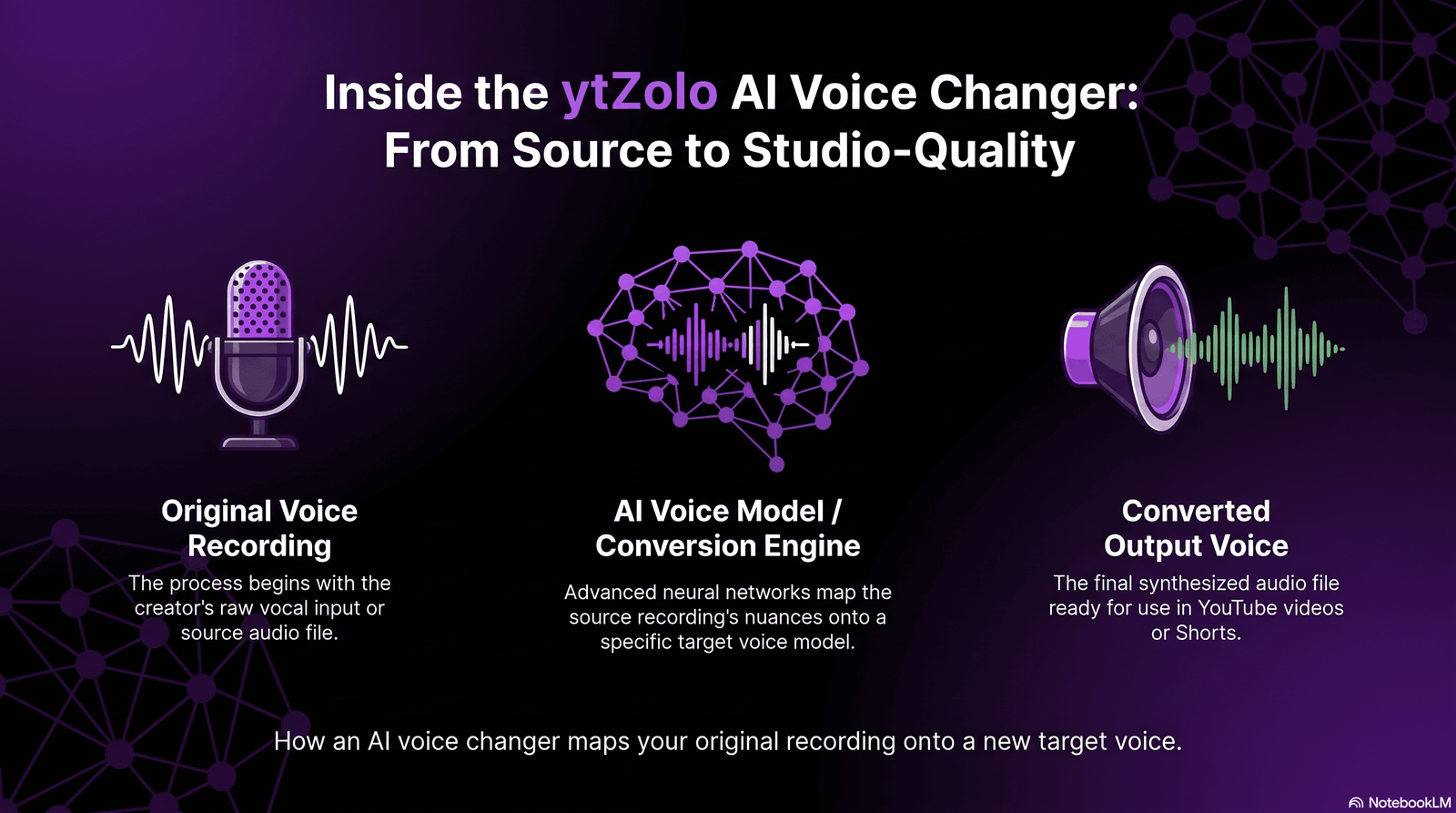
The model keeps your words and timing. It replaces the vocal characteristics — pitch range, resonance, accent texture — with those of a target voice.
Some tools use a pre-built voice library. Others let you clone a specific voice from a short sample. Either way, the conversion happens in three stages:
- Analysis — the audio is broken into speech features.
- Mapping — those features are matched to a target voice profile.
- Reconstruction — a new waveform is generated from the mapped features.
This is why a good AI voice changer preserves emotion. For the full pipeline breakdown, see our complete guide to voice conversion.
Real-Time AI Voice Changer vs Post-Production Voice Changing
There are two very different use cases hiding under one label, and it’s worth knowing which one you actually need.
Real-time voice changing processes audio as you speak, with a delay short enough for live use. This is what streamers, gamers, and voice-chat users rely on.
Post-production voice changing works on an already-recorded file. There’s no rush, so the engine can spend more time on quality, meaning cleaner, more natural output.
If you’re live-streaming or gaming, latency matters more than perfection. If you’re producing a YouTube video or podcast, quality matters more than speed. Our real-time AI voice changer guide covers the specific tradeoffs.
Most creator-focused platforms, including ytZolo’s AI Voice Generator, are optimized for the second case: polished, publish-ready audio rather than instant chat effects.
AI Voice Changer for YouTube Creators
For YouTube specifically, voice changing solves problems that go beyond novelty effects.
Privacy without losing your channel. Some educators, whistleblowers, and commentary creators need to stay off-mic personally. A converted voice lets them keep publishing consistently under one recognizable “channel voice.”
Character work for skits and shorts. Multi-character content used to require multiple actors or a lot of pitch-shifting trial and error. Pairing a voice changer with an AI dialogue generator lets one creator produce a full back-and-forth conversation with distinct voices.
Fixing bad takes. A voice recorded in a noisy room or on a cheap mic can be re-voiced into something cleaner, instead of being re-recorded from scratch. More detail
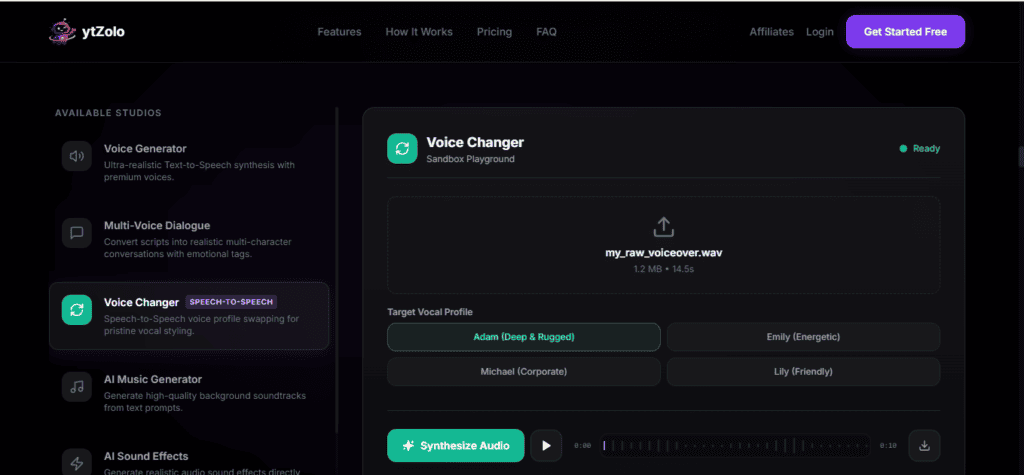
Inside a full creator suite like ytZolo, the voice changer doesn’t sit alone. It connects to AI dubbing for translating videos, an AI music generator for background scoring, and SEO tools for the title, tags, and description that get the finished video discovered.
AI Voice Changer for Businesses
Outside of YouTube, companies use voice changing for reasons that are more operational than creative.
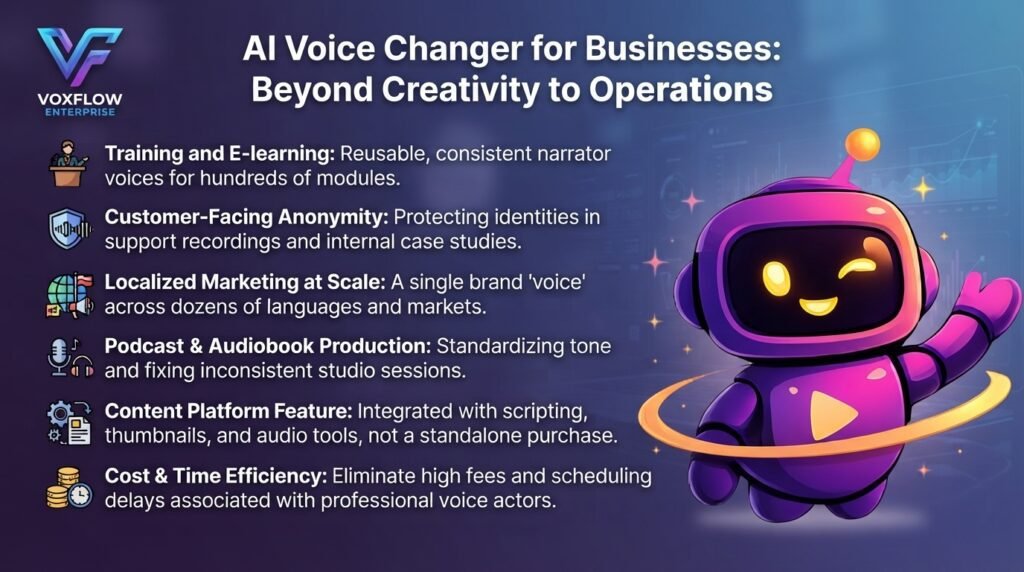
Training and e-learning. A single narrator voice can be reused consistently across hundreds of modules, even after the original speaker moves on.
Customer-facing anonymity. Support recordings, internal case studies, or whistleblower hotlines can be shared for training purposes without exposing an employee’s real voice.
Localized marketing at scale. A brand can keep one consistent “voice” across dozens of markets by pairing voice conversion with translation, instead of hiring separate voice actors per language.
Podcast and audiobook production. Publishers use voice changing to standardize narrator tone across a catalog or to fix inconsistent studio sessions.
For teams already producing video content, an AI voice changer typically isn’t a standalone purchase — it’s one feature inside a broader content platform, alongside scripting, thumbnails, and audio tools.
Cost is usually the real driver. Booking a professional voice actor for every training update or every regional variant adds up fast, both in fees and in scheduling delays. A business that owns its own voice conversion workflow can turn around a revision in hours instead of waiting on a studio calendar.
For further reading.. AI Voice Changer for Businesses
Best AI Voice Changers in 2026: What Actually Matters
“Best” depends entirely on your use case, but a few criteria separate a genuinely useful tool from a gimmick.
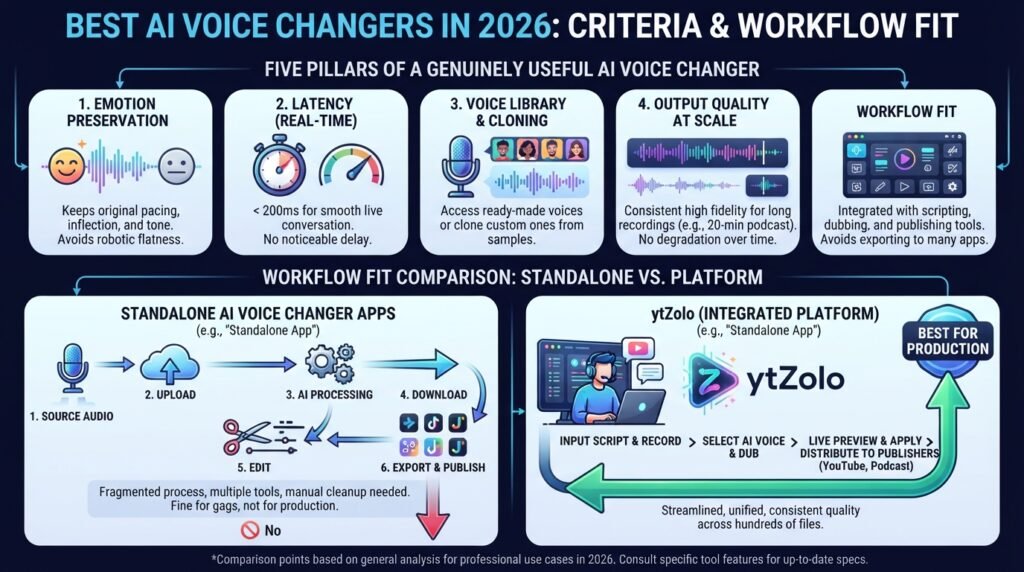
- Emotion preservation. Does the output keep your original pacing and inflection, or flatten everything into one tone?
- Latency (for real-time use). Anything above roughly 200 milliseconds becomes noticeable in live conversation.
- Voice library and cloning options. Can you pick from ready-made voices, or clone a custom one from a sample?
- Output quality at scale. A tool that sounds great for 30 seconds but degrades over a 20-minute podcast isn’t production-ready.
- Workflow fit. Does it live inside the same platform as your scripting, dubbing, and publishing tools, or is it one more app to export audio into?
See our full best AI voice changers breakdown for tool-by-tool scoring.
That last point is where most standalone voice changers fall short — they solve one step and leave you juggling five other tools for the rest of the video. Our comparison of ytZolo vs VEED breaks down this workflow-fit question in more detail if you’re evaluating platforms side by side.
Free AI voice changer apps are fine for testing an idea or a one-off joke clip. For anything published regularly — a weekly YouTube series, a client podcast, a training library — the deciding factor shifts from “does it sound cool” to “does it hold up across hundreds of files without manual cleanup.”
AI Voice Changer vs Voice Modulator vs Voice Cloning
These three terms circle the same idea, but they aren’t quite the same tool.
A voice modulator is the older, hardware-rooted term. It usually means simple pitch or tone shifting, with no understanding of speech content.
Voice cloning builds a reusable model of one specific voice, often from a few minutes of sample audio. Once trained, that cloned voice can be reused across any future script.
An AI voice changer sits between the two. It applies real speech understanding to a live or recorded performance, and it can use either a preset voice or a cloned one as the target.
In short: modulation is mechanical, cloning is a stored identity, and voice changing is the live conversion process that connects them. Most modern platforms — ytZolo included — blend all three under one interface, so the distinction matters more for search terms than for daily use.
How to Change Your Voice with AI: Step-by-Step
Here’s a straightforward workflow that applies to most AI voice changer tools, ytZolo included.
- Record or upload your source audio. A clean, low-noise recording gives the model more accurate features to work with.
- Choose a target voice. Pick from a preset library, or clone a custom voice if the tool supports it.
- Run the conversion. Processing time depends on file length and whether you’re using real-time or post-production mode.
- Review the output. Listen for unnatural pauses, mispronounced words, or inconsistent tone across the clip.
- Fine-tune settings. Most tools let you adjust pitch, stability, or emotion intensity if the first pass isn’t quite right.
- Export and pair with other assets. Drop the finished audio into your video alongside music, sound effects, or dubbed language tracks.
Want more detail on each step? Read how to change your voice with AI.
Why Does My AI Voice Sound Robotic?
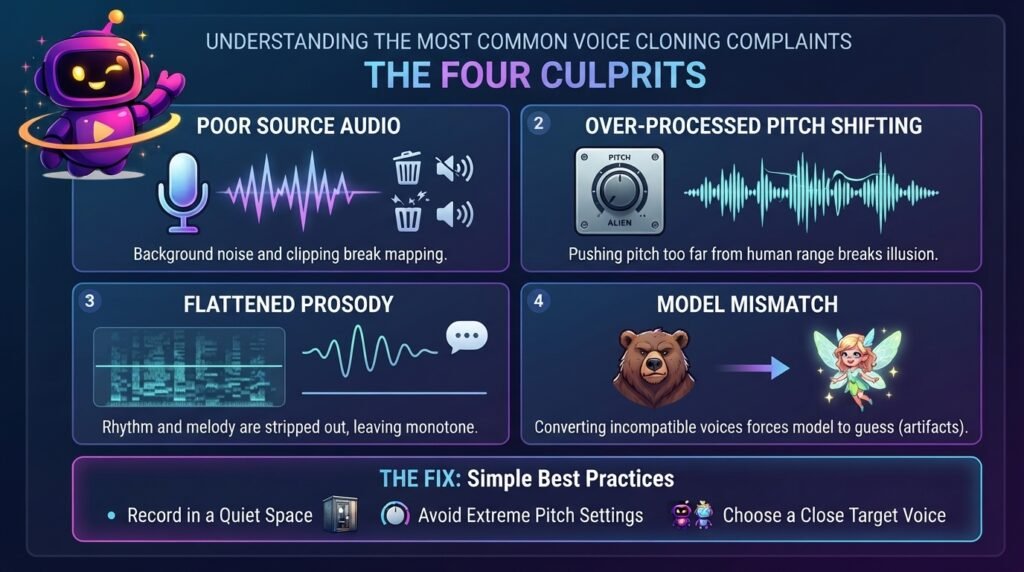
This is the most common complaint, and it usually traces back to one of four causes.
Poor source audio. If the model can’t clearly hear your original speech, it can’t accurately map it. Background noise and clipping are the biggest culprits.
Over-processed pitch shifting. Pushing pitch too far from a natural human range breaks the illusion, even if the words are perfectly clear.
Flattened prosody. Prosody is the rhythm and melody of speech. Cheaper engines strip this out, leaving flat, monotone delivery.
Model mismatch. Converting a low, gravelly voice into a bright, high target voice forces the engine to guess more, which introduces artifacts.
The fix is usually simple: record in a quiet space, avoid extreme pitch settings, and choose a target voice reasonably close to your natural range. Better source audio consistently produces better output than any setting adjustment can.
For a deeper troubleshooting checklist, see why your AI voice sounds robotic.
Speech Synthesis vs Voice Conversion: What’s the Difference?
These two terms get used interchangeably, but they’re technically different processes.
Speech synthesis (text-to-speech) generates audio from written text. There’s no original recording — the voice is built entirely from the text input.
Voice conversion starts with an existing recording and changes how it sounds, while keeping the original performance, pacing, and emotion.
In practice: if you type a script and get spoken audio back, that’s synthesis. If you record yourself and get a different-sounding version back, that’s conversion — an AI voice changer, specifically.
Some workflows use both. A creator might synthesize a first draft with text-to-speech, then run a recorded read-through through a voice changer for a more natural final pass.
Our breakdown of text-to-dialogue vs text-to-speech covers a closely related distinction if you’re building multi-voice conversations rather than a single narrator track.
For the full technical comparison — architectures, evaluation metrics, and hybrid workflows — see our speech synthesis vs voice conversion deep dive.
Beyond the Voice Changer: A Full AI Audio Workflow
A voice changer rarely does its best work in isolation. Most finished videos need several audio layers stacked together.
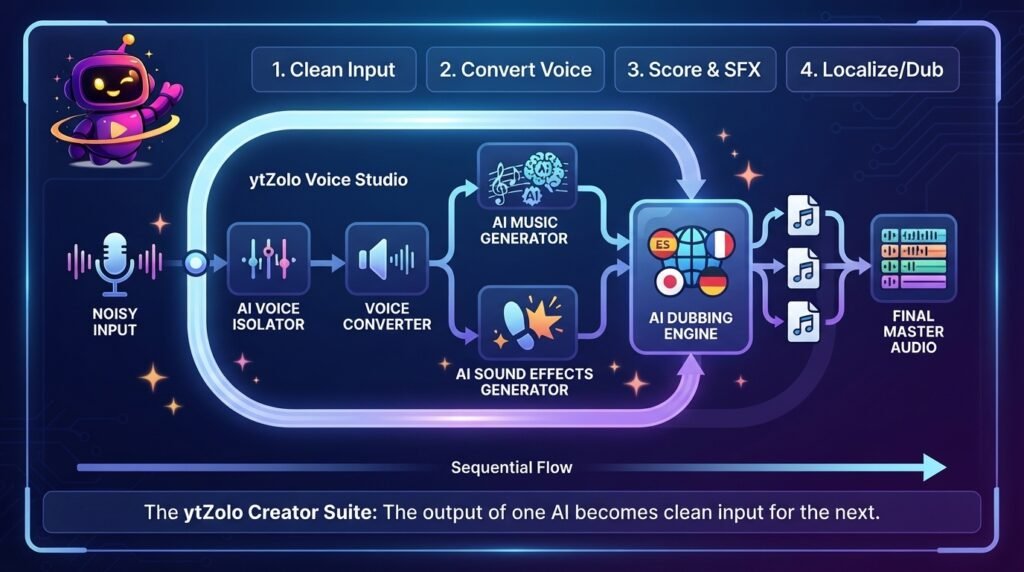
Inside ytZolo, the voice changer sits next to an AI voice isolator for cleaning up noisy recordings before conversion even starts. Clean input means better conversion output — the two tools were built to work in sequence.
Once your voice is set, an AI music generator can score the scene, and an AI sound effects generator handles everything from footsteps to whooshes — without a single royalty-free stock library search.
For multilingual channels, the same converted voice can feed into AI dubbing to produce localized versions of a video without re-recording in every language from scratch.
This is the practical case for a creator suite over a single-purpose app: the output of one tool becomes clean input for the next, instead of exporting and re-importing files between five separate subscriptions.
Staying Compliant: Disclosing AI-Altered Voices
If your converted voice makes real content sound different from how it actually happened, disclosure rules likely apply.
YouTube’s official help documentation requires creators to disclose content that has been meaningfully altered or synthetically generated when it looks or sounds realistic. Voice-cloned narration used to translate a creator’s own content is specifically called out as something that typically needs a label.
This isn’t a penalty for using AI. It’s a transparency requirement so viewers understand what they’re hearing. Our guide to YouTube’s altered content policy walks through exactly when the toggle needs to be switched on.
Practically: character voices in a scripted skit rarely need disclosure. A voice-cloned version of your own narration used to sound like someone else, in a way a viewer could mistake for genuine, usually does.
Frequently Asked Questions
Is an AI voice changer free to use? Many platforms offer a limited free tier for short clips, with paid plans unlocking longer processing, custom voice cloning, or real-time use.
Can AI voice changers work in real time during a live stream? Yes, but real-time processing trades some audio quality for lower latency. Post-production tools generally sound more natural.
Will my converted voice sound exactly like the target voice? Close, but rarely identical. Quality depends on your source recording, the target voice’s training data, and how far apart the two voices are tonally.
Do I need to disclose AI voice changes on YouTube? If the altered voice could realistically mislead a viewer about who is speaking, yes. Minor creative effects on an obviously fictional character generally don’t require disclosure.
What’s the difference between a voice changer and a voice generator? A voice changer converts an existing recording into a new voice. A voice generator, like ytZolo’s AI Voice Generator, creates speech directly from typed text with no original recording needed.
Can an AI voice changer fix background noise too? Not by itself. Noise removal is a separate step, usually handled by a dedicated AI voice isolator before the voice-changing pass, since a cleaner input always produces a cleaner converted output.
Is voice cloning the same as an AI voice changer? Voice cloning creates a reusable model of one specific voice. An AI voice changer is the conversion process itself, which can use a cloned voice — or a ready-made preset — as its target.
Final Thoughts
An AI voice changer isn’t just a novelty filter anymore. It’s become a working tool for privacy, accessibility, character voices, and multilingual content — as long as the source recording is clean and the disclosure rules are respected.
The tools that hold up in 2026 are the ones that fit into a full production pipeline: isolate the noise, convert the voice, add music and effects, dub it into new languages, and publish with SEO-ready metadata, all without leaving one dashboard.
Ready to try it inside a full creator suite? Explore ytZolo’s AI Audio Studio or see pricing plans to get started.
About the Author
Anshika Verma is a content and SEO researcher at ytZolo, specializing in AI audio and video production technology for creators. She writes about voice AI, YouTube growth, and creator tooling, drawing on hands-on testing of voice conversion, dubbing, and text-to-speech systems across the industry.
📧 anshika@ytzolo.com
Sources referenced: YouTube Help Center — Disclosing Altered or Synthetic Content; Sisman et al., “An Overview of Voice Conversion and its Challenges,” arXiv.

