
July 2026 · By Anshika Verma · Content & SEO Researcher
Quick Summary: Not every “free” AI sound effects generator is actually usable on a monetized channel — some watermark exports, some cap commercial use, and credit systems vary a lot between platforms. ytZolo’s Audio Studio is the strongest pick if you want free sound effects bundled with voice, music, and dubbing in one account. For a pure library of finished, no-watermark clips, Freesound and Pixabay are hard to beat. ElevenLabs offers the most generous free credit pool for high-fidelity generation, and AudioCraft is the only fully unlimited option — if you’re comfortable self-hosting it. Below: a full comparison table, how free credits actually work, what counts as a “watermark,” and a step-by-step generation workflow.
A creator on a tight budget doesn’t need the most powerful sound design tool. They need one that’s actually free — not a “free trial” that expires in three days, and not a watermarked clip that’s unusable in a real upload.
That distinction matters more than most comparison lists admit. This guide filters specifically for best free AI sound effects generator tools: what “free” really means on each platform, which ones export clean audio without a watermark, and where the free credits actually stretch far enough to finish a project.
If you want the full breakdown of every tool — paid and free, pricing tiers, and licensing details — ytZolo’s complete AI sound effects generator comparison covers that ground in more depth. This page focuses narrowly on the free side of that decision.
Table of Contents
What “Free” Actually Means for an AI Sound Effects Generator
Not every free plan is built the same way. Before testing tools, it helps to know what to check on each pricing page.
Three things separate a genuinely usable free tier from a marketing gimmick:
- Credit reset frequency — monthly refills are far more useful than a one-time trial batch.
- Watermark or attribution requirement — some free exports embed a tone or require crediting the platform.
- Commercial use rights — a few tools restrict free-tier output to personal or non-commercial projects only.
A free sfx generator online that fails any of these three checks isn’t really free for a monetized YouTube channel — it’s a demo.
Best Free AI Sound Effects Generator Tools (2026 Comparison)
Below is a snapshot of the tools creators most often shortlist when they specifically need the best free AI sound effects generator, based on published free-tier terms.
| Tool | Free Plan Details | Watermark on Free Export | Commercial Use on Free Tier |
|---|---|---|---|
| ytZolo | Free plan with limited monthly credits across the Audio Studio | No | Check current terms before publishing |
| ElevenLabs | ~10,000 credits/month | No, but attribution required | Limited without a paid plan |
| Freesound | Fully free, community-uploaded library | No | Varies by individual clip’s Creative Commons license |
| Pixabay Sound Effects | Fully free, royalty-free library | No | Yes |
| Adobe Firefly | Limited free generations | No | Limited on free tier |
| Voicemod | Free real-time soundboard and effects | No | Personal use focus |
| AudioCraft (Meta) | Free, open-source, self-hosted | No | Self-managed licensing |
Pricing and free-tier terms shift often. Always confirm the current policy on the vendor’s own page before publishing generated audio commercially.
ytZolo’s Free Audio Studio Credits
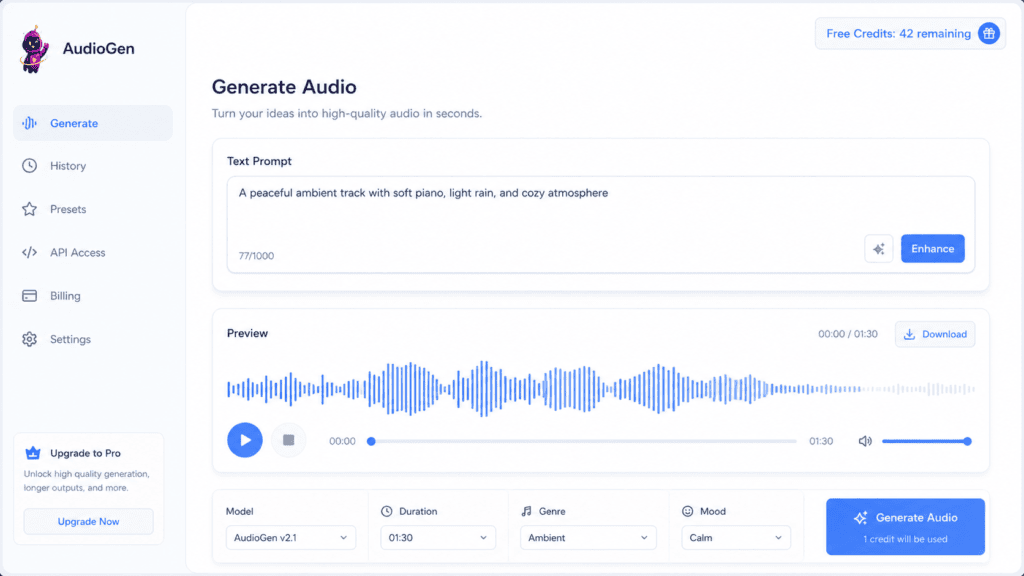
ytZolo bundles its free-tier sound effect generation inside a broader AI Audio Studio, rather than shipping it as an isolated tool.
That studio also includes AI music generation, a voice changer, multi-voice dialogue creation, dubbing, and voice isolation — all sharing the same account.
For a creator testing multiple audio needs at once, that consolidation matters more than it looks on a spec sheet. One free plan covers several jobs instead of juggling five separate signups.
Standard and Pro tiers unlock higher monthly credit allowances once free credits run out — see ytzolo.com pricing for current rates.
A Closer Look at the Other Free Tools on the List
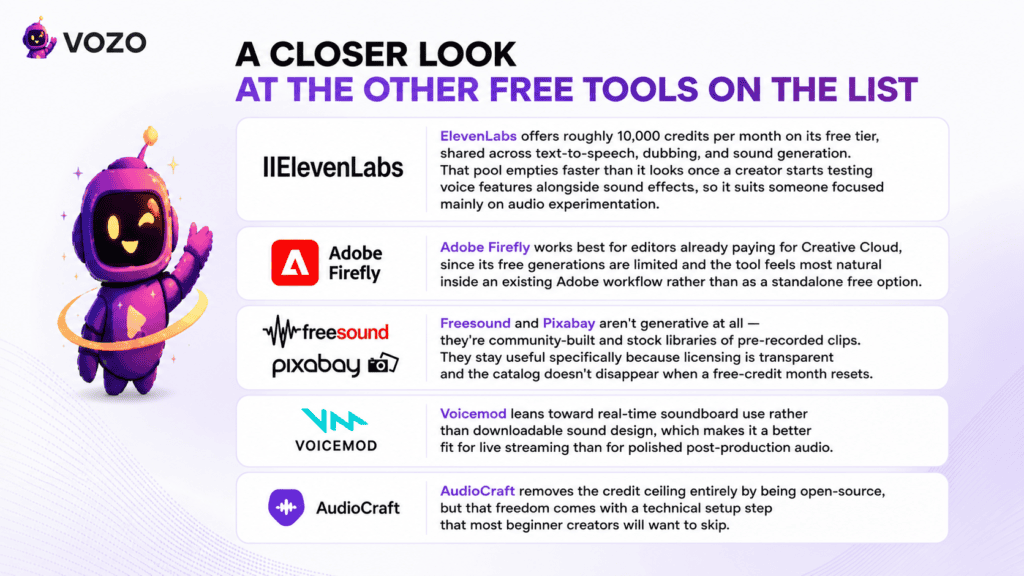
ElevenLabs offers roughly 10,000 credits per month on its free tier, shared across text-to-speech, dubbing, and sound generation. That pool empties faster than it looks once a creator starts testing voice features alongside sound effects, so it suits someone focused mainly on audio experimentation.
Adobe Firefly works best for editors already paying for Creative Cloud, since its free generations are limited and the tool feels most natural inside an existing Adobe workflow rather than as a standalone free option.
Freesound and Pixabay aren’t generative at all — they’re community-built and stock libraries of pre-recorded clips. They stay useful specifically because licensing is transparent and the catalog doesn’t disappear when a free-credit month resets.
Voicemod leans toward real-time soundboard use rather than downloadable sound design, which makes it a better fit for live streaming than for polished post-production audio.
AudioCraft removes the credit ceiling entirely by being open-source, but that freedom comes with a technical setup step that most beginner creators will want to skip.
Free vs. Paid: When It’s Worth Upgrading
A free plan usually breaks down at three predictable points, and recognizing them early saves wasted credits chasing a workaround.
- Volume — a channel publishing daily needs more monthly generations than most free tiers allow.
- Commercial clearance — once a channel is monetized, paid-tier licensing removes the ambiguity around free-tier terms.
- Workflow depth — creators who also need voice, music, and dubbing in the same project benefit from a paid plan that bundles all four instead of stacking separate free accounts.
None of this means free tiers are a trap. For occasional creators, hobby projects, or anyone testing whether AI-generated sound effects even fit their workflow, the free tier is the correct starting point — upgrading only makes sense once a specific limit is actually hit, not before.
AI Sound Effects No Watermark: Which Free Tools Deliver Clean Exports
This is the detail that trips up the most creators. A watermark on a sound effect isn’t always an audible logo — sometimes it’s a faint embedded tone or a metadata tag that a platform can flag later.
For genuinely ai sound effects no watermark exports on a free plan, community libraries like Free sound and Pixabay are the safest bet, since they distribute finished files rather than generated previews.
Among generative tools, most major platforms — including ytZolo and ElevenLabs — export clean audio even on the free tier, but they may still gate commercial use behind a paid plan or attribution requirement. Clean audio and commercial clearance are two separate questions, and it’s worth checking both before publishing.
Is Free-Tier Output Actually Copyright-Free?
Generated audio avoids the copyright risk tied to sampling someone else’s recording, since it’s synthesized fresh from a prompt rather than lifted from an existing file.
That said, “copyright-free” and “cleared for commercial use” aren’t the same claim. The AI platform’s own terms of service still govern what a creator can legally do with a free-tier export, so checking that page takes less time than dealing with a claim after upload.
Licensing Red Flags to Check Before Publishing
A quick scan of a platform’s free-tier terms usually reveals whether output is safe to publish. Watch for:
- “Non-commercial use only” language buried in the free-plan section rather than the main pricing page.
- Attribution clauses that require crediting the tool in a video description, which not every content strategy accounts for.
- Ambiguous silence — if a free tier’s terms don’t mention commercial use at all, that’s usually a sign to ask support directly rather than assume.
- Retroactive changes — some platforms reserve the right to update free-tier terms, so a screenshot or saved copy of the terms at generation time is a reasonable safeguard for anything already published.
None of these are dealbreakers on their own, but stacking two or three of them on a monetized channel is worth pausing over before uploading.
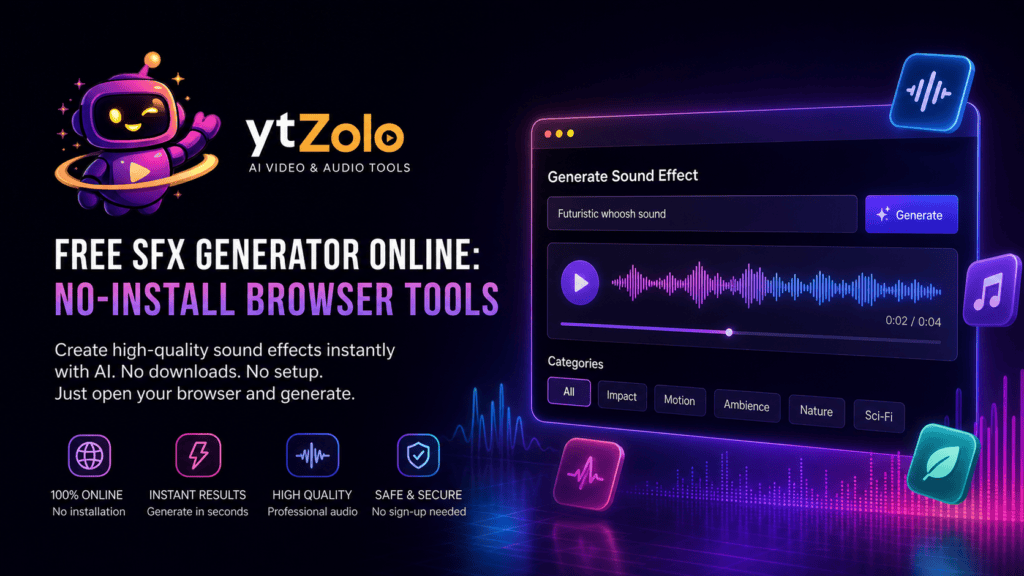
Free SFX Generator Online: No-Install Browser Tools
For creators who don’t want to download software or manage local files, a browser-based free sfx generator online removes that friction entirely.
Most of the tools in this guide fall into that category already — ytZolo, ElevenLabs, Adobe Firefly, Freesound, and Pixabay all run fully in a browser tab. That matters for creators editing on Chromebooks, shared studio computers, or mobile-first workflows.
The exception is AudioCraft, which is open-source and requires local setup — a better fit for developers than for a creator who just needs a footstep sound in the next ten minutes.
Practical use cases for a browser-based tool
- A gaming channel editor needing a quick UI chime between recording sessions, without installing anything new.
- A faceless channel creator generating ambience directly inside the same browser tab used for scripting and thumbnails.
- A podcast host testing three transition sounds during a live editing session with no local software involved.
- A student editor working on a shared school or library computer where installing software isn’t an option at all.
- A short-form creator switching between a phone and a laptop mid-edit, since browser tools don’t tie generated files to one device.
- A small agency editor handling several client channels who needs to log into a fresh account per client without a fresh install each time.
Browser-based free tools also tend to update faster than desktop software, since there’s no version to download and reinstall — a new model or feature typically appears the next time the page loads.
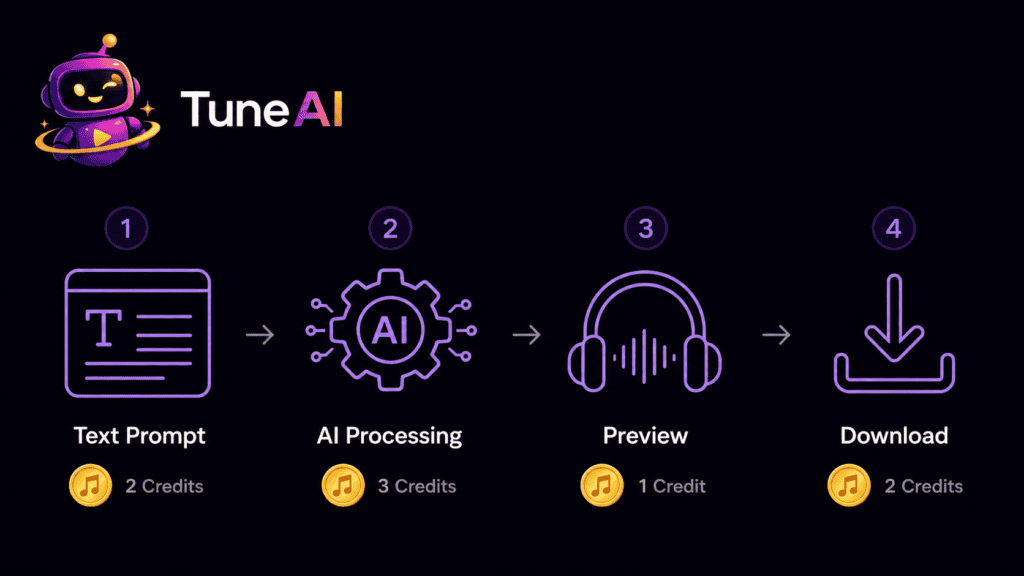
How AI Sound Effects Generator Free Credits Actually Work
Credit systems aren’t standardized across platforms, which makes side-by-side comparison harder than it should be.
Some tools count credits per generation regardless of length; others scale credit cost with the duration of the clip. A ten-second ambience loop can cost noticeably more than a one-second UI blip on the same plan.
A few practical habits stretch ai sound effects generator free credits further:
- Write a specific prompt the first time instead of regenerating five vague attempts.
- Set the shortest usable duration rather than generating extra seconds to trim later.
- Save prompts that worked well, so a similar sound doesn’t need to be reverse-engineered again next month.
- Batch similar sounds in one sitting — footsteps, doors, and impact effects for an entire episode — rather than generating one clip per editing session across several days.
- Reuse a strong transition or stinger sound across multiple videos instead of generating a fresh one each time, which also builds brand consistency.
- Check whether the platform offers bonus credits for daily logins, referrals, or completing an onboarding checklist, since several free tools quietly do.
For a deeper look at prompt structure specifically, ytZolo’s pillar guide includes a 20-example prompt engineering breakdown worth referencing before spending credits on trial and error.
Free vs. Stock Libraries: When Free AI Generation Isn’t the Right Call
Free doesn’t automatically mean best. For large, curated music catalogs or highly specific real-world recordings, a stock library sometimes still outperforms a free generator’s limited monthly output.
ytZolo’s pillar guide breaks this comparison down in detail in its AI sound effects vs. stock libraries section, including a full pricing table against Epidemic Sound and Artlist.
The short version: free generators are strong for one-off, brand-distinct effects, while free libraries like Freesound and Pixabay still win for volume when budget is the only constraint.
Which Free Tool Actually Fits Your Channel Type
Rather than picking a tool by name recognition alone, matching it to a channel type usually gives a faster answer:
- Gaming and Let’s Play channels — need frequent, short, punchy effects (UI sounds, impacts, level-up chimes). A generative tool with fast turnaround, like ytZolo or ElevenLabs, fits better than a library search.
- Documentary and educational channels — often need period-accurate or highly specific ambience. A library like Freesound sometimes has the exact archival-style recording a generator can’t replicate.
- Podcasts — mostly need a handful of consistent transition sounds generated once and reused for months, so even a small free credit pool goes a long way.
- Faceless and automation-heavy channels — benefit from a bundled free plan (like ytZolo’s Audio Studio) that also covers voice and music, since publishing volume is usually high.
- Hobbyist and personal-project creators — rarely need commercial licensing at all, so a free library like Pixabay may be the simplest, lowest-friction choice.
Step-by-Step: Generating a Sound Effect on a Free Plan
- Pick a browser-based tool from the comparison table above based on your project’s licensing needs.
- Write a specific prompt — object, material, action, and pacing, not a single vague word.
- Check the duration setting before generating, since longer clips often cost more credits.
- Preview the result and only regenerate if the tone or pacing is actually off.
- Confirm the license for that specific export before publishing it on a monetized video.
- Download in WAV or MP3 and drop it directly into your editing timeline.
Common Mistakes Creators Make on Free Plans
- Assuming free means unlimited. Most free plans throttle either generation count or duration, not both loosely.
- Skipping the license page. Free-tier output sometimes carries attribution or non-commercial restrictions that are easy to miss.
- Burning credits on vague prompts. A specific first prompt usually beats three vague regenerations.
- Mixing watermarked and clean clips across the same video without checking each source.
- Forgetting to save working prompts, which forces creators to reinvent effective wording each time credits refresh.
None of this replaces the fundamentals covered in ytZolo’s YouTube SEO tools guide — audio choice supports retention, but strong titles and thumbnails still carry most of the click-through weight.
Why This Category Keeps Changing
Free-tier terms shift more often than paid pricing pages, largely because platforms are still competing for early adoption in the sound-generation category.
A tool offering generous free credits today may tighten that offer once it scales, the same pattern seen earlier in AI voice changer and AI music free tiers. Re-checking terms every few months is a reasonable habit for any creator relying on free audio tools long-term.
Final Verdict
There’s no single winner for every creator, but the free-tier picture narrows down fairly cleanly:
- For bundled free credits across sound effects, voice, and music in one account, ytZolo’s Audio Studio free plan is worth testing first.
- For the largest free, no-watermark library of finished clips, Pixabay and Freesound remain hard to beat.
- For high-fidelity generation with a genuinely generous credit pool, ElevenLabs’ free tier stands out, with attribution required.
- For technical users comfortable self-hosting, AudioCraft offers unlimited free generation without a credit system at all.
Test two or three free tiers against a real project before committing credits to any single platform — the right free tool is the one that finishes your specific video without hitting a paywall halfway through.
FAQ
1. Is there a truly free text-to-SFX tool with no watermark? Yes — most major platforms, including ytZolo and ElevenLabs, export clean audio without an audible watermark on free plans, though commercial use may still require a paid tier.
2. What’s the best free sfx generator online for beginners? Browser-based tools with a simple prompt box, like ytZolo or Pixabay’s library, require no technical setup and work well for first-time users.
3. Do free AI sound effects generator credits expire? It depends on the platform — some reset monthly, while others issue a fixed one-time trial batch that doesn’t refill.
4. Can I use free AI-generated sound effects on a monetized YouTube video? Often yes, but always confirm the specific plan’s commercial-use terms first, since some free tiers restrict output to non-commercial projects.
5. Are Freesound and Pixabay considered generative audio tools? No — they’re community and stock libraries of pre-recorded clips, not generative tools, though both are genuinely free and license-friendly.
6. How many free credits do I need for a typical YouTube video? It varies by video length and effect count, but a short-form video with five to ten sound cues usually fits comfortably inside most free monthly allowances.
7. What happens when free credits run out mid-project? Most platforms simply pause generation until the next monthly reset or a plan upgrade — existing downloaded files remain usable.
8. Is AudioCraft really free with no limits? Yes, it’s open-source and self-hosted, so there’s no credit system, but it requires technical setup that isn’t beginner-friendly.
Author
Anshika Verma 📧 anshika@ytzolo.com
Anshika is a Content & SEO Researcher at ytZolo who tests AI creator tools hands-on, comparing free-tier terms, credit systems, and licensing details across voice, music, and sound design platforms. She writes to help YouTube creators separate genuinely free tools from marketing claims, based on what she’s directly verified rather than what a vendor’s pricing page states.

