
Introduction: The Thumbnail That Cost Me 10,000 Views
Picture this.
You spend six hours filming and editing your best video yet. The content is solid. The editing is clean. You’re proud of it.
Then you upload it… and the views never come.
You check your analytics. The impressions are there. But nobody is clicking.
The problem? Your thumbnail.
It happens to almost every creator — especially in the early days. You’re pouring energy into the video itself but treating the thumbnail as an afterthought. And that one decision is quietly killing your growth.
Here’s the hard truth: your thumbnail is the first thing people see. Before your title, before your first second of footage — your thumbnail makes or breaks the click. According to research, viewers decide whether to click or scroll in just 0.3 seconds. That’s barely a blink.
The good news? You no longer need to be a Photoshop wizard to create thumbnails that stop the scroll. The best free AI image generators for YouTube thumbnails have completely changed the game for creators at every level.
In this guide, you’ll discover the top tools available right now, what to look for before picking one, and why one all-in-one platform called ytZolo is becoming the go-to choice for serious YouTubers in 2026.
Let’s get into it.
Table of Contents
Why Thumbnails Are Make-or-Break for YouTube Growth: Using a Free AI Thumbnail Maker YouTube Creators Trust
Let’s talk numbers for a second.
YouTube has over 800 million videos on the platform right now. Every single minute, 500 more hours of content get uploaded. That means your video is competing with a sea of content the moment you hit publish.
When a viewer opens their feed, they don’t read titles first. They scan thumbnails. Their brain makes a decision in milliseconds — click or keep scrolling.
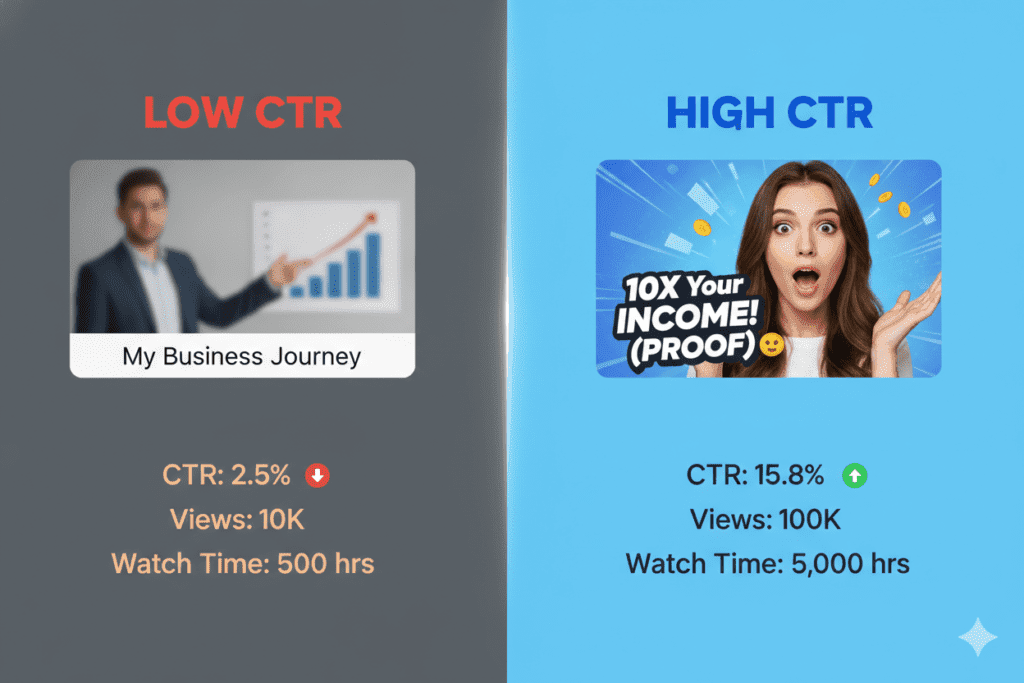
Studies consistently show that optimized thumbnails can boost your click-through rate (CTR) by 25–40%. And custom-designed thumbnails—especially those created with the best AI YouTube thumbnail generator—outperform auto-generated ones by up to 60–70%. That’s not a small improvement—that’s the difference between a video that gets 500 views and one that gets 50,000.
Here’s what makes it even more critical: YouTube’s algorithm rewards high CTR. When people click on your video, YouTube pushes it to more users. It’s a compounding effect — better thumbnails lead to more impressions, which lead to more views, which leads to channel growth.
Channels maintaining a 6–10% average CTR grow 2.3x faster than channels stuck below 4%. Think about that.
So no — a thumbnail is not just a pretty image. It’s your most important growth lever on YouTube.
What to Look for in a Free AI Image Generator for YouTube Thumbnails
Not all AI tools are created equal. Before you commit to a tool, here’s what actually matters:
YouTube-Specific Output A general AI image generator might make beautiful art. But a YouTube thumbnail needs specific dimensions (1280×720 pixels, 16:9 ratio), high contrast, readable text, and visual elements that drive clicks. The best free AI image generators for YouTube thumbnails understand this out of the box.
No Watermarks on Downloads A watermarked thumbnail looks unprofessional — full stop. Any tool worth using should let you download clean, high-resolution images without visible branding.
Speed and Ease of Use You don’t want a tool that requires a design degree. The best AI YouTube thumbnail generator gets you from idea to finished thumbnail in under five minutes—no tutorials needed.
CTR-Driven Design Intelligence Generic beauty is not the same as click-driving design. Look for tools that understand color psychology, facial expressions, text hierarchy, and the visual patterns proven to stop scrollers in your specific niche.
Integration with Your Workflow Standalone thumbnail tools are fine. But an AI thumbnail generator online no watermark that also handles your titles, scripts, descriptions, and tags? That saves you hours every single week.
7 Best Free AI Image Generators for YouTube Thumbnails
Here are the top tools creators are using right now to create scroll-stopping thumbnails without spending a dime on design.
1. ytZolo — Best All-in-One AI Thumbnail Generator for YouTubers
ytZolo is not just another image generator. It was built from day one specifically for YouTube creators — and that difference matters enormously.
Unlike tools that were designed for general audiences and then adapted for YouTube, ytZolo’s AI understands your niche, your audience, and what the algorithm actually rewards.
It generates CTR-optimized thumbnails trained on niche-specific click psychology, making it one of the best AI YouTube thumbnail generators, exports them in full HD with no watermarks, and integrates seamlessly with AI title generation, scripting, descriptions, and tags—all in one platform.
You don’t need five apps talking past each other. ytZolo keeps everything aligned so your entire content package tells one cohesive story to the algorithm.
Key Features:
- AI-powered thumbnail generation optimized for YouTube CTR
- Full HD export with zero watermarks
- Integrated AI tools for titles, scripts, descriptions, and tags
- Built specifically for YouTube growth — not general design
- Free plan available with no credit card required
Best for: YouTubers who want an all-in-one solution that saves time and drives real growth.
2. Canva AI — Best for Beginners Who Love Templates
Canva is the go-to starting point for many new creators. As a free AI thumbnail maker YouTube users often try first, it offers a massive library of YouTube thumbnail templates and an AI image generation feature powered by text prompts.
You can pick a template, swap out images, change text, and download in minutes. It’s beginner-friendly and visually polished.
Key Features:
- Huge template library for YouTube thumbnails
- AI text-to-image generation
- Drag-and-drop editor
- Free tier available (some features require Pro)
Limitation: Templates can start to look generic when everyone in your niche uses the same Canva designs. And unlike ytZolo, Canva doesn’t understand YouTube SEO, titles, or algorithm dynamics — it’s a design tool, not a growth platform.
3. Leonardo AI — Best for Custom Cinematic Visuals
Leonardo AI is a powerhouse for generating highly stylized, custom AI imagery. It’s especially strong for gaming, cinematic, and storytelling content where visual originality matters.
You can generate multiple variations using models like “Flux Dev,” adjust aspect ratios, and get stunning outputs with an AI thumbnail generator online no watermark that don’t look like anyone else’s thumbnails.
Key Features:
- High-quality, original AI image generation
- Multiple AI models to choose from
- 16:9 aspect ratio support
- Free tier with daily credits
Limitation: Leonardo doesn’t understand YouTube thumbnail best practices or CTR optimization. You’ll still need to add text, branding, and design elements in a separate tool.
4. Fliki — Best for Speed and Simplicity
Fliki is one of the most beginner-friendly AI thumbnail tools available. You enter your video title, let the AI suggest visuals, and customize fonts and colors before downloading.
What makes Fliki stand out is how fast it moves. From idea to finished thumbnail in under five minutes—with no design skills required. That speed is why many creators consider it a best AI YouTube thumbnail generator option. It also supports 80+ languages, which is a nice bonus for global creators.
Key Features:
- Extremely fast and simple workflow
- AI-generated visuals from text prompts
- Multi-language support
- Free plan available
Limitation: The free tier is limited, and visual quality doesn’t always match niche-specific expectations. Works best for creators who need speed over customization.
5. VEED.io — Best for Video Creators Who Edit Online
VEED.io is primarily a video editing platform, but it includes a solid AI thumbnail maker. You can generate thumbnail options from a prompt, customize them within the editor, and export cleanly.
It’s a smart choice if you’re already editing your videos in VEED — the workflow stays in one place.
Key Features:
- AI thumbnail generation inside a video editor
- Text prompt-based image creation
- Good output quality
- Free tier with basic features
Limitation: The thumbnail feature feels secondary to the video editing tools. For dedicated thumbnail creation, it’s not as powerful as ytZolo or Leonardo.
6. Bing Image Creator (DALL-E 3) — Best Free Option for Casual Use
Microsoft’s Bing Image Creator runs on DALL-E 3 — which is genuinely impressive. You can generate high-quality, detailed images for free with weekly “boost” credits for fast generation.
For casual creators who need occasional thumbnail images, it gets the job done without any subscription.
Key Features:
- Powered by DALL-E 3
- Completely free to use
- High image quality
- 50 weekly fast-generation credits
Limitation: There’s no YouTube-specific optimization, no text overlay, and no integration with any other YouTube tools. You’ll need to build out the thumbnail design separately after generating the image.
7. Simplified — Best for Teams and Brand Consistency
Simplified is a clean, mobile-friendly platform built for individuals and teams. It includes a brand kit, thumbnail size presets, and an AI thumbnail generator online no watermark with AI image generation and multi-language support.
If you’re managing a YouTube channel with a team — or you need consistent visual branding across multiple channels — Simplified makes collaboration easy.
Key Features:
- Brand kit for visual consistency
- AI thumbnail generation with text prompt
- Team collaboration tools
- Free trial with 1,000 credits
Limitation: Like most general design tools, it doesn’t understand YouTube growth mechanics. It’s a design tool with AI features, not a YouTube-first platform.
Why ytZolo Is Better Than Other Tools
You’ve seen the list. Now let’s be direct.
Every other tool on this list was built for general creative use and then adapted for YouTube. ytZolo was built specifically for YouTube creators from day one.
That distinction matters more than most people realize.
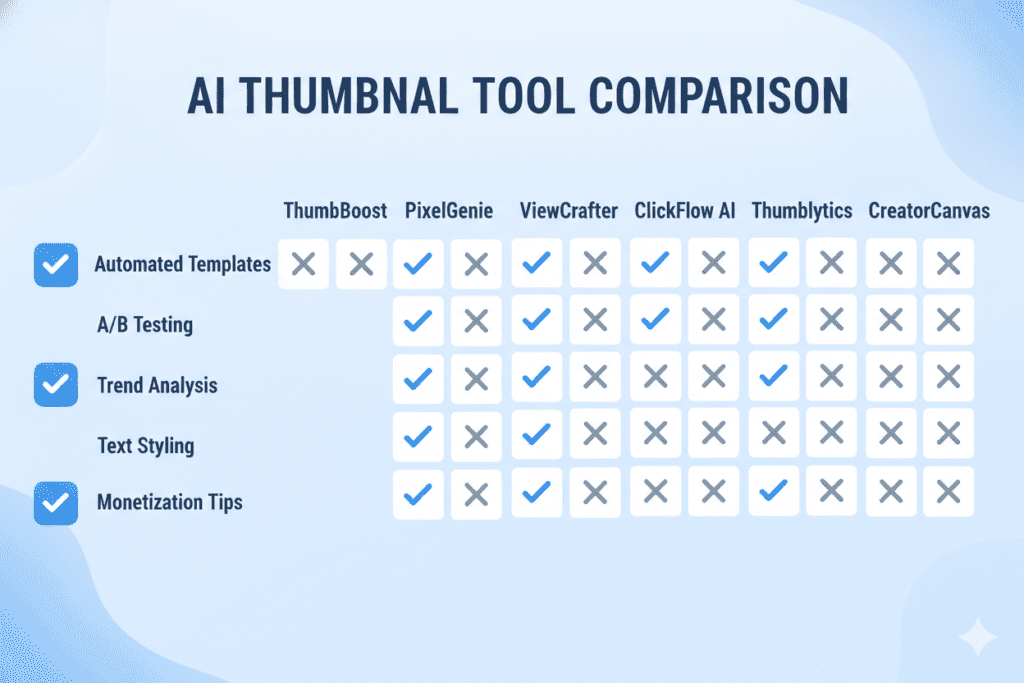
Here’s a side-by-side breakdown:
| Feature | Canva | Leonardo AI | Fliki | VEED | ytZolo |
|---|---|---|---|---|---|
| YouTube-specific AI | ❌ | ❌ | Partial | Partial | ✅ |
| CTR-optimized thumbnails | ❌ | ❌ | ❌ | ❌ | ✅ |
| AI Title Generator | ❌ | ❌ | ❌ | ❌ | ✅ |
| AI Script Writer | ❌ | ❌ | ❌ | ❌ | ✅ |
| AI Description + Tags | ❌ | ❌ | ❌ | ❌ | ✅ |
| No watermarks (free) | Partial | ✅ | ✅ | Partial | ✅ |
| Built for YouTube growth | ❌ | ❌ | ❌ | ❌ | ✅ |
When other tools show you a design canvas, ytZolo acts as an AI thumbnail generator online no watermark while taking full content action—generating your thumbnail, title, script, description, and tags as one cohesive, algorithm-aligned package.
That’s not a small difference. That’s the entire game.
Why Creators Struggle Without AI
Manual thumbnail design is a time trap. Most creators spend 2–3 hours per video just on thumbnail creation — choosing images, testing layouts, adjusting colors, second-guessing every decision.
That’s time you could spend creating more content, improving your strategy, or actually living your life.
And without AI guidance, most manually created thumbnails underperform. Unlike a free AI thumbnail maker YouTube creators can use for data-driven designs, they’re based on guesswork rather than data. They look fine but don’t drive clicks.
Why Manual Methods Are Outdated
In 2026, the creators winning on YouTube are not necessarily the most talented. They’re the most efficient. They use AI to do in 20 minutes what used to take five hours — and they use the saved time to publish more, test more, and grow faster.
Manual methods made sense in 2018. Today, they’re a competitive disadvantage.
You can check out more on how AI is reshaping the creator workflow on the ytZolo blog — it’s packed with practical guides built specifically for YouTubers.
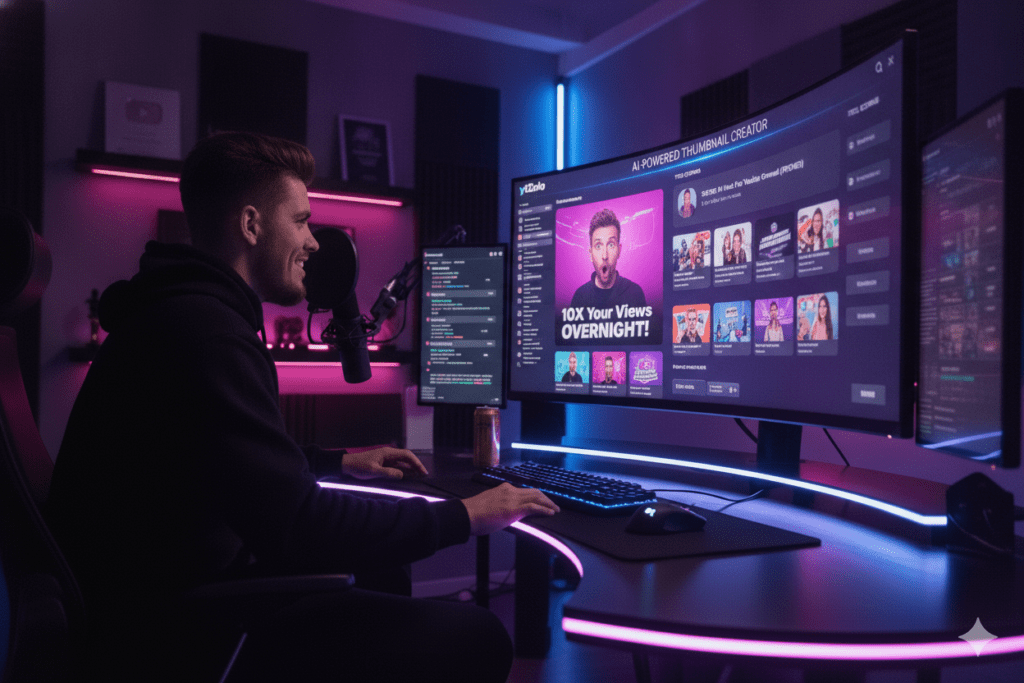
How to Create a High-CTR Thumbnail with AI (Step-by-Step)
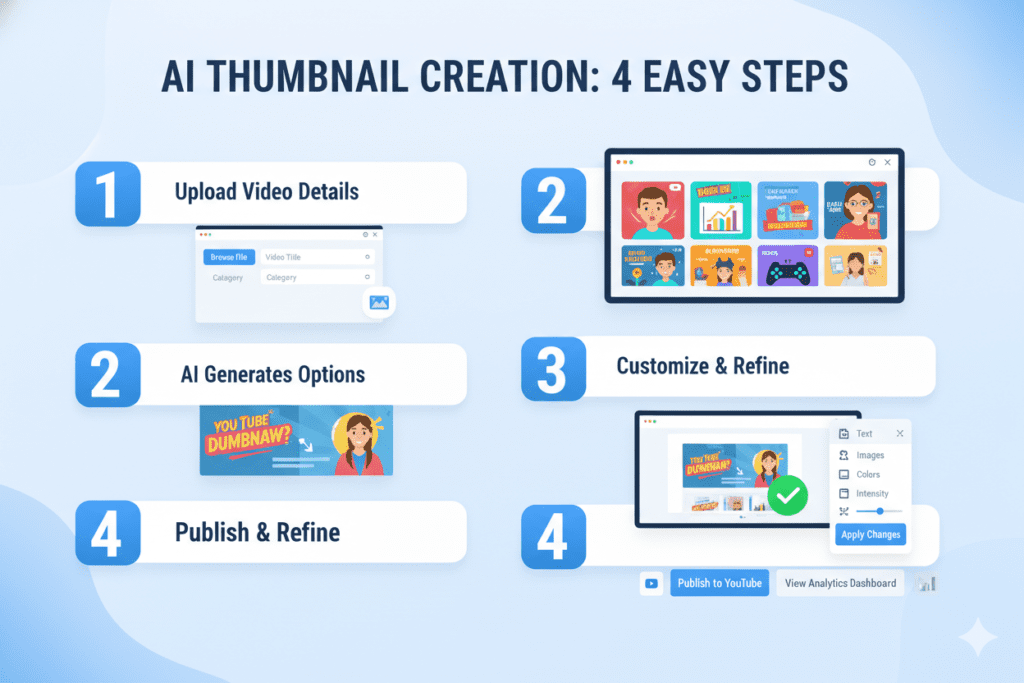
Ready to put this into practice? Here’s exactly how to go from a blank screen to a click-worthy thumbnail using the best free AI image generators for YouTube thumbnails.
Step 1 — Define Your Thumbnail Concept
Before you open any tool, answer two questions:
- What emotion do I want the viewer to feel in 0.3 seconds?
- What is the single biggest promise or curiosity hook in this video?
A clear concept produces a better AI output every time.
Step 2 — Write a Specific AI Prompt
Vague prompts produce vague results. Be precise.
Instead of: “A man looking excited”
Write: “A man with a shocked facial expression pointing at a rising chart, cinematic lighting, bright yellow background, hyper-realistic, 16:9”
The more specific your prompt, the more on-brand and click-worthy your output will be.
Step 3 — Generate with ytZolo (or Your Chosen Tool)
Head to ytzolo.com and enter your video topic or title. Let the AI generate your thumbnail alongside a full set of optimized titles, descriptions, and tags. Pick the variation that best matches your concept.
Step 4 — Add Text Overlay
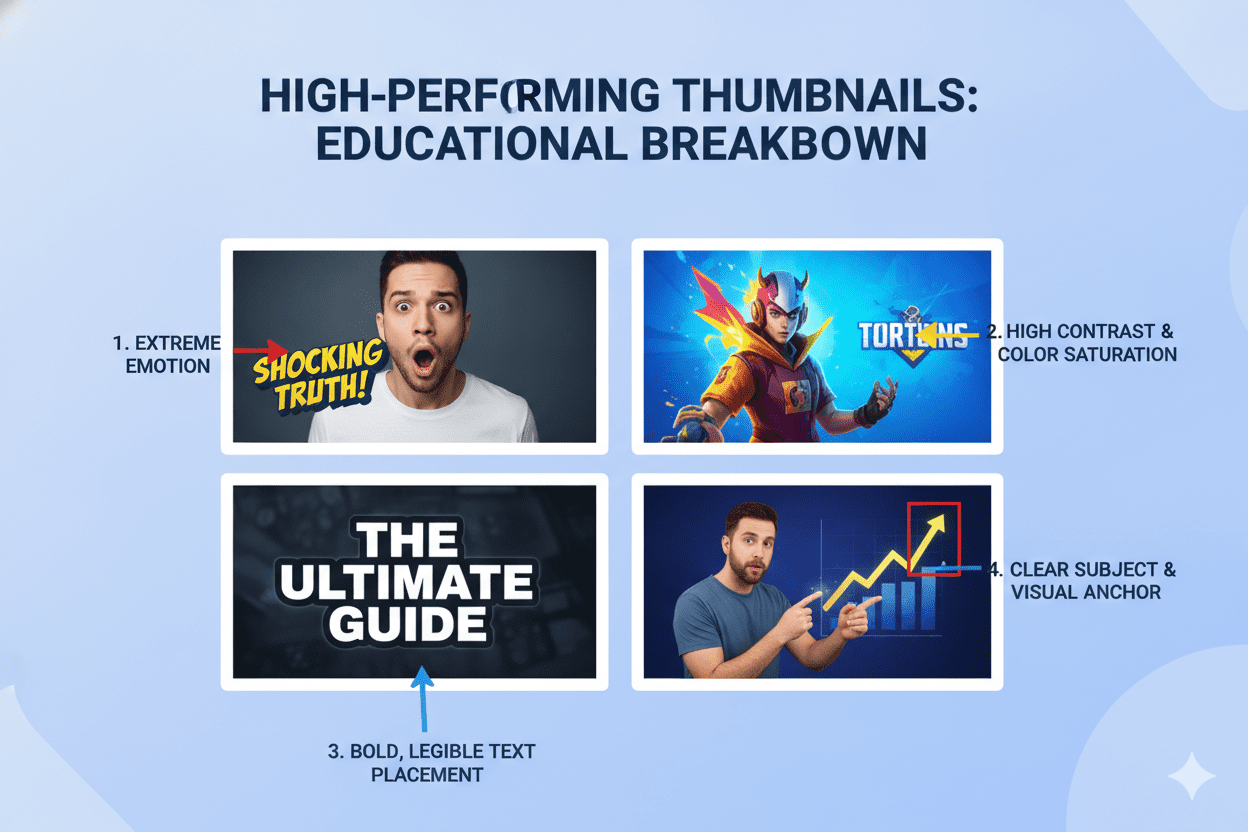
Your thumbnail should have 3–5 bold words maximum. The best AI YouTube thumbnail generator helps optimize this automatically. Use high-contrast fonts (white or yellow on dark backgrounds). Make sure the text is readable at small mobile size—because over 70% of YouTube views happen on mobile devices.
Step 5 — Export at 1280×720 Pixels
This is YouTube’s recommended thumbnail size. Export as JPG or PNG, keeping the file under 2MB for fast loading. With ytZolo, this is handled automatically.
Step 6 — A/B Test Your Thumbnails
YouTube’s built-in Test & Compare feature lets you upload multiple thumbnail versions. Run two variations for 48–72 hours and let the data decide which one performs better. Even a 1–2% CTR improvement compounds significantly over time.
Pro Tips to Make Your AI-Generated Thumbnails Go Viral
Generating a good thumbnail is the starting point. Here’s what separates good from great:
Use Human Faces with Strong Emotions Research analyzing top YouTube videos shows that thumbnails with human faces get dramatically more views than those without. A high CTR AI thumbnail generator often prioritizes expressions of surprise, shock, or excitement because they consistently outperform neutral looks.
High Contrast Is Non-Negotiable Your thumbnail needs to pop against YouTube’s white or dark background. Bright colors on dark backgrounds. Dark text on bright backgrounds. Low-contrast thumbnails disappear in the feed.
Create a Title-Thumbnail Partnership The most effective thumbnails and titles work as a team. The thumbnail creates intrigue. The title explains the context. Neither one tells the full story alone — which compels the viewer to click and find out more.
Refresh Old Thumbnails This is an underrated growth hack. Updating thumbnails on your older, evergreen videos can revive them. Creators using the best AI YouTube thumbnail generator to refresh thumbnails on 10 evergreen videos saw CTR increases of 30–40% and total view growth of over 200%.
Stay Consistent with Your Brand Colors, fonts, and layout styles that appear across your thumbnails build channel identity. Viewers start recognizing your content at a glance — which boosts click rates from subscribers and browse traffic.
Always Preview at Mobile Size Most of your viewers will see your thumbnail at about 120×68 pixels on mobile. If your text or faces get lost at that size, your design needs work. Always zoom out and check.
FAQ
What is the best free AI image generator for YouTube thumbnails in 2026?
The best free AI image generator for YouTube thumbnails in 2026 is ytZolo. Unlike general design tools, ytZolo was purpose-built for YouTube creators.
It generates CTR-optimized thumbnails based on niche-specific click psychology, exports in full HD without watermarks, and combines thumbnail creation with AI-powered titles, scripts, descriptions, and tags — all in one platform. You can get started for free at ytzolo.com with no credit card required.
Can AI-generated thumbnails actually improve my YouTube CTR?
Yes — significantly. AI-optimized thumbnails regularly outperform manually designed ones because they’re based on data, not guesswork. Studies show that strong, optimized thumbnails can boost CTR by 25–40%. Channels maintaining a 6–10% CTR grow 2.3x faster than those stuck below 4%.
Using the best free AI image generators for YouTube thumbnails removes the guesswork and helps you design with intent.
What size should a YouTube thumbnail be?
YouTube’s recommended thumbnail size is 1280×720 pixels at a 16:9 aspect ratio. Keep your file under 2MB (JPG or PNG format) for optimal loading speed. Tools like ytZolo automatically output thumbnails at the correct dimensions — so you never have to resize manually.
How many words should a YouTube thumbnail have?
Keep your thumbnail text to 3–5 words maximum. More than that and your design gets cluttered—especially on mobile screens, where over 70% of YouTube views happen. An AI thumbnail generator online no watermark can help optimize layouts automatically.
Use bold, high-contrast fonts that are readable even at small sizes. Let the image and emotion do most of the heavy lifting.
Is it free to use AI for YouTube thumbnail generation?
Yes. Several of the best free AI image generators for YouTube thumbnails offer free plans, including ytZolo, Canva, Fliki, Leonardo AI, and Bing Image Creator. ytZolo’s free plan lets you generate and export AI thumbnails, titles, and more without entering a credit card.
For creators who want the full suite of AI-powered YouTube tools, ytZolo’s premium plans unlock even more features at an affordable price.
Conclusion: Stop Leaving Clicks on the Table
Your video content deserves to be seen.
You put in the hours. You show up consistently. You have ideas worth watching.
But if your thumbnails aren’t stopping people mid-scroll, none of that effort translates into views, subscribers, or growth.
The best free AI image generators for YouTube thumbnails have made it easier than ever to fix that — without expensive designers, without hours in Photoshop, and without needing a creative degree.
The tools are here. The technology is ready. The only question is whether you’re going to use it.
If you want one tool that handles the full picture — thumbnails, titles, scripts, descriptions, and tags — all optimized specifically for YouTube growth, there’s one clear answer in 2026: ytZolo.
It was built for creators like you. More than a free AI thumbnail maker YouTube creators rely on, it saves you hours every single week and gives you the kind of AI-powered edge that used to be reserved for production teams with big budgets.
The creators winning right now are not the ones who work the hardest. They’re the ones who work the smartest.
Start creating smarter, faster, and more viral YouTube content with ytZolo today. 👉 Get started for free at ytzolo.com


Pingback: ytZolo vs GravityWrite: Best YouTube AI in 2026?
Pingback: Best AI Aggregators 2026: Complete Guide (Ft. Aizolo)