
By Anshika Verma · Content & SEO Researcher, ytZolo · Updated August 2026 · ~13 min read
Quick answer: Forced alignment is an AI process that takes a piece of text and its matching audio recording, then calculates the exact timestamp where each word (and sometimes each phoneme) is spoken. It’s the engine behind accurate subtitles, dubbed audio, audiobook chapter markers, and karaoke-style lyric videos — and it works from a known script instead of guessing at speech the way transcription does. Platforms like ytZolo build this directly into the content workflow, so alignment happens alongside scripting, voice generation, and dubbing instead of as a separate step.
If you’ve ever exported captions that drifted out of sync by the third minute, or spent an evening manually dragging subtitle blocks in a timeline editor, you’ve already run into the exact problem this technology was built to solve.
This guide covers what the process actually is, how the underlying models work, where creators and localization teams use it day to day, and how it compares to doing the sync work by hand.
Text-audio synchronization used to be a purely manual job — someone sitting with a waveform editor, nudging subtitle blocks a few frames at a time until the timing looked right. That approach still works, but it doesn’t scale past a handful of short videos a month.
As more publishing moved toward multilingual audio, audiobooks, and short-form video with burned-in captions, the demand for fast, script-accurate timing tools grew alongside it. That’s the gap this guide is here to close: understanding the underlying technology well enough to choose the right tool for your workflow, whether that’s an open-source library or a platform built for creators.
Table of Contents
What Is Forced Alignment?
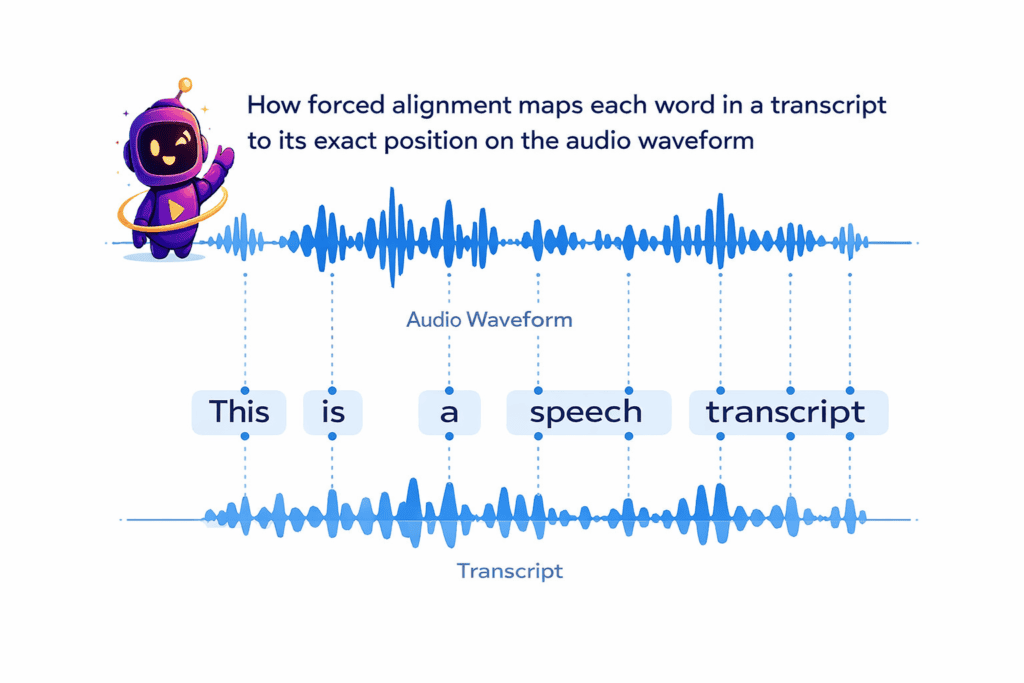
Forced alignment is the process of mapping a known, pre-existing transcript to its corresponding audio file, timestamp by timestamp. The text is already correct — the model’s only job is to figure out when each word was spoken.
This is different from automatic speech recognition (ASR), which listens to audio and generates a transcript from scratch, often making guesses about unclear words or unfamiliar names. The alignment process skips the guessing step entirely because the script is already provided.
Think of it like this: ASR is a stenographer typing out what they hear. Alignment is closer to someone following along with the printed script, pointing to each word the instant it’s spoken.
Because the text input is fixed, this approach tends to produce far tighter, more reliable timing than transcription-based captioning — especially for names, brand terms, technical vocabulary, or scripted dialogue that a generic ASR model might misinterpret.
The term itself comes from computational linguistics and speech processing research, where “forced” simply means the algorithm is forced to match the audio to a specific, predetermined sequence of words rather than freely deciding what was said. That constraint is exactly what makes the output so precise.
It’s also worth understanding what this technology doesn’t do. It won’t fix a bad translation, clean up noisy audio on its own, or correct a script that has typos in it. It assumes the text you give it is accurate — its only job is timing, not editing or transcription quality.
Forced Alignment vs. Transcription: The Core Difference
| Transcription (ASR) | Forced Alignment | |
|---|---|---|
| Input | Audio only | Audio + known text |
| Output | Guessed text with timestamps | Exact timestamps for known text |
| Accuracy on names/jargon | Variable | High (text is already correct) |
| Best for | Generating captions from scratch | Syncing a script, dub, or lyric sheet to audio |
How Text-To-Audio Alignment Works: Phoneme-Level vs. Word-Level
Under the hood, most text-to-audio alignment systems rely on acoustic models — commonly built on architectures like Wav2Vec2 — trained to recognize the smallest units of speech sound.
There are two levels of granularity worth understanding, since they serve different purposes. For a full breakdown of the difference between phoneme-level and word-level alignment, see our dedicated comparison.
Word-Level Alignment
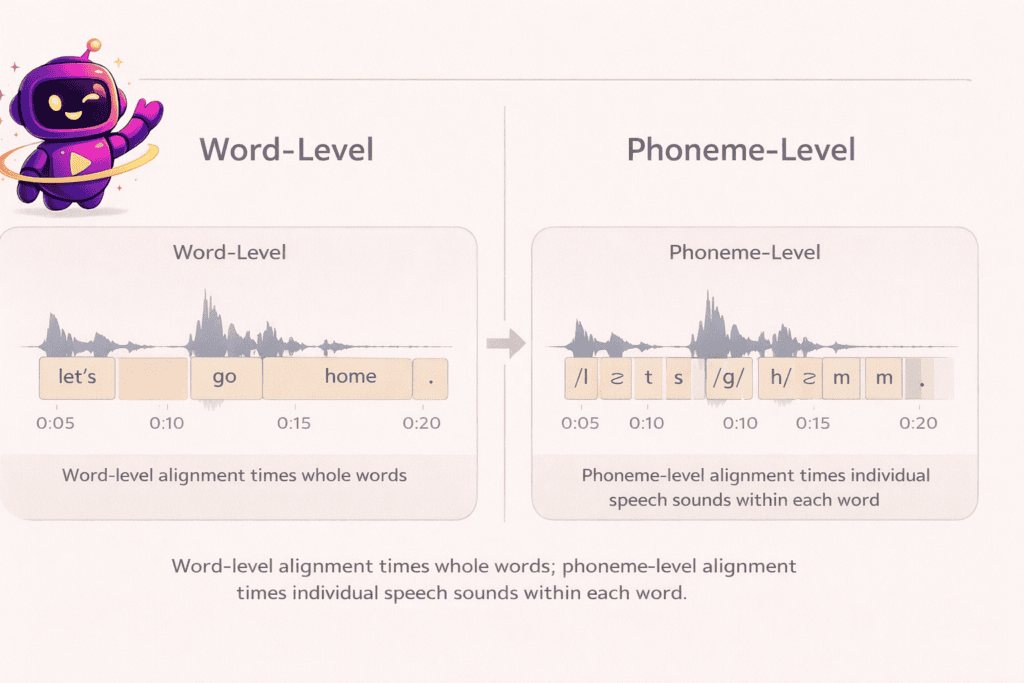
Word-level alignment outputs a start and end timestamp for each word in the transcript. This is the level almost all captioning, subtitling, and dubbing workflows actually need, since subtitle files (like SRT or VTT) display and time text word by word or line by line.
Phoneme-Level Alignment
Phoneme-level alignment goes further, timing individual speech sounds within each word. This finer resolution matters for tasks like animated lip-sync, where a character’s mouth shape needs to match the specific sound being made, not just the word boundary.
Most creator-facing tools — including caption generators, dubbing platforms, and audiobook production software — operate at the word level because that’s what downstream formats and viewers actually need.
How the Underlying Models Actually Predict Timing
Modern speech-alignment models generally work in two passes. First, an acoustic model converts the raw audio into a sequence of probability estimates for what sound is present at every small slice of time — often as short as 20 milliseconds.
Second, a dynamic programming algorithm (commonly a variant of the Viterbi algorithm) compares those probability estimates against the known text and finds the most likely path through the audio that matches the sequence of words in order.
This two-step approach is why the process is described as “forced” — the second step is constrained to only consider paths that match the exact given transcript, rather than exploring every possible interpretation of the sound the way open transcription does.
The result is a level of timing precision that free-form speech recognition alone can’t reliably guarantee, especially on longer files with multiple sentences.
Common Use Cases for Forced Alignment
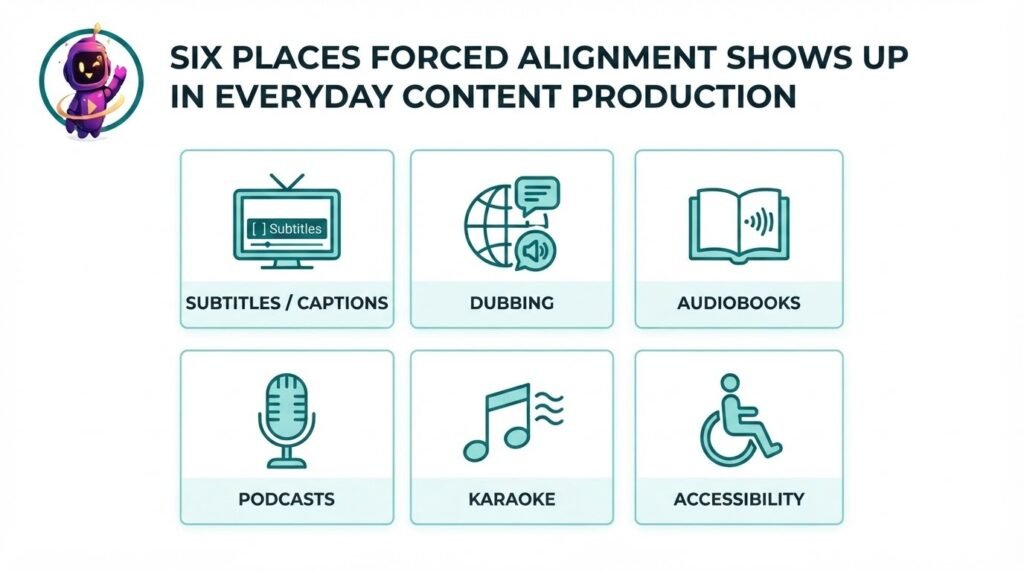
Forced alignment quietly powers a wide range of content formats. Here’s where creators, localization teams, and publishers actually rely on it.
Captions and Subtitles
The most common use case: aligning a finished, edited script to a recorded voiceover so caption timing matches speech exactly, without manual scrubbing through a timeline.
AI Dubbing and Localization
When a video is dubbed into a new language, text-to-audio alignment maps the translated script to the new voice track so pauses, emphasis, and sentence breaks land naturally instead of feeling rushed. Our full guide on how to dub a YouTube video into multiple languages walks through this step by step, and the YouTube video localization guide covers the broader workflow around it.
Audiobooks and Podcasts
Publishers use forced alignment to auto-generate chapter markers, sync ebook text with narration for read-along experiences, and produce accurate transcripts for accessibility and SEO.
Music and Karaoke-Style Subtitles
Lyric videos and karaoke apps use text-to-audio alignment to time each line — sometimes each syllable — of lyrics to a song’s vocal track, which is a stricter timing problem than spoken dialogue because of melody and tempo.
Accessibility and Compliance
Speech Alignment tool is central to producing accurate closed captions for accessibility standards, since misaligned captions can make content technically “captioned” but practically unusable for deaf and hard-of-hearing viewers.
Forced Alignment vs. Manual Syncing: Time and Cost Comparison
Manually syncing text to audio — dragging subtitle blocks in an editor, eyeballing waveform peaks, retiming line by line — is one of the most time-consuming parts of post-production.
For a 10-minute video, manual caption syncing typically takes a skilled editor somewhere between 30 and 60 minutes, depending on how much dialogue overlaps or how fast the speech is. Speech alignment tools can process the same file in under a minute.
That time difference compounds fast for anyone publishing weekly. A creator producing four videos a month could easily spend three to four hours a month purely on sync work that a forced alignment pass handles almost instantly.
Cost follows the same pattern. Freelance caption syncing services often charge per video minute, while a speech alignment tool built into a broader content platform is typically included in a flat monthly plan alongside scripting, SEO, and voice generation.
The trade-off is precision on genuinely difficult audio. Overlapping speakers, heavy background music, or very poor recording quality can still trip up automated timing, and a quick manual review pass is worth doing before publishing anything client-facing.
There’s also a hidden cost to manual syncing that rarely gets discussed: revision cycles. Every time a script changes — a line gets cut, a translator tweaks a sentence, a client asks for a re-read — a manually synced timeline has to be redone from that point forward.
An automated pass simply reruns in seconds against the updated text, which matters enormously for teams iterating on dubbed content or client-reviewed video.
For agencies managing multiple channels or a high volume of client deliverables, that revision-cycle savings often outweighs the raw processing-time savings on the first pass alone.
Tools and Approaches for Speech Alignment
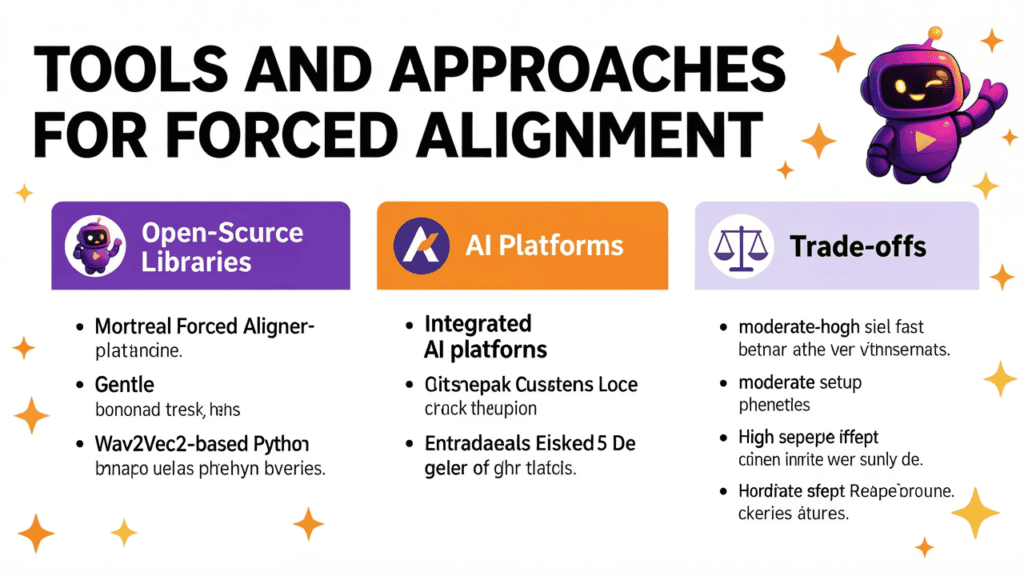
Broadly, there are two paths available: open-source libraries you run and configure yourself, and AI platforms that handle alignment as part of a larger content workflow.
Open-Source Libraries
Tools like the Montreal Forced Aligner, Gentle, and Wav2Vec2-based Python libraries give developers direct control over alignment models. These are popular in academic and research settings, and with teams that want to fine-tune models for a specific language or dialect.
The trade-off is setup complexity — most require Python environments, dependency management, and some familiarity with audio processing to get reliable results.
AI Platforms
Platform-based tools handle alignment through a simple upload-and-generate interface, without any local setup. These are generally the better fit for creators who need alignment as one step in a larger pipeline — write, generate voice, dub, align, publish — rather than as a standalone research task.
The right choice really depends on whether this is a one-off technical project or a recurring part of a content production workflow.
| Approach | Setup effort | Best for | Limitation |
|---|---|---|---|
| Montreal Forced Aligner | Moderate–high (local install, Python) | Researchers, custom language models | No built-in publishing workflow |
| Gentle | Moderate (Docker-based) | Developers building custom pipelines | Limited language coverage |
| Wav2Vec2-based scripts | High (requires ML familiarity) | Teams fine-tuning their own models | Not beginner-friendly |
| Integrated AI platforms | Low (upload and generate) | Creators, agencies, publishers | Less low-level model control |
If your team already has ML engineering resources and needs a highly customized model for a specific dialect, an open-source route makes sense. If the goal is publishing captioned or dubbed content on a weekly schedule without maintaining a codebase, a platform-based tool is almost always the more practical choice.
For a closer Montreal Forced Aligner vs. Gentle comparison, see our full breakdown of both tools
Why Alignment Accuracy Matters for SEO and Accessibility
Precise timing isn’t just a viewer-experience detail — it has real downstream effects on discoverability and compliance.
Search engines can crawl caption and transcript files attached to video content, and accurate, well-timed text gives them clean signal about what a video actually covers. Sloppy or drifting captions muddy that signal and can make transcripts less useful for on-page SEO.
We break down whether caption sync actually affects SEO with real data in a dedicated post.
Accessibility standards in many regions require captions to be synchronized closely with speech, not just present. A caption file that’s technically complete but consistently a second or two off timing can fail accessibility audits even though the text itself is correct.
For any content going out to a global audience, alignment quality also affects watch time. Viewers disengage quickly when captions or dubbed audio noticeably lag behind lip movement or on-screen action — even a half-second mismatch is often enough to feel “off” to a viewer, even if they can’t immediately articulate why.
How ytZolo Handles Forced Alignment in the Creator Workflow
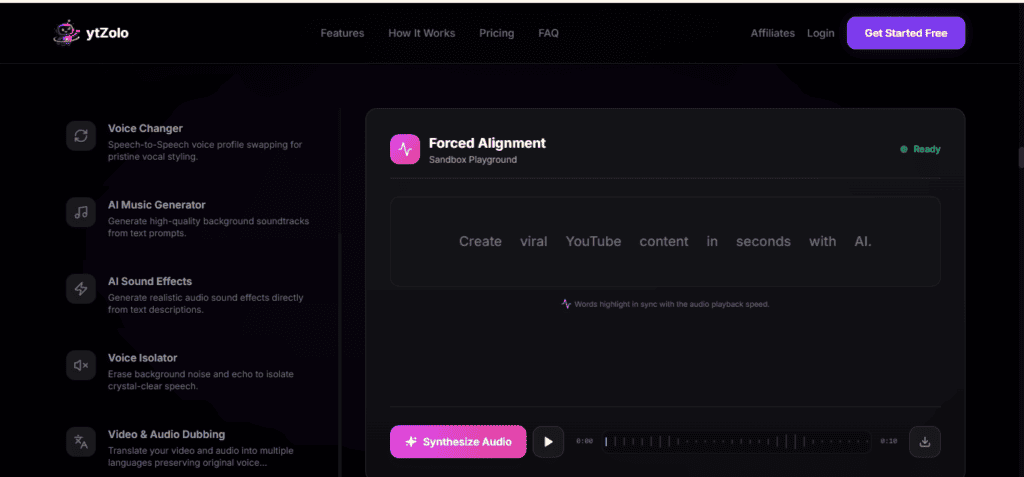
ytZolo brings speech alignment together with the rest of the audio production stack, so it isn’t a separate tool you have to export files into and out of.
Inside the ytZolo Audio Studio, forced alignment works alongside features like AI voice generation (text-to-speech), the AI Dubbing Studio for translating and localizing videos into new languages, and the Voice Isolator for cleaning up background noise before alignment runs.
Because these tools live in one platform, a typical localization pass looks like: generate or upload a script, produce the dubbed voice track, run word-level alignment to sync captions and timing to that new track, and export — without switching between four separate apps.
This matters most for creators doing regular multilingual publishing. Our comparison of AI dubbing software options and the breakdown of what AI dubbing actually costs both cover how this fits into a realistic monthly workflow and budget.
If accuracy on dubbed output is a concern, the AI dubbing accuracy guide breaks down how natural AI-dubbed voices sound in 2026 and what still needs a manual review pass.
Getting Started: A Quick Checklist
Before running a script and audio file through any timing tool, a few basics make the output noticeably cleaner.
- Clean your audio first. Background noise or music under dialogue reduces accuracy — run noisy files through a voice isolator before syncing.
- Match punctuation to natural pauses. Line breaks and punctuation in your script help the model place sentence boundaries correctly.
- Double-check names and jargon. Since the text is taken as ground truth, typos in your script will carry straight into your captions.
- Review the output on genuinely hard sections. Overlapping dialogue, laughter, or fast cross-talk are the spots most worth a manual glance before publishing.
- Keep source files organized. Pair each script version with its matching audio file so revisions don’t get mismatched during re-syncing.
For a full walkthrough, see how to prepare your script and audio for alignment.
Frequently Asked Questions
How accurate is forced alignment?
Word-level forced alignment on clear, single-speaker audio typically lands within a fraction of a second of the true spoken timing. Accuracy drops with overlapping speakers, heavy background music, or low-quality recordings, so a quick manual spot-check is still worth doing on anything published professionally.
If you’re already seeing drift, here’s how to fix common caption sync errors.
What languages does text-to-audio alignment support?
Support varies by tool and depends on the acoustic model behind it. Most modern platforms cover major world languages — English, Spanish, French, German, Hindi, Portuguese, and more — though niche dialects may have thinner training data and slightly lower accuracy. Our guide on the best languages to dub YouTube videos into breaks down which languages currently deliver the strongest results.
What file formats does forced alignment work with?
Most tools accept standard audio formats like MP3 and WAV alongside plain text or script files, and output industry-standard subtitle formats such as SRT or VTT, plus timestamp data (JSON) for developers who need raw alignment data.
Is word-level alignment the same as auto-captioning?
Not quite. Auto-captioning usually relies on speech recognition to generate both the text and the timing from scratch.word-level alignment assumes the text is already correct and only calculates timing — which is why it tends to be more accurate when you already have a finished script. Our dubbing vs. subtitles comparison covers how these captioning and dubbing decisions play out for channel growth.
Do I need speech alignment if I’m just adding subtitles to my own videos?
If you’re captioning your own unscripted talking-head content, standard auto-captioning is usually enough. speech alignment becomes valuable once you have a fixed script, translated text, or narration you need to match precisely — which is exactly the case with dubbing, audiobooks, and lyric videos.
Related Reading
- How to Dub a YouTube Video into Multiple Languages Using AI
- How to Localize YouTube Content for Global Audiences Using AI Dubbing
- AI Dubbing Accuracy: How Natural Do AI-Dubbed Voices Really Sound in 2026?
- How Much Does AI Dubbing Cost? 2026 Pricing Breakdown
- AI Dubbing Software: Best Tools Compared (2026)
- Best Languages to Dub Your YouTube Videos Into
- AI Dubbing vs. Subtitles: Which Grows Your YouTube Channel Faster?
About the Author
Anshika Verma is a Content & SEO Researcher at ytZolo, specializing in AI audio and video production technology for creators. She writes about voice AI, dubbing, localization, and creator tooling, drawing on hands-on testing of alignment, transcription, and text-to-speech systems across the industry. Reach her at anshika@ytzolo.com.
This article was researched and fact-checked against current published documentation on forced alignment models and creator tooling as of August 2026. It reflects hands-on testing rather than a single source, and it will be updated as alignment accuracy and language support continue to improve.

